Advanced Ant Features for Java Development: Mapping File Names and Built-in Mappers
Explore the advanced features of Ant for Java development, focusing on mapping file names using elements and the usage of built-in mapper types such as identity, flatten, and merge. Learn how these features can enhance your development workflow.

Download Presentation

Please find below an Image/Link to download the presentation.
The content on the website is provided AS IS for your information and personal use only. It may not be sold, licensed, or shared on other websites without obtaining consent from the author. If you encounter any issues during the download, it is possible that the publisher has removed the file from their server.
You are allowed to download the files provided on this website for personal or commercial use, subject to the condition that they are used lawfully. All files are the property of their respective owners.
The content on the website is provided AS IS for your information and personal use only. It may not be sold, licensed, or shared on other websites without obtaining consent from the author.
E N D
Presentation Transcript
Software Development Tools COMP220 Seb Coope More Ant Features These slides are mainly based on Java Development with Ant - E. Hatcher & S.Loughran. Manning Publications, 2003
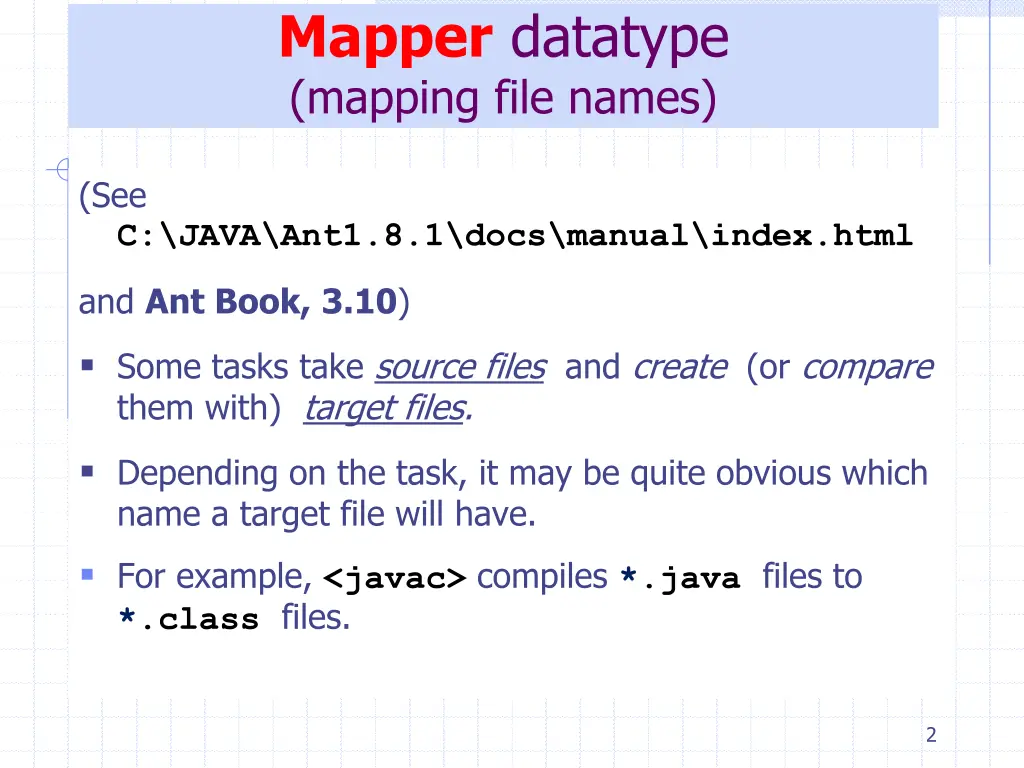
Mapper datatype (mapping file names) (See C:\JAVA\Ant1.8.1\docs\manual\index.html and Ant Book, 3.10) Some tasks take source files and create (or compare them with) target files. Depending on the task, it may be quite obvious which name a target file will have. For example, <javac> compiles *.java files to *.class files. 2
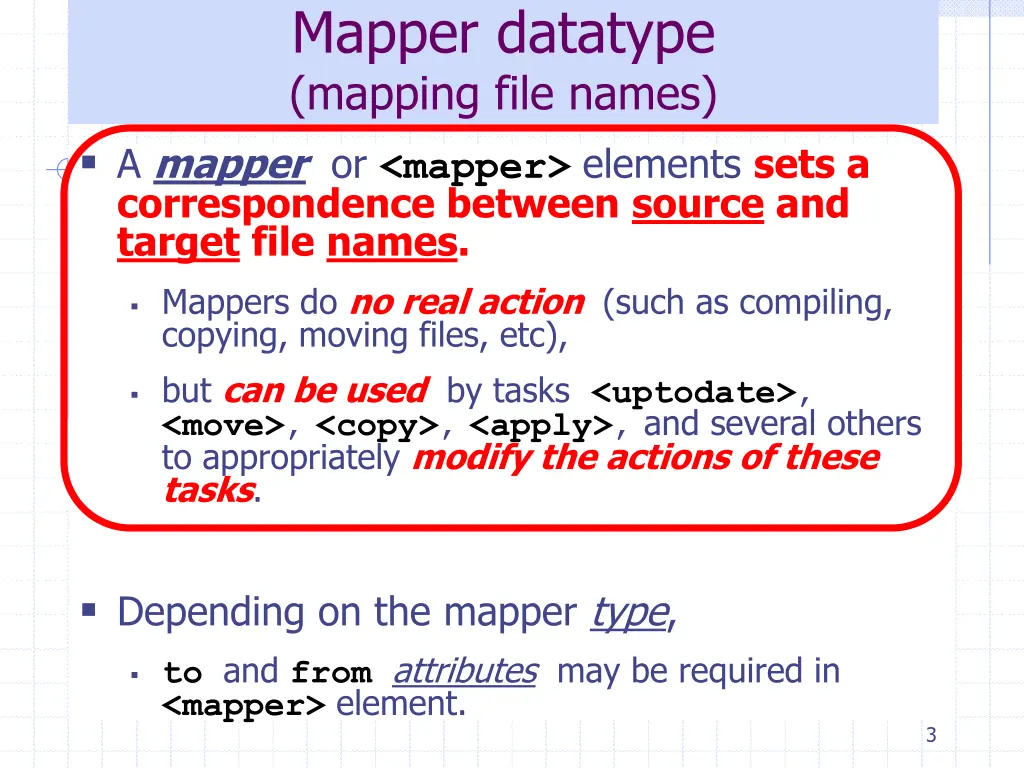
Mapper datatype (mapping file names) A mapper or <mapper> elements sets a correspondence between source and target file names. Mappers do no real action (such as compiling, copying, moving files, etc), but can be used by tasks <uptodate>, <move>,<copy>,<apply>, and several others to appropriately modify the actions of these tasks. Depending on the mapper type, toand fromattributes may be required in <mapper> element. 3
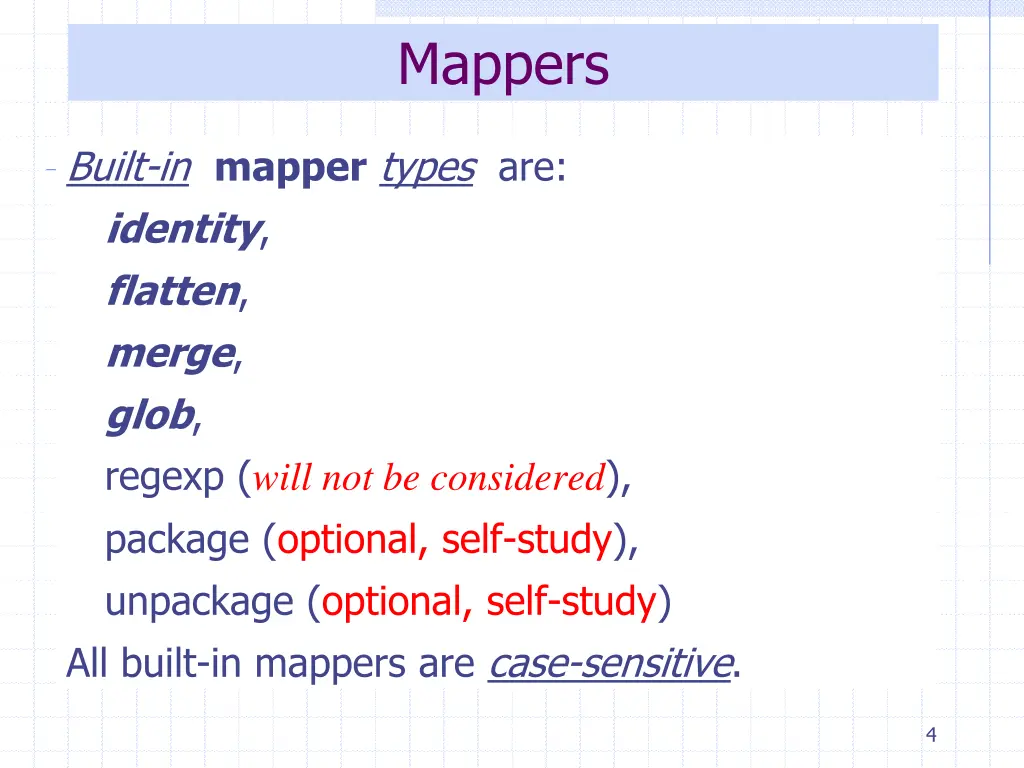
Mappers Built-in mapper types are: identity, flatten, merge, glob, regexp (will not be considered), package (optional, self-study), unpackage (optional, self-study) All built-in mappers are case-sensitive. 4
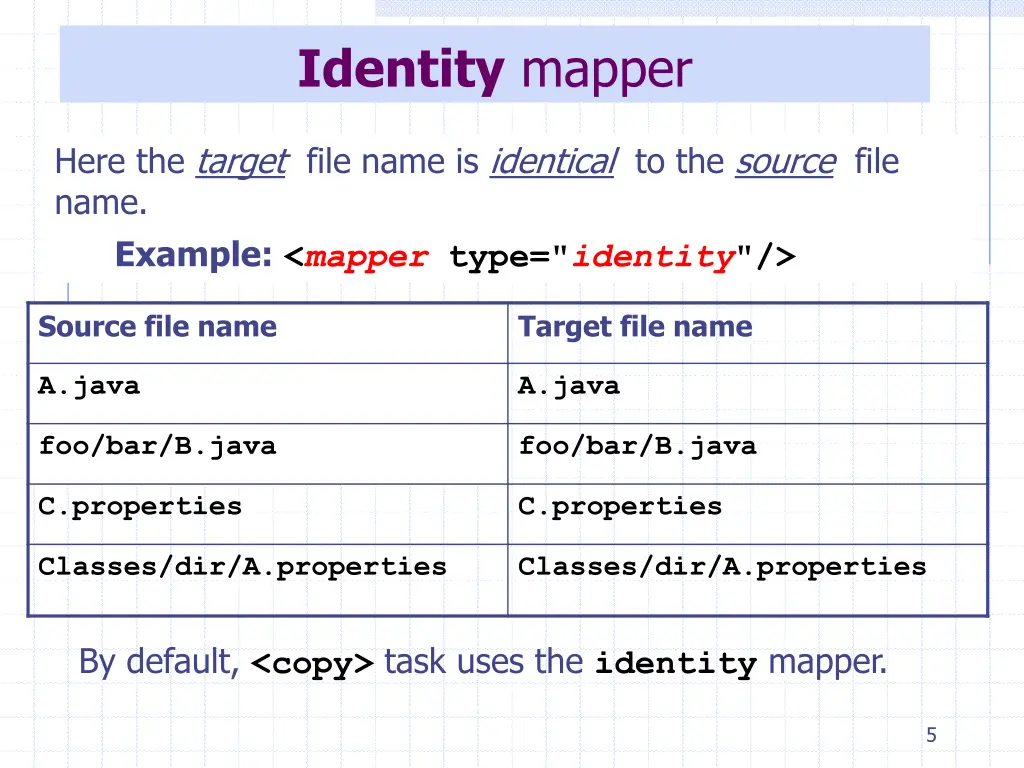
Identity mapper Here the target file name is identical to the source file name. Example:<mapper type="identity"/> Source file name Target file name A.java A.java foo/bar/B.java foo/bar/B.java C.properties C.properties Classes/dir/A.properties Classes/dir/A.properties By default, <copy> task uses the identity mapper. 5
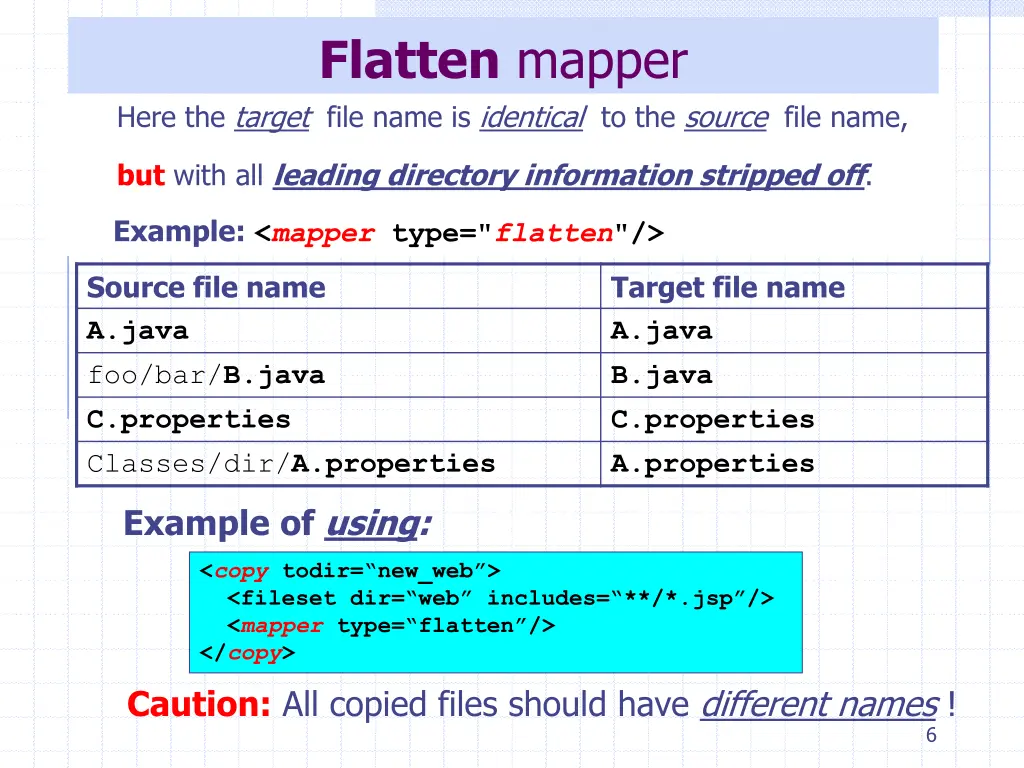
Flatten mapper Here the target file name is identical to the source file name, but with all leading directory information stripped off. Example:<mapper type="flatten"/> Source file name A.java foo/bar/B.java C.properties Classes/dir/A.properties Target file name A.java B.java C.properties A.properties Exampleof using: <copy todir= new_web > <fileset dir= web includes= **/*.jsp /> <mappertype= flatten /> </copy> Caution: All copied files should have different names ! 6
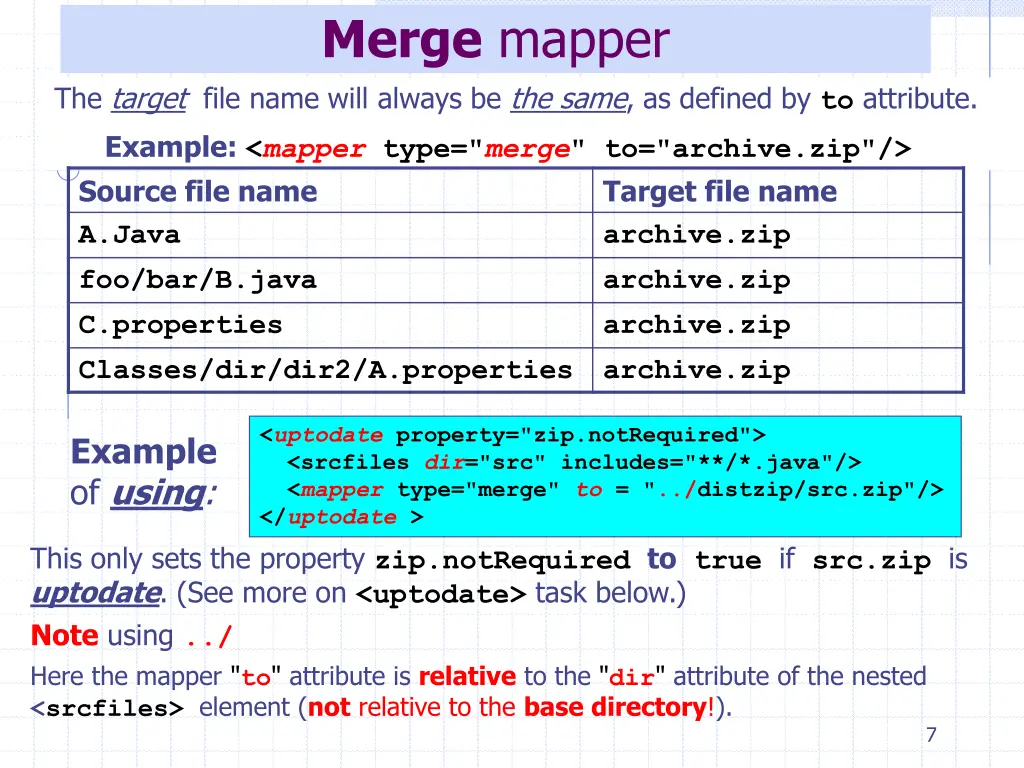
Merge mapper The target file name will always be the same, as defined by to attribute. Example: <mapper type="merge" to="archive.zip"/> Source file name A.Java foo/bar/B.java C.properties Classes/dir/dir2/A.properties Target file name archive.zip archive.zip archive.zip archive.zip <uptodate property="zip.notRequired"> <srcfiles dir="src" includes="**/*.java"/> <mapper type="merge" to = "../distzip/src.zip"/> </uptodate > This only sets the property zip.notRequired to true if src.zip is uptodate. (See more on <uptodate> task below.) Note using ../ Here the mapper "to" attribute is relative to the "dir" attribute of the nested <srcfiles> element (not relative to the base directory!). Example of using: 7
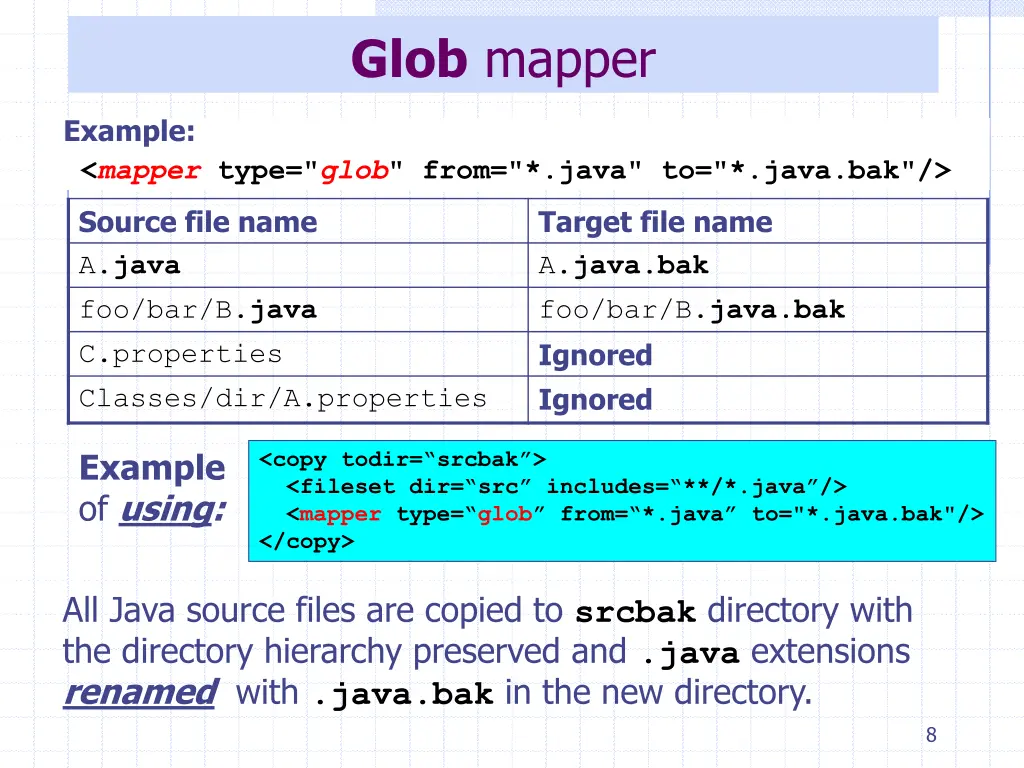
Glob mapper Example: <mapper type="glob" from="*.java" to="*.java.bak"/> Source file name A.java foo/bar/B.java C.properties Classes/dir/A.properties Target file name A.java.bak foo/bar/B.java.bak Ignored Ignored Example of using: <copy todir= srcbak > <fileset dir= src includes= **/*.java /> <mapper type= glob from= *.java to="*.java.bak"/> </copy> All Java source files are copied to srcbak directory with the directory hierarchy preserved and .java extensions renamed with .java.bak in the new directory. 8
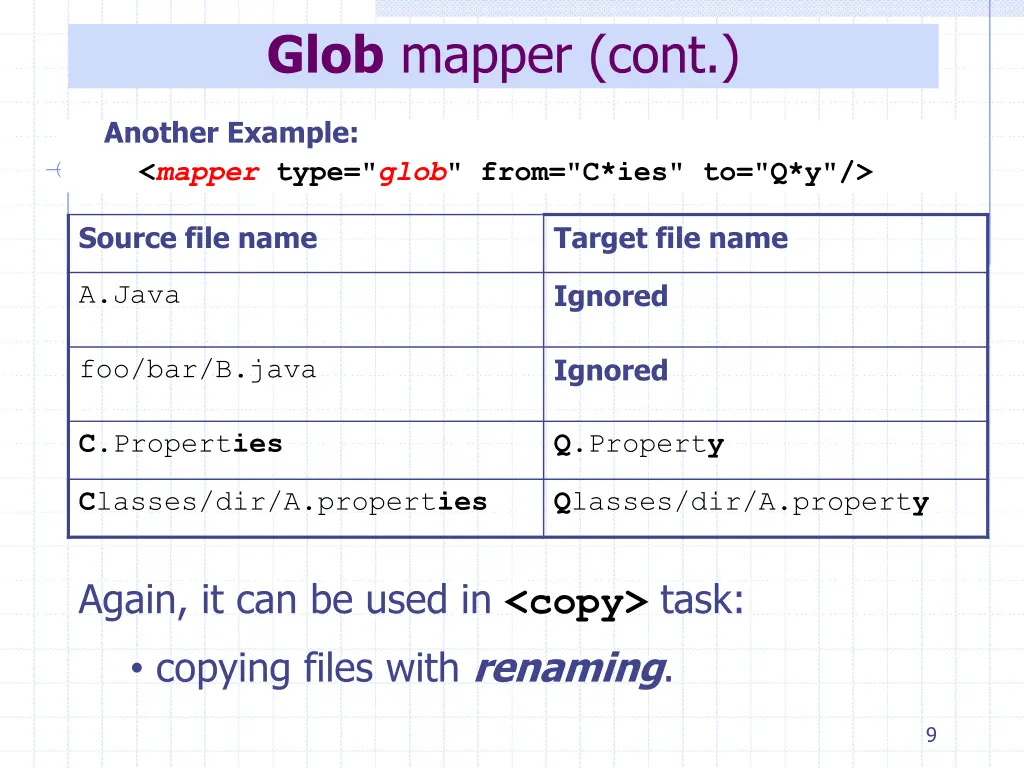
Glob mapper (cont.) Another Example: <mapper type="glob" from="C*ies" to="Q*y"/> Source file name Target file name Ignored A.Java Ignored foo/bar/B.java C.Properties Q.Property Classes/dir/A.properties Qlasses/dir/A.property Again, it can be used in <copy> task: copying files with renaming. 9
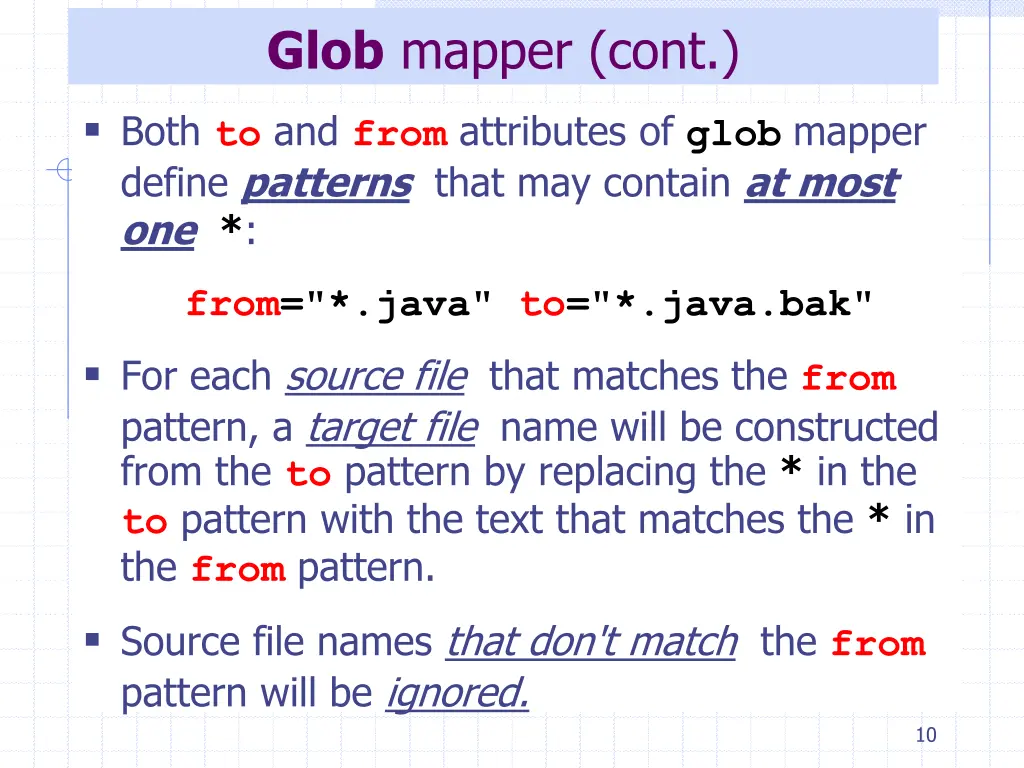
Glob mapper (cont.) Both to and from attributes of globmapper define patterns that may contain at most one*: from="*.java" to="*.java.bak" For each source file that matches the from pattern, a target file name will be constructed from the to pattern by replacing the * in the to pattern with the text that matches the * in the from pattern. Source file names that don't match the from pattern will be ignored. 10
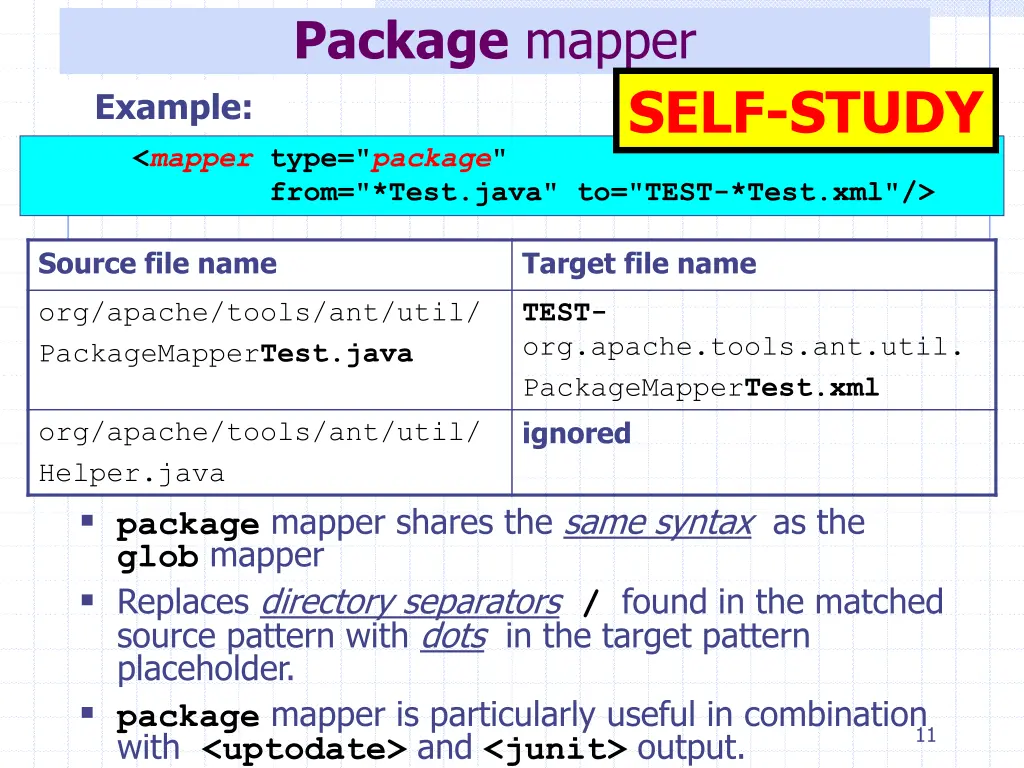
Package mapper SELF-STUDY Example: <mapper type="package" from="*Test.java" to="TEST-*Test.xml"/> Source file name Target file name org/apache/tools/ant/util/ PackageMapperTest.java TEST- org.apache.tools.ant.util. PackageMapperTest.xml ignored org/apache/tools/ant/util/ Helper.java package mapper shares the same syntax as the glob mapper Replaces directory separators / found in the matched source pattern with dots in the target pattern placeholder. package mapper is particularly useful in combination with <uptodate> and <junit> output. 11
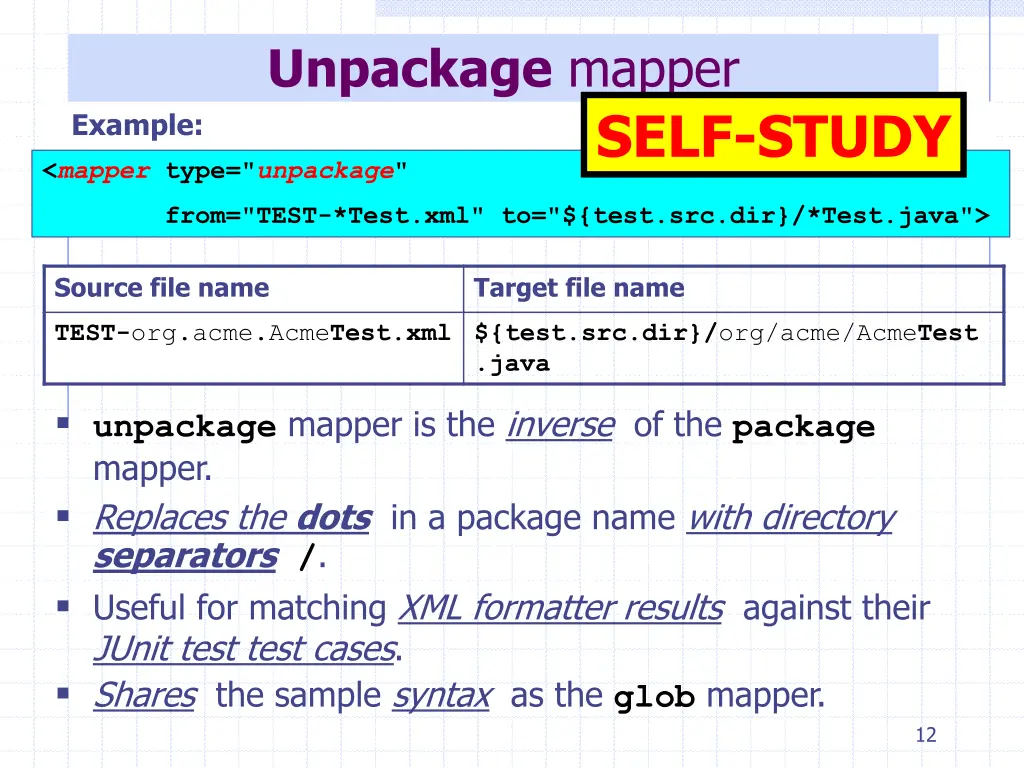
Unpackage mapper SELF-STUDY Example: <mapper type="unpackage" from="TEST-*Test.xml" to="${test.src.dir}/*Test.java"> Source file name Target file name TEST-org.acme.AcmeTest.xml ${test.src.dir}/org/acme/AcmeTest .java unpackage mapper is the inverse of the package mapper. Replaces the dots in a package name with directory separators/. Useful for matching XML formatter results against their JUnit test test cases. Shares the sample syntax as the glob mapper. 12
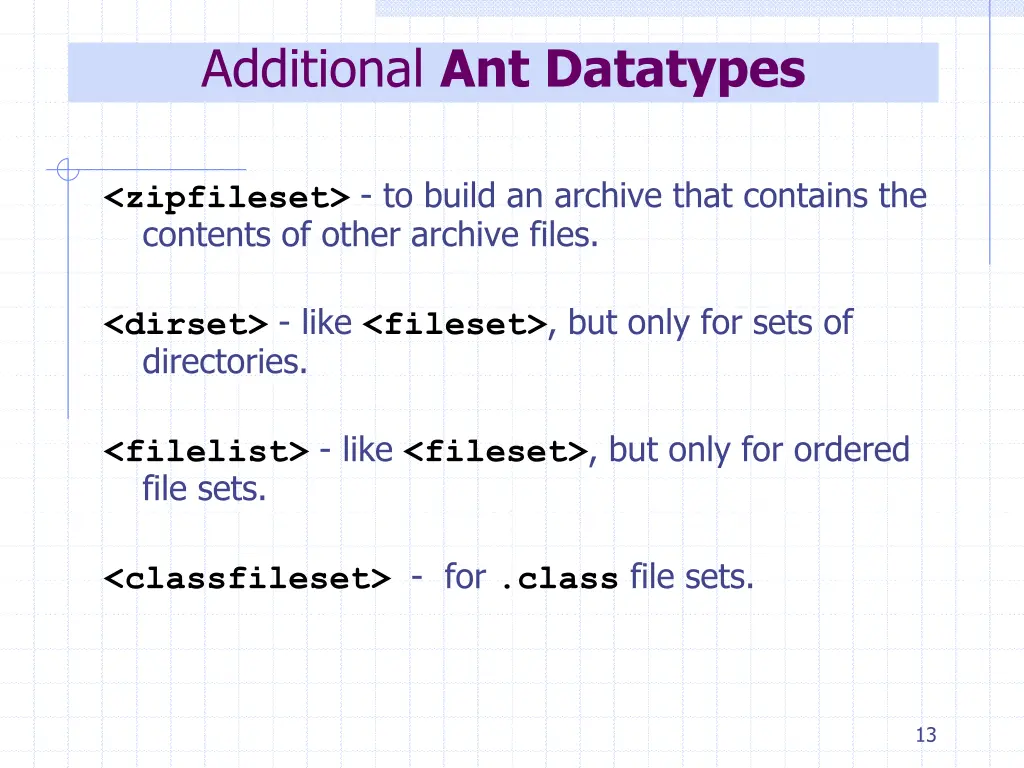
Additional Ant Datatypes <zipfileset> - to build an archive that contains the contents of other archive files. <dirset> - like <fileset>, but only for sets of directories. <filelist> - like <fileset>, but only for ordered file sets. <classfileset>- for .class file sets. 13
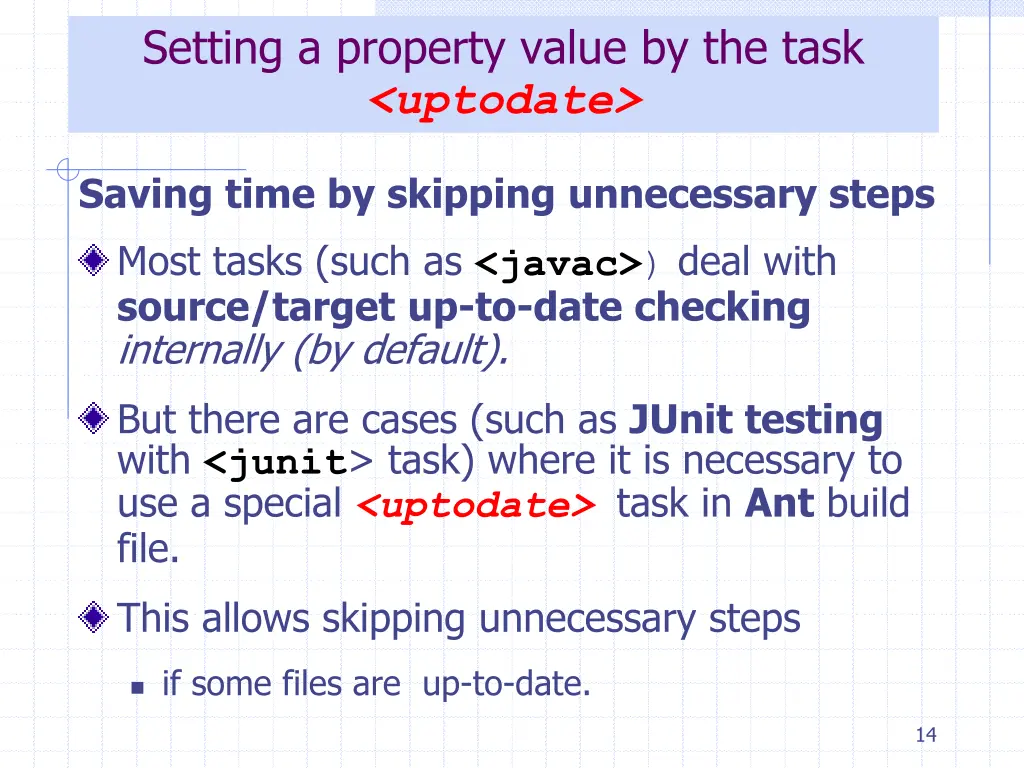
Setting a property value by the task <uptodate> Saving time by skipping unnecessary steps Most tasks (such as <javac>) deal with source/targetup-to-date checking internally (by default). But there are cases (such as JUnit testing with <junit> task) where it is necessary to use a special <uptodate> task in Ant build file. This allows skipping unnecessary steps if some files are up-to-date. 14
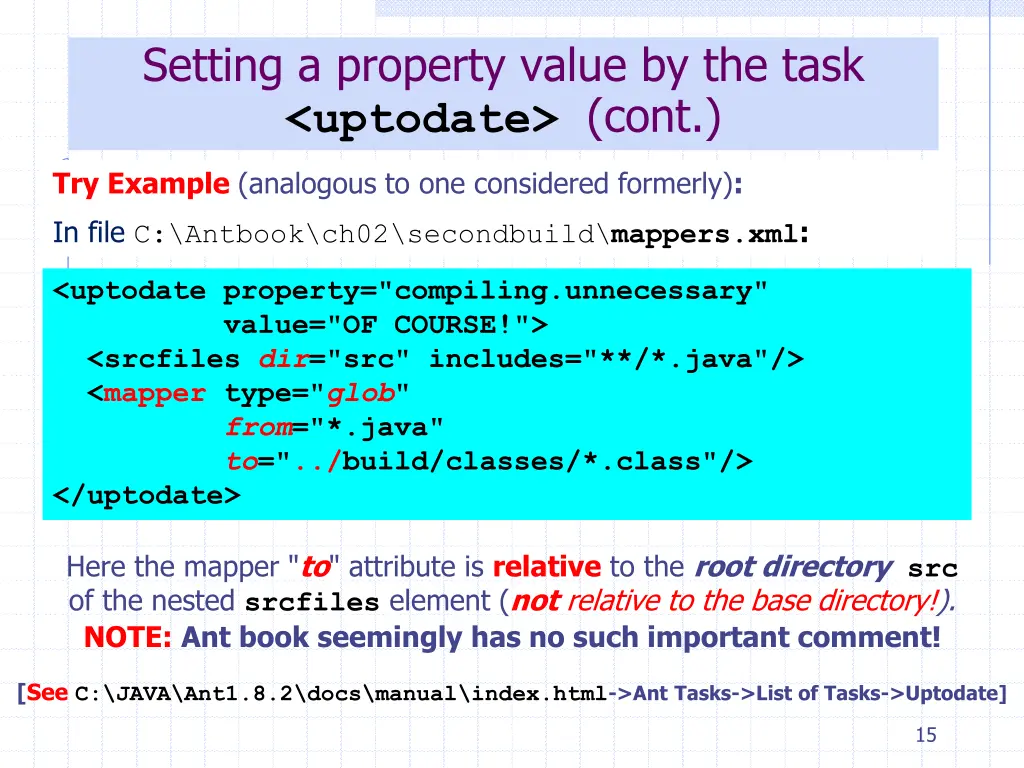
Setting a property value by the task <uptodate>(cont.) Try Example (analogous to one considered formerly): In fileC:\Antbook\ch02\secondbuild\mappers.xml: <uptodate property="compiling.unnecessary" value="OF COURSE!"> <srcfiles dir="src" includes="**/*.java"/> <mapper type="glob" from="*.java" to="../build/classes/*.class"/> </uptodate> Here the mapper "to" attribute is relative to the root directorysrc of the nested srcfiles element (not relative to the base directory!). NOTE:Ant book seemingly has no such important comment! [See C:\JAVA\Ant1.8.2\docs\manual\index.html->Ant Tasks->List of Tasks->Uptodate] 15
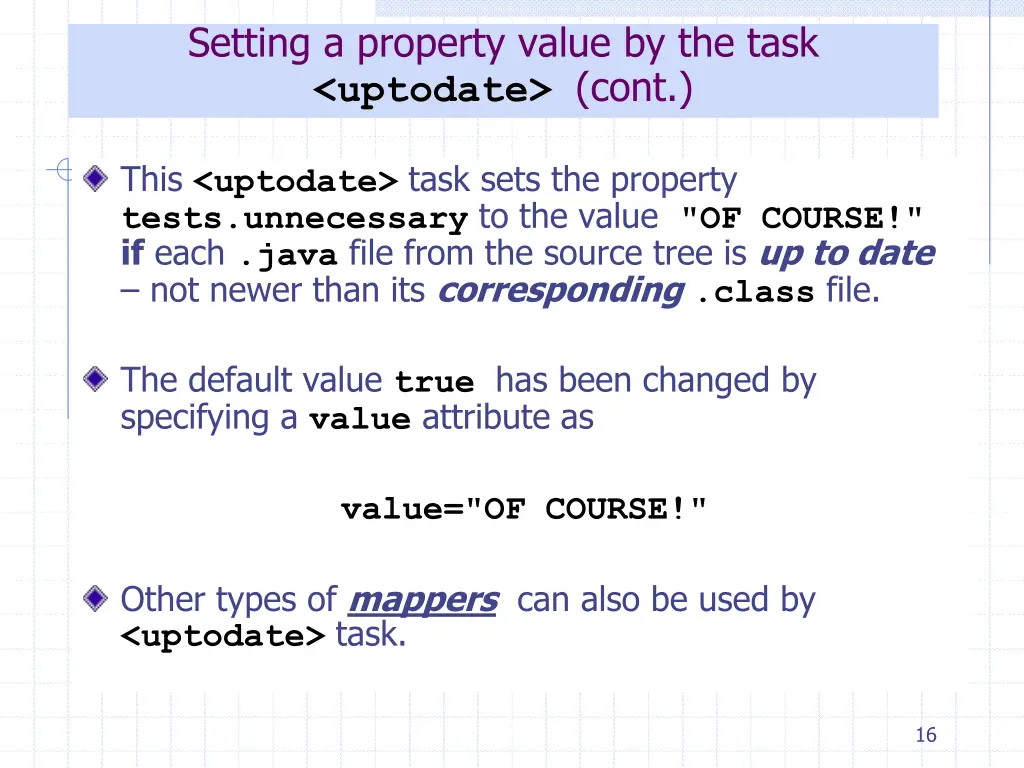
Setting a property value by the task <uptodate>(cont.) This <uptodate> task sets the property tests.unnecessary to the value "OF COURSE!" if each .java file from the source tree is up to date not newer than its corresponding.class file. The default value truehas been changed by specifying a value attribute as value="OF COURSE!" Other types of mappers can also be used by <uptodate> task. 16
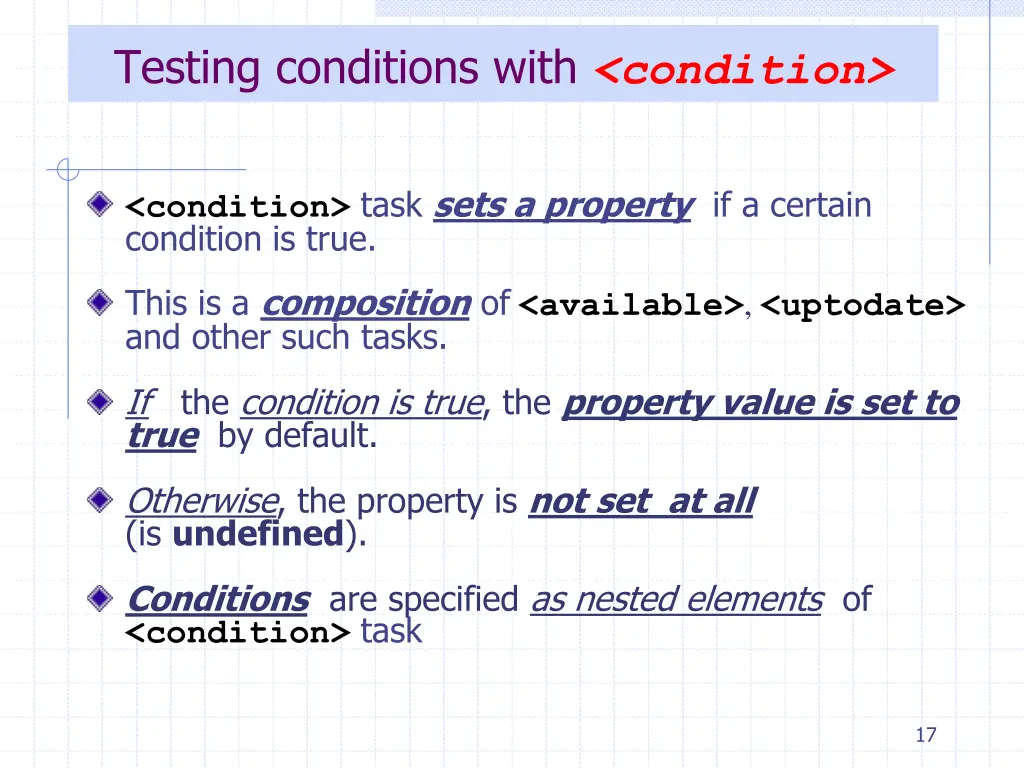
Testing conditions with <condition> <condition> task sets a property if a certain condition is true. This is a composition of<available>, <uptodate> and other such tasks. If the condition is true, the property value is set to true by default. Otherwise, the property is not set at all (is undefined). Conditions are specified as nested elements of <condition> task 17
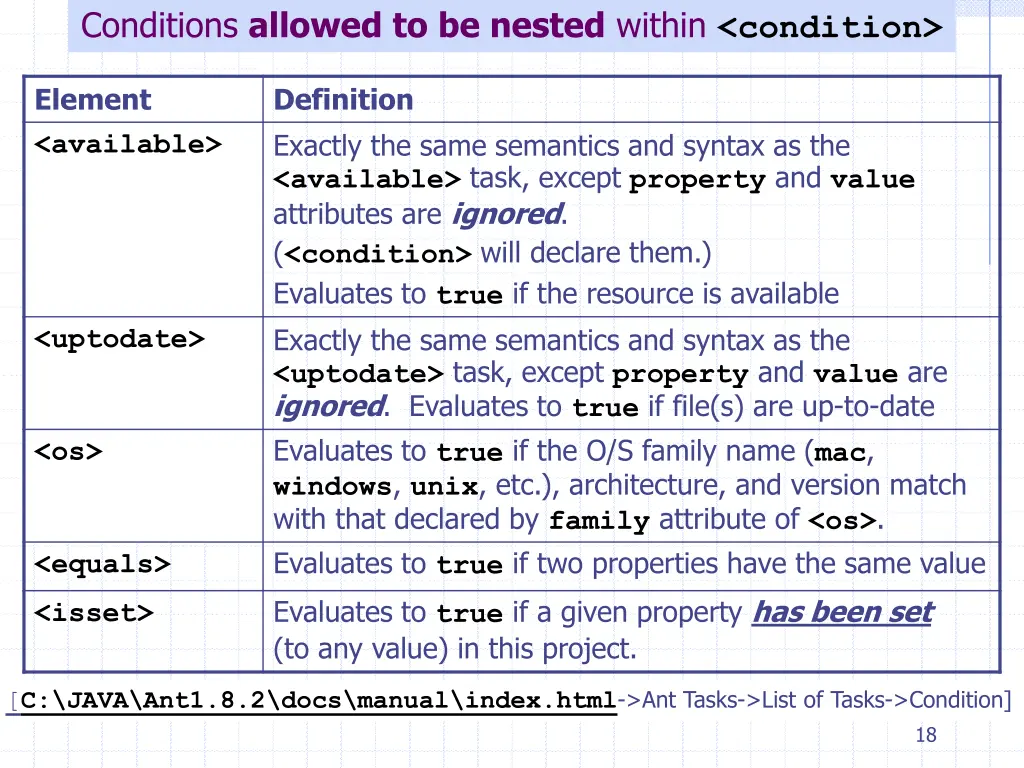
Conditions allowed to be nested within <condition> Element <available> Definition Exactly the same semantics and syntax as the <available> task, except property and value attributes are ignored. (<condition>will declare them.) Evaluates to true if the resource is available Exactly the same semantics and syntax as the <uptodate> task, except property and value are ignored. Evaluates to true if file(s) are up-to-date Evaluates to true if the O/S family name (mac, windows, unix, etc.), architecture, and version match with that declared by family attribute of <os>. Evaluates to true if two properties have the same value Evaluates to true if a given property has been set (to any value) in this project. <uptodate> <os> <equals> <isset> [C:\JAVA\Ant1.8.2\docs\manual\index.html->Ant Tasks->List of Tasks->Condition] 18
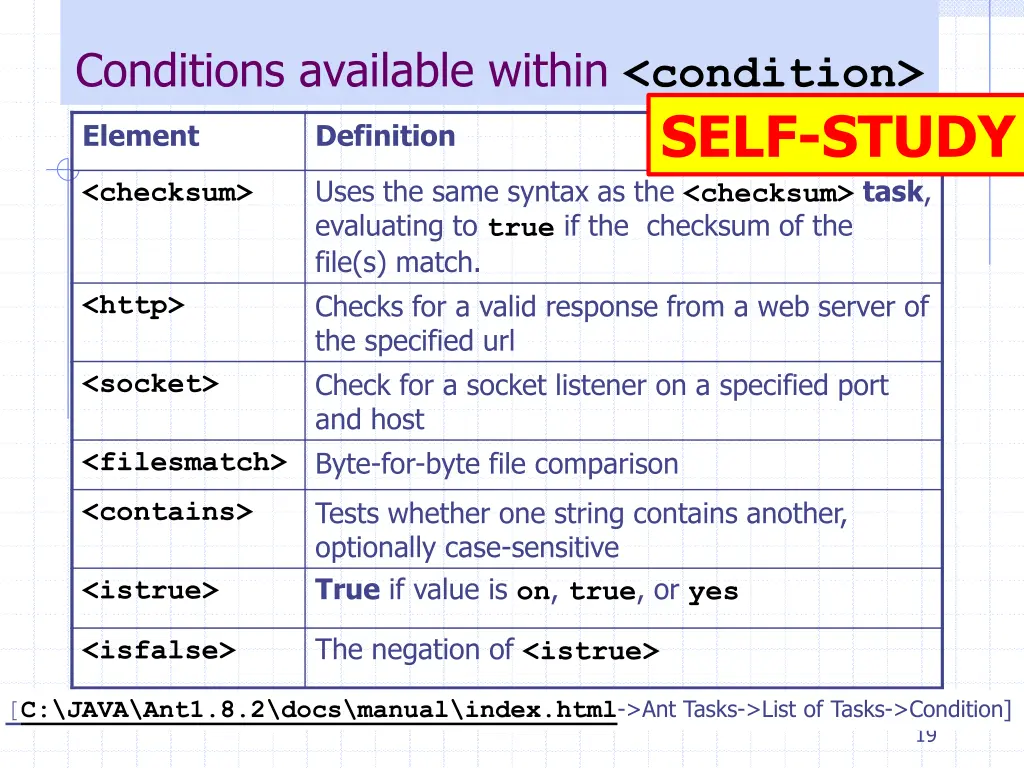
Conditions available within <condition> SELF-STUDY Element Definition Uses the same syntax as the <checksum>task, evaluating to true if the checksum of the file(s) match. Checks for a valid response from a web server of the specified url Check for a socket listener on a specified port and host Byte-for-byte file comparison <checksum> <http> <socket> <filesmatch> Tests whether one string contains another, optionally case-sensitive True if value is on, true, or yes <contains> <istrue> The negation of <istrue> <isfalse> [C:\JAVA\Ant1.8.2\docs\manual\index.html->Ant Tasks->List of Tasks->Condition] 19
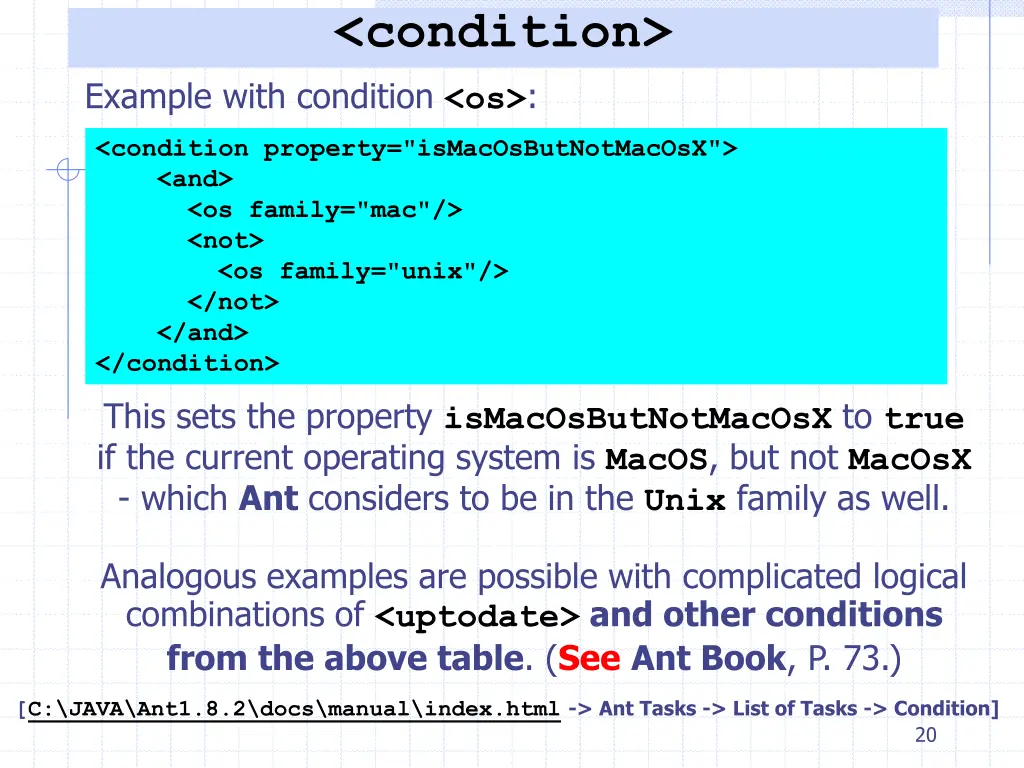
<condition> Example with condition <os>: <condition property="isMacOsButNotMacOsX"> <and> <os family="mac"/> <not> <os family="unix"/> </not> </and> </condition> This sets the property isMacOsButNotMacOsX to true if the current operating system is MacOS, but not MacOsX - which Ant considers to be in the Unix family as well. Analogous examples are possible with complicated logical combinations of <uptodate> and other conditions from the above table. (SeeAnt Book, P. 73.) [C:\JAVA\Ant1.8.2\docs\manual\index.html-> Ant Tasks -> List of Tasks -> Condition] 20
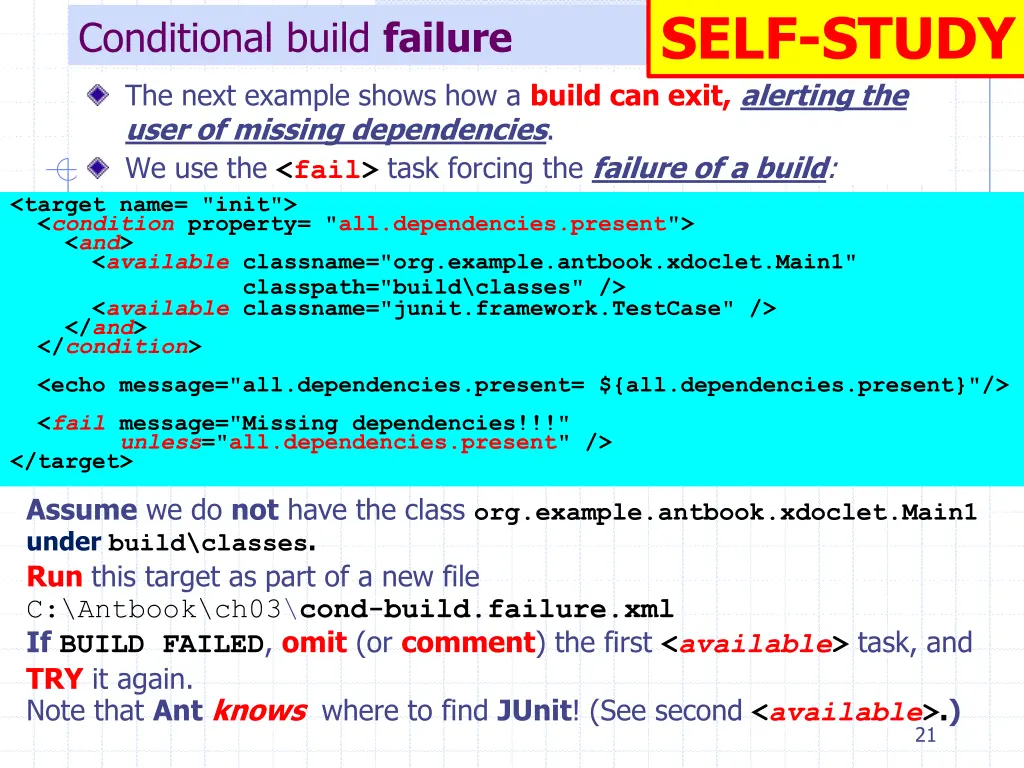
SELF-STUDY Conditional build failure The next example shows how a build can exit, alerting the user of missing dependencies. We use the <fail> task forcing the failure of a build: <target name= "init"> <condition property= "all.dependencies.present"> <and> <available classname="org.example.antbook.xdoclet.Main1" classpath="build\classes" /> <available classname="junit.framework.TestCase" /> </and> </condition> <echo message="all.dependencies.present= ${all.dependencies.present}"/> <fail message="Missing dependencies!!!" unless="all.dependencies.present" /> </target> Assume we do not have the class org.example.antbook.xdoclet.Main1 under build\classes. Run this target as part of a new file C:\Antbook\ch03\cond-build.failure.xml IfBUILD FAILED, omit (or comment) the first <available> task, and TRY it again. Note that Antknows where to find JUnit! (See second <available>.) 21
Software Development Tools COMP220 Dr Vladimir Sazonov Ant: Nested Builds These slides are mainly based on Java Tools for Extreme Programming R.Hightower & N.Lesiecki. Wiley, 2002
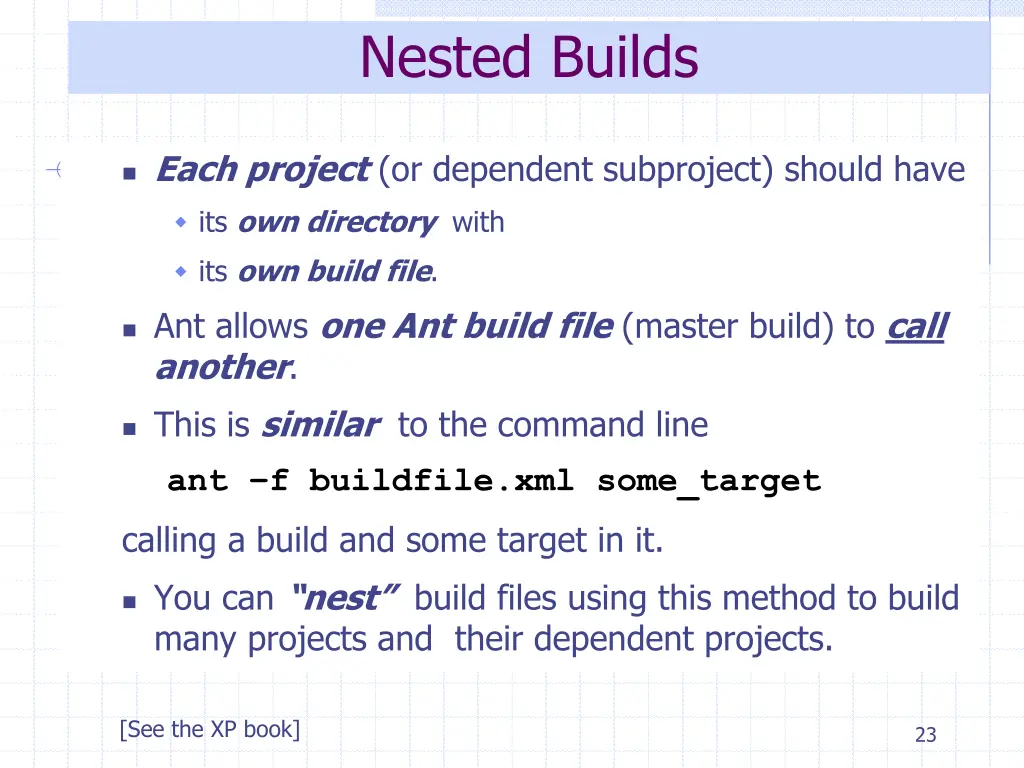
Nested Builds Each project (or dependent subproject) should have its own directory with its own build file. Ant allows one Ant build file (master build) to call another. This is similar to the command line ant f buildfile.xml some_target calling a build and some target in it. You can nest build files using this method to build many projects and their dependent projects. [See the XP book] 23
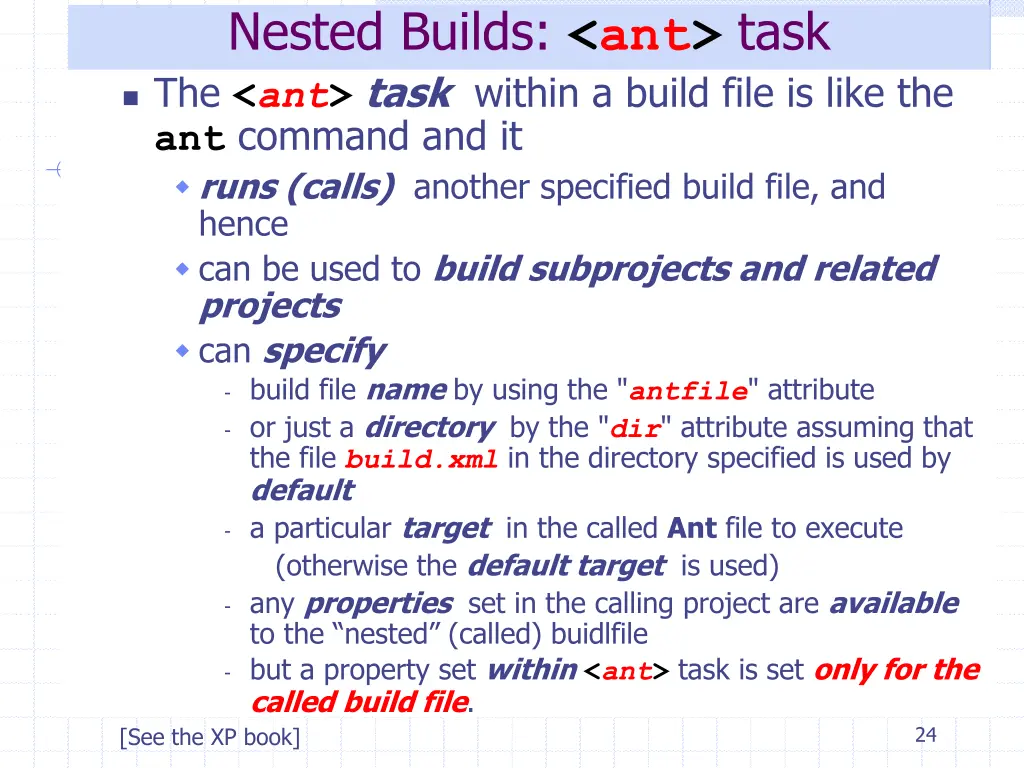
Nested Builds: <ant> task The <ant>task within a build file is like the ant command and it runs (calls) another specified build file, and hence can be used to build subprojects and related projects can specify - build file name by using the "antfile" attribute - or just a directory by the "dir" attribute assuming that the file build.xml in the directory specified is used by default - a particular target in the called Ant file to execute (otherwise the default target is used) - any properties set in the calling project are available to the nested (called) buidlfile - but a property set within<ant> task is set only for the called build file. [See the XP book] 24
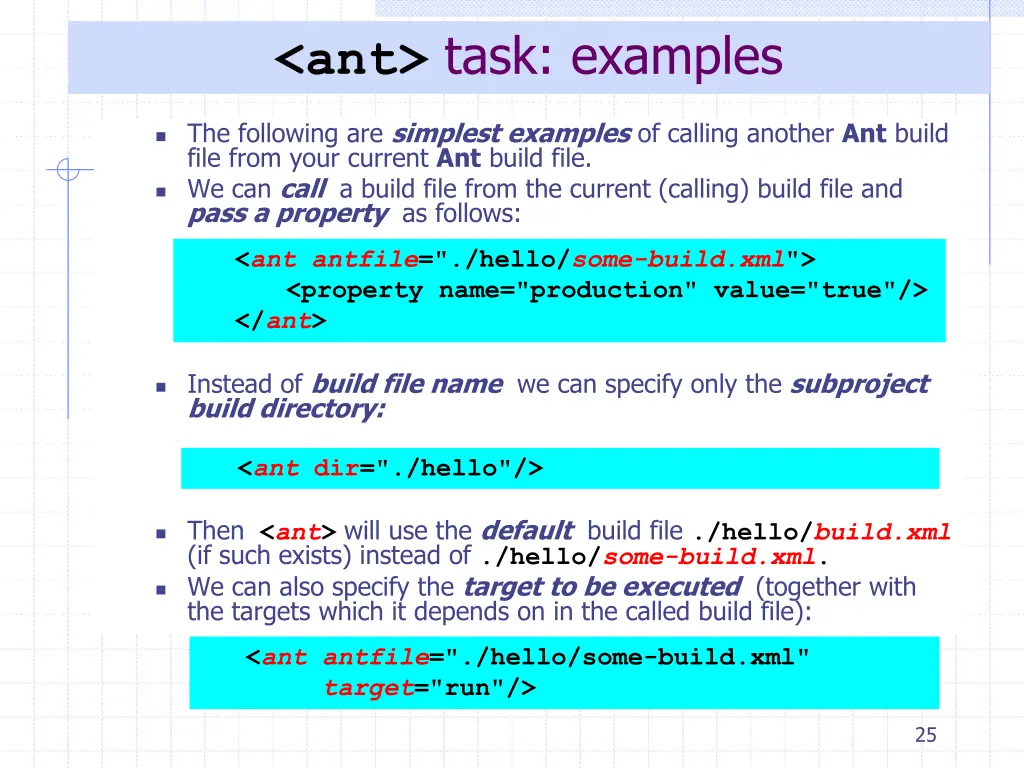
<ant> task: examples The following are simplest examples of calling another Ant build file from your current Ant build file. We can call a build file from the current (calling) build file and pass a property as follows: <antantfile="./hello/some-build.xml"> <property name="production" value="true"/> </ant> Instead of build file name we can specify only the subproject build directory: <ant dir="./hello"/> Then <ant> will use the default build file ./hello/build.xml (if such exists) instead of ./hello/some-build.xml. We can also specify the target to be executed (together with the targets which it depends on in the called build file): <antantfile="./hello/some-build.xml" target="run"/> 25
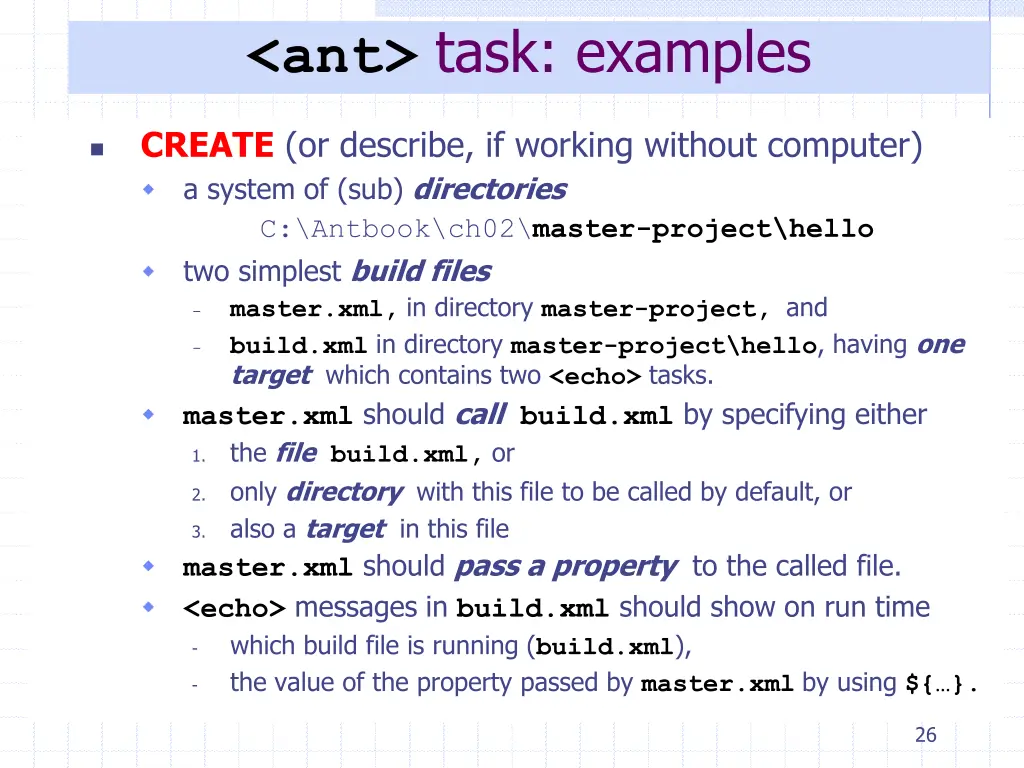
<ant> task: examples CREATE (or describe, if working without computer) a system of (sub) directories C:\Antbook\ch02\master-project\hello two simplest build files master.xml, in directory master-project, and build.xml in directory master-project\hello, having one target which contains two <echo> tasks. master.xml should callbuild.xml by specifying either the filebuild.xml, or only directory with this file to be called by default, or also a target in this file master.xml should pass a property to the called file. <echo> messages in build.xml should show on run time which build file is running (build.xml), the value of the property passed by master.xmlby using${ }. - - 1. 2. 3. - - 26
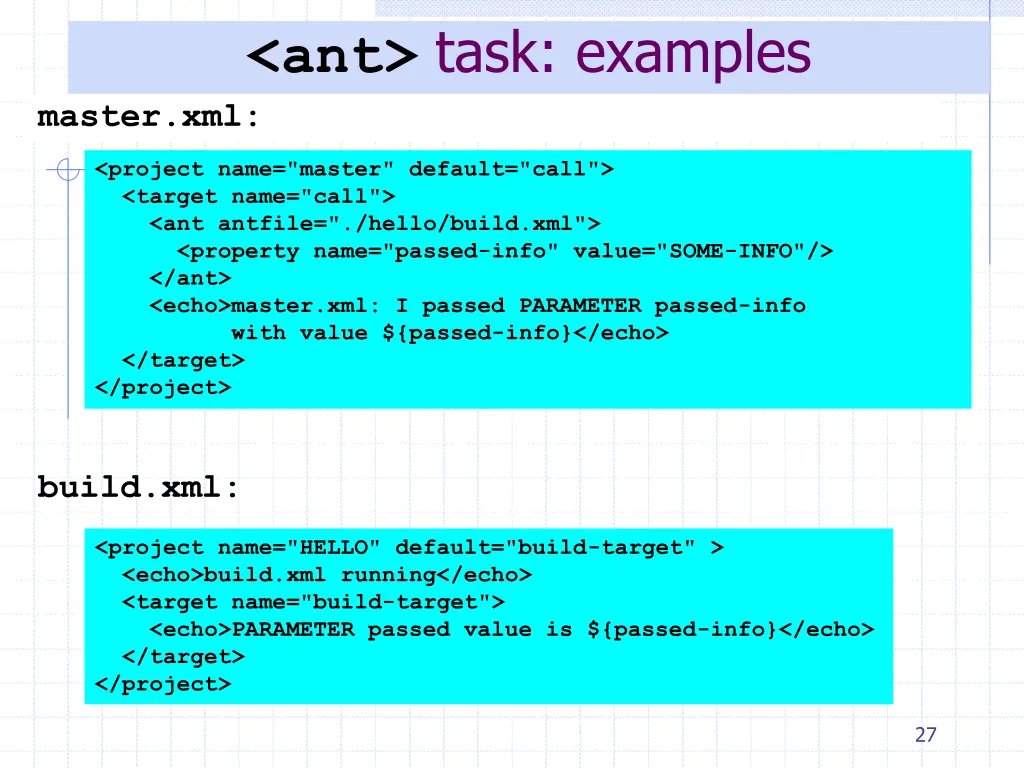
<ant> task: examples master.xml: <project name="master" default="call"> <target name="call"> <ant antfile="./hello/build.xml"> <property name="passed-info" value="SOME-INFO"/> </ant> <echo>master.xml: I passed PARAMETER passed-info with value ${passed-info}</echo> </target> </project> build.xml: <project name="HELLO" default="build-target" > <echo>build.xml running</echo> <target name="build-target"> <echo>PARAMETER passed value is ${passed-info}</echo> </target> </project> 27
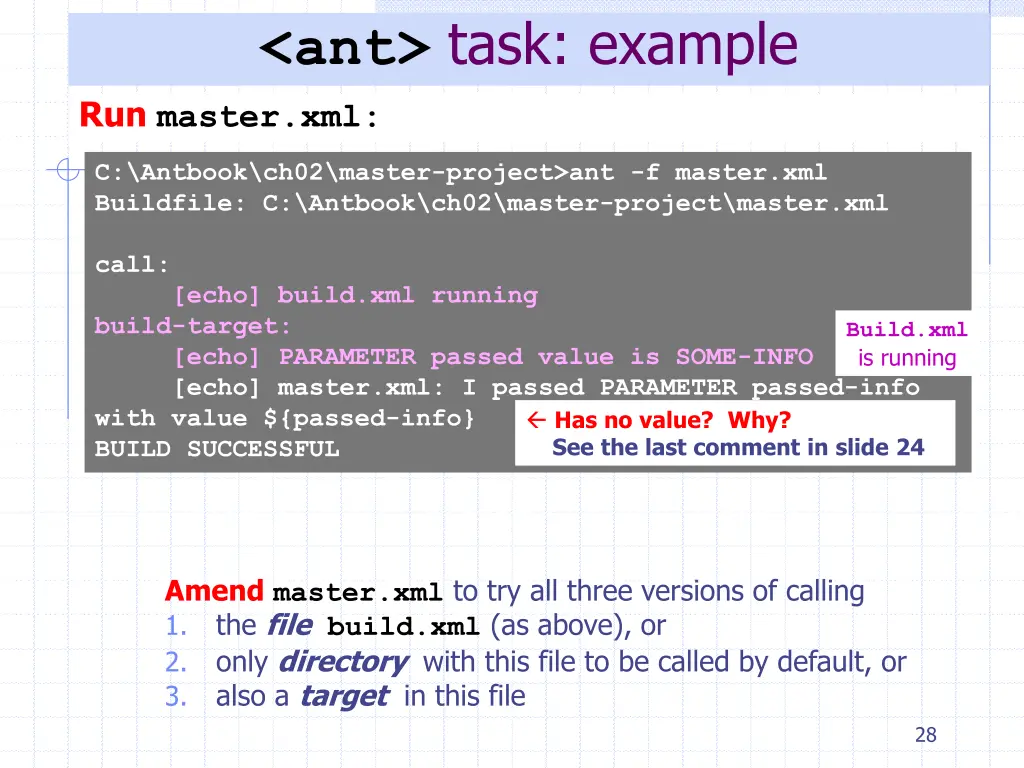
<ant> task: example Run master.xml: C:\Antbook\ch02\master-project>ant -f master.xml Buildfile: C:\Antbook\ch02\master-project\master.xml call: [echo] build.xml running build-target: [echo] PARAMETER passed value is SOME-INFO [echo] master.xml: I passed PARAMETER passed-info with value ${passed-info} BUILD SUCCESSFUL Build.xml is running Has no value? Why? See the last comment in slide 24 Amendmaster.xml to try all three versions of calling 1. the filebuild.xml (as above), or 2. only directory with this file to be called by default, or 3. also a target in this file 28
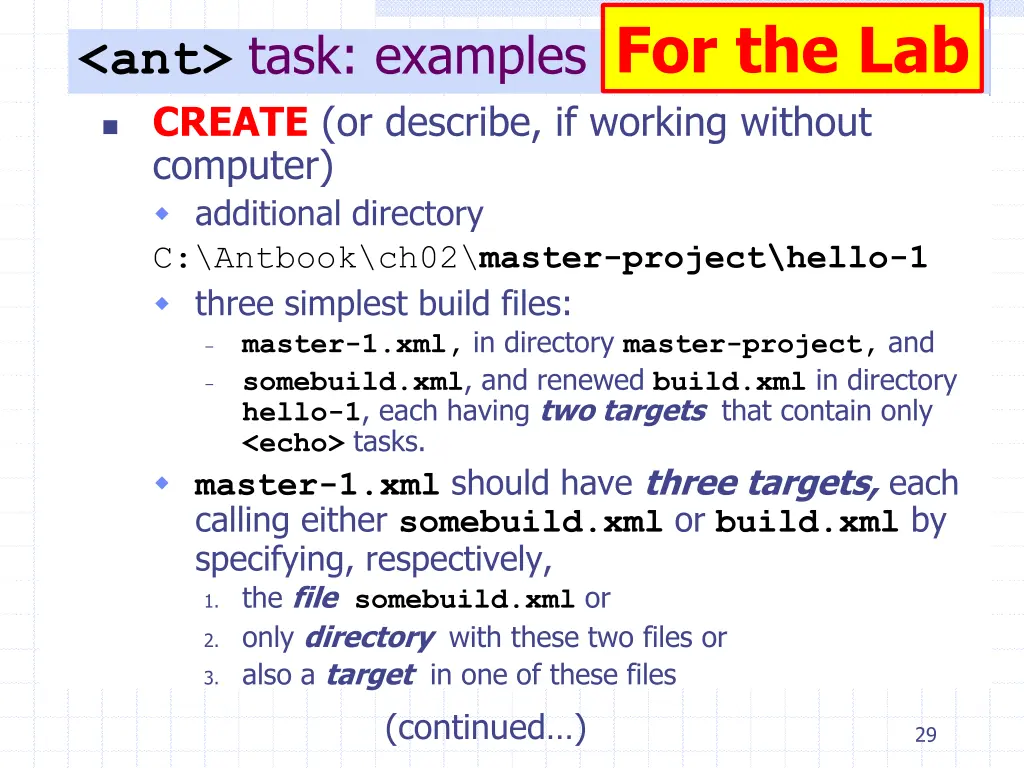
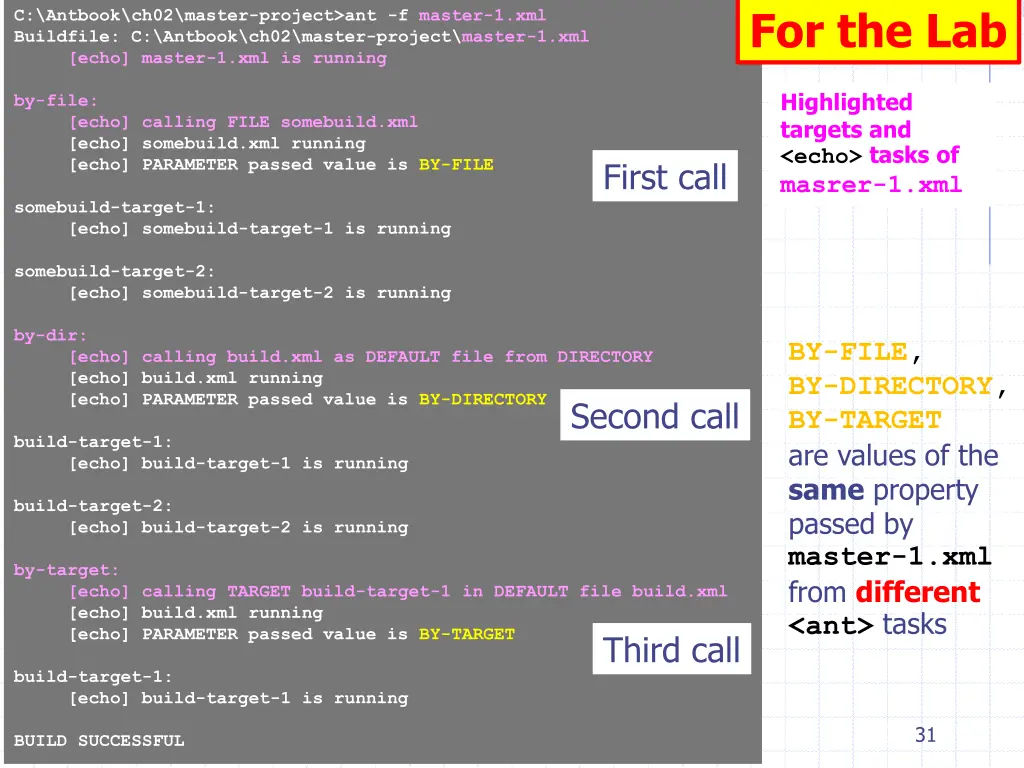
For the Lab <ant> task: examples CREATE (or describe, if working without computer) additional directory C:\Antbook\ch02\master-project\hello-1 three simplest build files: master-1.xml, in directory master-project, and somebuild.xml, and renewed build.xml in directory hello-1, each having two targets that contain only <echo> tasks. master-1.xml should have threetargets, each calling either somebuild.xml or build.xml by specifying, respectively, 1. the filesomebuild.xml or 2. only directory with these two files or 3. also a target in one of these files (continued ) - - 29
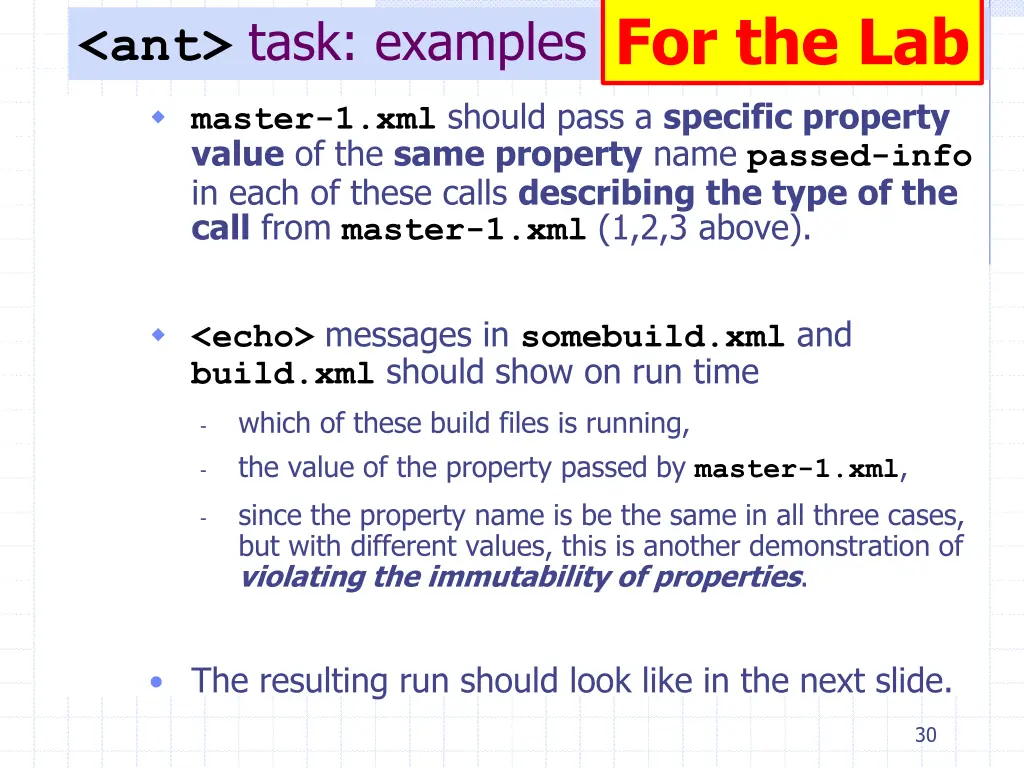
<ant> task: examples For the Lab master-1.xml should pass a specific property value of the same property name passed-info in each of these calls describing the type of the call from master-1.xml (1,2,3 above). <echo> messages in somebuild.xml and build.xml should show on run time which of these build files is running, the value of the property passed by master-1.xml, since the property name is be the same in all three cases, but with different values, this is another demonstration of violating the immutability of properties. - - - The resulting run should look like in the next slide. 30
For the Lab C:\Antbook\ch02\master-project>ant -f master-1.xml Buildfile: C:\Antbook\ch02\master-project\master-1.xml [echo] master-1.xml is running Highlighted targets and <echo> tasks of masrer-1.xml by-file: [echo] calling FILE somebuild.xml [echo] somebuild.xml running [echo] PARAMETER passed value is BY-FILE First call somebuild-target-1: [echo] somebuild-target-1 is running somebuild-target-2: [echo] somebuild-target-2 is running by-dir: [echo] calling build.xml as DEFAULT file from DIRECTORY [echo] build.xml running [echo] PARAMETER passed value is BY-DIRECTORY BY-FILE, BY-DIRECTORY, BY-TARGET are values of the same property passed by master-1.xml from different <ant> tasks Second call build-target-1: [echo] build-target-1 is running build-target-2: [echo] build-target-2 is running by-target: [echo] calling TARGET build-target-1 in DEFAULT file build.xml [echo] build.xml running [echo] PARAMETER passed value is BY-TARGET Third call build-target-1: [echo] build-target-1 is running 31 BUILD SUCCESSFUL
Software Development Tools COMP220 Dr Vladimir Sazonov More on Ant for Self-Study These slides are mainly based on Java Tools for Extreme Programming R.Hightower & N.Lesiecki. Wiley, 2002
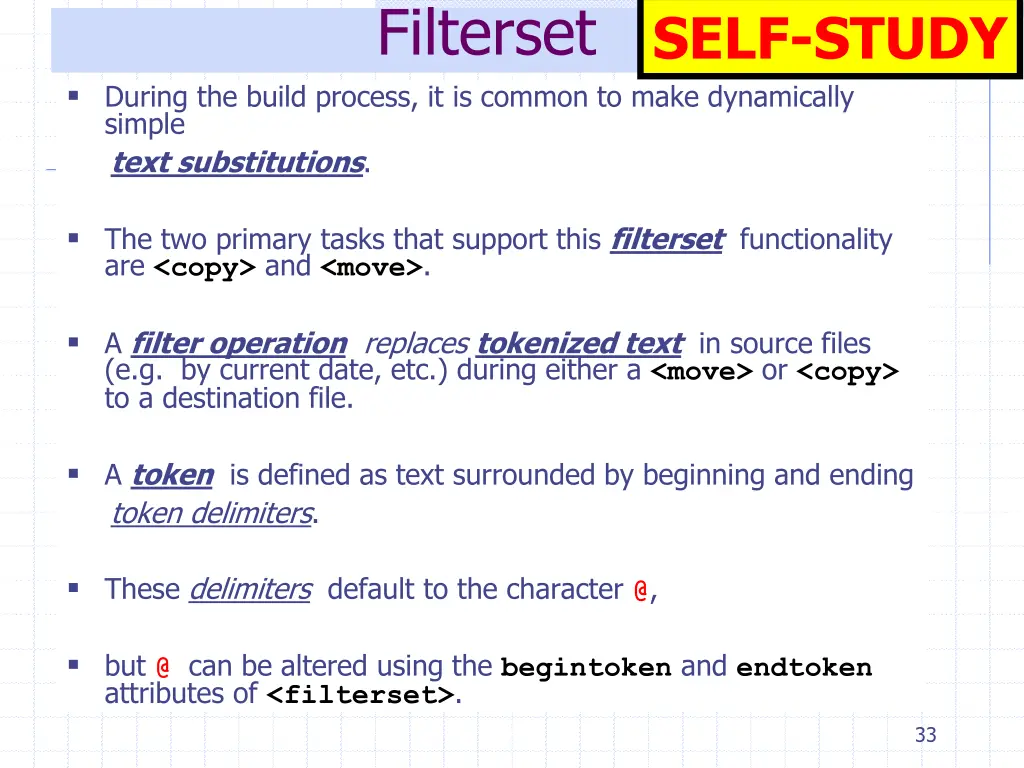
Filterset SELF-STUDY During the build process, it is common to make dynamically simple text substitutions. The two primary tasks that support this filterset functionality are <copy> and <move>. A filter operation replaces tokenized text in source files (e.g. by current date, etc.) during either a <move> or <copy> to a destination file. A token is defined as text surrounded by beginning and ending token delimiters. These delimiters default to the character @, but @ can be altered using the begintoken and endtoken attributes of <filterset>. 33
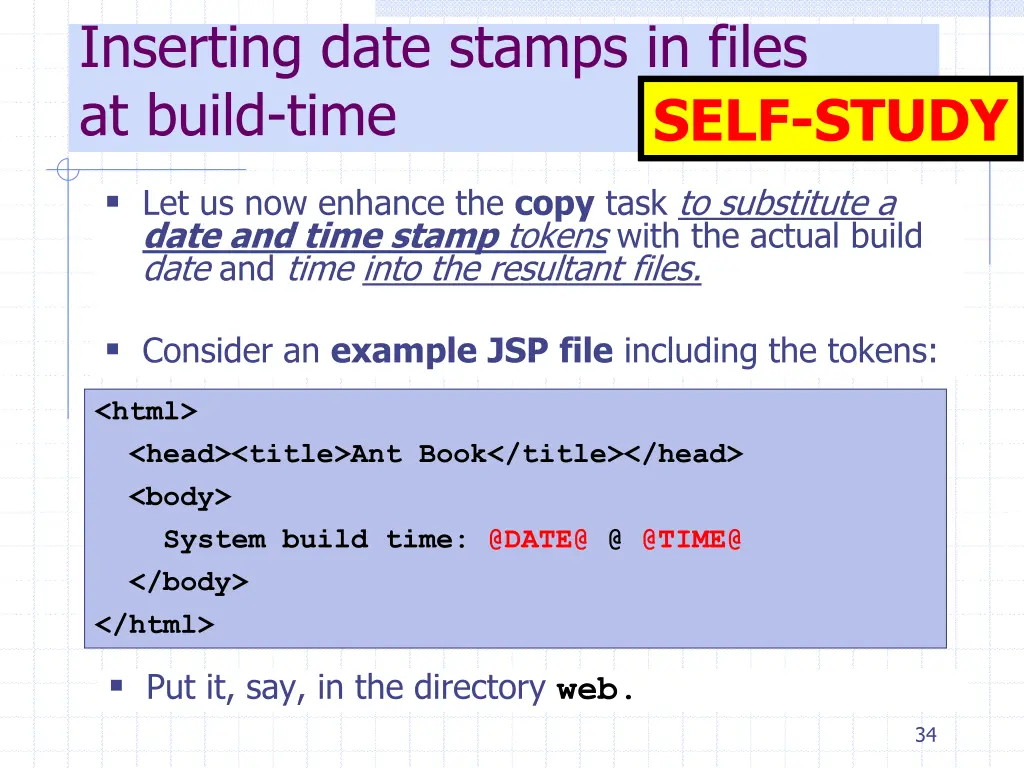
Inserting date stamps in files at build-time SELF-STUDY Let us now enhance the copy task to substitute a date and time stamp tokens with the actual build date and time into the resultant files. Consider an exampleJSPfile including the tokens: <html> <head><title>Ant Book</title></head> <body> System build time: @DATE@ @ @TIME@ </body> </html> Put it, say, in the directory web. 34
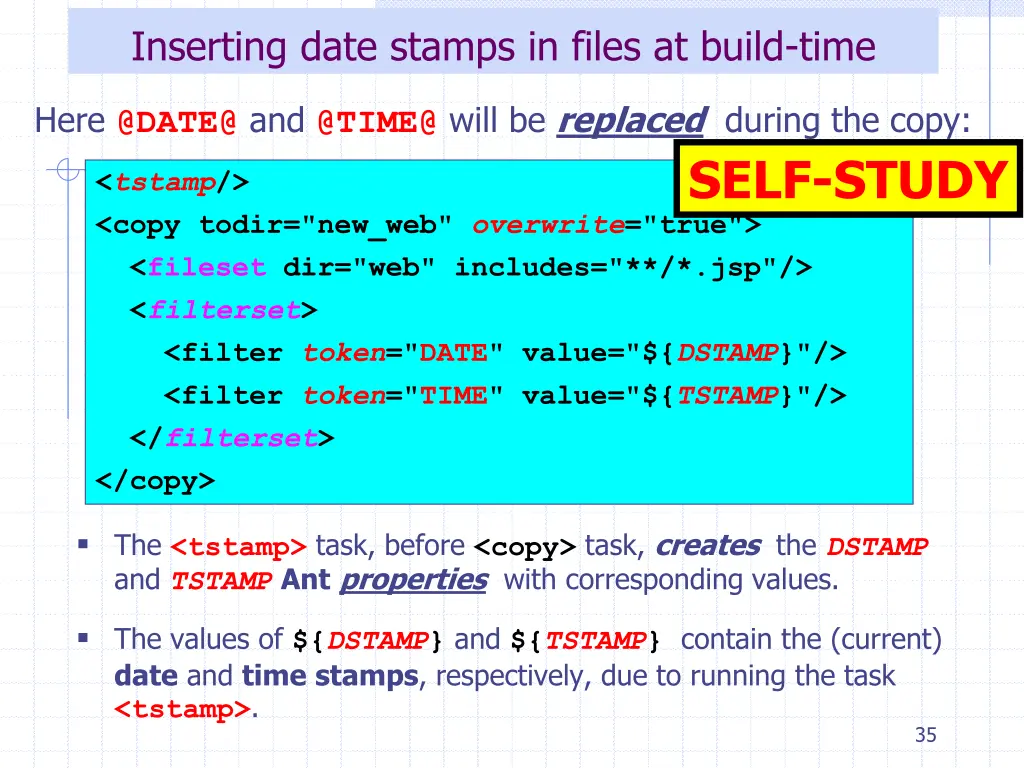
Inserting date stamps in files at build-time Here @DATE@ and @TIME@ will be replaced during the copy: SELF-STUDY <tstamp/> <copy todir="new_web" overwrite="true"> <fileset dir="web" includes="**/*.jsp"/> <filterset> <filter token="DATE" value="${DSTAMP}"/> <filter token="TIME" value="${TSTAMP}"/> </filterset> </copy> The <tstamp> task, before <copy> task, creates the DSTAMP and TSTAMPAntproperties with corresponding values. The values of ${DSTAMP} and ${TSTAMP} contain the (current) date and timestamps, respectively, due to running the task <tstamp>. 35
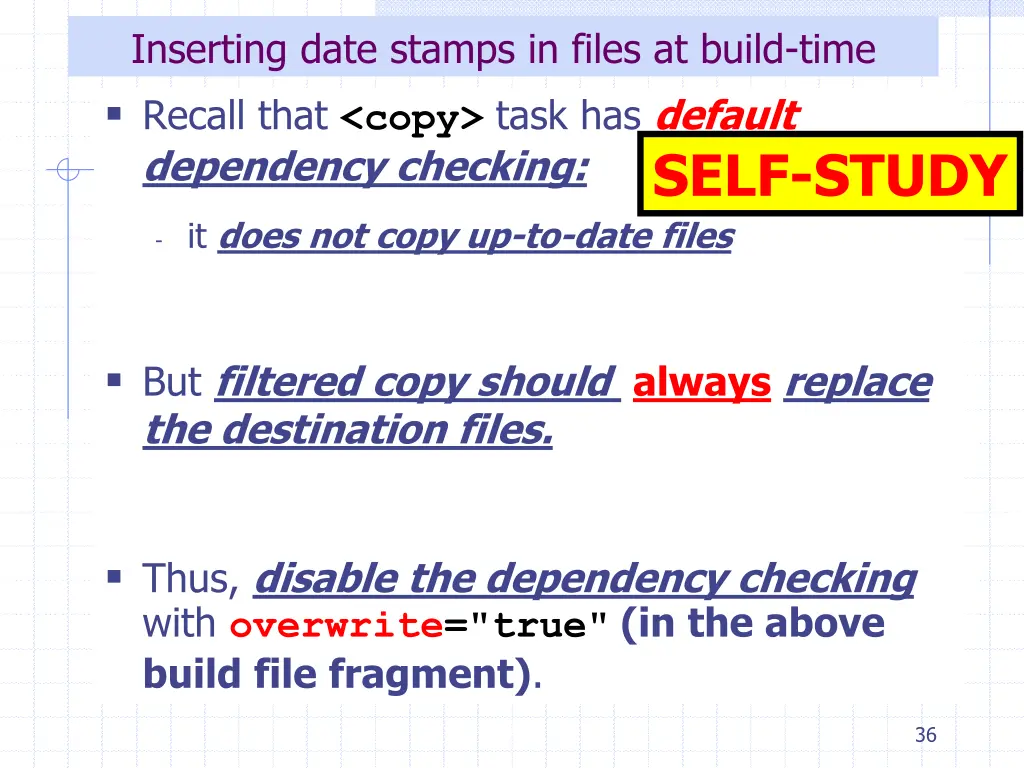
Inserting date stamps in files at build-time Recall that <copy> task has default dependency checking: SELF-STUDY - it does not copy up-to-date files But filtered copy should always replace the destination files. Thus, disable the dependency checking with overwrite="true"(in the above build file fragment). 36
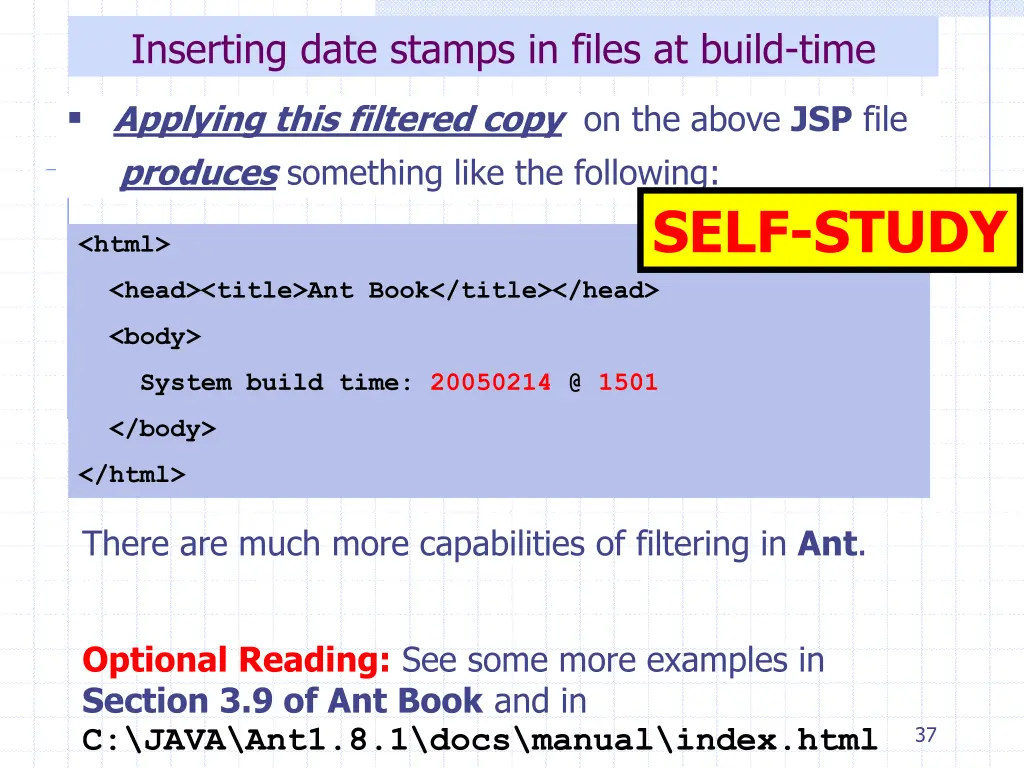
Inserting date stamps in files at build-time Applying this filtered copy on the above JSP file produces something like the following: SELF-STUDY <html> <head><title>Ant Book</title></head> <body> System build time: 20050214 @ 1501 </body> </html> There are much more capabilities of filtering in Ant. Optional Reading: See some more examples in Section 3.9 of Ant Book and in C:\JAVA\Ant1.8.1\docs\manual\index.html 37
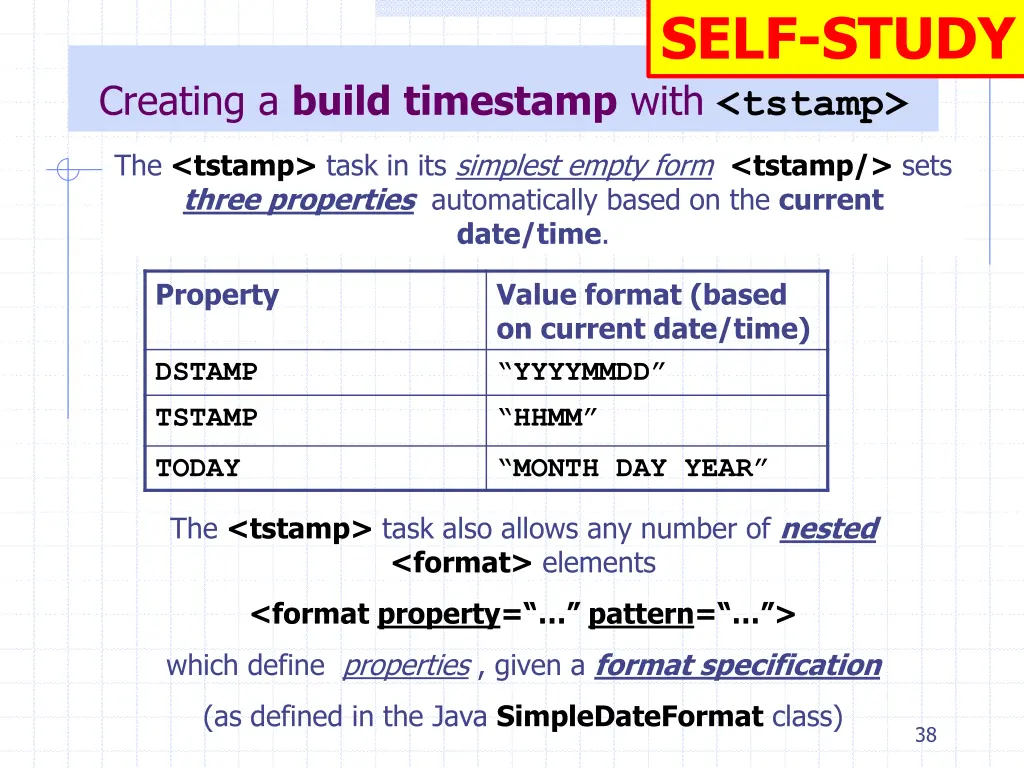
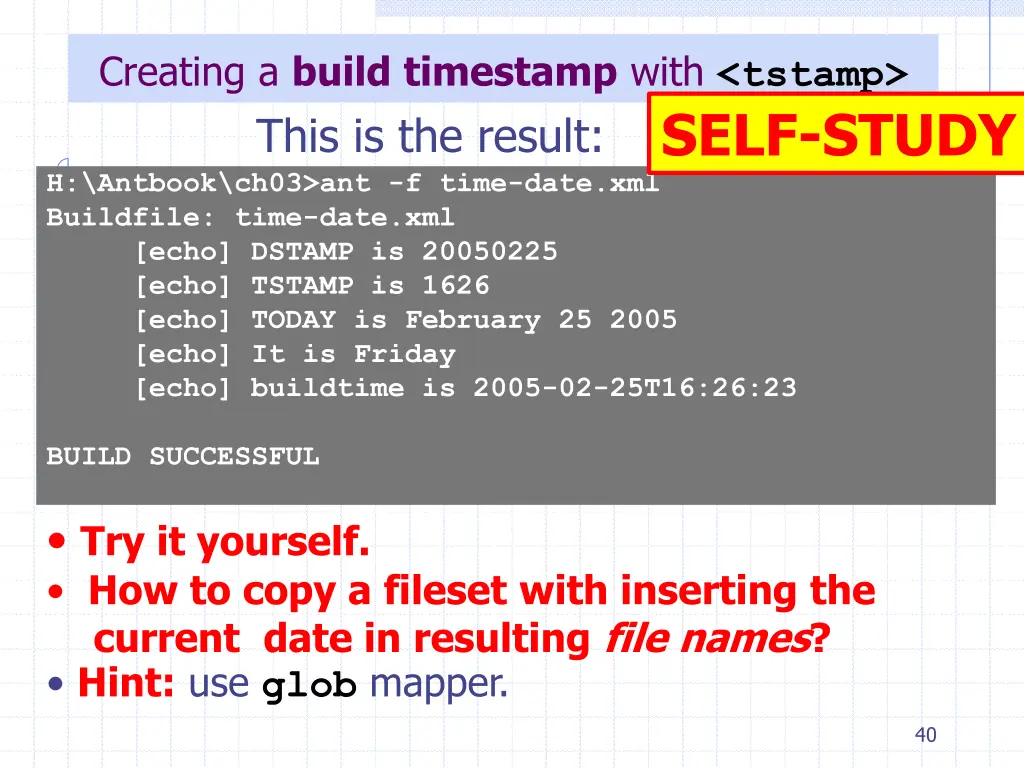
SELF-STUDY Creating a build timestamp with <tstamp> The <tstamp> task in its simplest empty form <tstamp/> sets three properties automatically based on the current date/time. Property Value format (based on current date/time) YYYYMMDD HHMM DSTAMP TSTAMP TODAY MONTH DAY YEAR The <tstamp> task also allows any number of nested <format> elements <format property= pattern= > which define properties , given a format specification (as defined in the Java SimpleDateFormat class) 38
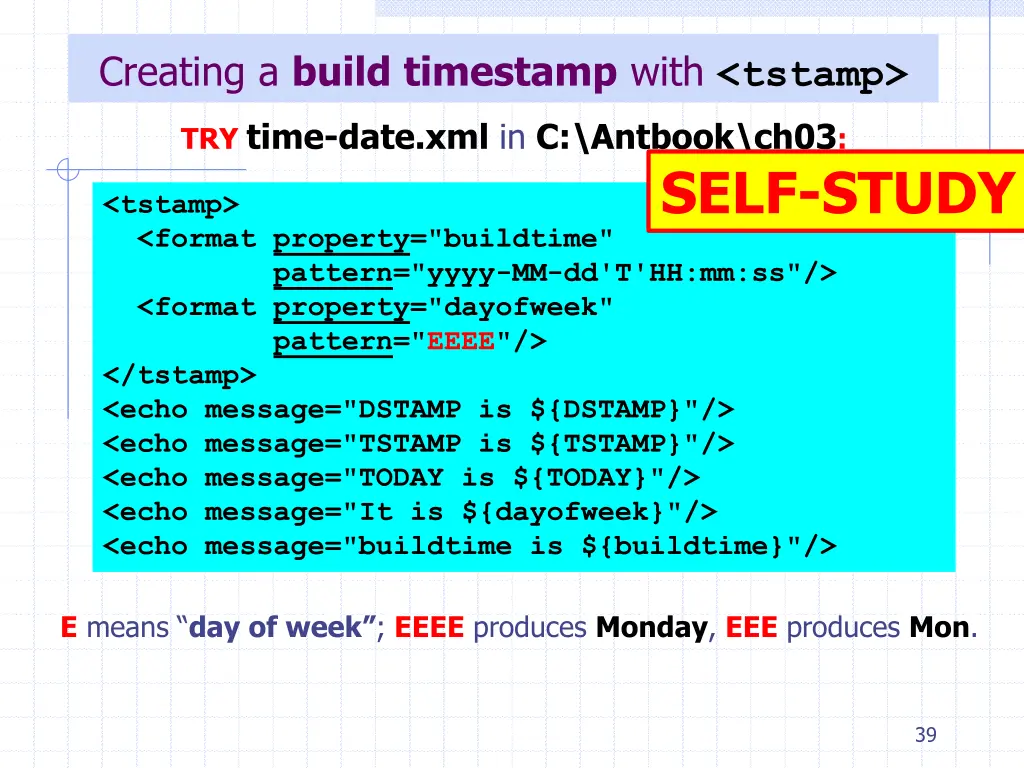
Creating a build timestamp with <tstamp> TRY time-date.xml in C:\Antbook\ch03: SELF-STUDY <tstamp> <format property="buildtime" pattern="yyyy-MM-dd'T'HH:mm:ss"/> <format property="dayofweek" pattern="EEEE"/> </tstamp> <echo message="DSTAMP is ${DSTAMP}"/> <echo message="TSTAMP is ${TSTAMP}"/> <echo message="TODAY is ${TODAY}"/> <echo message="It is ${dayofweek}"/> <echo message="buildtime is ${buildtime}"/> Emeans day of week ; EEEE produces Monday, EEE produces Mon. 39
Creating a build timestamp with <tstamp> This is the result: SELF-STUDY H:\Antbook\ch03>ant -f time-date.xml Buildfile: time-date.xml [echo] DSTAMP is 20050225 [echo] TSTAMP is 1626 [echo] TODAY is February 25 2005 [echo] It is Friday [echo] buildtime is 2005-02-25T16:26:23 BUILD SUCCESSFUL Try it yourself. How to copy a fileset with inserting the current date in resulting file names? Hint: use glob mapper. 40