Advanced Features for Tax Preparation
Explore advanced features for tax preparation with Intuit ProFile, including creating new returns, managing documents, taking snapshots, and more. Learn how to streamline your tax filing process efficiently.

Download Presentation

Please find below an Image/Link to download the presentation.
The content on the website is provided AS IS for your information and personal use only. It may not be sold, licensed, or shared on other websites without obtaining consent from the author. If you encounter any issues during the download, it is possible that the publisher has removed the file from their server.
You are allowed to download the files provided on this website for personal or commercial use, subject to the condition that they are used lawfully. All files are the property of their respective owners.
The content on the website is provided AS IS for your information and personal use only. It may not be sold, licensed, or shared on other websites without obtaining consent from the author.
E N D
Presentation Transcript
Learning about Taxes with Intuit ProFile
Chapter 8 Advanced Features
file template HyperDocs T1PAD In this Chapter
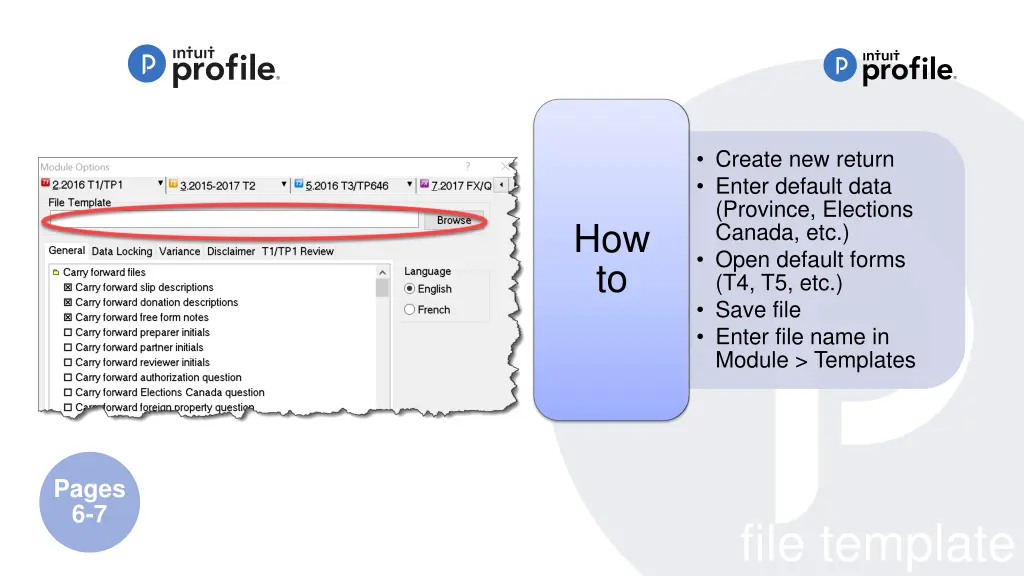
Create new return Enter default data (Province, Elections Canada, etc.) Open default forms (T4, T5, etc.) Save file Enter file name in Module > Templates How to Pages 6-7 file template
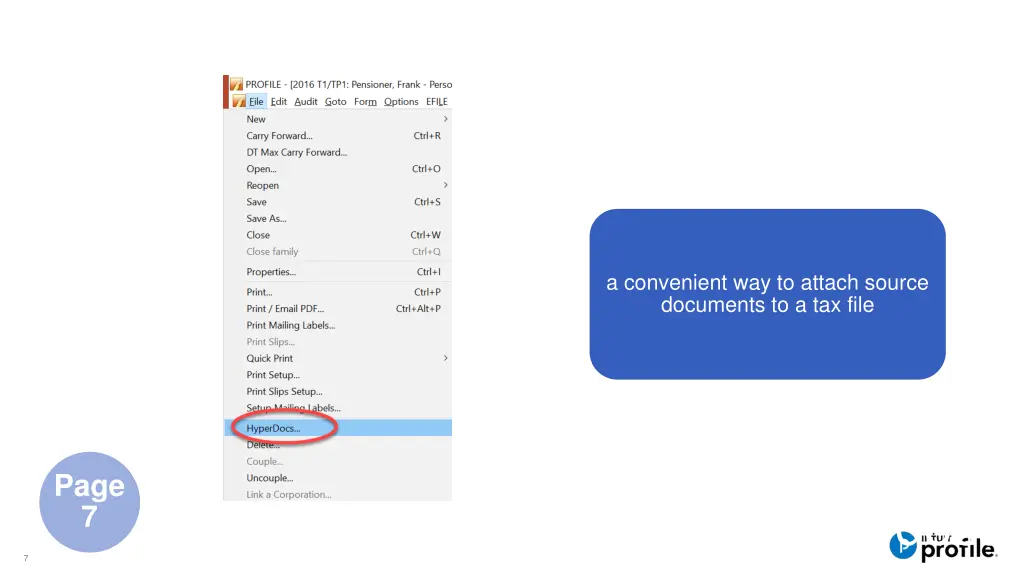
a convenient way to attach source documents to a tax file Page 7 hyperdocs 7
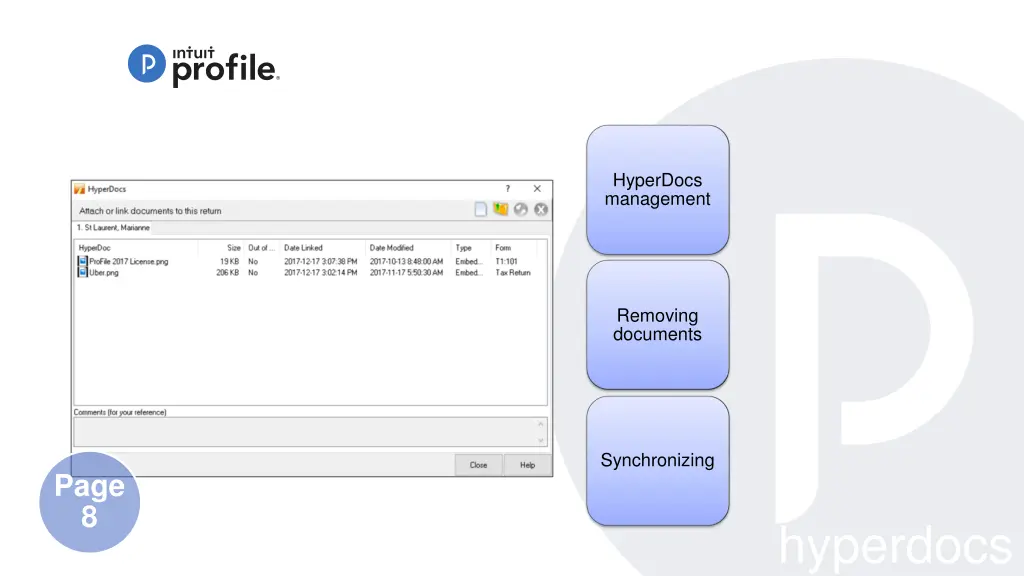
HyperDocs management Removing documents Synchronizing Page 8 hyperdocs
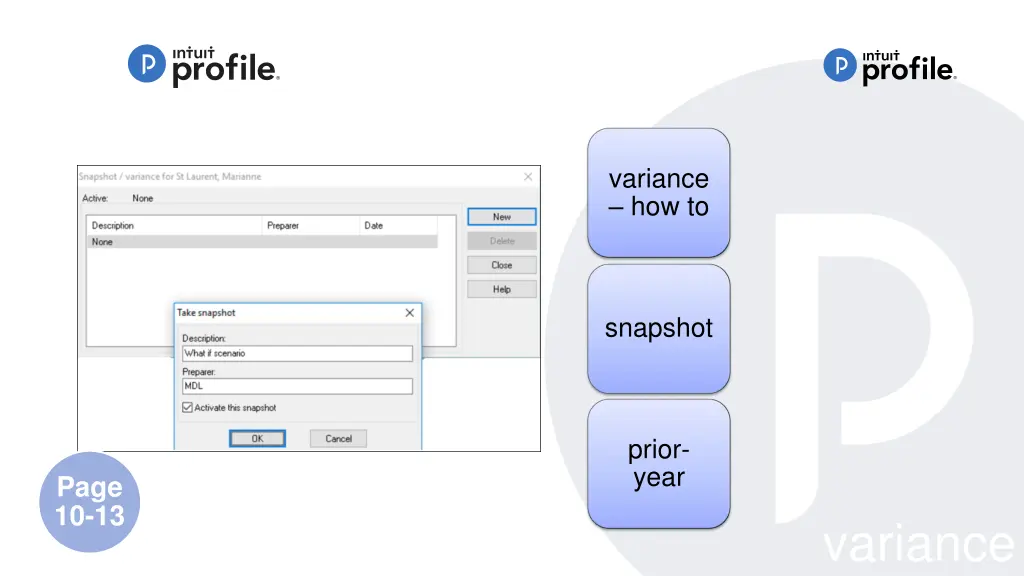
snapshot and variance 9 Intuit Confidential and Proprietary
variance how to snapshot prior- year Page 10-13 variance
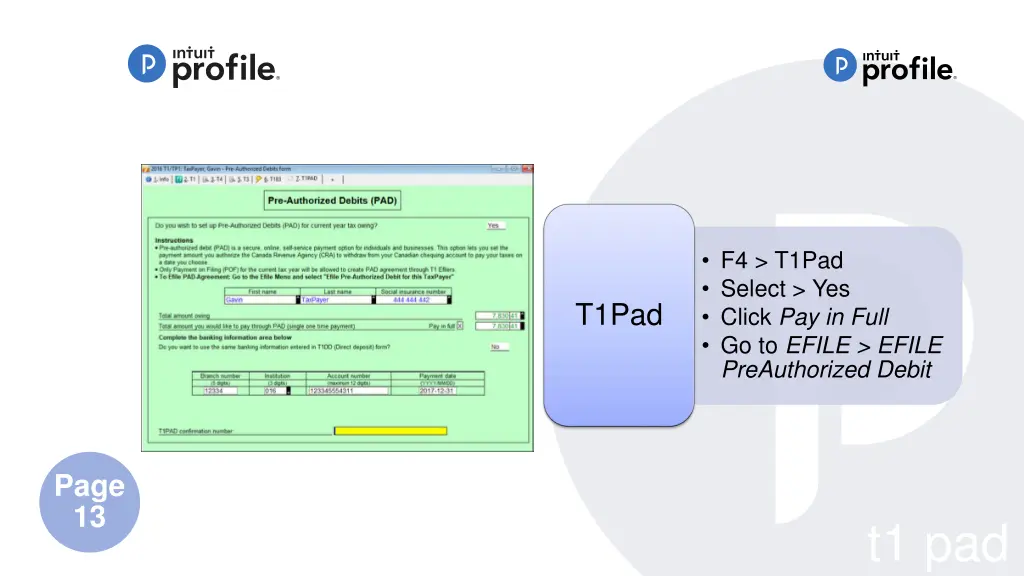
F4 > T1Pad Select > Yes Click Pay in Full Go to EFILE > EFILE PreAuthorized Debit T1Pad Page 13 t1 pad