Learn about casting, input, print, division, and basics of computers alongside conditionals in programming. Understand the role of input, output, storage, CPU, memory, programs, variables, and values in modern computing. Dive into the fundamentals of programming for business computing with Ling-Chieh Kung from National Taiwan University.
Please find below an Image/Link to download the presentation.
The content on the website is provided AS IS for your information and personal use only. It may not be sold, licensed, or shared on other websites without obtaining consent from the author. If you encounter any issues during the download, it is possible that the publisher has removed the file from their server.
You are allowed to download the files provided on this website for personal or commercial use, subject to the condition that they are used lawfully. All files are the property of their respective owners.
The content on the website is provided AS IS for your information and personal use only. It may not be sold, licensed, or shared on other websites without obtaining consent from the author.
E N D
Presentation Transcript
Casting, input, print, and division Basics of computers Conditionals: the first example Formatting a program Programming for Business Computing Computers and Conditionals Ling-Chieh Kung Department of Information Management National Taiwan University CC 3.0 Ling-Chieh Kung (NTU IM) Programming for Business Computing Computers 1 / 45
Casting, input, print, and division Basics of computers Conditionals: the first example Formatting a program Outline Basics of computers Casting, input, print, and division Conditionals: the first example Formatting a program Ling-Chieh Kung (NTU IM) Programming for Business Computing Computers 2 / 45
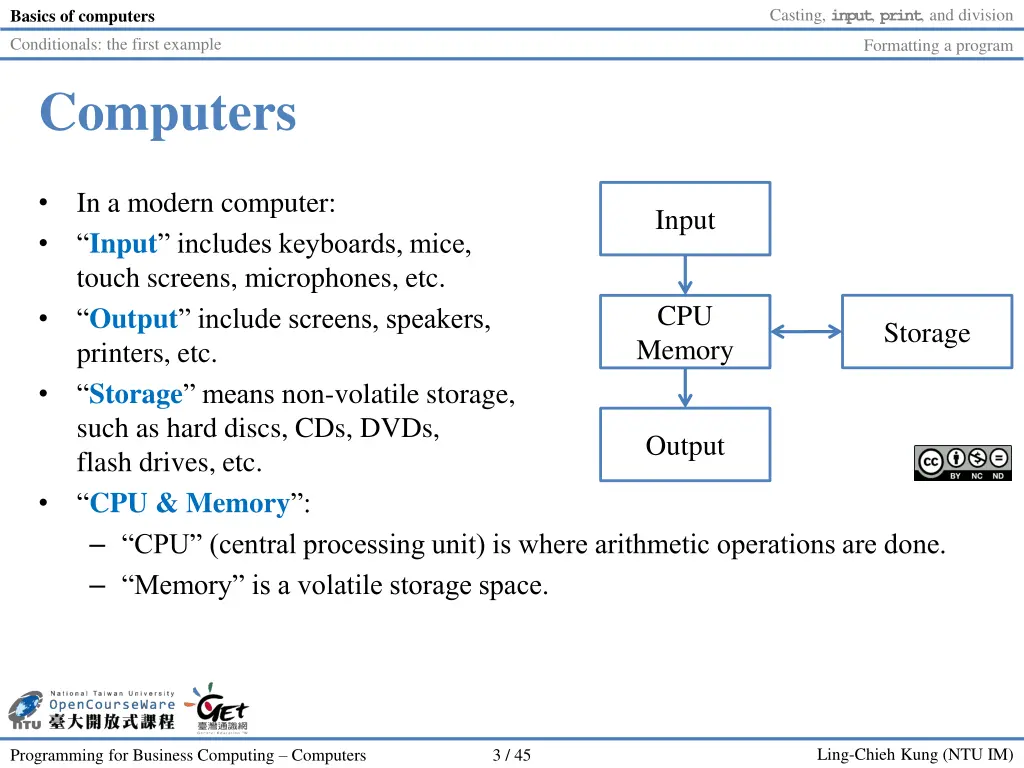
Casting, input, print, and division Basics of computers Conditionals: the first example Formatting a program Computers In a modern computer: Input includes keyboards, mice, touch screens, microphones, etc. Output include screens, speakers, printers, etc. Storage means non-volatile storage, such as hard discs, CDs, DVDs, flash drives, etc. CPU & Memory : CPU (central processing unit) is where arithmetic operations are done. Memory is a volatile storage space. Input CPU Memory Storage Output Ling-Chieh Kung (NTU IM) Programming for Business Computing Computers 3 / 45
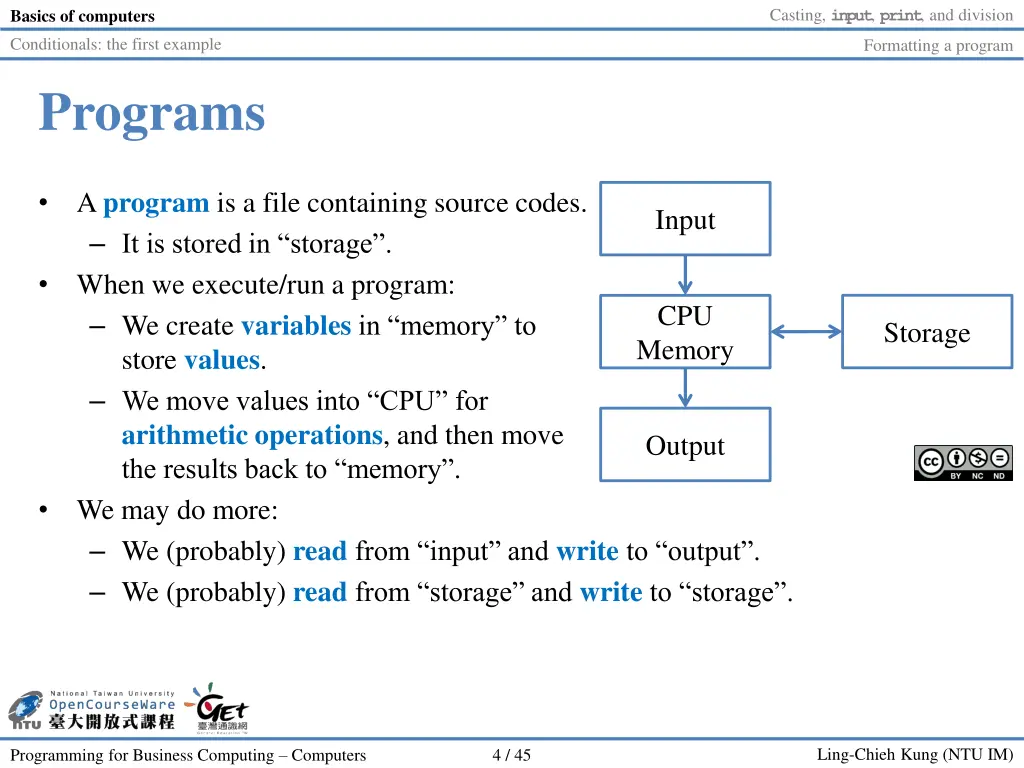
Casting, input, print, and division Basics of computers Conditionals: the first example Formatting a program Programs A program is a file containing source codes. It is stored in storage . When we execute/run a program: We create variables in memory to store values. We move values into CPU for arithmetic operations, and then move the results back to memory . We may do more: We (probably) read from input and write to output . We (probably) read from storage and write to storage . Input CPU Memory Storage Output Ling-Chieh Kung (NTU IM) Programming for Business Computing Computers 4 / 45
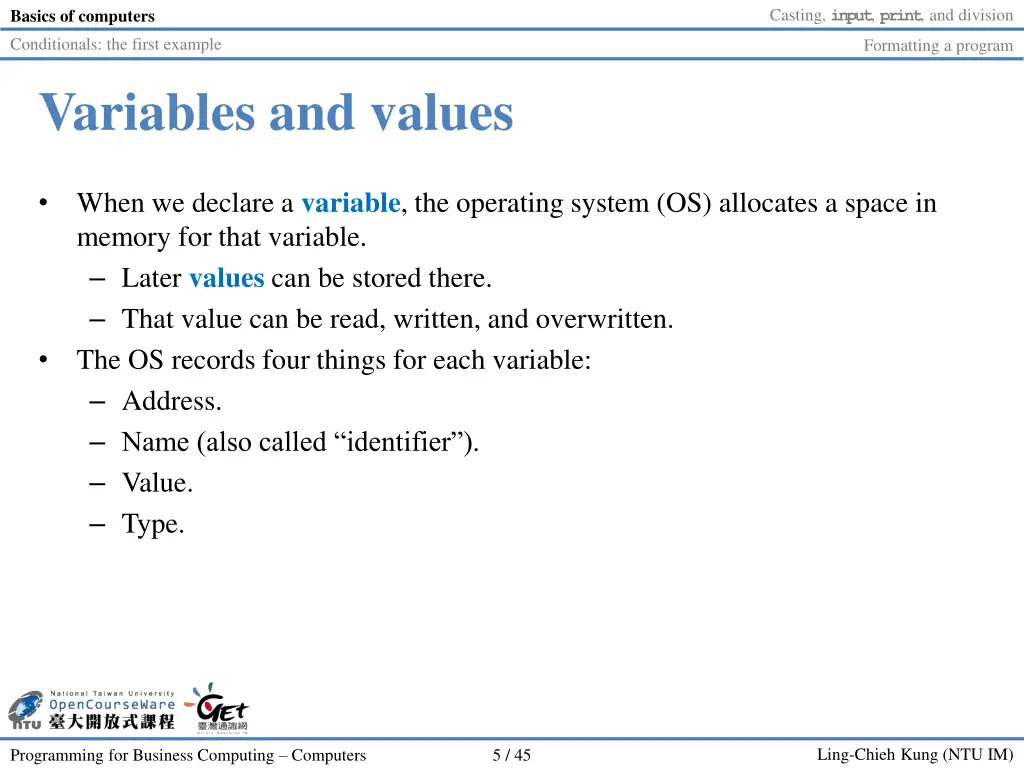
Casting, input, print, and division Basics of computers Conditionals: the first example Formatting a program Variables and values When we declare a variable, the operating system (OS) allocates a space in memory for that variable. Later values can be stored there. That value can be read, written, and overwritten. The OS records four things for each variable: Address. Name (also called identifier ). Value. Type. Ling-Chieh Kung (NTU IM) Programming for Business Computing Computers 5 / 45
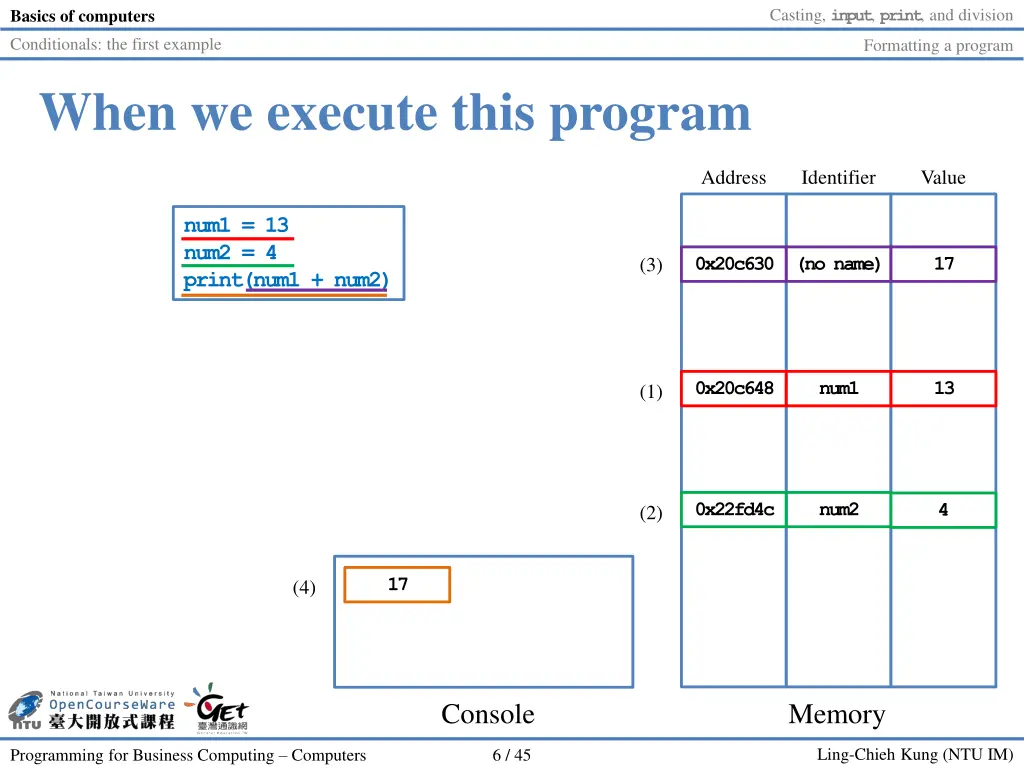
Casting, input, print, and division Basics of computers Conditionals: the first example Formatting a program When we execute this program Address Identifier Value num1 = 13 num2 = 4 print(num1 + num2) 0x20c630 (no name) 17 (3) 0x20c648 num1 13 (1) 0x22fd4c num2 4 (2) 17 (4) Console Memory Ling-Chieh Kung (NTU IM) Programming for Business Computing Computers 6 / 45
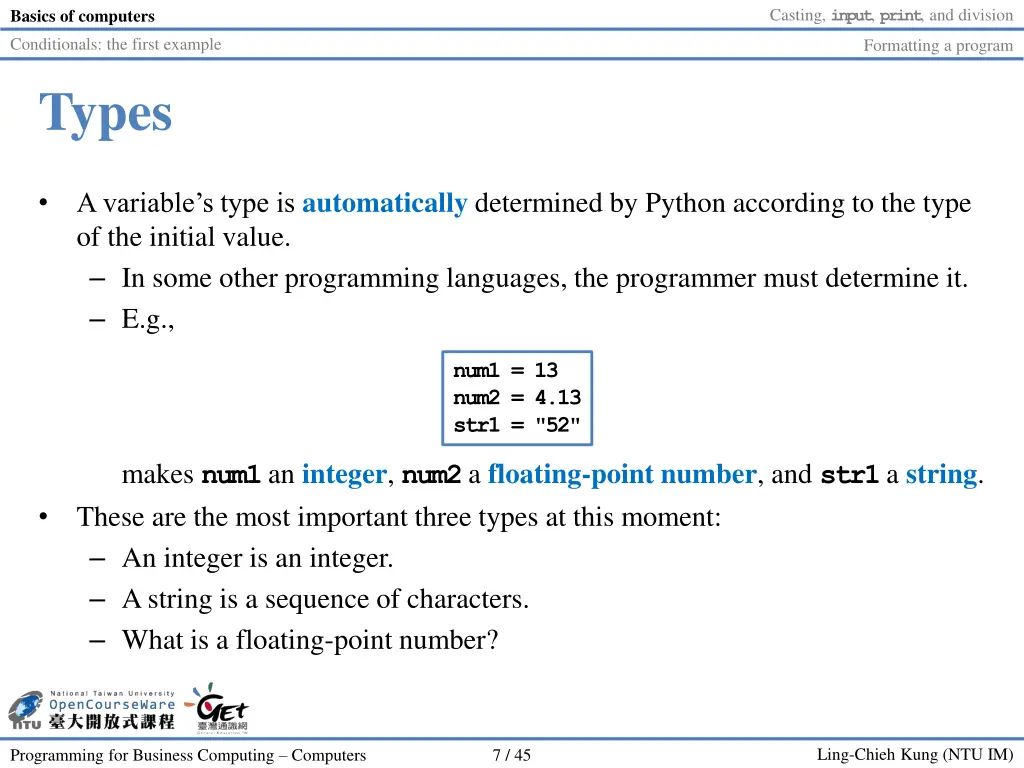
Casting, input, print, and division Basics of computers Conditionals: the first example Formatting a program Types A variable s type is automatically determined by Python according to the type of the initial value. In some other programming languages, the programmer must determine it. E.g., num1 = 13 num2 = 4.13 str1 = "52" makes num1an integer, num2a floating-point number, and str1a string. These are the most important three types at this moment: An integer is an integer. A string is a sequence of characters. What is a floating-point number? Ling-Chieh Kung (NTU IM) Programming for Business Computing Computers 7 / 45
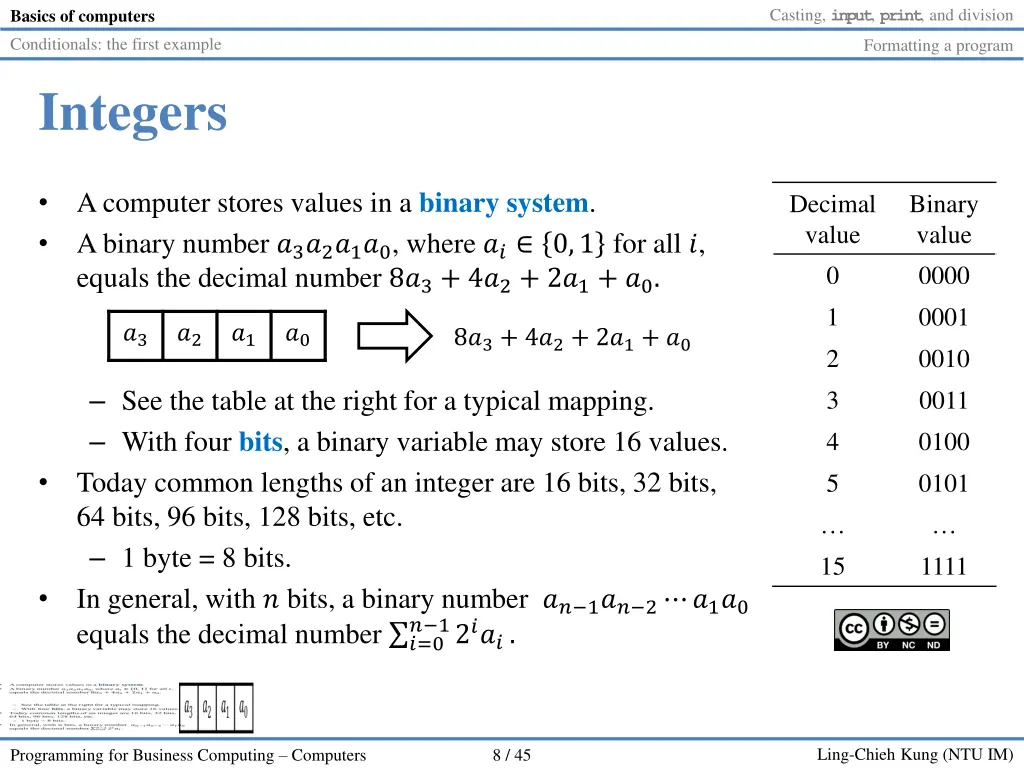
Casting, input, print, and division Basics of computers Conditionals: the first example Formatting a program Integers A computer stores values in a binary system. A binary number ?3?2?1?0, where ?? 0,1 for all ?, equals the decimal number 8?3+ 4?2+ 2?1+ ?0. Decimal value 0 1 2 3 4 5 Binary value 0000 0001 0010 0011 0100 0101 ?3 ?2 ?1 ?0 8?3+ 4?2+ 2?1+ ?0 See the table at the right for a typical mapping. With four bits, a binary variable may store 16 values. Today common lengths of an integer are 16 bits, 32 bits, 64 bits, 96 bits, 128 bits, etc. 1 byte = 8 bits. In general, with ? bits, a binary number ?? 1?? 2 ?1?0 equals the decimal number ?=0 15 1111 ? 12???. Ling-Chieh Kung (NTU IM) Programming for Business Computing Computers 8 / 45
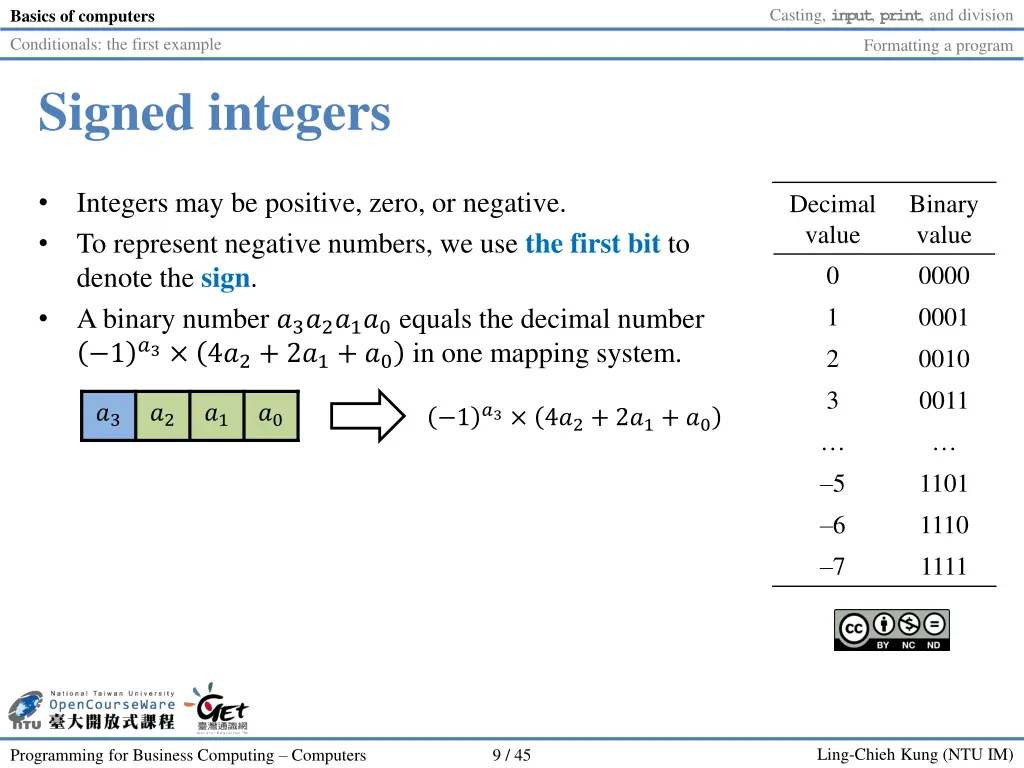
Casting, input, print, and division Basics of computers Conditionals: the first example Formatting a program Signed integers Integers may be positive, zero, or negative. To represent negative numbers, we use the first bit to denote the sign. A binary number ?3?2?1?0equals the decimal number 1?3 4?2+ 2?1+ ?0 in one mapping system. Decimal value 0 1 2 3 Binary value 0000 0001 0010 0011 ?3 ?2 ?1 ?0 1?3 4?2+ 2?1+ ?0 5 6 7 1101 1110 1111 Ling-Chieh Kung (NTU IM) Programming for Business Computing Computers 9 / 45
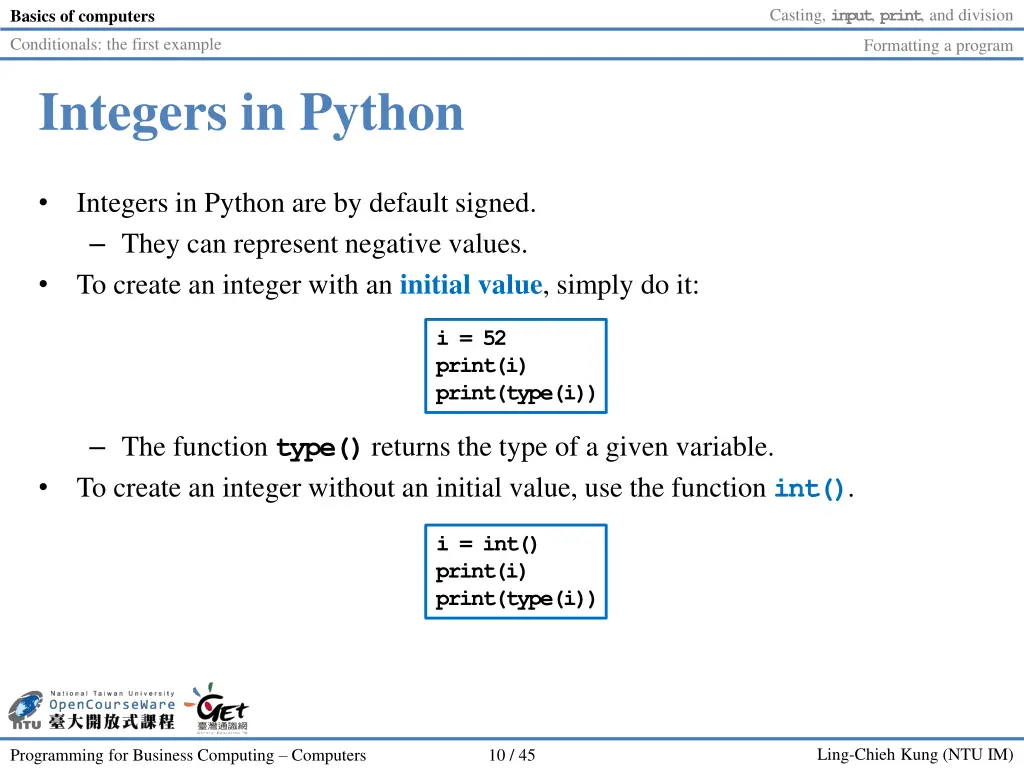
Casting, input, print, and division Basics of computers Conditionals: the first example Formatting a program Integers in Python Integers in Python are by default signed. They can represent negative values. To create an integer with an initial value, simply do it: i = 52 print(i) print(type(i)) The function type()returns the type of a given variable. To create an integer without an initial value, use the function int(). i = int() print(i) print(type(i)) Ling-Chieh Kung (NTU IM) Programming for Business Computing Computers 10 / 45
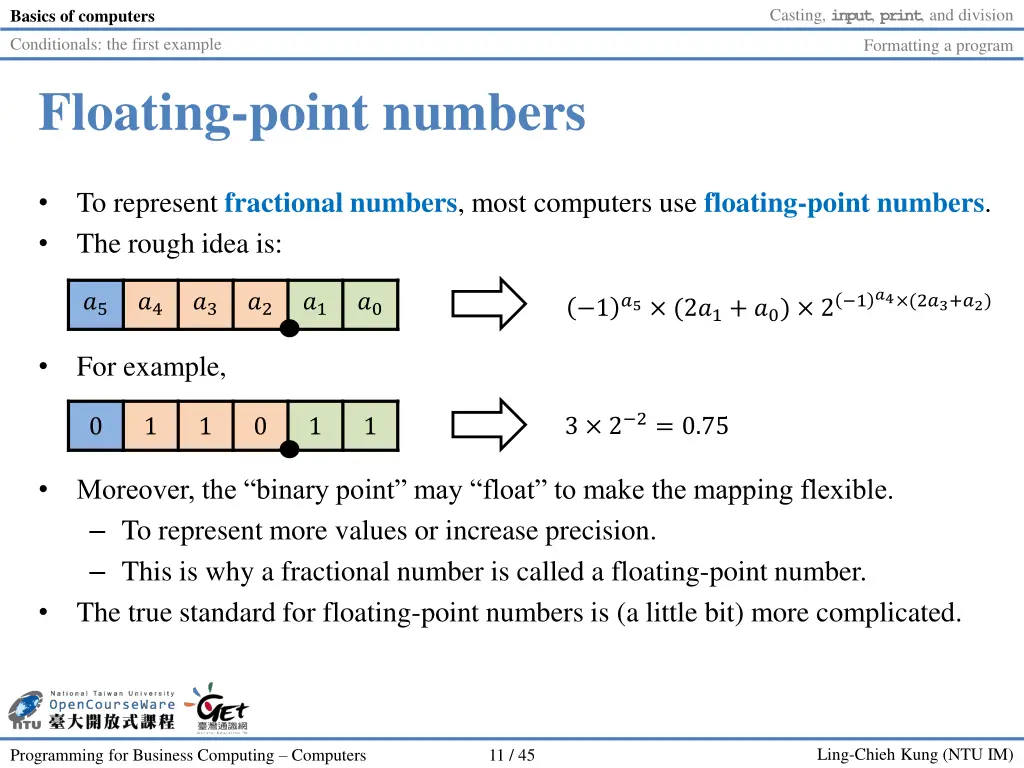
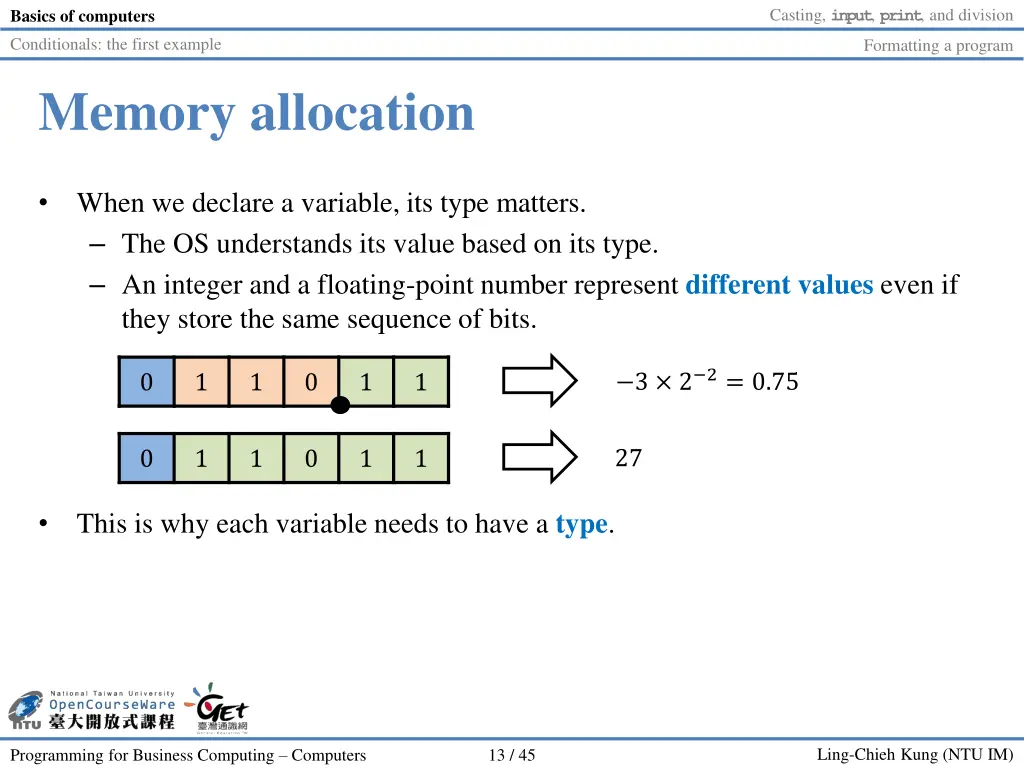
Casting, input, print, and division Basics of computers Conditionals: the first example Formatting a program Floating-point numbers To represent fractional numbers, most computers use floating-point numbers. The rough idea is: 1?5 (2?1+ ?0) 2 1?4 (2?3+?2) ?5 ?4 ?3 ?2 ?1 ?0 For example, 3 2 2= 0.75 0 1 1 0 1 1 Moreover, the binary point may float to make the mapping flexible. To represent more values or increase precision. This is why a fractional number is called a floating-point number. The true standard for floating-point numbers is (a little bit) more complicated. Ling-Chieh Kung (NTU IM) Programming for Business Computing Computers 11 / 45
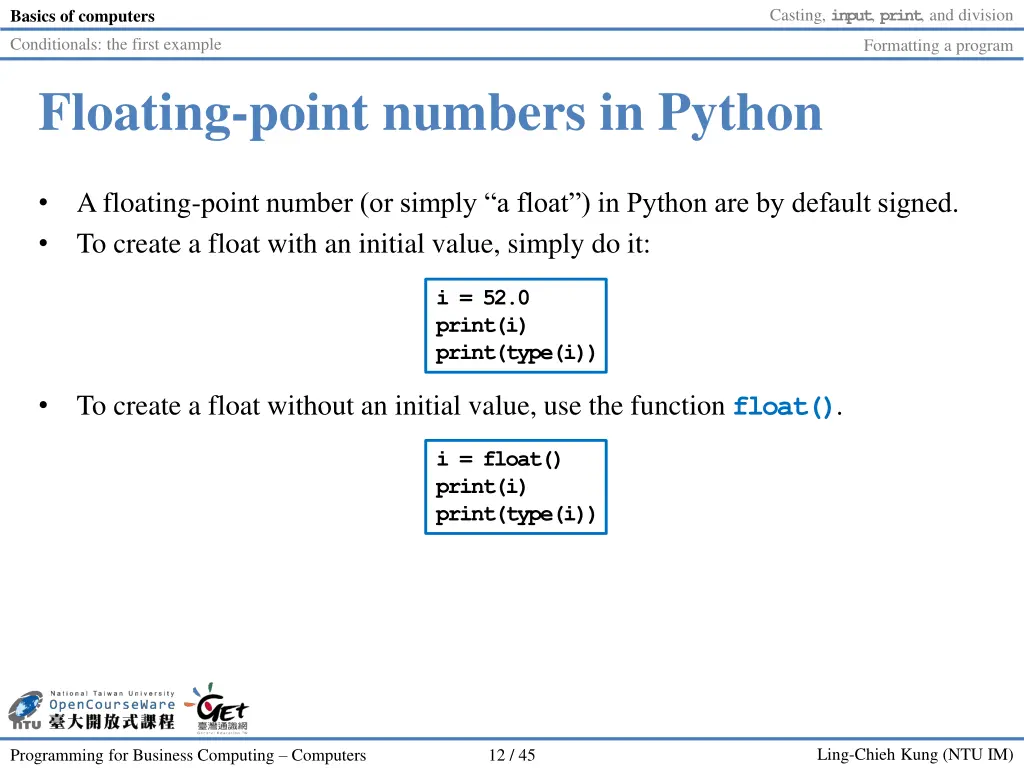
Casting, input, print, and division Basics of computers Conditionals: the first example Formatting a program Floating-point numbers in Python A floating-point number (or simply a float ) in Python are by default signed. To create a float with an initial value, simply do it: i = 52.0 print(i) print(type(i)) To create a float without an initial value, use the function float(). i = float() print(i) print(type(i)) Ling-Chieh Kung (NTU IM) Programming for Business Computing Computers 12 / 45
Casting, input, print, and division Basics of computers Conditionals: the first example Formatting a program Memory allocation When we declare a variable, its type matters. The OS understands its value based on its type. An integer and a floating-point number represent different values even if they store the same sequence of bits. 3 2 2= 0.75 0 1 1 0 1 1 27 0 1 1 0 1 1 This is why each variable needs to have a type. Ling-Chieh Kung (NTU IM) Programming for Business Computing Computers 13 / 45
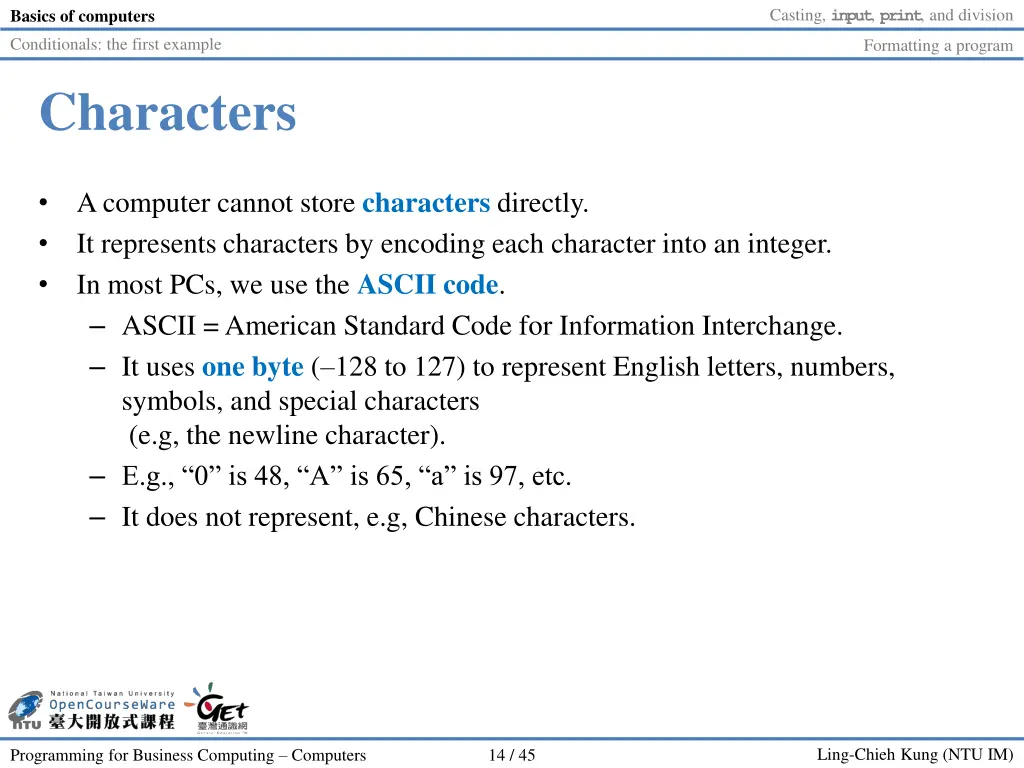
Casting, input, print, and division Basics of computers Conditionals: the first example Formatting a program Characters A computer cannot store characters directly. It represents characters by encoding each character into an integer. In most PCs, we use the ASCII code. ASCII = American Standard Code for Information Interchange. It uses one byte ( 128 to 127) to represent English letters, numbers, symbols, and special characters (e.g, the newline character). E.g., 0 is 48, A is 65, a is 97, etc. It does not represent, e.g, Chinese characters. Ling-Chieh Kung (NTU IM) Programming for Business Computing Computers 14 / 45
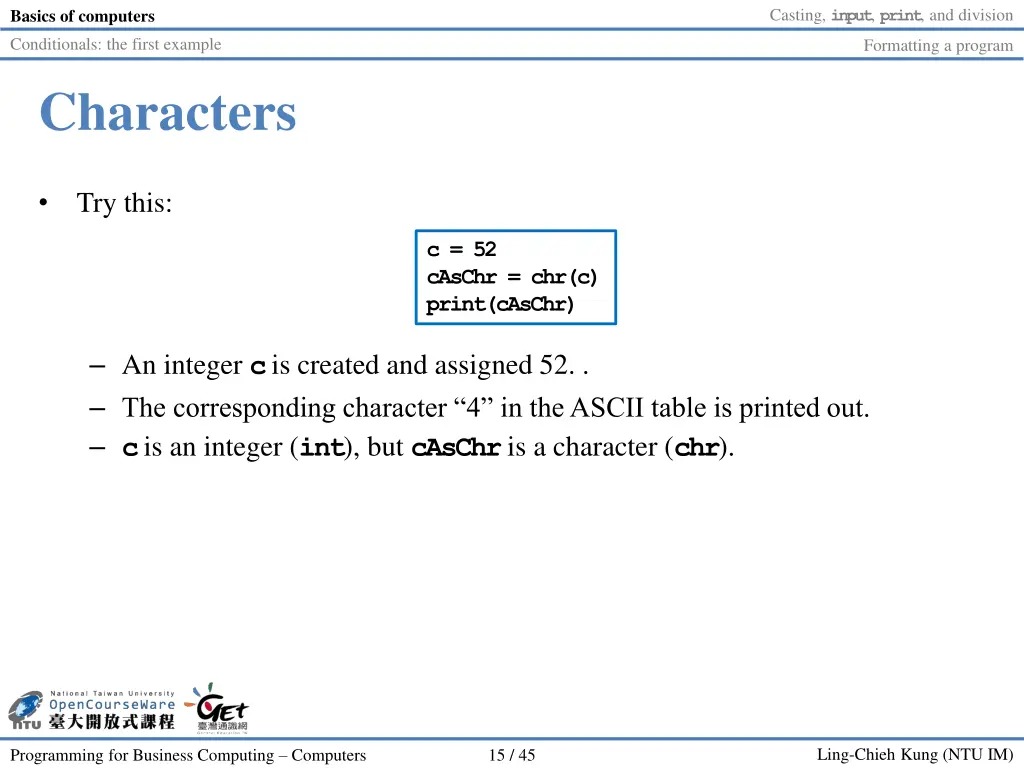
Casting, input, print, and division Basics of computers Conditionals: the first example Formatting a program Characters Try this: c = 52 cAsChr = chr(c) print(cAsChr) An integer cis created and assigned 52. . The corresponding character 4 in the ASCII table is printed out. cis an integer (int), but cAsChris a character (chr). Ling-Chieh Kung (NTU IM) Programming for Business Computing Computers 15 / 45
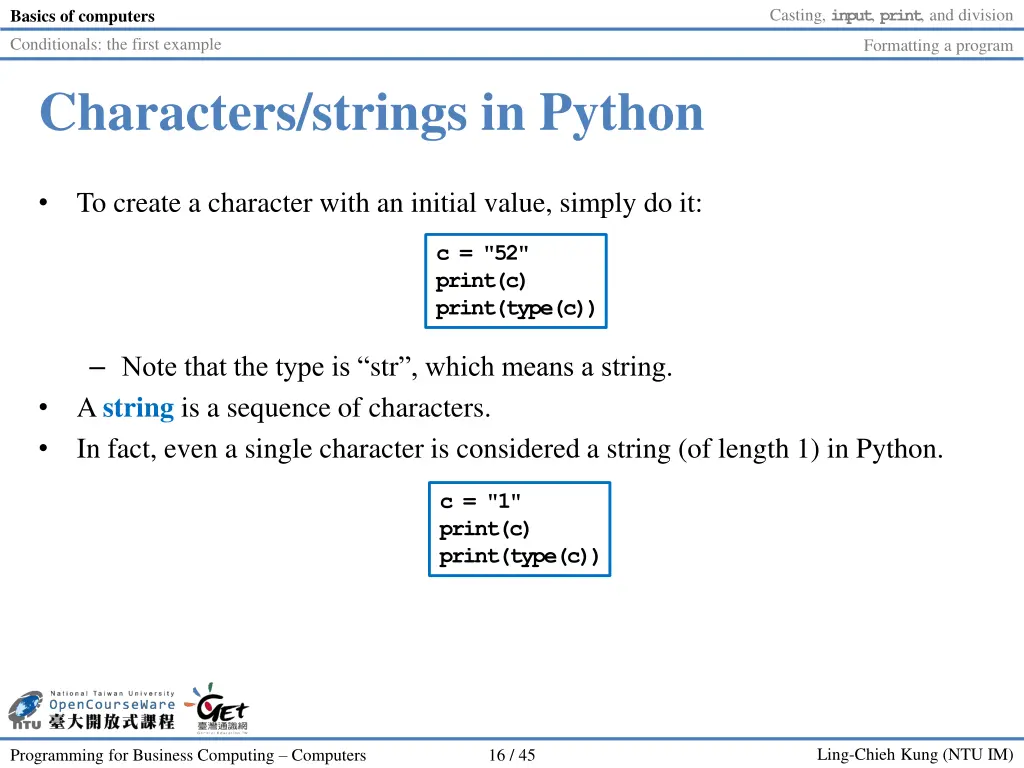
Casting, input, print, and division Basics of computers Conditionals: the first example Formatting a program Characters/strings in Python To create a character with an initial value, simply do it: c = "52" print(c) print(type(c)) Note that the type is str , which means a string. A string is a sequence of characters. In fact, even a single character is considered a string (of length 1) in Python. c = "1" print(c) print(type(c)) Ling-Chieh Kung (NTU IM) Programming for Business Computing Computers 16 / 45
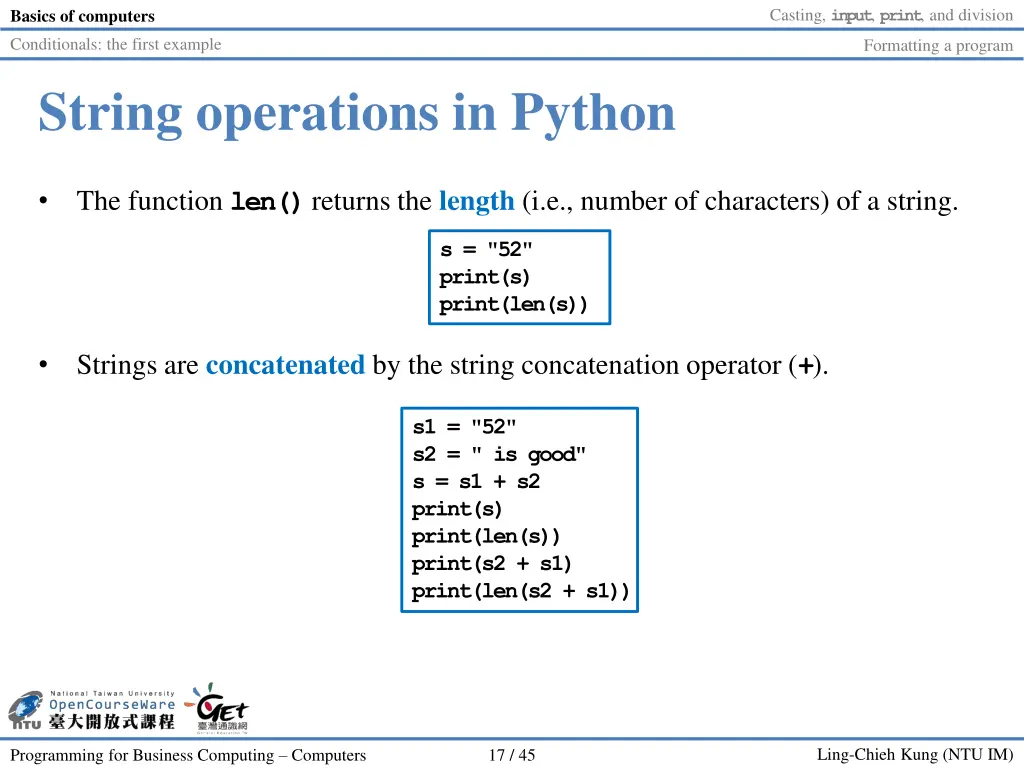
Casting, input, print, and division Basics of computers Conditionals: the first example Formatting a program String operations in Python The function len()returns the length (i.e., number of characters) of a string. s = "52" print(s) print(len(s)) Strings are concatenated by the string concatenation operator (+). s1 = "52" s2 = " is good" s = s1 + s2 print(s) print(len(s)) print(s2 + s1) print(len(s2 + s1)) Ling-Chieh Kung (NTU IM) Programming for Business Computing Computers 17 / 45
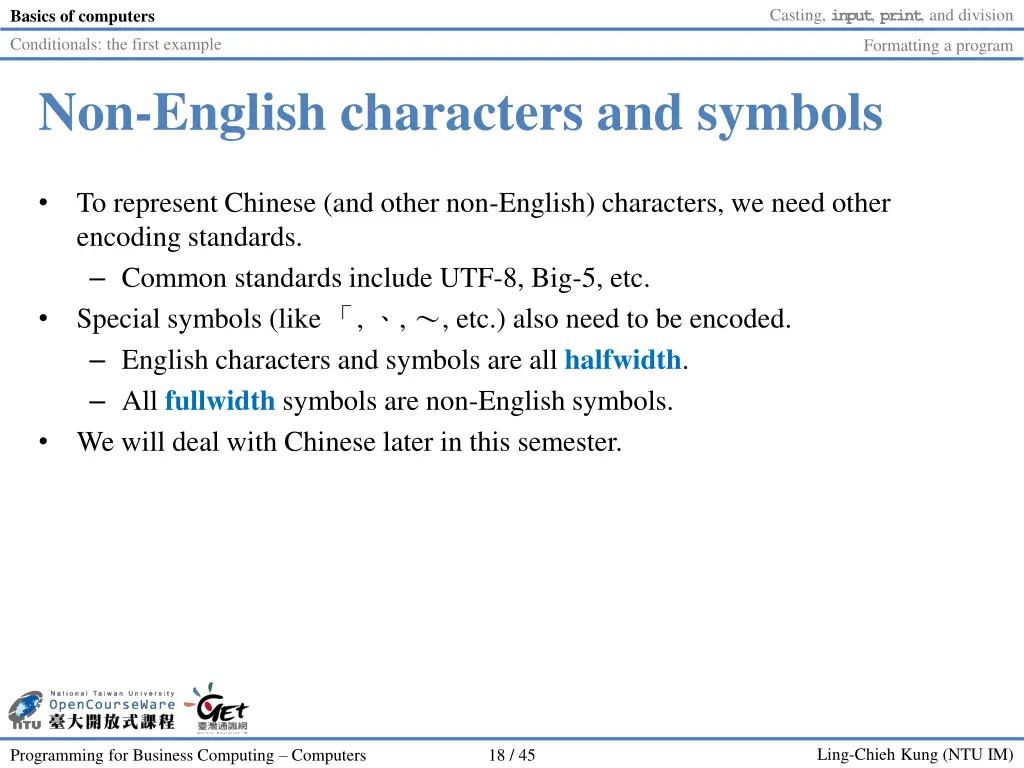
Casting, input, print, and division Basics of computers Conditionals: the first example Formatting a program Non-English characters and symbols To represent Chinese (and other non-English) characters, we need other encoding standards. Common standards include UTF-8, Big-5, etc. Special symbols (like , , , etc.) also need to be encoded. English characters and symbols are all halfwidth. All fullwidth symbols are non-English symbols. We will deal with Chinese later in this semester. Ling-Chieh Kung (NTU IM) Programming for Business Computing Computers 18 / 45
Casting, input, print, and division Basics of computers Conditionals: the first example Formatting a program Outline Basics of computers Casting, input, print, and division Conditionals: the first example Formatting a program Ling-Chieh Kung (NTU IM) Programming for Business Computing Computers 19 / 45
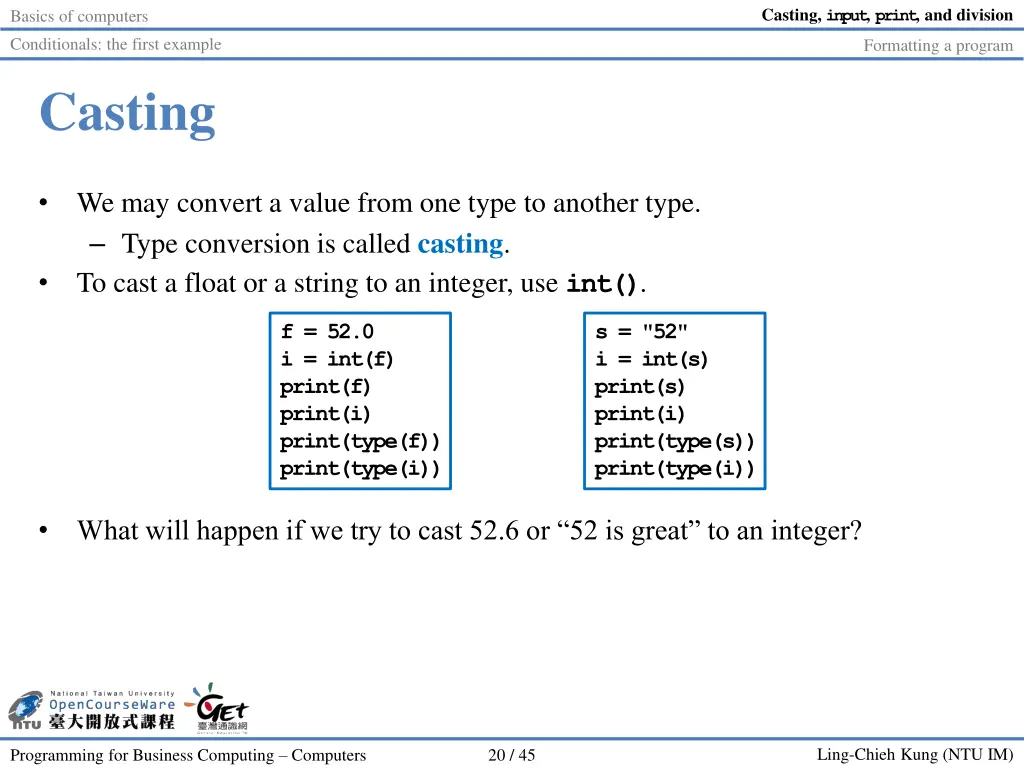
Casting, input, print, and division Basics of computers Conditionals: the first example Formatting a program Casting We may convert a value from one type to another type. Type conversion is called casting. To cast a float or a string to an integer, use int(). f = 52.0 i = int(f) print(f) print(i) print(type(f)) print(type(i)) s = "52" i = int(s) print(s) print(i) print(type(s)) print(type(i)) What will happen if we try to cast 52.6 or 52 is great to an integer? Ling-Chieh Kung (NTU IM) Programming for Business Computing Computers 20 / 45
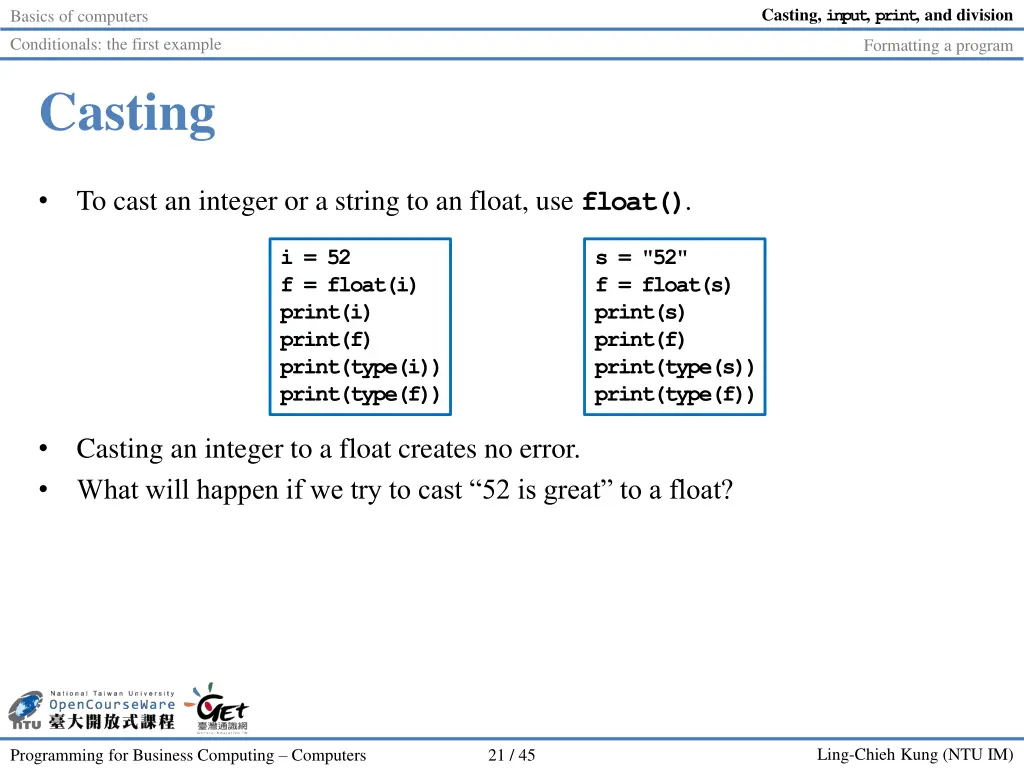
Casting, input, print, and division Basics of computers Conditionals: the first example Formatting a program Casting To cast an integer or a string to an float, use float(). i = 52 f = float(i) print(i) print(f) print(type(i)) print(type(f)) s = "52" f = float(s) print(s) print(f) print(type(s)) print(type(f)) Casting an integer to a float creates no error. What will happen if we try to cast 52 is great to a float? Ling-Chieh Kung (NTU IM) Programming for Business Computing Computers 21 / 45
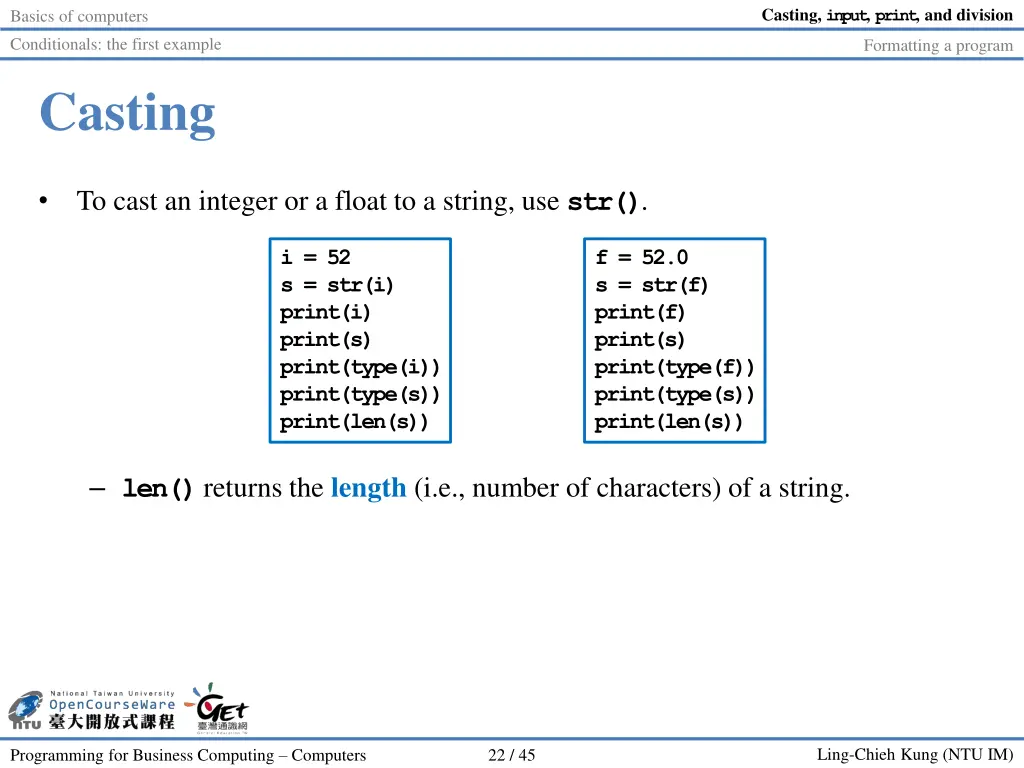
Casting, input, print, and division Basics of computers Conditionals: the first example Formatting a program Casting To cast an integer or a float to a string, use str(). i = 52 s = str(i) print(i) print(s) print(type(i)) print(type(s)) print(len(s)) f = 52.0 s = str(f) print(f) print(s) print(type(f)) print(type(s)) print(len(s)) len()returns the length (i.e., number of characters) of a string. Ling-Chieh Kung (NTU IM) Programming for Business Computing Computers 22 / 45
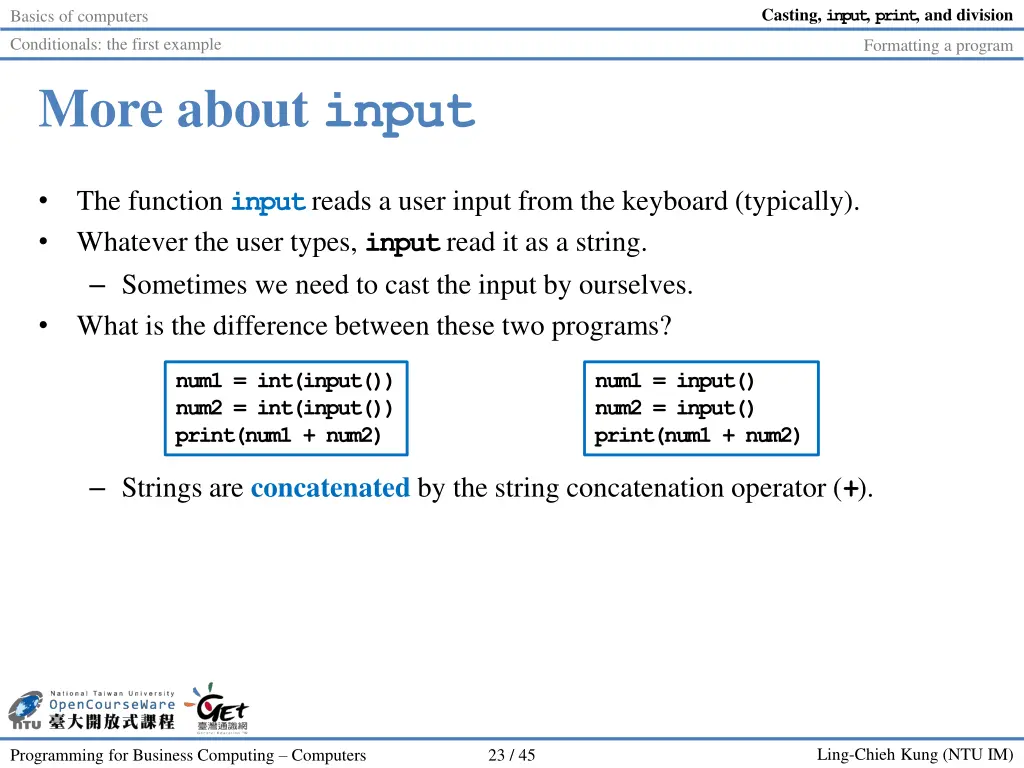
Casting, input, print, and division Basics of computers Conditionals: the first example Formatting a program More about input The function inputreads a user input from the keyboard (typically). Whatever the user types, inputread it as a string. Sometimes we need to cast the input by ourselves. What is the difference between these two programs? num1 = int(input()) num2 = int(input()) print(num1 + num2) num1 = input() num2 = input() print(num1 + num2) Strings are concatenated by the string concatenation operator (+). Ling-Chieh Kung (NTU IM) Programming for Business Computing Computers 23 / 45
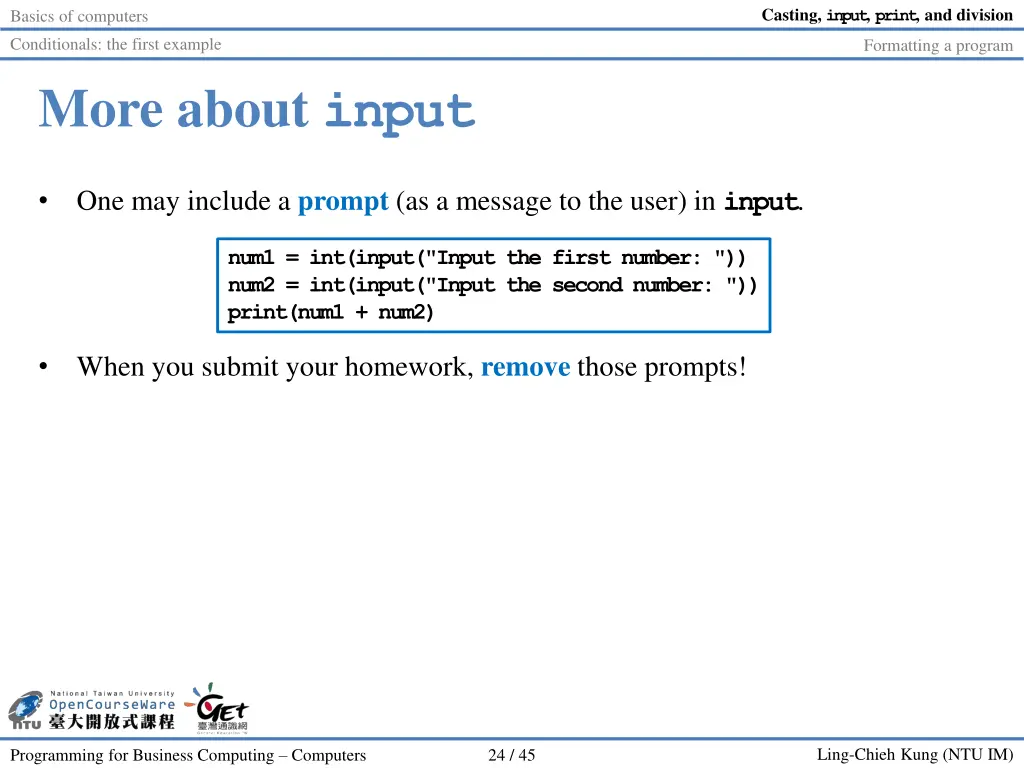
Casting, input, print, and division Basics of computers Conditionals: the first example Formatting a program More about input One may include a prompt (as a message to the user) in input. num1 = int(input("Input the first number: ")) num2 = int(input("Input the second number: ")) print(num1 + num2) When you submit your homework, remove those prompts! Ling-Chieh Kung (NTU IM) Programming for Business Computing Computers 24 / 45
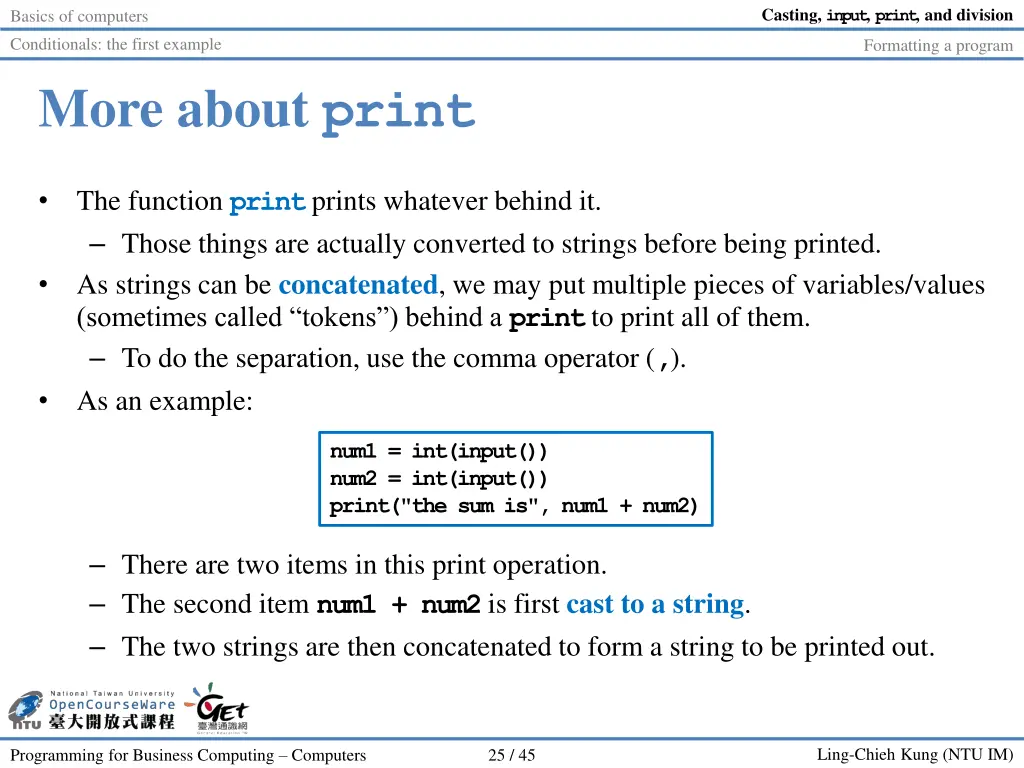
Casting, input, print, and division Basics of computers Conditionals: the first example Formatting a program More about print The function printprints whatever behind it. Those things are actually converted to strings before being printed. As strings can be concatenated, we may put multiple pieces of variables/values (sometimes called tokens ) behind a printto print all of them. To do the separation, use the comma operator (,). As an example: num1 = int(input()) num2 = int(input()) print("the sum is", num1 + num2) There are two items in this print operation. The second item num1 + num2is first cast to a string. The two strings are then concatenated to form a string to be printed out. Ling-Chieh Kung (NTU IM) Programming for Business Computing Computers 25 / 45
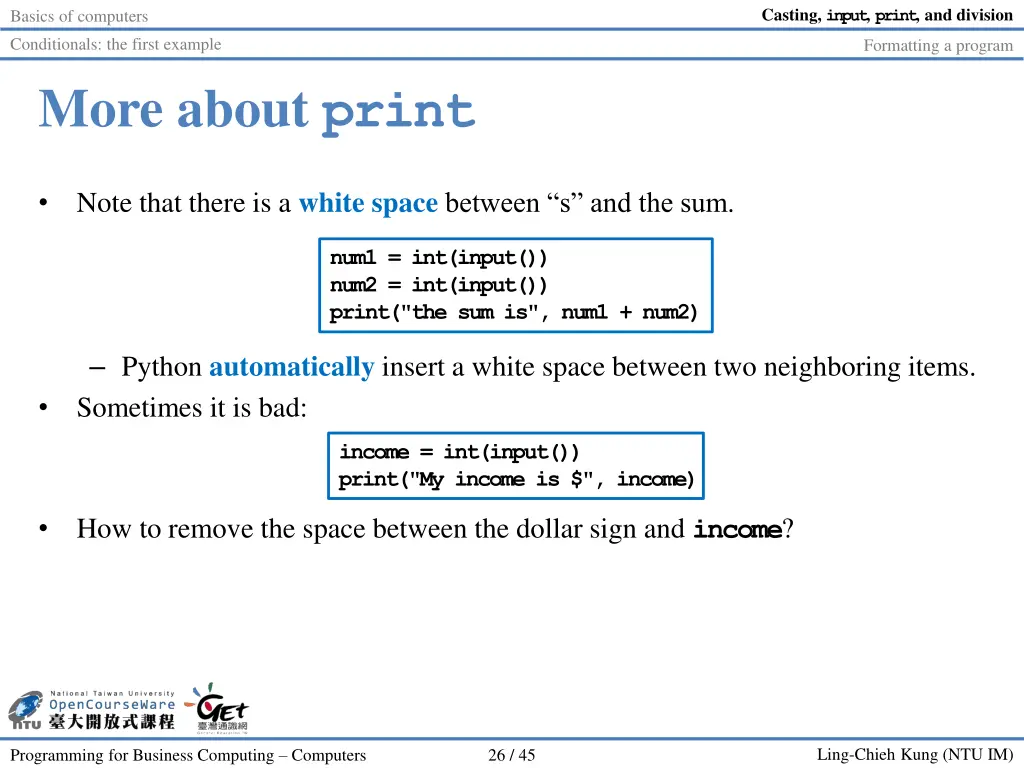
Casting, input, print, and division Basics of computers Conditionals: the first example Formatting a program More about print Note that there is a white space between s and the sum. num1 = int(input()) num2 = int(input()) print("the sum is", num1 + num2) Python automatically insert a white space between two neighboring items. Sometimes it is bad: income = int(input()) print("My income is $", income) How to remove the space between the dollar sign and income? Ling-Chieh Kung (NTU IM) Programming for Business Computing Computers 26 / 45
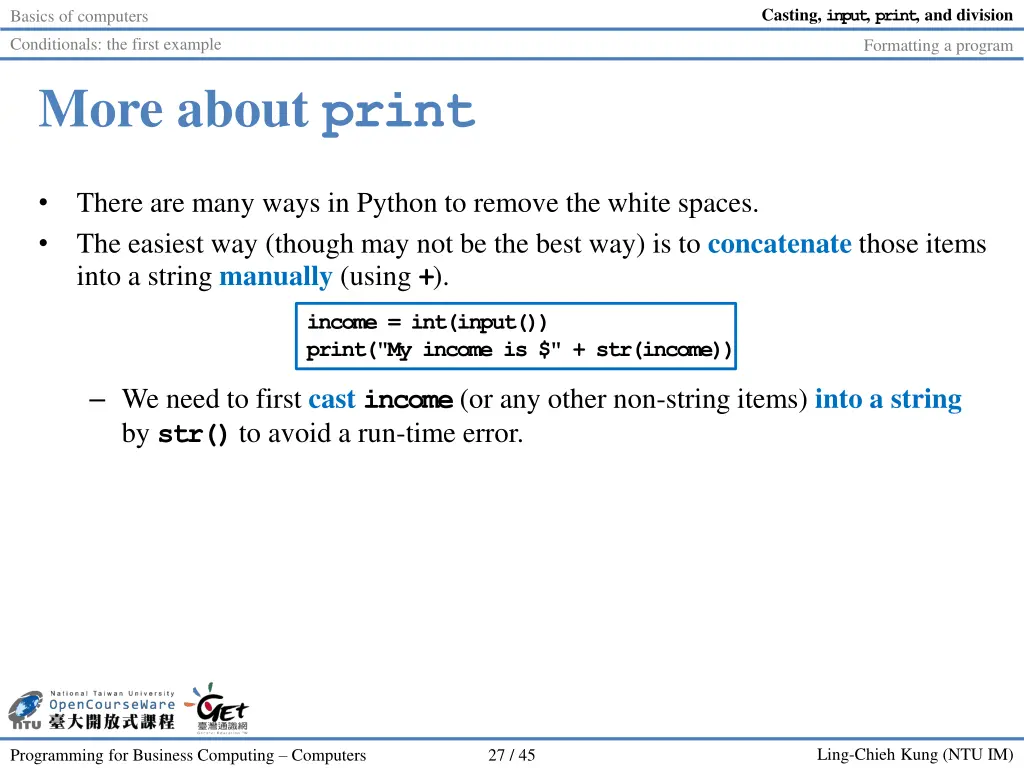
Casting, input, print, and division Basics of computers Conditionals: the first example Formatting a program More about print There are many ways in Python to remove the white spaces. The easiest way (though may not be the best way) is to concatenate those items into a string manually (using +). income = int(input()) print("My income is $" + str(income)) We need to first cast income(or any other non-string items) into a string by str()to avoid a run-time error. Ling-Chieh Kung (NTU IM) Programming for Business Computing Computers 27 / 45
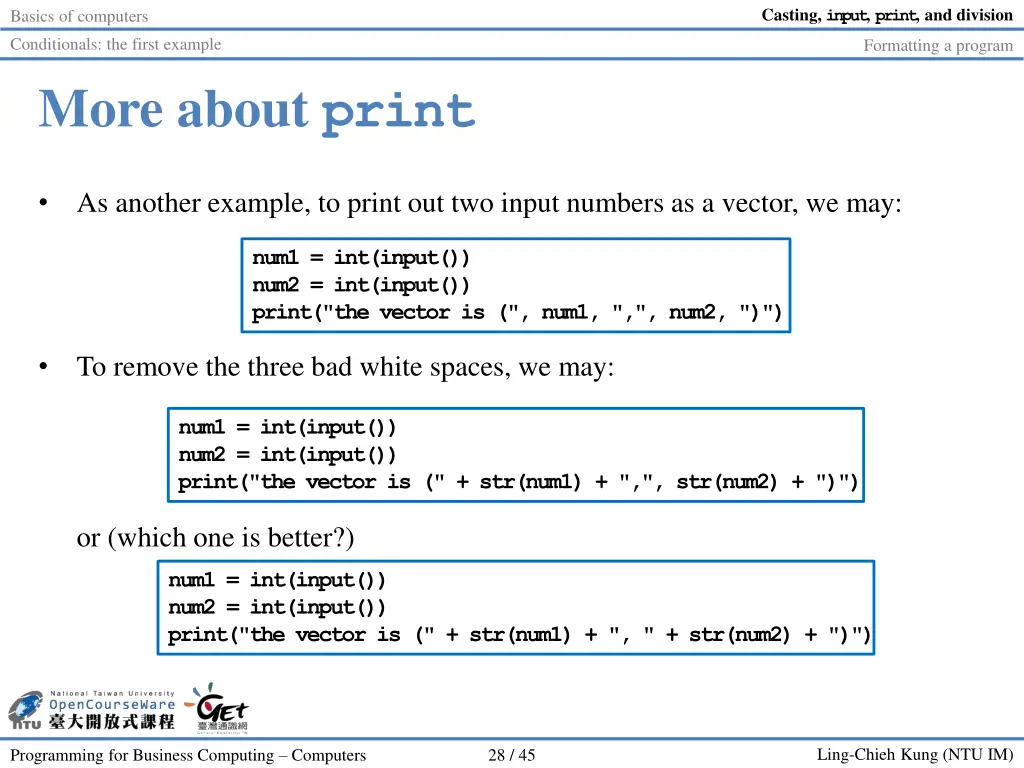
Casting, input, print, and division Basics of computers Conditionals: the first example Formatting a program More about print As another example, to print out two input numbers as a vector, we may: num1 = int(input()) num2 = int(input()) print("the vector is (", num1, ",", num2, ")") To remove the three bad white spaces, we may: num1 = int(input()) num2 = int(input()) print("the vector is (" + str(num1) + ",", str(num2) + ")") or (which one is better?) num1 = int(input()) num2 = int(input()) print("the vector is (" + str(num1) + ", " + str(num2) + ")") Ling-Chieh Kung (NTU IM) Programming for Business Computing Computers 28 / 45
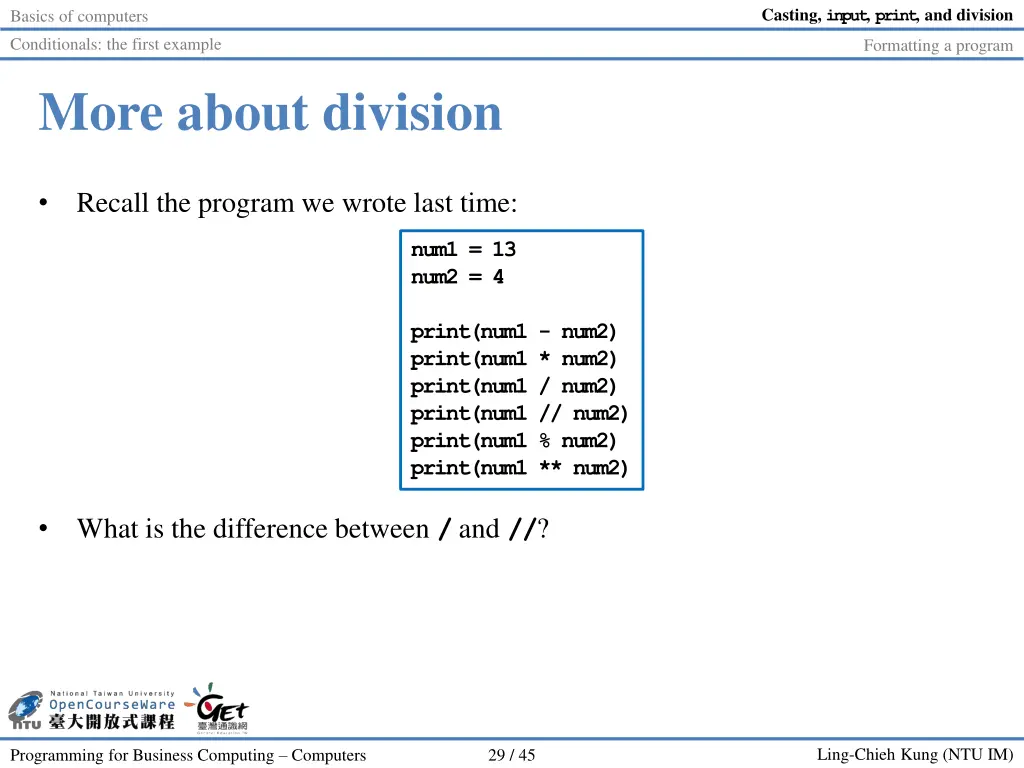
Casting, input, print, and division Basics of computers Conditionals: the first example Formatting a program More about division Recall the program we wrote last time: num1 = 13 num2 = 4 print(num1 - num2) print(num1 * num2) print(num1 / num2) print(num1 // num2) print(num1 % num2) print(num1 ** num2) What is the difference between /and //? Ling-Chieh Kung (NTU IM) Programming for Business Computing Computers 29 / 45
Casting, input, print, and division Basics of computers Conditionals: the first example Formatting a program Outline Basics of computers Casting, input, print, and division Conditionals: the first example Formatting a program Ling-Chieh Kung (NTU IM) Programming for Business Computing Computers 30 / 45
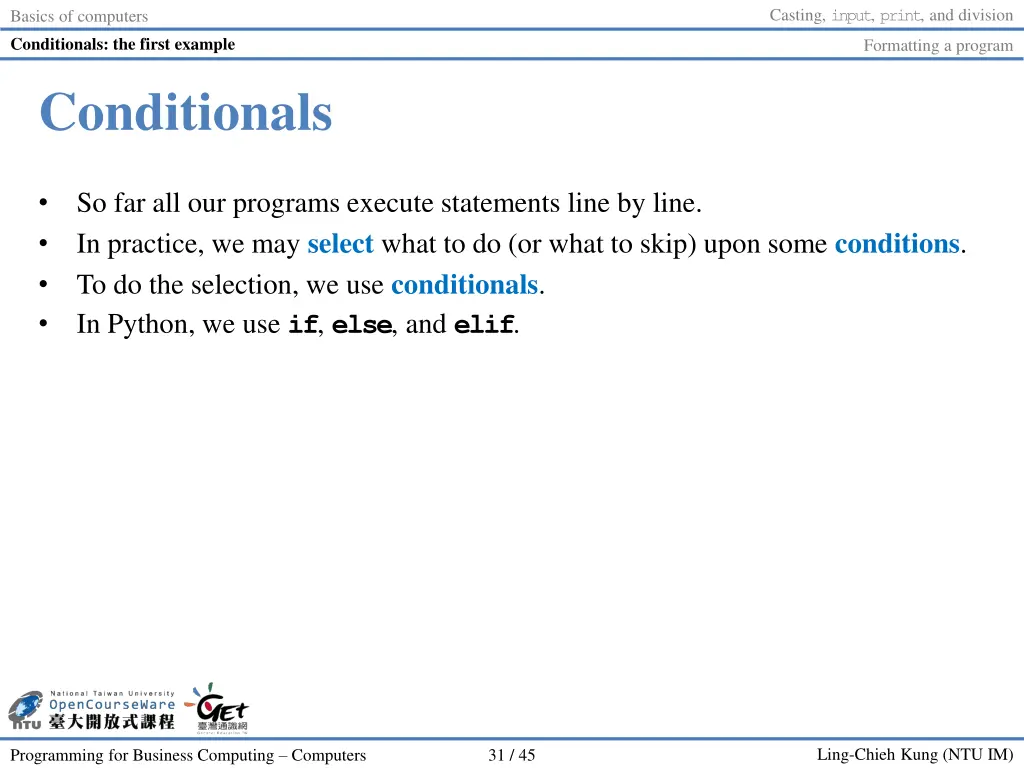
Casting, input, print, and division Basics of computers Conditionals: the first example Formatting a program Conditionals So far all our programs execute statements line by line. In practice, we may select what to do (or what to skip) upon some conditions. To do the selection, we use conditionals. In Python, we use if, else, and elif. Ling-Chieh Kung (NTU IM) Programming for Business Computing Computers 31 / 45
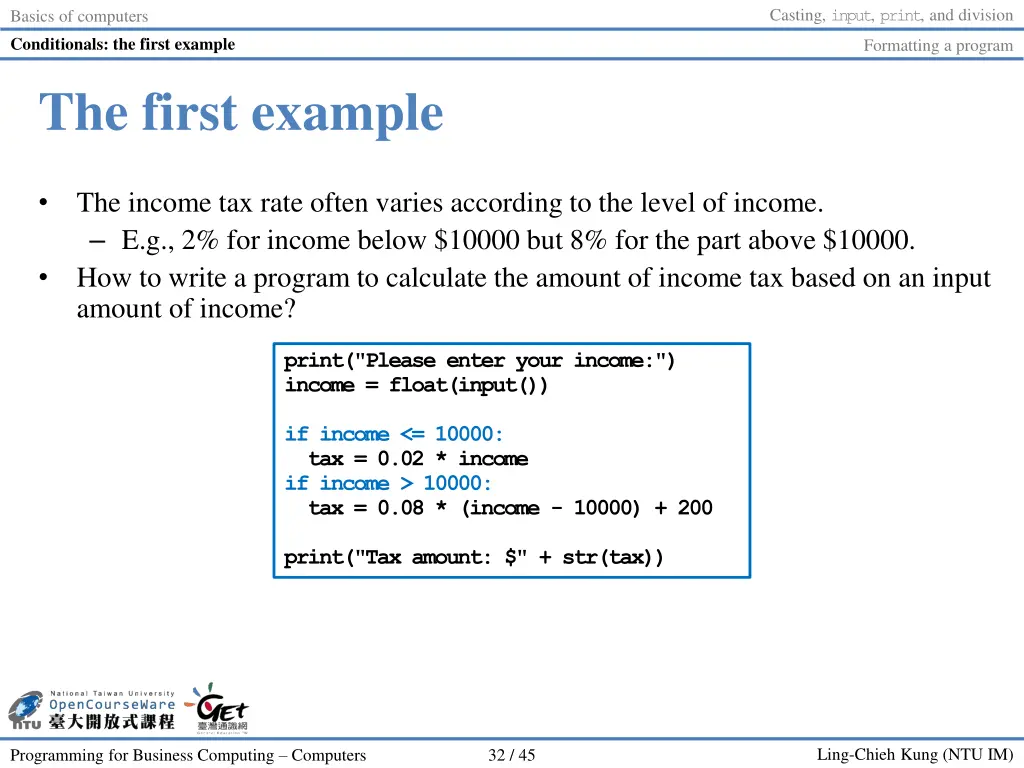
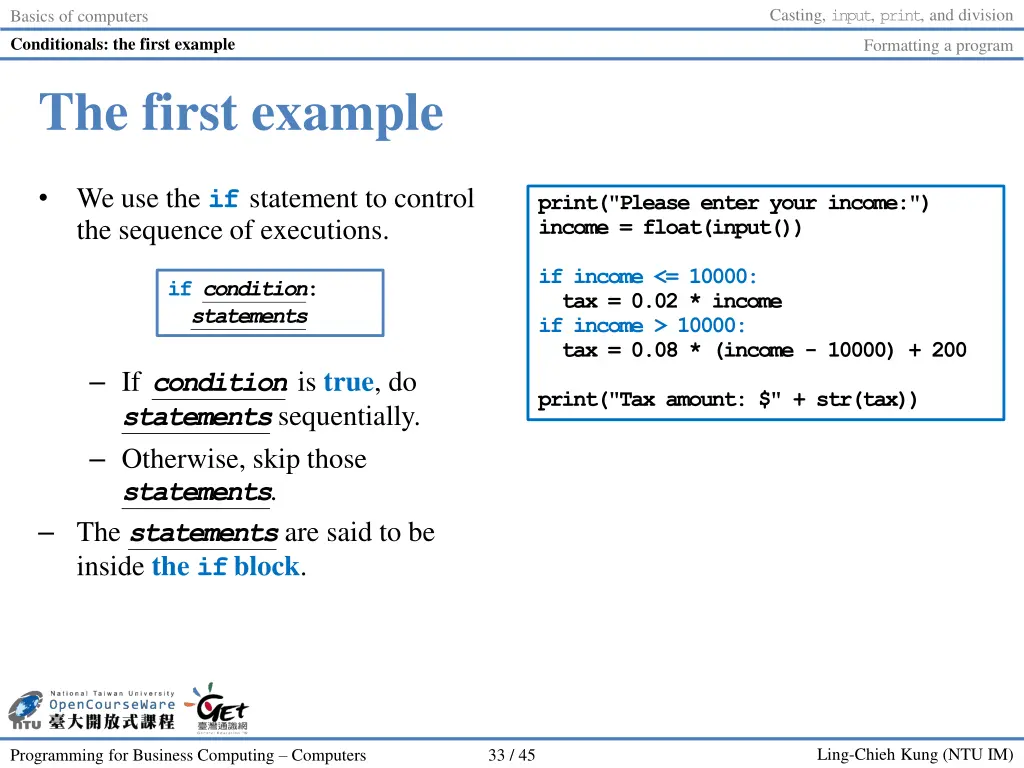
Casting, input, print, and division Basics of computers Conditionals: the first example Formatting a program The first example The income tax rate often varies according to the level of income. E.g., 2% for income below $10000 but 8% for the part above $10000. How to write a program to calculate the amount of income tax based on an input amount of income? print("Please enter your income:") income = float(input()) if income <= 10000: tax = 0.02 * income if income > 10000: tax = 0.08 * (income - 10000) + 200 print("Tax amount: $" + str(tax)) Ling-Chieh Kung (NTU IM) Programming for Business Computing Computers 32 / 45
Casting, input, print, and division Basics of computers Conditionals: the first example Formatting a program The first example We use the if statement to control the sequence of executions. print("Please enter your income:") income = float(input()) if income <= 10000: tax = 0.02 * income if income > 10000: tax = 0.08 * (income - 10000) + 200 if condition: statements If condition is true, do statementssequentially. Otherwise, skip those statements. The statements are said to be inside the ifblock. print("Tax amount: $" + str(tax)) Ling-Chieh Kung (NTU IM) Programming for Business Computing Computers 33 / 45
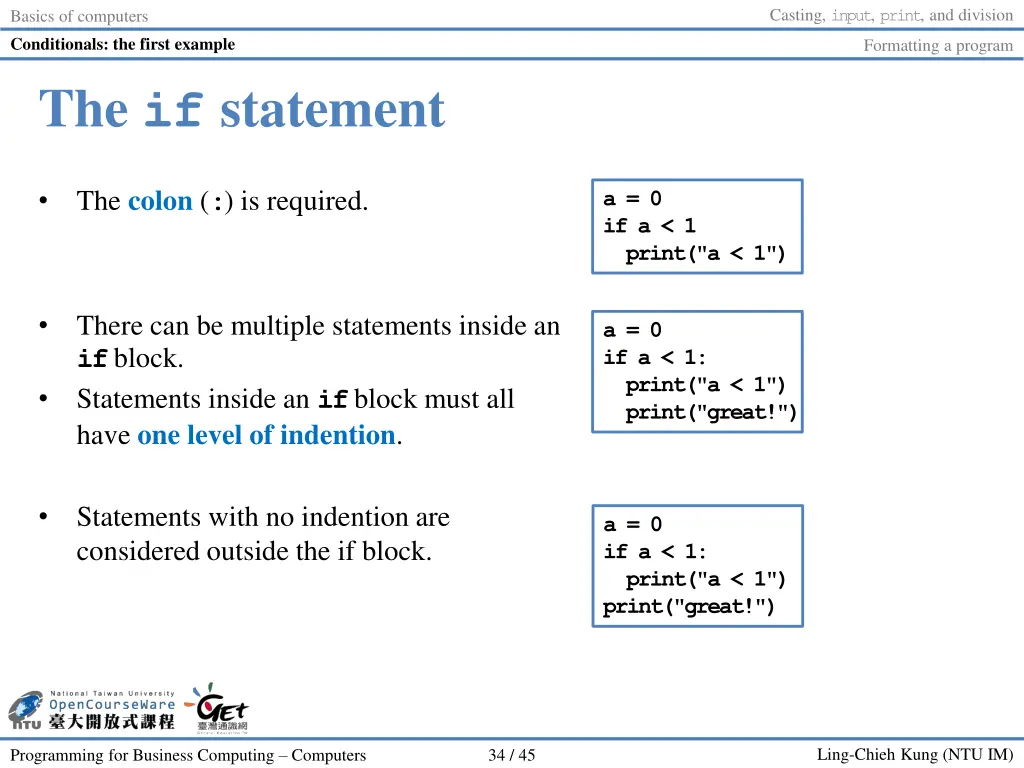
Casting, input, print, and division Basics of computers Conditionals: the first example Formatting a program The if statement The colon (:) is required. a = 0 if a < 1 print("a < 1") There can be multiple statements inside an ifblock. Statements inside an ifblock must all have one level of indention. a = 0 if a < 1: print("a < 1") print("great!") Statements with no indention are considered outside the if block. a = 0 if a < 1: print("a < 1") print("great!") Ling-Chieh Kung (NTU IM) Programming for Business Computing Computers 34 / 45
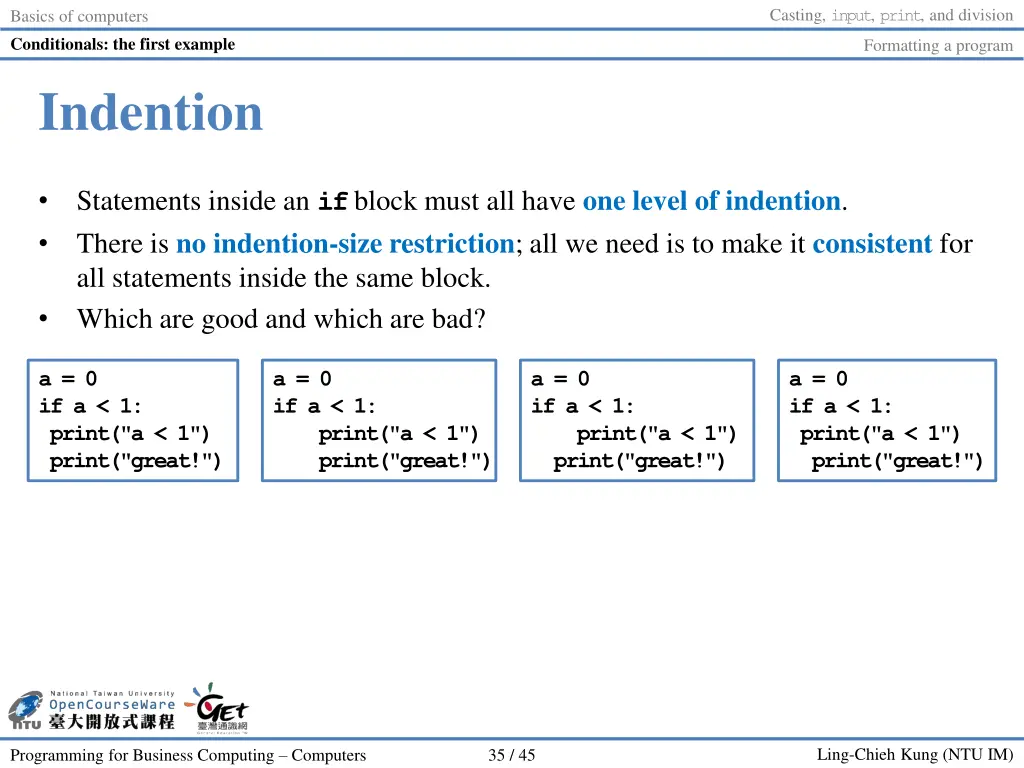
Casting, input, print, and division Basics of computers Conditionals: the first example Formatting a program Indention Statements inside an ifblock must all have one level of indention. There is no indention-size restriction; all we need is to make it consistent for all statements inside the same block. Which are good and which are bad? a = 0 if a < 1: print("a < 1") print("great!") a = 0 if a < 1: print("a < 1") print("great!") a = 0 if a < 1: print("a < 1") print("great!") a = 0 if a < 1: print("a < 1") print("great!") Ling-Chieh Kung (NTU IM) Programming for Business Computing Computers 35 / 45
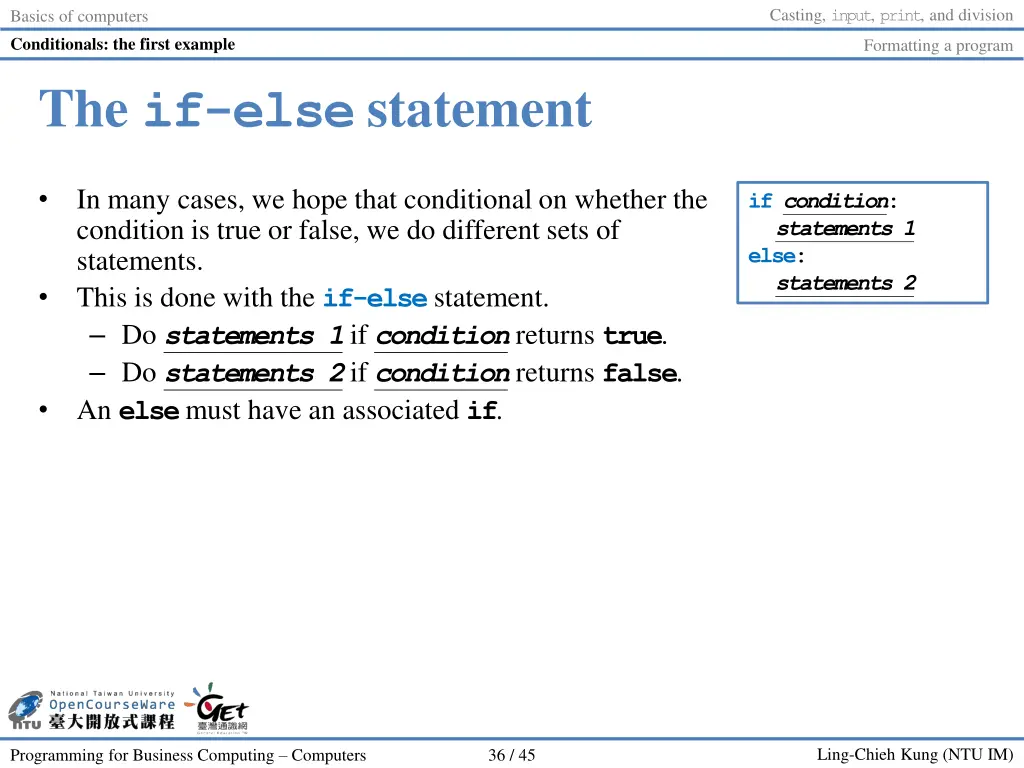
Casting, input, print, and division Basics of computers Conditionals: the first example Formatting a program The if-else statement In many cases, we hope that conditional on whether the condition is true or false, we do different sets of statements. This is done with the if-elsestatement. Do statements 1if conditionreturns true. Do statements 2if conditionreturns false. An elsemust have an associated if. if condition: statements 1 else: statements 2 Ling-Chieh Kung (NTU IM) Programming for Business Computing Computers 36 / 45
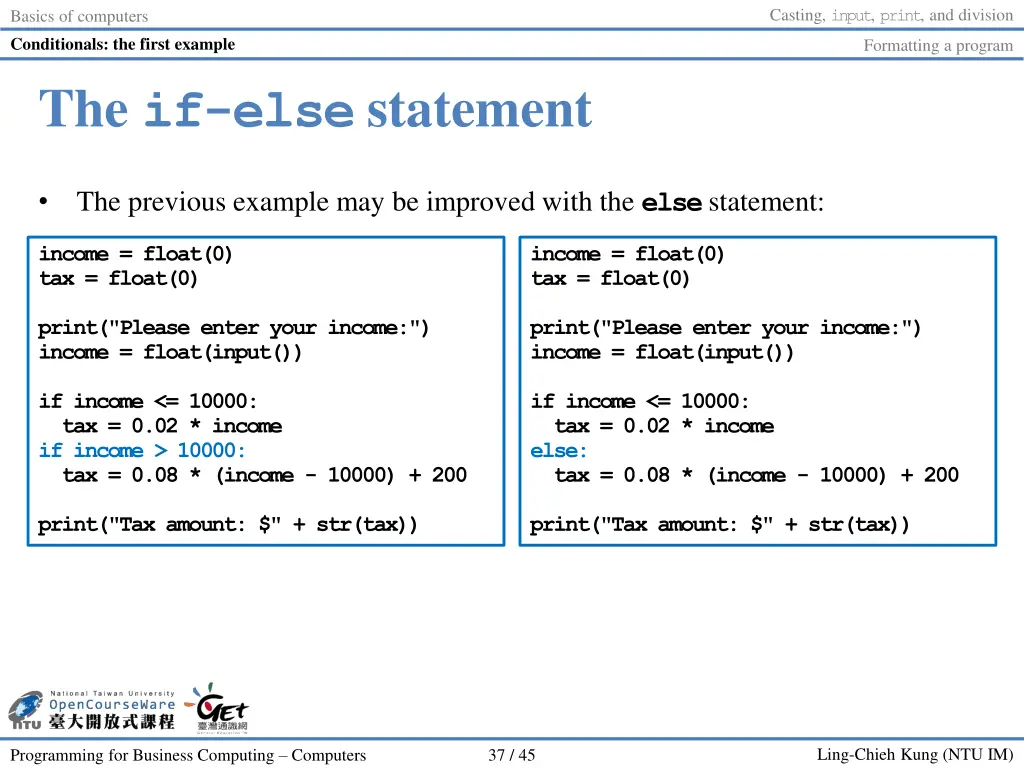
Casting, input, print, and division Basics of computers Conditionals: the first example Formatting a program The if-else statement The previous example may be improved with the elsestatement: income = float(0) tax = float(0) income = float(0) tax = float(0) print("Please enter your income:") income = float(input()) print("Please enter your income:") income = float(input()) if income <= 10000: tax = 0.02 * income if income > 10000: tax = 0.08 * (income - 10000) + 200 if income <= 10000: tax = 0.02 * income else: tax = 0.08 * (income - 10000) + 200 print("Tax amount: $" + str(tax)) print("Tax amount: $" + str(tax)) Ling-Chieh Kung (NTU IM) Programming for Business Computing Computers 37 / 45
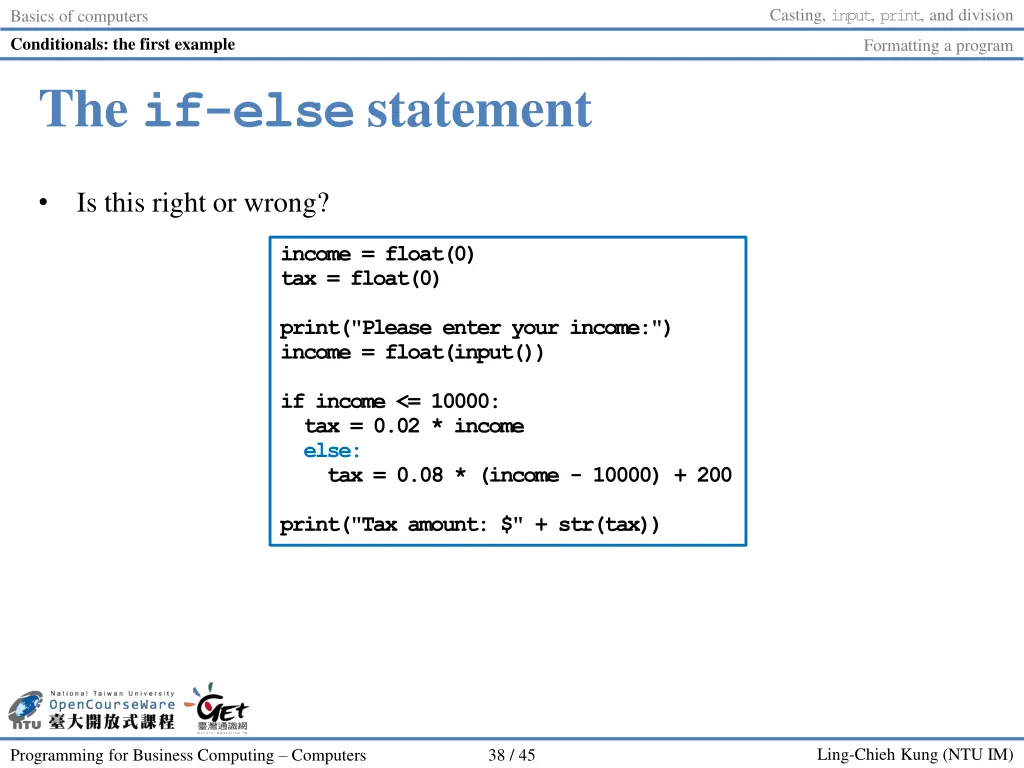
Casting, input, print, and division Basics of computers Conditionals: the first example Formatting a program The if-else statement Is this right or wrong? income = float(0) tax = float(0) print("Please enter your income:") income = float(input()) if income <= 10000: tax = 0.02 * income else: tax = 0.08 * (income - 10000) + 200 print("Tax amount: $" + str(tax)) Ling-Chieh Kung (NTU IM) Programming for Business Computing Computers 38 / 45
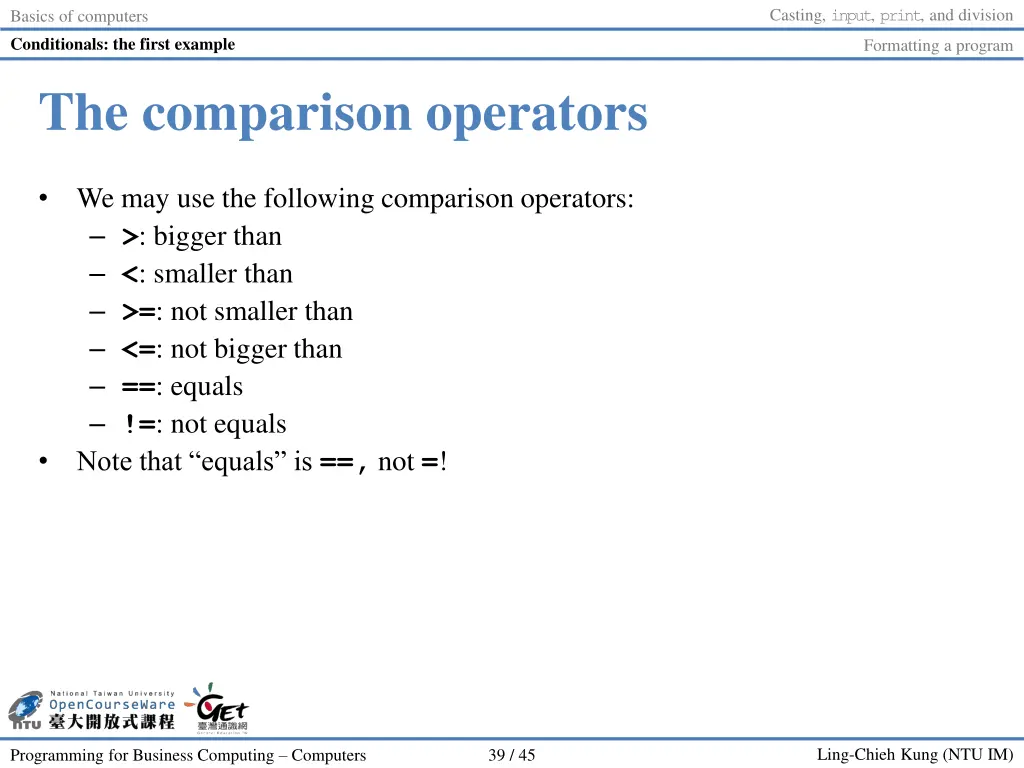
Casting, input, print, and division Basics of computers Conditionals: the first example Formatting a program The comparison operators We may use the following comparison operators: >: bigger than <: smaller than >=: not smaller than <=: not bigger than ==: equals !=: not equals Note that equals is ==, not =! Ling-Chieh Kung (NTU IM) Programming for Business Computing Computers 39 / 45
Casting, input, print, and division Basics of computers Conditionals: the first example Formatting a program Outline Basics of computers Casting, input, print, and division Conditionals: the first example Formatting a program Ling-Chieh Kung (NTU IM) Programming for Business Computing Computers 40 / 45
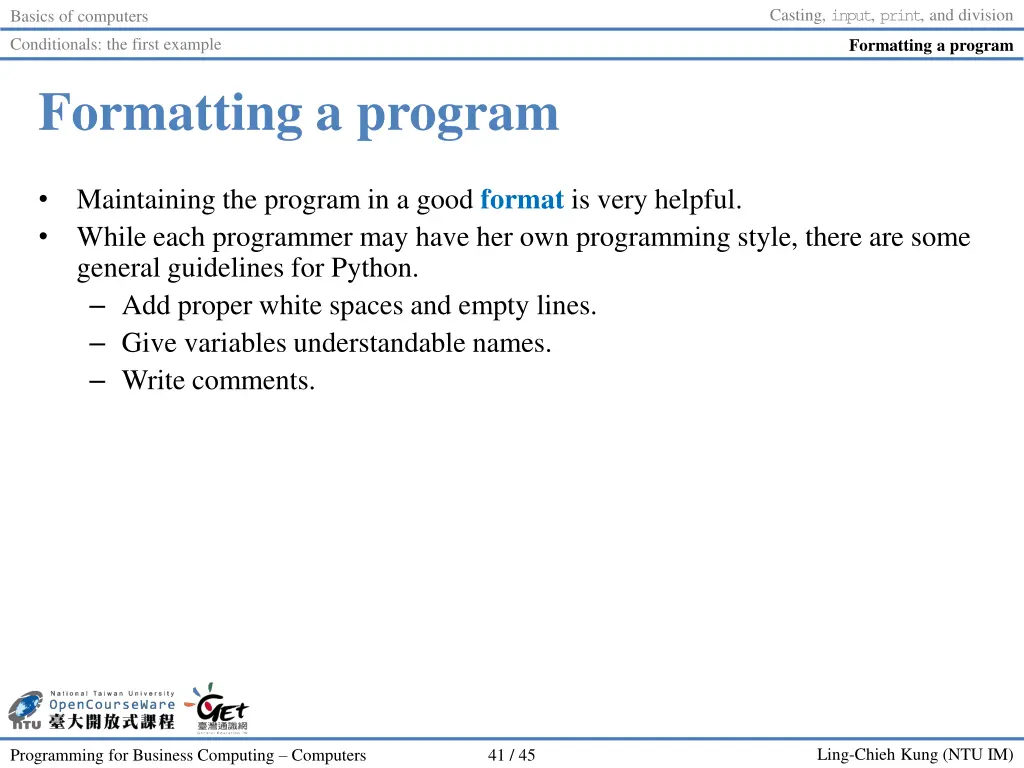
Casting, input, print, and division Basics of computers Conditionals: the first example Formatting a program Formatting a program Maintaining the program in a good format is very helpful. While each programmer may have her own programming style, there are some general guidelines for Python. Add proper white spaces and empty lines. Give variables understandable names. Write comments. Ling-Chieh Kung (NTU IM) Programming for Business Computing Computers 41 / 45
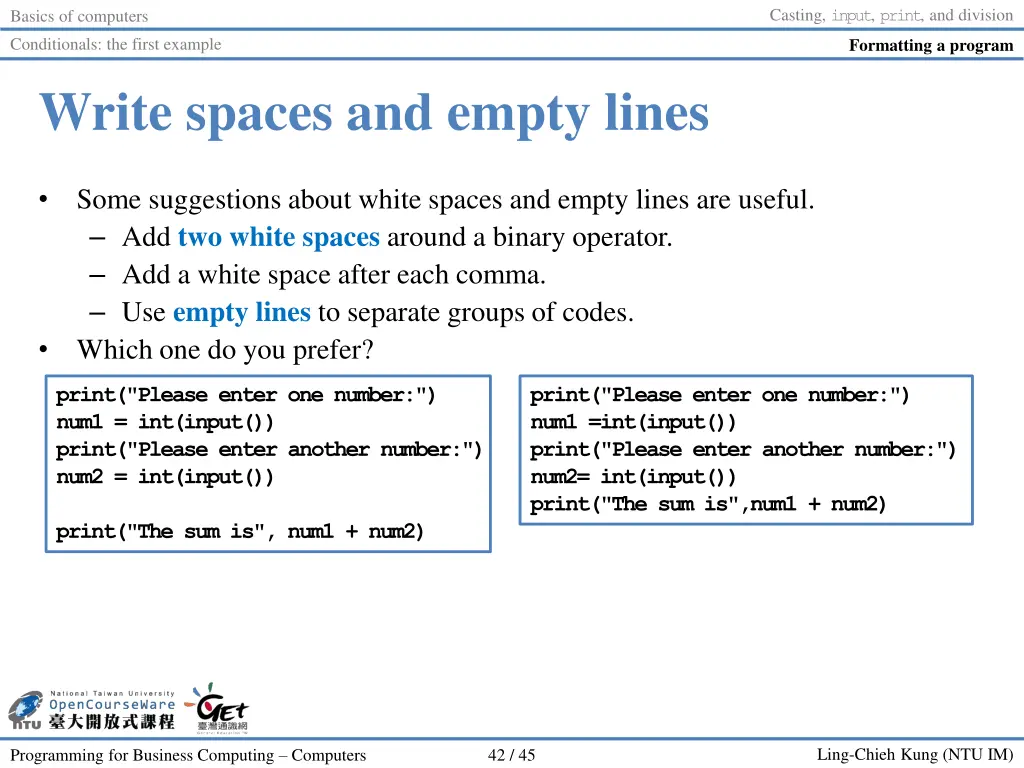
Casting, input, print, and division Basics of computers Conditionals: the first example Formatting a program Write spaces and empty lines Some suggestions about white spaces and empty lines are useful. Add two white spaces around a binary operator. Add a white space after each comma. Use empty lines to separate groups of codes. Which one do you prefer? print("Please enter one number:") num1 = int(input()) print("Please enter another number:") num2 = int(input()) print("Please enter one number:") num1 =int(input()) print("Please enter another number:") num2= int(input()) print("The sum is",num1 + num2) print("The sum is", num1 + num2) Ling-Chieh Kung (NTU IM) Programming for Business Computing Computers 42 / 45
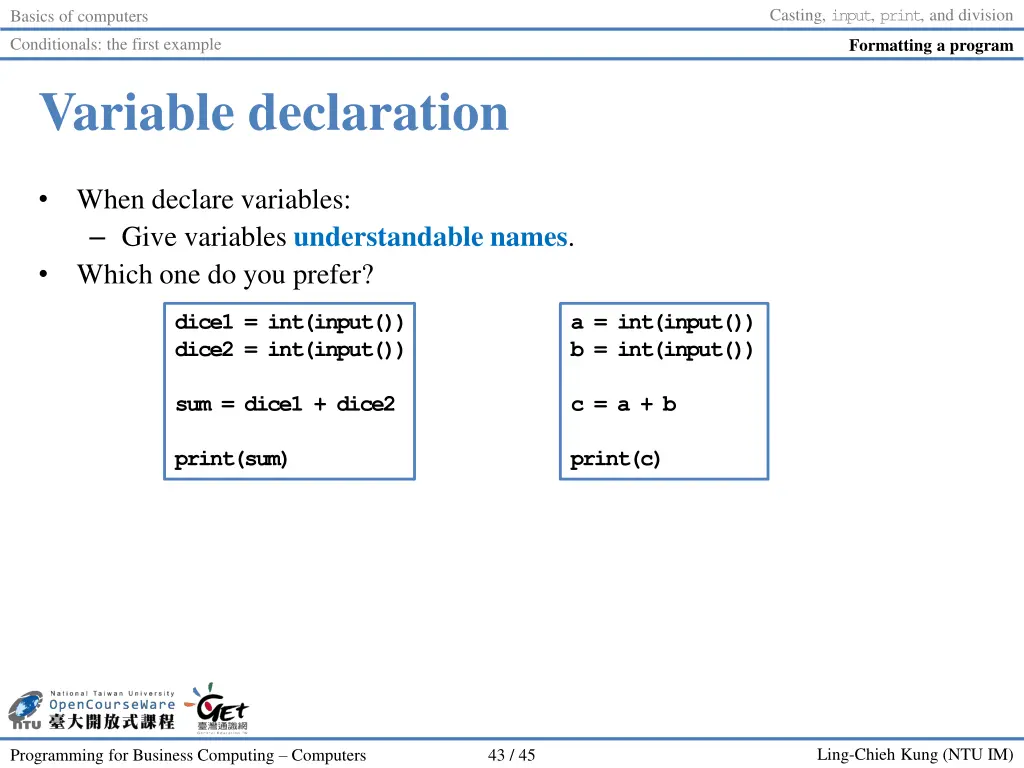
Casting, input, print, and division Basics of computers Conditionals: the first example Formatting a program Variable declaration When declare variables: Give variables understandable names. Which one do you prefer? dice1 = int(input()) dice2 = int(input()) a = int(input()) b = int(input()) sum = dice1 + dice2 c = a + b print(sum) print(c) Ling-Chieh Kung (NTU IM) Programming for Business Computing Computers 43 / 45
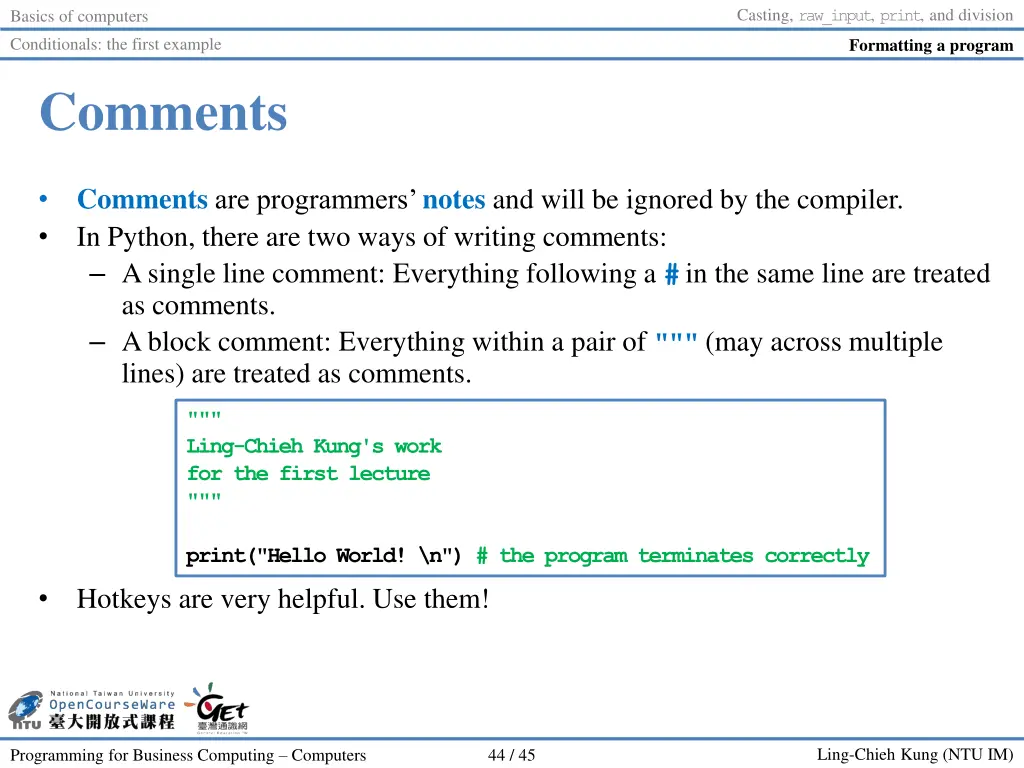
Casting, raw_input, print, and division Basics of computers Conditionals: the first example Formatting a program Comments Comments are programmers notes and will be ignored by the compiler. In Python, there are two ways of writing comments: A single line comment: Everything following a #in the same line are treated as comments. A block comment: Everything within a pair of """(may across multiple lines) are treated as comments. """ Ling-Chieh Kung's work for the first lecture """ print("Hello World! \n") # the program terminates correctly Hotkeys are very helpful. Use them! Ling-Chieh Kung (NTU IM) Programming for Business Computing Computers 44 / 45
/ , CC BY-NC-ND 3.0 3 4 1 2 8 , CC BY-NC-ND 3.0 3 9 , CC BY-NC-ND 3.0 4 1-45 , CC BY-NC-ND 3.0 Ling-Chieh Kung (NTU IM) Programming for Business Computing Computers 45 / 45