Canvas Conferences: A Comprehensive Guide for Virtual Meetings
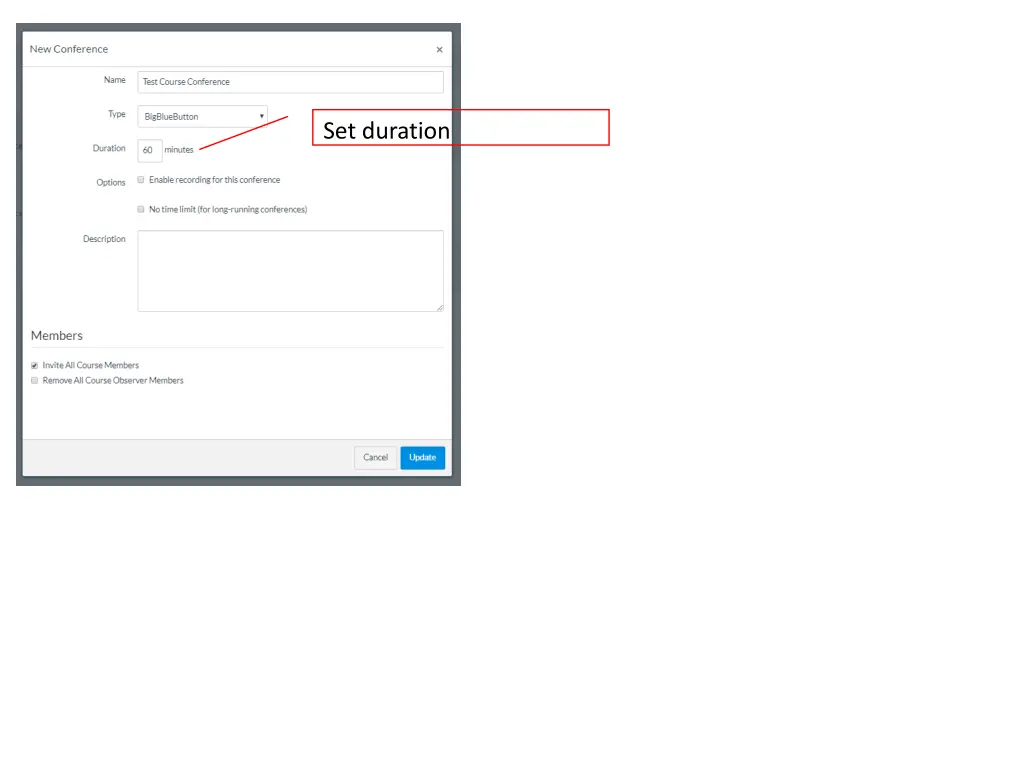
Discover the features and capabilities of using Conferences through Canvas, from setting durations to sharing screens and engaging in live chats. Explore how to upload files, make use of the draw feature, and manage multi-user whiteboards effectively. Learn how to navigate options such as ending meetings seamlessly.

Download Presentation

Please find below an Image/Link to download the presentation.
The content on the website is provided AS IS for your information and personal use only. It may not be sold, licensed, or shared on other websites without obtaining consent from the author. If you encounter any issues during the download, it is possible that the publisher has removed the file from their server.
You are allowed to download the files provided on this website for personal or commercial use, subject to the condition that they are used lawfully. All files are the property of their respective owners.
The content on the website is provided AS IS for your information and personal use only. It may not be sold, licensed, or shared on other websites without obtaining consent from the author.
E N D
Presentation Transcript
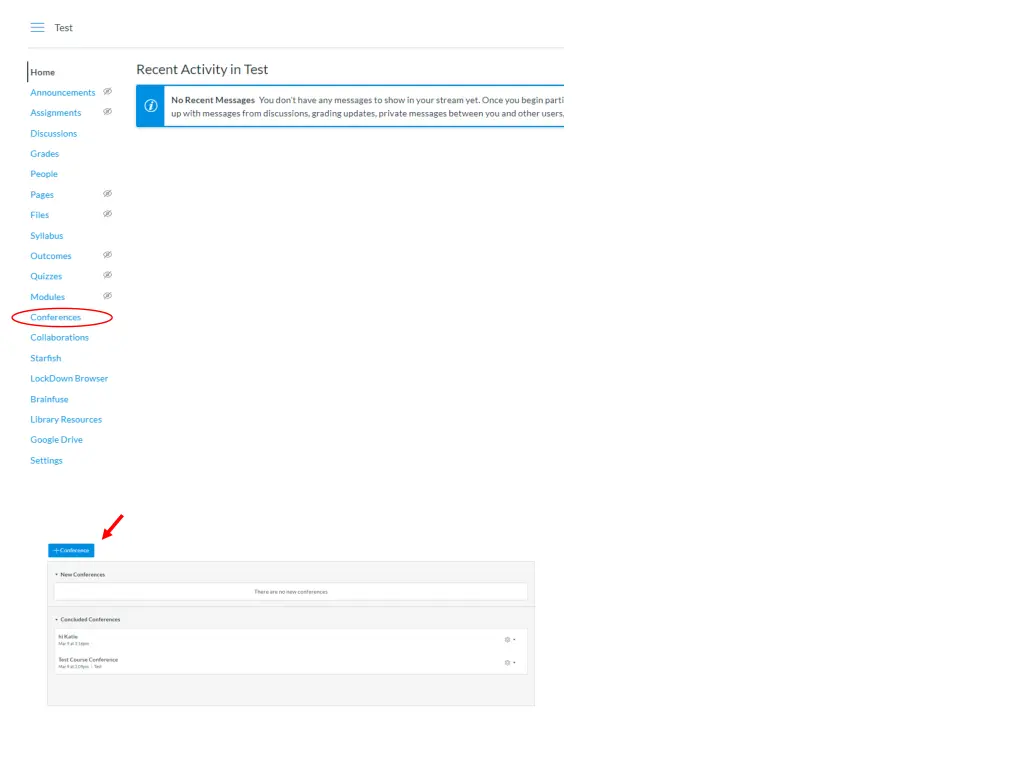
Conferences through Big Blue Button Disclaimer: These is just the little bit I have learned about using Conferences through Canvas. I m sure there are many capabilities I am unaware of. Also, I only tested this out at a time where, presumably, there was not heavy online traffic and I only had one conference attendee not sure how smooth it will be with an entire class when a large portion of the MU population may be trying to work through the same program you may want to have a trial run.
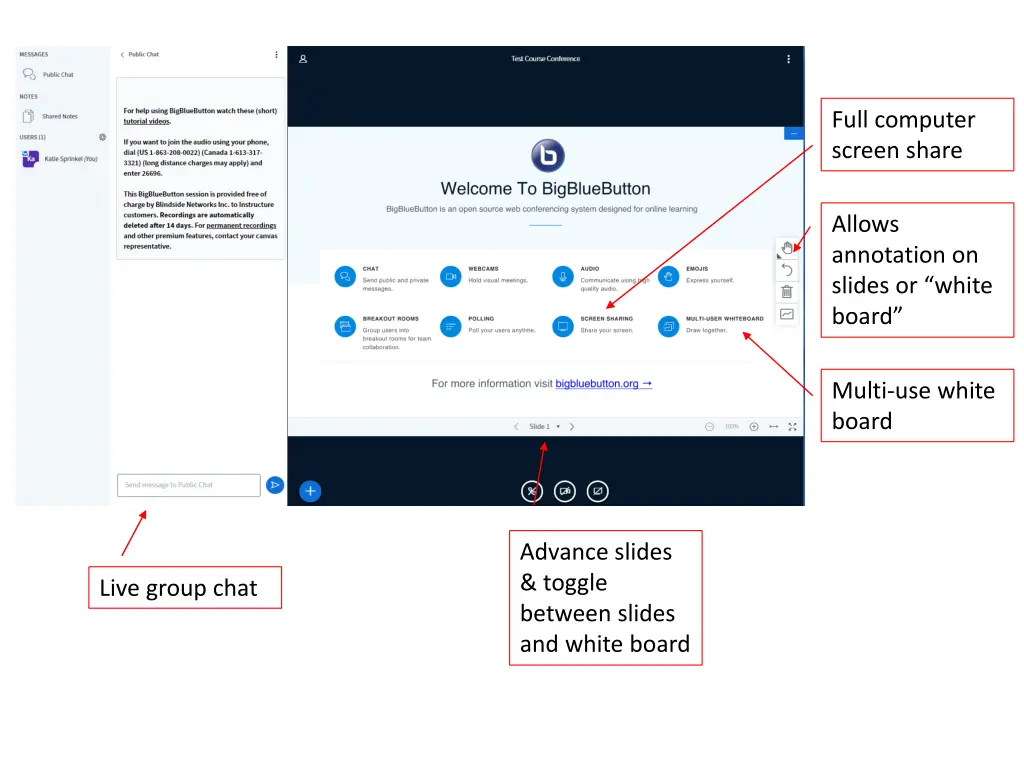
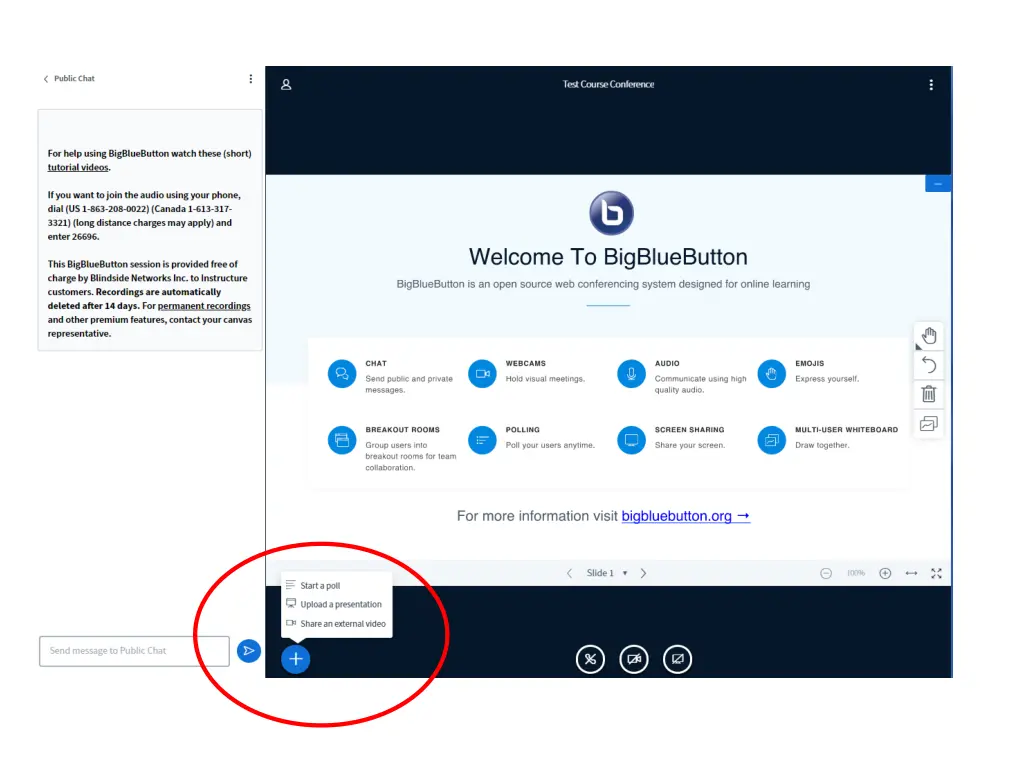
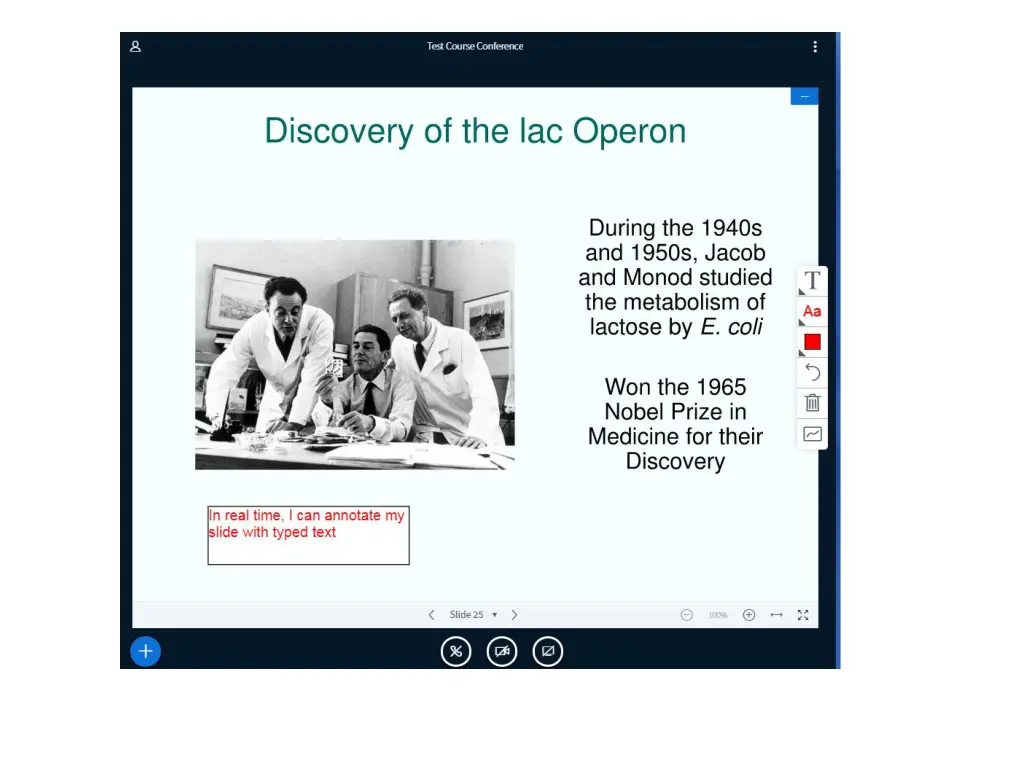
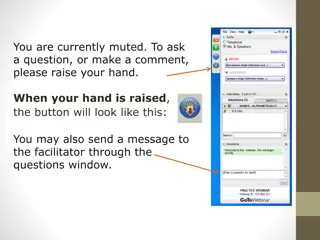
Full computer screen share Allows annotation on slides or white board Multi-use white board Advance slides & toggle between slides and white board Live group chat
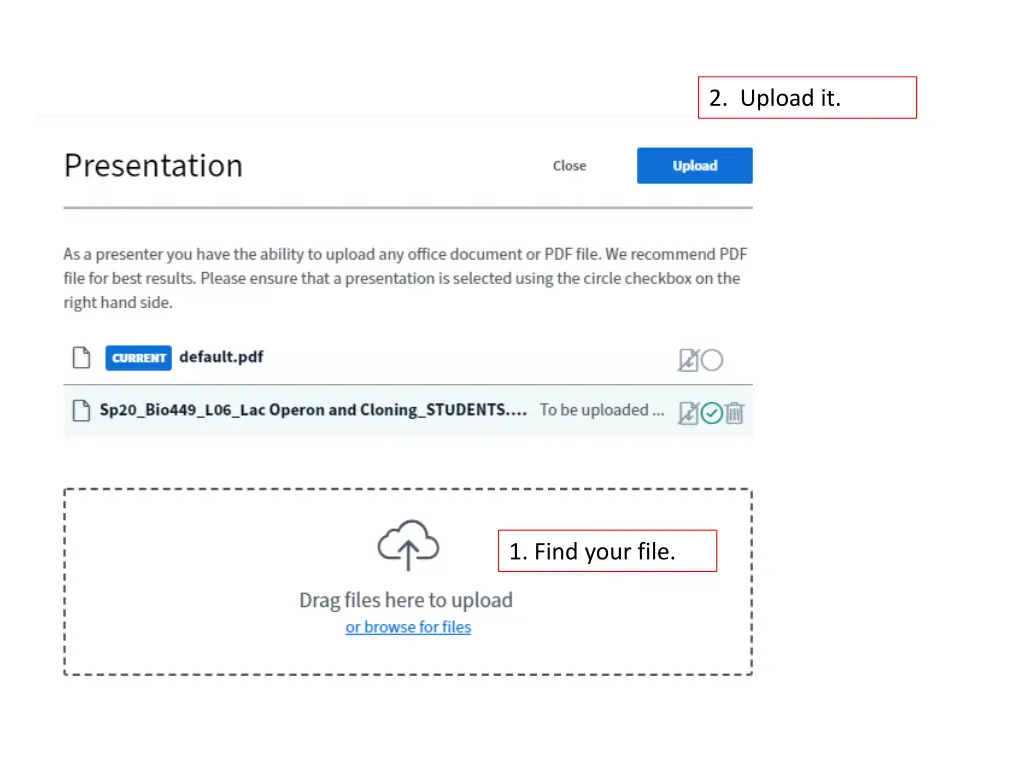
2. Upload it. 1. Find your file.
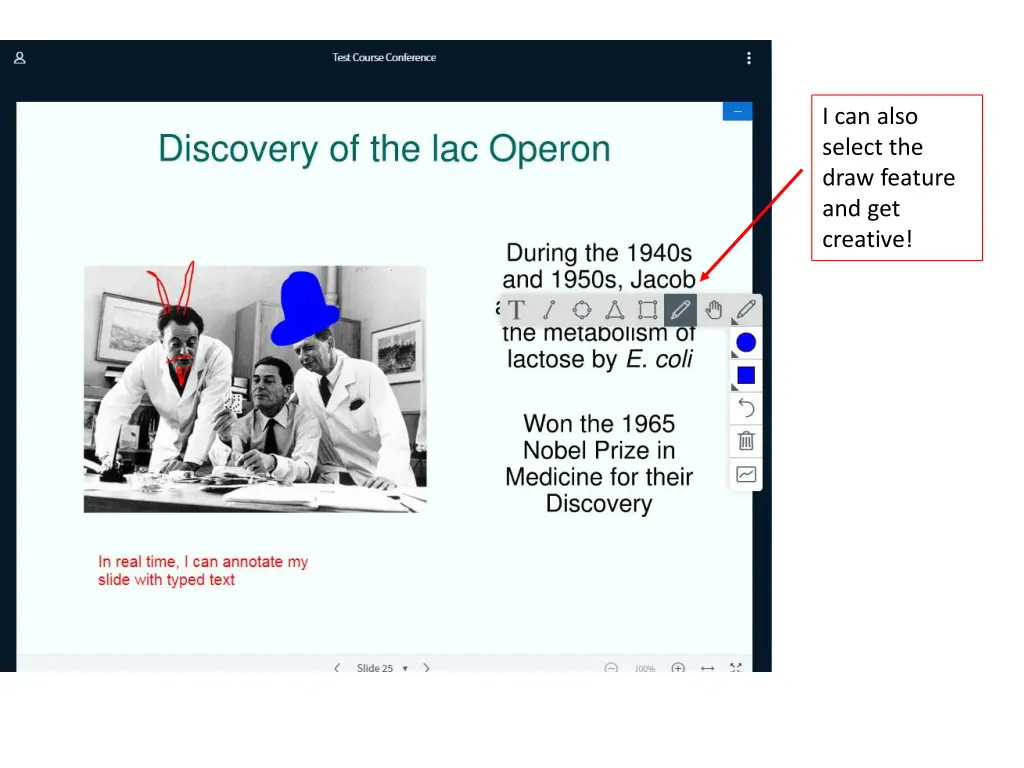
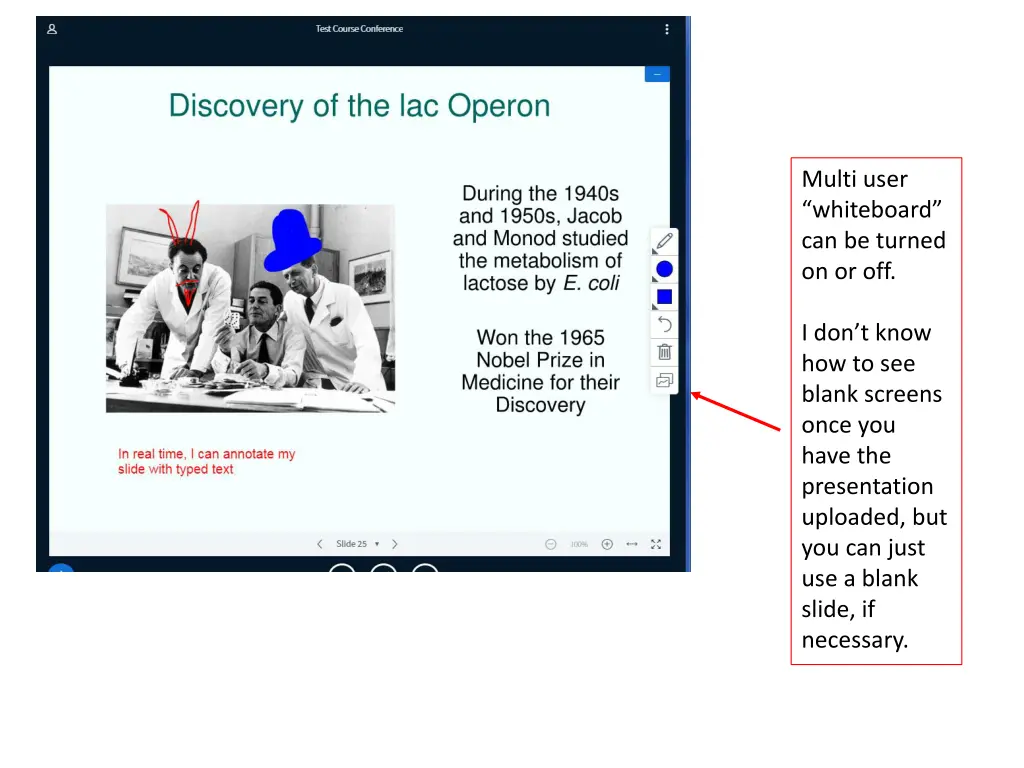
I can also select the draw feature and get creative!
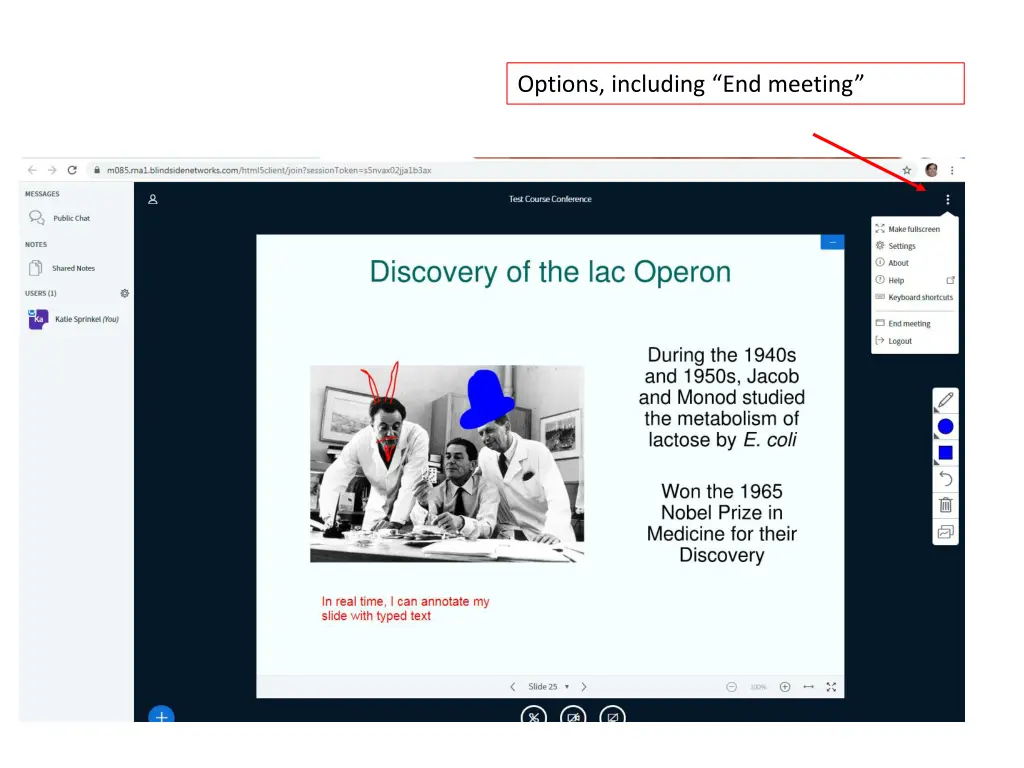
Multi user whiteboard can be turned on or off. I don t know how to see blank screens once you have the presentation uploaded, but you can just use a blank slide, if necessary.