"Explore the dynamics of client-server interaction, bug analysis, and time spending patterns in software development. Learn the steps to writing a full-stack app efficiently. Understand the trade-offs in programming and the importance of type checking. Gain valuable insights for a successful development process."
Please find below an Image/Link to download the presentation.
The content on the website is provided AS IS for your information and personal use only. It may not be sold, licensed, or shared on other websites without obtaining consent from the author. If you encounter any issues during the download, it is possible that the publisher has removed the file from their server.
You are allowed to download the files provided on this website for personal or commercial use, subject to the condition that they are used lawfully. All files are the property of their respective owners.
The content on the website is provided AS IS for your information and personal use only. It may not be sold, licensed, or shared on other websites without obtaining consent from the author.
E N D
Presentation Transcript
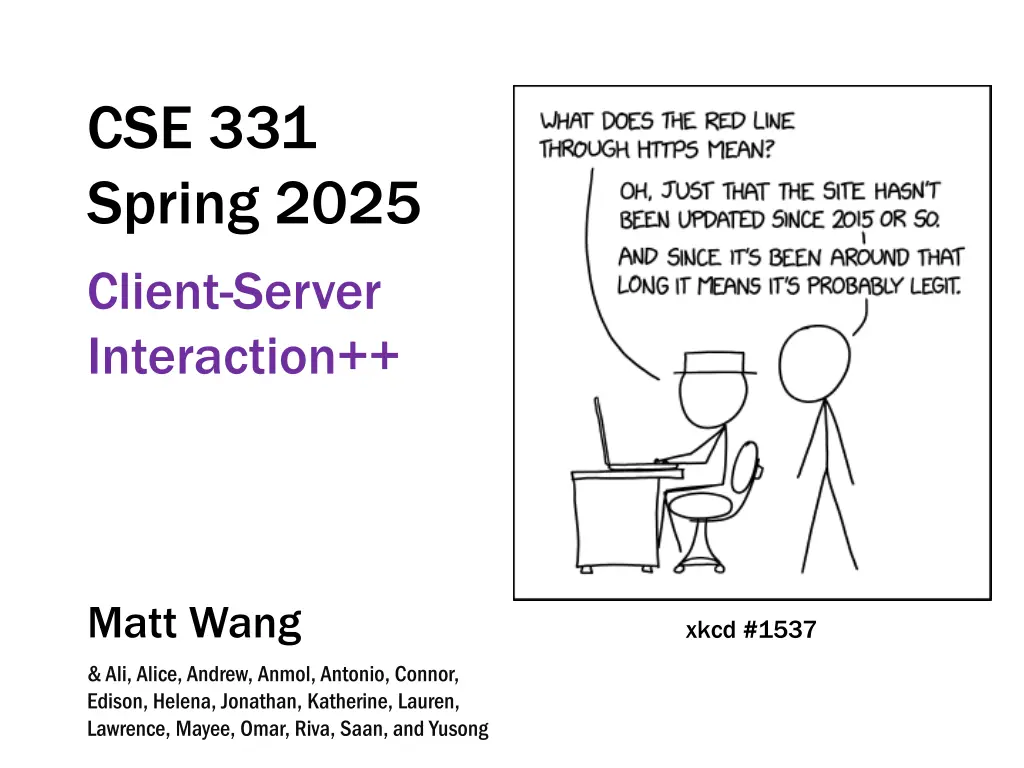
xkcd #1537 CSE 331 Spring 2025 Client-Server Interaction Matt Wang & Ali, Alice, Andrew, Anmol, Antonio, Connor, Edison, Helena, Jonathan, Katherine, Lauren, Lawrence, Mayee, Omar, Riva, Saan, and Yusong
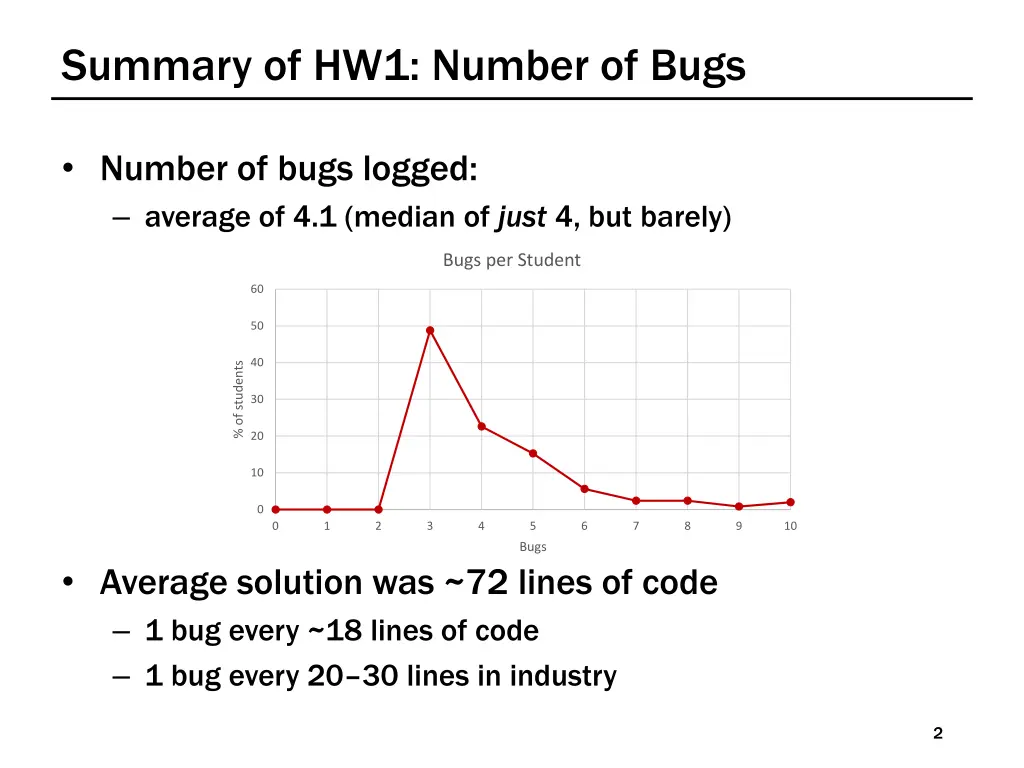
Summary of HW1: Number of Bugs Number of bugs logged: average of 4.1 (median of just 4, but barely) Bugs per Student 60 50 40 % of students 30 20 10 0 0 1 2 3 4 5 6 7 8 9 10 Bugs Average solution was ~72 lines of code 1 bug every ~18 lines of code 1 bug every 20 30 lines in industry 2
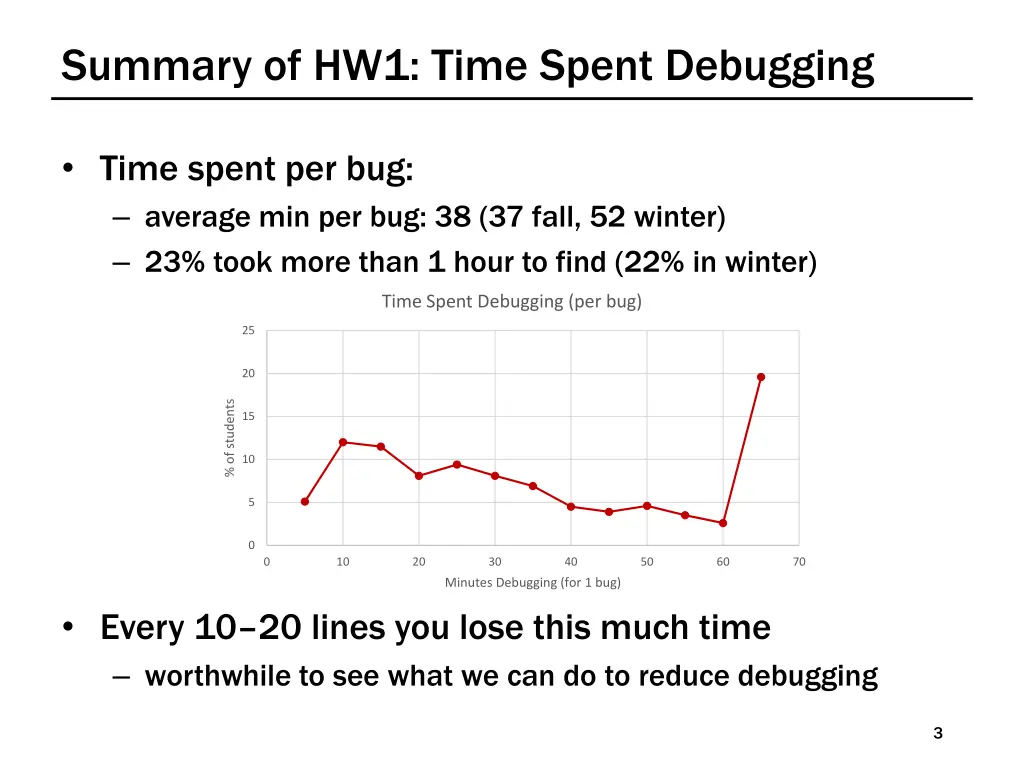
Summary of HW1: Time Spent Debugging Time spent per bug: average min per bug: 38 (37 fall, 52 winter) 23% took more than 1 hour to find (22% in winter) Time Spent Debugging (per bug) 25 20 % of students 15 10 5 0 0 10 20 30 40 50 60 70 Minutes Debugging (for 1 bug) Every 10 20 lines you lose this much time worthwhile to see what we can do to reduce debugging 3
Summary of HW1: Bottom Line In HW1, we asked: would a type checker students reported: 41% fall, 45% winter, 39% spring industry studies found even higher numbers (over 60%) type checker help? Programming (and thinking) is a time trade-off waste ~ 2-5 minutes adding type annotations, fighting compiler errors, handling impossible cases spend one hour debugging a long-tail types bug at mega-scale, the long-tail is inevitable; good programmers plan around this 4
Steps to Writing a Full Stack App Data stored only in the client is generally ephemeral closing the window means you lose it forever to store it permanently, we need a server We recommend writing in the following order: 1. Write the client UI with local data no client/server interaction at the start 2. Write the server official store of the data (client state is ephemeral) 3. Connect the client to the server use fetch to update data on the server before doing same to client 7
Steps to Writing a Full Stack App: Server We recommend writing in the following order: 1. Write the client UI with local data no client/server interaction at the start 2. Write the server official store of the data (client state is ephemeral) 3. Connect the client to the server use fetch to update data on the server before doing same to client 8
Designing the Server Decide what state you want to be permanent e.g., items on the To-Do list Decide what operations the client needs e.g., add/remove from the list, mark an item completed look at the client code to see how the list changes each way of changing the list becomes an operation also need a way to get the list initially only provide those operations can always add more operations later 9
Steps to Writing a Full Stack App: Connect We recommend writing in the following order: 1. Write the client UI with local data no client/server interaction at the start 2. Write the server official store of the data (client state is ephemeral) 3. Connect the client to the server use fetch to update data on the server before doing same to client 11
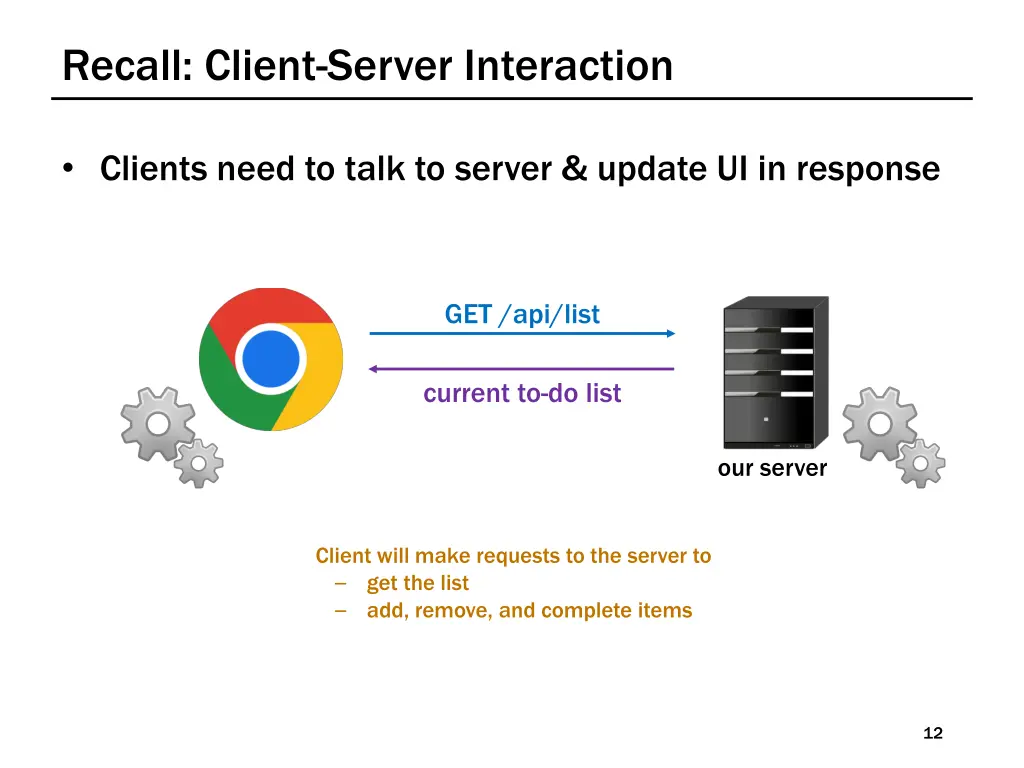
Recall: Client-Server Interaction Clients need to talk to server & update UI in response GET /api/list current to-do list our server Client will make requests to the server to get the list add, remove, and complete items 12
Development Setup Two servers: ours and webpack-dev-server 8080 GET /api/list response webpack-dev-server 8088 Only one server can run on each port webpack-dev-server will forward all requests to /api/ to our server (Attempting to start a second will see a EADDRINUSE error) our server 13
Client-Server Interaction: Making Requests? Clients need to talk to server & update UI in response GET /api/list current to-do list our server Components give us the ability when we get new data from the server (an event) ability to update the UI How does the How does the client make requests client make requests to the server? to the server? 14
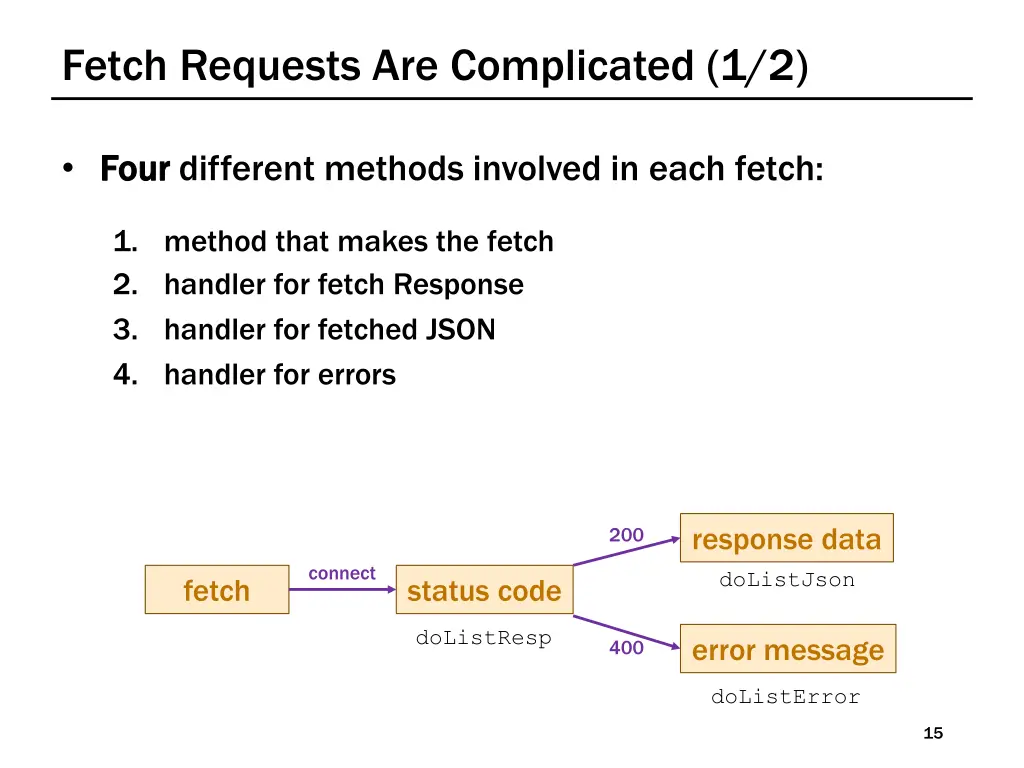
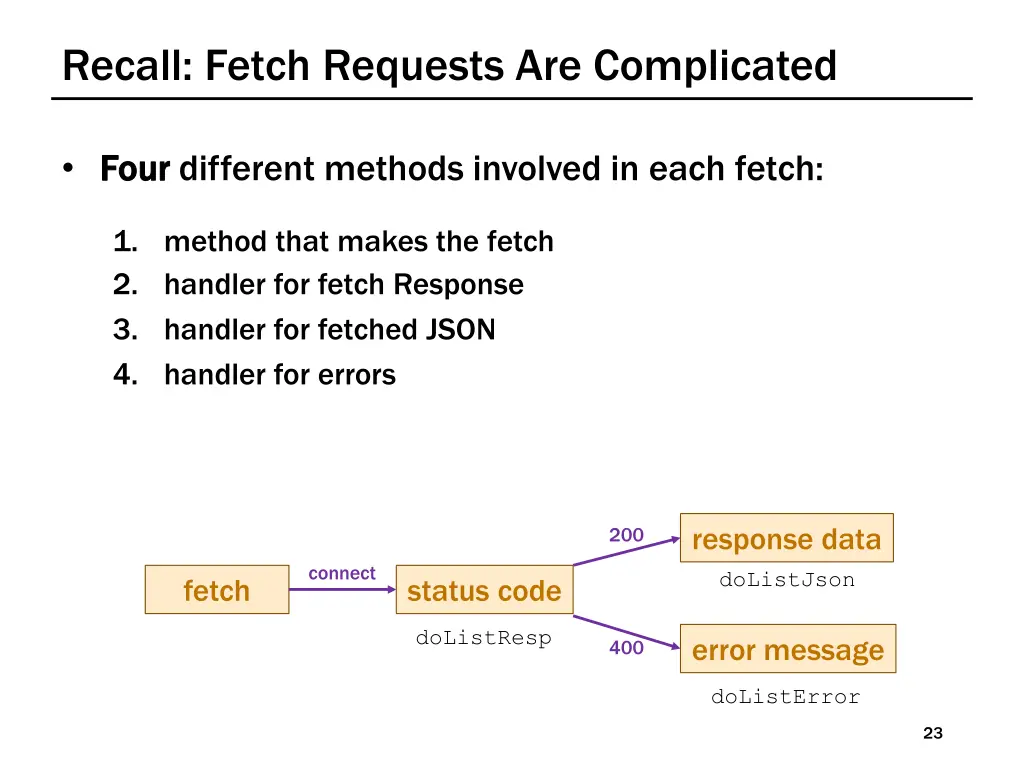
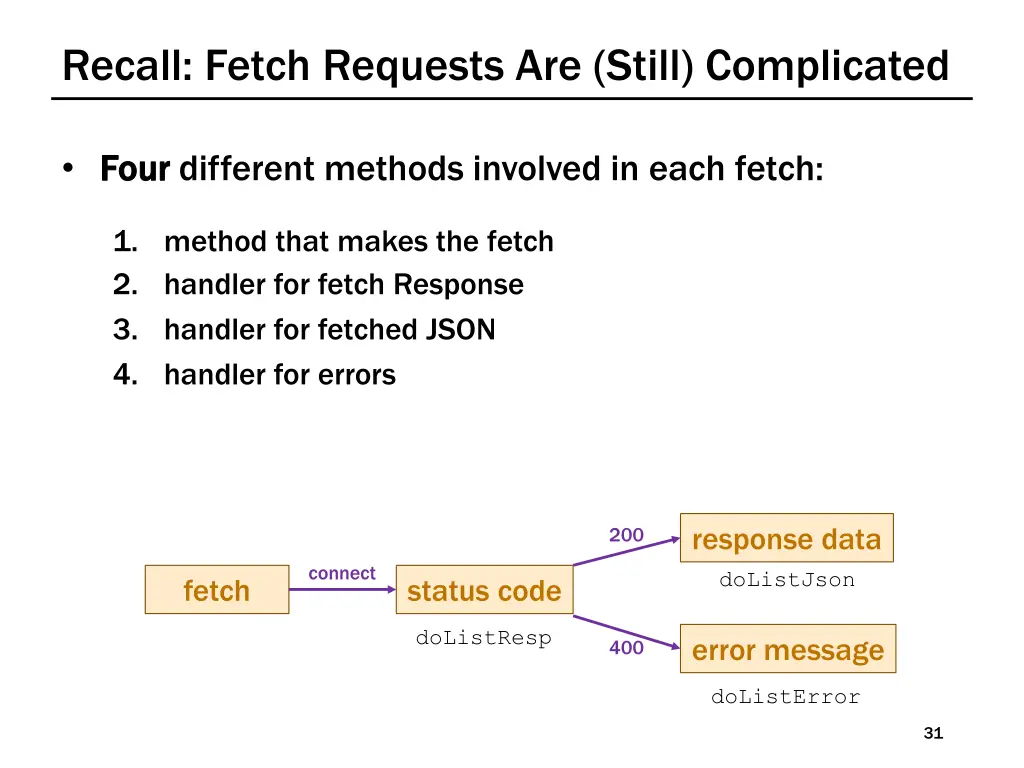
Fetch Requests Are Complicated (1/2) Four Four different methods involved in each fetch: 1. method that makes the fetch 2. handler for fetch Response 3. handler for fetched JSON 4. handler for errors response data doListJson 200 connect fetch status code doListResp error message 400 doListError 15
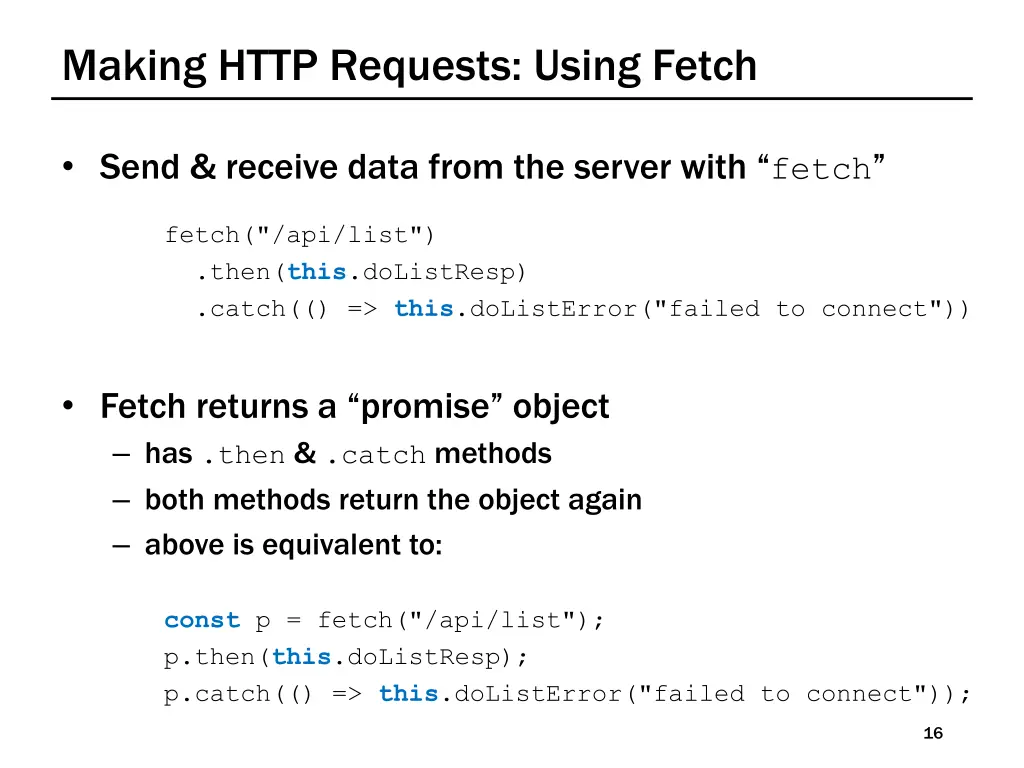
Making HTTP Requests: Using Fetch Send & receive data from the server with fetch fetch("/api/list") .then(this.doListResp) .catch(() => this.doListError("failed to connect")) Fetch returns a promise object has .then & .catch methods both methods return the object again above is equivalent to: const p = fetch("/api/list"); p.then(this.doListResp); p.catch(() => this.doListError("failed to connect")); 16
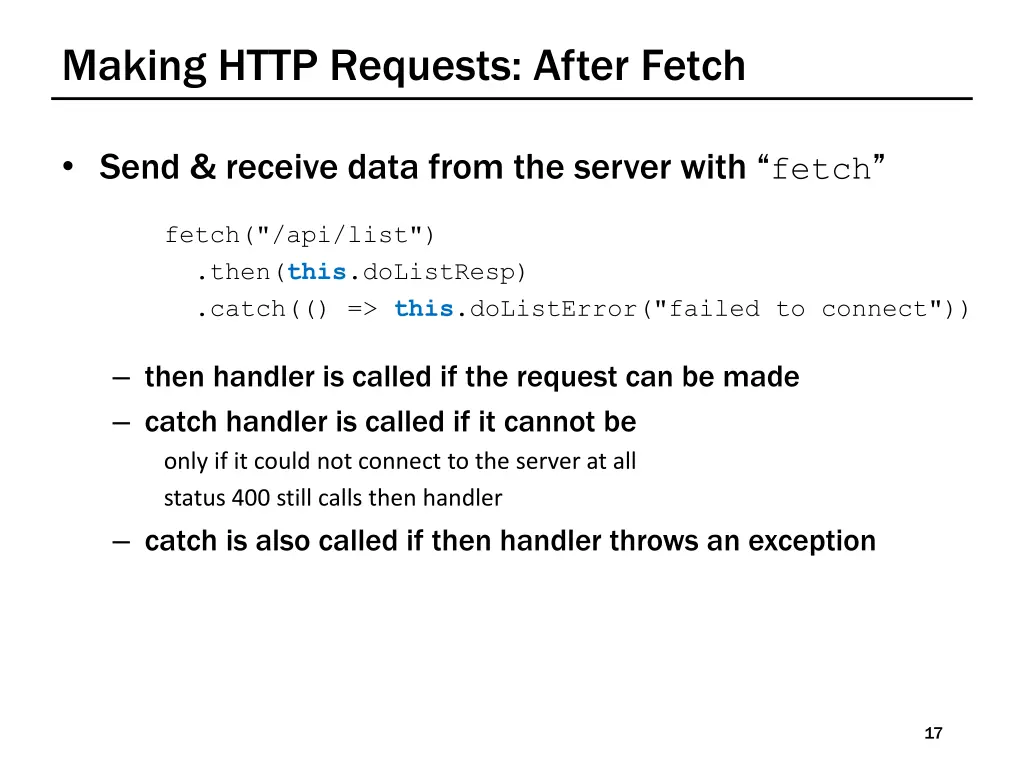
Making HTTP Requests: After Fetch Send & receive data from the server with fetch fetch("/api/list") .then(this.doListResp) .catch(() => this.doListError("failed to connect")) then handler is called if the request can be made catch handler is called if it cannot be only if it could not connect to the server at all status 400 still calls then handler catch is also called if then handler throws an exception 17
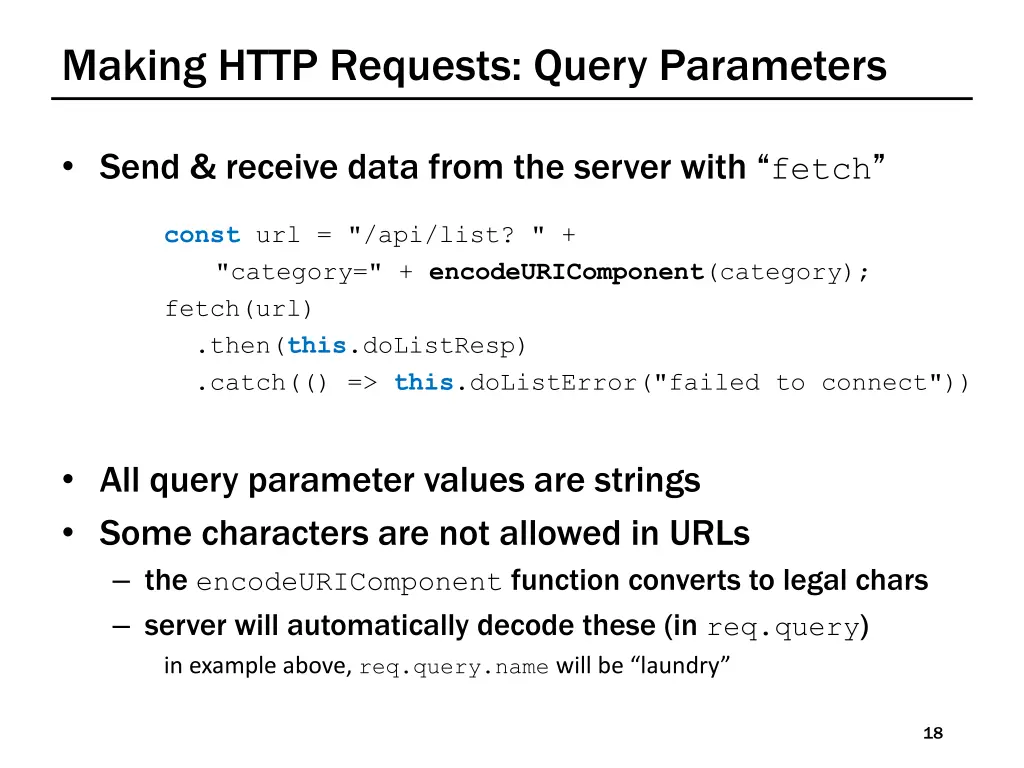
Making HTTP Requests: Query Parameters Send & receive data from the server with fetch const url = "/api/list? " + "category=" + encodeURIComponent(category); fetch(url) .then(this.doListResp) .catch(() => this.doListError("failed to connect")) All query parameter values are strings Some characters are not allowed in URLs the encodeURIComponent function converts to legal chars server will automatically decode these (in req.query) in example above, req.query.namewill be laundry 18
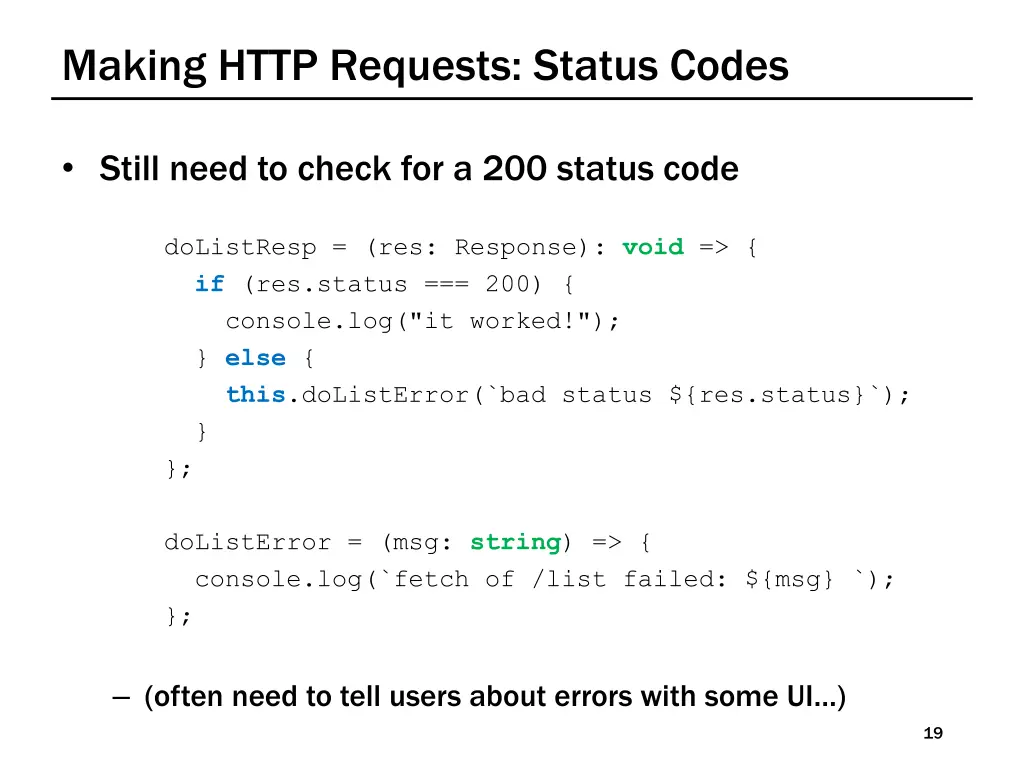
Making HTTP Requests: Status Codes Still need to check for a 200 status code doListResp = (res: Response): void => { if (res.status === 200) { console.log("it worked!"); } else { this.doListError(`bad status ${res.status}`); } }; doListError = (msg: string) => { console.log(`fetch of /list failed: ${msg} `); }; (often need to tell users about errors with some UI ) 19
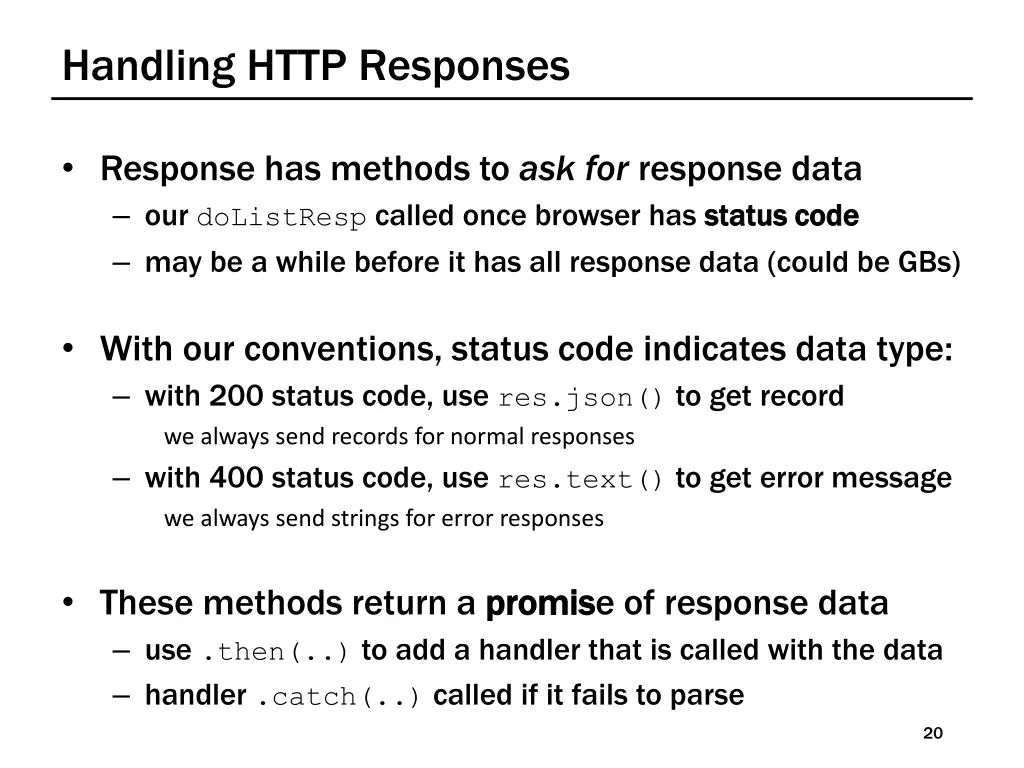
Handling HTTP Responses Response has methods to ask for response data our doListResp called once browser has status code may be a while before it has all response data (could be GBs) status code With our conventions, status code indicates data type: with 200 status code, use res.json() to get record we always send records for normal responses with 400 status code, use res.text() to get error message we always send strings for error responses These methods return a promis use .then(..) to add a handler that is called with the data handler .catch(..) called if it fails to parse promise of response data 20
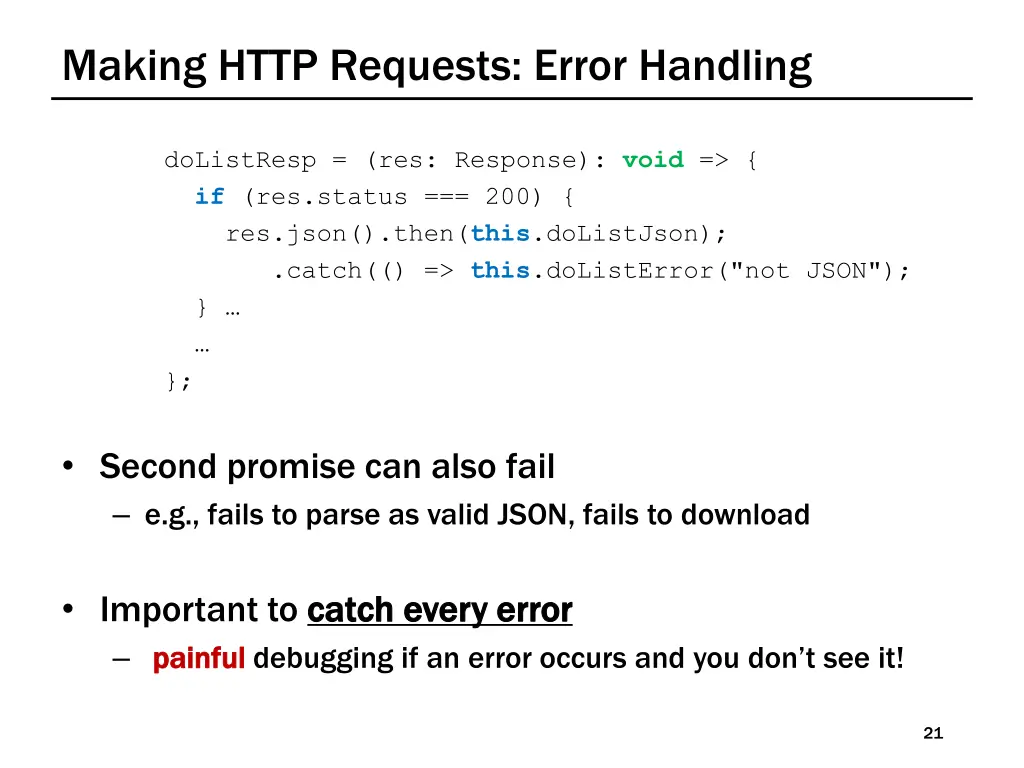
Making HTTP Requests: Error Handling doListResp = (res: Response): void => { if (res.status === 200) { res.json().then(this.doListJson); .catch(() => this.doListError("not JSON"); } }; Second promise can also fail e.g., fails to parse as valid JSON, fails to download Important to catch every error catch every error painful painful debugging if an error occurs and you don t see it! 21
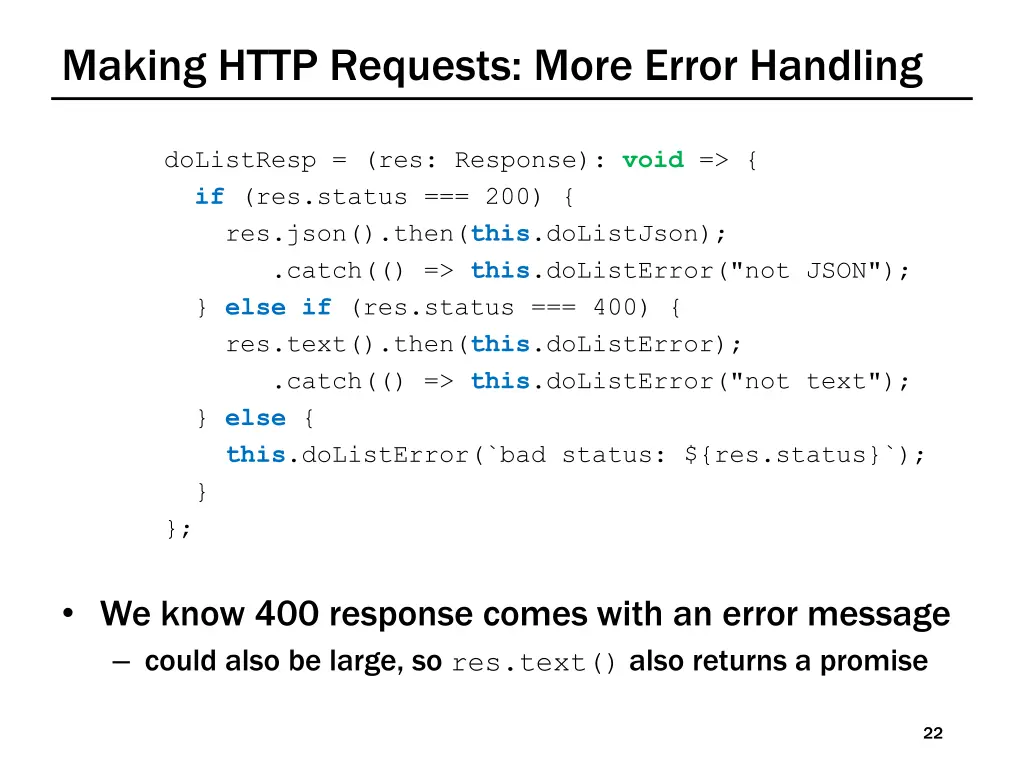
Making HTTP Requests: More Error Handling doListResp = (res: Response): void => { if (res.status === 200) { res.json().then(this.doListJson); .catch(() => this.doListError("not JSON"); } else if (res.status === 400) { res.text().then(this.doListError); .catch(() => this.doListError("not text"); } else { this.doListError(`bad status: ${res.status}`); } }; We know 400 response comes with an error message could also be large, so res.text() also returns a promise 22
Recall: Fetch Requests Are Complicated Four Four different methods involved in each fetch: 1. method that makes the fetch 2. handler for fetch Response 3. handler for fetched JSON 4. handler for errors response data doListJson 200 connect fetch status code doListResp error message 400 doListError 23
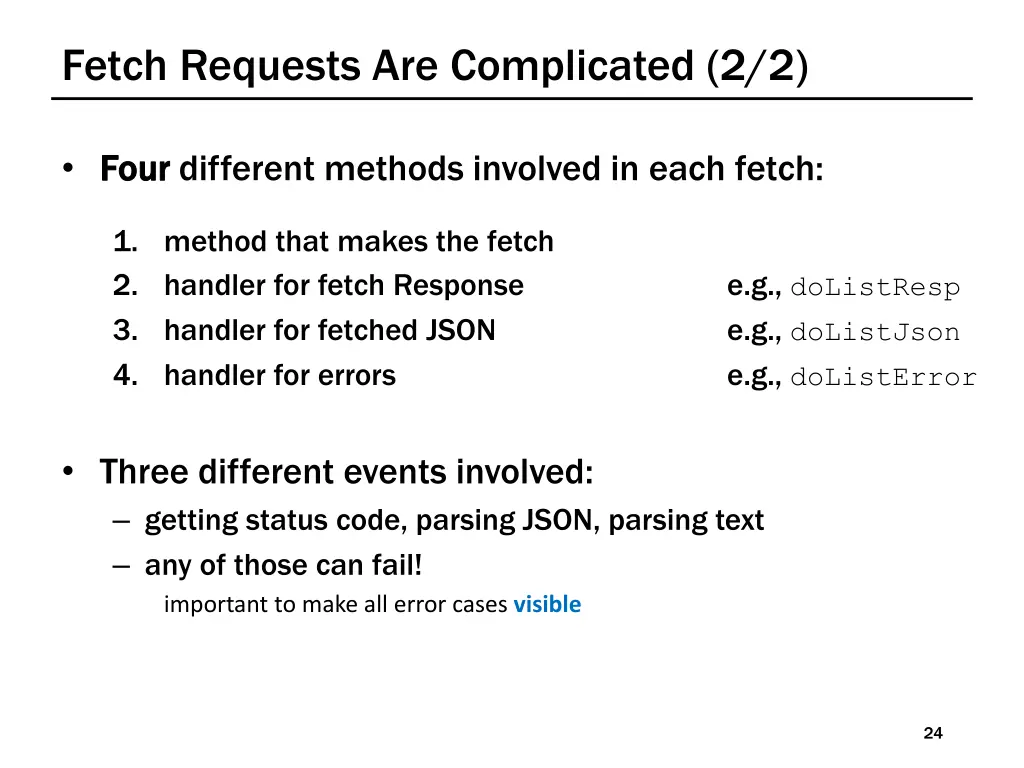
Fetch Requests Are Complicated (2/2) Four Four different methods involved in each fetch: 1. method that makes the fetch 2. handler for fetch Response 3. handler for fetched JSON 4. handler for errors e.g., doListResp e.g., doListJson e.g., doListError Three different events involved: getting status code, parsing JSON, parsing text any of those can fail! important to make all error cases visible 24
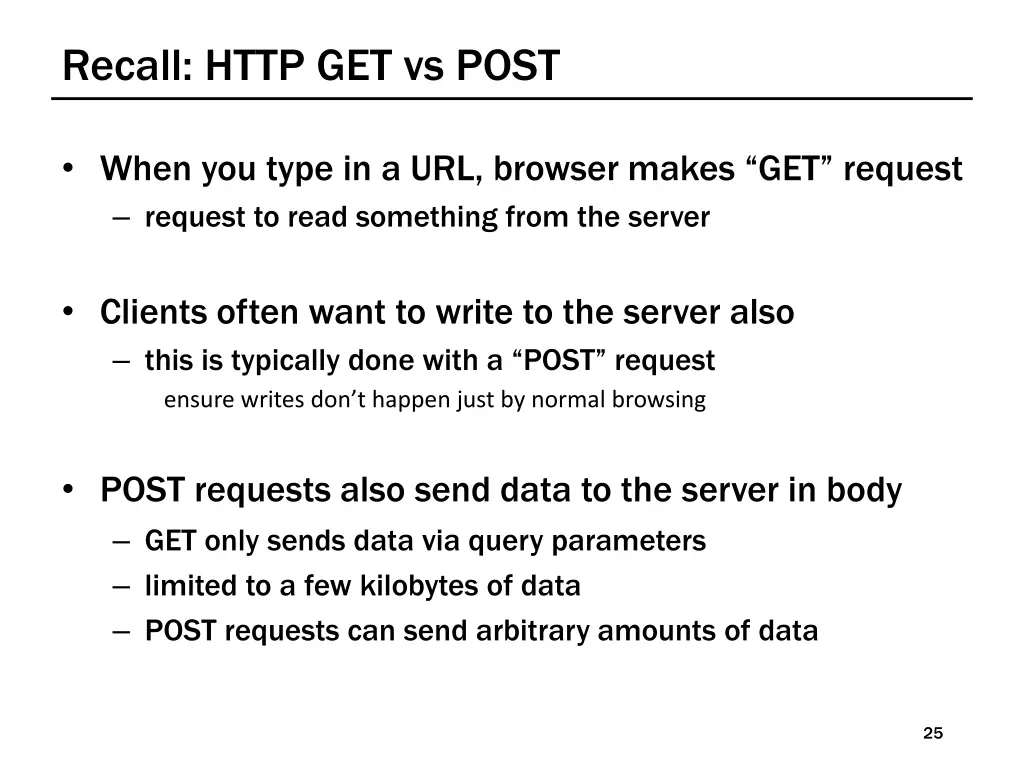
Recall: HTTP GET vs POST When you type in a URL, browser makes GET request request to read something from the server Clients often want to write to the server also this is typically done with a POST request ensure writes don t happen just by normal browsing POST requests also send data to the server in body GET only sends data via query parameters limited to a few kilobytes of data POST requests can send arbitrary amounts of data 25
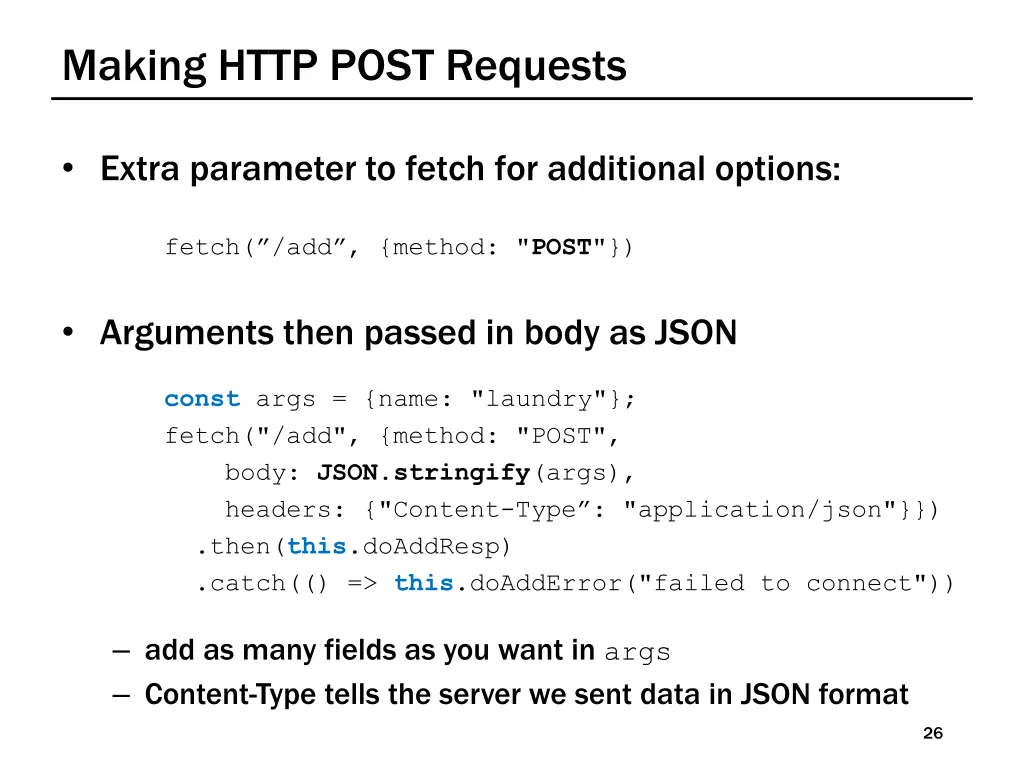
Making HTTP POST Requests Extra parameter to fetch for additional options: fetch( /add , {method: "POST"}) Arguments then passed in body as JSON const args = {name: "laundry"}; fetch("/add", {method: "POST", body: JSON.stringify(args), headers: {"Content-Type : "application/json"}}) .then(this.doAddResp) .catch(() => this.doAddError("failed to connect")) add as many fields as you want in args Content-Type tells the server we sent data in JSON format 26
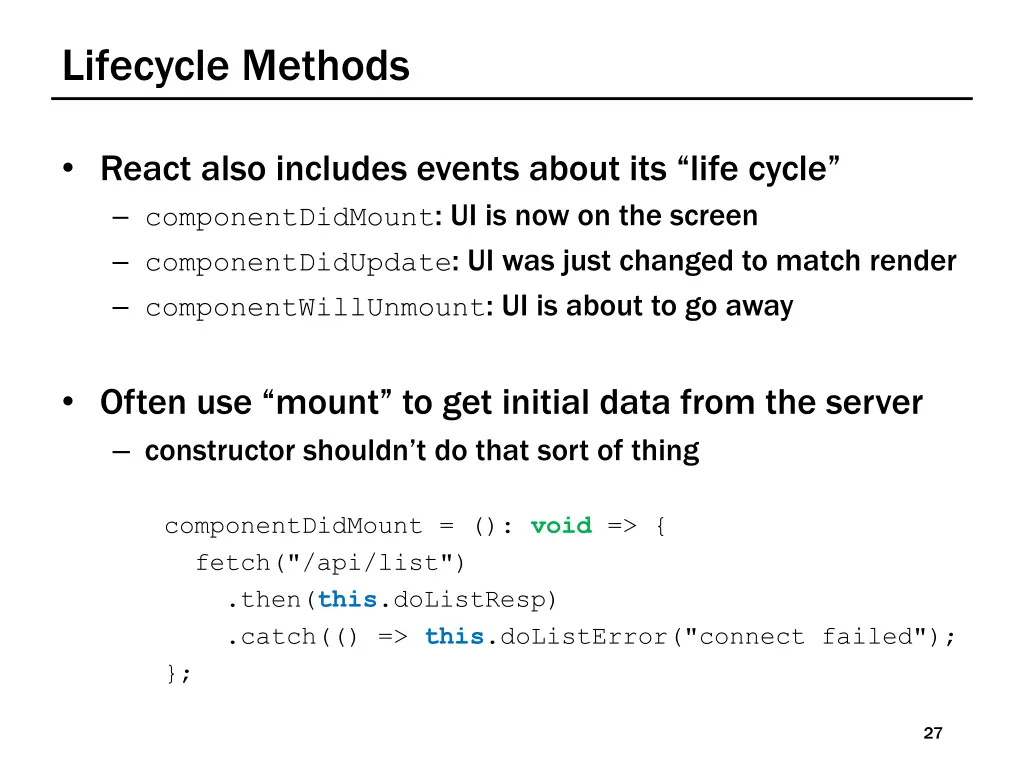
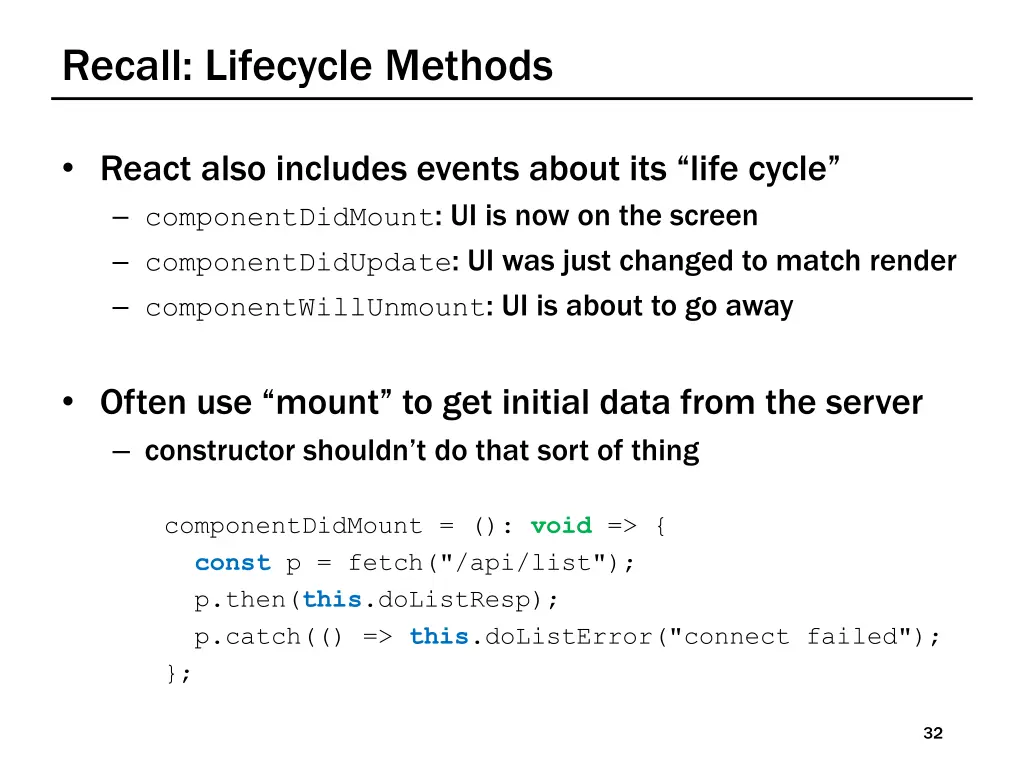
Lifecycle Methods React also includes events about its life cycle componentDidMount: UI is now on the screen componentDidUpdate: UI was just changed to match render componentWillUnmount: UI is about to go away Often use mount to get initial data from the server constructor shouldn t do that sort of thing componentDidMount = (): void => { fetch("/api/list") .then(this.doListResp) .catch(() => this.doListError("connect failed"); }; 27
CSE 331 Spring 2025 Client-Server Interaction++ Matt Wang xkcd #1537 & Ali, Alice, Andrew, Anmol, Antonio, Connor, Edison, Helena, Jonathan, Katherine, Lauren, Lawrence, Mayee, Omar, Riva, Saan, and Yusong
Quick Notes Re: OH & seeking help Alice & Connor s location is updated quick reminder/spiel on OH policy goal is not to discourage you from seeking help! doing the section worksheet is probably the first thing you should do when confused feeling like you re not having productive struggle ? please reach out! 30
Recall: Fetch Requests Are (Still) Complicated Four Four different methods involved in each fetch: 1. method that makes the fetch 2. handler for fetch Response 3. handler for fetched JSON 4. handler for errors response data doListJson 200 connect fetch status code doListResp error message 400 doListError 31
Recall: Lifecycle Methods React also includes events about its life cycle componentDidMount: UI is now on the screen componentDidUpdate: UI was just changed to match render componentWillUnmount: UI is about to go away Often use mount to get initial data from the server constructor shouldn t do that sort of thing componentDidMount = (): void => { const p = fetch("/api/list"); p.then(this.doListResp); p.catch(() => this.doListError("connect failed"); }; 32
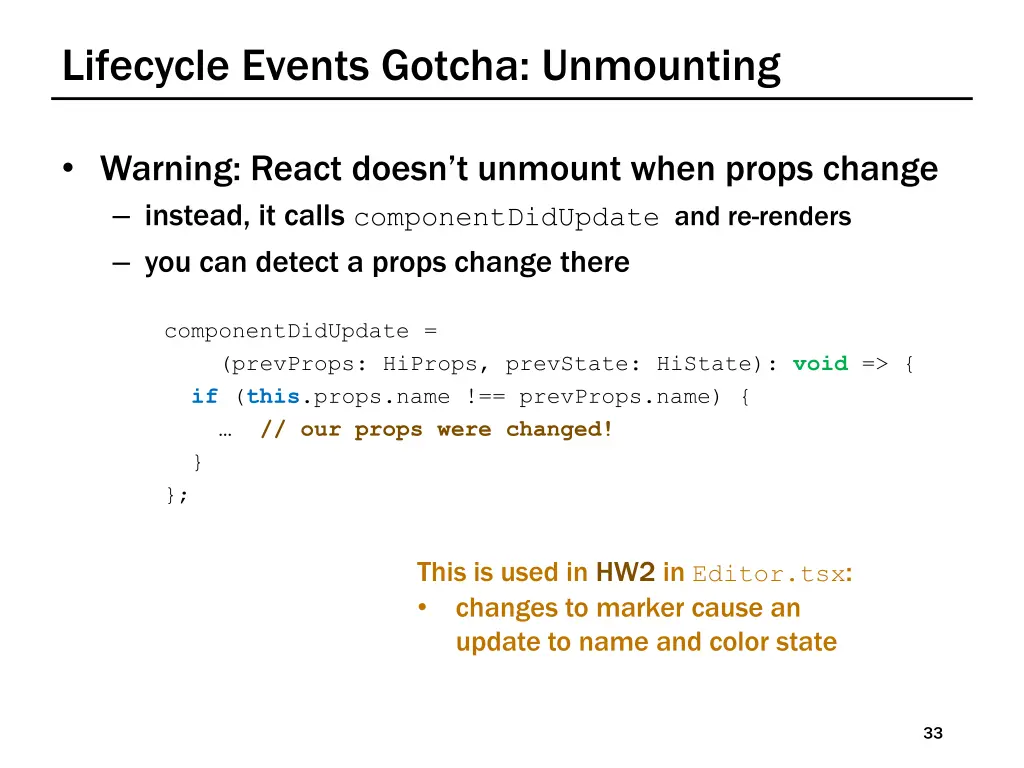
Lifecycle Events Gotcha: Unmounting Warning: React doesn t unmount when props change instead, it calls componentDidUpdate and re-renders you can detect a props change there componentDidUpdate = (prevProps: HiProps, prevState: HiState): void => { if (this.props.name !== prevProps.name) { // our props were changed! } }; This is used in HW2 in Editor.tsx: changes to marker cause an update to name and color state 33
Recall: Function Literals We used function literals for error handlers componentDidMount = (): void => { const p = fetch("/api/list"); p.then(this.doListResp); p.catch(() => this.doListError("connect failed"); }; Our coding convention: one-line functions (no {..}) can be written in place most often used to fill in or add extra arguments in function calls longer functions need to be declared normally 34
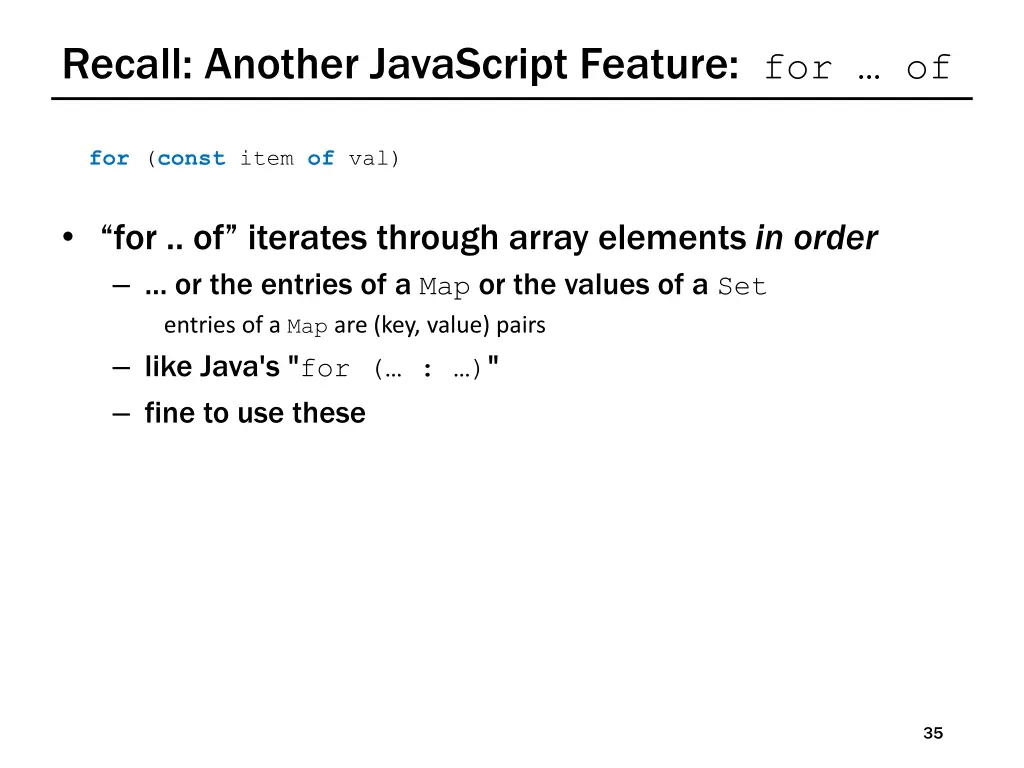
Recall: Another JavaScript Feature: for of for (const item of val) for .. of iterates through array elements in order ... or the entries of a Map or the values of a Set entries of a Map are (key, value) pairs like Java's "for ( : )" fine to use these 35
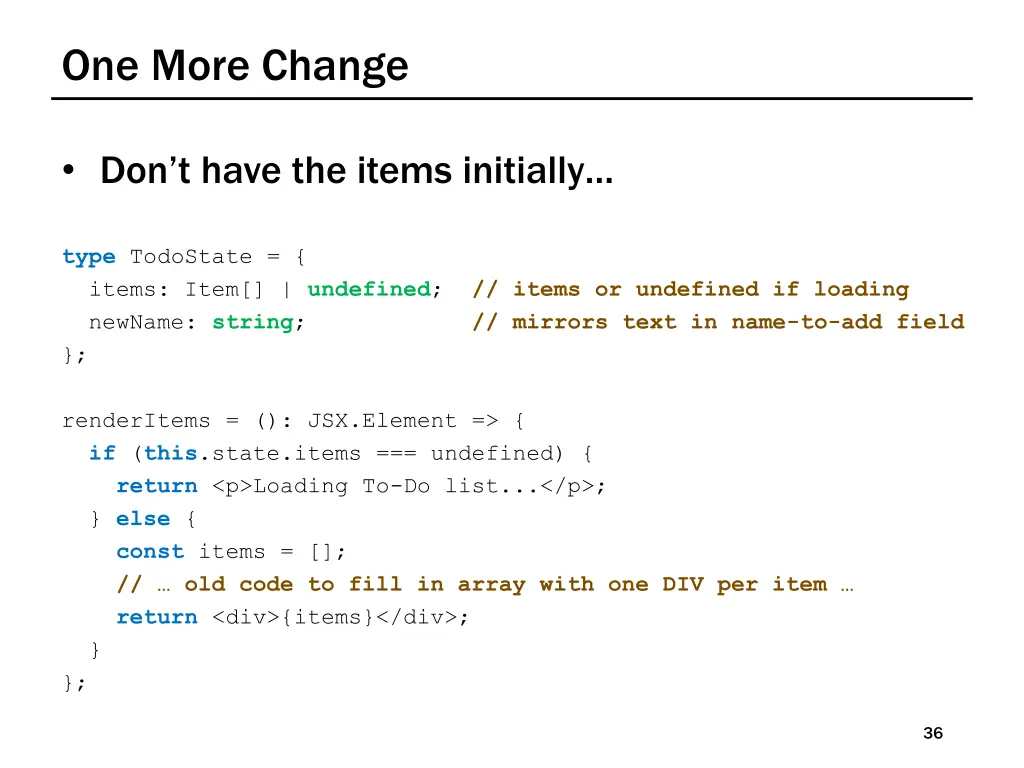
One More Change Don t have the items initially type TodoState = { items: Item[] | undefined; // items or undefined if loading newName: string; // mirrors text in name-to-add field }; renderItems = (): JSX.Element => { if (this.state.items === undefined) { return <p>Loading To-Do list...</p>; } else { const items = []; // old code to fill in array with one DIV per item return <div>{items}</div>; } }; 36
JS Wacky Weekly Wednesday CSE 331 Spring 2025 In Node s REPL, {} + {} is: [object Object][object Object] Client-Server Interaction+++ (and aliasing) In Chrome, {} + {} is: NaN Why? What is Chrome doing? Matt Wang Hint: there are two places you can insert a semicolon to make this valid JS. & Ali, Alice, Andrew, Anmol, Antonio, Connor, Edison, Helena, Jonathan, Katherine, Lauren, Lawrence, Mayee, Omar, Riva, Saan, and Yusong
A note on slides The slides are almost always not a comprehensive review of lecture! Likely more important resources: the lecture recording(s) source code from lecture examples 40
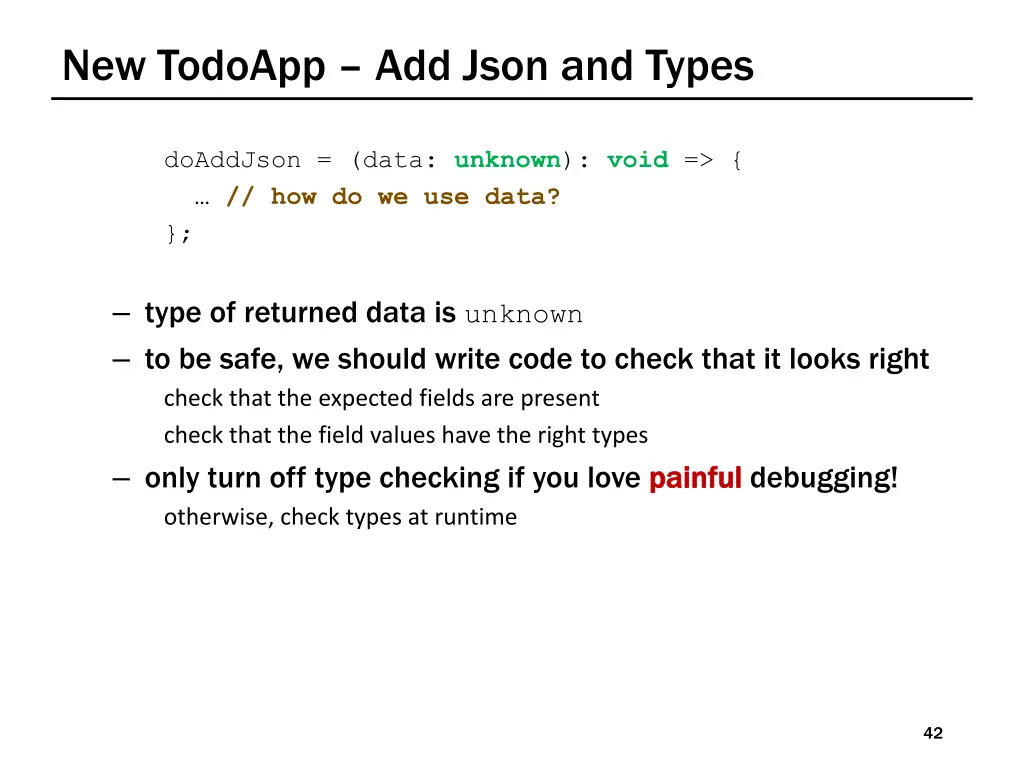
New TodoApp Add Json and Types doAddJson = (data: unknown): void => { // how do we use data? }; type of returned data is unknown to be safe, we should write code to check that it looks right check that the expected fields are present check that the field values have the right types only turn off type checking if you love painful otherwise, check types at runtime painful debugging! 42
Checking Types of Requests & Response (1/2) All our 200 responses are records, so start here if (!isRecord(data)) throw new Error(`not a record: ${typeof data}`); the isRecord function is provided for you like built-in Array.isArray function still need to check the type of each array element! Would be reasonable to log an error instead using console.error is probably easier for debugging 43
Checking Types of Requests & Response (2/2) Fields of the record can have any types if (typeof data.name !== "string") { throw new Error( `name is not a string: ${typeof data.name}`); } if (typeof data.amount !== "number") { throw new Error( `amount is not a number: ${typeof data.amount}`); } 44
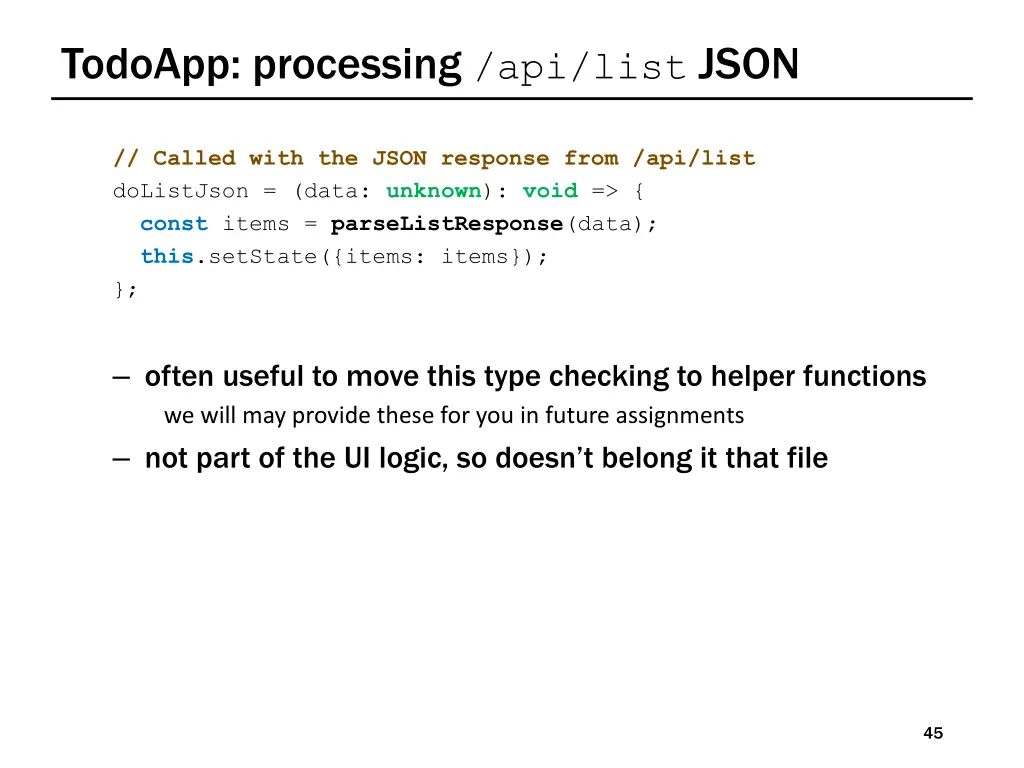
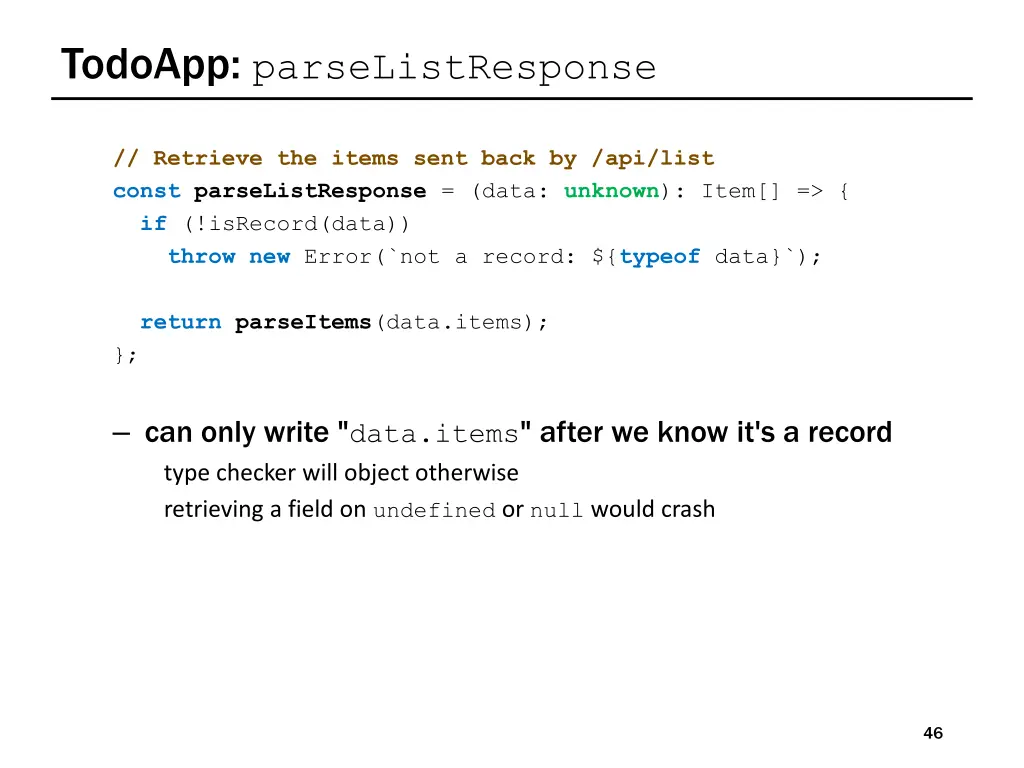
TodoApp: processing /api/list JSON // Called with the JSON response from /api/list doListJson = (data: unknown): void => { const items = parseListResponse(data); this.setState({items: items}); }; often useful to move this type checking to helper functions we will may provide these for you in future assignments not part of the UI logic, so doesn t belong it that file 45
TodoApp: parseListResponse // Retrieve the items sent back by /api/list constparseListResponse = (data: unknown): Item[] => { if (!isRecord(data)) throw new Error(`not a record: ${typeof data}`); returnparseItems(data.items); }; can only write "data.items" after we know it's a record type checker will object otherwise retrieving a field on undefined or null would crash 46
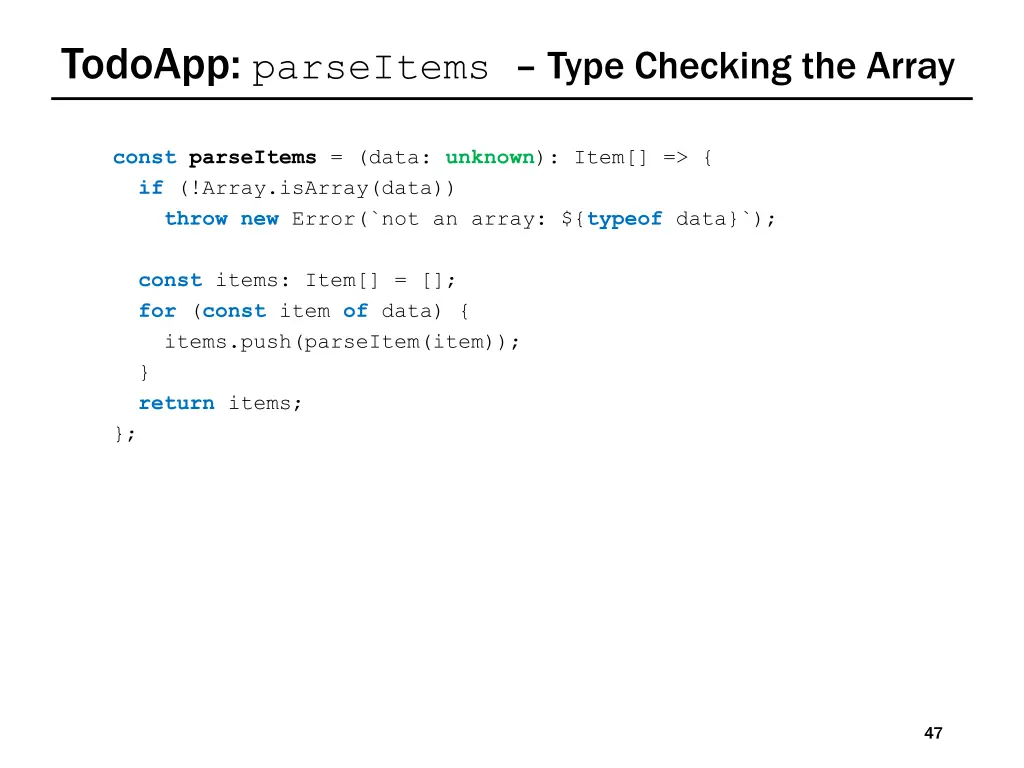
TodoApp: parseItems Type Checking the Array constparseItems = (data: unknown): Item[] => { if (!Array.isArray(data)) throw new Error(`not an array: ${typeof data}`); const items: Item[] = []; for (const item of data) { items.push(parseItem(item)); } return items; }; 47
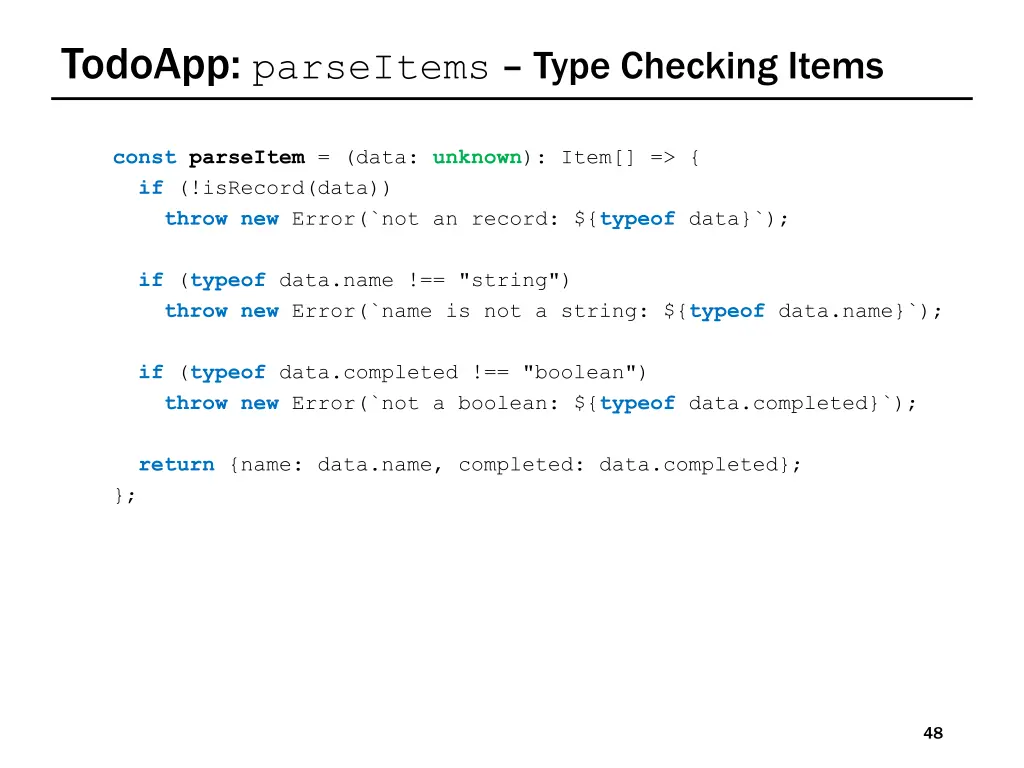
TodoApp: parseItems Type Checking Items constparseItem = (data: unknown): Item[] => { if (!isRecord(data)) throw new Error(`not an record: ${typeof data}`); if (typeof data.name !== "string") throw new Error(`name is not a string: ${typeof data.name}`); if (typeof data.completed !== "boolean") throw new Error(`not a boolean: ${typeof data.completed}`); return {name: data.name, completed: data.completed}; }; 48
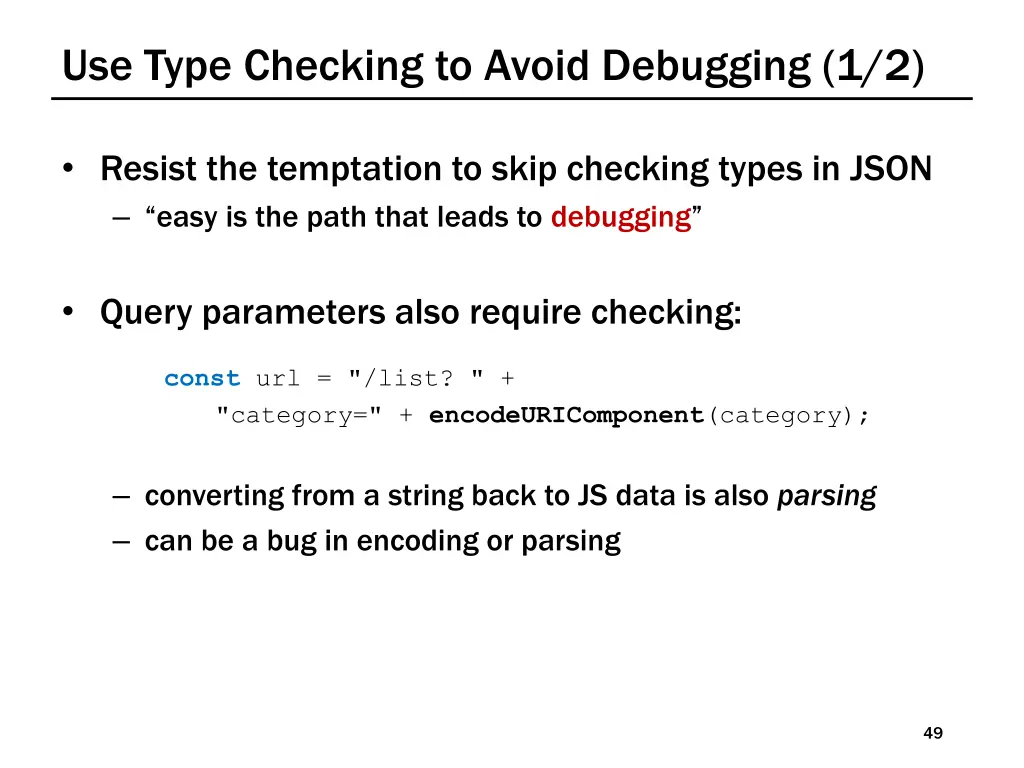
Use Type Checking to Avoid Debugging (1/2) Resist the temptation to skip checking types in JSON easy is the path that leads to debugging Query parameters also require checking: const url = "/list? " + "category=" + encodeURIComponent(category); converting from a string back to JS data is also parsing can be a bug in encoding or parsing 49
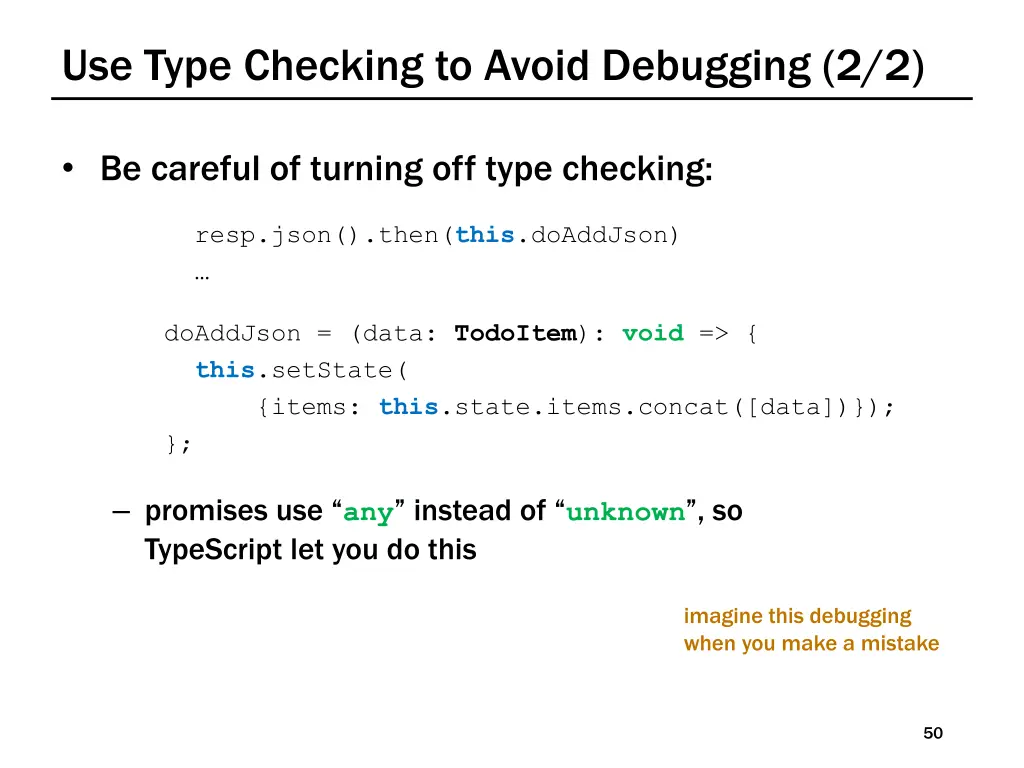
Use Type Checking to Avoid Debugging (2/2) Be careful of turning off type checking: resp.json().then(this.doAddJson) doAddJson = (data: TodoItem): void => { this.setState( {items: this.state.items.concat([data])}); }; promises use any instead of unknown , so TypeScript let you do this imagine this debugging when you make a mistake 50