Complete Guide to Installing Fire Family Plus Software
Learn step-by-step instructions to download, install, and set up Fire Family Plus software on your computer. Follow along with detailed visual aids to ensure a successful installation process.

Download Presentation

Please find below an Image/Link to download the presentation.
The content on the website is provided AS IS for your information and personal use only. It may not be sold, licensed, or shared on other websites without obtaining consent from the author. If you encounter any issues during the download, it is possible that the publisher has removed the file from their server.
You are allowed to download the files provided on this website for personal or commercial use, subject to the condition that they are used lawfully. All files are the property of their respective owners.
The content on the website is provided AS IS for your information and personal use only. It may not be sold, licensed, or shared on other websites without obtaining consent from the author.
E N D
Presentation Transcript
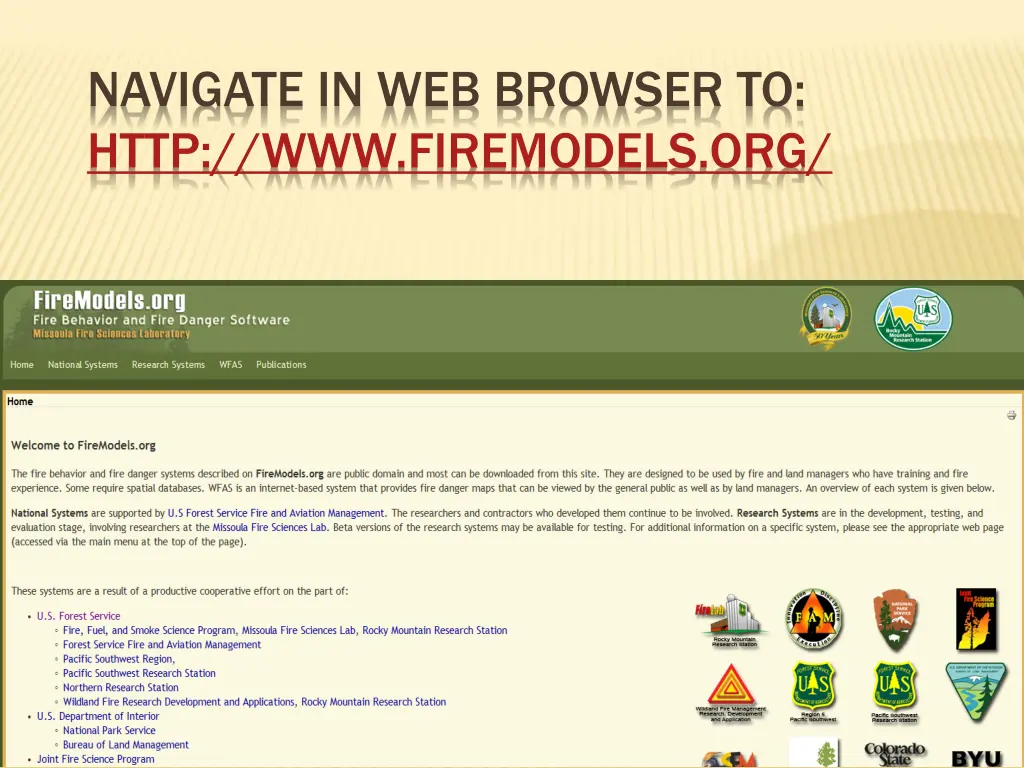
NAVIGATE IN WEB BROWSER TO: HTTP://WWW.FIREMODELS.ORG/
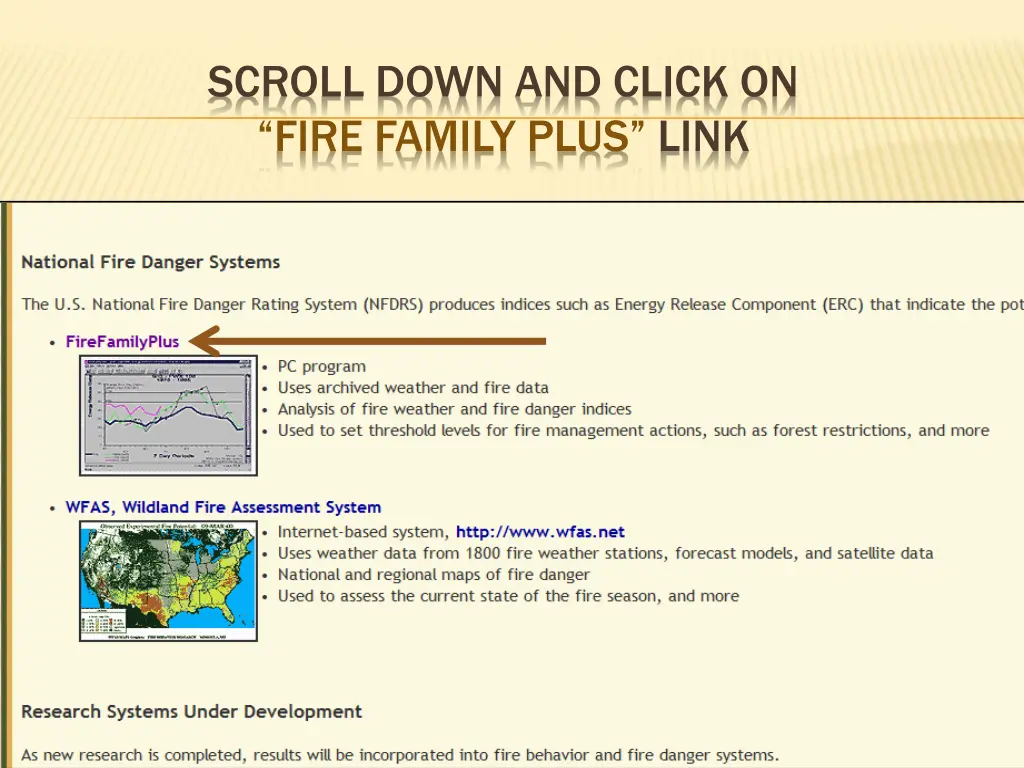
SCROLL DOWN AND CLICK ON FIRE FAMILY PLUS LINK
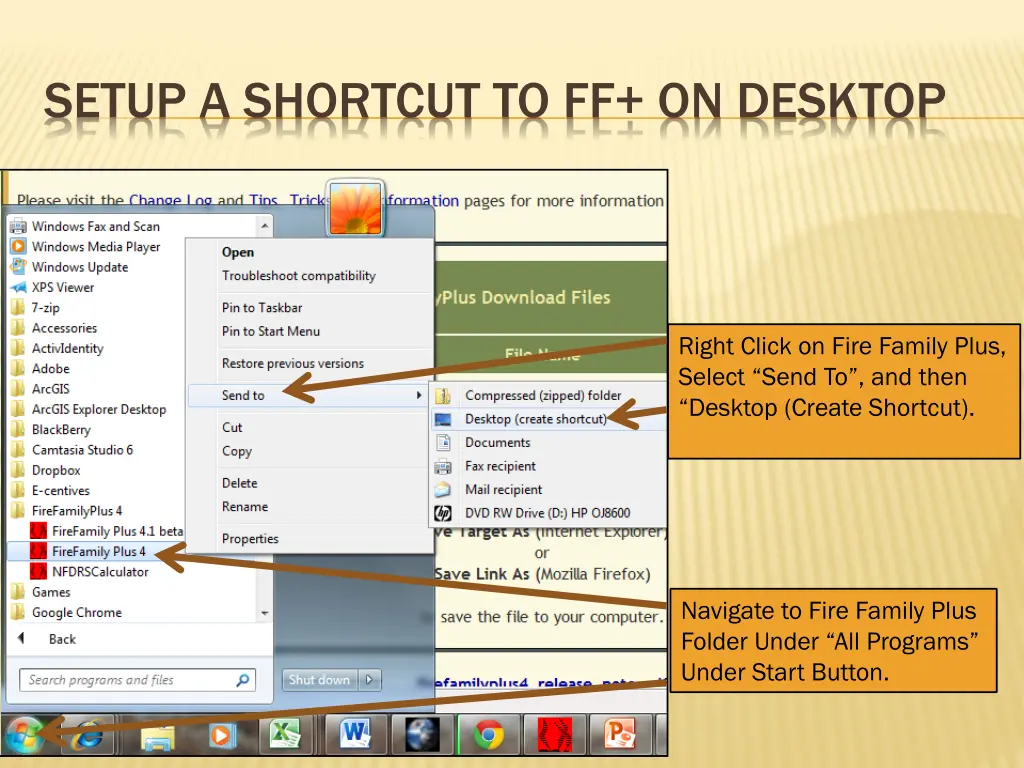
SETUP A SHORTCUT TO FF+ ON DESKTOP Right Click on Fire Family Plus, Select Send To , and then Desktop (Create Shortcut). Navigate to Fire Family Plus Folder Under All Programs Under Start Button.