Creative Data Visualization Techniques for Intro Stats Presentation
Explore the world of big data visualization in just 15 minutes with Patti Frazer Lock at St. Lawrence University. Witness the power of creative and effective data visualization techniques for multiple variables, adding depth and fun to statistics. From scatterplots to interactive tools, discover how to make data come alive with a blend of statistics, graphics, and design.

Download Presentation

Please find below an Image/Link to download the presentation.
The content on the website is provided AS IS for your information and personal use only. It may not be sold, licensed, or shared on other websites without obtaining consent from the author. If you encounter any issues during the download, it is possible that the publisher has removed the file from their server.
You are allowed to download the files provided on this website for personal or commercial use, subject to the condition that they are used lawfully. All files are the property of their respective owners.
The content on the website is provided AS IS for your information and personal use only. It may not be sold, licensed, or shared on other websites without obtaining consent from the author.
E N D
Presentation Transcript
Big Data Visualization in Intro Stats (in 15 minutes!) Patti Frazer Lock St. Lawrence University Joint Mathematics Meetings January 2017 With help from: Robin Lock, Kari Lock Morgan, Eric Lock, Dennis Lock
My Assumptions Want students to see how creative and effective and fun data visualization can be. Data visualization and multiple variables are increasingly important. But: Hard to fit more material into Intro Stats. My Solution Give students a sense of what is possible, in just 15 minutes of class time.
Background This comes early, at the end of the material on Describing Data. We introduce Multiple Regression at the end of the course. We added this material following the ASA Guidelines. It was very fun to add it! (Next slide starts the student slides.)
Moving beyond Histograms and Scatterplots In this age of Big Data, we need more ways to visualize data. Especially when we have multiple variables! Guiding Principle: Facility quick and accurate interpretation of data. Allows plenty of room for creativity. Includes elements of statistics, computer graphics, and artistic design.
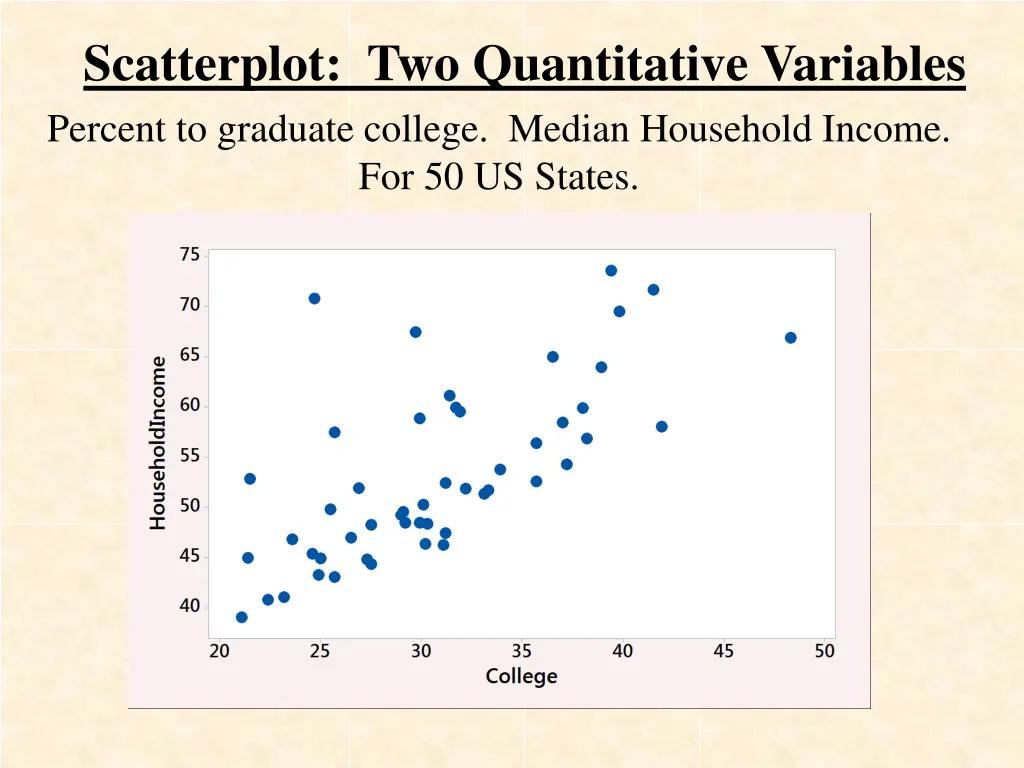
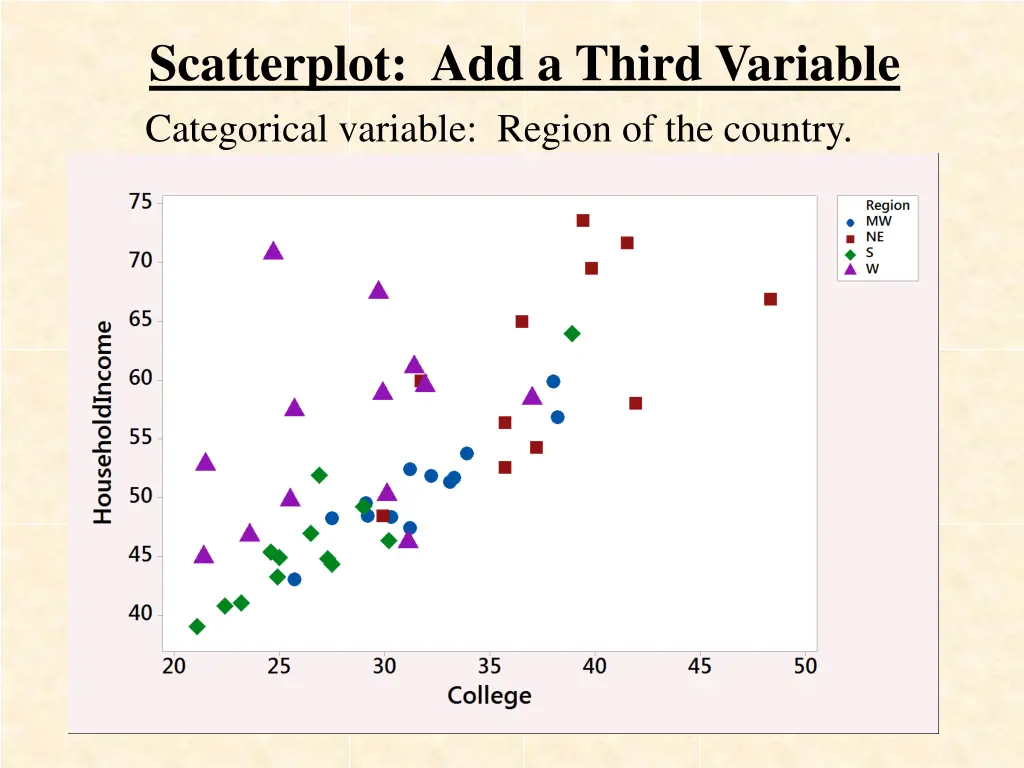
Scatterplot: Two Quantitative Variables Percent to graduate college. Median Household Income. For 50 US States.
Scatterplot: Add a Third Variable Categorical variable: Region of the country.
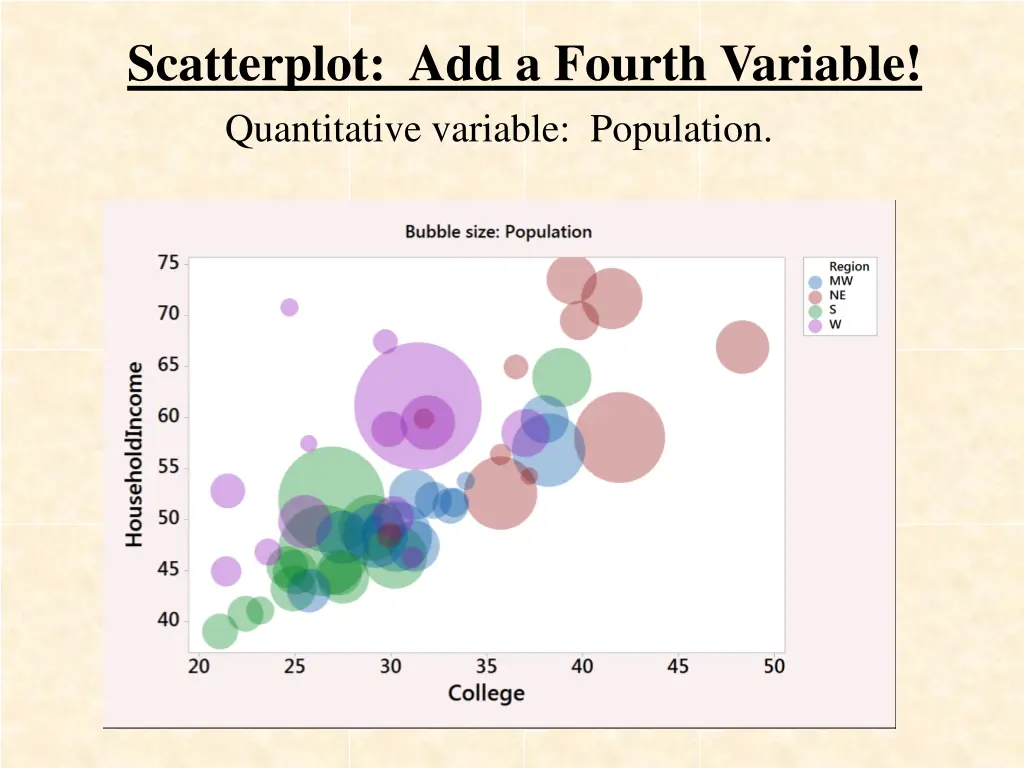
Scatterplot: Add a Fourth Variable! Quantitative variable: Population.
But we want more! Make it INTERACTIVE! Make it DYNAMIC! www.gapminder.com/tools
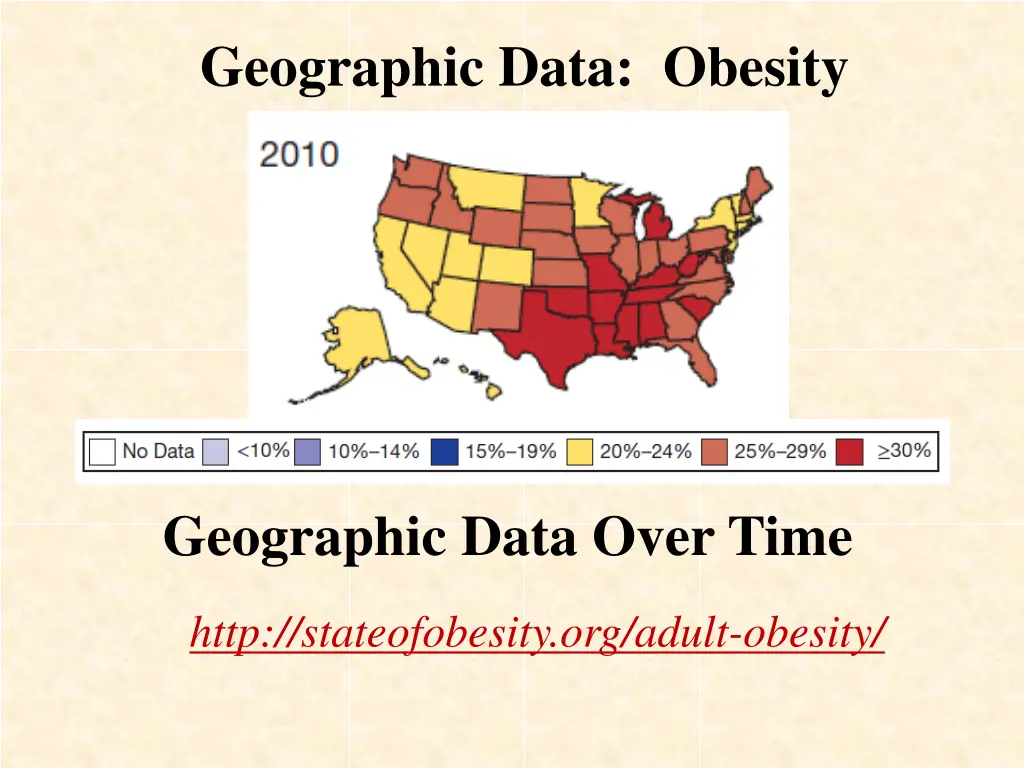
Geographic Data: Obesity Geographic Data Over Time http://stateofobesity.org/adult-obesity/
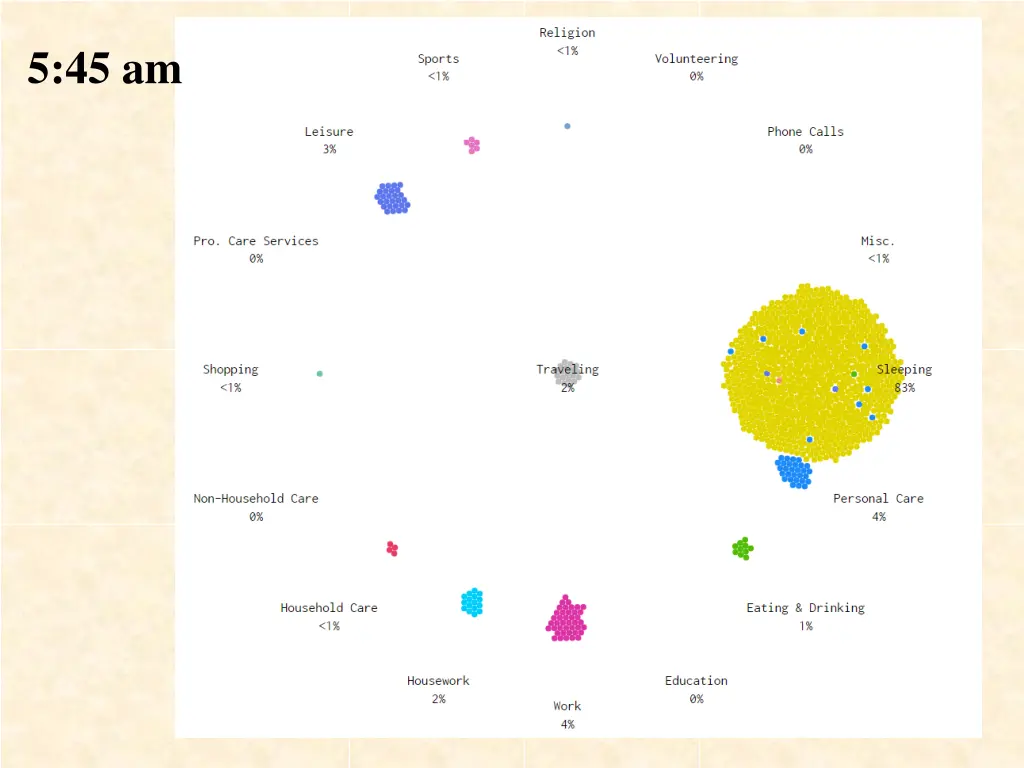
Lets Get More Creative! A Day in the Life: 1000 American adults flowingdata.com
Lets Get Creative! A Day in the Life: 1000 American adults flowingdata.com http://flowingdata.com/2015/12/15/a-day-in-the-life-of-americans/
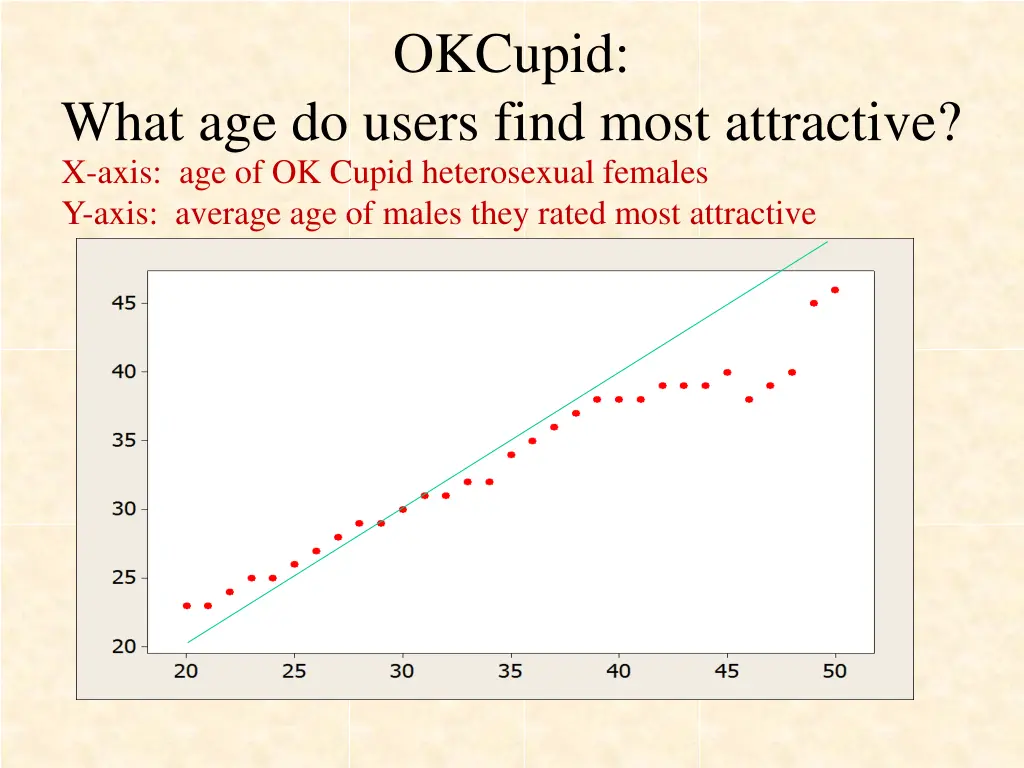
OKCupid: What age do users find most attractive? X-axis: age of OK Cupid heterosexual females Y-axis: average age of males they rated most attractive
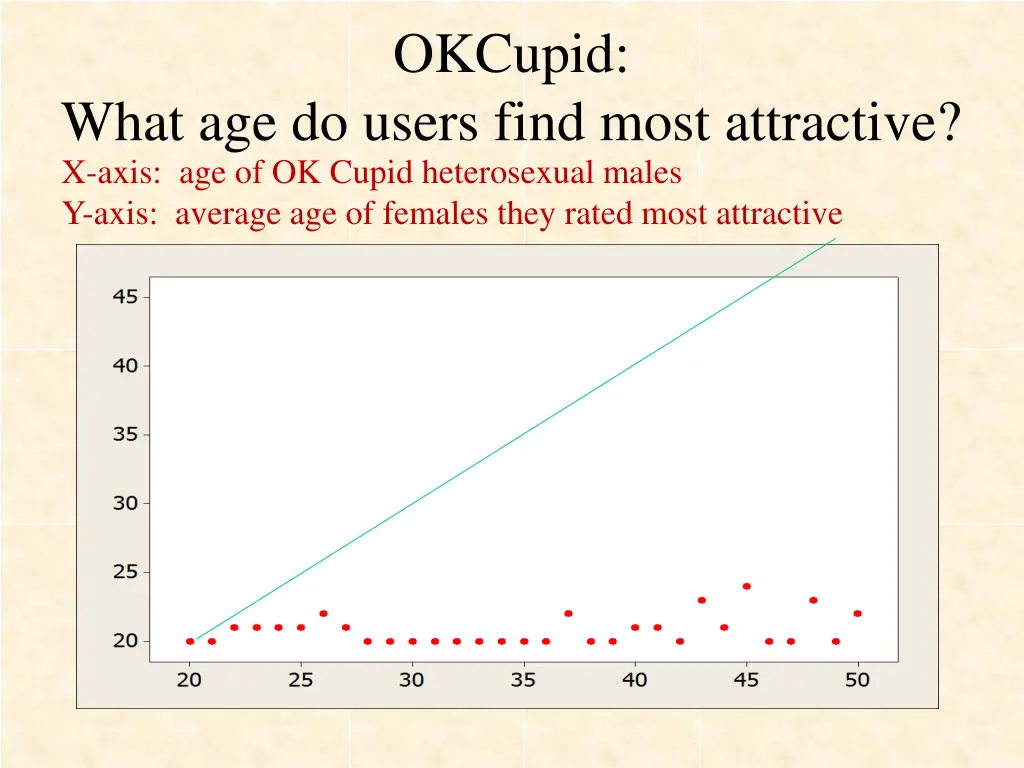
OKCupid: What age do users find most attractive? X-axis: age of OK Cupid heterosexual males Y-axis: average age of females they rated most attractive
Pretty successful and pretty fun! These slides available at www.lock5stat.com Thanks for listening!