Data Manipulation in SAS CTSI BERD Core Seminar Overview
Using SAS for data manipulation and analysis in the CTSI BERD Core Seminar. Learn how to import, transform, and prepare data for analysis. Understand SAS statement rules, naming conventions, and name literals. Explore importing data from various formats, choosing SAS procedures, interpreting results, and storing and graphing data.

Download Presentation

Please find below an Image/Link to download the presentation.
The content on the website is provided AS IS for your information and personal use only. It may not be sold, licensed, or shared on other websites without obtaining consent from the author.If you encounter any issues during the download, it is possible that the publisher has removed the file from their server.
You are allowed to download the files provided on this website for personal or commercial use, subject to the condition that they are used lawfully. All files are the property of their respective owners.
The content on the website is provided AS IS for your information and personal use only. It may not be sold, licensed, or shared on other websites without obtaining consent from the author.
E N D
Presentation Transcript
Data Manipulation in SAS CTSI BERD Core Seminar Emily K.Q. Sisson June 15, 2017
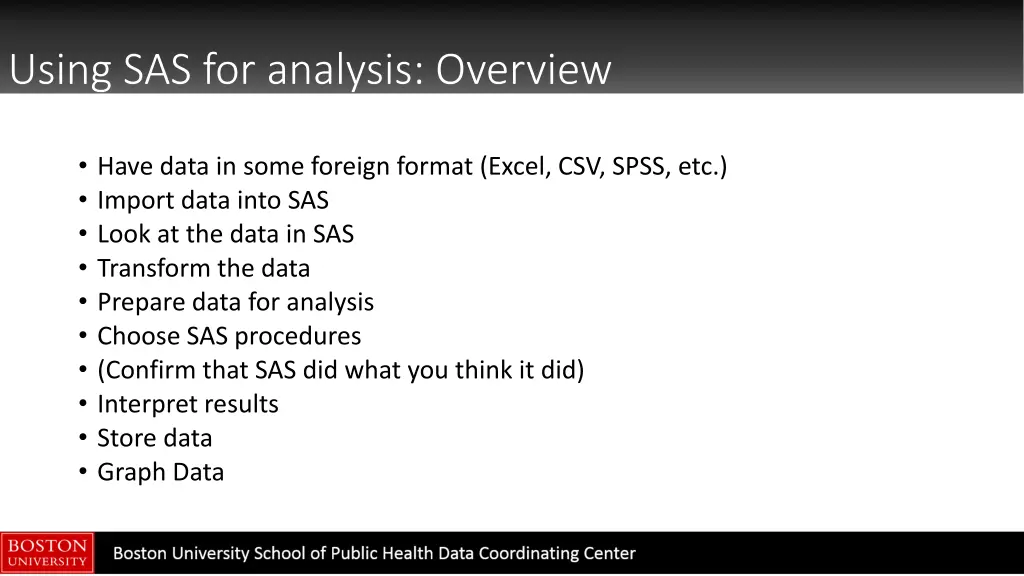
Using SAS for analysis: Overview Have data in some foreign format (Excel, CSV, SPSS, etc.) Import data into SAS Look at the data in SAS Transform the data Prepare data for analysis Choose SAS procedures (Confirm that SAS did what you think it did) Interpret results Store data Graph Data
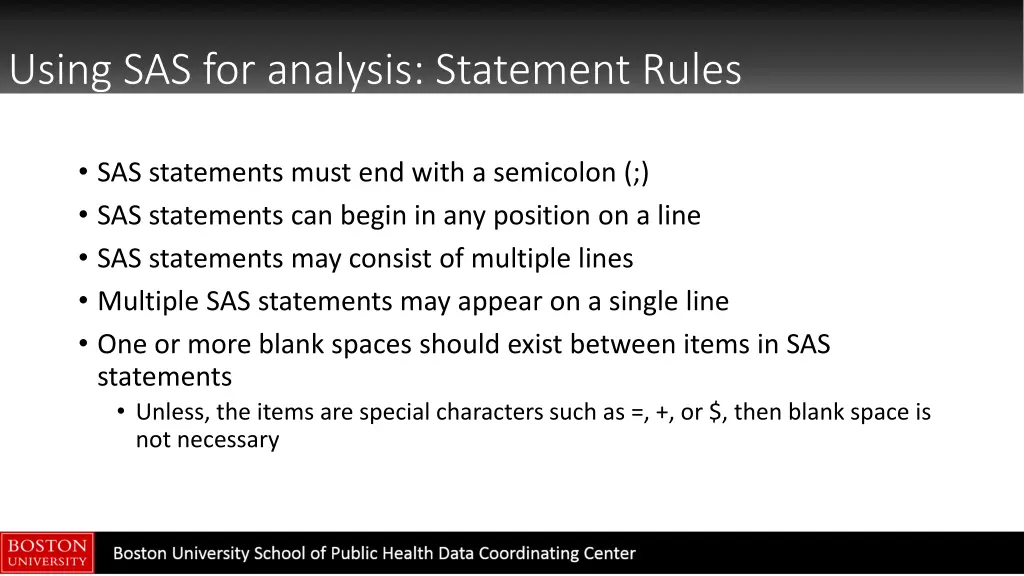
Using SAS for analysis: Statement Rules SAS statements must end with a semicolon (;) SAS statements can begin in any position on a line SAS statements may consist of multiple lines Multiple SAS statements may appear on a single line One or more blank spaces should exist between items in SAS statements Unless, the items are special characters such as =, +, or $, then blank space is not necessary
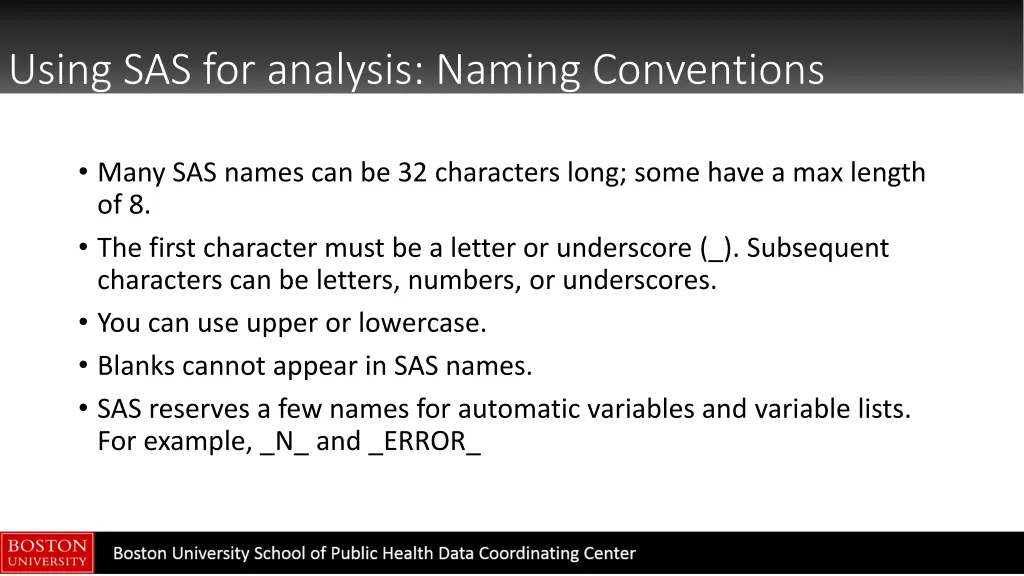
Using SAS for analysis: Naming Conventions Many SAS names can be 32 characters long; some have a max length of 8. The first character must be a letter or underscore (_). Subsequent characters can be letters, numbers, or underscores. You can use upper or lowercase. Blanks cannot appear in SAS names. SAS reserves a few names for automatic variables and variable lists. For example, _N_ and _ERROR_
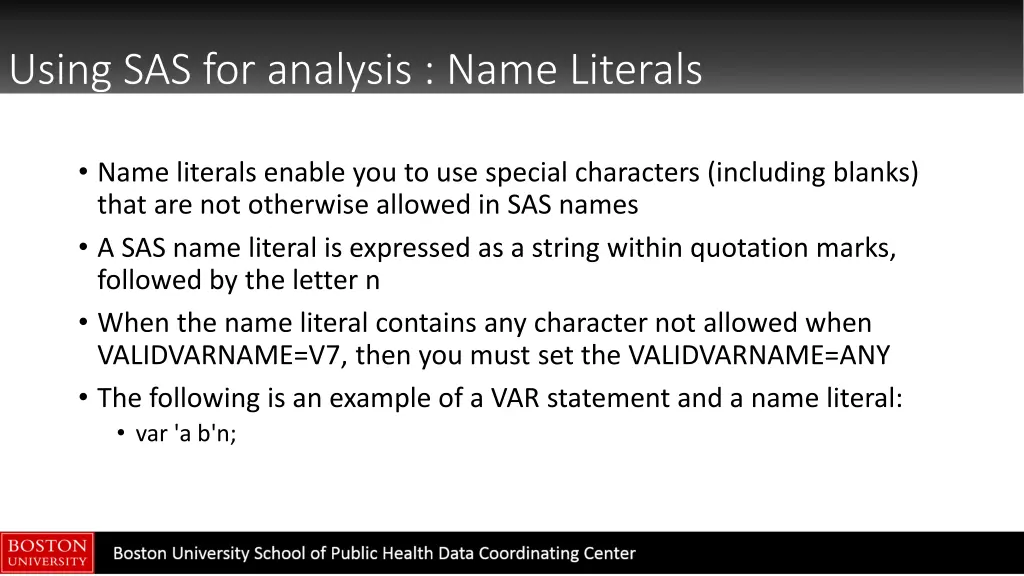
Using SAS for analysis : Name Literals Name literals enable you to use special characters (including blanks) that are not otherwise allowed in SAS names A SAS name literal is expressed as a string within quotation marks, followed by the letter n When the name literal contains any character not allowed when VALIDVARNAME=V7, then you must set the VALIDVARNAME=ANY The following is an example of a VAR statement and a name literal: var 'a b'n;
Using SAS for analysis: Overview Have data in some foreign format (Excel, CSV, SPSS, etc) Import data into SAS Look at the data in SAS Transform the data Prepare data for analysis Choose SAS procedures (Confirm that SAS did what you think it did) Interpret results Store data Graph data
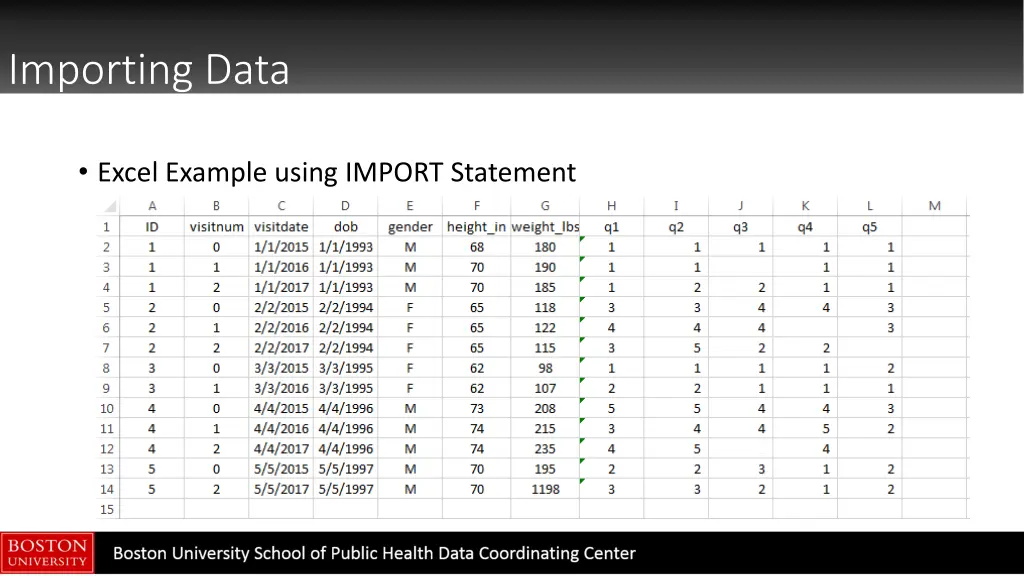
Importing Data Excel Example using IMPORT Statement
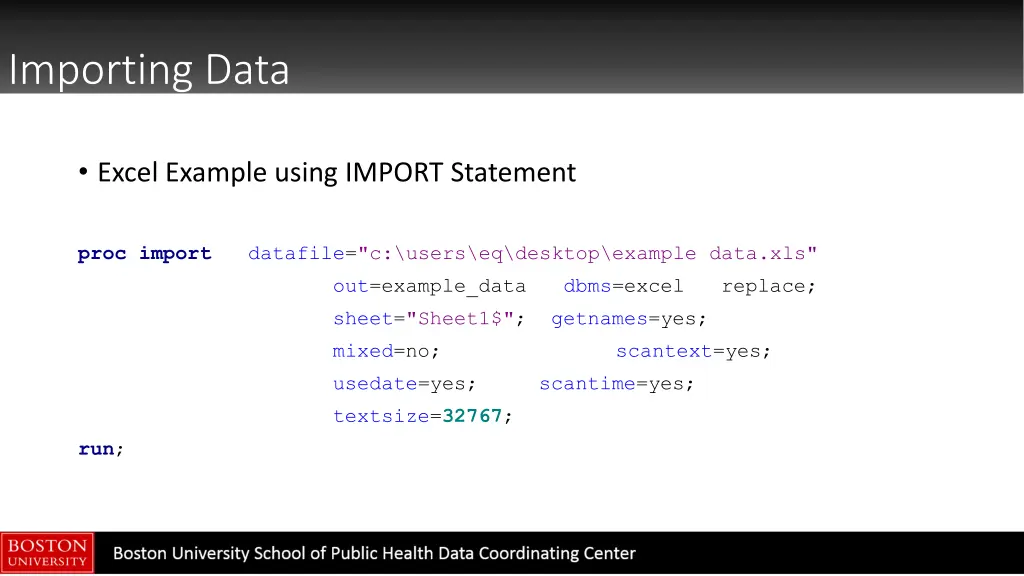
Importing Data Excel Example using IMPORT Statement proc import datafile="c:\users\eq\desktop\example data.xls" out=example_data sheet="Sheet1$"; getnames=yes; mixed=no; usedate=yes; textsize=32767; dbms=excel replace; scantext=yes; scantime=yes; run;
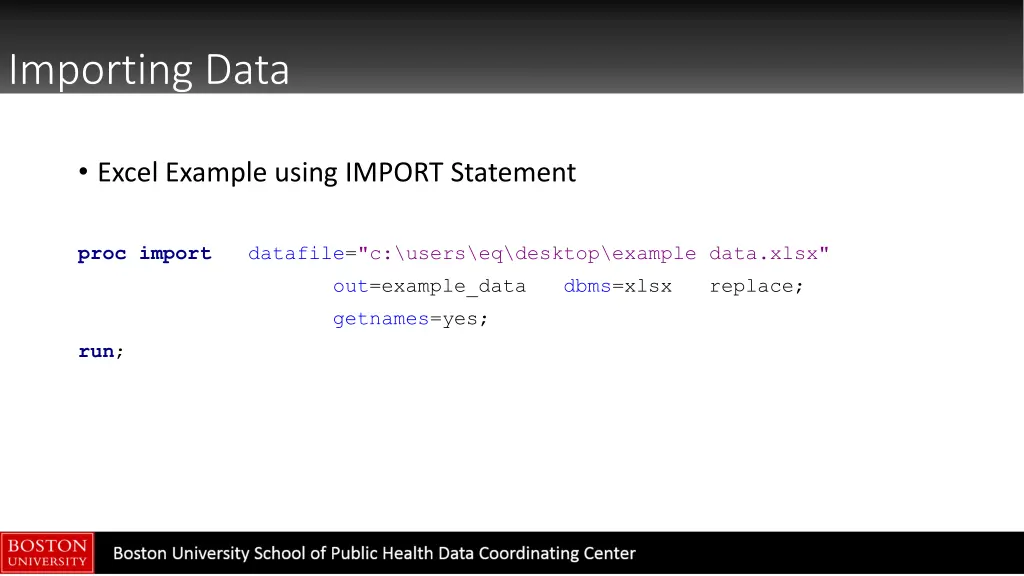
Importing Data Excel Example using IMPORT Statement proc import datafile="c:\users\eq\desktop\example data.xlsx" out=example_data getnames=yes; dbms=xlsx replace; run;
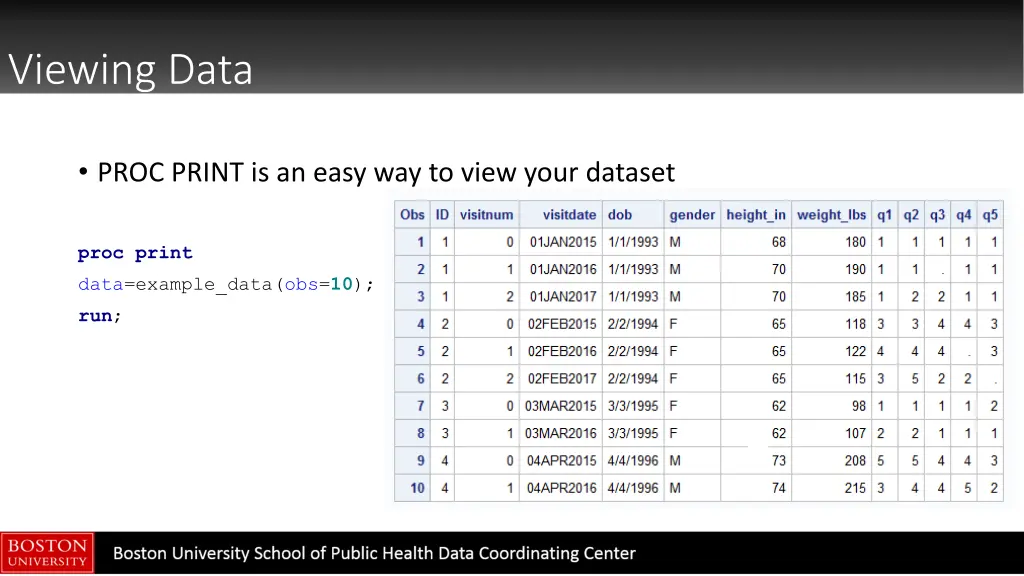
Viewing Data PROC PRINT is an easy way to view your dataset proc print data=example_data(obs=10); run;
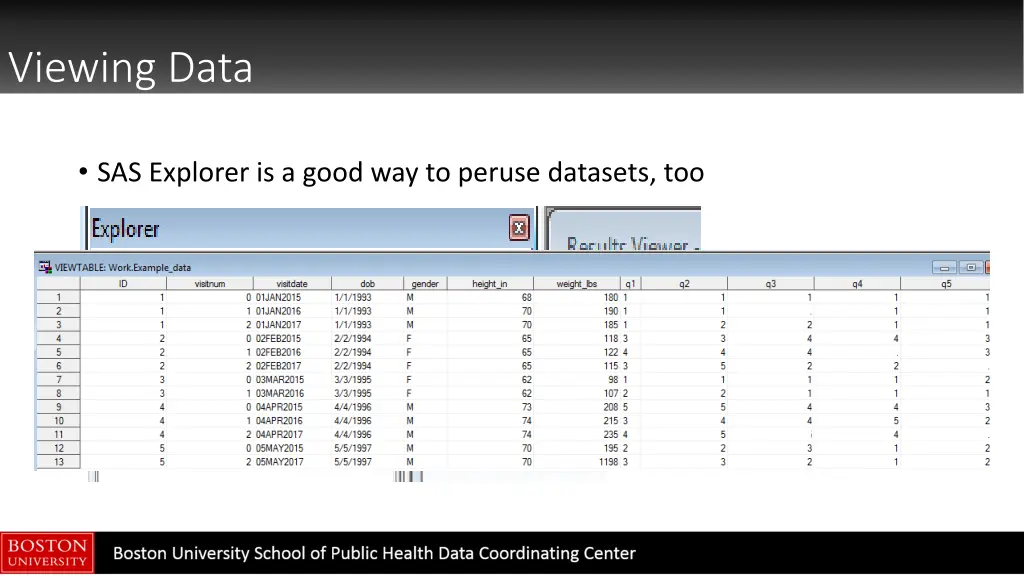
Viewing Data SAS Explorer is a good way to peruse datasets, too
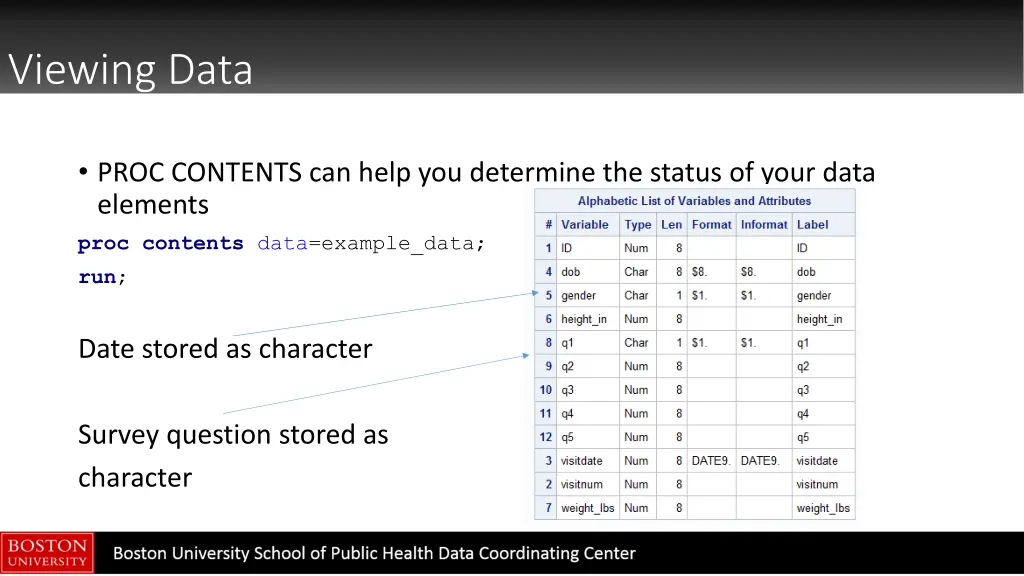
Viewing Data PROC CONTENTS can help you determine the status of your data elements proc contents data=example_data; run; Date stored as character Survey question stored as character
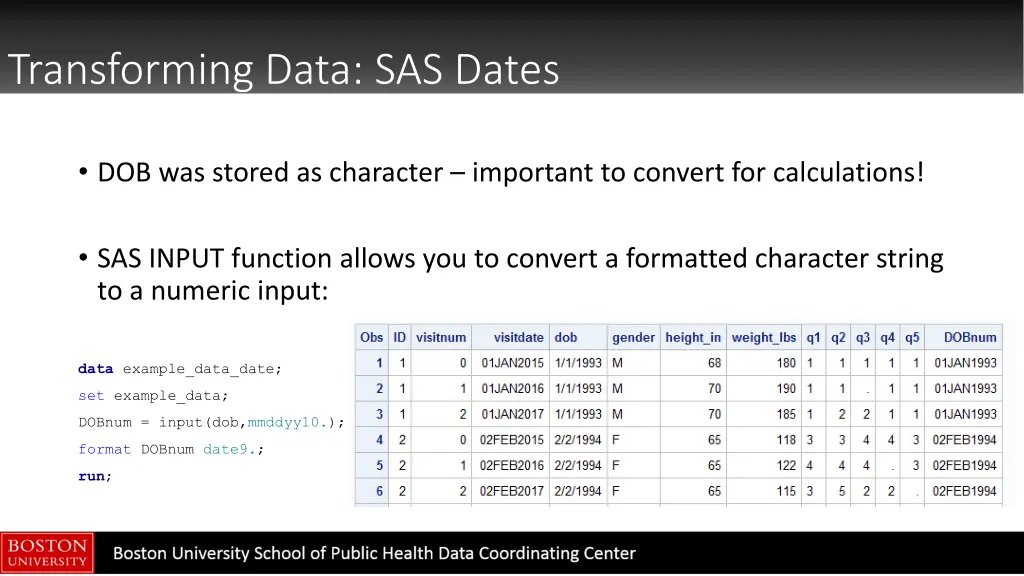
Transforming Data: SAS Dates SAS stores dates as a numeric value that represents the distance from January 1, 1960 (reference date) January 1, 1960 is stored as 0 January 6, 1959 is stored as -360 October 10, 1983 is stored as 8683 When dates are stored this way, you can calculate differences in time SAS provides a good reference page for working with dates https://v8doc.sas.com/sashtml/lrcon/zenid-63.htm
Transforming Data: SAS Dates DOB was stored as character important to convert for calculations! SAS INPUT function allows you to convert a formatted character string to a numeric input: data example_data_date; set example_data; DOBnum = input(dob,mmddyy10.); format DOBnum date9.; run;
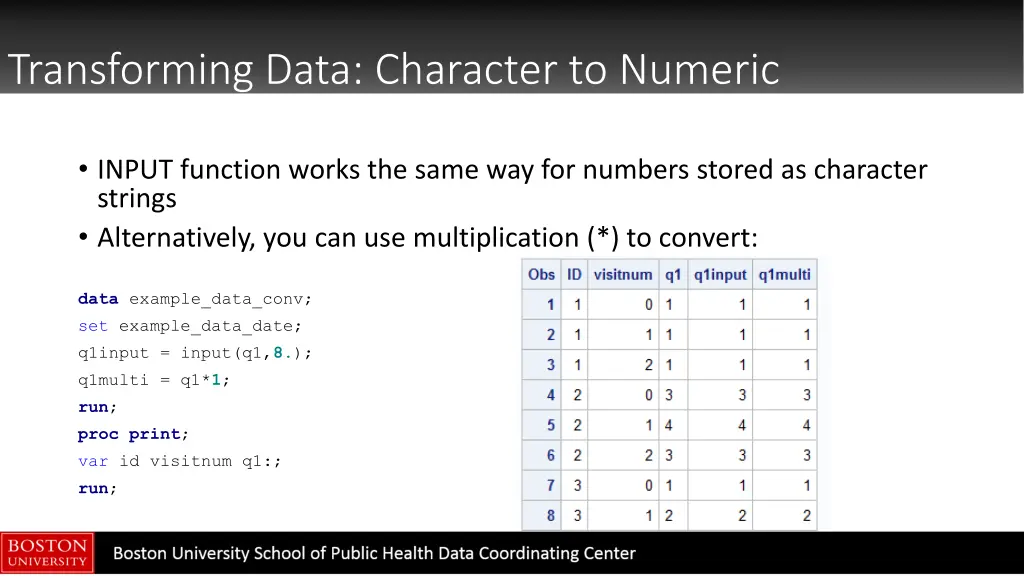
Transforming Data: Character to Numeric INPUT function works the same way for numbers stored as character strings Alternatively, you can use multiplication (*) to convert: data example_data_conv; set example_data_date; q1input = input(q1,8.); q1multi = q1*1; run; proc print; var id visitnum q1:; run;
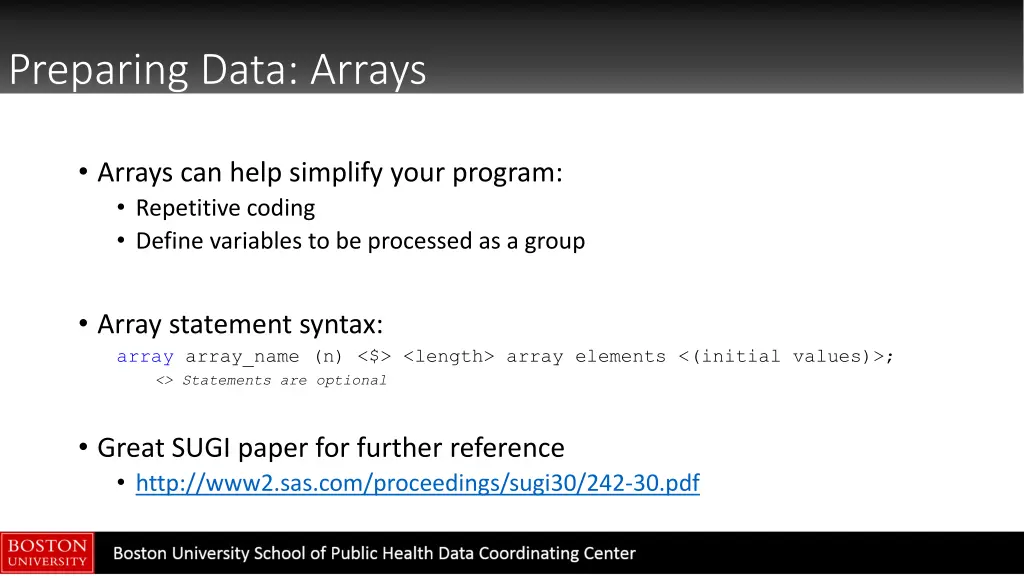
Preparing Data: Arrays Arrays can help simplify your program: Repetitive coding Define variables to be processed as a group Array statement syntax: array array_name (n) <$> <length> array elements <(initial values)>; <> Statements are optional Great SUGI paper for further reference http://www2.sas.com/proceedings/sugi30/242-30.pdf
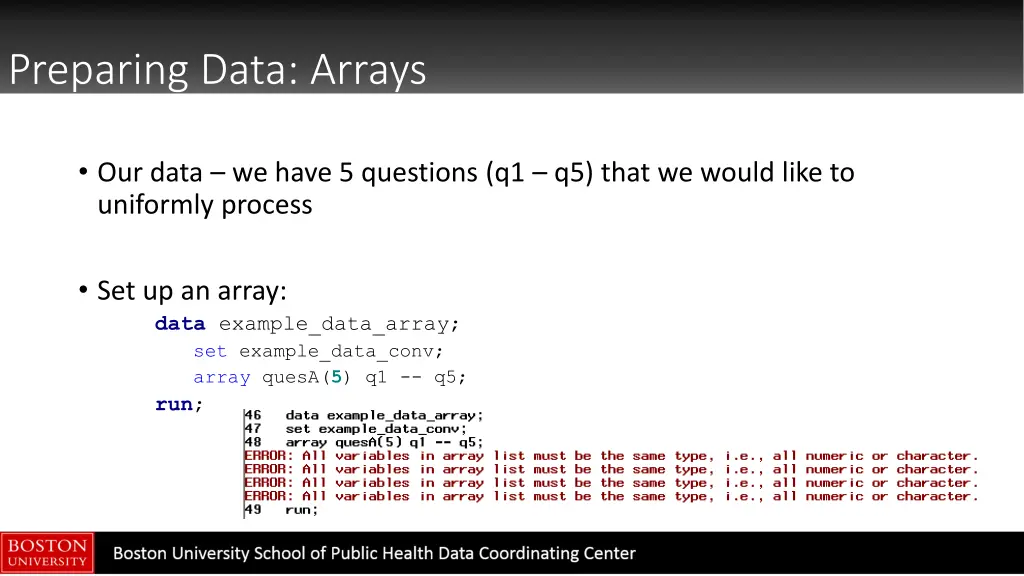
Preparing Data: Arrays Our data we have 5 questions (q1 q5) that we would like to uniformly process Set up an array: data example_data_array; set example_data_conv; array quesA(5) q1 -- q5; run;
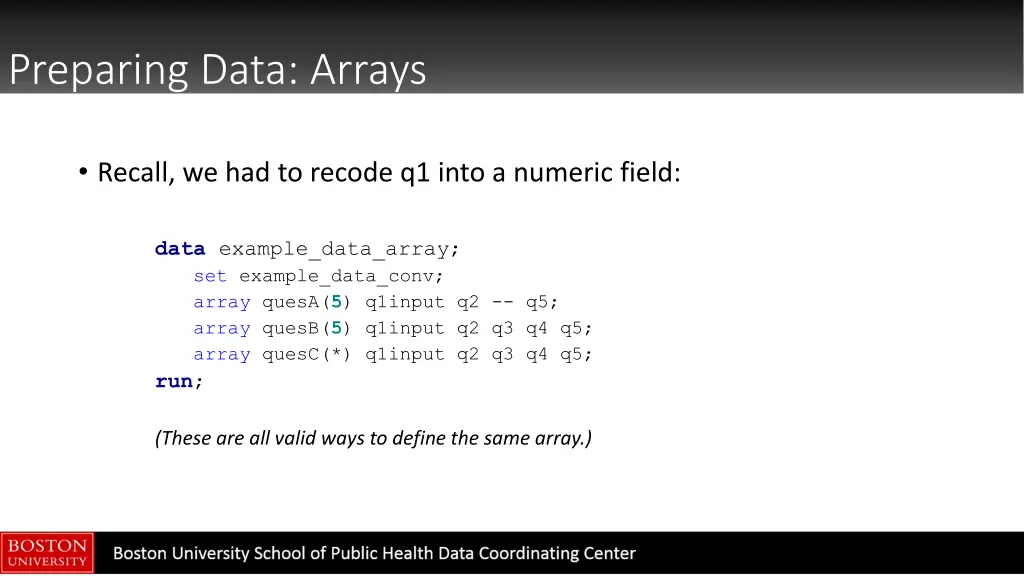
Preparing Data: Arrays Recall, we had to recode q1 into a numeric field: data example_data_array; set example_data_conv; array quesA(5) q1input q2 -- q5; array quesB(5) q1input q2 q3 q4 q5; array quesC(*) q1input q2 q3 q4 q5; run; (These are all valid ways to define the same array.)
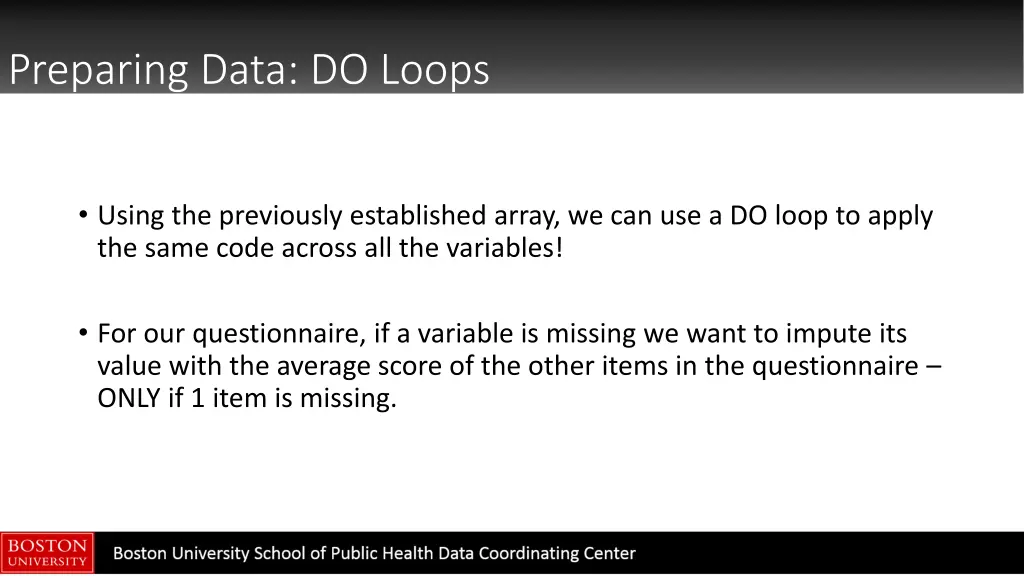
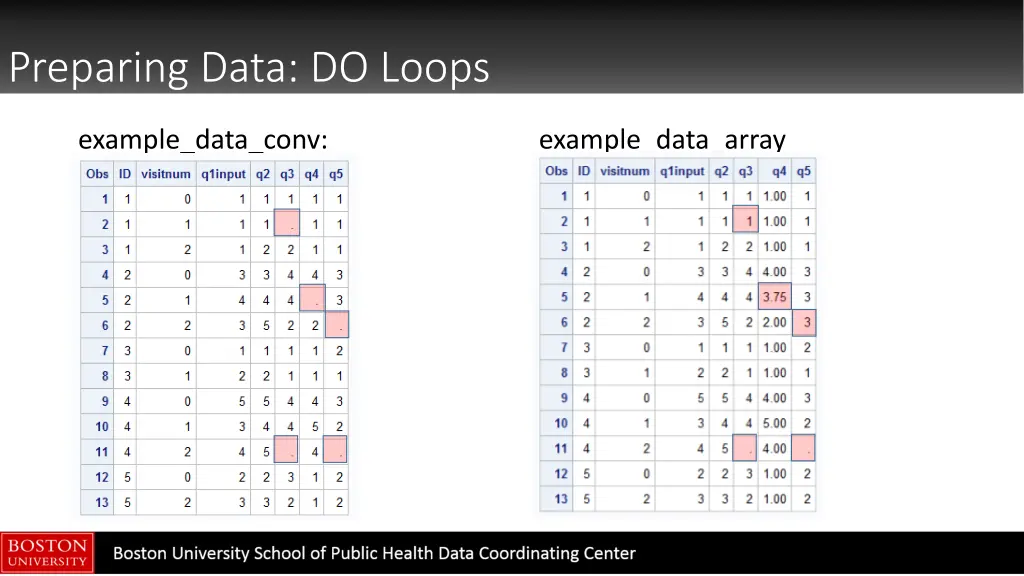
Preparing Data: DO Loops Using the previously established array, we can use a DO loop to apply the same code across all the variables! For our questionnaire, if a variable is missing we want to impute its value with the average score of the other items in the questionnaire ONLY if 1 item is missing.
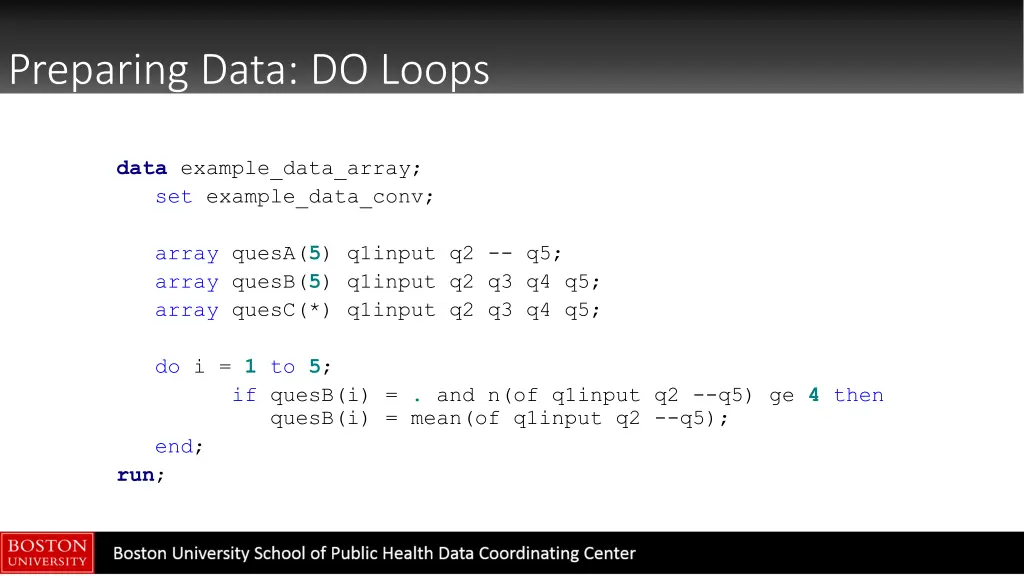
Preparing Data: DO Loops data example_data_array; set example_data_conv; array quesA(5) q1input q2 -- q5; array quesB(5) q1input q2 q3 q4 q5; array quesC(*) q1input q2 q3 q4 q5; do i = 1 to 5; if quesB(i) = . and n(of q1input q2 --q5) ge 4 then quesB(i) = mean(of q1input q2 --q5); end; run;
Preparing Data: DO Loops example_data_conv: example_data_array
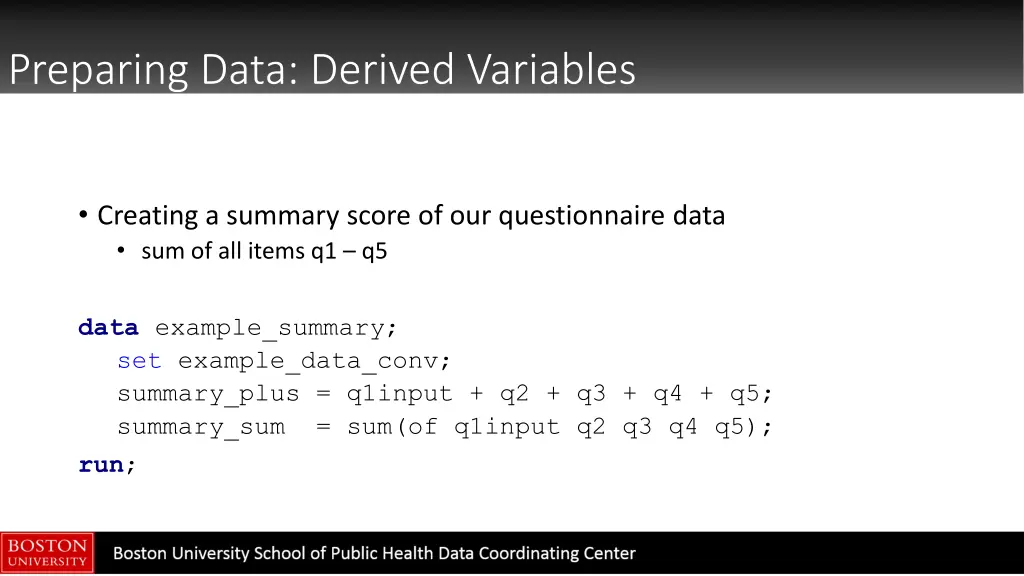
Preparing Data: Derived Variables Creating a summary score of our questionnaire data sum of all items q1 q5 data example_summary; set example_data_conv; summary_plus = q1input + q2 + q3 + q4 + q5; summary_sum = sum(of q1input q2 q3 q4 q5); run;
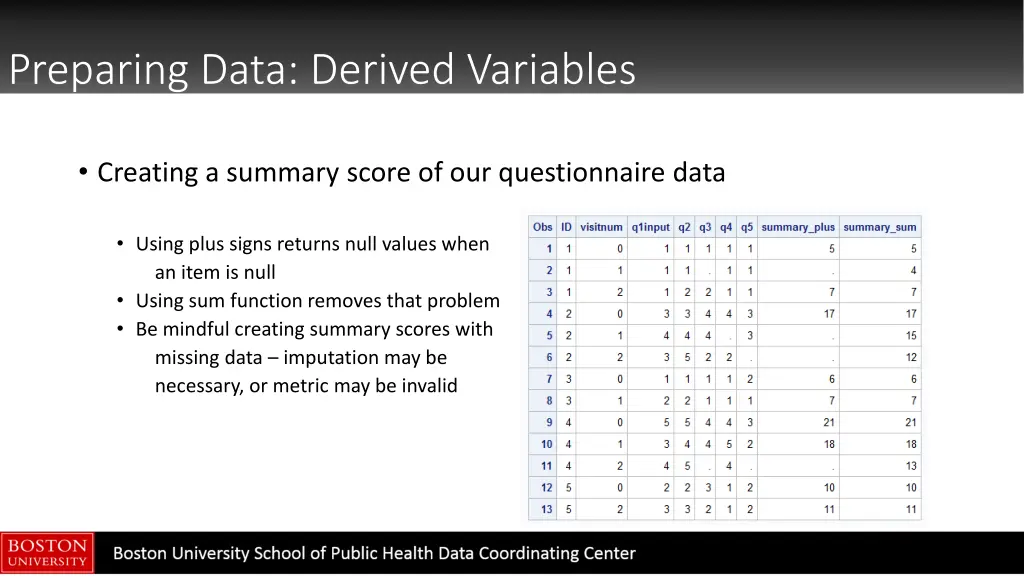
Preparing Data: Derived Variables Creating a summary score of our questionnaire data Using plus signs returns null values when an item is null Using sum function removes that problem Be mindful creating summary scores with missing data imputation may be necessary, or metric may be invalid
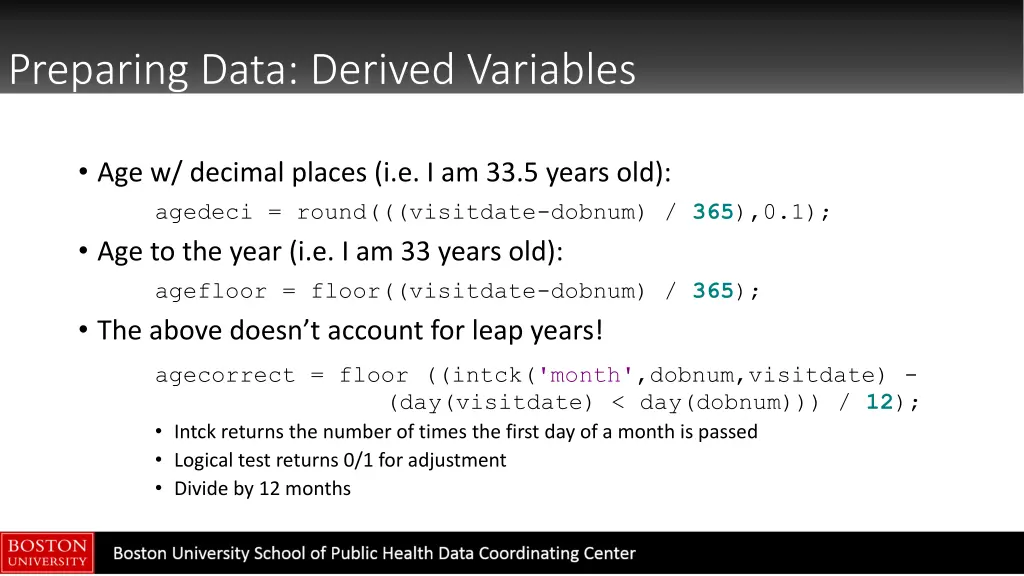
Preparing Data: Derived Variables Age w/ decimal places (i.e. I am 33.5 years old): agedeci = round(((visitdate-dobnum) / 365),0.1); Age to the year (i.e. I am 33 years old): agefloor = floor((visitdate-dobnum) / 365); The above doesn t account for leap years! agecorrect = floor ((intck('month',dobnum,visitdate) - (day(visitdate) < day(dobnum))) / 12); Intck returns the number of times the first day of a month is passed Logical test returns 0/1 for adjustment Divide by 12 months
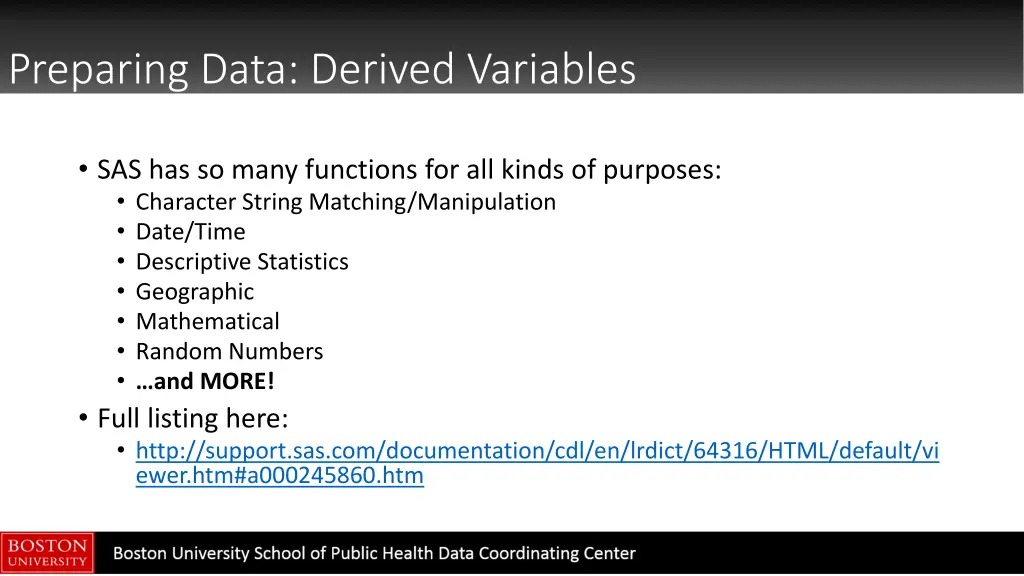
Preparing Data: Derived Variables SAS has so many functions for all kinds of purposes: Character String Matching/Manipulation Date/Time Descriptive Statistics Geographic Mathematical Random Numbers and MORE! Full listing here: http://support.sas.com/documentation/cdl/en/lrdict/64316/HTML/default/vi ewer.htm#a000245860.htm
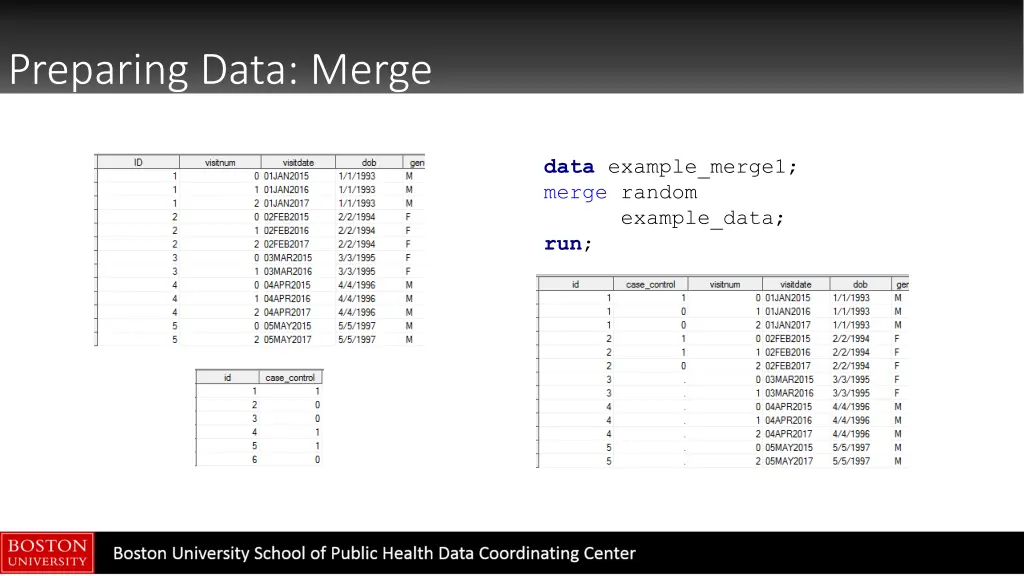
Preparing Data: Merge data example_merge1; merge random example_data; run;
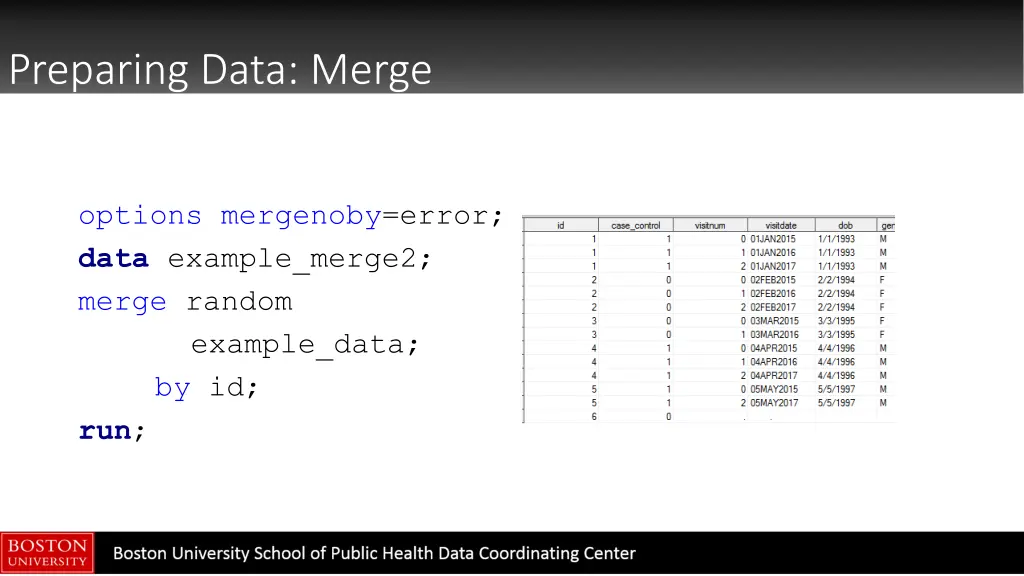
Preparing Data: Merge options mergenoby=error; data example_merge2; merge random example_data; by id; run;
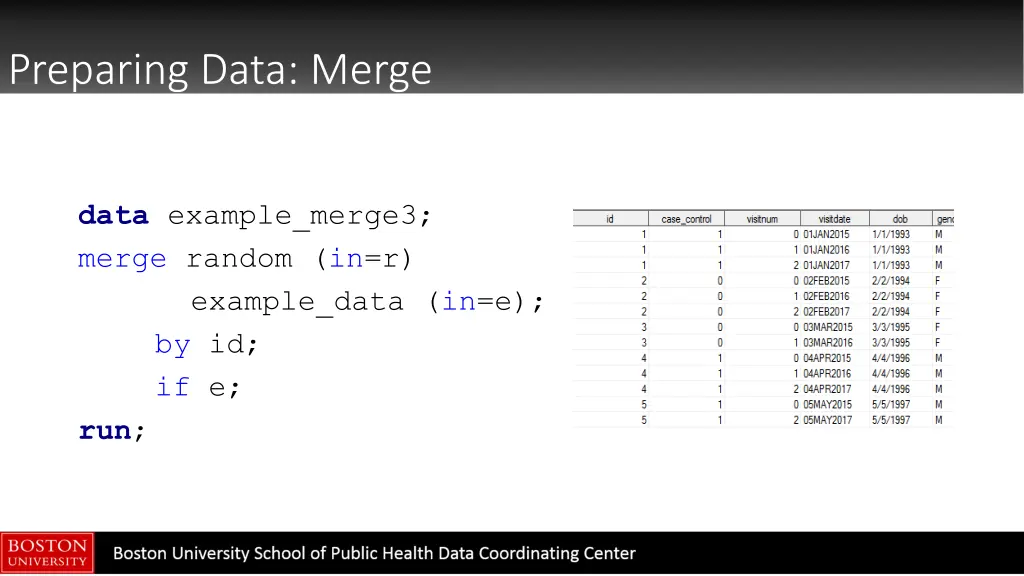
Preparing Data: Merge data example_merge3; merge random (in=r) example_data (in=e); by id; if e; run;
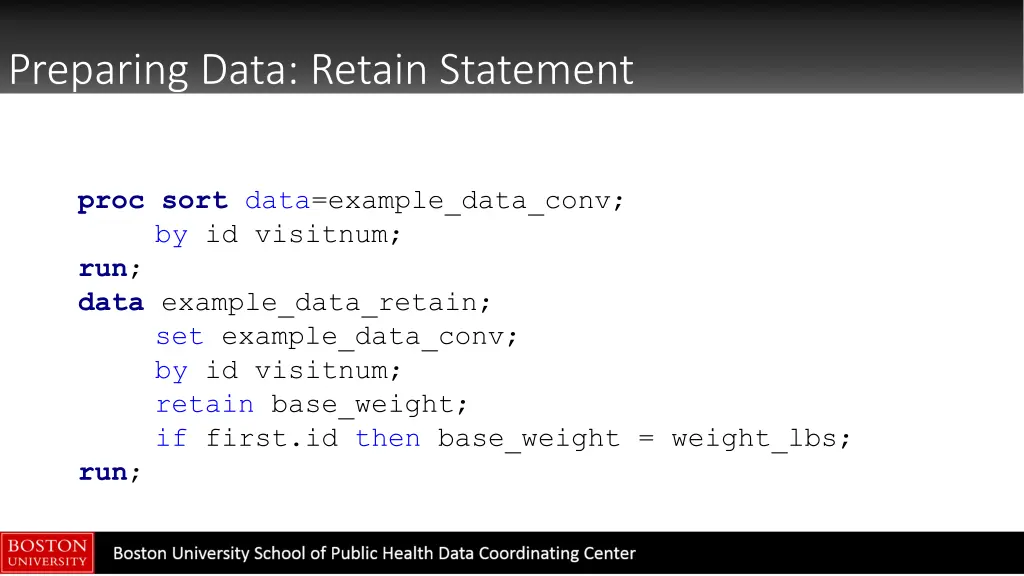
Preparing Data: Retain Statement The RETAIN statement can be used to carry data points from one observation to the next Particularly useful in assigning baseline values to future time points Good overview paper: https://www.mwsug.org/proceedings/2009/stats/MWSUG-2009- D14.pdf
Preparing Data: Retain Statement procsort data=example_data_conv; by id visitnum; run; data example_data_retain; set example_data_conv; by id visitnum; retain base_weight; if first.id then base_weight = weight_lbs; run;
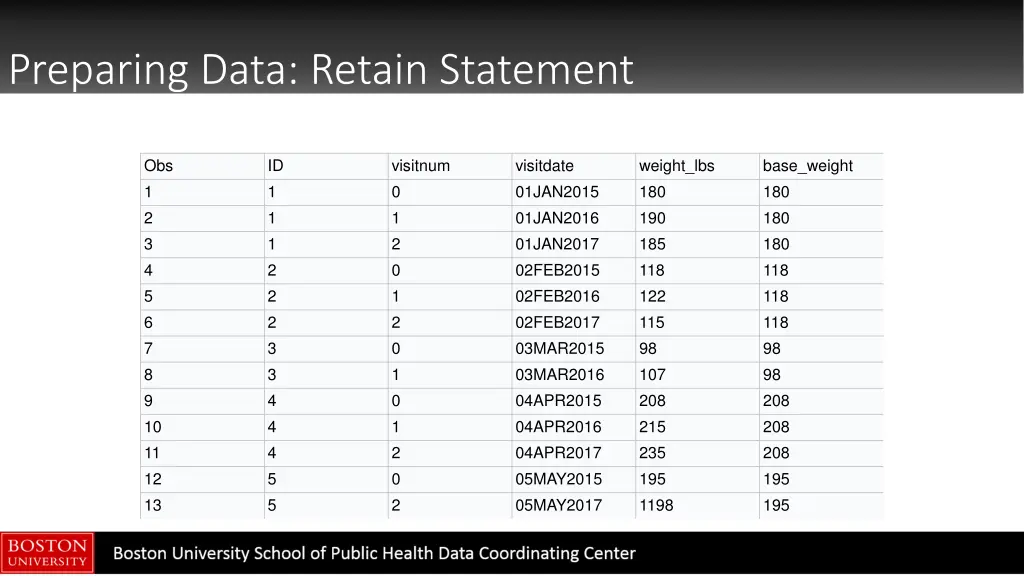
Preparing Data: Retain Statement Obs 1 2 3 4 5 6 7 8 9 10 11 12 13 ID 1 1 1 2 2 2 3 3 4 4 4 5 5 visitnum 0 1 2 0 1 2 0 1 0 1 2 0 2 visitdate 01JAN2015 01JAN2016 01JAN2017 02FEB2015 02FEB2016 02FEB2017 03MAR2015 03MAR2016 04APR2015 04APR2016 04APR2017 05MAY2015 05MAY2017 weight_lbs 180 190 185 118 122 115 98 107 208 215 235 195 1198 base_weight 180 180 180 118 118 118 98 98 208 208 208 195 195
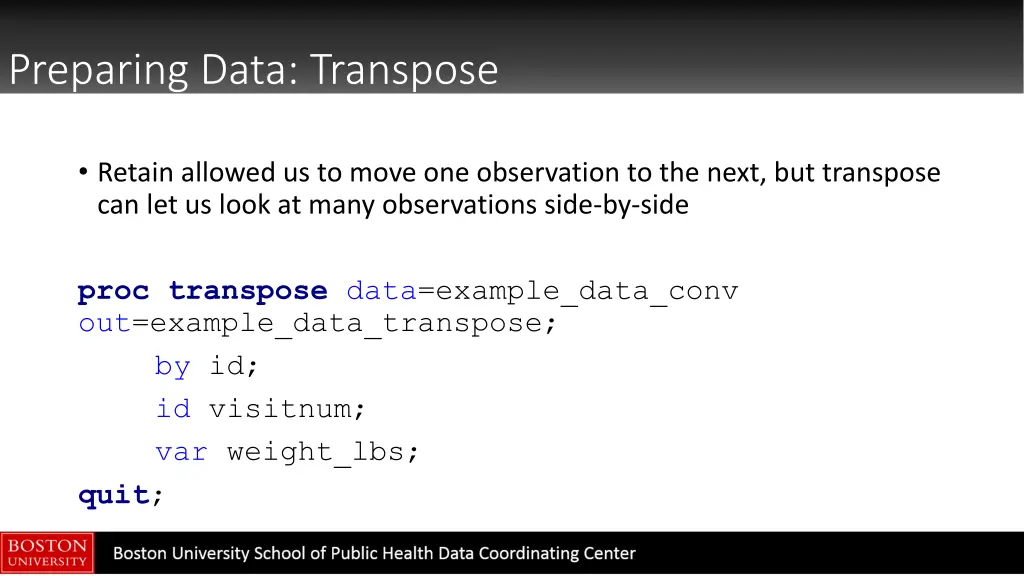
Preparing Data: Transpose Retain allowed us to move one observation to the next, but transpose can let us look at many observations side-by-side proctranspose data=example_data_conv out=example_data_transpose; by id; id visitnum; var weight_lbs; quit;
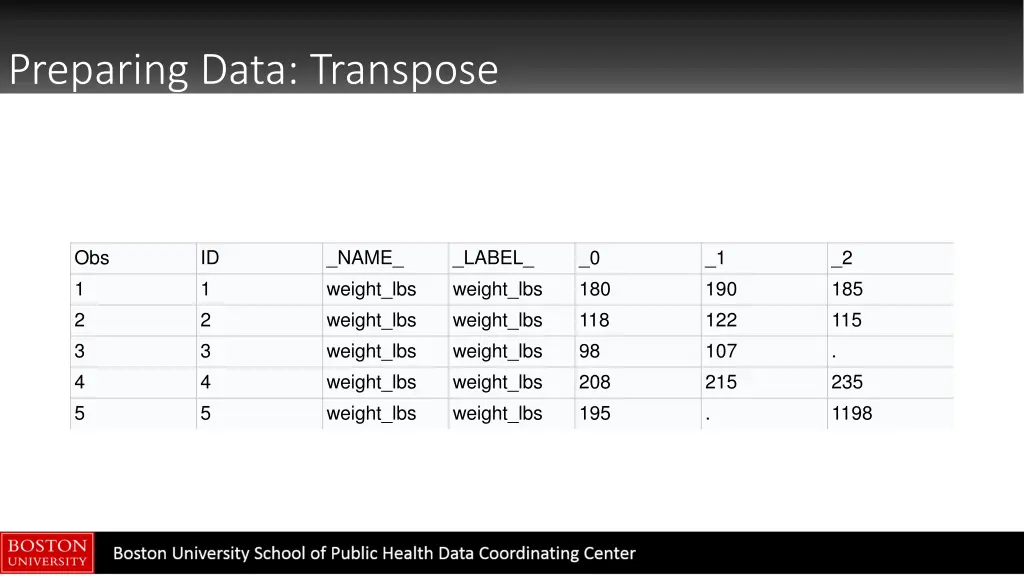
Preparing Data: Transpose Obs 1 2 3 4 5 ID 1 2 3 4 5 _NAME_ weight_lbs weight_lbs weight_lbs weight_lbs weight_lbs _LABEL_ weight_lbs weight_lbs weight_lbs weight_lbs weight_lbs _0 180 118 98 208 195 _1 190 122 107 215 . _2 185 115 . 235 1198
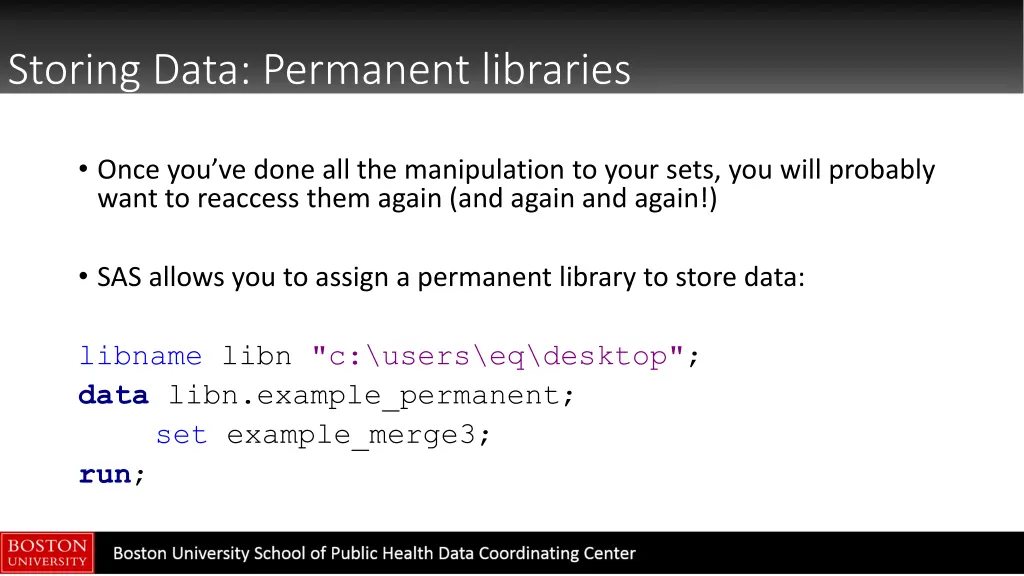
Storing Data: Permanent libraries Once you ve done all the manipulation to your sets, you will probably want to reaccess them again (and again and again!) SAS allows you to assign a permanent library to store data: libname libn "c:\users\eq\desktop"; data libn.example_permanent; set example_merge3; run;
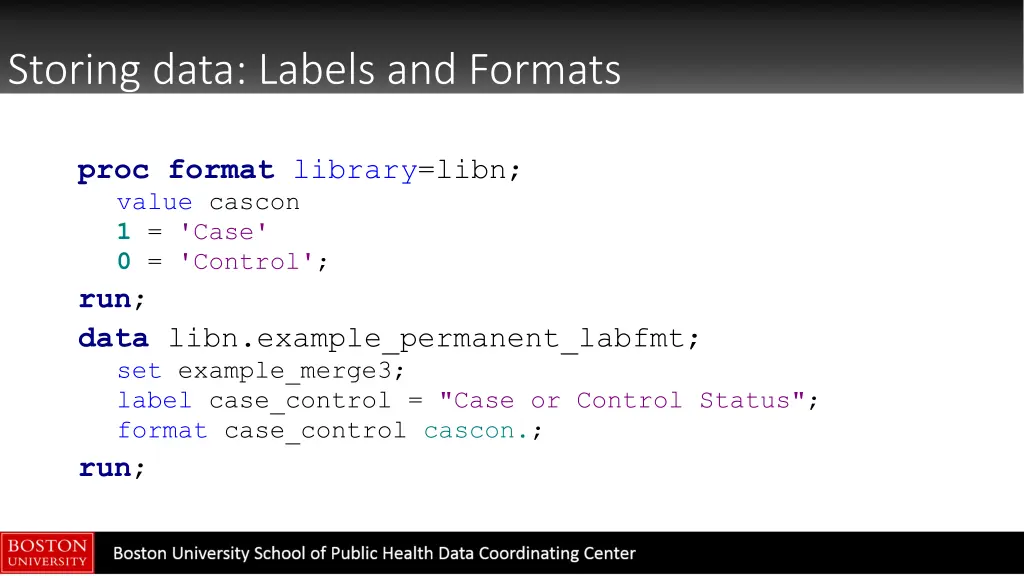
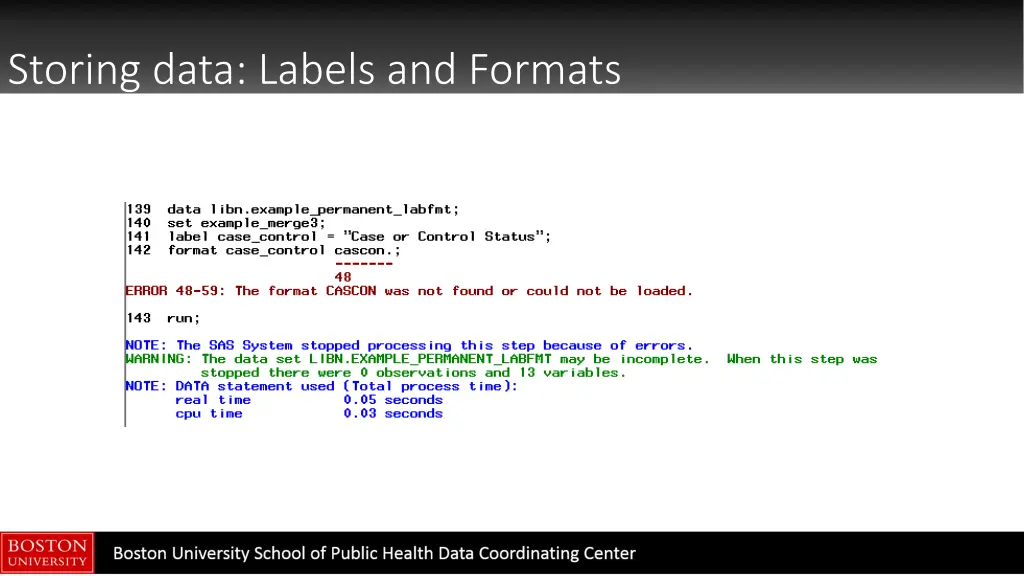
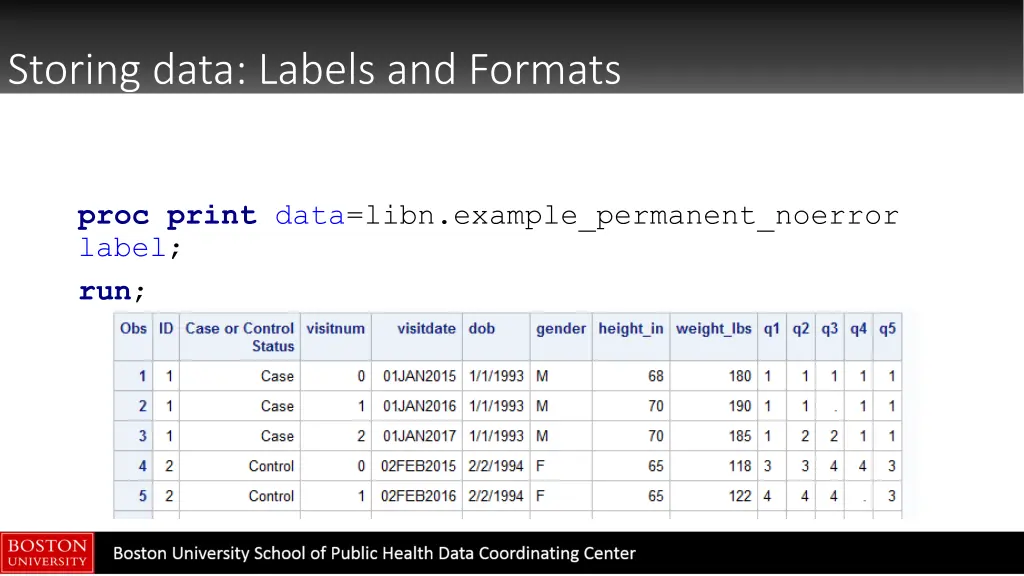
Storing data: Labels and Formats procformat library=libn; value cascon 1 = 'Case' 0 = 'Control'; run; data libn.example_permanent_labfmt; set example_merge3; label case_control = "Case or Control Status"; format case_control cascon.; run;
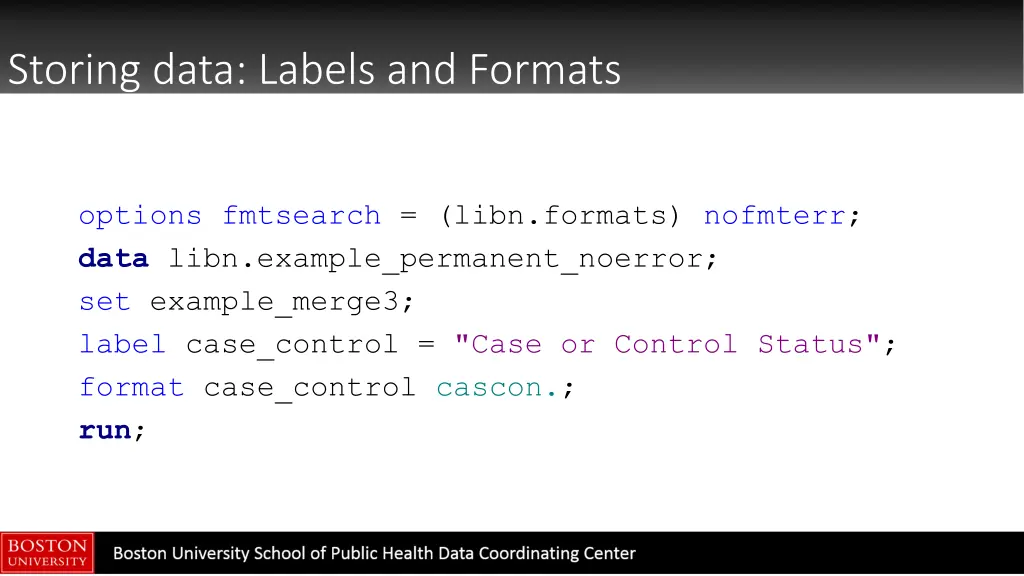
Storing data: Labels and Formats options fmtsearch = (libn.formats) nofmterr; data libn.example_permanent_noerror; set example_merge3; label case_control = "Case or Control Status"; format case_control cascon.; run;
Storing data: Labels and Formats procprint data=libn.example_permanent_noerror label; run;
Storing data: Compatibility Sets and format libraries created with 9.3 are compatible with 9.4 by default SAS 9.4 created datasets won t be compatible with SAS versions prior to 9.3 unless you specify the following option when creating the set in 9.4: options ExtendObsCounter-no; http://support.sas.com/rnd/migration/planning/files/forward_drilldo wn.html
Graph data: ODS Graphics Designer Traditionally, graphing in SAS was code-driven and cumbersome. Starting in 9.2, SAS introduced the ODS Graphics Designer: a point- and-click GUI that is a tool to generate GTL syntax In SAS, select Tools ODS Graphics Designer (or type %sgdesign(); into editor) https://support.sas.com/resources/papers/proceedings12/153- 2012.pdf
Graph data: ODS Graphics Designer Demonstration
Contact THANK YOU! For questions, please contact: Emily Sisson Boston University SPH Data Coordinating Center 617-638-5869 eq@bu.edu