Uncover the importance of adhering to the Single-GUI-Thread Rule to prevent Invalid Thread Access Errors in multithreaded GUI applications. Understand the impact of violation, the prevalence of errors in practice, and the benefits of simplifying programming through this rule. Explore an example violation and the error detection techniques involved in identifying bugs in GUI applications efficiently.
Please find below an Image/Link to download the presentation.
The content on the website is provided AS IS for your information and personal use only. It may not be sold, licensed, or shared on other websites without obtaining consent from the author. If you encounter any issues during the download, it is possible that the publisher has removed the file from their server.
You are allowed to download the files provided on this website for personal or commercial use, subject to the condition that they are used lawfully. All files are the property of their respective owners.
The content on the website is provided AS IS for your information and personal use only. It may not be sold, licensed, or shared on other websites without obtaining consent from the author.
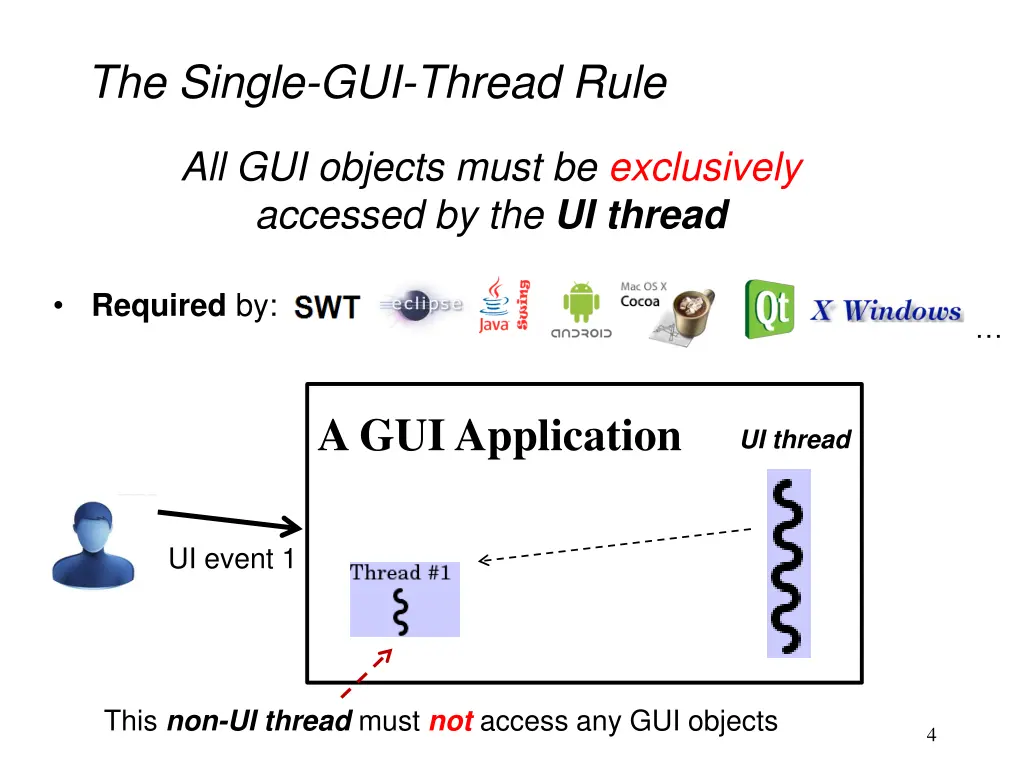
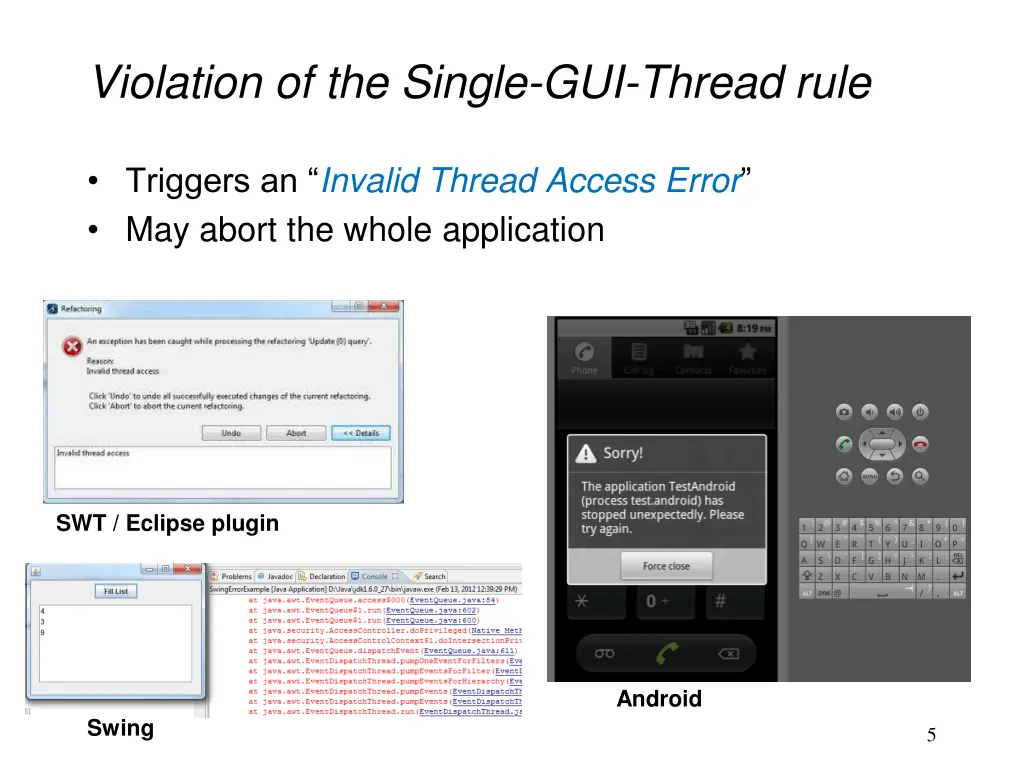
The Single-GUI-Thread Rule All GUI objects must be exclusively accessed by the UI thread Required by: A GUI Application UI thread UI event 1 This non-UI thread must not access any GUI objects 4
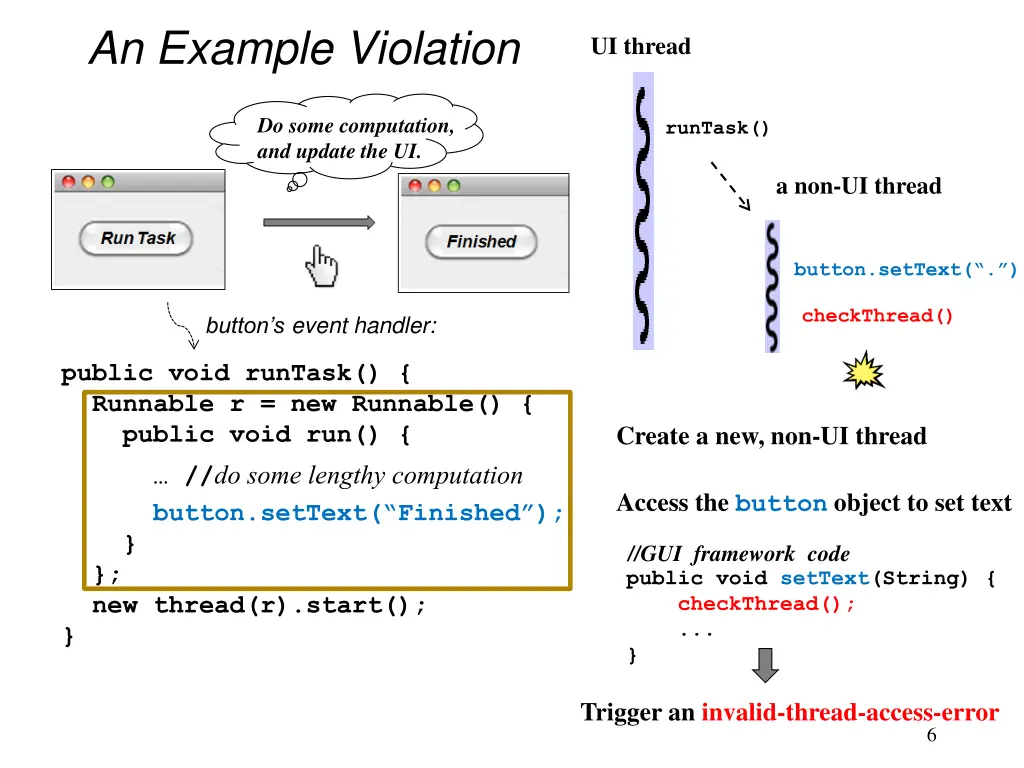
An Example Violation UI thread Do some computation, and update the UI. runTask() a non-UI thread button.setText( . ) checkThread() button s event handler: public void runTask() { Runnable r = new Runnable() { public void run() { button.setText( Finished ); } }; new thread(r).start(); } Create a new, non-UI thread //do some lengthy computation Access the button object to set text //GUI framework code public void setText(String) { checkThread(); ... } Trigger an invalid-thread-access-error 6
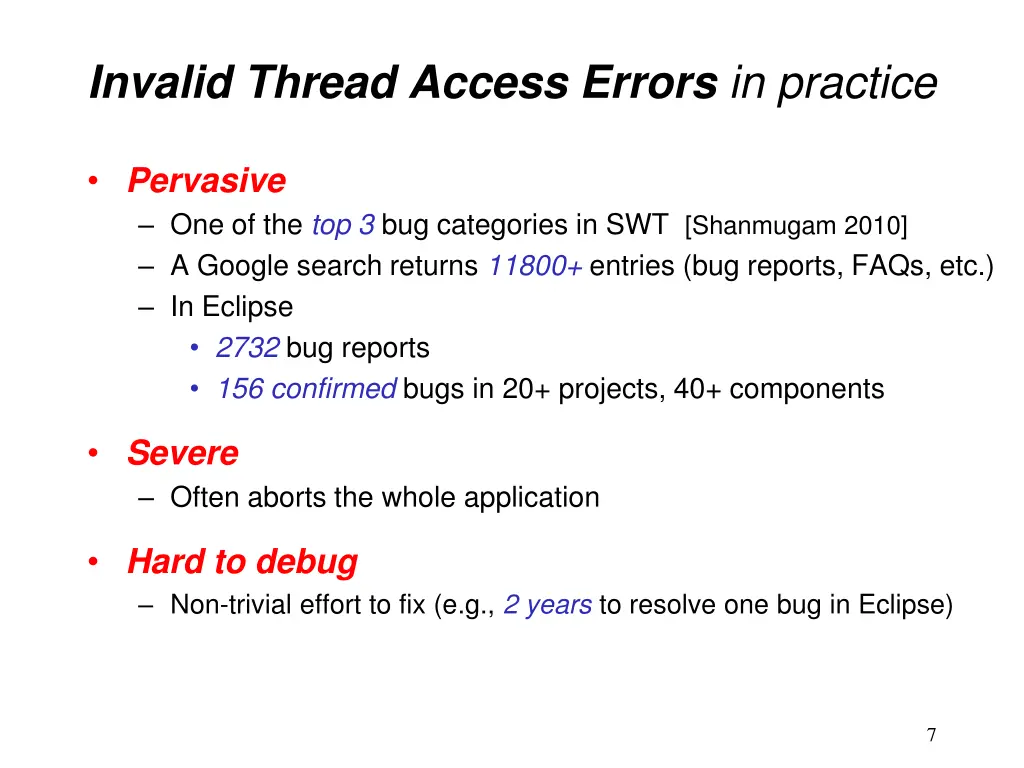
Invalid Thread Access Errors in practice Pervasive One of the top 3 bug categories in SWT [Shanmugam 2010] A Google search returns 11800+ entries (bug reports, FAQs, etc.) In Eclipse 2732 bug reports 156 confirmed bugs in 20+ projects, 40+ components Severe Often aborts the whole application Hard to debug Non-trivial effort to fix (e.g., 2 years to resolve one bug in Eclipse) 7
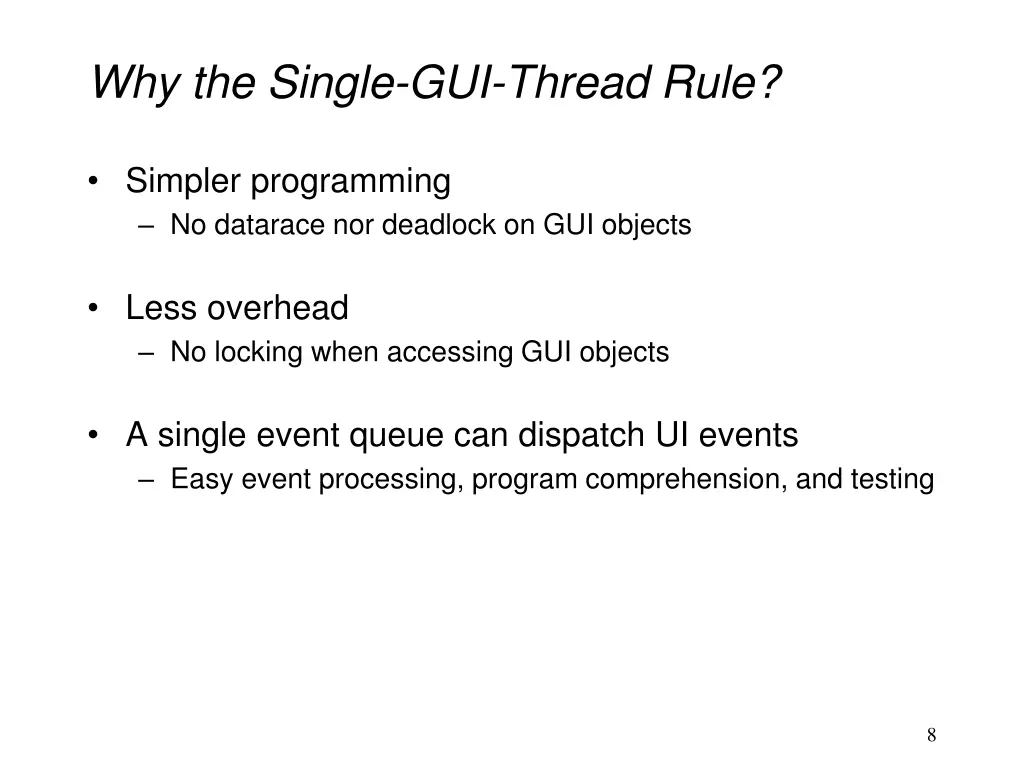
Why the Single-GUI-Thread Rule? Simpler programming No datarace nor deadlock on GUI objects Less overhead No locking when accessing GUI objects A single event queue can dispatch UI events Easy event processing, program comprehension, and testing 8
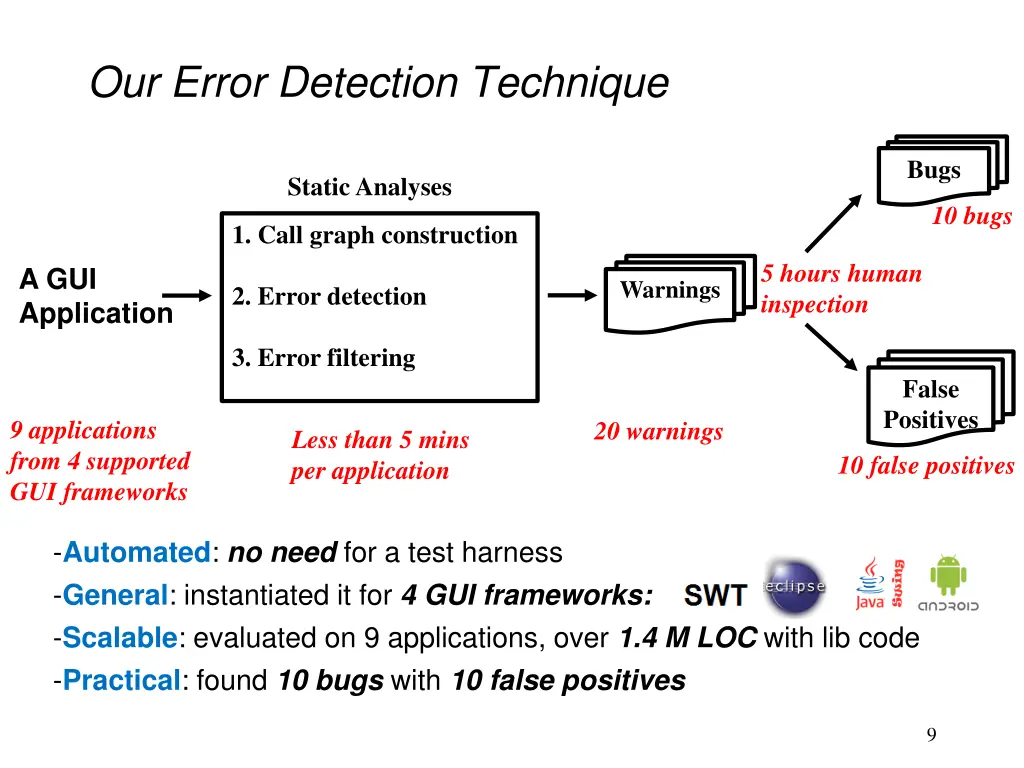
Our Error Detection Technique Bugs Static Analyses 10 bugs 1. Call graph construction 5 hours human inspection A GUI Application Warnings 2. Error detection 3. Error filtering False Positives 9 applications from 4 supported GUI frameworks 20 warnings Less than 5 mins per application 10 false positives -Automated: no need for a test harness -General: instantiated it for 4 GUI frameworks: -Scalable: evaluated on 9 applications, over 1.4 M LOC with lib code -Practical: found 10 bugs with 10 false positives 9
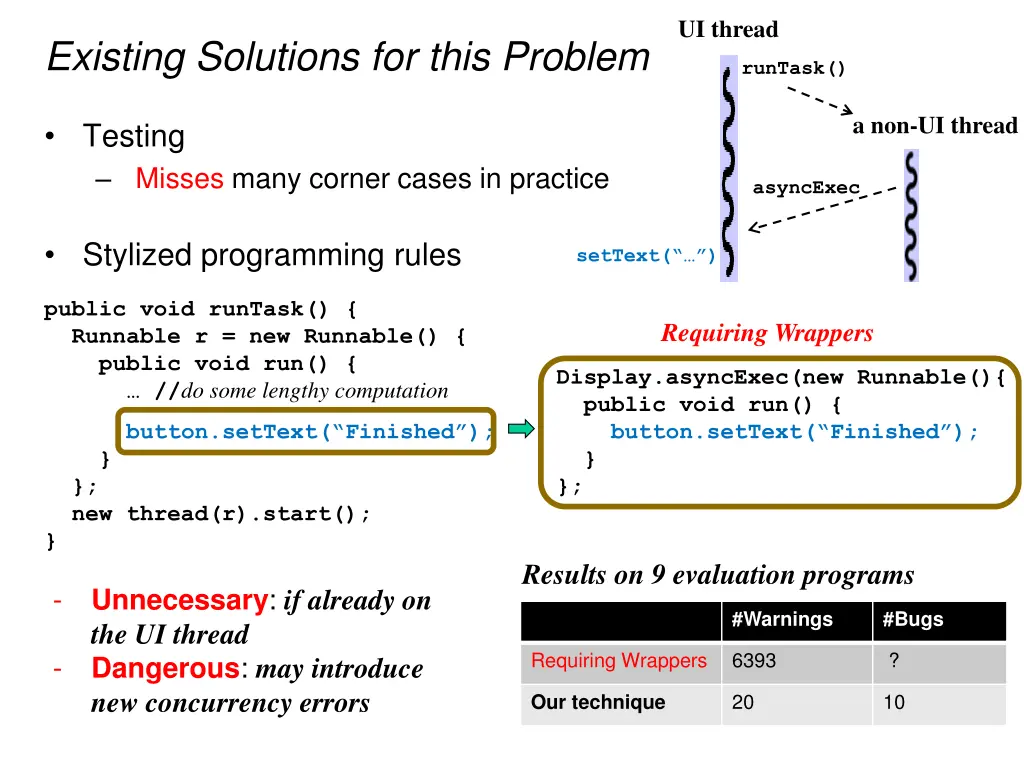
UI thread Existing Solutions for this Problem runTask() a non-UI thread Testing Misses many corner cases in practice asyncExec Stylized programming rules setText( ) public void runTask() { Runnable r = new Runnable() { public void run() { //do some lengthy computation Requiring Wrappers Display.asyncExec(new Runnable(){ public void run() { button.setText( Finished ); } }; }; new thread(r).start(); } button.setText( Finished ); } Results on 9 evaluation programs - Unnecessary: if already on the UI thread Dangerous: may introduce new concurrency errors #Warnings #Bugs Requiring Wrappers 6393 ? - 20 10 Our technique
Outline Problem Error detection technique Implementation Experiments Related work Conclusion and future work 11
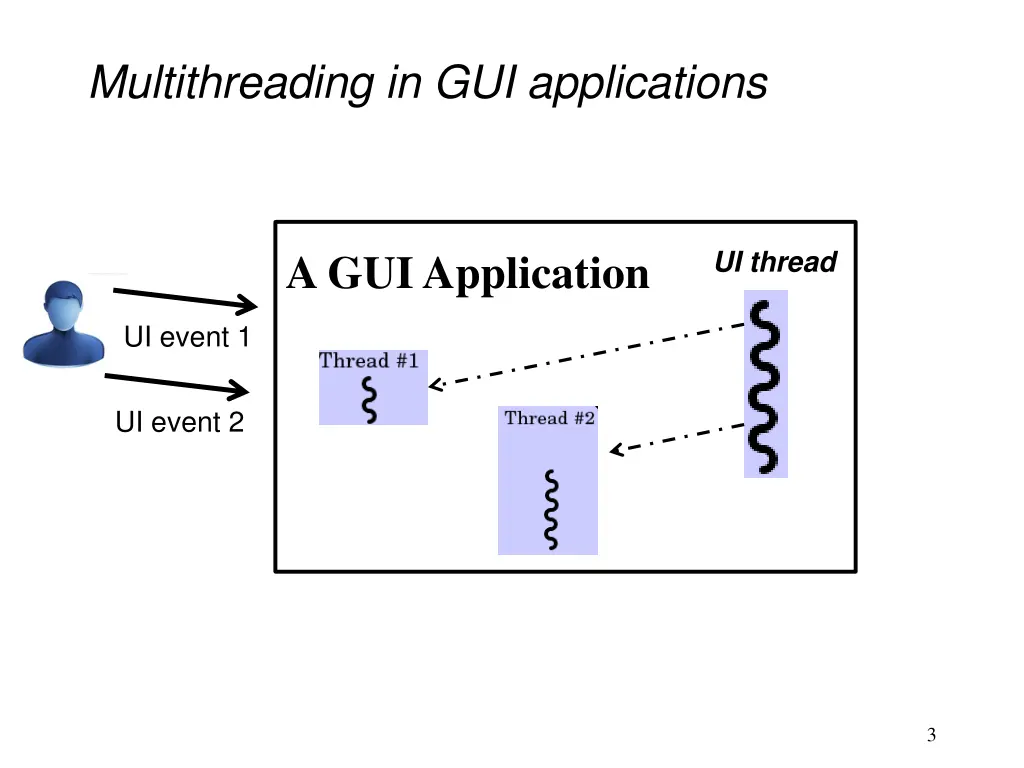
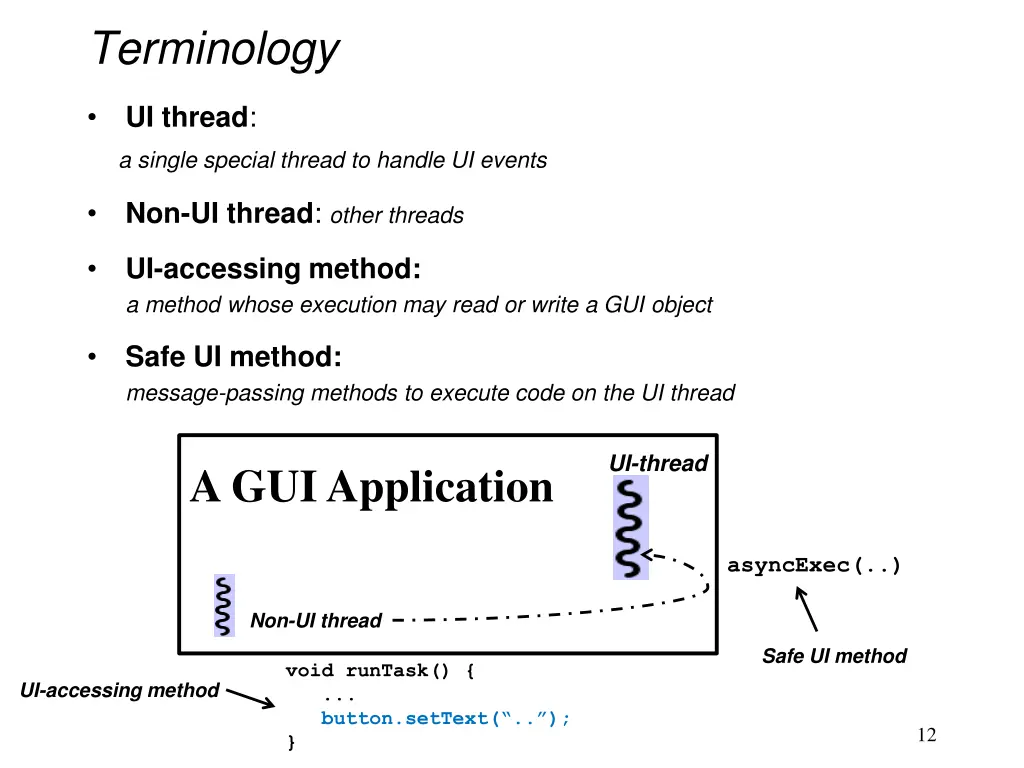
Terminology UI thread: a single special thread to handle UI events Non-UI thread: other threads UI-accessing method: a method whose execution may read or write a GUI object Safe UI method: message-passing methods to execute code on the UI thread UI-thread A GUI Application asyncExec(..) Non-UI thread Safe UI method void runTask() { ... button.setText( .. ); } UI-accessing method 12
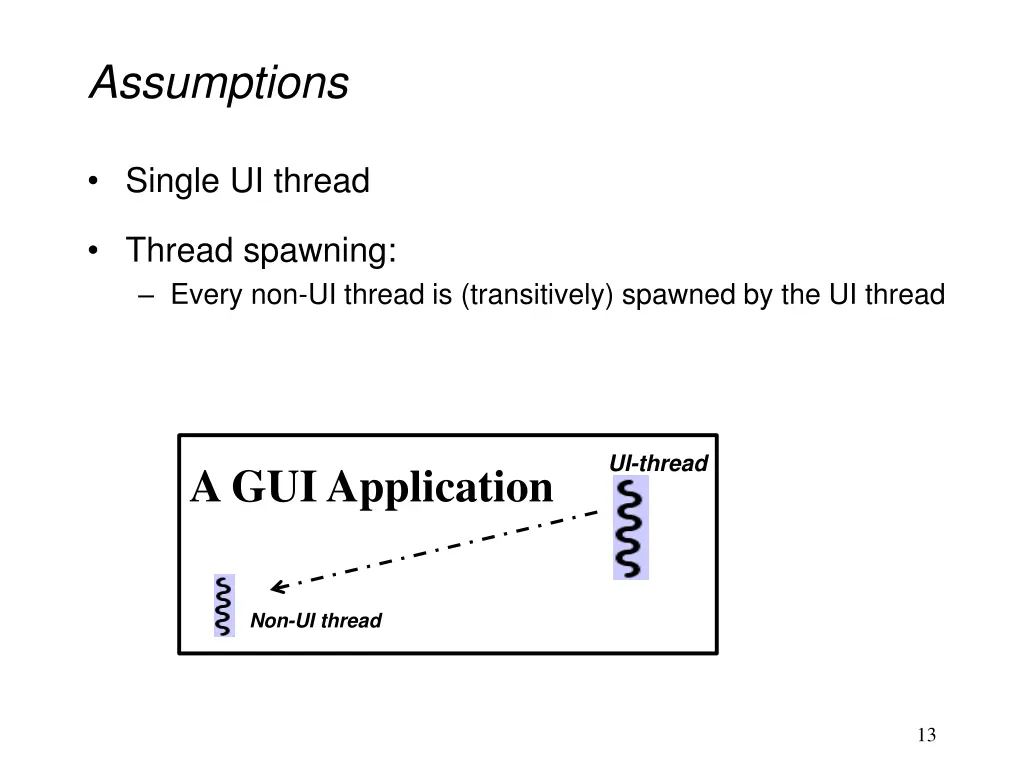
Assumptions Single UI thread Thread spawning: Every non-UI thread is (transitively) spawned by the UI thread UI-thread A GUI Application Non-UI thread 13
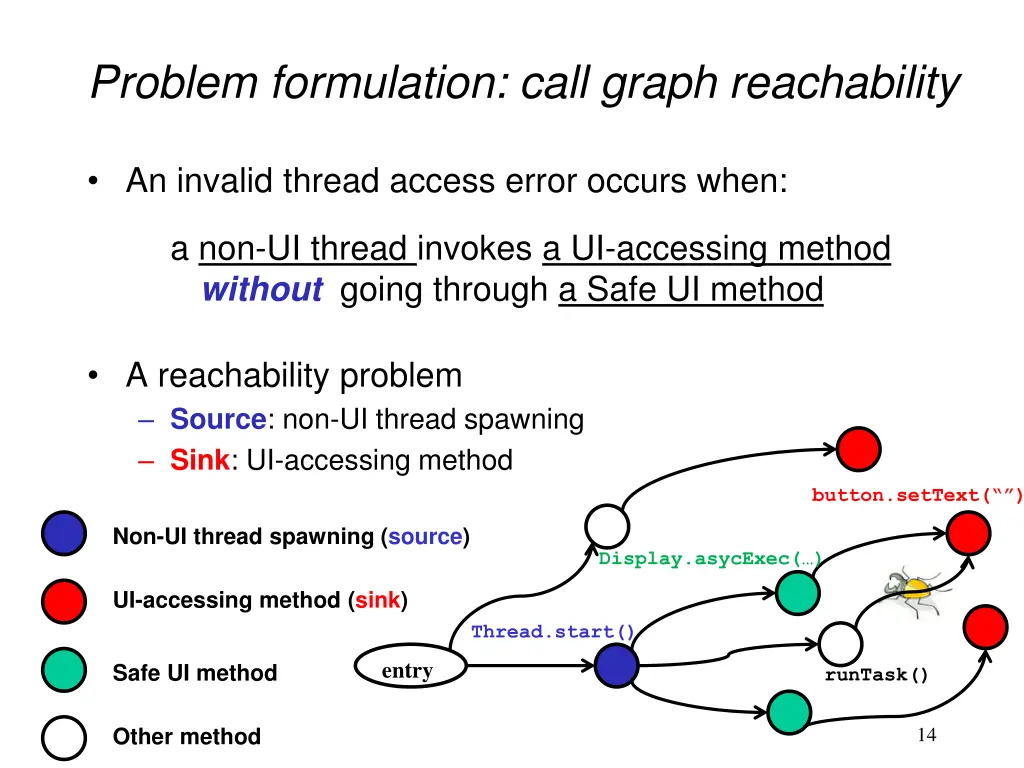
Problem formulation: call graph reachability An invalid thread access error occurs when: a non-UI thread invokes a UI-accessing method without going through a Safe UI method A reachability problem Source: non-UI thread spawning Sink: UI-accessing method button.setText( ) Non-UI thread spawning (source) Display.asycExec( ) UI-accessing method (sink) Thread.start() entry Safe UI method runTask() Other method 14
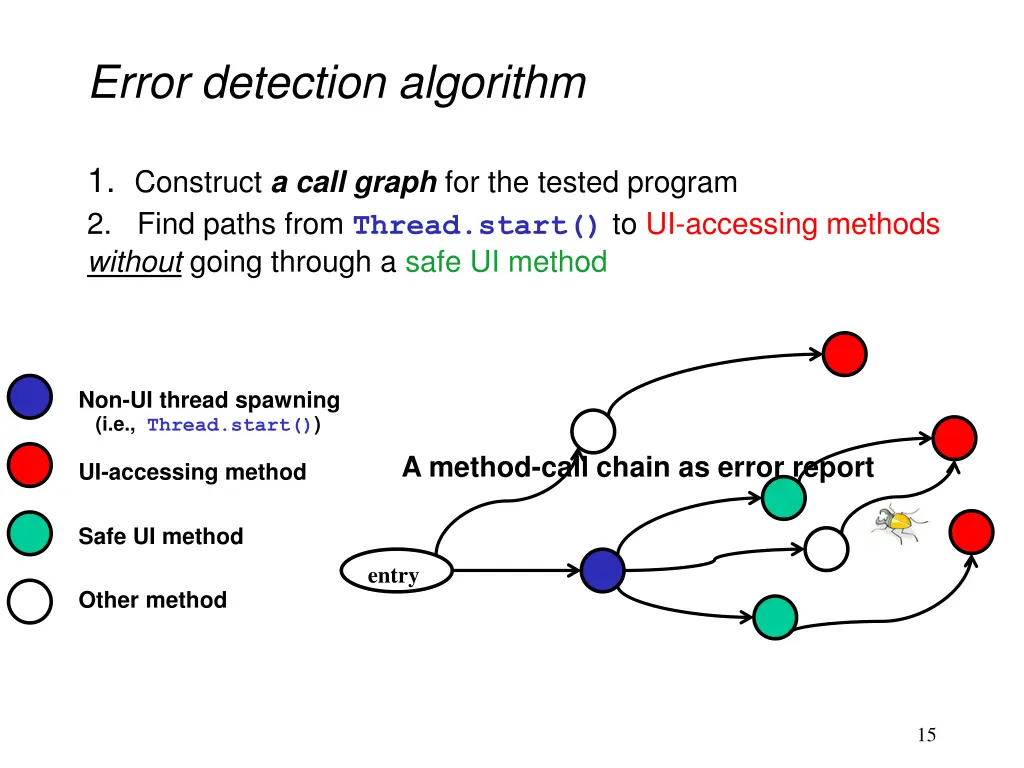
Error detection algorithm 1. Construct a call graph for the tested program 2. Find paths from Thread.start() to UI-accessing methods without going through a safe UI method Non-UI thread spawning (i.e., Thread.start()) A method-call chain as error report UI-accessing method Safe UI method entry Other method 15
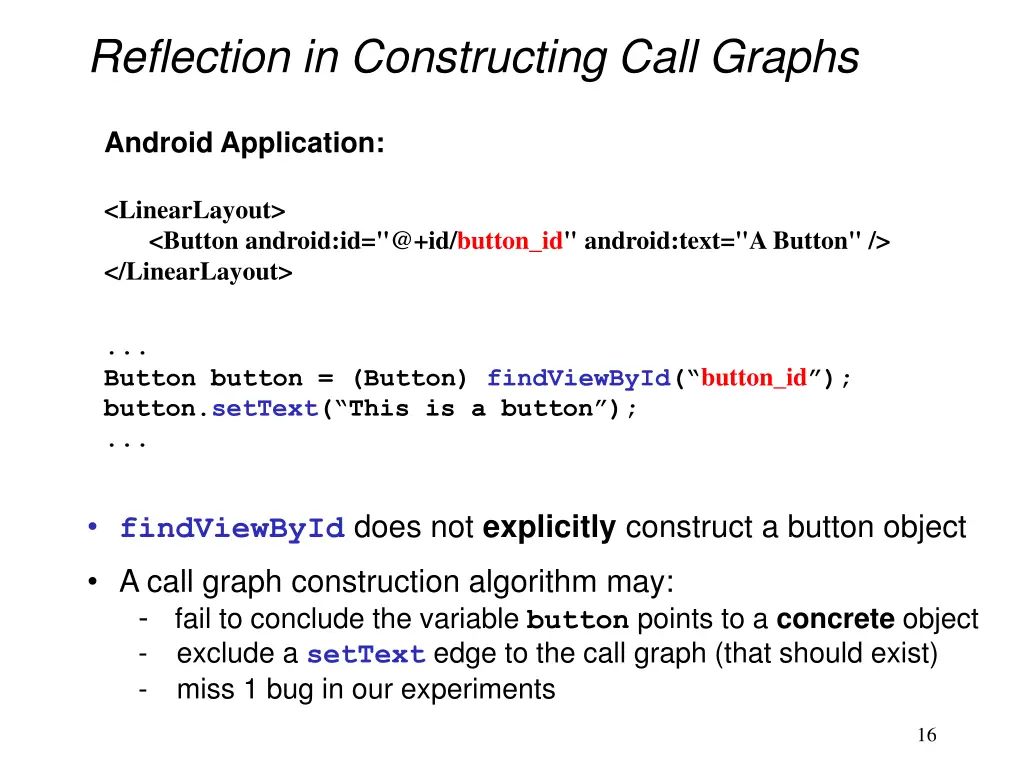
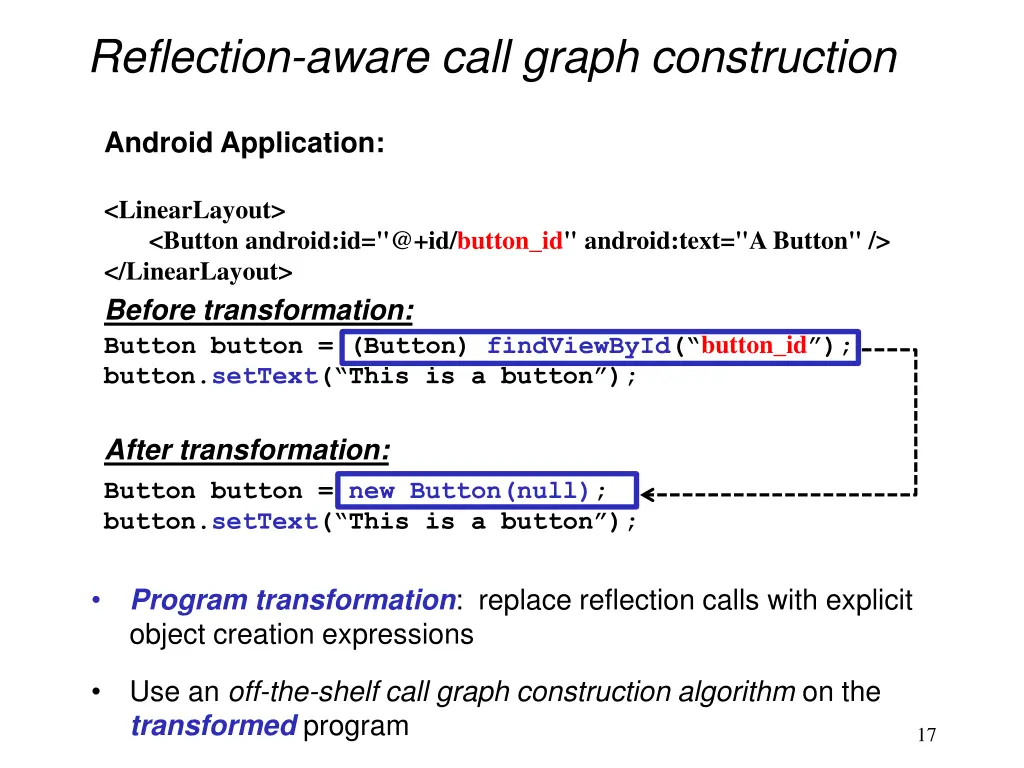
Reflection in Constructing Call Graphs Android Application: <LinearLayout> <Button android:id="@+id/button_id" android:text="A Button" /> </LinearLayout> ... Button button = (Button) findViewById( button_id ); button.setText( This is a button ); ... findViewById does not explicitly construct a button object A call graph construction algorithm may: - fail to conclude the variable button points to a concrete object - exclude a setText edge to the call graph (that should exist) - miss 1 bug in our experiments 16
Reflection-aware call graph construction Android Application: <LinearLayout> <Button android:id="@+id/button_id" android:text="A Button" /> </LinearLayout> Before transformation: Button button = (Button) findViewById( button_id ); button.setText( This is a button ); After transformation: Button button = new Button(null); button.setText( This is a button ); Program transformation: replace reflection calls with explicit object creation expressions Use an off-the-shelf call graph construction algorithm on the transformed program 17
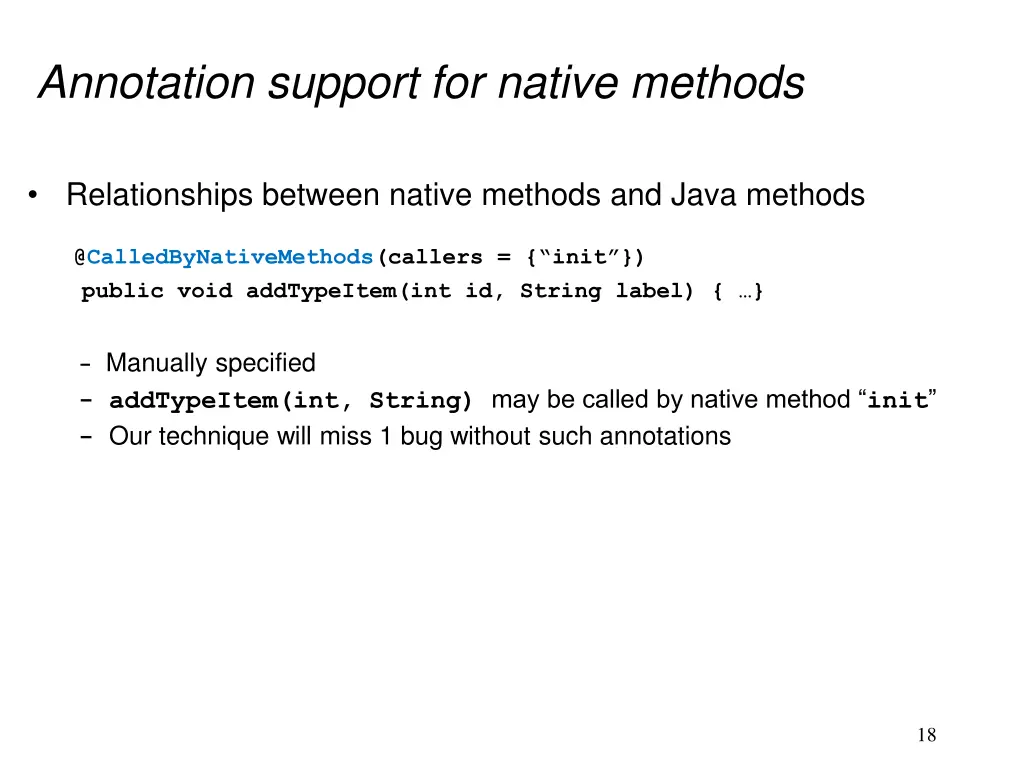
Annotation support for native methods Relationships between native methods and Java methods @CalledByNativeMethods(callers = { init }) public void addTypeItem(int id, String label) { } - Manually specified - addTypeItem(int, String) may be called by native method init - Our technique will miss 1 bug without such annotations 18
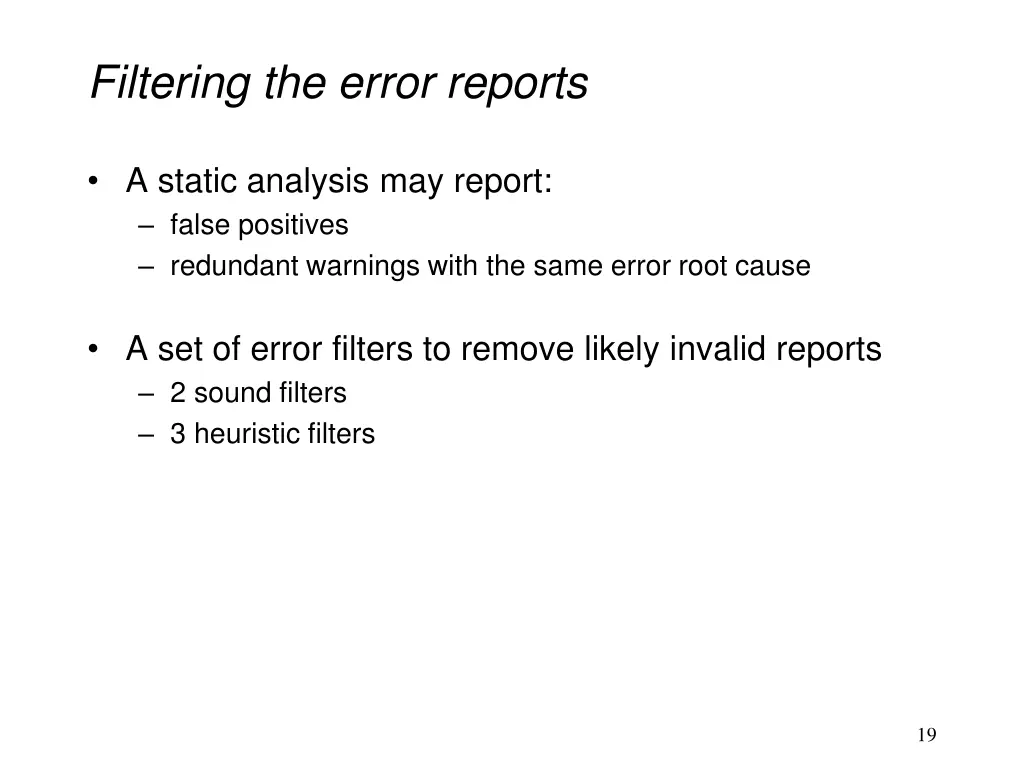
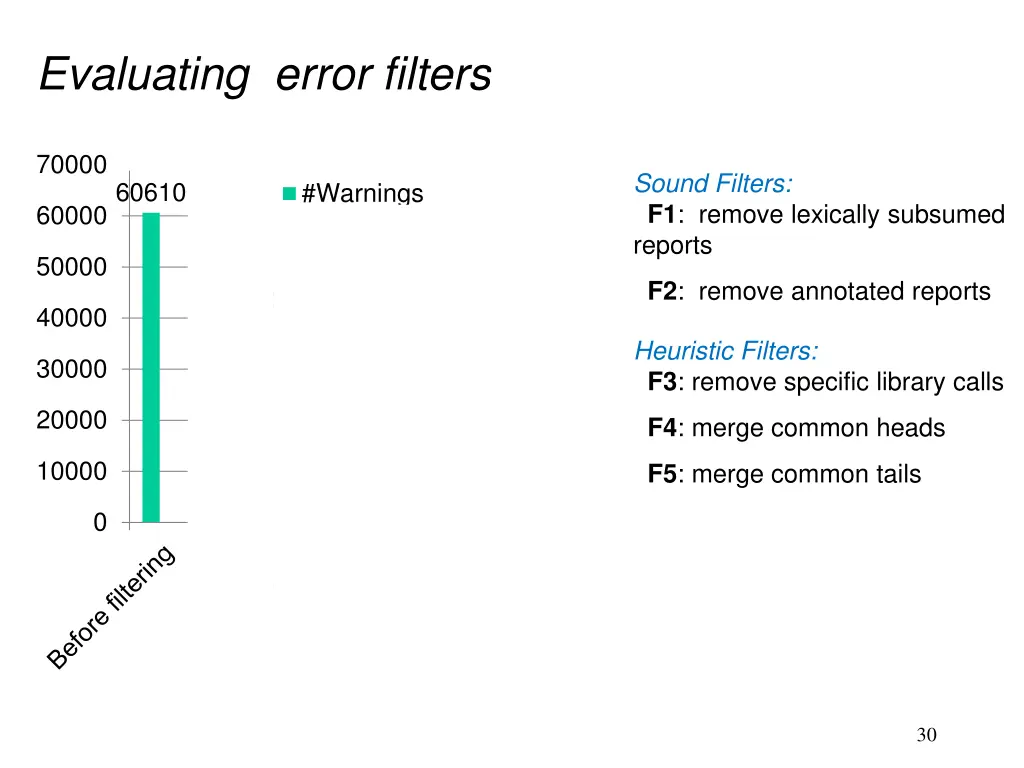
Filtering the error reports A static analysis may report: false positives redundant warnings with the same error root cause A set of error filters to remove likely invalid reports 2 sound filters 3 heuristic filters 19
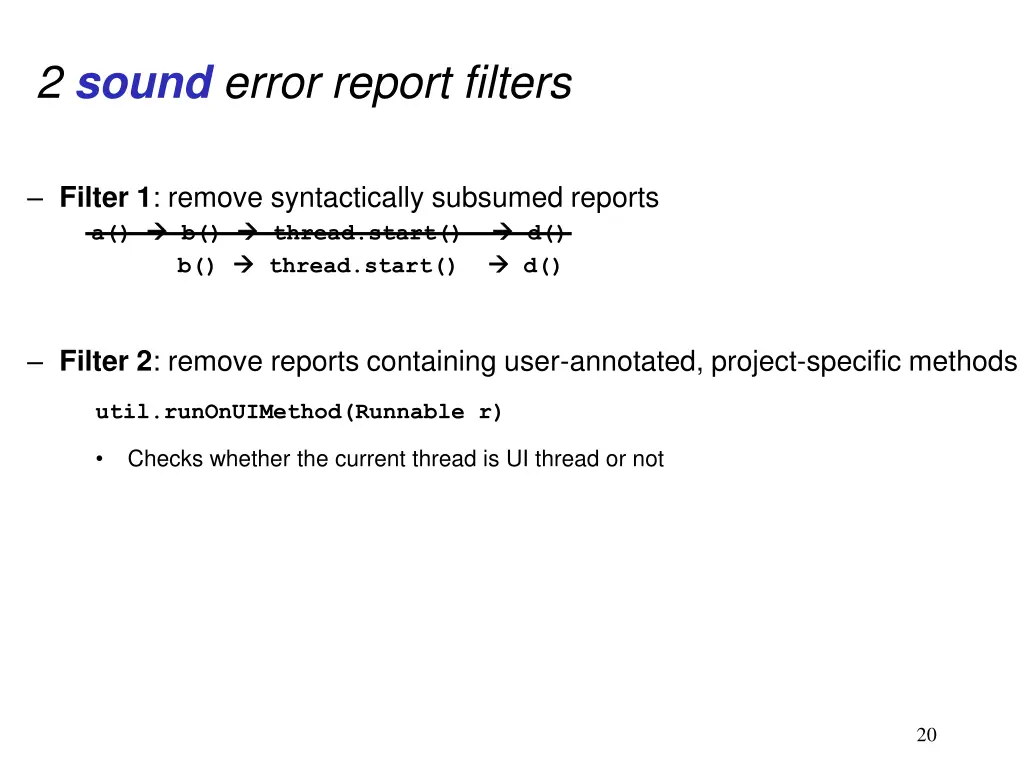
2 sound error report filters Filter 1: remove syntactically subsumed reports a() b() thread.start() b() thread.start() d() d() Filter 2: remove reports containing user-annotated, project-specific methods util.runOnUIMethod(Runnable r) Checks whether the current thread is UI thread or not 20
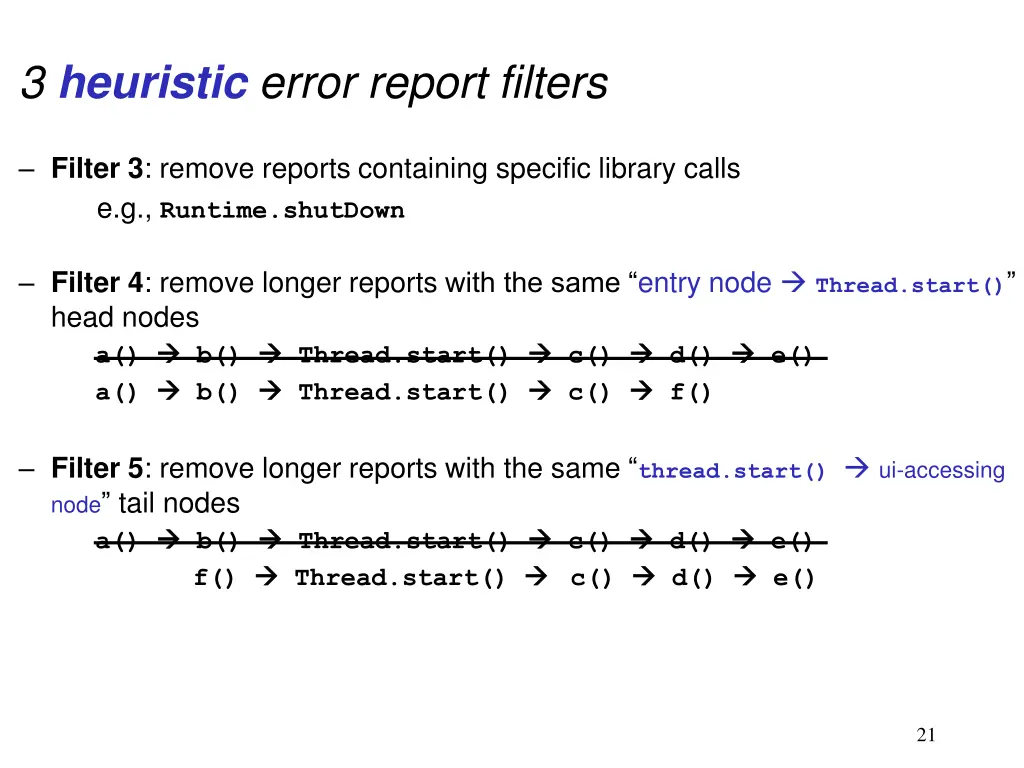
3 heuristic error report filters Filter 3: remove reports containing specific library calls e.g., Runtime.shutDown Filter 4: remove longer reports with the same entry node Thread.start() head nodes a() b() Thread.start() a() b() Thread.start() c() c() d() f() e() Filter 5: remove longer reports with the same thread.start() ui-accessing node tail nodes a() b() Thread.start() f() Thread.start() c() c() d() d() e() e() 21
Outline Problem Error detection technique Implementation Experiments Related work Conclusion and future work 22
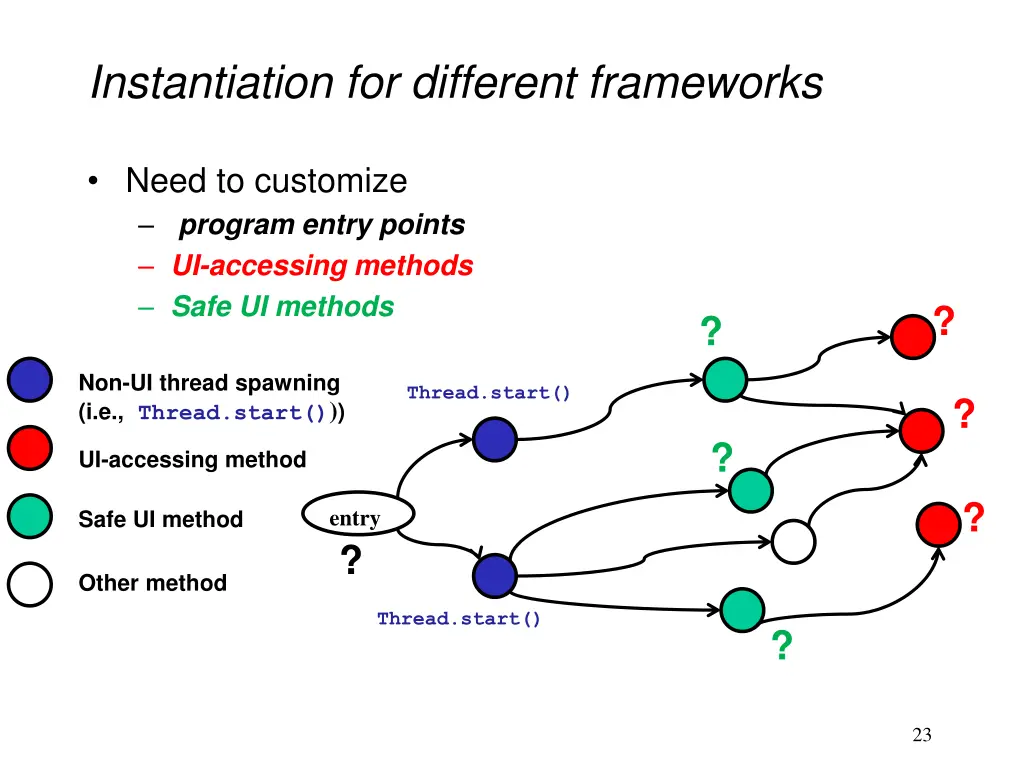
Instantiation for different frameworks Need to customize program entry points UI-accessing methods Safe UI methods ? ? Non-UI thread spawning (i.e., Thread.start())) Thread.start() ? ? UI-accessing method ? entry ? Safe UI method Other method Thread.start() ? 23
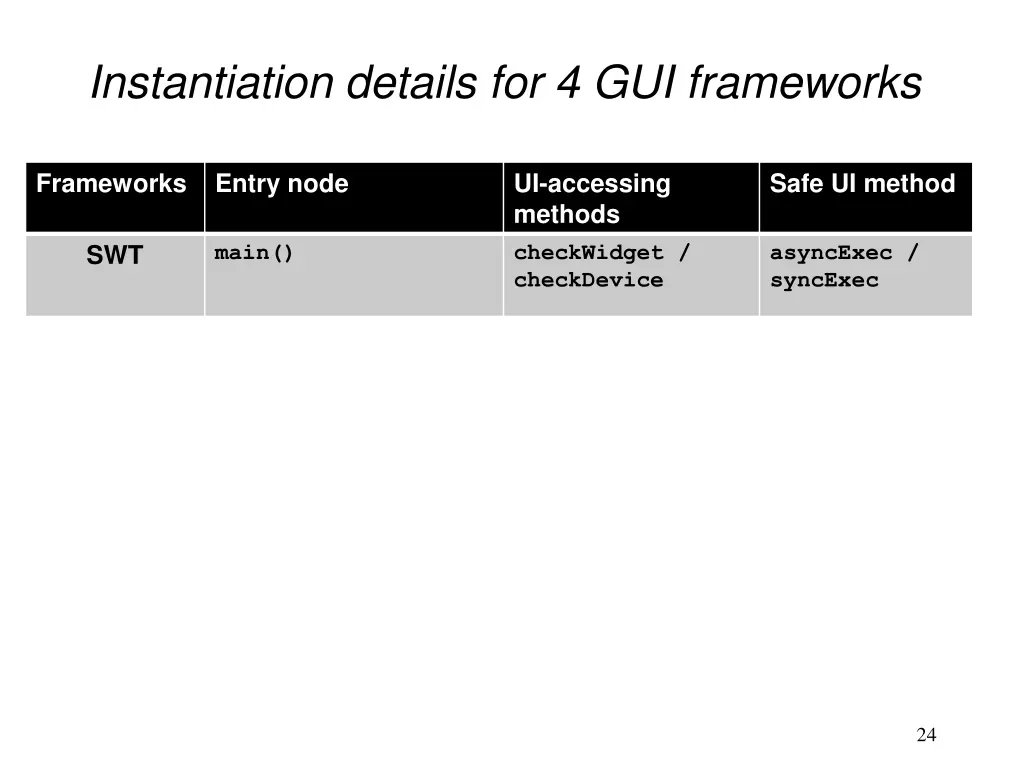
Instantiation details for 4 GUI frameworks Frameworks Entry node UI-accessing methods checkWidget / checkDevice Safe UI method SWT main() asyncExec / syncExec all overridden SWT UI event handlers Eclipse Plugin checkWidget / checkDevice asyncExec / syncExec All overridden Swing UI event handlers All methods in GUI class with 3 exceptions Swing invokeLater / invokeAndWait methods in class Activity + all overridden Android UI event handlers Android checkThread post / postDelay 24
Outline Problem Error detection technique Implementation Experiments Related work Conclusion and future work 25
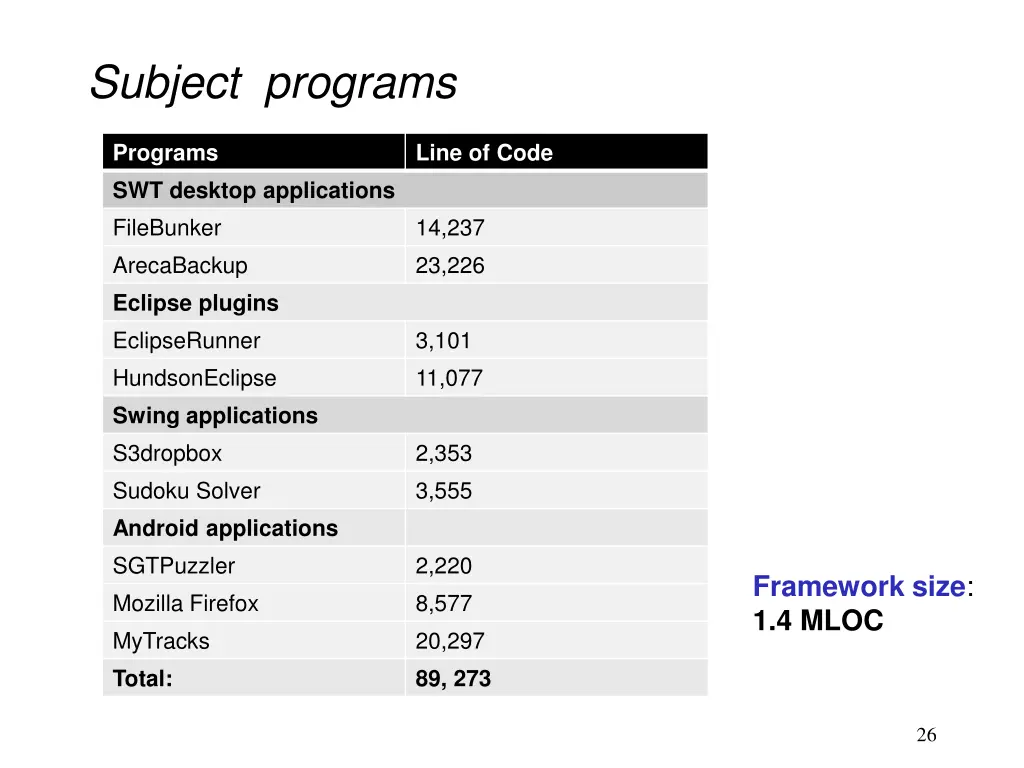
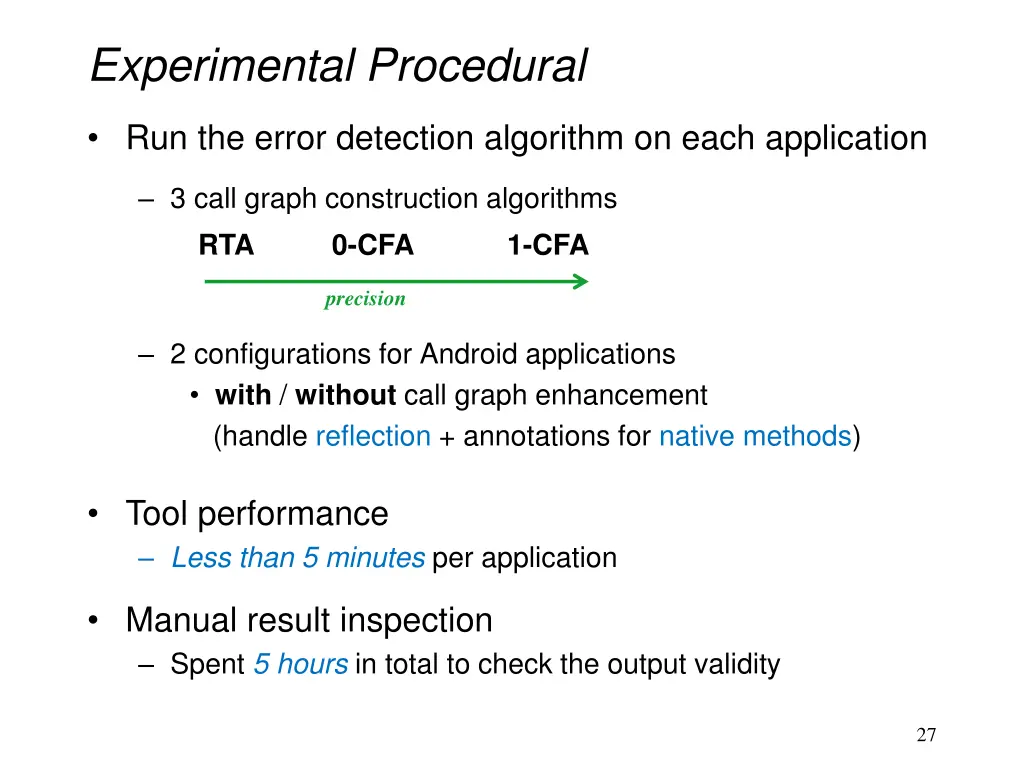
Experimental Procedural Run the error detection algorithm on each application 3 call graph construction algorithms RTA 0-CFA 1-CFA precision 2 configurations for Android applications with / without call graph enhancement (handle reflection + annotations for native methods) Tool performance Less than 5 minutes per application Manual result inspection Spent 5 hours in total to check the output validity 27
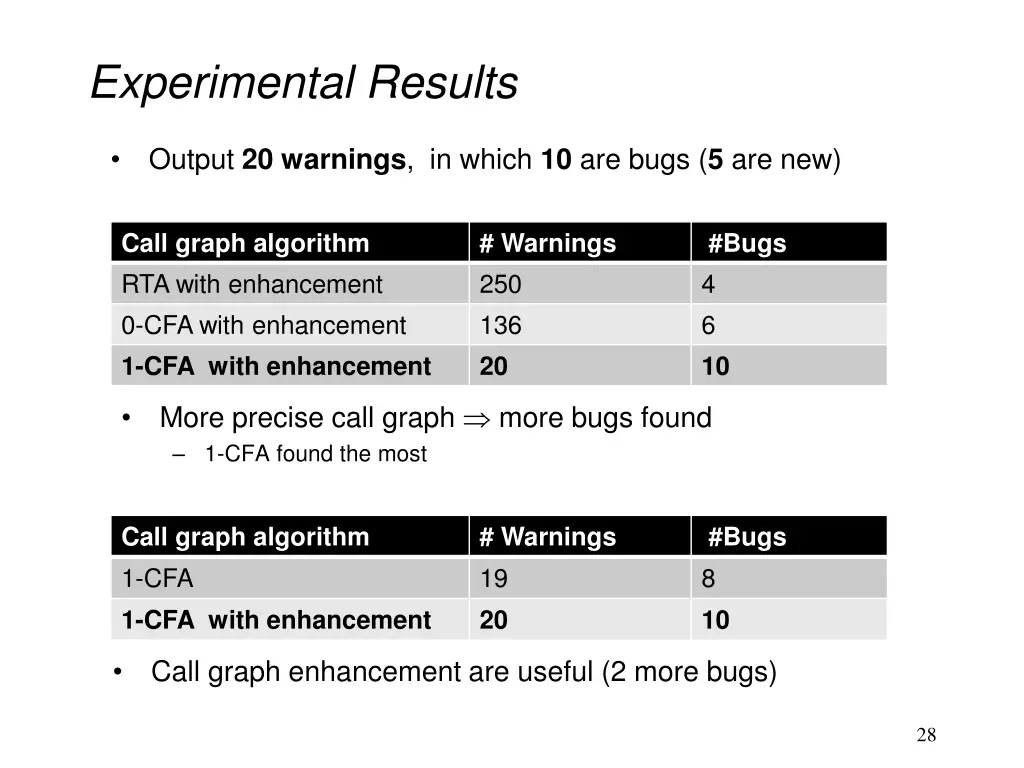
Experimental Results Output 20 warnings, in which 10 are bugs (5 are new) Call graph algorithm RTA with enhancement 0-CFA with enhancement 1-CFA with enhancement # Warnings 250 136 20 #Bugs 4 6 10 More precise call graph more bugs found 1-CFA found the most Call graph algorithm 1-CFA 1-CFA with enhancement # Warnings 19 20 #Bugs 8 10 Call graph enhancement are useful (2 more bugs) 28
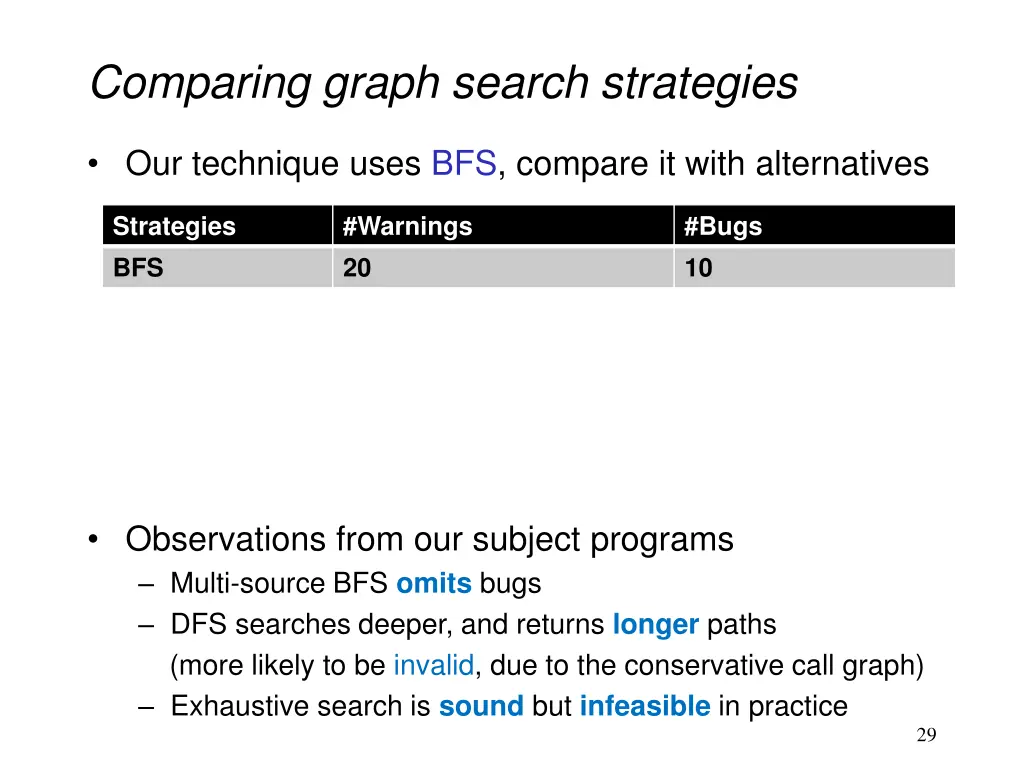
Comparing graph search strategies Our technique uses BFS, compare it with alternatives Strategies BFS Multi-source BFS DFS Exhaustive search 0 #Warnings 20 20 19 #Bugs 10 8 9 0 (explored 5,100,000,000+ non-cyclic paths in an hour) Observations from our subject programs Multi-source BFS omits bugs DFS searches deeper, and returns longer paths (more likely to be invalid, due to the conservative call graph) Exhaustive search is sound but infeasible in practice 29
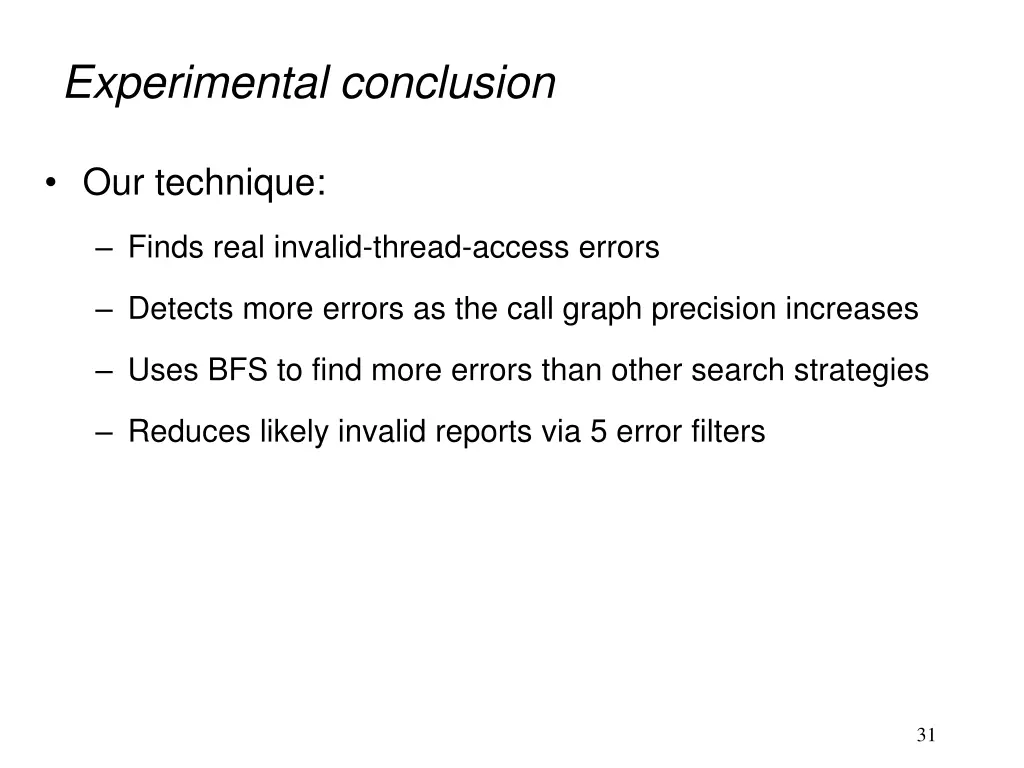
Experimental conclusion Our technique: Finds real invalid-thread-access errors Detects more errors as the call graph precision increases Uses BFS to find more errors than other search strategies Reduces likely invalid reports via 5 error filters 31
Outline Problem Error detection technique Implementation Experiments Related work Conclusion and future work 32
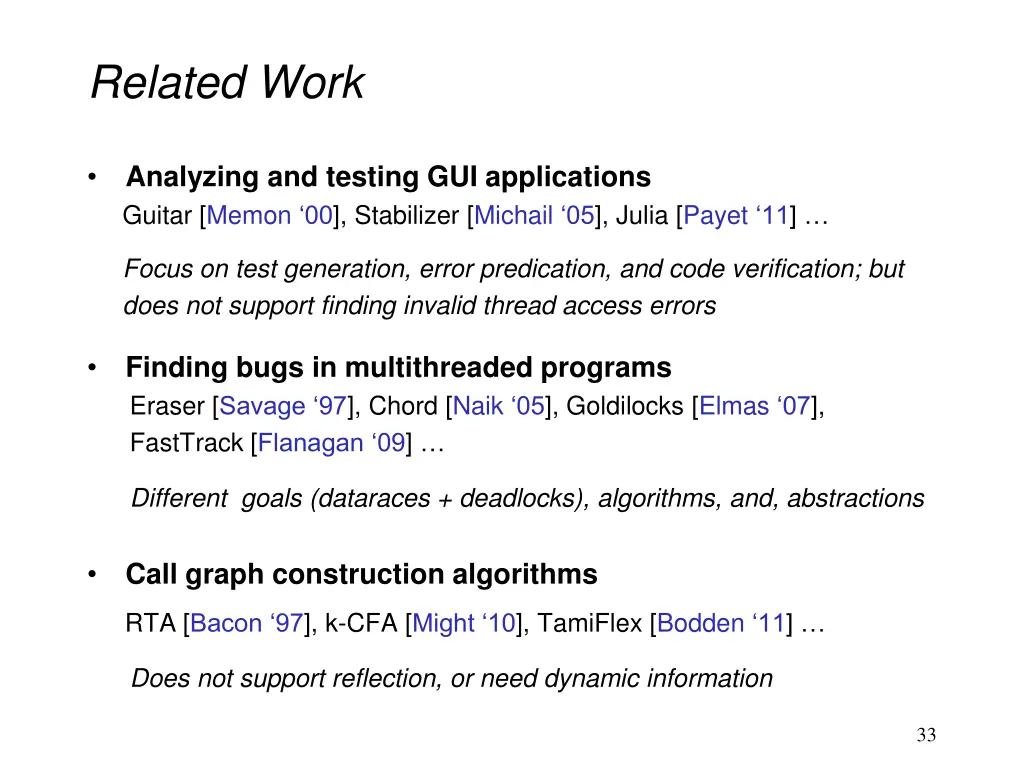
Related Work Analyzing and testing GUI applications Guitar [Memon 00], Stabilizer [Michail 05], Julia [Payet 11] Focus on test generation, error predication, and code verification; but does not support finding invalid thread access errors Finding bugs in multithreaded programs Eraser [Savage 97], Chord [Naik 05], Goldilocks [Elmas 07], FastTrack [Flanagan 09] Different goals (dataraces + deadlocks), algorithms, and, abstractions Call graph construction algorithms RTA [Bacon 97], k-CFA [Might 10], TamiFlex [Bodden 11] Does not support reflection, or need dynamic information 33
Outline Problem Error detection technique Implementation Experiments Related work Conclusion and future work 34
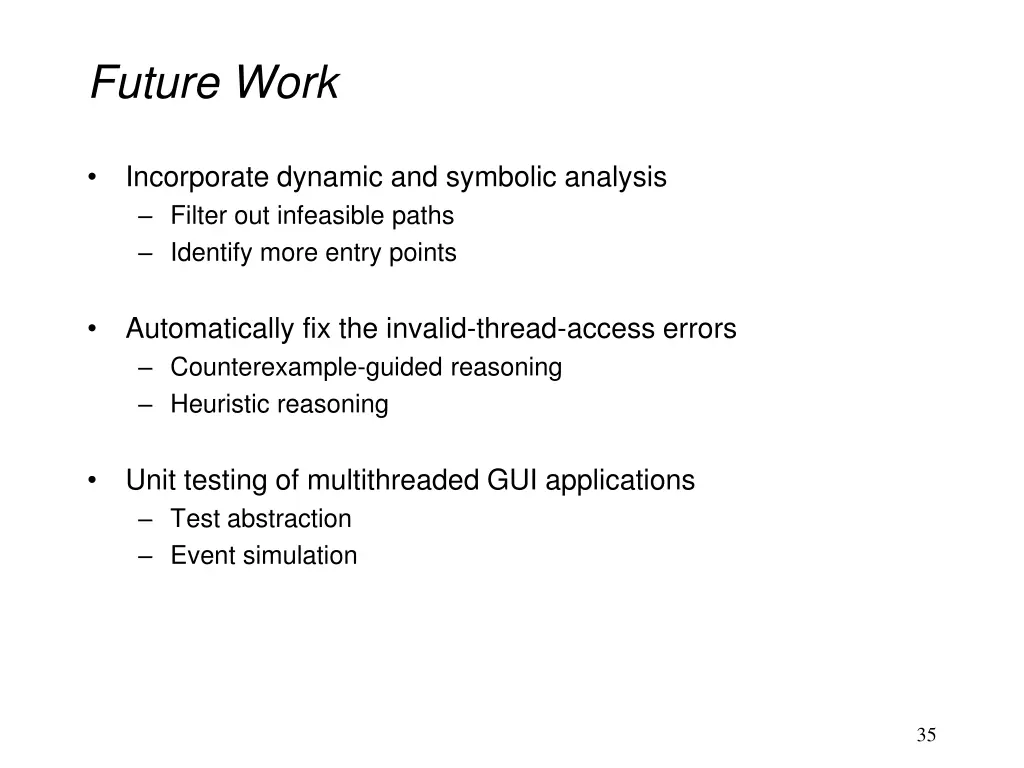
Future Work Incorporate dynamic and symbolic analysis Filter out infeasible paths Identify more entry points Automatically fix the invalid-thread-access errors Counterexample-guided reasoning Heuristic reasoning Unit testing of multithreaded GUI applications Test abstraction Event simulation 35
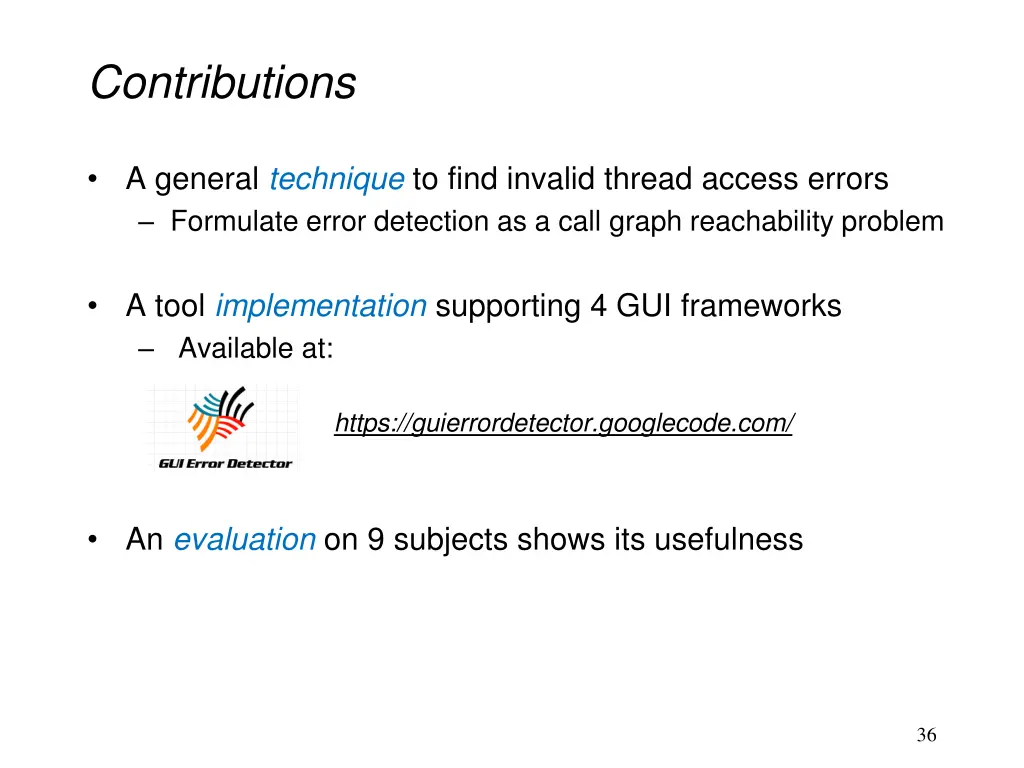
Contributions A general technique to find invalid thread access errors Formulate error detection as a call graph reachability problem A tool implementation supporting 4 GUI frameworks Available at: https://guierrordetector.googlecode.com/ An evaluation on 9 subjects shows its usefulness 36