Dos and Donts of Data Visualization Techniques
Enhance your data presentation skills with dos and donts guidelines for measurement improvement. Learn about starting the x-axis at zero, presenting data in tables effectively, highlighting important information, and avoiding common pitfalls like using pie charts. Discover best practices for interpreting percentages, calculating averages, and setting upper limits on scale bars for clearer data communication.

Download Presentation

Please find below an Image/Link to download the presentation.
The content on the website is provided AS IS for your information and personal use only. It may not be sold, licensed, or shared on other websites without obtaining consent from the author.If you encounter any issues during the download, it is possible that the publisher has removed the file from their server.
You are allowed to download the files provided on this website for personal or commercial use, subject to the condition that they are used lawfully. All files are the property of their respective owners.
The content on the website is provided AS IS for your information and personal use only. It may not be sold, licensed, or shared on other websites without obtaining consent from the author.
E N D
Presentation Transcript
Image result for dos and donts Do s and Don ts of Measment for Improvement
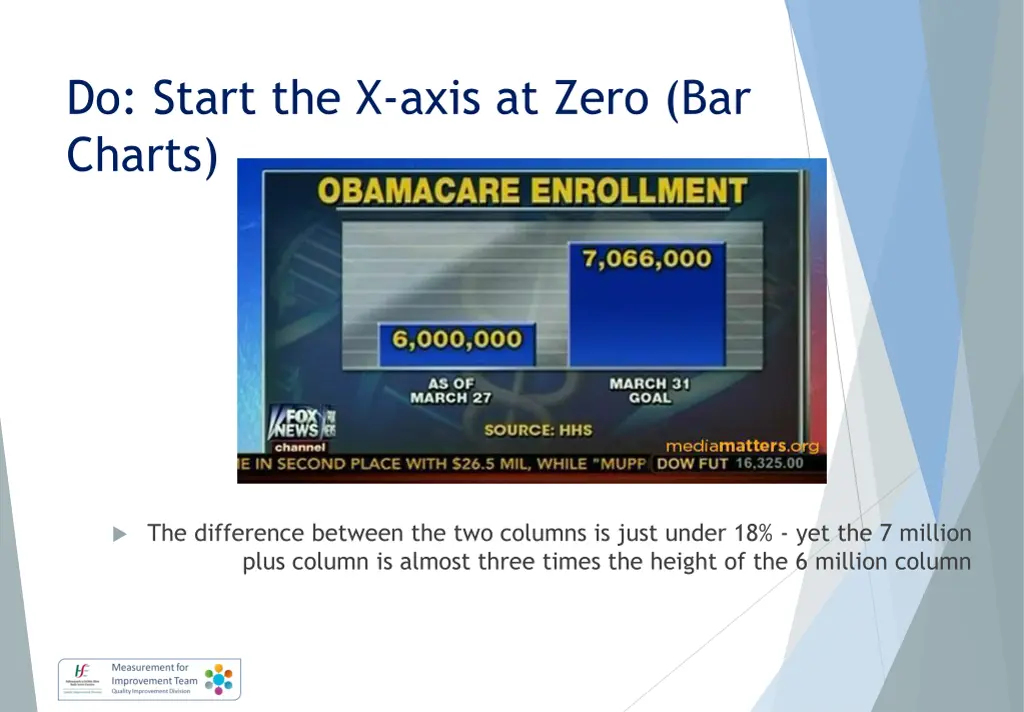
Do: Start the X-axis at Zero (Bar Charts) The difference between the two columns is just under 18% - yet the 7 million plus column is almost three times the height of the 6 million column
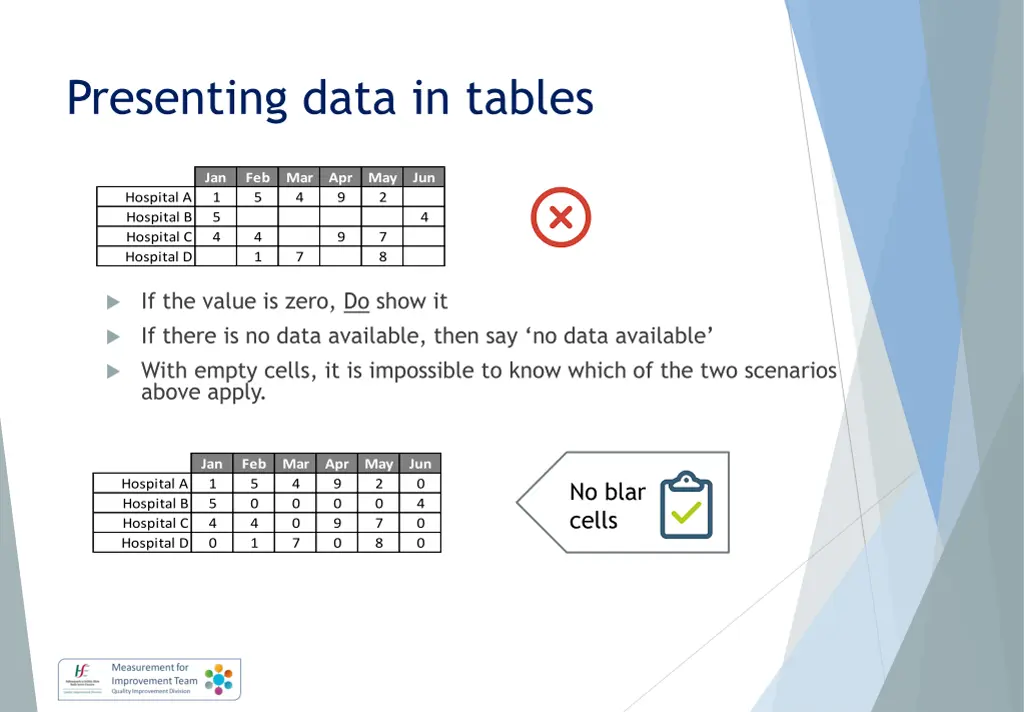
Presenting data in tables Image result for dos and donts Jan 1 5 4 Feb 5 Mar 4 Apr 9 May 2 Jun Hospital A Hospital B Hospital C Hospital D 4 4 1 9 7 8 7 If the value is zero, Do show it If there is no data available, then say no data available With empty cells, it is impossible to know which of the two scenarios above apply. Jan 1 5 4 0 Feb 5 0 4 1 Mar 4 0 0 7 Apr 9 0 9 0 May 2 0 7 8 Jun 0 4 0 0 Image result for dos and donts Hospital A Hospital B Hospital C Hospital D No blank cells
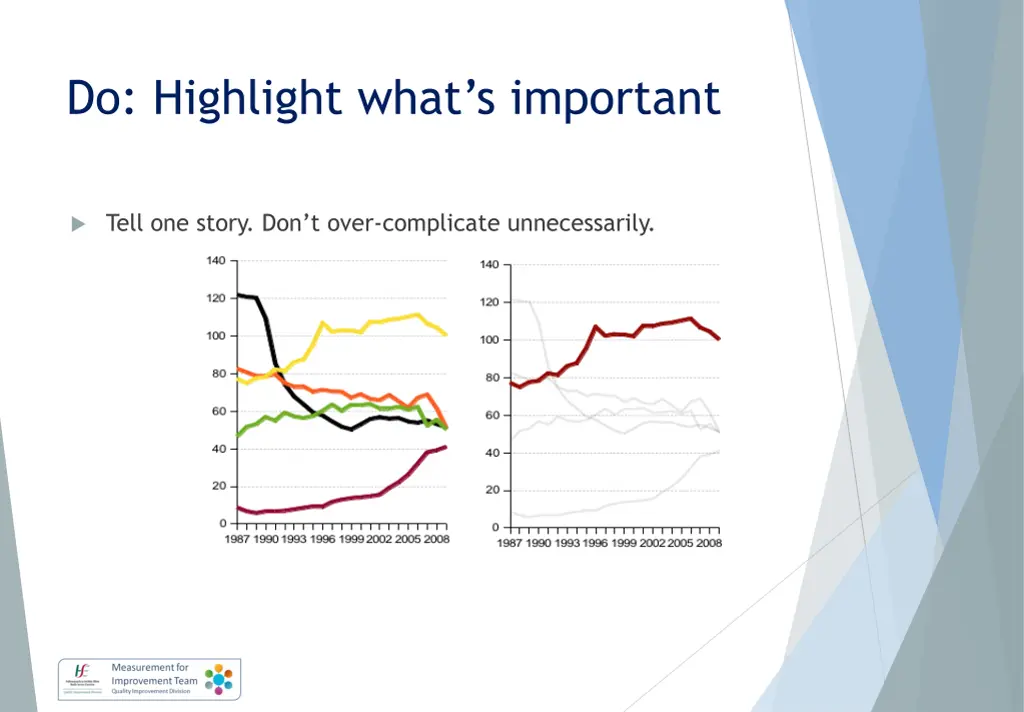
Do: Highlight whats important Tell one story. Don t over-complicate unnecessarily.
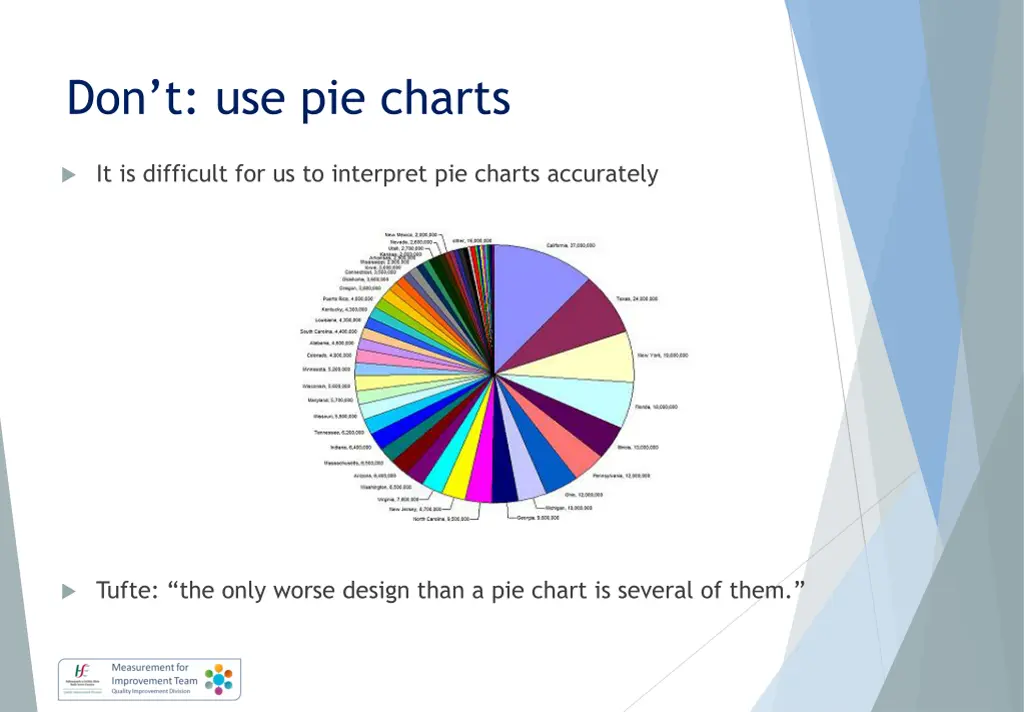
Dont: use pie charts It is difficult for us to interpret pie charts accurately Tufte: the only worse design than a pie chart is several of them.
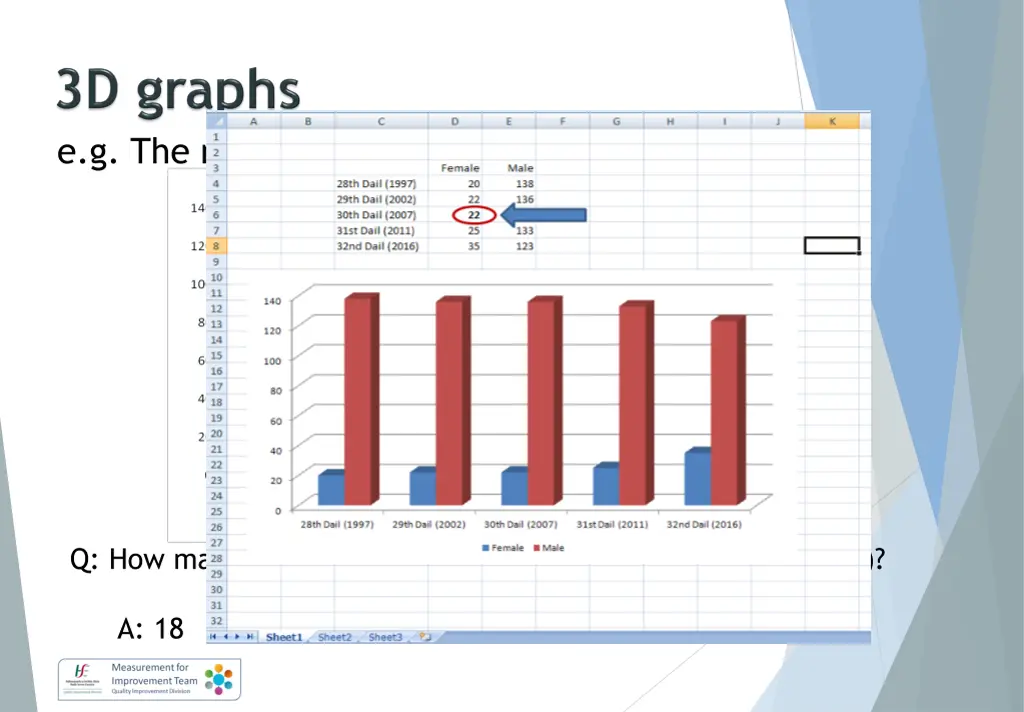
e.g. The number of Female and Male TDs Q: How many Female TDs were elected to the 30th Dail (2007)? A: 18 B: 19 C: 20 D: 22
Percentages The rate of surgical site infection decreased from 10% to 5% Q: Is this (a) a 5% decrease (b) a 5% increase (c) a 50% decrease (d) a 100% decrease
Dont: calculate the average of the averages Each average (or mean) is already a calculation Note: for this reason, it is always important to store all your raw data, not just the average values.
% on a scale bar If it is not possible to get more than 100%, then don t have the upper limit of the scale bar at >100%
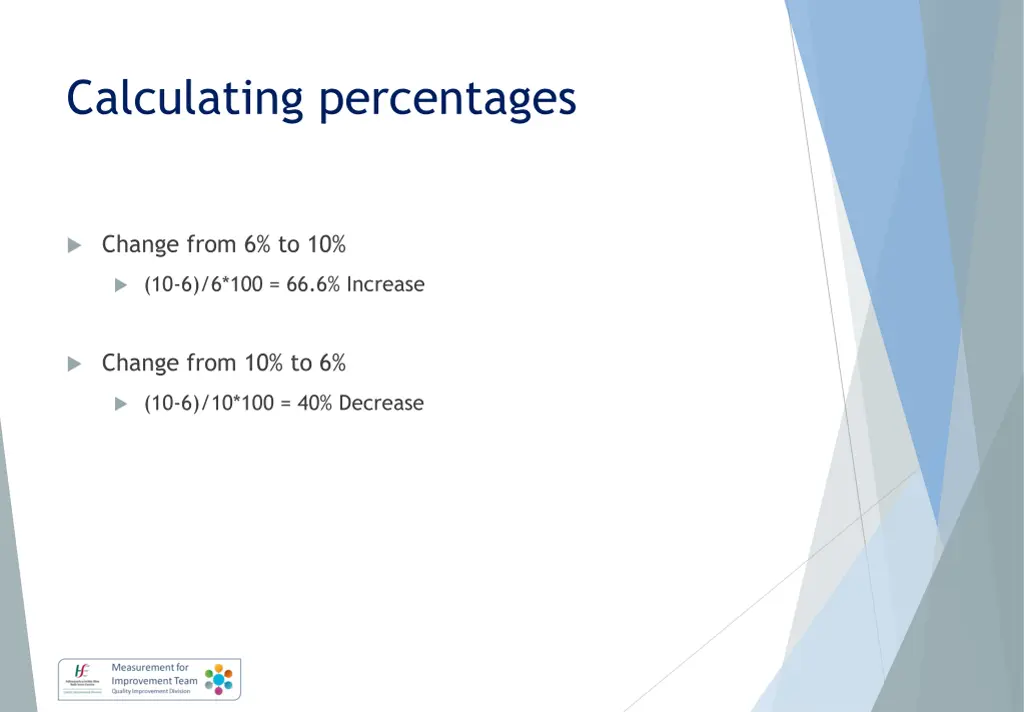
Calculating percentages Change from 6% to 10% (10-6)/6*100 = 66.6% Increase Change from 10% to 6% (10-6)/10*100 = 40% Decrease
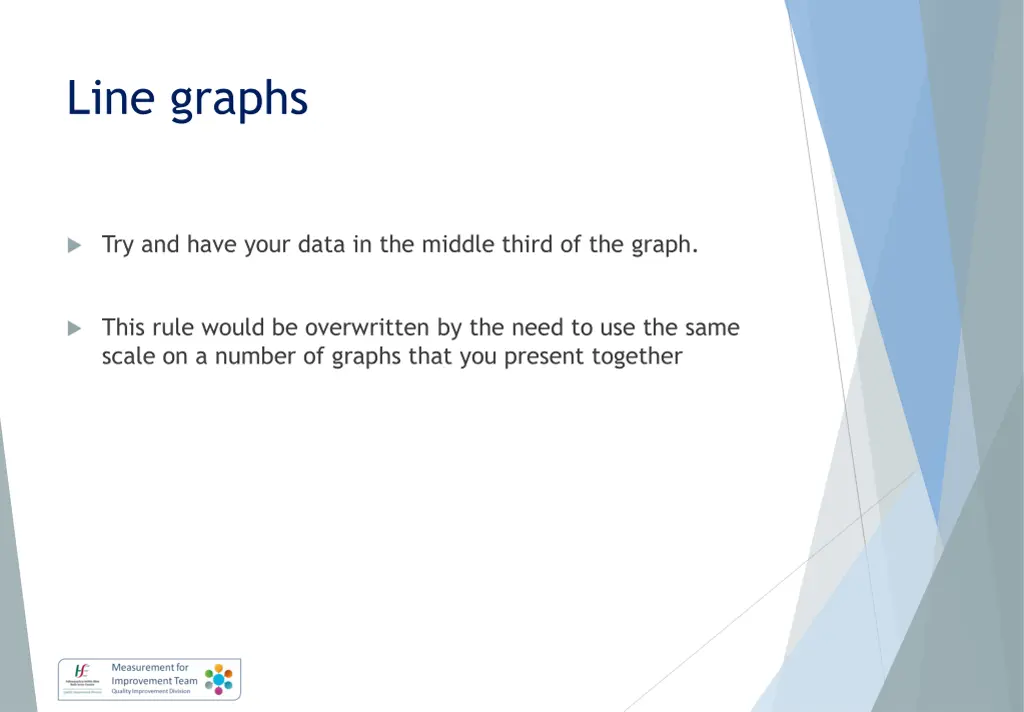
Line graphs Try and have your data in the middle third of the graph. This rule would be overwritten by the need to use the same scale on a number of graphs that you present together
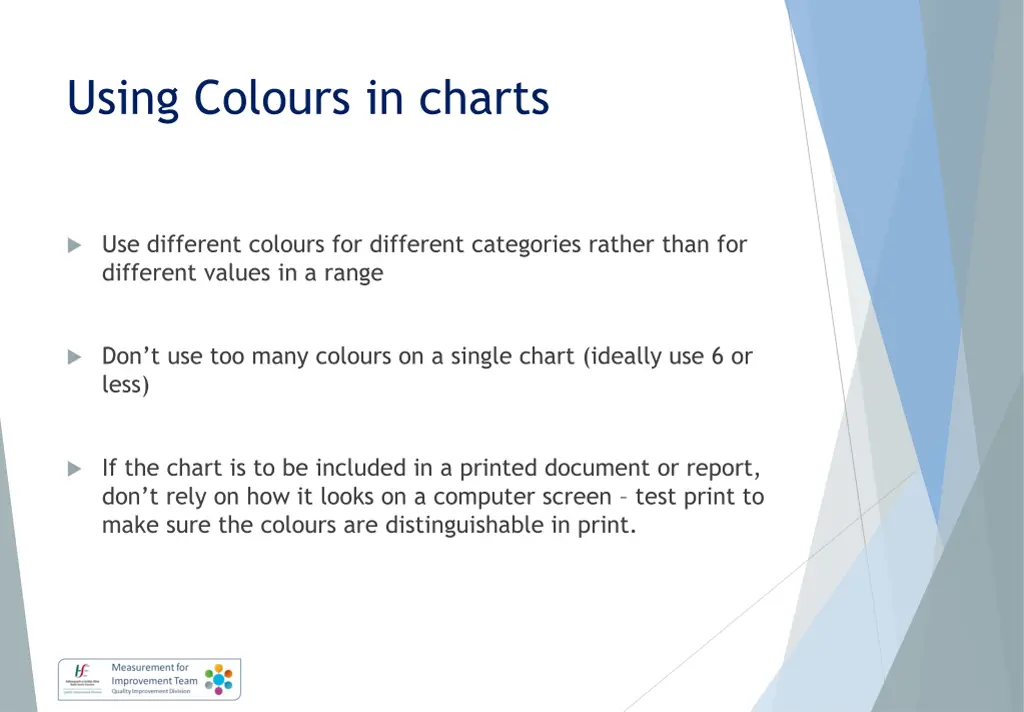
Using Colours in charts Use different colours for different categories rather than for different values in a range Don t use too many colours on a single chart (ideally use 6 or less) If the chart is to be included in a printed document or report, don t rely on how it looks on a computer screen test print to make sure the colours are distinguishable in print.