Efficient Data Management Techniques for Improved Chart Creation
Discover valuable tips from David Goldstein, President of Mekko Graphics, on managing data efficiently for creating impactful charts. Learn how to save time by directly calculating series and CAGR, utilizing sorting options, and enhancing label handling. Enhance your chart creation process by leveraging techniques such as adding series, using switch bars and series, and more!

Download Presentation

Please find below an Image/Link to download the presentation.
The content on the website is provided AS IS for your information and personal use only. It may not be sold, licensed, or shared on other websites without obtaining consent from the author. If you encounter any issues during the download, it is possible that the publisher has removed the file from their server.
You are allowed to download the files provided on this website for personal or commercial use, subject to the condition that they are used lawfully. All files are the property of their respective owners.
The content on the website is provided AS IS for your information and personal use only. It may not be sold, licensed, or shared on other websites without obtaining consent from the author.
E N D
Presentation Transcript
TIPS & TRICKS WEBINAR David Goldstein President, Mekko Graphics June 21, 2017
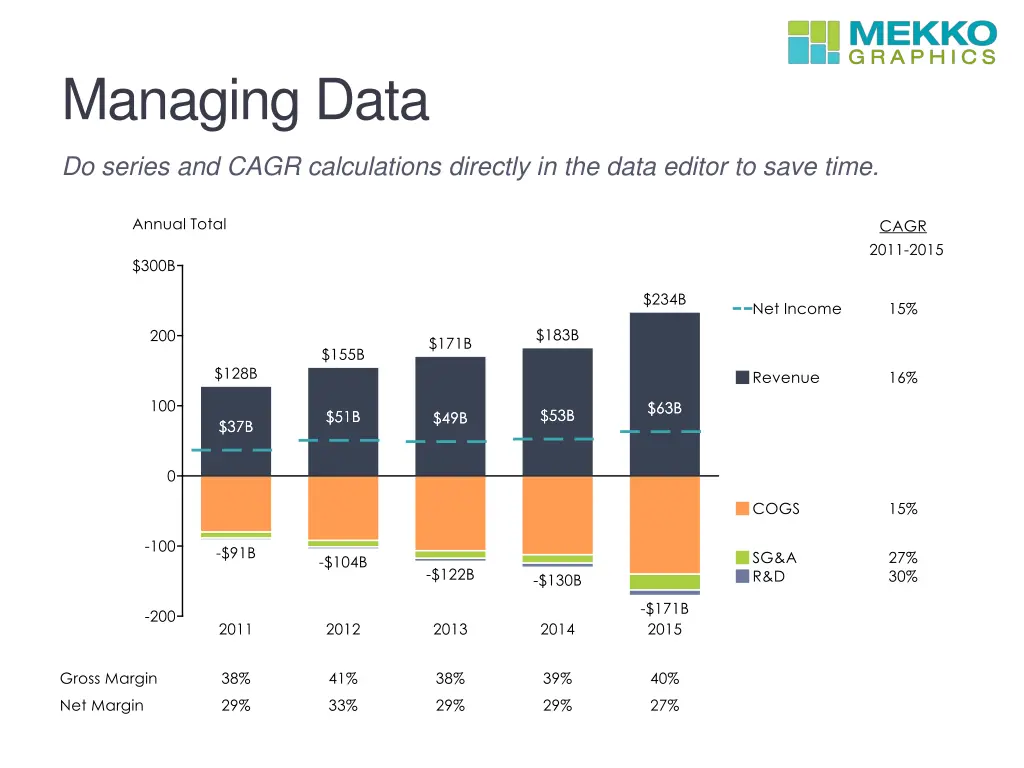
Managing Data Do series and CAGR calculations directly in the data editor to save time.
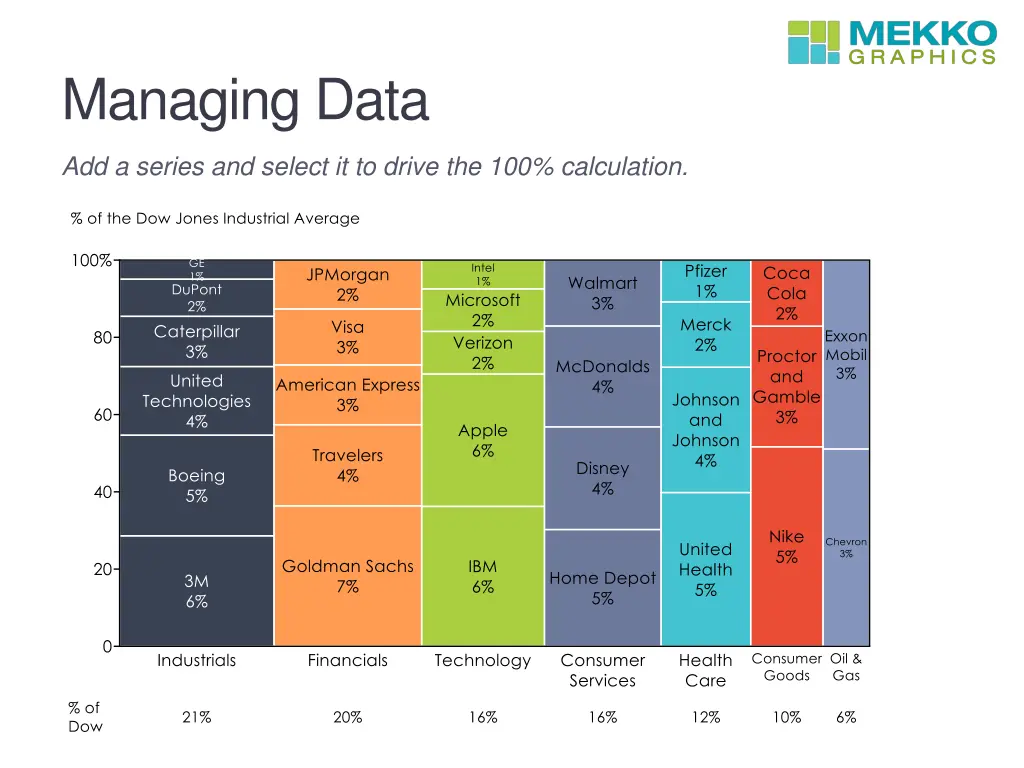
Managing Data Add a series and select it to drive the 100% calculation.
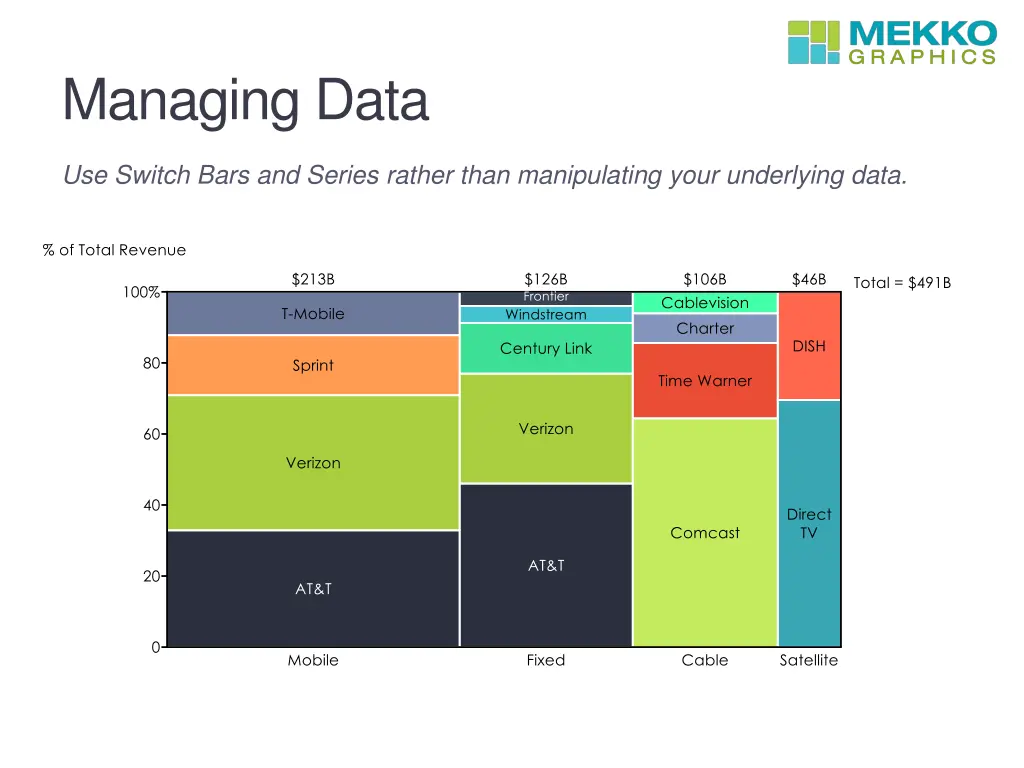
Managing Data Use Switch Bars and Series rather than manipulating your underlying data.
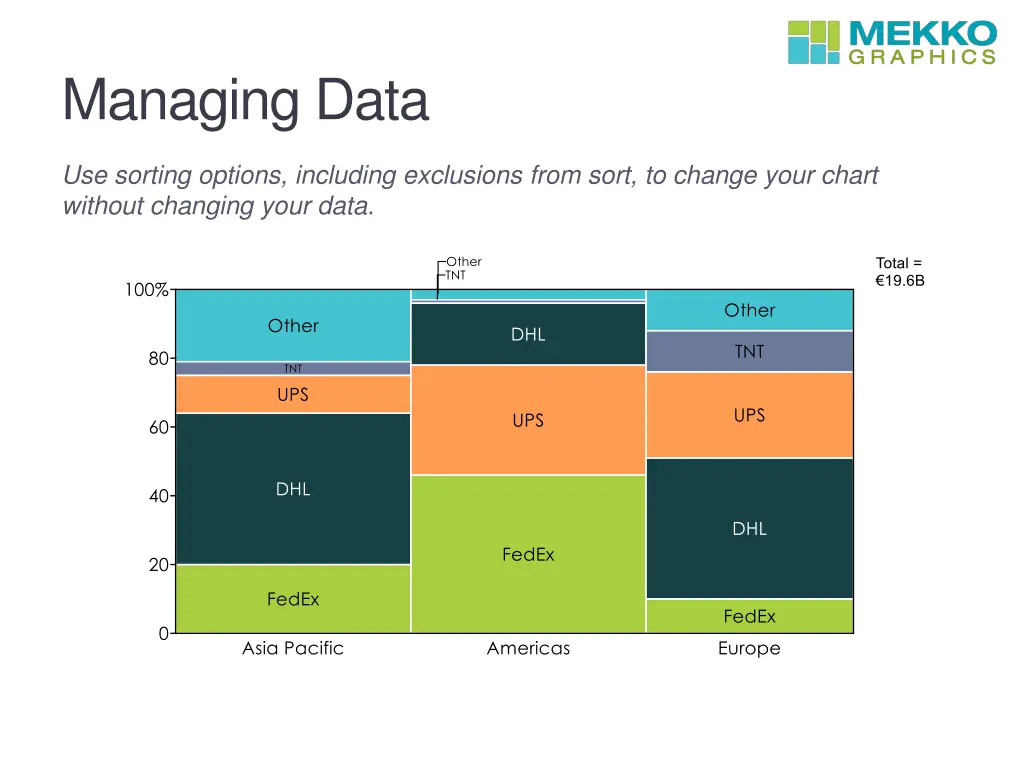
Managing Data Use sorting options, including exclusions from sort, to change your chart without changing your data.
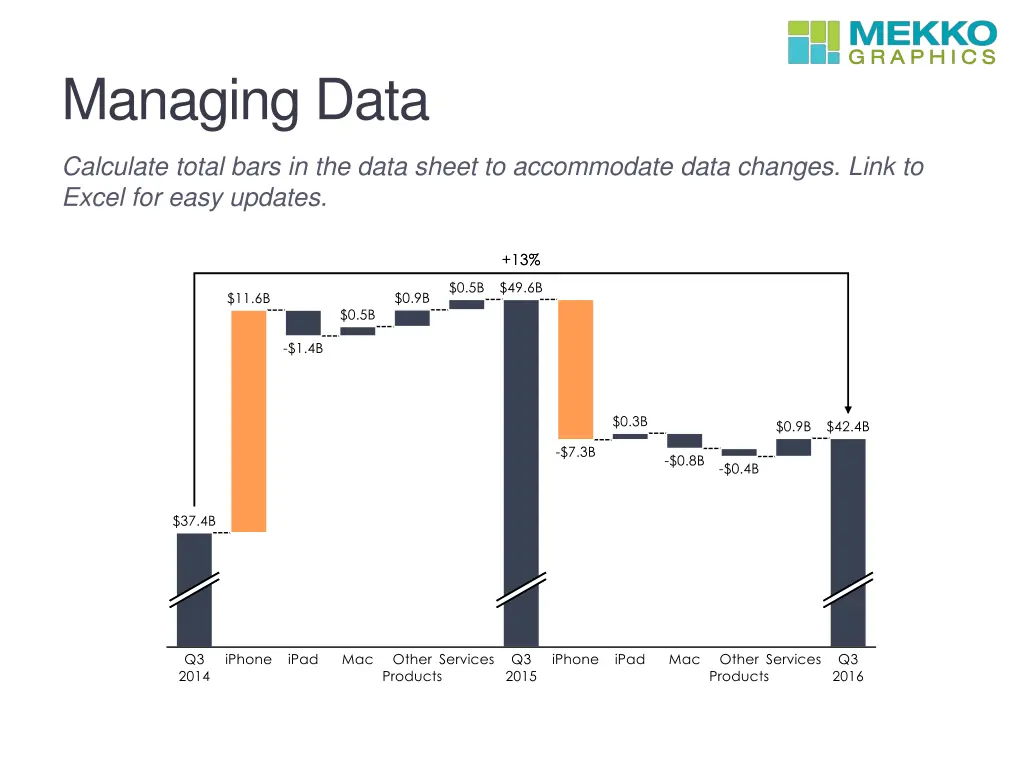
Managing Data Calculate total bars in the data sheet to accommodate data changes. Link to Excel for easy updates.
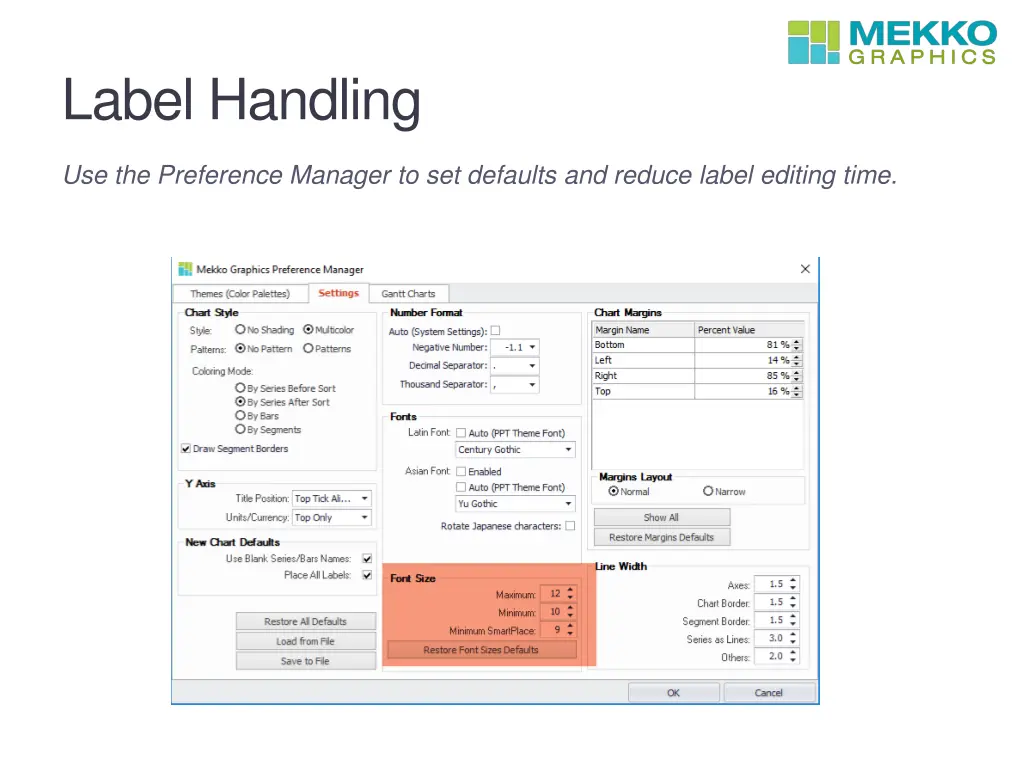
Label Handling Use the Preference Manager to set defaults and reduce label editing time.
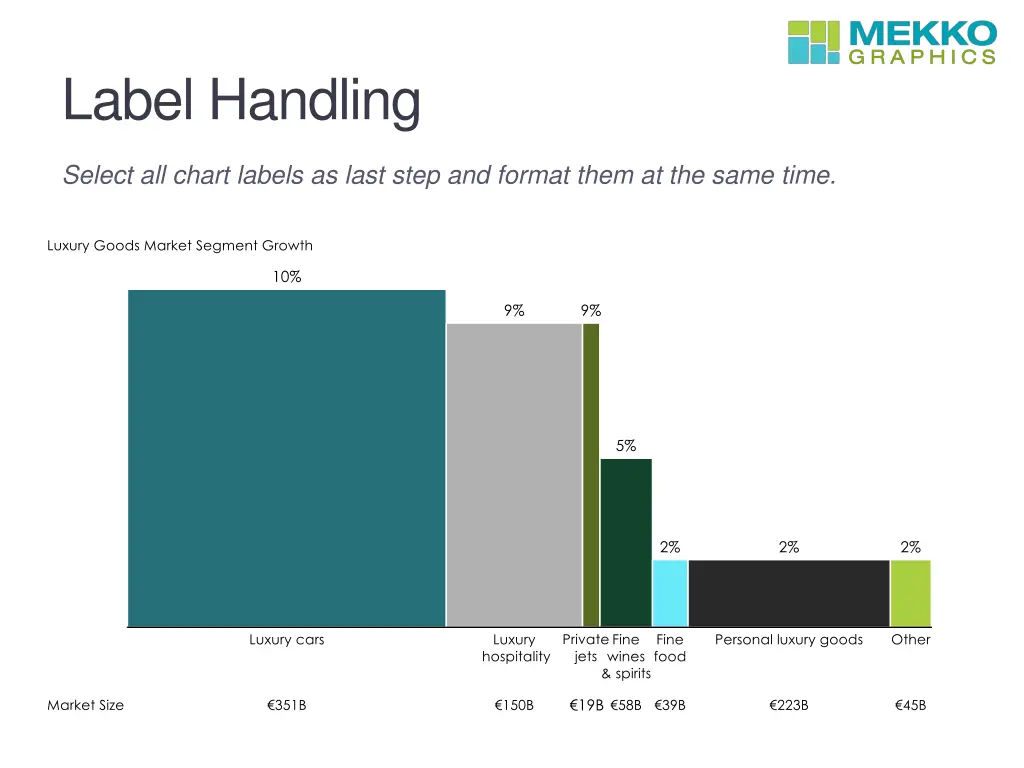
Label Handling Select all chart labels as last step and format them at the same time.
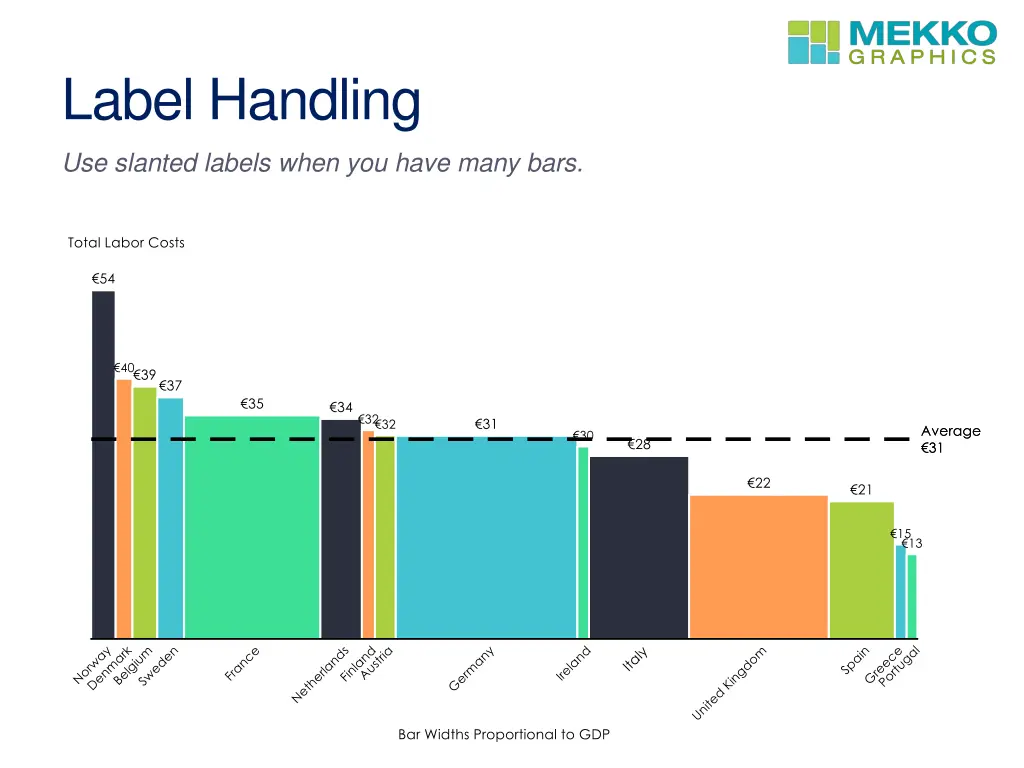
Label Handling Use slanted labels when you have many bars.
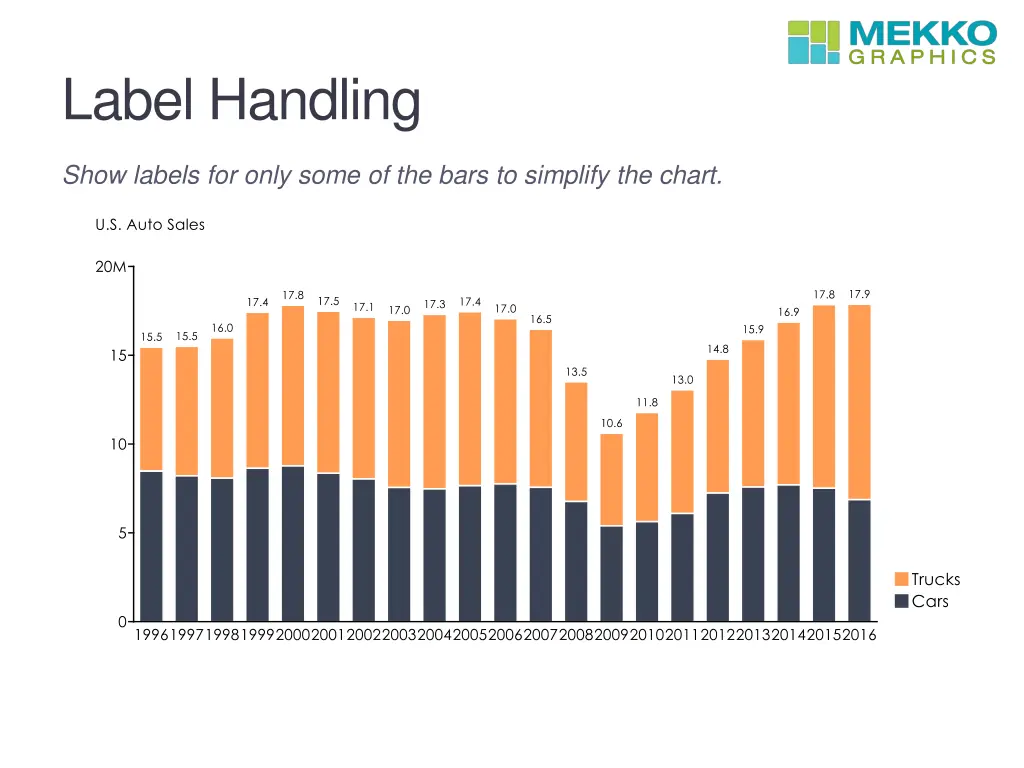
Label Handling Show labels for only some of the bars to simplify the chart.
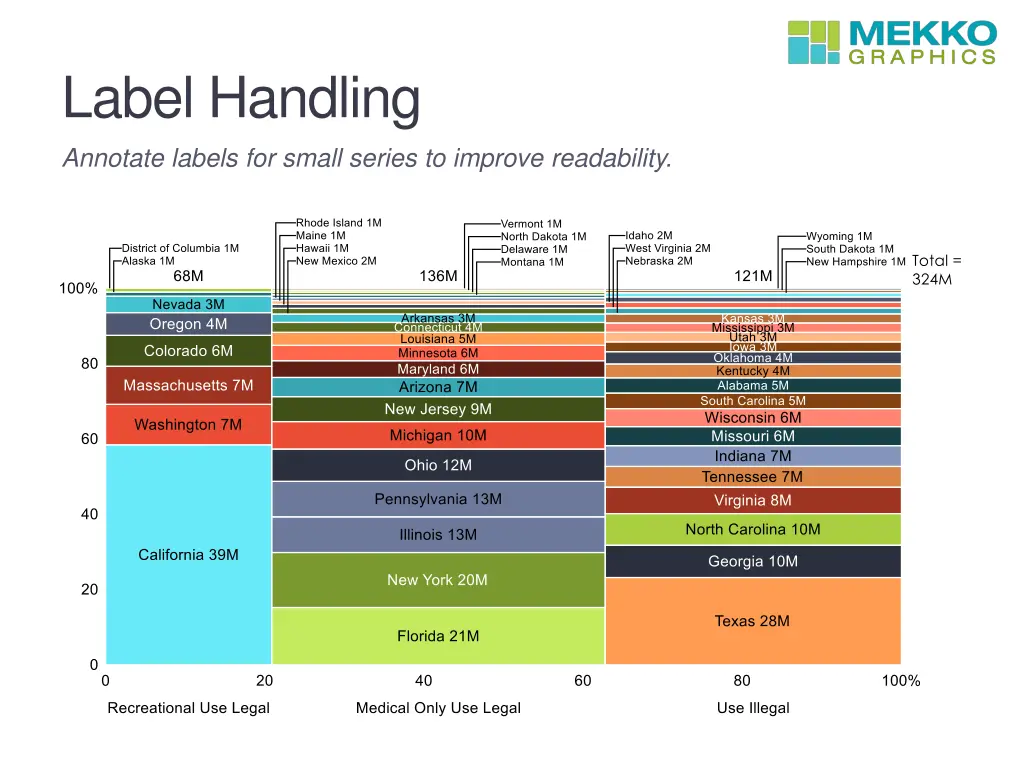
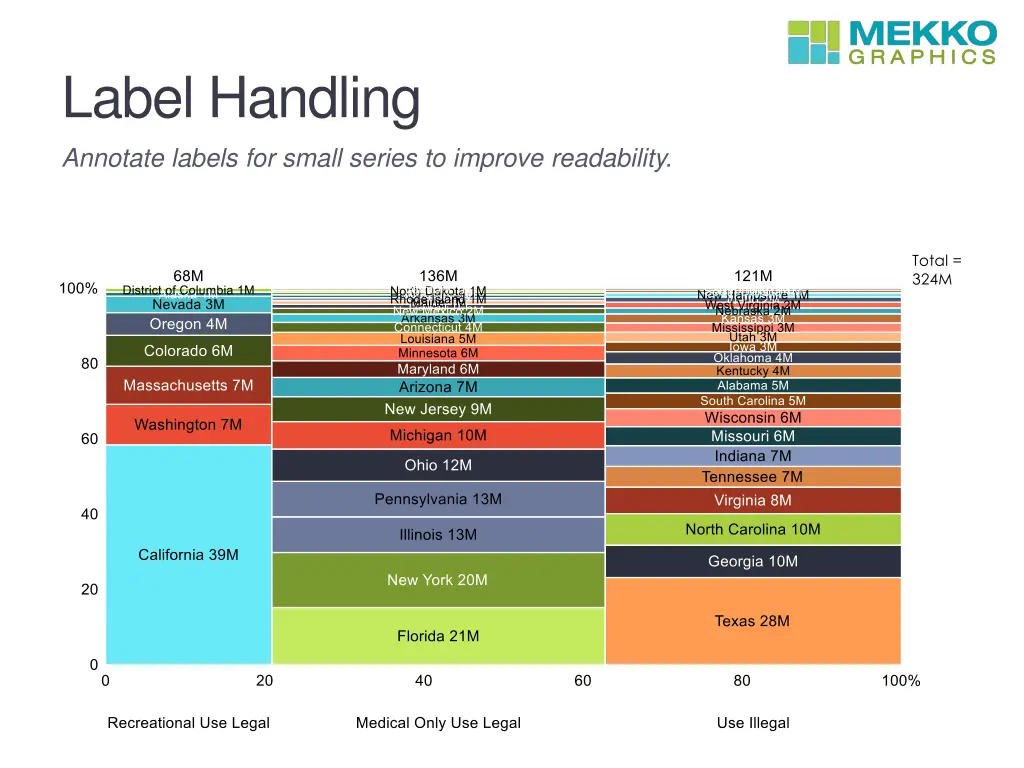
Label Handling Annotate labels for small series to improve readability.
Label Handling Annotate labels for small series to improve readability.
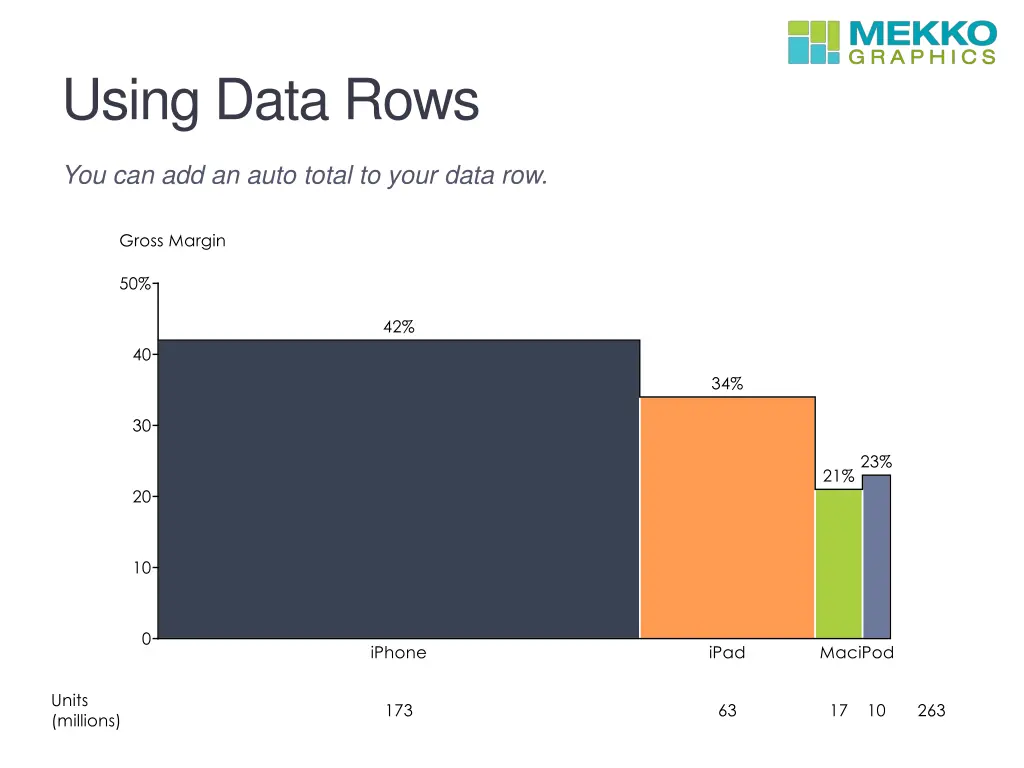
Using Data Rows You can add an auto total to your data row.
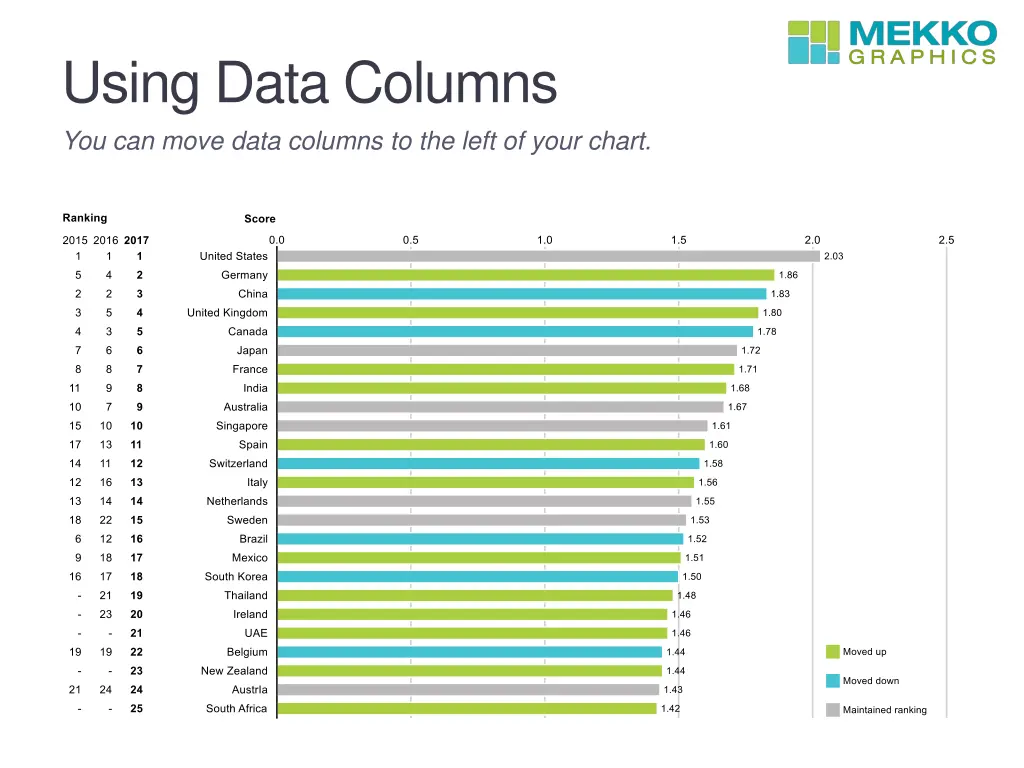
Using Data Columns You can move data columns to the left of your chart.
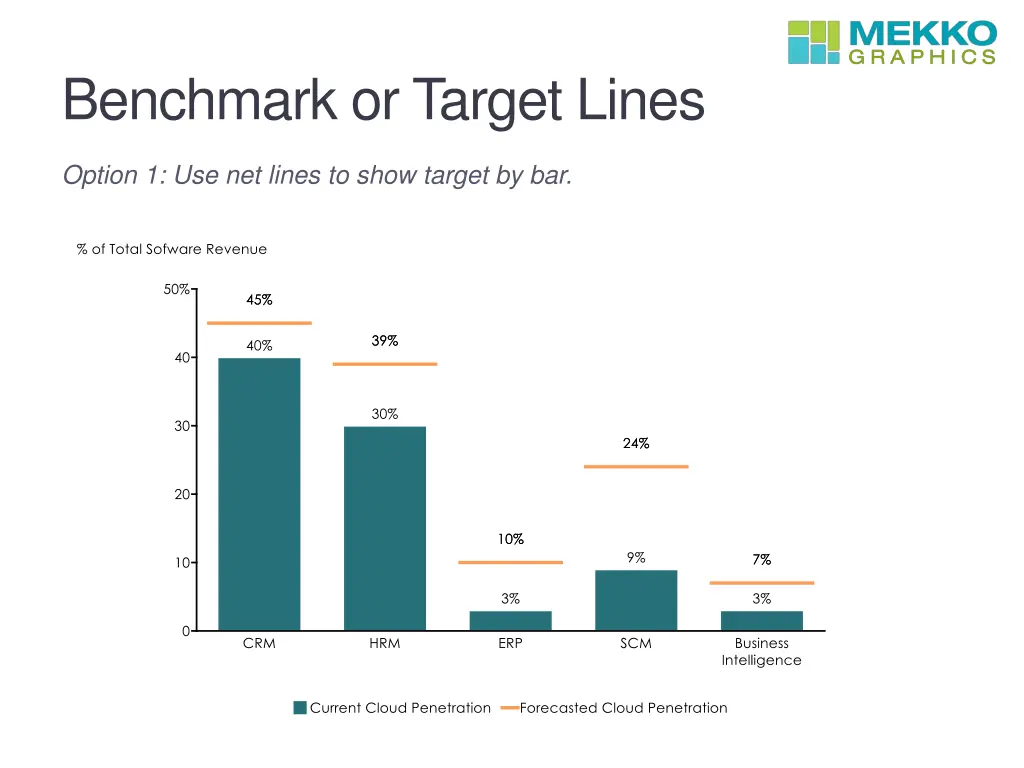
Benchmark or Target Lines Option 1: Use net lines to show target by bar.
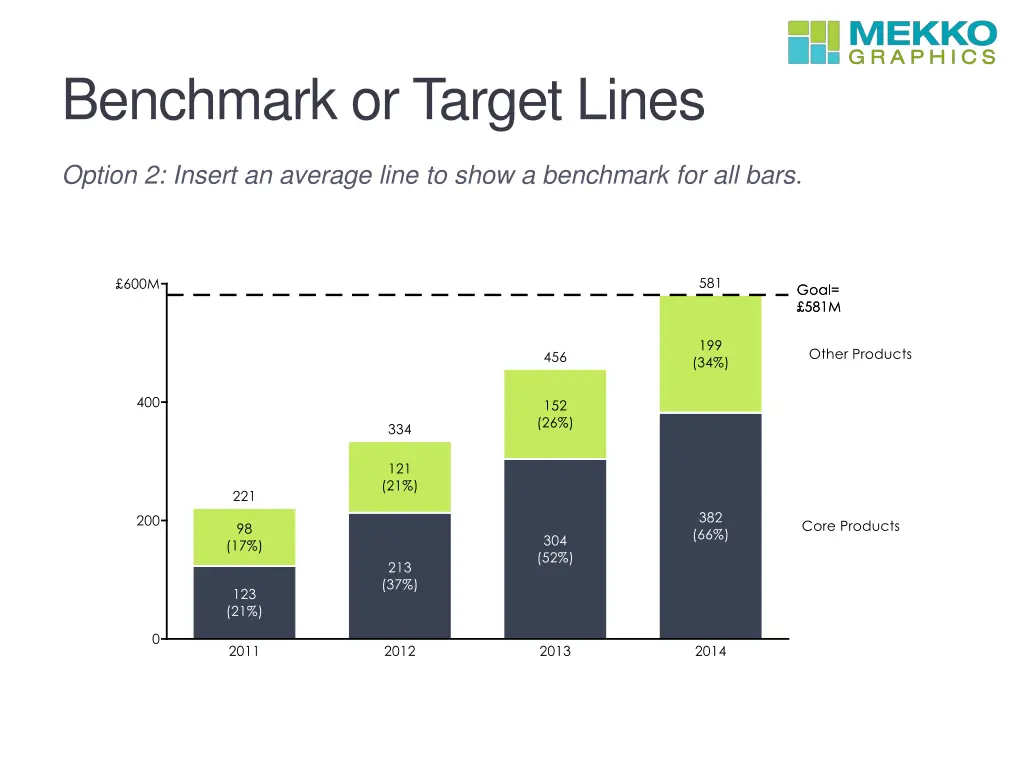
Benchmark or Target Lines Option 2: Insert an average line to show a benchmark for all bars.
Docking the Data Editor Move the data editor to a place that works best for you.
Resources Use these resources to learn more about how to use Mekko Graphics. Blogs & Support Videos Chart Gallery Sample charts included with Mekko Graphics Download the chart gallery in PowerPoint with 150 charts Download an Excel gallery with the sample charts and data in Excel. Watch a recorded version of the full training webinar for step-by-step instructions on how to make each chart type Watch short videos on key chart types, analytical enhancements and productivity boosters Use the Chart of the Week blog for inspiration Visit the Build Your CQ blog for tips and tricks to improve your charting proficiency Use Ask an Expert from the Mekko Graphics ribbon or on our website if you re struggling to find the right chart for your data