Efficient Steps for Processing Physical Fitness Leave Requests
Discover a detailed guide on how to submit and manage physical fitness leave requests, including adding codes, creating leave requests, and ensuring accurate labor entries in the system. Streamline your physical fitness leave process effectively with these step-by-step instructions.

Download Presentation

Please find below an Image/Link to download the presentation.
The content on the website is provided AS IS for your information and personal use only. It may not be sold, licensed, or shared on other websites without obtaining consent from the author. If you encounter any issues during the download, it is possible that the publisher has removed the file from their server.
You are allowed to download the files provided on this website for personal or commercial use, subject to the condition that they are used lawfully. All files are the property of their respective owners.
The content on the website is provided AS IS for your information and personal use only. It may not be sold, licensed, or shared on other websites without obtaining consent from the author.
E N D
Presentation Transcript
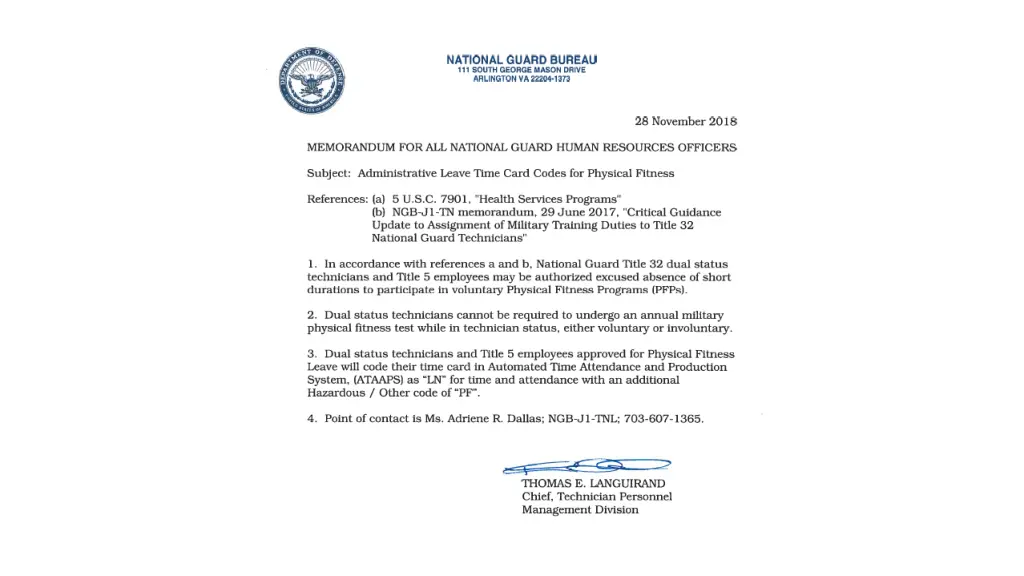
Physical Fitness Leave Process
FIRST: Submit Leave Request LN with sub-code PF
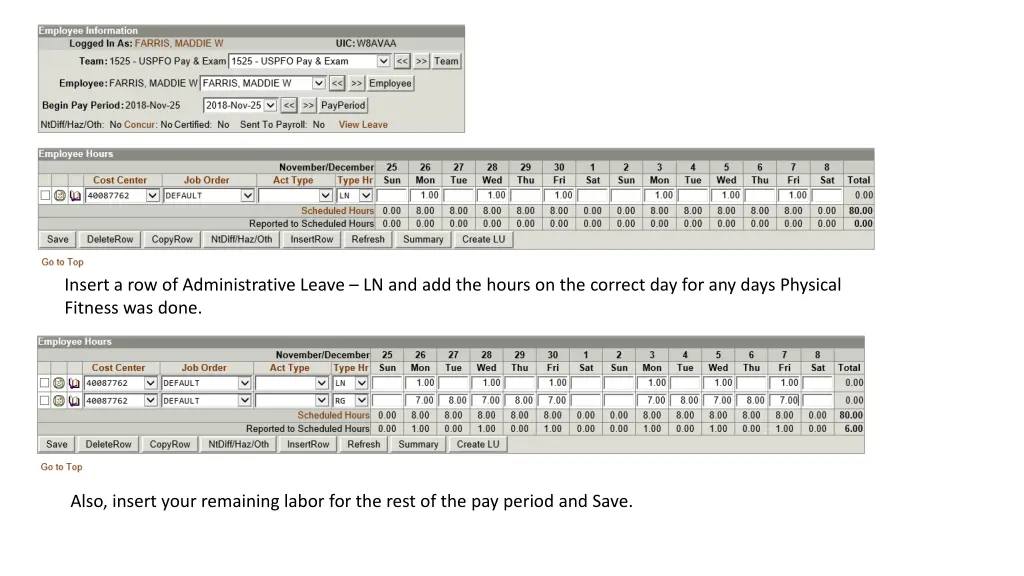
Insert a row of Administrative Leave LN and add the hours on the correct day for any days Physical Fitness was done. Also, insert your remaining labor for the rest of the pay period and Save.
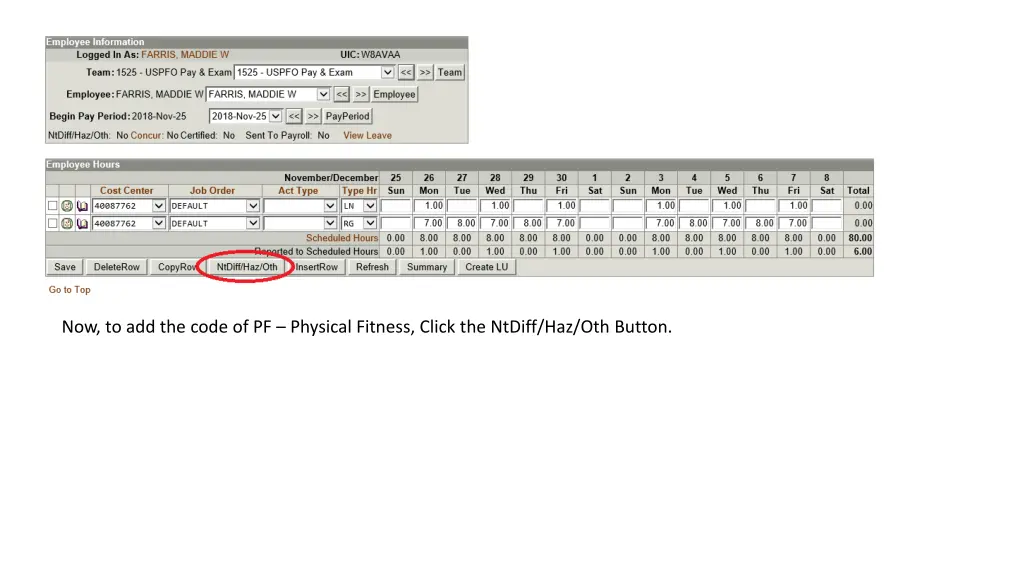
Now, to add the code of PF Physical Fitness, Click the NtDiff/Haz/Oth Button.
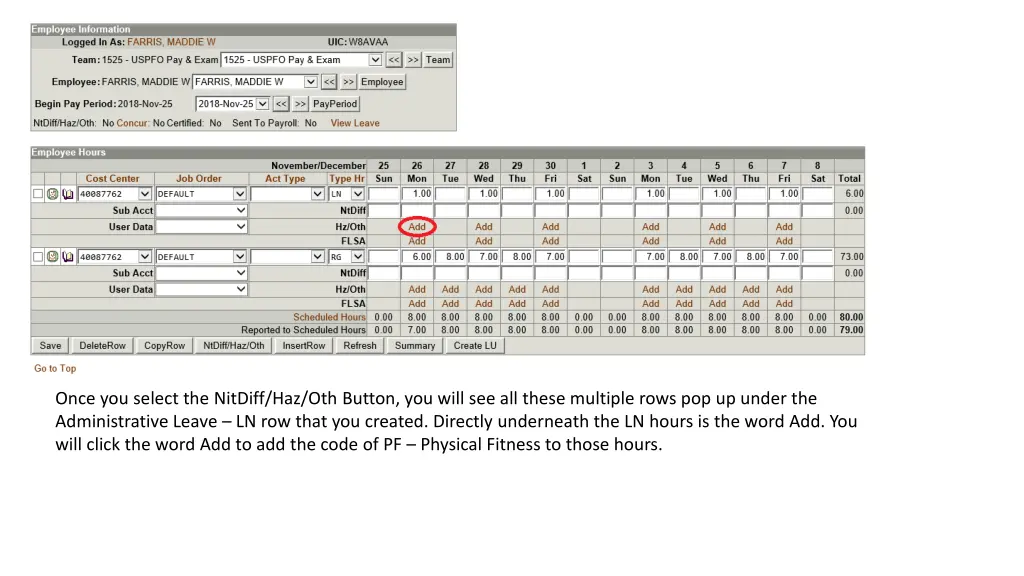
Once you select the NitDiff/Haz/Oth Button, you will see all these multiple rows pop up under the Administrative Leave LN row that you created. Directly underneath the LN hours is the word Add. You will click the word Add to add the code of PF Physical Fitness to those hours.
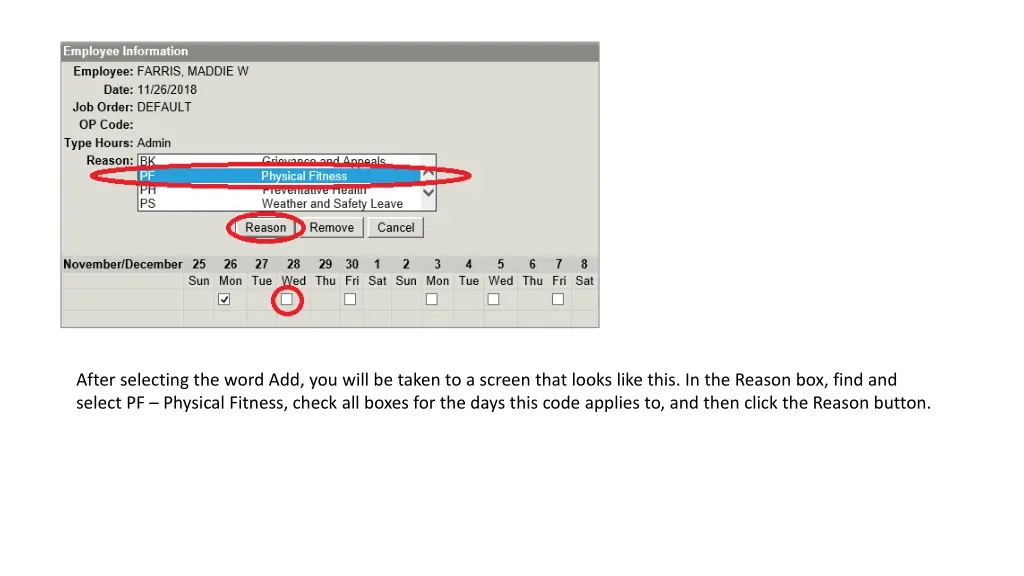
After selecting the word Add, you will be taken to a screen that looks like this. In the Reason box, find and select PF Physical Fitness, check all boxes for the days this code applies to, and then click the Reason button.
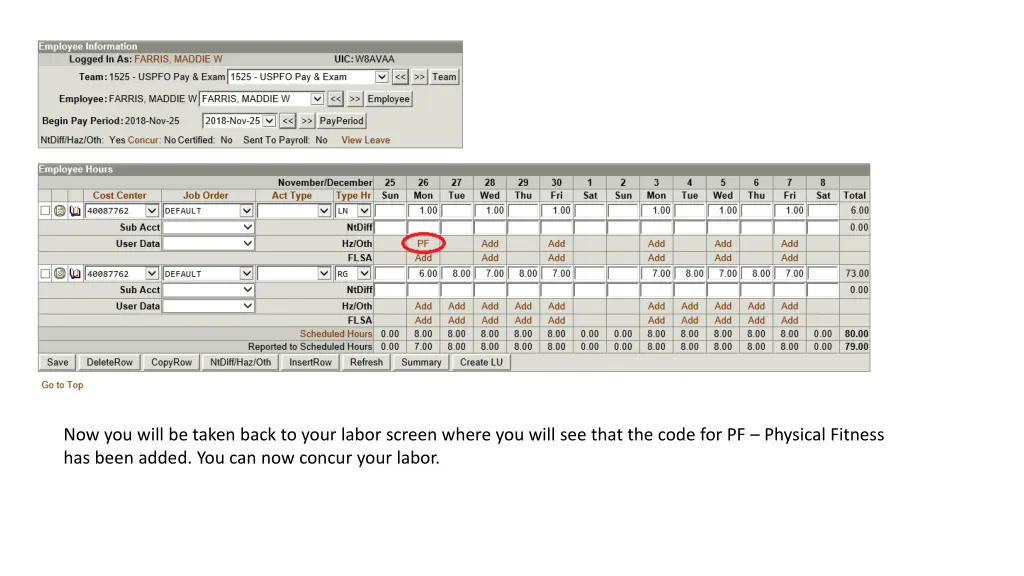
Now you will be taken back to your labor screen where you will see that the code for PF Physical Fitness has been added. You can now concur your labor.
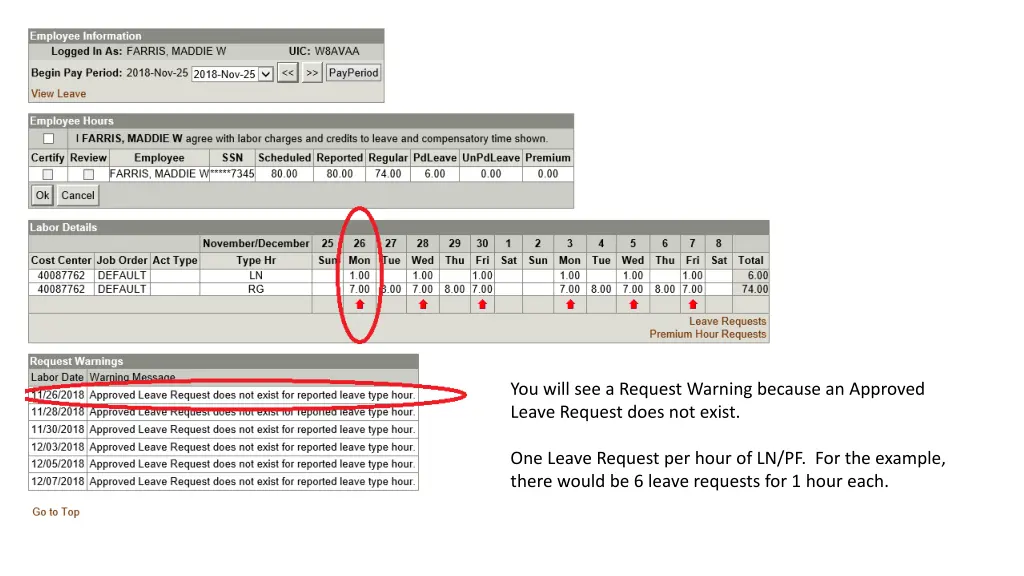
You will see a Request Warning because an Approved Leave Request does not exist. One Leave Request per hour of LN/PF. For the example, there would be 6 leave requests for 1 hour each.