Exploring Computational Thinking in Computer Science Concepts
Discover the fundamentals of computational thinking in computer science through concepts like decomposition, pattern matching, abstraction, and algorithms. Learn how to break down complex problems, recognize patterns, focus on essential details, and design effective solutions. Dive into examples like designing web pages and implementing behaviors to understand these key principles.

Download Presentation

Please find below an Image/Link to download the presentation.
The content on the website is provided AS IS for your information and personal use only. It may not be sold, licensed, or shared on other websites without obtaining consent from the author. If you encounter any issues during the download, it is possible that the publisher has removed the file from their server.
You are allowed to download the files provided on this website for personal or commercial use, subject to the condition that they are used lawfully. All files are the property of their respective owners.
The content on the website is provided AS IS for your information and personal use only. It may not be sold, licensed, or shared on other websites without obtaining consent from the author.
E N D
Presentation Transcript
Computer Science: Concepts & Explorations David Reed, Creighton University Computational Thinking & Coding
Computational Thinking recall the high-level characteristics of computational thinking DECOMPOSITION breaking a large, complex problem into smaller, more manageable problems PATTERN MATCHING recognizing how solutions to similar problems can be applied to new problems ABSTRACTION focusing on important details while ignoring irrelevant information ALGORITHMS designing and implementing the solution in the form of an algorithm when designing & developing code (e.g., interactive Web pages), need to keep these characteristics in mind as we have discussed, code is just an algorithm written for the computer to execute 2
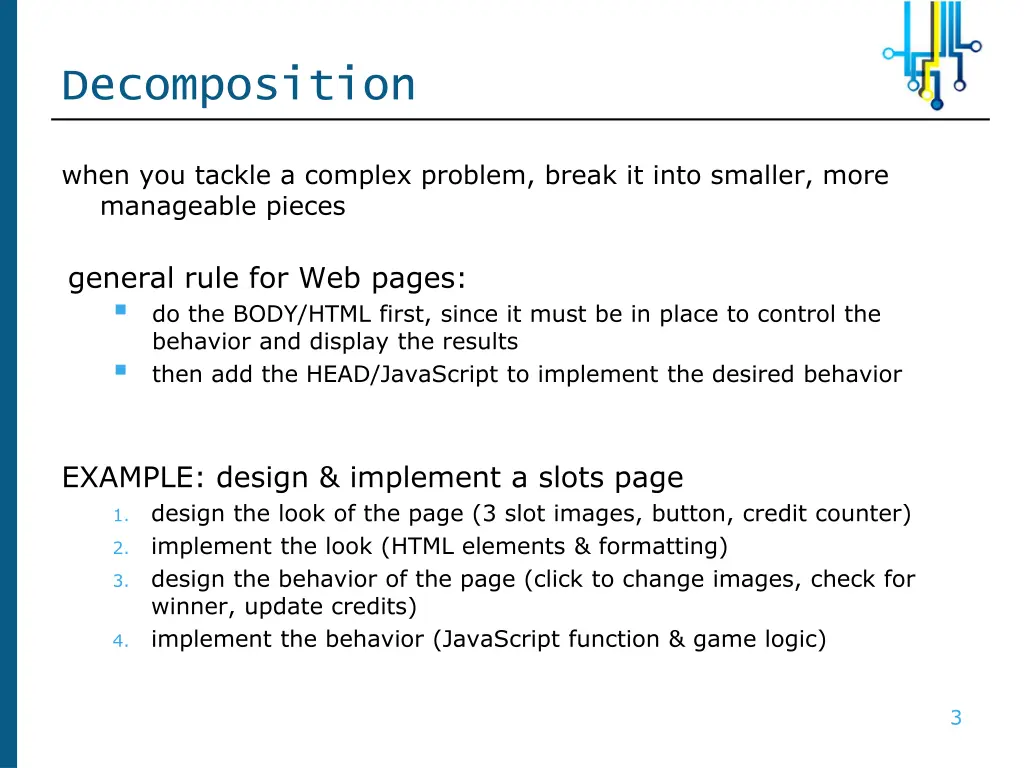
Decomposition when you tackle a complex problem, break it into smaller, more manageable pieces general rule for Web pages: do the BODY/HTML first, since it must be in place to control the behavior and display the results then add the HEAD/JavaScript to implement the desired behavior EXAMPLE: design & implement a slots page design the look of the page (3 slot images, button, credit counter) implement the look (HTML elements & formatting) design the behavior of the page (click to change images, check for winner, update credits) implement the behavior (JavaScript function & game logic) 1. 2. 3. 4. 3
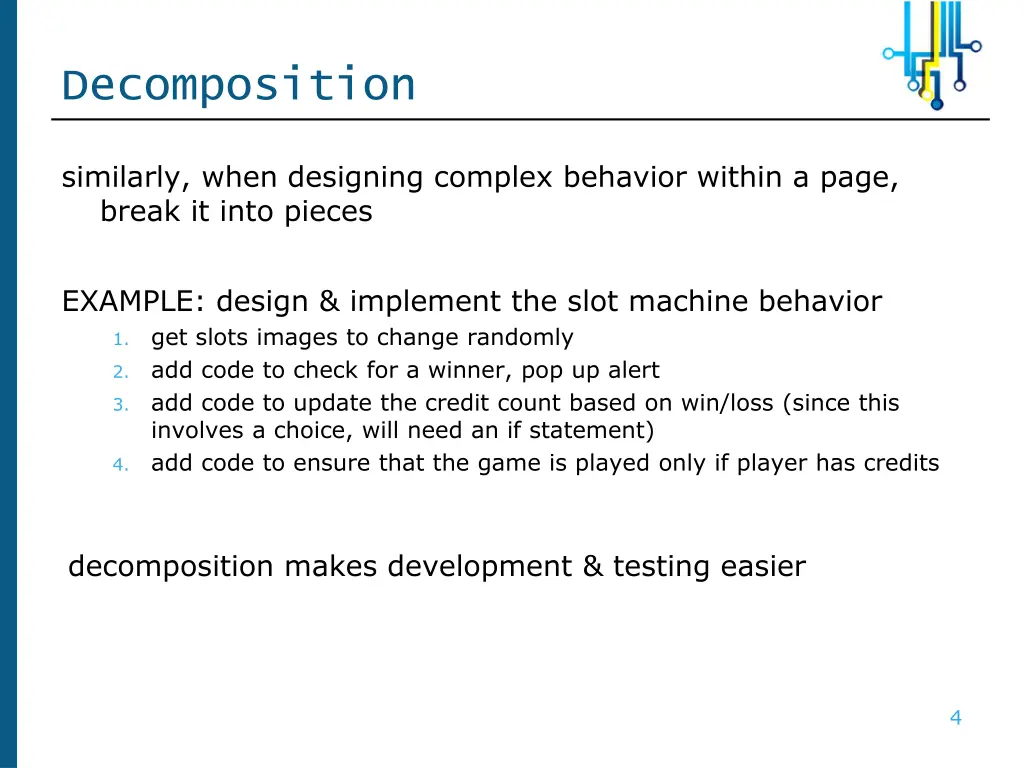
Decomposition similarly, when designing complex behavior within a page, break it into pieces EXAMPLE: design & implement the slot machine behavior get slots images to change randomly add code to check for a winner, pop up alert add code to update the credit count based on win/loss (since this involves a choice, will need an if statement) add code to ensure that the game is played only if player has credits 1. 2. 3. 4. decomposition makes development & testing easier 4
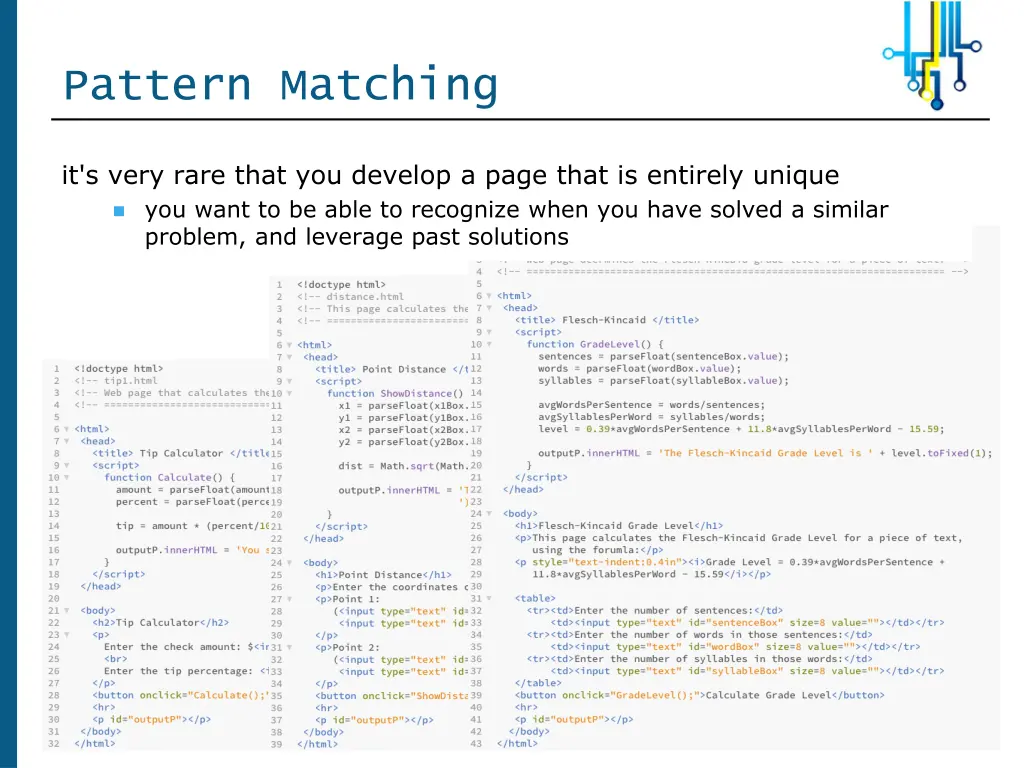
Pattern Matching it's very rare that you develop a page that is entirely unique you want to be able to recognize when you have solved a similar problem, and leverage past solutions 5
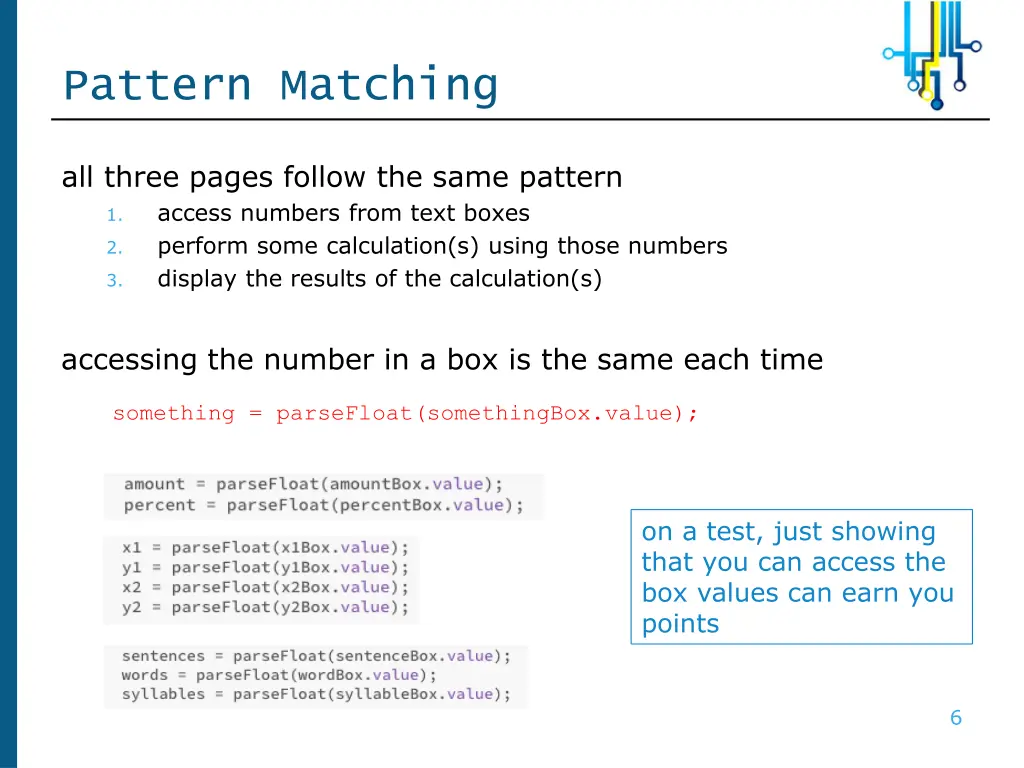
Pattern Matching all three pages follow the same pattern access numbers from text boxes perform some calculation(s) using those numbers display the results of the calculation(s) 1. 2. 3. accessing the number in a box is the same each time something = parseFloat(somethingBox.value); on a test, just showing that you can access the box values can earn you points 6
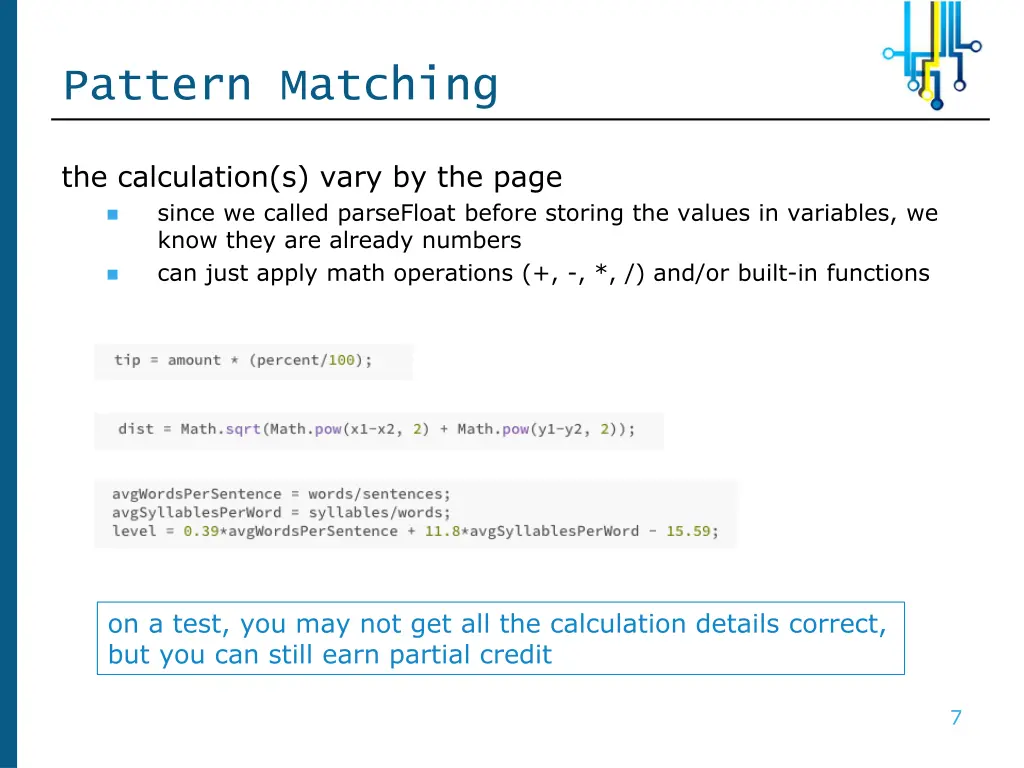
Pattern Matching the calculation(s) vary by the page since we called parseFloat before storing the values in variables, we know they are already numbers can just apply math operations (+, -, *, /) and/or built-in functions on a test, you may not get all the calculation details correct, but you can still earn partial credit 7
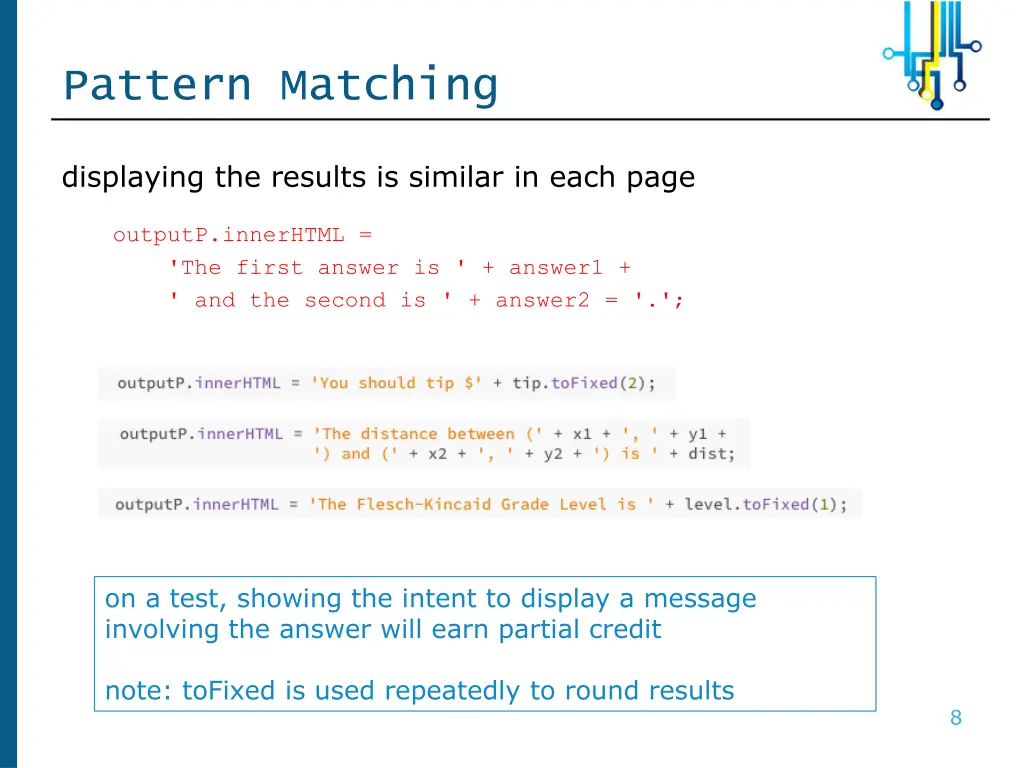
Pattern Matching displaying the results is similar in each page outputP.innerHTML = 'The first answer is ' + answer1 + ' and the second is ' + answer2 = '.'; on a test, showing the intent to display a message involving the answer will earn partial credit note: toFixed is used repeatedly to round results 8
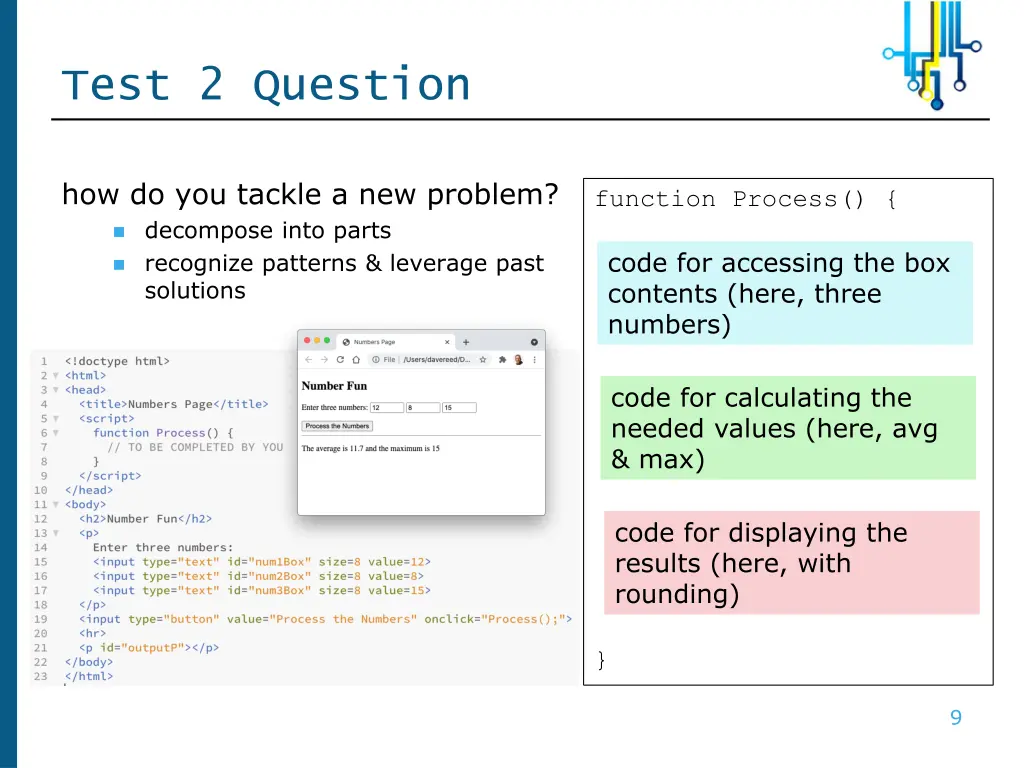
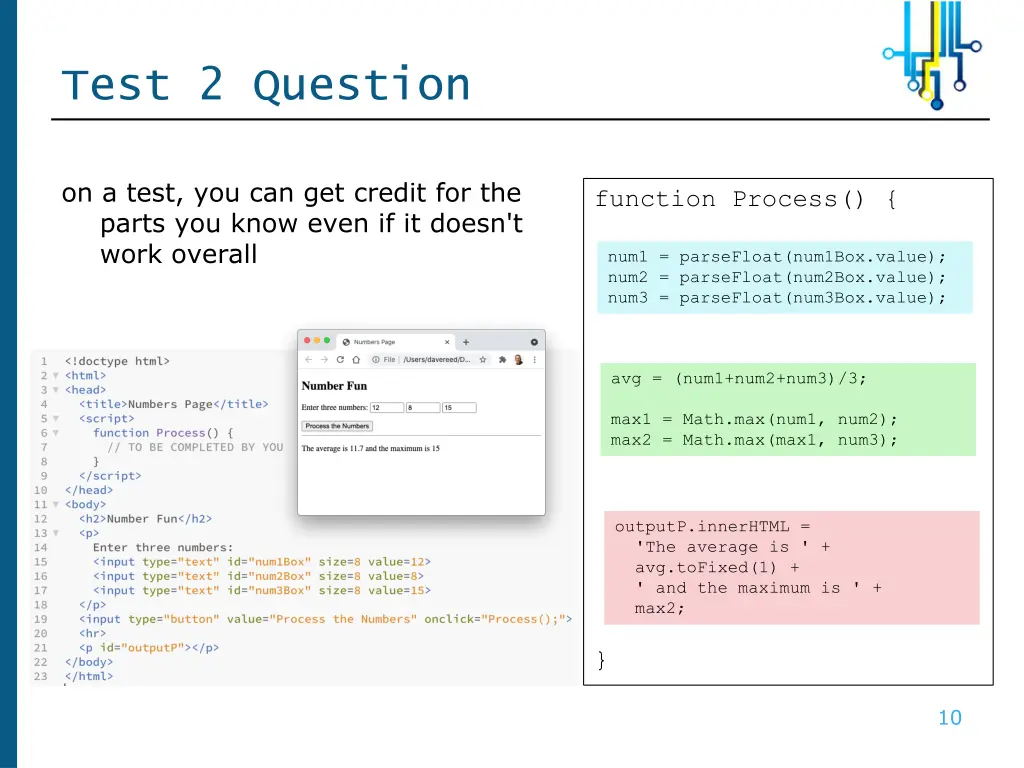
Test 2 Question how do you tackle a new problem? decompose into parts recognize patterns & leverage past solutions function Process() { code for accessing the box contents (here, three numbers) code for calculating the needed values (here, avg & max) code for displaying the results (here, with rounding) } 9
Test 2 Question on a test, you can get credit for the parts you know even if it doesn't work overall function Process() { num1 = parseFloat(num1Box.value); num2 = parseFloat(num2Box.value); num3 = parseFloat(num3Box.value); avg = (num1+num2+num3)/3; max1 = Math.max(num1, num2); max2 = Math.max(max1, num3); outputP.innerHTML = 'The average is ' + avg.toFixed(1) + ' and the maximum is ' + max2; } 10
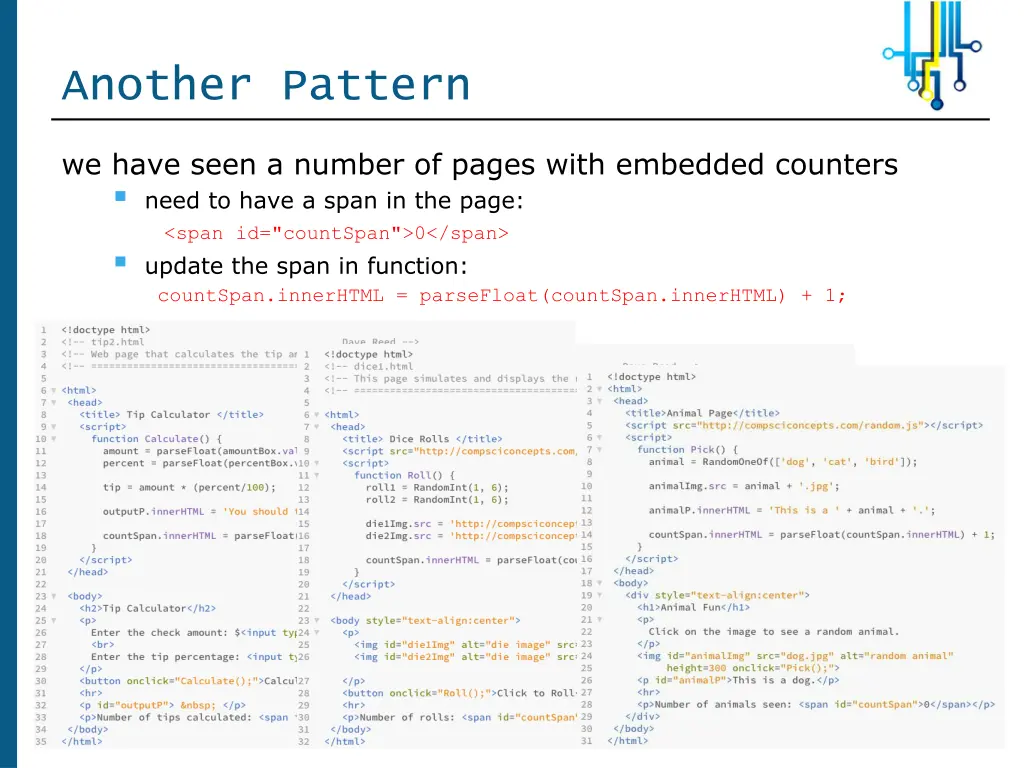
Another Pattern we have seen a number of pages with embedded counters need to have a span in the page: <span id="countSpan">0</span> update the span in function: countSpan.innerHTML = parseFloat(countSpan.innerHTML) + 1; 11
Pattern Revision note: pattern matching doesn't mean you will always find the exact solution you need recognize the similarities with a past situation also recognize the differences, and revise the past solution to fit the new situation EXAMPLE: for the slots page, you need to keep track of credits similar to but not quite the same as an embedded counter counter starts at 0, goes up by 1 each time credits start at 20, goes down 1 with loss and up 12 with win 12
Abstraction built-in JavaScript functions make coding easier you don't have to know how to find the max of two numbers, just call Math.max(num1, num2) you don't have to know how to calculate the square root, just call Math.sqrt(num) the library file random.js contains useful functions involving randomness can load this library file using <script src=". . ."></script> can then call those functions (e.g., RandomInt, RandomOneOf) within the page starting in chapter X4, we introduced user-defined functions associate a function with each event-handler simplifies HTML elements, abstracts away behavioral details 13
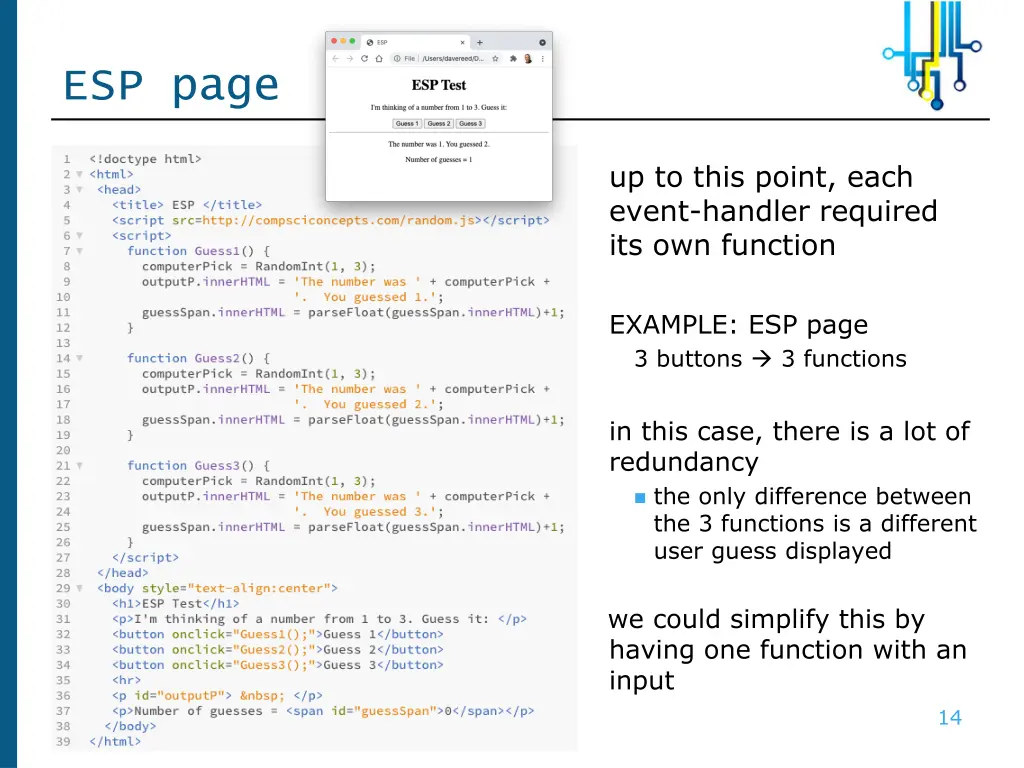
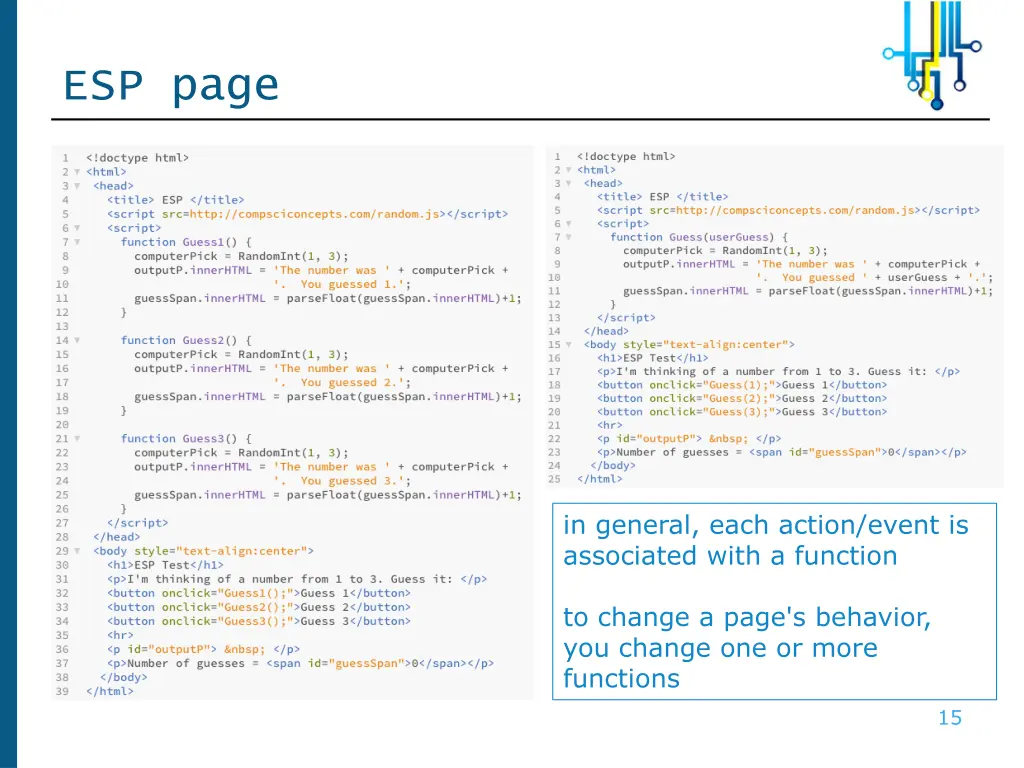
ESP page up to this point, each event-handler required its own function EXAMPLE: ESP page 3 buttons 3 functions in this case, there is a lot of redundancy the only difference between the 3 functions is a different user guess displayed we could simplify this by having one function with an input 14
ESP page in general, each action/event is associated with a function to change a page's behavior, you change one or more functions 15