Group Charter Collaboration
Collaborate with your team members to define group identity, values, norms, roles, success metrics, and quality standards in a shared document for effective teamwork and project management. Create a cohesive plan for working together towards common goals.

Download Presentation

Please find below an Image/Link to download the presentation.
The content on the website is provided AS IS for your information and personal use only. It may not be sold, licensed, or shared on other websites without obtaining consent from the author.If you encounter any issues during the download, it is possible that the publisher has removed the file from their server.
You are allowed to download the files provided on this website for personal or commercial use, subject to the condition that they are used lawfully. All files are the property of their respective owners.
The content on the website is provided AS IS for your information and personal use only. It may not be sold, licensed, or shared on other websites without obtaining consent from the author.
E N D
Presentation Transcript
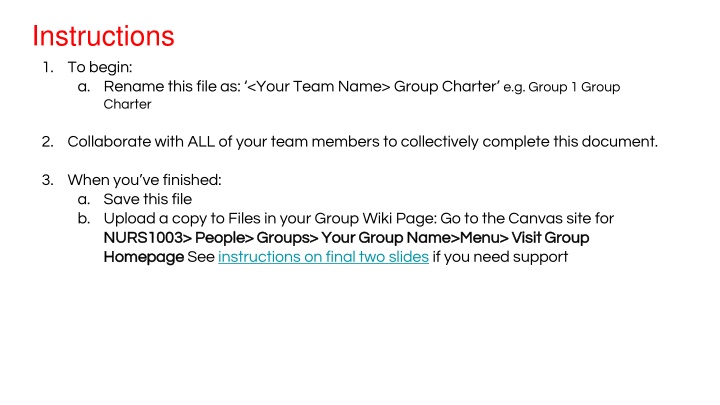
Instructions 1. To begin: a. Rename this file as: <Your Team Name> Group Charter e.g. Group 1 Group Charter 2. Collaborate with ALL of your team members to collectively complete this document. 3. When you ve finished: a. Save this file b. Upload a copy to Files in your Group Wiki Page: Go to the Canvas site for NURS1003> People> Groups> Your Group Name>Menu> Visit Group NURS1003> People> Groups> Your Group Name>Menu> Visit Group Homepage Homepage See instructions on final two slides if you need support
1. Group members Who are we? Each member to note their preferred name and list two strengths and two weaknesses to support understanding and role allocation within your group. Please duplicate this slide to make sure there is enough space for everyone to contribute. Name Name Name Strengths Strengths Strengths Weaknesses Weaknesses Weaknesses *This shared document is based on a collaborative online template developed by MURAL
2. Core values What do we care about? Take some time to identify shared values. Look for things in common that will help guide how you approach your work and how you collaborate with each other (e.g. empathy, excellence, trust etc.) Brainstorm: List your group s core values:
3. Group norms How will we work together? Establish and document a framework of shared ideals that you can expect each other to abide by. Think in terms of behavioural norms (i.e. speak respectfully, listen to understand) and work norms (i.e. be on time, keep commitments). Brainstorm: List your group s core norms:
4. Roles How will we distribute roles and responsibilities? Determine the types of roles you think you will be necessary to keep the group on track. Think in terms of task, relational, and procedural roles. Also, do you want to assign these roles, rotate them, or make them voluntary? Brainstorm: List your group s key roles & responsibilities:
5. Metrics of success What will success look like for our group? Take time to say what is important to you and listen to what is important to others. Consider how success can be measured and think beyond assigned marks (e.g. personal satisfaction, skill development, or contribution to the broader community). Brainstorm: List your group s key metrics of success:
6. Standards of quality What does excellence in learning look like for our group? Take time to say what is important to you and listen to what is important to others. Think about the level of contribution you are prepared to make and what you can reasonably expect from others. Brainstorm: List your group s key standards of quality:
Our group charter Group members: Core values Group norms Roles Metrics of Success Standards of quality *You don t have to list six things in each category but do commit to at least three key aspects in each.
Instructions for adding to Group Homepage 1. Go to: Canvas site for NURS1003> People> Groups> Your Group Canvas site for NURS1003> People> Groups> Your Group Name>Menu (three dots)> Visit Group Homepage Name>Menu (three dots)> Visit Group Homepage See next slide
Instructions for adding to Group Homepage 2. Go to: Files>Upload Files>Upload or Drop Files to upload a. Wait until you can see that the file has uploaded before navigating away Drop Files to upload