Implementing Logging in ASP.NET MVC Applications
Learn how to set up logging in ASP.NET MVC projects using NLog for efficient error tracking and debugging. Follow step-by-step instructions to configure NLog, declare loggers, and utilize IoC for streamlined logging practices. Enhance your ASP.NET development skills with comprehensive logging solutions.

Uploaded on | 0 Views
Download Presentation

Please find below an Image/Link to download the presentation.
The content on the website is provided AS IS for your information and personal use only. It may not be sold, licensed, or shared on other websites without obtaining consent from the author. If you encounter any issues during the download, it is possible that the publisher has removed the file from their server.
You are allowed to download the files provided on this website for personal or commercial use, subject to the condition that they are used lawfully. All files are the property of their respective owners.
The content on the website is provided AS IS for your information and personal use only. It may not be sold, licensed, or shared on other websites without obtaining consent from the author.
E N D
Presentation Transcript
Logging ASP.NET ASP.NET MVC MVC Mait Poska & Andres K ver, IT Kolled 2015
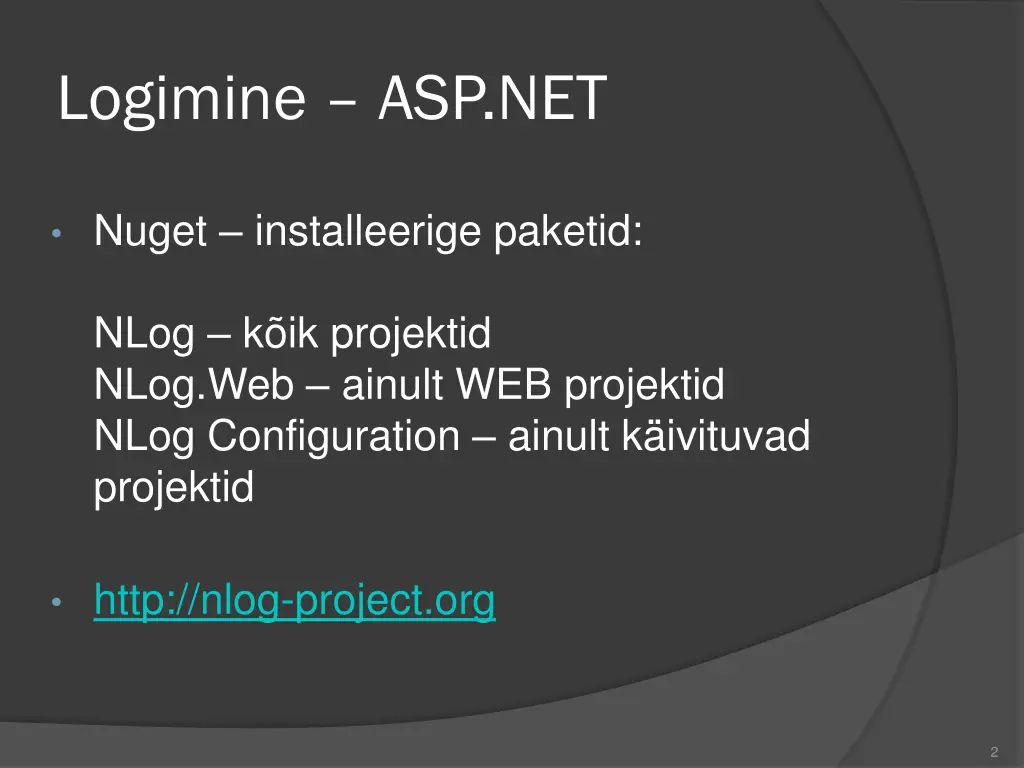
Logimine ASP.NET Nuget installeerige paketid: NLog k ik projektid NLog.Web ainult WEB projektid NLog Configuration ainult k ivituvad projektid http://nlog-project.org 2
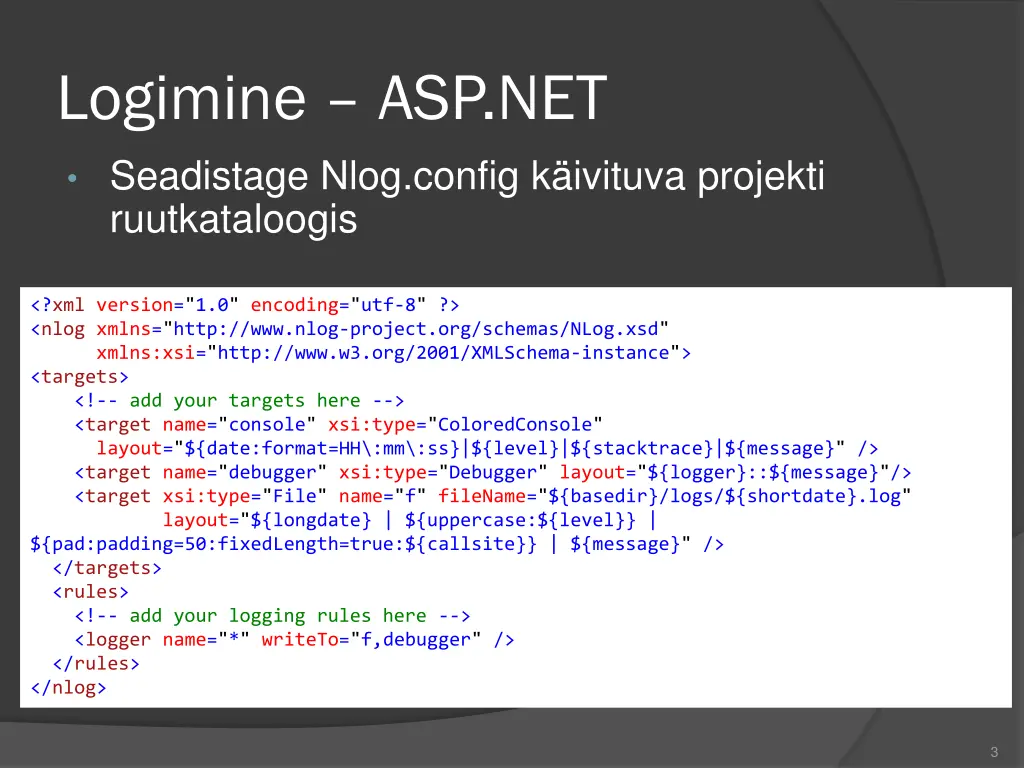
Logimine ASP.NET Seadistage Nlog.config k ivituva projekti ruutkataloogis <?xml version="1.0" encoding="utf-8" ?> <nlog xmlns="http://www.nlog-project.org/schemas/NLog.xsd" xmlns:xsi="http://www.w3.org/2001/XMLSchema-instance"> <targets> <!-- add your targets here --> <target name="console" xsi:type="ColoredConsole" layout="${date:format=HH\:mm\:ss}|${level}|${stacktrace}|${message}" /> <target name="debugger" xsi:type="Debugger" layout="${logger}::${message}"/> <target xsi:type="File" name="f" fileName="${basedir}/logs/${shortdate}.log" layout="${longdate} | ${uppercase:${level}} | ${pad:padding=50:fixedLength=true:${callsite}} | ${message}" /> </targets> <rules> <!-- add your logging rules here --> <logger name="*" writeTo="f,debugger" /> </rules> </nlog> 3
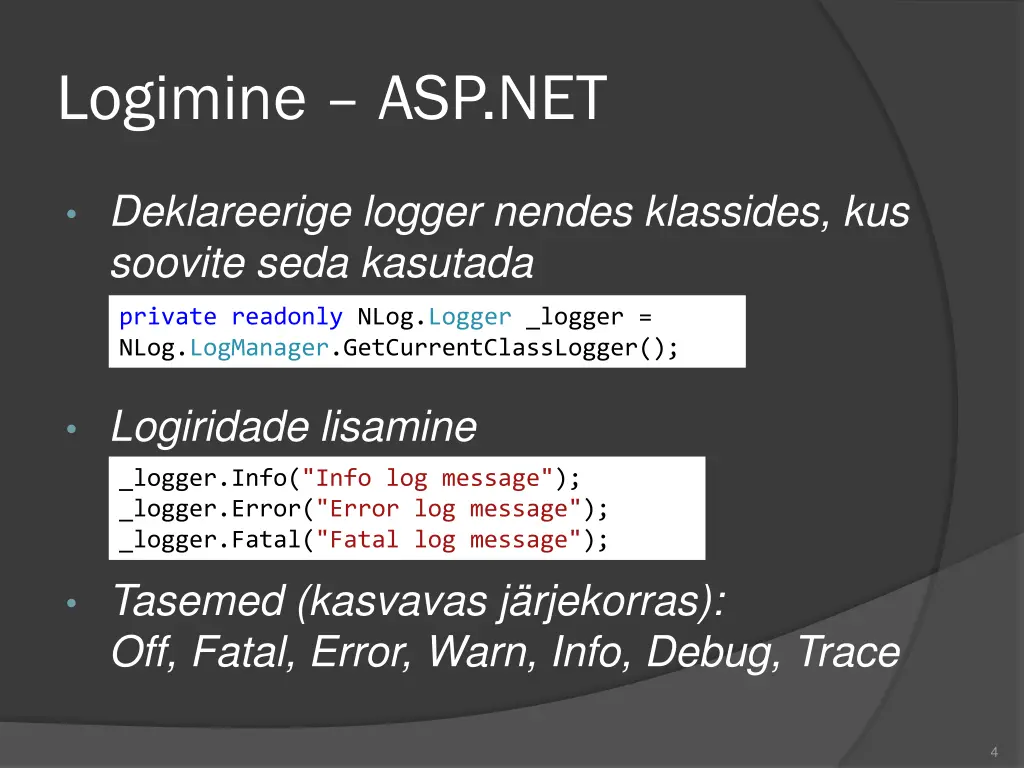
Logimine ASP.NET Deklareerige logger nendes klassides, kus soovite seda kasutada private readonly NLog.Logger _logger = NLog.LogManager.GetCurrentClassLogger(); Logiridade lisamine _logger.Info("Info log message"); _logger.Error("Error log message"); _logger.Fatal("Fatal log message"); Tasemed (kasvavas j rjekorras): Off, Fatal, Error, Warn, Info, Debug, Trace 4
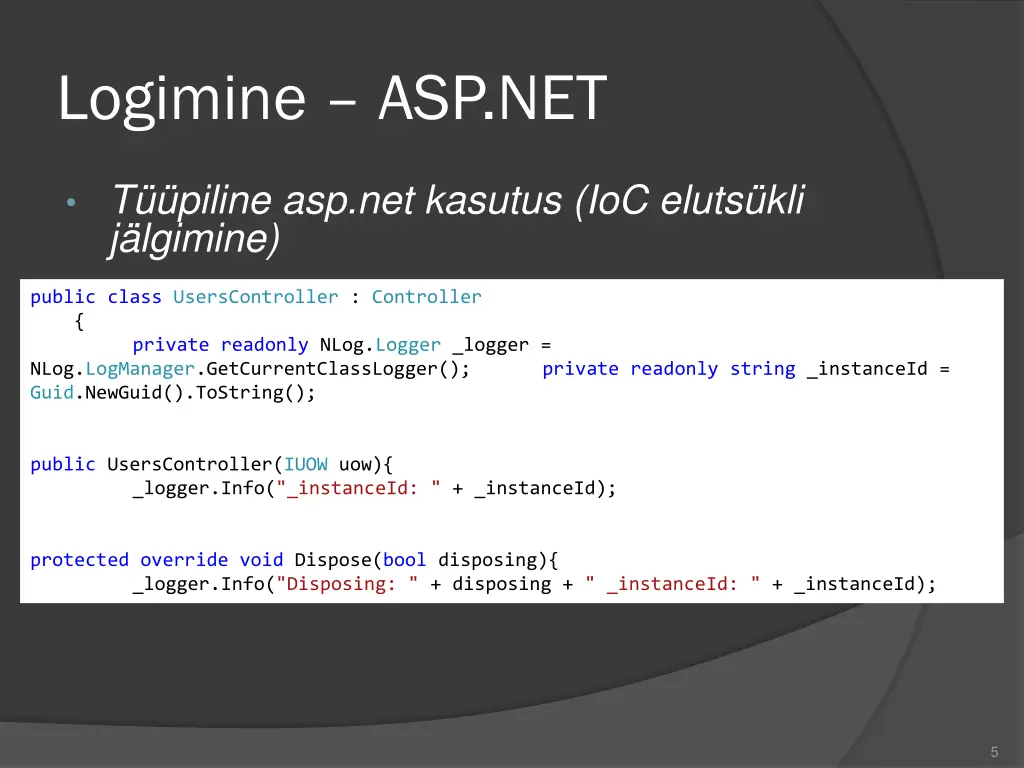
Logimine ASP.NET T piline asp.net kasutus (IoC eluts kli j lgimine) public class UsersController : Controller { private readonly NLog.Logger _logger = NLog.LogManager.GetCurrentClassLogger(); Guid.NewGuid().ToString(); private readonly string _instanceId = public UsersController(IUOW uow){ _logger.Info("_instanceId: " + _instanceId); protected override void Dispose(bool disposing){ _logger.Info("Disposing: " + disposing + " _instanceId: " + _instanceId); 5
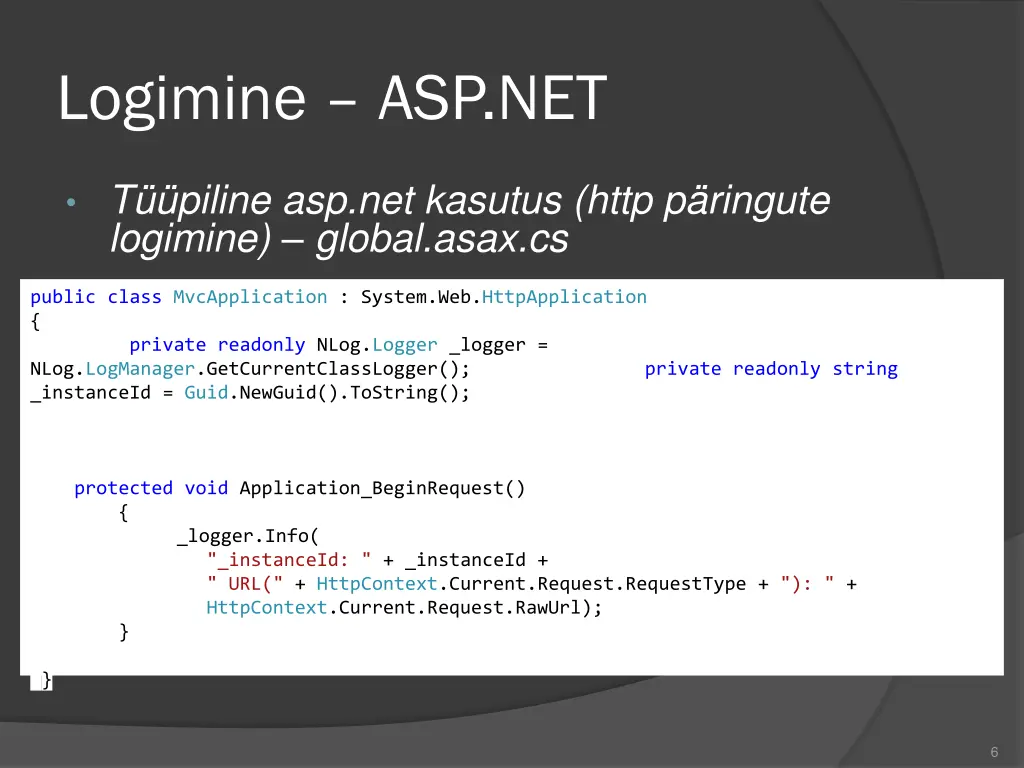
Logimine ASP.NET T piline asp.net kasutus (http p ringute logimine) global.asax.cs public class MvcApplication : System.Web.HttpApplication { private readonly NLog.Logger _logger = NLog.LogManager.GetCurrentClassLogger(); _instanceId = Guid.NewGuid().ToString(); private readonly string protected void Application_BeginRequest() { _logger.Info( "_instanceId: " + _instanceId + " URL(" + HttpContext.Current.Request.RequestType + "): " + HttpContext.Current.Request.RawUrl); } } 6
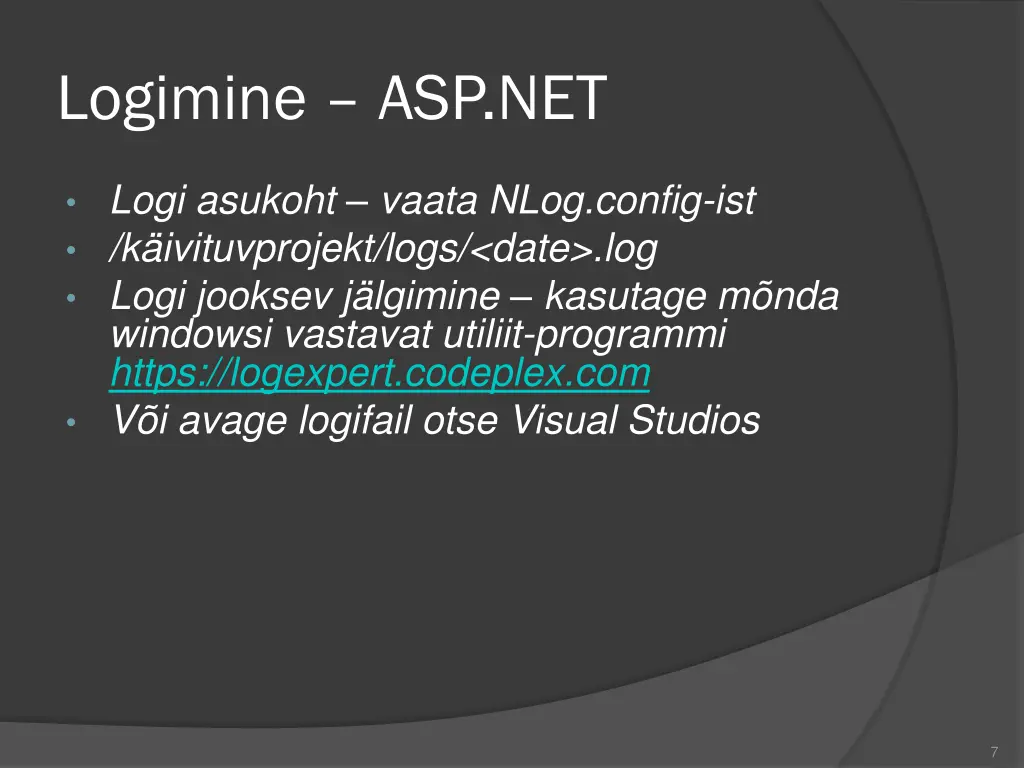
Logimine ASP.NET Logi asukoht vaata NLog.config-ist /k ivituvprojekt/logs/<date>.log Logi jooksev j lgimine kasutage m nda windowsi vastavat utiliit-programmi https://logexpert.codeplex.com V i avage logifail otse Visual Studios 7