Initiating iPERMS Web Based Training Database Review
In this tutorial, learn how to conduct a review using the iPERMS Web Based Training Database. Follow step-by-step instructions to select, list, and review units efficiently. Gain insights on running reports and choosing records for review within the database interface. Enhance your understanding of iPERMS training procedures and optimize your review process effortlessly.

Download Presentation

Please find below an Image/Link to download the presentation.
The content on the website is provided AS IS for your information and personal use only. It may not be sold, licensed, or shared on other websites without obtaining consent from the author.If you encounter any issues during the download, it is possible that the publisher has removed the file from their server.
You are allowed to download the files provided on this website for personal or commercial use, subject to the condition that they are used lawfully. All files are the property of their respective owners.
The content on the website is provided AS IS for your information and personal use only. It may not be sold, licensed, or shared on other websites without obtaining consent from the author.
E N D
Presentation Transcript
http://wapedia.mobi/thumb/c8ca14673/en/fixed/470/594/SCoE_Patch.png?format=jpghttp://wapedia.mobi/thumb/c8ca14673/en/fixed/470/594/SCoE_Patch.png?format=jpg Initiate a Review using the iPERMS Web Based Training Database
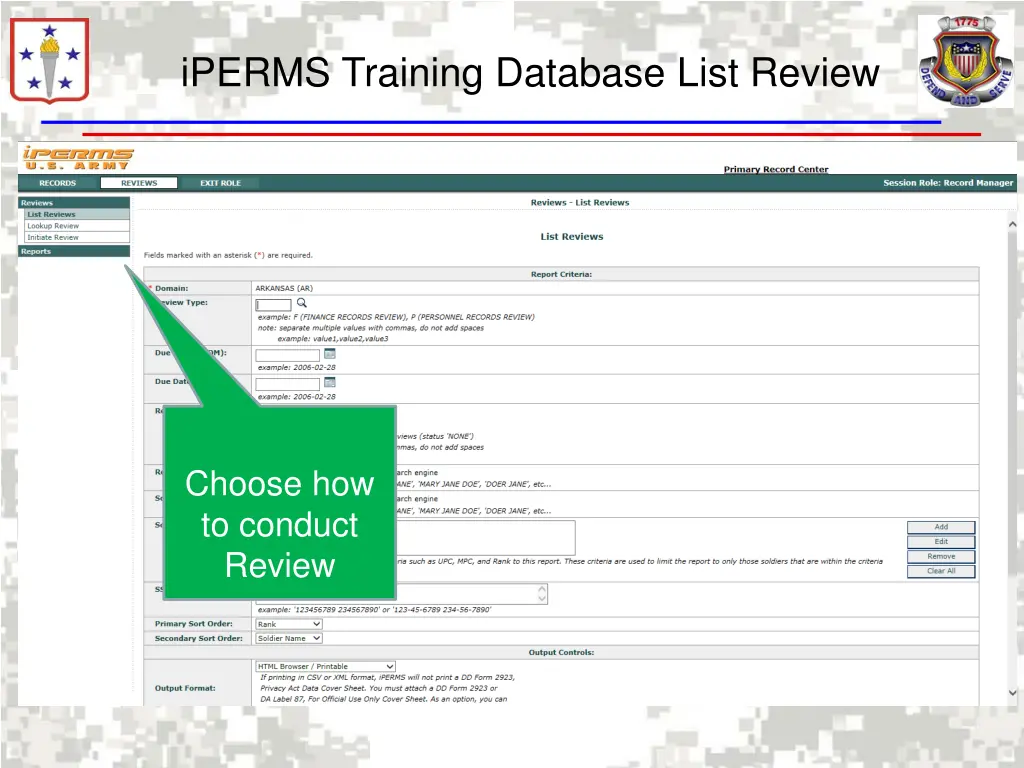
http://wapedia.mobi/thumb/c8ca14673/en/fixed/470/594/SCoE_Patch.png?format=jpghttp://wapedia.mobi/thumb/c8ca14673/en/fixed/470/594/SCoE_Patch.png?format=jpg iPERMS Training Database List Review Choose how to conduct Review
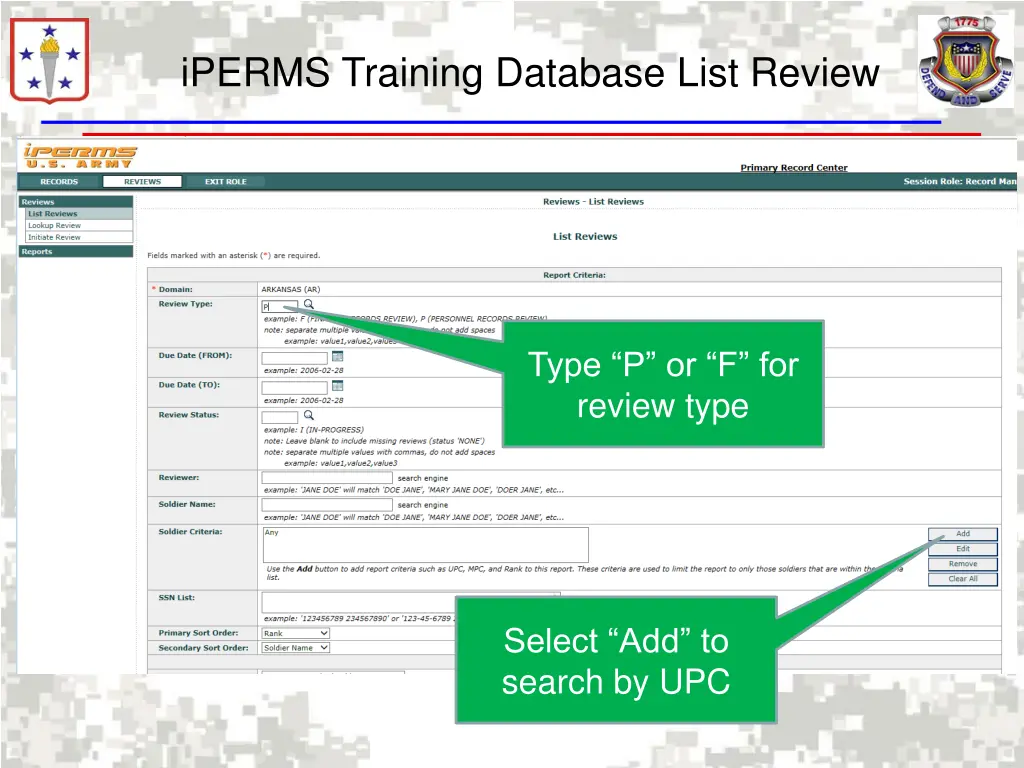
http://wapedia.mobi/thumb/c8ca14673/en/fixed/470/594/SCoE_Patch.png?format=jpghttp://wapedia.mobi/thumb/c8ca14673/en/fixed/470/594/SCoE_Patch.png?format=jpg iPERMS Training Database List Review Type P or F for review type Select Add to search by UPC
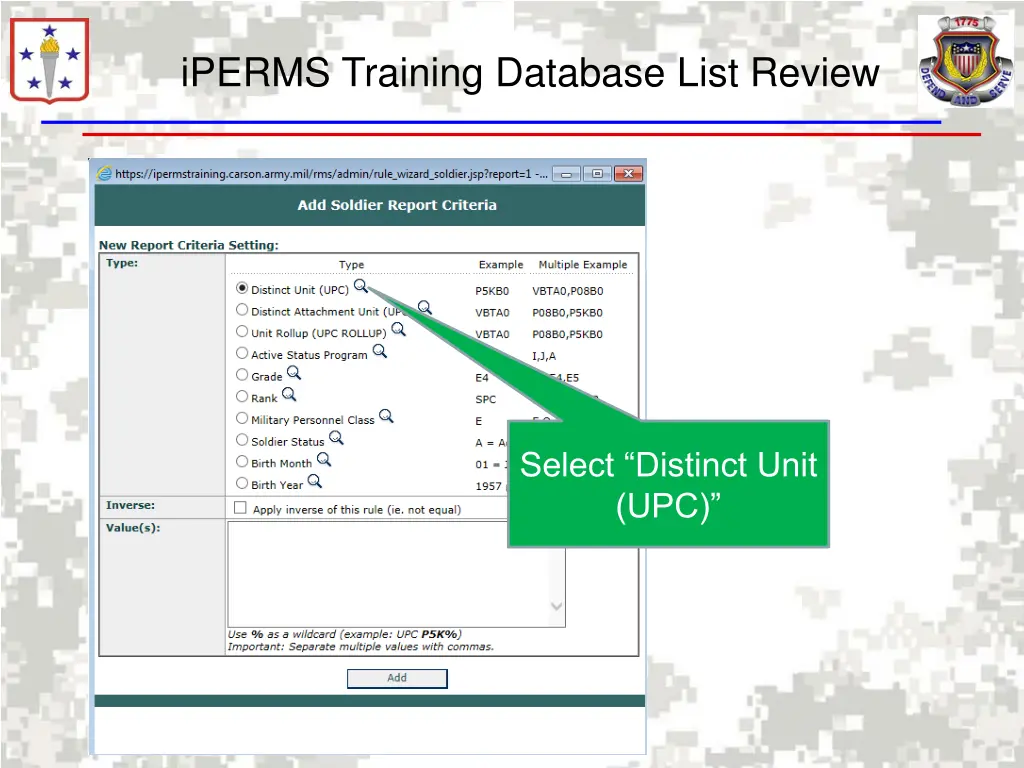
http://wapedia.mobi/thumb/c8ca14673/en/fixed/470/594/SCoE_Patch.png?format=jpghttp://wapedia.mobi/thumb/c8ca14673/en/fixed/470/594/SCoE_Patch.png?format=jpg iPERMS Training Database List Review Select Distinct Unit (UPC)
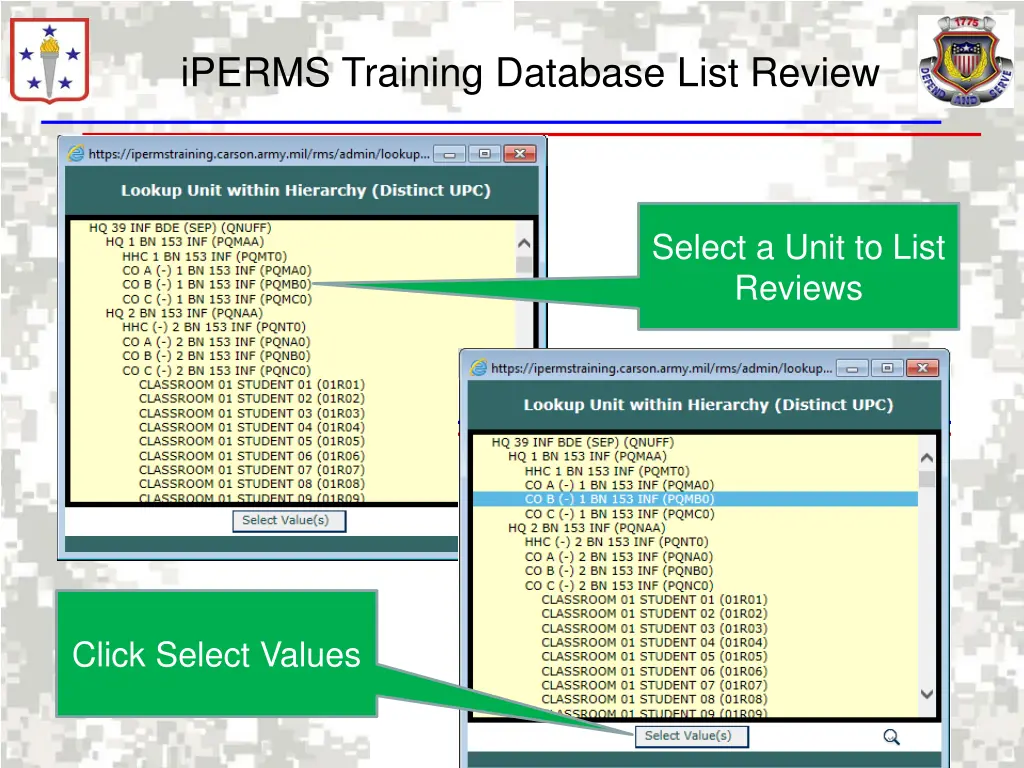
http://wapedia.mobi/thumb/c8ca14673/en/fixed/470/594/SCoE_Patch.png?format=jpghttp://wapedia.mobi/thumb/c8ca14673/en/fixed/470/594/SCoE_Patch.png?format=jpg iPERMS Training Database List Review Select a Unit to List Reviews Click Select Values
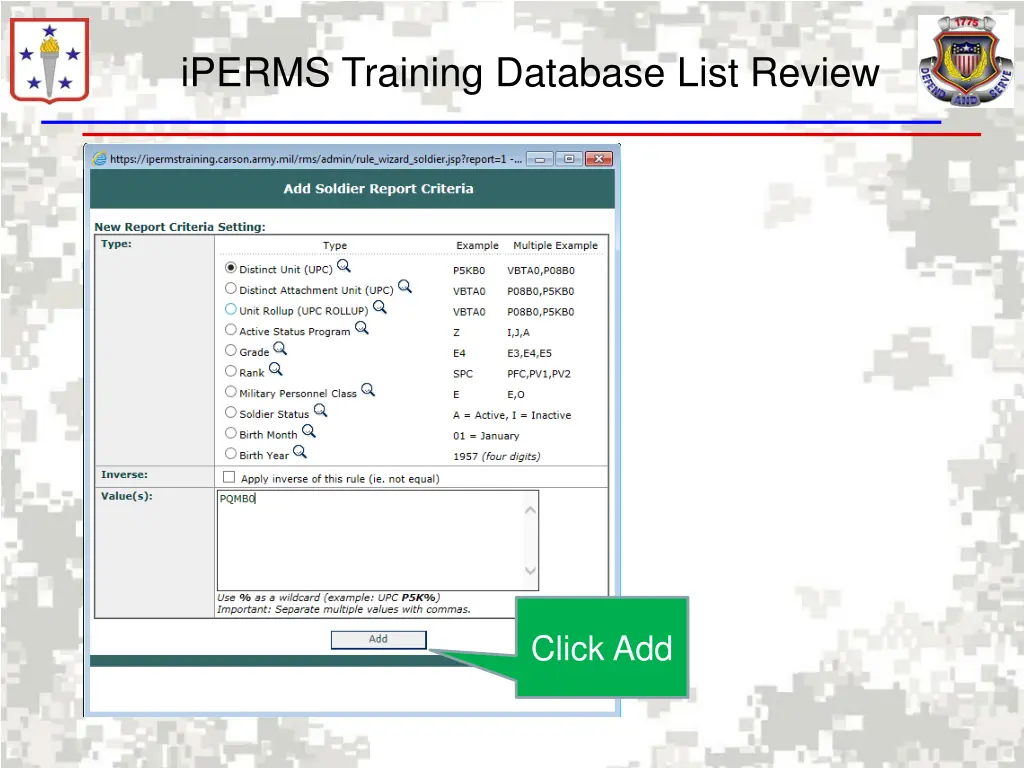
http://wapedia.mobi/thumb/c8ca14673/en/fixed/470/594/SCoE_Patch.png?format=jpghttp://wapedia.mobi/thumb/c8ca14673/en/fixed/470/594/SCoE_Patch.png?format=jpg iPERMS Training Database List Review Click Add
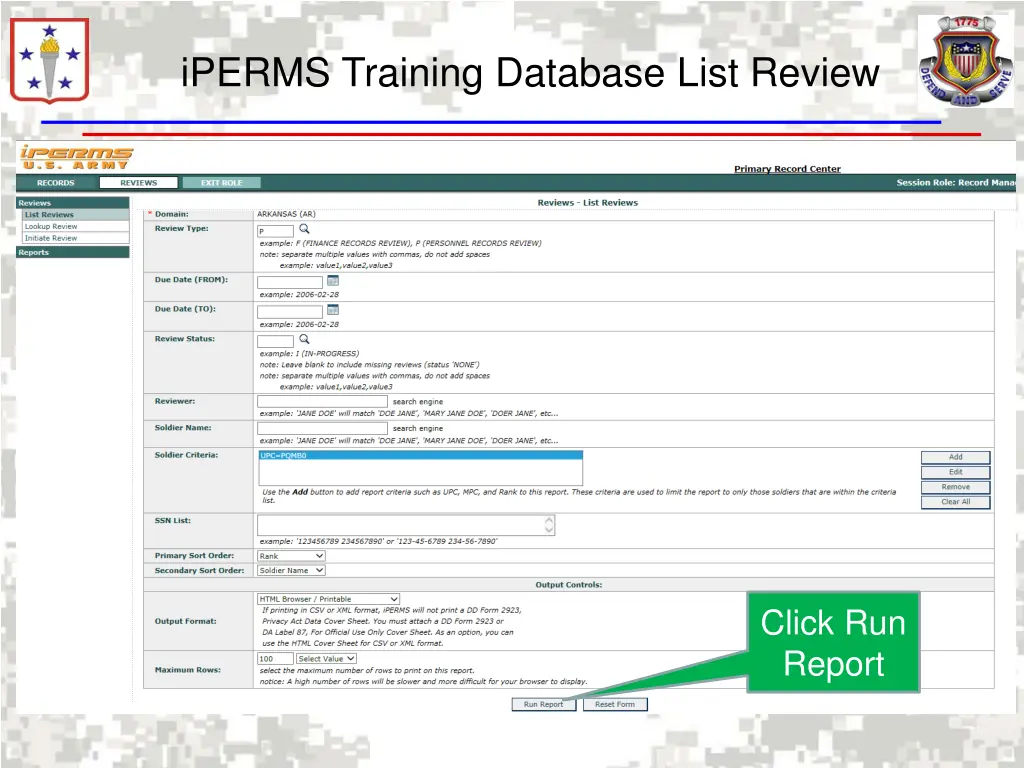
http://wapedia.mobi/thumb/c8ca14673/en/fixed/470/594/SCoE_Patch.png?format=jpghttp://wapedia.mobi/thumb/c8ca14673/en/fixed/470/594/SCoE_Patch.png?format=jpg iPERMS Training Database List Review Click Run Report
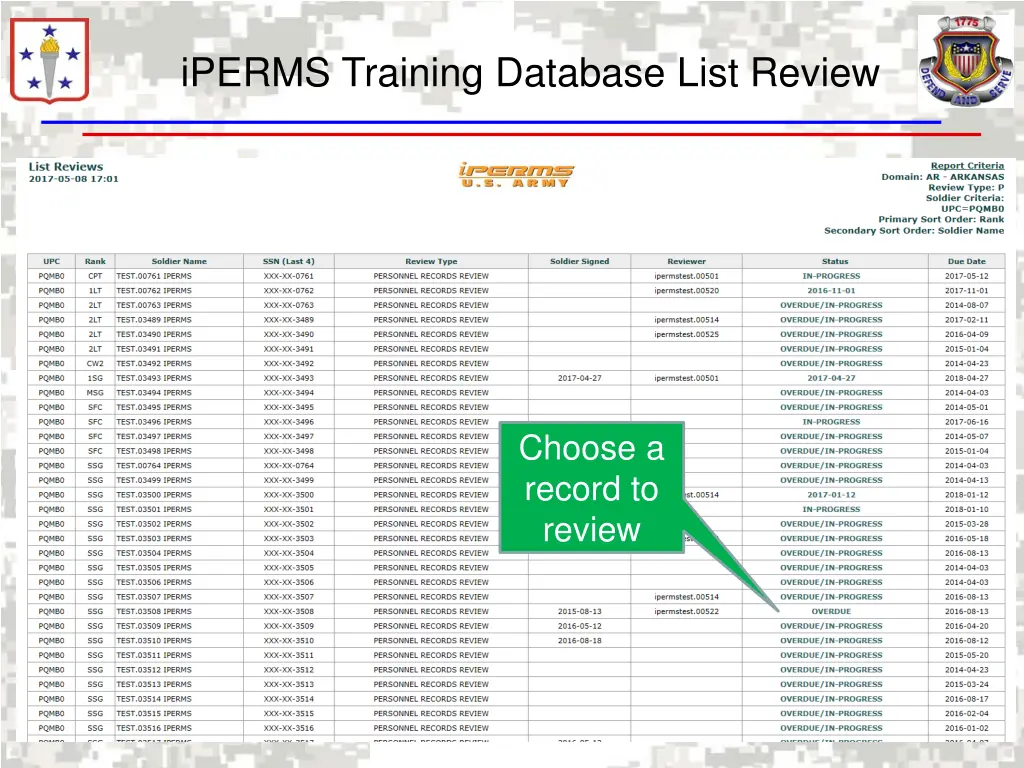
http://wapedia.mobi/thumb/c8ca14673/en/fixed/470/594/SCoE_Patch.png?format=jpghttp://wapedia.mobi/thumb/c8ca14673/en/fixed/470/594/SCoE_Patch.png?format=jpg iPERMS Training Database List Review Choose a record to review
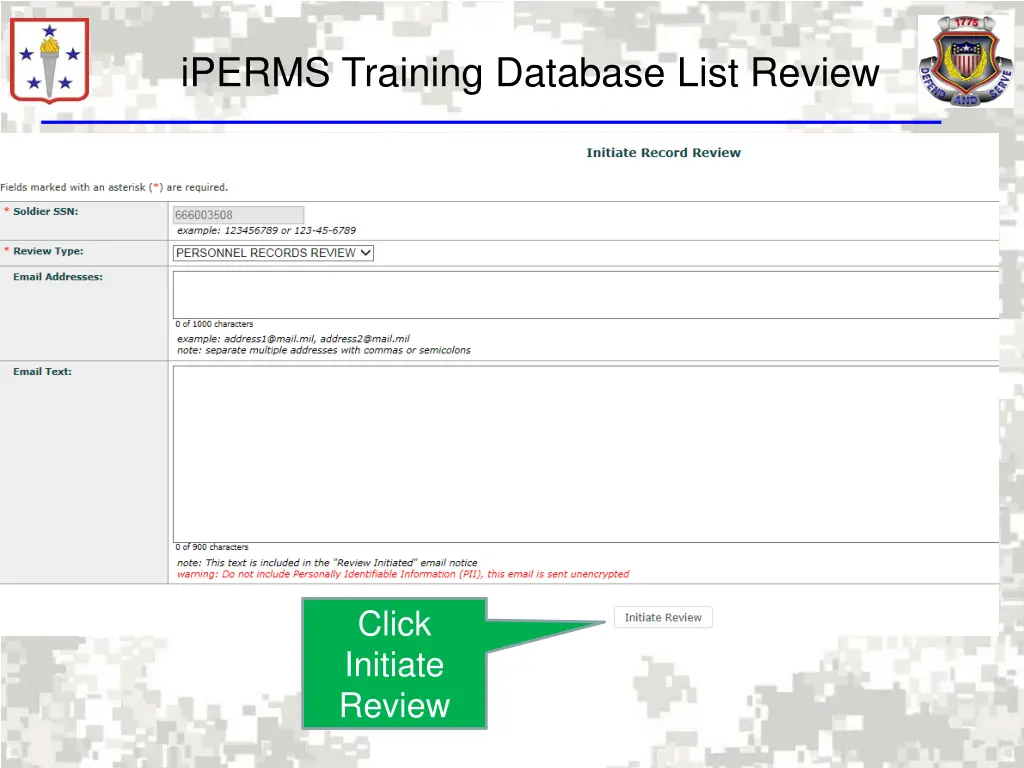
http://wapedia.mobi/thumb/c8ca14673/en/fixed/470/594/SCoE_Patch.png?format=jpghttp://wapedia.mobi/thumb/c8ca14673/en/fixed/470/594/SCoE_Patch.png?format=jpg iPERMS Training Database List Review Click Initiate Review
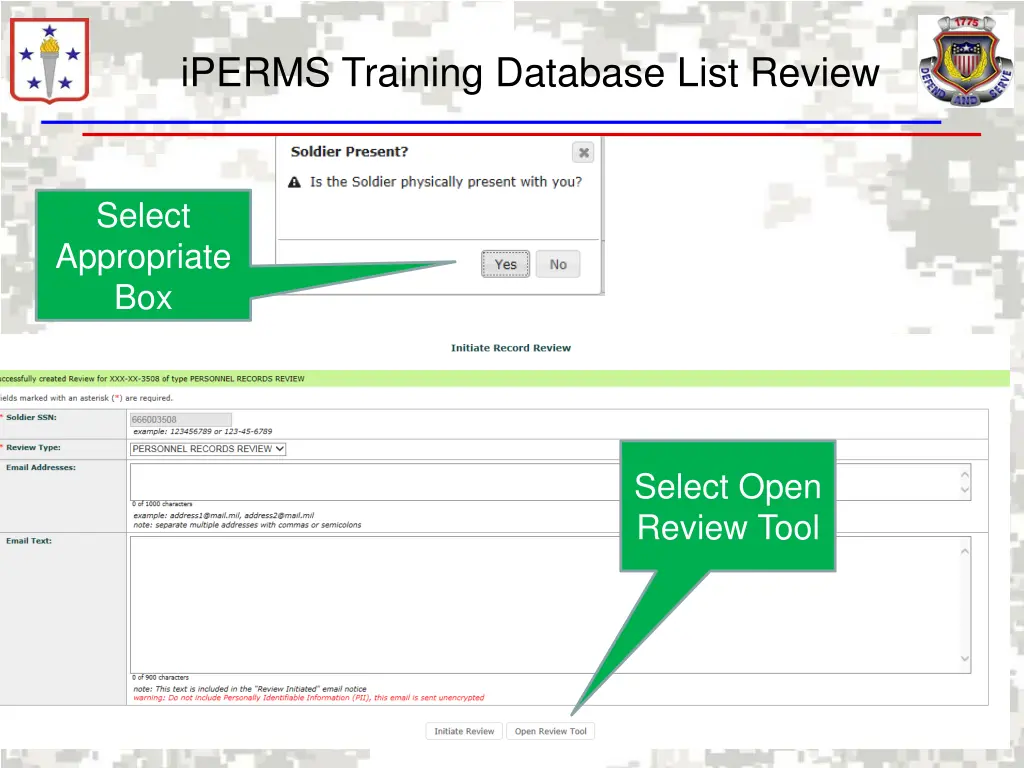
http://wapedia.mobi/thumb/c8ca14673/en/fixed/470/594/SCoE_Patch.png?format=jpghttp://wapedia.mobi/thumb/c8ca14673/en/fixed/470/594/SCoE_Patch.png?format=jpg iPERMS Training Database List Review Select Appropriate Box Select Open Review Tool
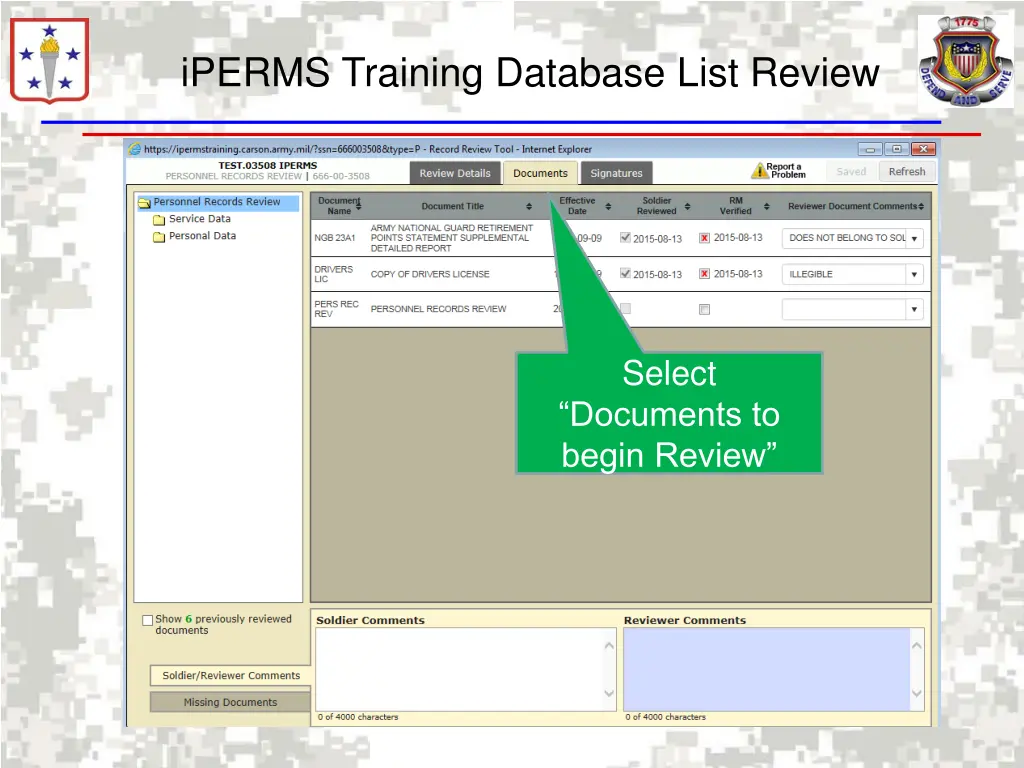
http://wapedia.mobi/thumb/c8ca14673/en/fixed/470/594/SCoE_Patch.png?format=jpghttp://wapedia.mobi/thumb/c8ca14673/en/fixed/470/594/SCoE_Patch.png?format=jpg iPERMS Training Database List Review Select Documents to begin Review