Internet Multimedia: Trends and Applications
Explore the evolution of Internet multimedia through insights on video streaming, email protocols, multimedia applications, digital representations of audio and more. Discover the significant growth projected in video traffic and the unique challenges faced by multimedia applications compared to traditional ones.

Download Presentation

Please find below an Image/Link to download the presentation.
The content on the website is provided AS IS for your information and personal use only. It may not be sold, licensed, or shared on other websites without obtaining consent from the author. If you encounter any issues during the download, it is possible that the publisher has removed the file from their server.
You are allowed to download the files provided on this website for personal or commercial use, subject to the condition that they are used lawfully. All files are the property of their respective owners.
The content on the website is provided AS IS for your information and personal use only. It may not be sold, licensed, or shared on other websites without obtaining consent from the author.
E N D
Presentation Transcript
CS 352 Video Streaming Lecture 8 http://www.cs.rutgers.edu/~sn624/352-F22 Srinivas Narayana 1
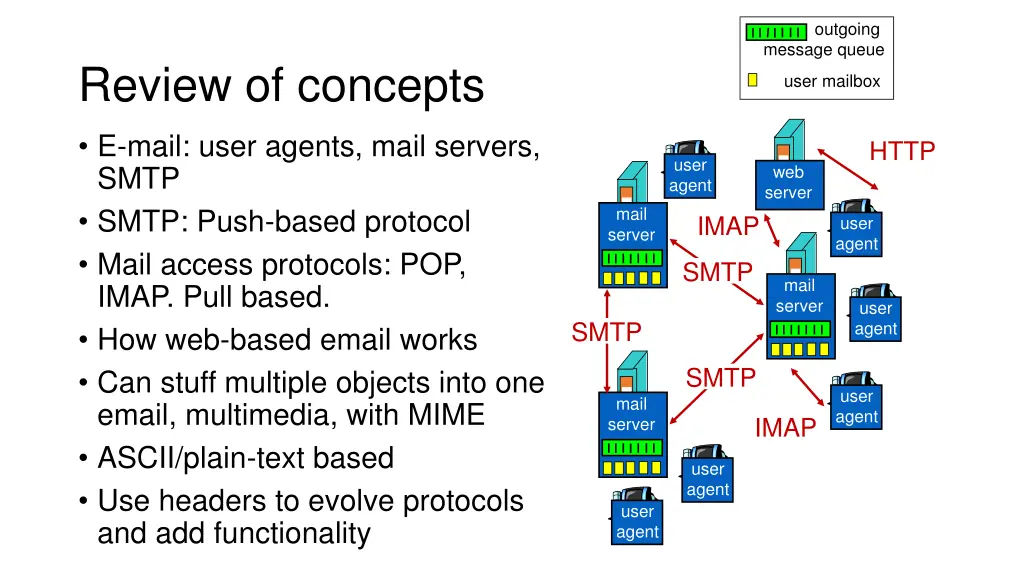
outgoing message queue Review of concepts user mailbox E-mail: user agents, mail servers, SMTP SMTP: Push-based protocol Mail access protocols: POP, IMAP. Pull based. How web-based email works Can stuff multiple objects into one email, multimedia, with MIME ASCII/plain-text based Use headers to evolve protocols and add functionality HTTP user agent web server mail server IMAP user agent SMTP mail server user agent SMTP SMTP user agent mail server IMAP user agent user agent
Todays lecture: Internet Multimedia Many applications on the Internet use audio or video IP video traffic will be 82 percent of all IP traffic [ ] by 2022, up from 75 percent in 2017 CCTV traffic over the Internet will increase sevenfold between 2017 to 2022 Internet video to TV will increase threefold between 2017 to 2022. Consumer Video-on-Demand (VoD) traffic will nearly double by 2022 Source: Cisco visual networking index 2017--22 3
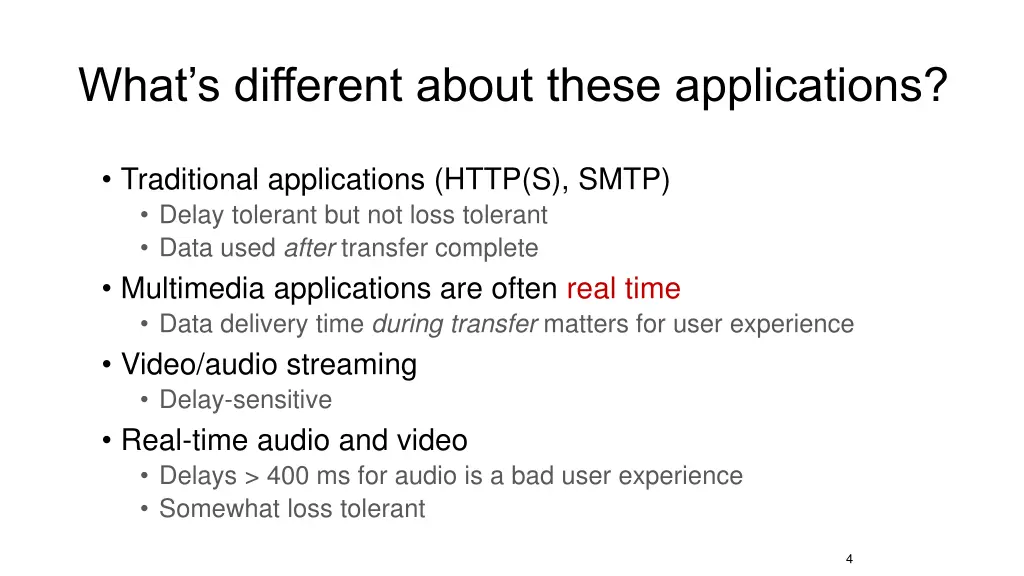
Whats different about these applications? Traditional applications (HTTP(S), SMTP) Delay tolerant but not loss tolerant Data used after transfer complete Multimedia applications are often real time Data delivery time during transfer matters for user experience Video/audio streaming Delay-sensitive Real-time audio and video Delays > 400 ms for audio is a bad user experience Somewhat loss tolerant 4
Multimedia Data Representations 5
Digital representation of audio and video
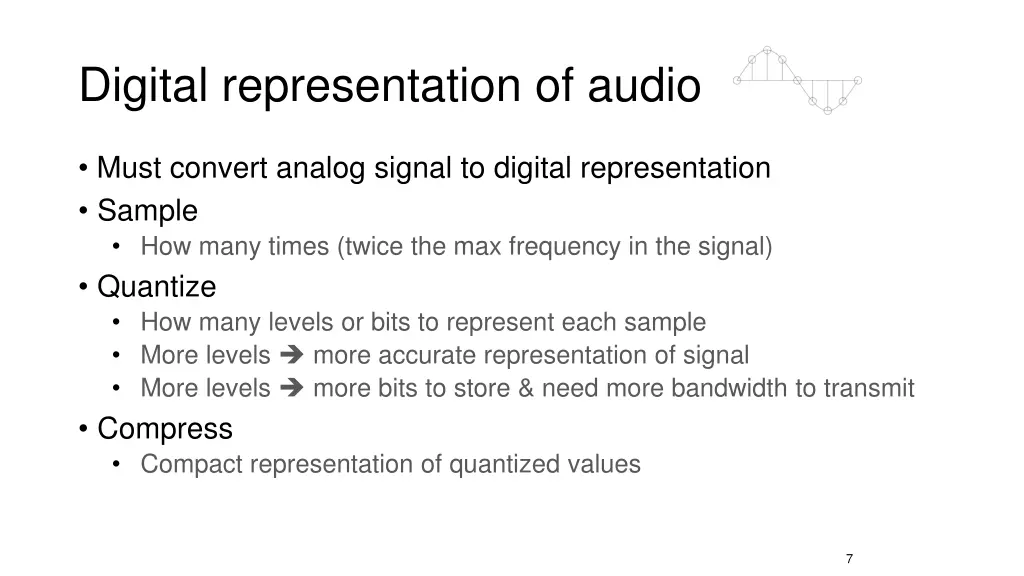
Digital representation of audio Must convert analog signal to digital representation Sample How many times (twice the max frequency in the signal) Quantize How many levels or bits to represent each sample More levels more accurate representation of signal More levels more bits to store & need more bandwidth to transmit Compress Compact representation of quantized values 7
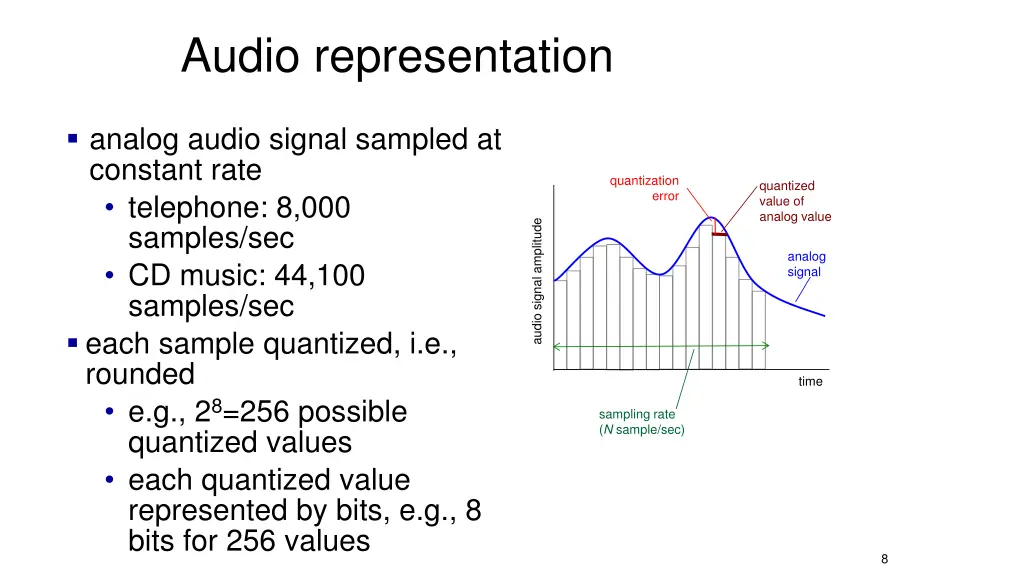
Audio representation analog audio signal sampled at constant rate telephone: 8,000 samples/sec CD music: 44,100 samples/sec each sample quantized, i.e., rounded e.g., 28=256 possible quantized values each quantized value represented by bits, e.g., 8 bits for 256 values quantization quantized value of analog value error audio signal amplitude analog signal time sampling rate (N sample/sec) 8
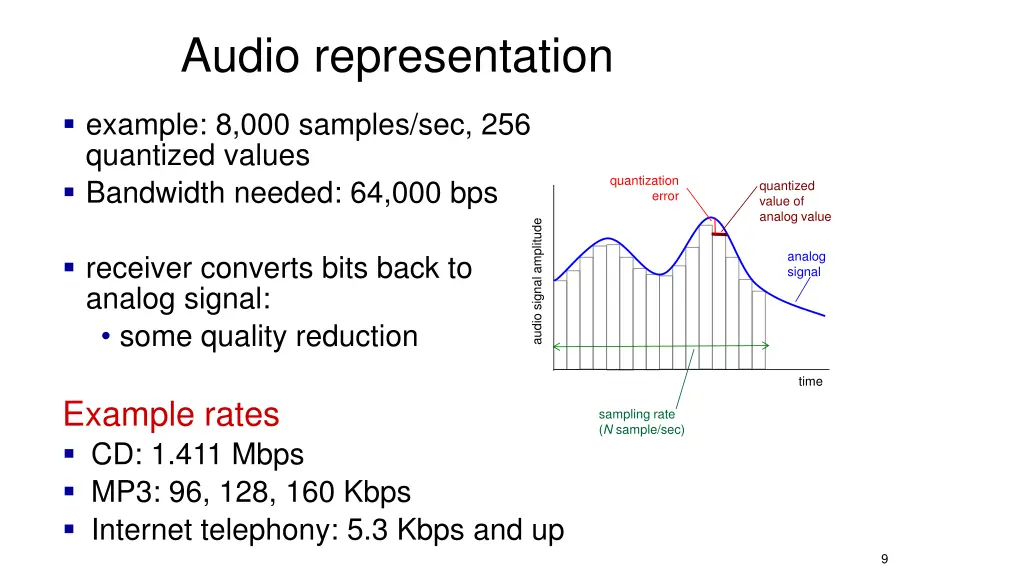
Audio representation example: 8,000 samples/sec, 256 quantized values Bandwidth needed: 64,000 bps quantization quantized value of analog value error audio signal amplitude analog signal receiver converts bits back to analog signal: some quality reduction time Example rates CD: 1.411 Mbps MP3: 96, 128, 160 Kbps Internet telephony: 5.3 Kbps and up sampling rate (N sample/sec) 9
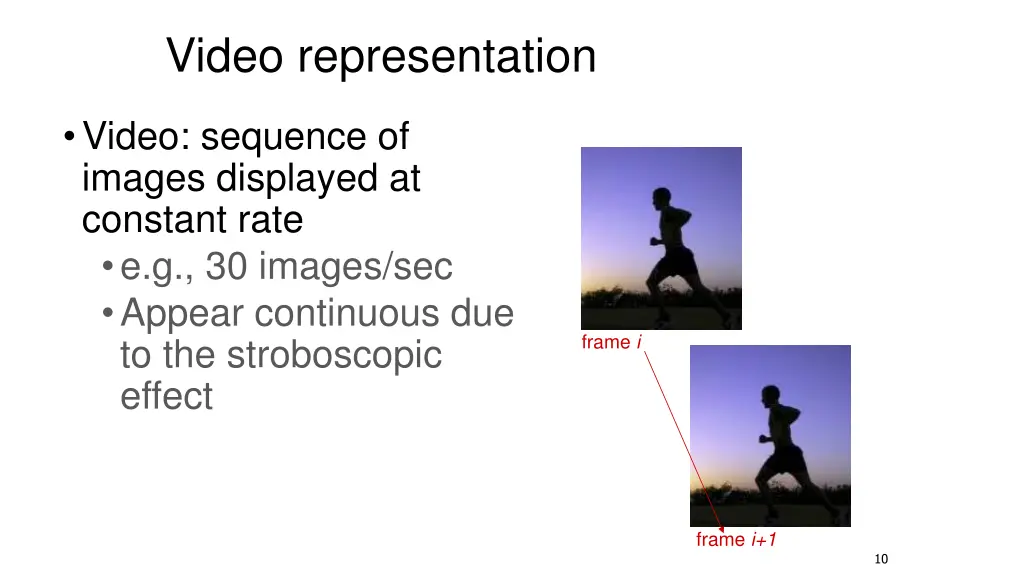
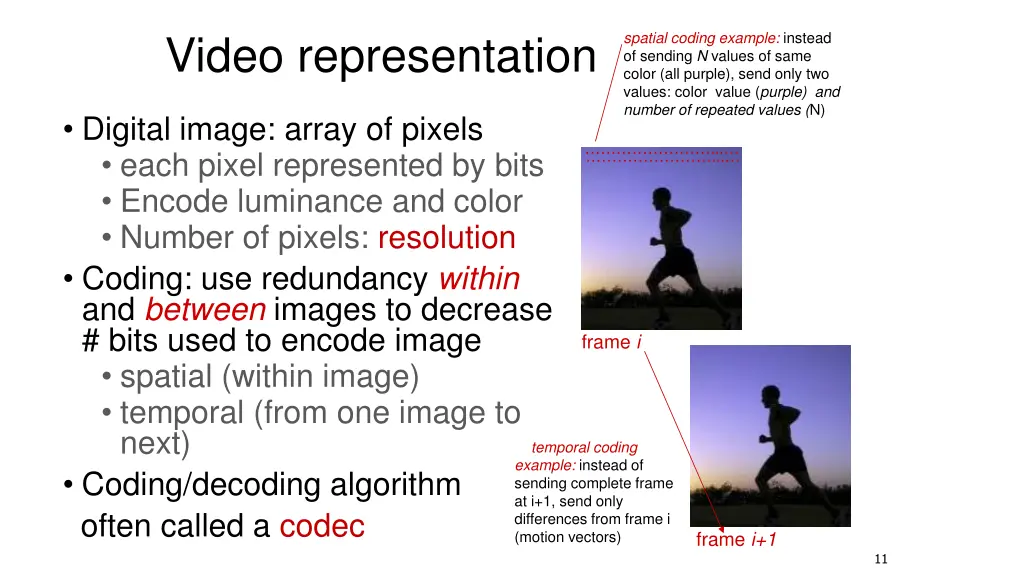
Video representation Video: sequence of images displayed at constant rate e.g., 30 images/sec Appear continuous due to the stroboscopic effect frame i frame i+1 10
Video representation spatial coding example: instead of sending N values of same color (all purple), send only two values: color value (purple) and number of repeated values (N) Digital image: array of pixels each pixel represented by bits Encode luminance and color Number of pixels: resolution Coding: use redundancy within and between images to decrease # bits used to encode image spatial (within image) temporal (from one image to next) Coding/decoding algorithm often called a codec ... ... frame i temporal coding example: instead of sending complete frame at i+1, send only differences from frame i (motion vectors) frame i+1 11
Video codecs: terminology Video bit rate: effective number of bits per second of the video after encoding It depends on many factors Resolution of each image: more pixels = more bits Detail per pixel: better luminance & color detail = more bits Amount of movement in the video. More movement = more bits Quality of overall compression in the codec Video bit rate is typically correlated with quality of perception. Higher bit rate == better to perceive
Bit-rates: terminology Bit-rate of a video changes over the duration of the video CBR: (constant bit rate): fixed bit-rate video VBR: (variable bit rate): different parts of the video have different bit rates, e.g., changes in color, motion, etc. For VBR, we talk about average bit-rate over video s duration Examples of average video bit-rates MPEG 1 (CD-ROM) 1.5 Mbps. MPEG2 (DVD) 3-6 Mbps MPEG4 (often used in Internet, < 1 Mbps) In general, one Internet video stream takes up a few Mbit/s (unless HD) https://blog.video.ibm.com/streaming-video-tips/what-is-video-encoding-codecs-compression-techniques/
Networking multimedia: 3 types On-demand streamed video/audio Can begin playout before downloading the entire file Ful video/audio stored at the server: able to transmit faster than audio/video will be rendered (with storing/buffering at client) e.g., Spotify, YouTube, Netflix Conversationalvoice or video over IP interactive human-to-human communication limits delay tolerance e.g., Zoom, Google Stadia Live streamed audio, video e.g, sporting event on sky sports Can delay a little, but must be close to the live edge of content
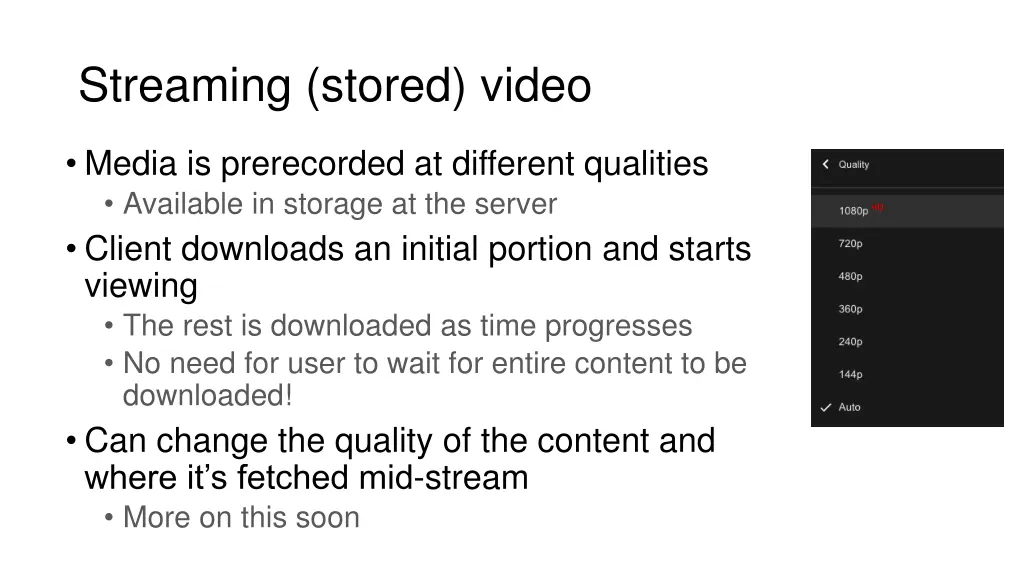
Streaming (stored) video Media is prerecorded at different qualities Available in storage at the server Client downloads an initial portion and starts viewing The rest is downloaded as time progresses No need for user to wait for entire content to be downloaded! Can change the quality of the content and where it s fetched mid-stream More on this soon
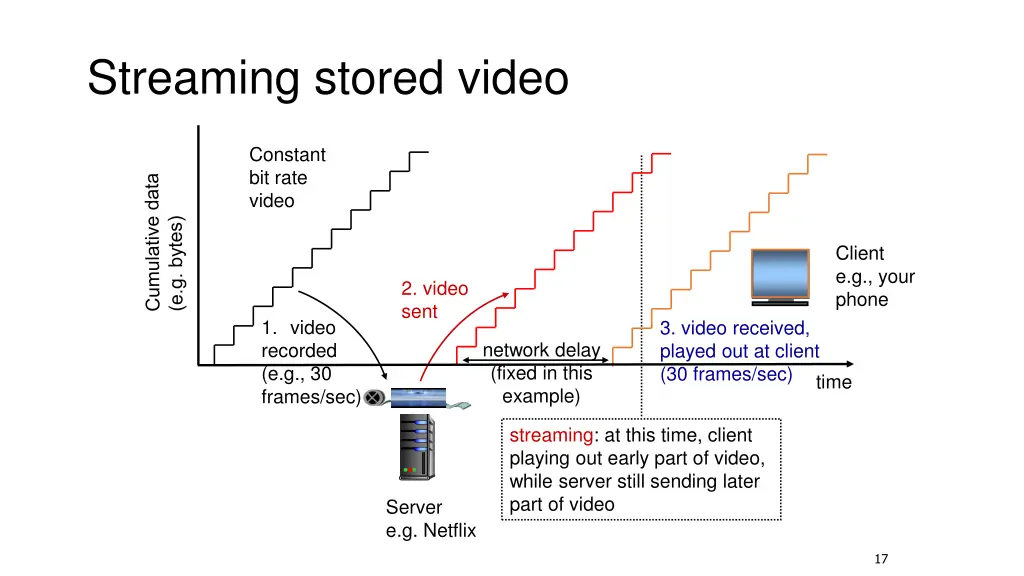
Streaming stored video Constant bit rate video Client e.g., your phone 2. video sent 1. video recorded (e.g., 30 frames/sec) 3. video received, played out at client (30 frames/sec) network delay (fixed in this example) time streaming: at this time, client playing out early part of video, while server still sending later part of video Server e.g. Netflix 17
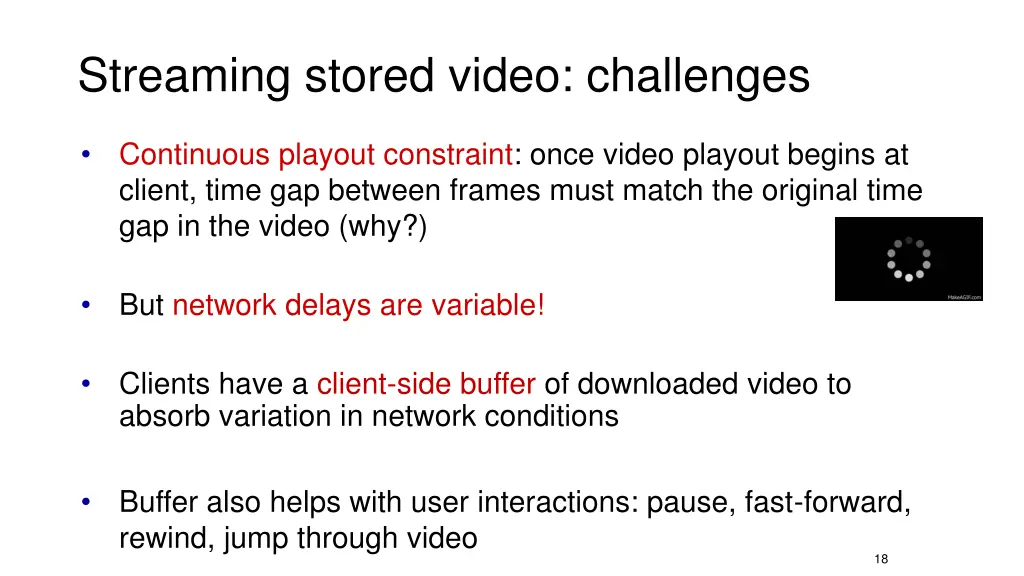
Streaming stored video: challenges Continuous playout constraint: once video playout begins at client, time gap between frames must match the original time gap in the video (why?) But network delays are variable! Clients have a client-side buffer of downloaded video to absorb variation in network conditions Buffer also helps with user interactions: pause, fast-forward, rewind, jump through video 18
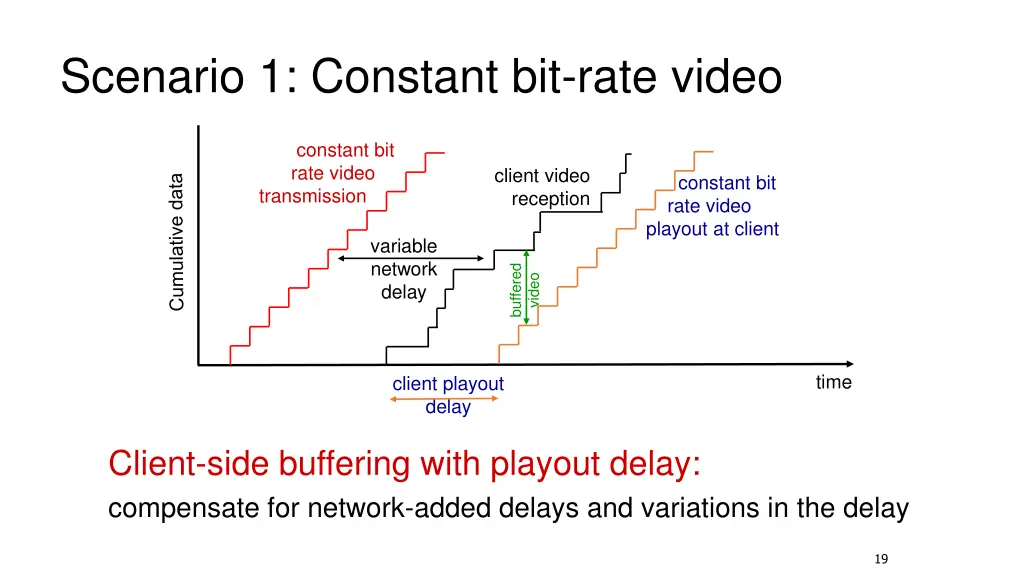
Scenario 1: Constant bit-rate video constant bit rate video transmission client video reception constant bit rate video playout at client variable network delay buffered video time client playout delay Client-side buffering with playout delay: compensate for network-added delays and variations in the delay 19
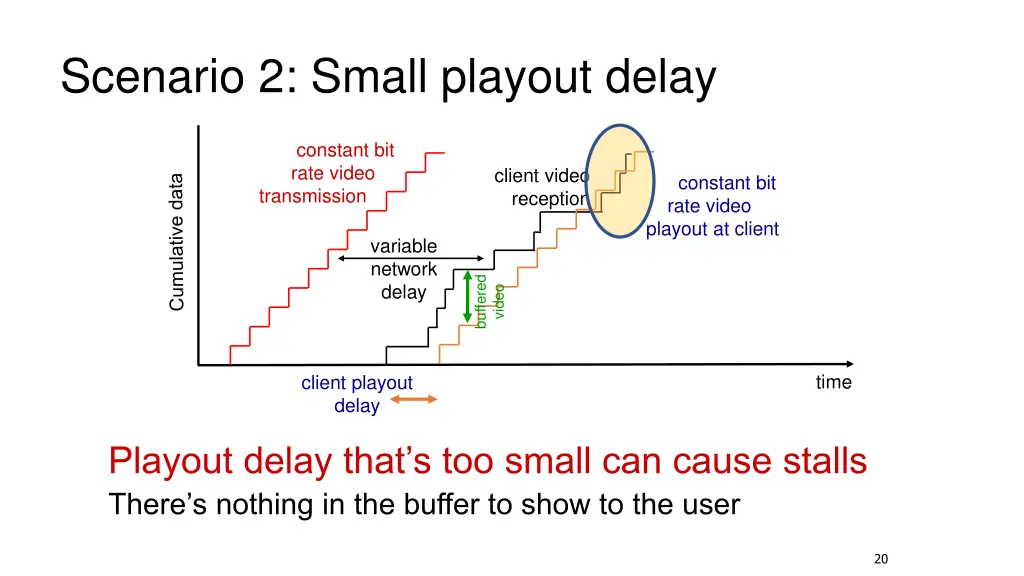
Scenario 2: Small playout delay constant bit rate video transmission client video reception constant bit rate video playout at client variable network delay buffered video time client playout delay Playout delay that s too small can cause stalls There s nothing in the buffer to show to the user 20
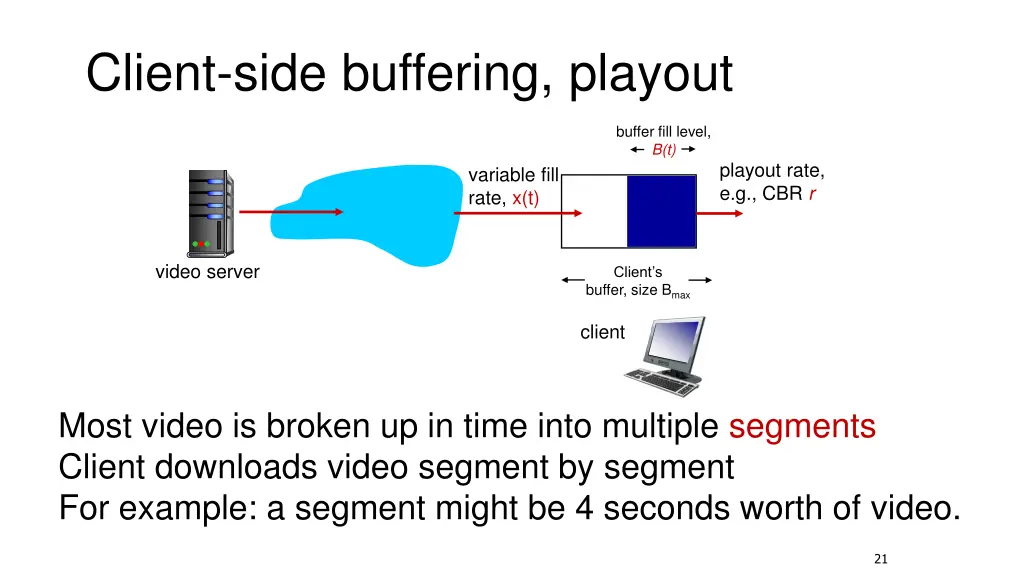
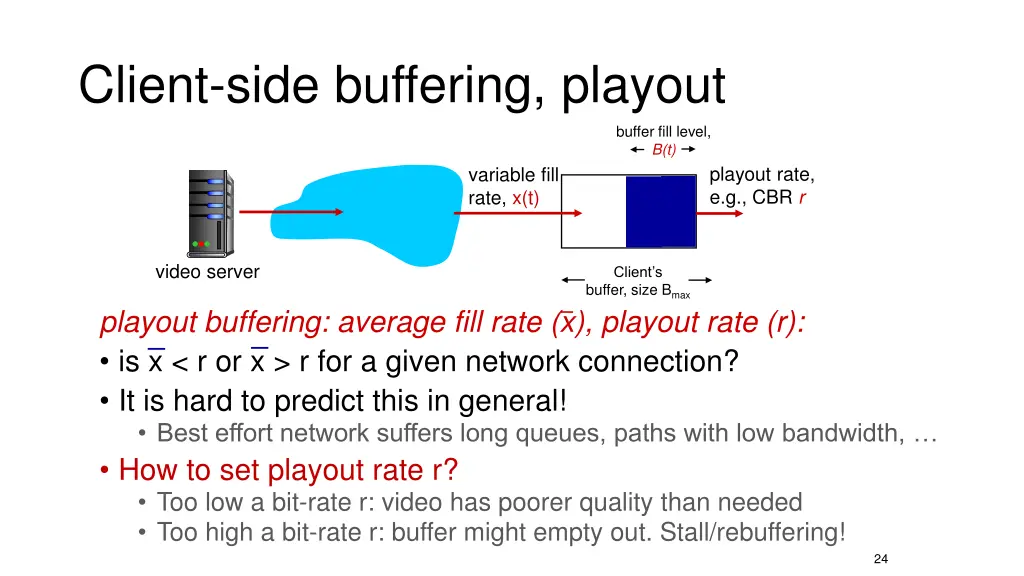
Client-side buffering, playout buffer fill level, B(t) playout rate, e.g., CBR r variable fill rate, x(t) video server Client s buffer, size Bmax client Most video is broken up in time into multiple segments Client downloads video segment by segment For example: a segment might be 4 seconds worth of video. 21
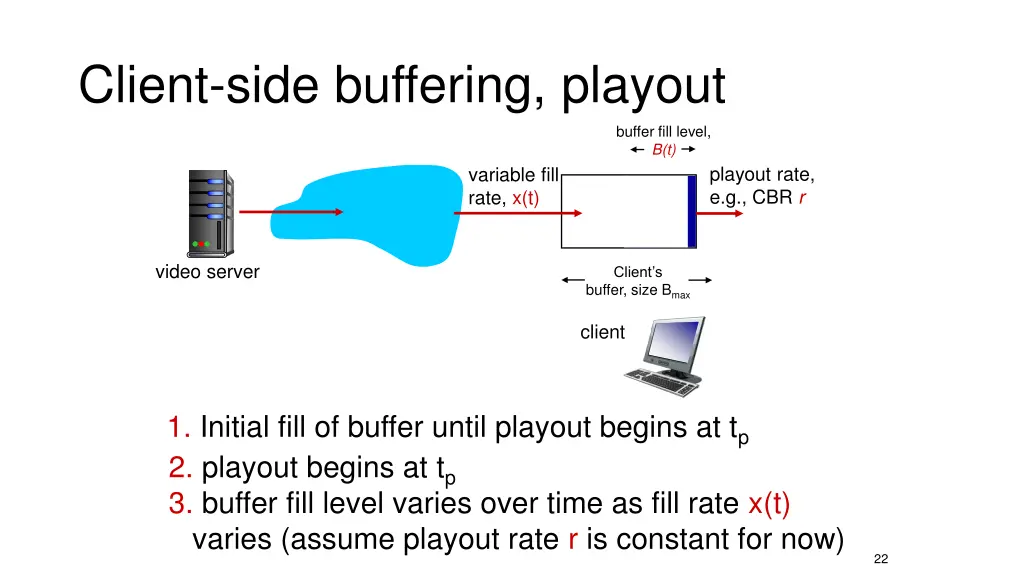
Client-side buffering, playout buffer fill level, B(t) playout rate, e.g., CBR r variable fill rate, x(t) video server Client s buffer, size Bmax client 1. Initial fill of buffer until playout begins at tp 2. playout begins at tp 3. buffer fill level varies over time as fill rate x(t) varies (assume playout rate r is constant for now) 22
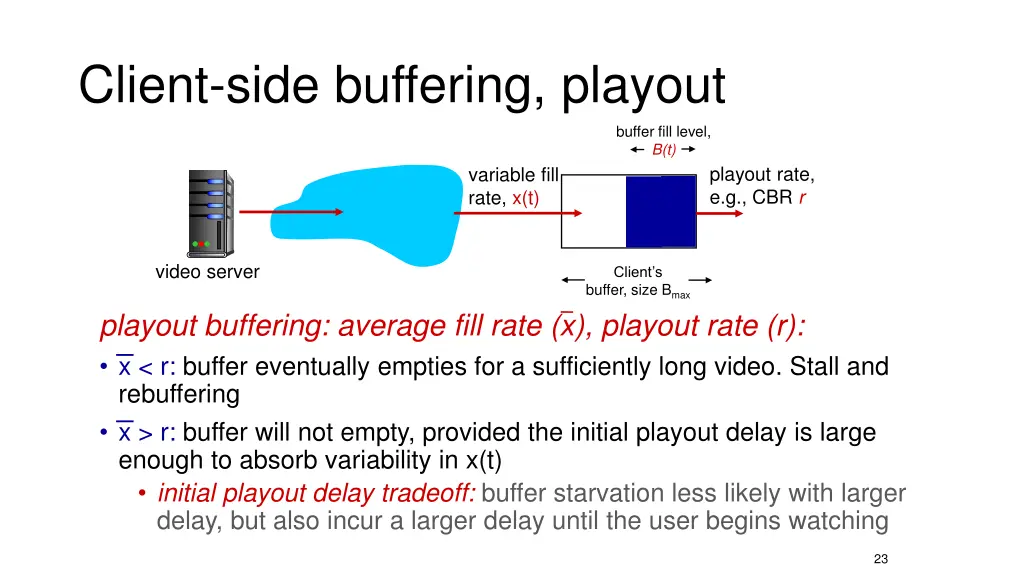
Client-side buffering, playout buffer fill level, B(t) playout rate, e.g., CBR r variable fill rate, x(t) video server Client s buffer, size Bmax playout buffering: average fill rate (x), playout rate (r): x < r: buffer eventually empties for a sufficiently long video. Stall and rebuffering x > r: buffer will not empty, provided the initial playout delay is large enough to absorb variability in x(t) initial playout delay tradeoff: buffer starvation less likely with larger delay, but also incur a larger delay until the user begins watching 23
Client-side buffering, playout buffer fill level, B(t) playout rate, e.g., CBR r variable fill rate, x(t) video server Client s buffer, size Bmax playout buffering: average fill rate (x), playout rate (r): is x < r or x > r for a given network connection? It is hard to predict this in general! Best effort network suffers long queues, paths with low bandwidth, How to set playout rate r? Too low a bit-rate r: video has poorer quality than needed Too high a bit-rate r: buffer might empty out. Stall/rebuffering! 24
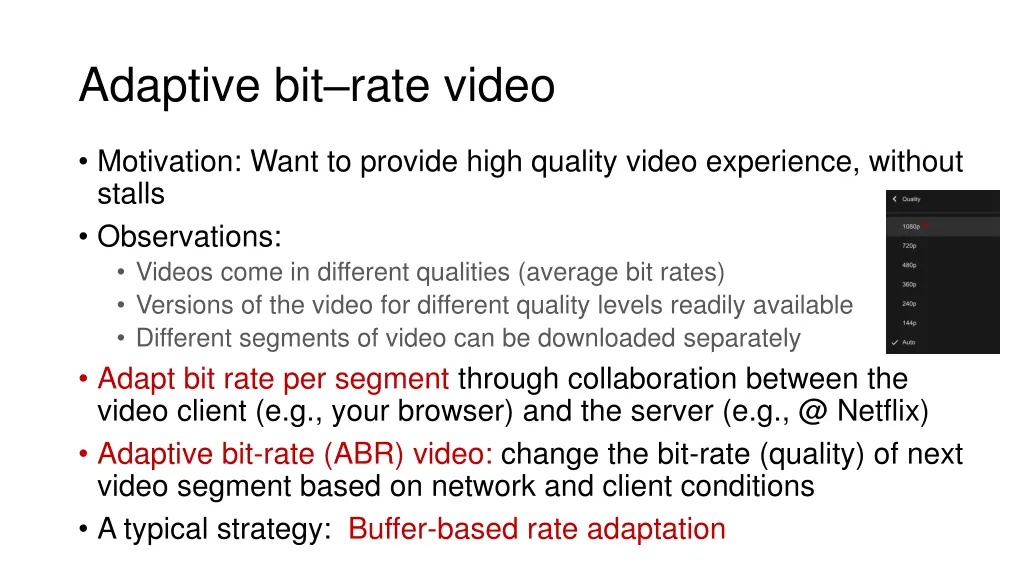
Adaptive bitrate video Motivation: Want to provide high quality video experience, without stalls Observations: Videos come in different qualities (average bit rates) Versions of the video for different quality levels readily available Different segments of video can be downloaded separately Adapt bit rate per segment through collaboration between the video client (e.g., your browser) and the server (e.g., @ Netflix) Adaptive bit-rate (ABR) video: change the bit-rate (quality) of next video segment based on network and client conditions A typical strategy: Buffer-based rate adaptation
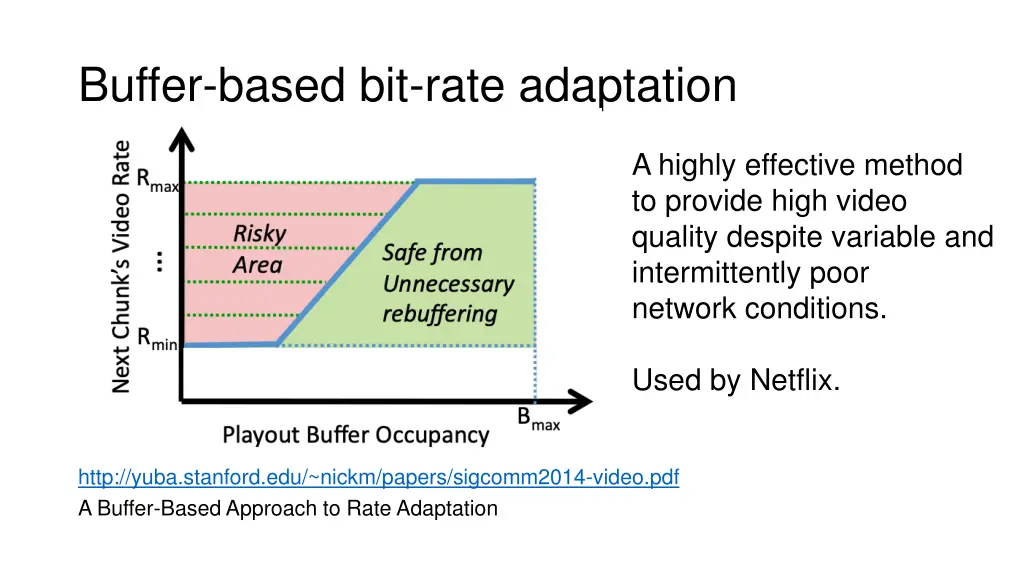
Buffer-based bit-rate adaptation Key idea: If there is a large stored buffer of video, optimize aggressively for video quality, i.e., high bit rates Else (i.e., buffer has low occupancy), avoid stalls by being conservative and ask for a lower quality (bit-rate) Hope: lower bandwidth requirement of a lower quality stream is satisfiable more easily
Buffer-based bit-rate adaptation A highly effective method to provide high video quality despite variable and intermittently poor network conditions. Used by Netflix. http://yuba.stanford.edu/~nickm/papers/sigcomm2014-video.pdf A Buffer-Based Approach to Rate Adaptation