Manual Adjustment at USSGL Level - What's New in GTAS 2.11
Discover the latest manual adjustment features in GTAS 2.11, including added line numbers, justification text boxes, and USSGL breakout examples. Learn how to make and apply adjustments efficiently at the preparer level.

Download Presentation

Please find below an Image/Link to download the presentation.
The content on the website is provided AS IS for your information and personal use only. It may not be sold, licensed, or shared on other websites without obtaining consent from the author. If you encounter any issues during the download, it is possible that the publisher has removed the file from their server.
You are allowed to download the files provided on this website for personal or commercial use, subject to the condition that they are used lawfully. All files are the property of their respective owners.
The content on the website is provided AS IS for your information and personal use only. It may not be sold, licensed, or shared on other websites without obtaining consent from the author.
E N D
Presentation Transcript
GTAS 2.11 Manual Adjustment by USSGL USSGL Board Meeting May 10, 2018
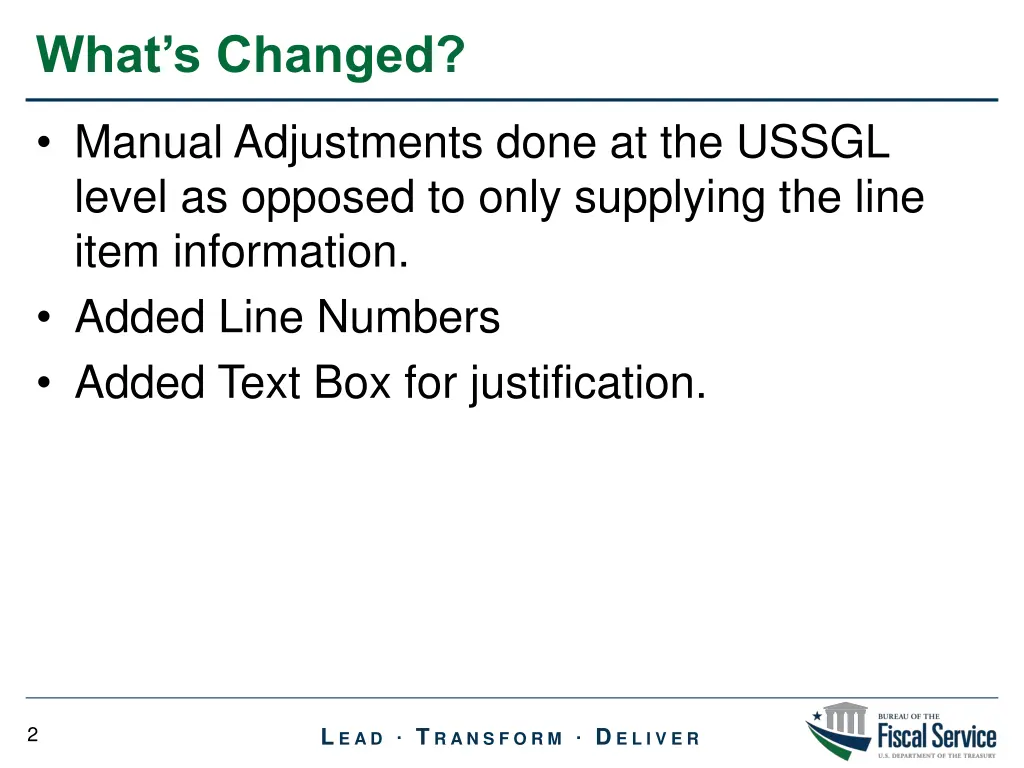
Whats Changed? Manual Adjustments done at the USSGL level as opposed to only supplying the line item information. Added Line Numbers Added Text Box for justification. 2 L E A D T R A N S F O R M D E L I V E R
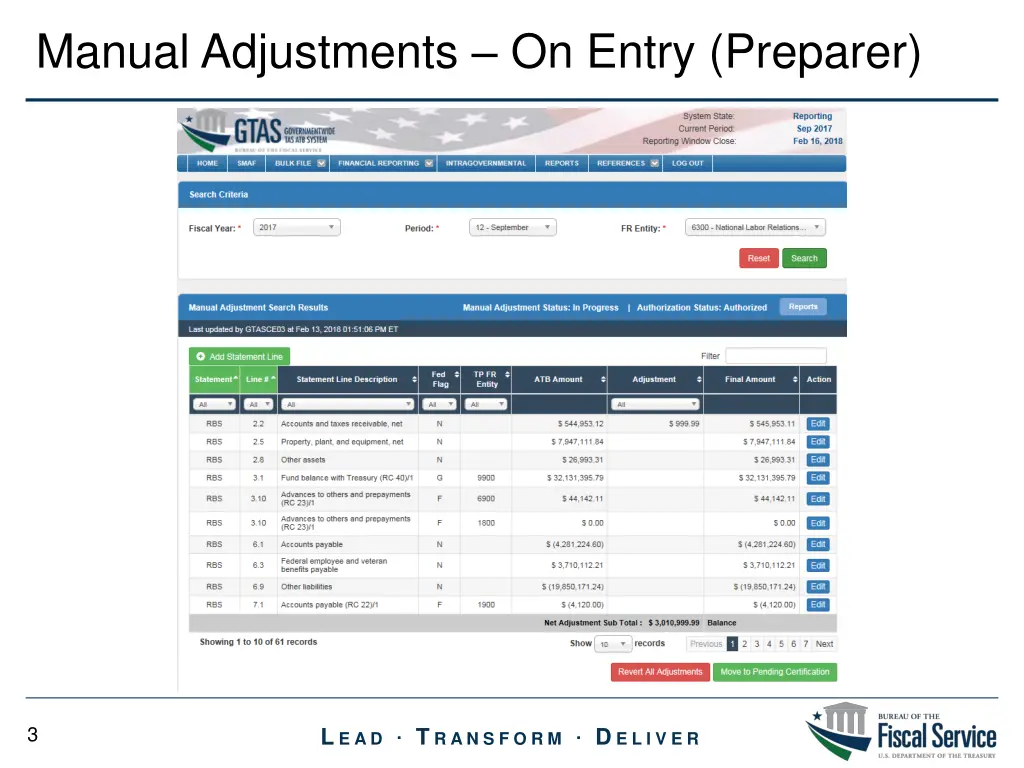
Manual Adjustments On Entry (Preparer) 3 L E A D T R A N S F O R M D E L I V E R
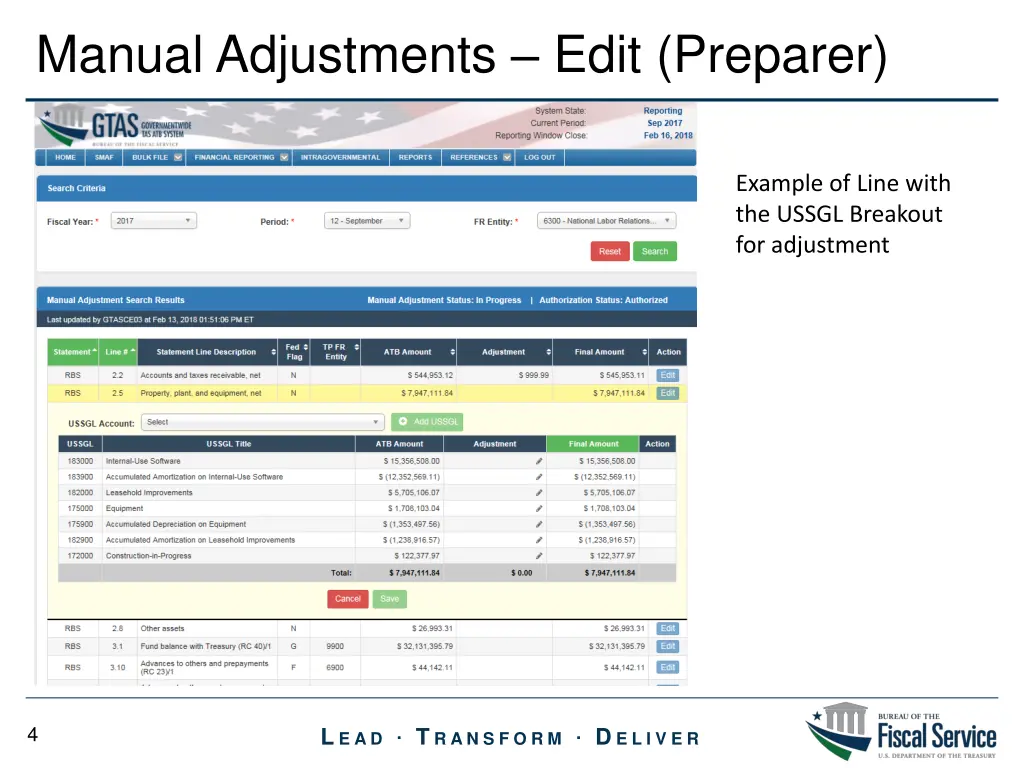
Manual Adjustments Edit (Preparer) Example of Line with the USSGL Breakout for adjustment 4 L E A D T R A N S F O R M D E L I V E R
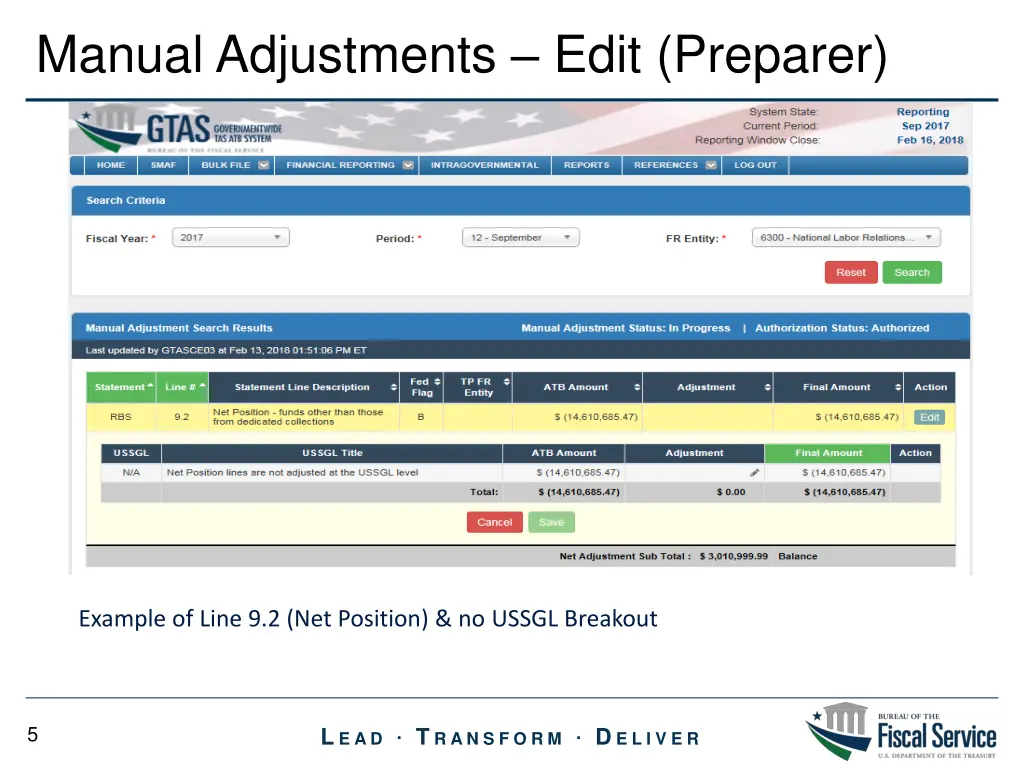
Manual Adjustments Edit (Preparer) Example of Line 9.2 (Net Position) & no USSGL Breakout 5 L E A D T R A N S F O R M D E L I V E R
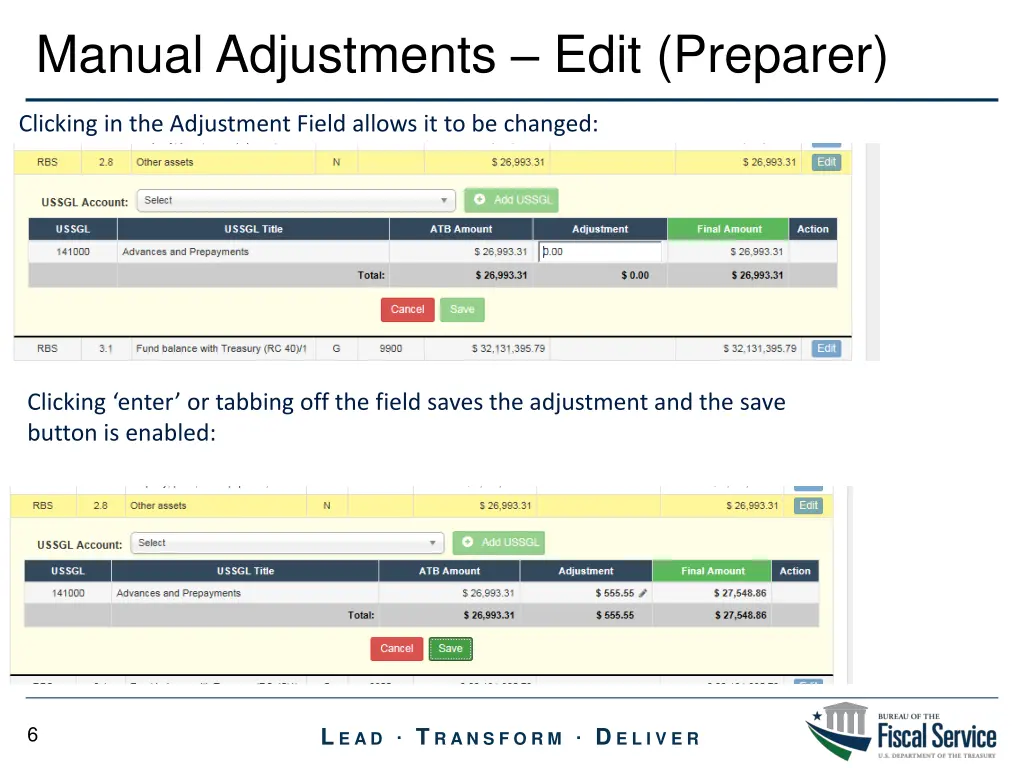
Manual Adjustments Edit (Preparer) Clicking in the Adjustment Field allows it to be changed: Clicking enter or tabbing off the field saves the adjustment and the save button is enabled: 6 L E A D T R A N S F O R M D E L I V E R
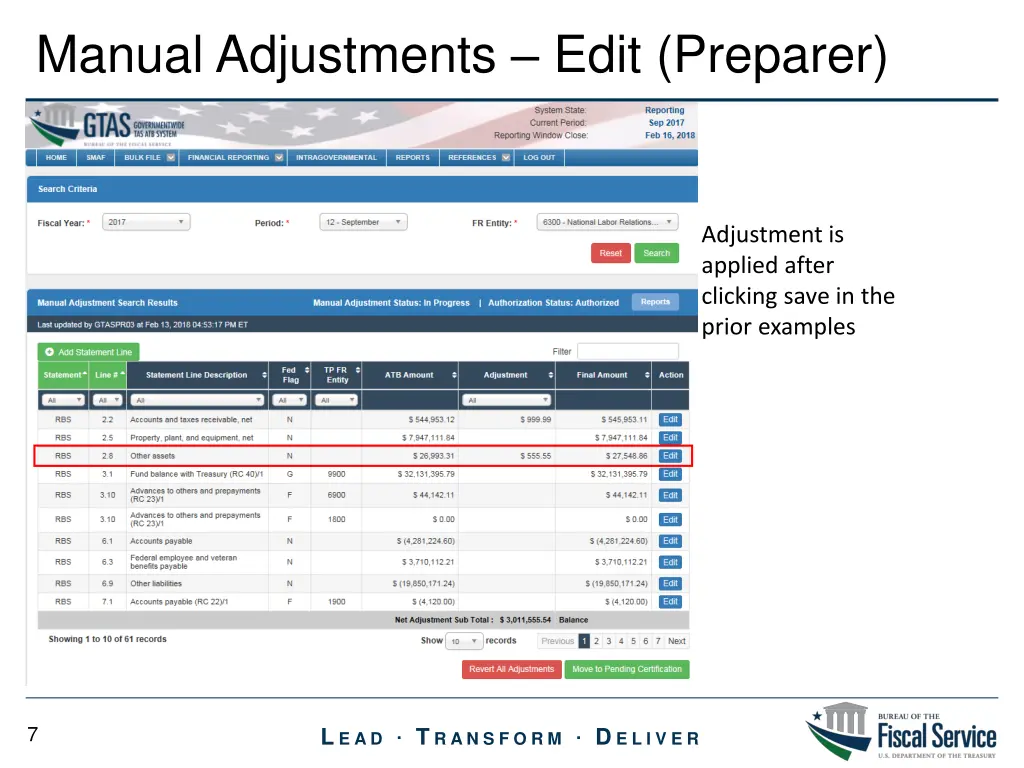
Manual Adjustments Edit (Preparer) Adjustment is applied after clicking save in the prior examples 7 L E A D T R A N S F O R M D E L I V E R
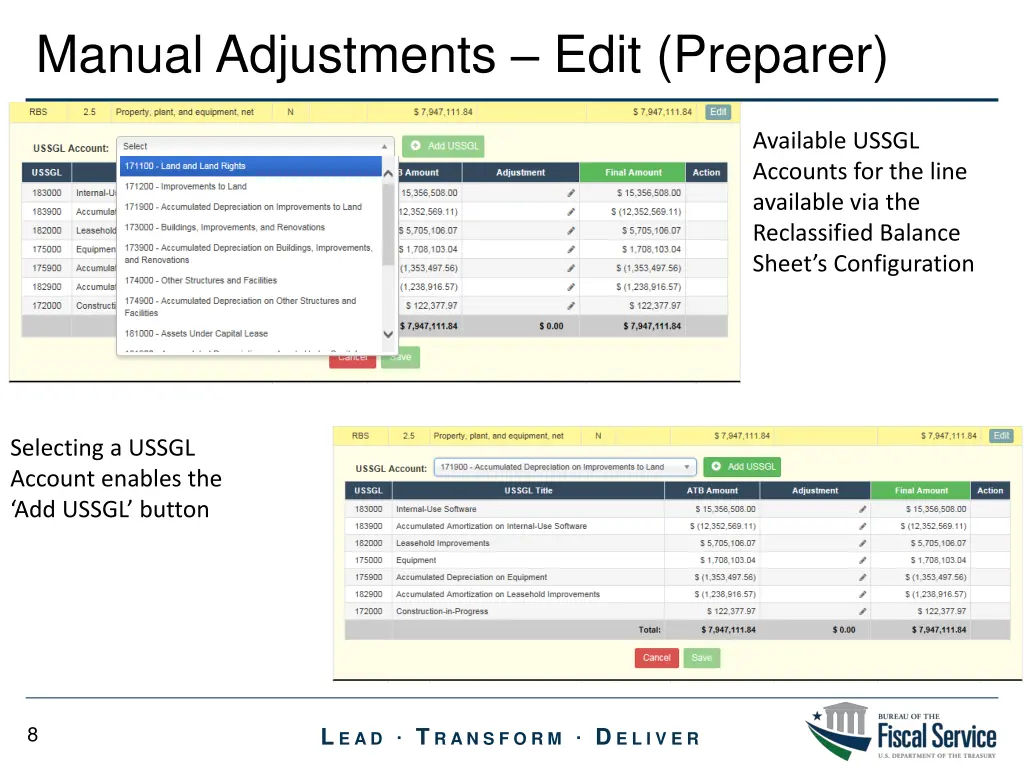
Manual Adjustments Edit (Preparer) Available USSGL Accounts for the line available via the Reclassified Balance Sheet s Configuration Selecting a USSGL Account enables the Add USSGL button 8 L E A D T R A N S F O R M D E L I V E R
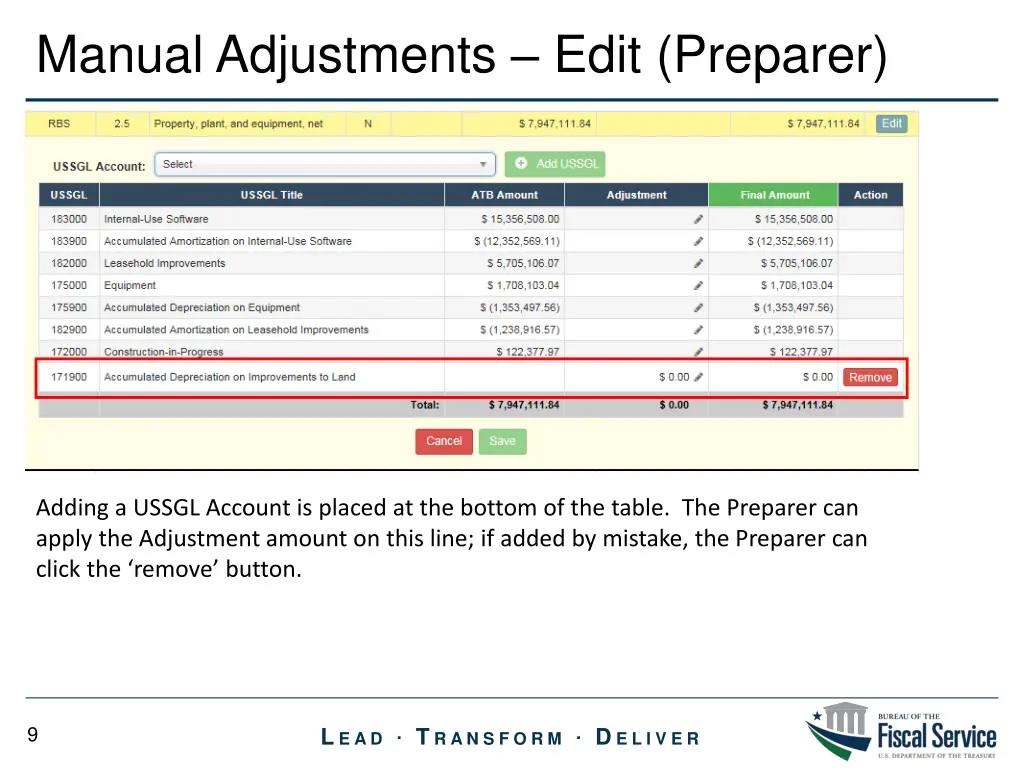
Manual Adjustments Edit (Preparer) Adding a USSGL Account is placed at the bottom of the table. The Preparer can apply the Adjustment amount on this line; if added by mistake, the Preparer can click the remove button. 9 L E A D T R A N S F O R M D E L I V E R
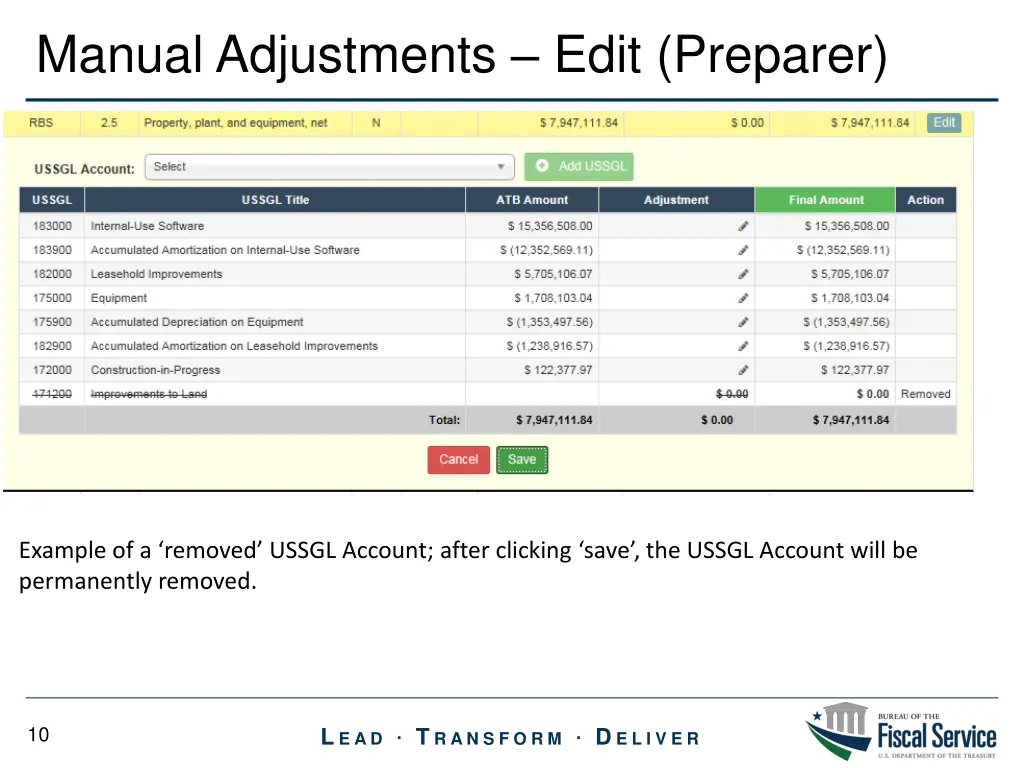
Manual Adjustments Edit (Preparer) Example of a removed USSGL Account; after clicking save , the USSGL Account will be permanently removed. 10 L E A D T R A N S F O R M D E L I V E R