Dive into the world of certificates and network security with insights on X.509 certificates, PKI, key distribution, and more. Explore the basics of network security threats and goals, SSL, and the key distribution problem. Understand the components of a certificate including the issuer, validity dates, subject, and public key. Discover the role of authorities and trusted third parties in binding public keys to names for secure communication.
Please find below an Image/Link to download the presentation.
The content on the website is provided AS IS for your information and personal use only. It may not be sold, licensed, or shared on other websites without obtaining consent from the author. If you encounter any issues during the download, it is possible that the publisher has removed the file from their server.
You are allowed to download the files provided on this website for personal or commercial use, subject to the condition that they are used lawfully. All files are the property of their respective owners.
The content on the website is provided AS IS for your information and personal use only. It may not be sold, licensed, or shared on other websites without obtaining consent from the author.
Outline X.509 certificates and PKI Network security basics: threats and goals Secure socket layer Note: the SSL part of this lecture partly overlaps with the now-terminated T-110.2100 course 2
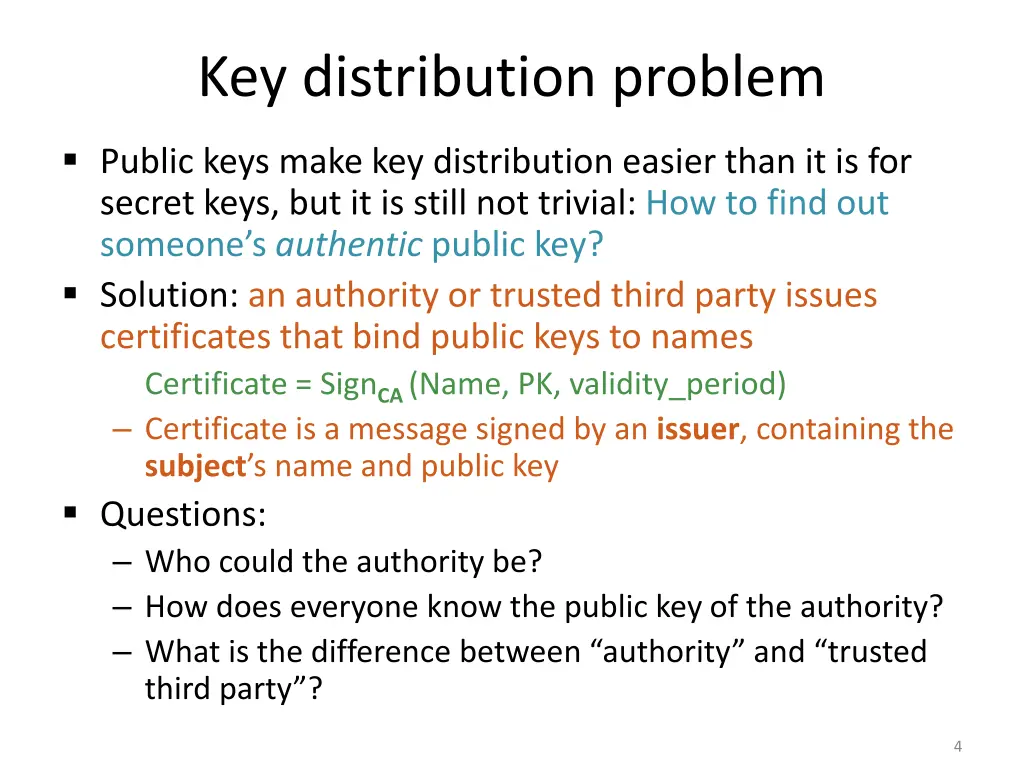
Key distribution problem Public keys make key distribution easier than it is for secret keys, but it is still not trivial: How to find out someone s authentic public key? Solution: an authority or trusted third party issues certificates that bind public keys to names Certificate = SignCA(Name, PK, validity_period) Certificate is a message signed by an issuer, containing the subject s name and public key Questions: Who could the authority be? How does everyone know the public key of the authority? What is the difference between authority and trusted third party ? 4
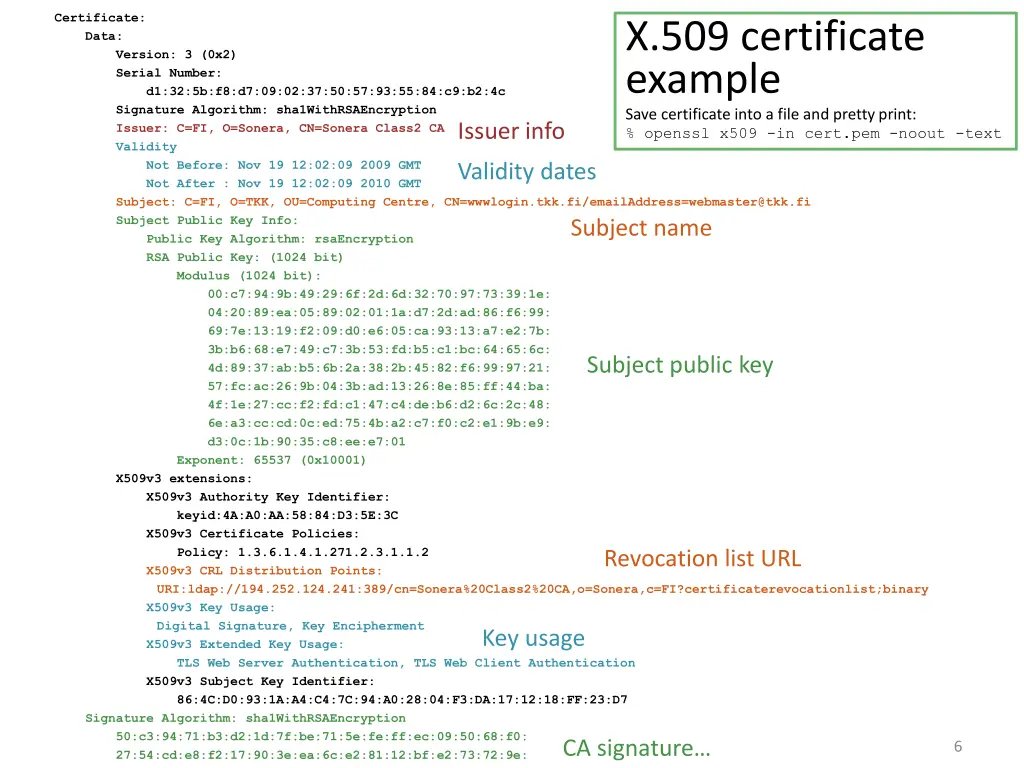
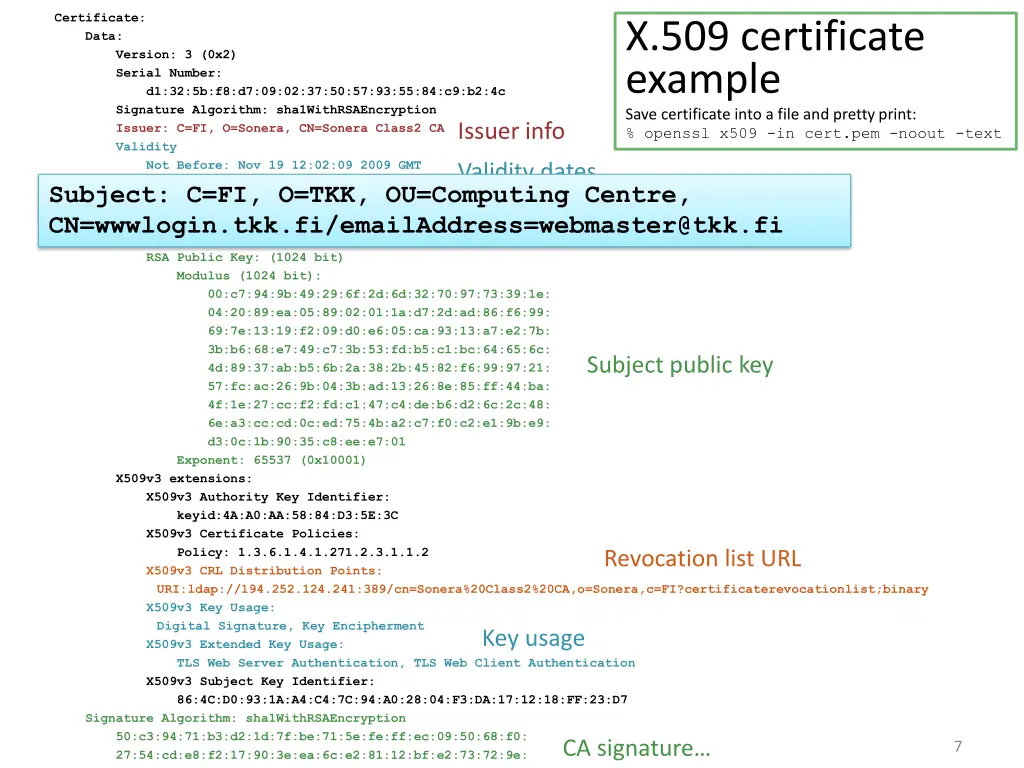
Certificate: Data: Version: 3 (0x2) Serial Number: d1:32:5b:f8:d7:09:02:37:50:57:93:55:84:c9:b2:4c Signature Algorithm: sha1WithRSAEncryption Issuer: C=FI, O=Sonera, CN=Sonera Class2 CA Validity Not Before: Nov 19 12:02:09 2009 GMT Not After : Nov 19 12:02:09 2010 GMT Subject: C=FI, O=TKK, OU=Computing Centre, CN=wwwlogin.tkk.fi/emailAddress=webmaster@tkk.fi Subject Public Key Info: Public Key Algorithm: rsaEncryption RSA Public Key: (1024 bit) Modulus (1024 bit): 00:c7:94:9b:49:29:6f:2d:6d:32:70:97:73:39:1e: 04:20:89:ea:05:89:02:01:1a:d7:2d:ad:86:f6:99: 69:7e:13:19:f2:09:d0:e6:05:ca:93:13:a7:e2:7b: 3b:b6:68:e7:49:c7:3b:53:fd:b5:c1:bc:64:65:6c: 4d:89:37:ab:b5:6b:2a:38:2b:45:82:f6:99:97:21: 57:fc:ac:26:9b:04:3b:ad:13:26:8e:85:ff:44:ba: 4f:1e:27:cc:f2:fd:c1:47:c4:de:b6:d2:6c:2c:48: 6e:a3:cc:cd:0c:ed:75:4b:a2:c7:f0:c2:e1:9b:e9: d3:0c:1b:90:35:c8:ee:e7:01 Exponent: 65537 (0x10001) X509v3 extensions: X509v3 Authority Key Identifier: keyid:4A:A0:AA:58:84:D3:5E:3C X509v3 Certificate Policies: Policy: 1.3.6.1.4.1.271.2.3.1.1.2 X509v3 CRL Distribution Points: URI:ldap://194.252.124.241:389/cn=Sonera%20Class2%20CA,o=Sonera,c=FI?certificaterevocationlist;binary X509v3 Key Usage: Digital Signature, Key Encipherment X509v3 Extended Key Usage: TLS Web Server Authentication, TLS Web Client Authentication X509v3 Subject Key Identifier: 86:4C:D0:93:1A:A4:C4:7C:94:A0:28:04:F3:DA:17:12:18:FF:23:D7 Signature Algorithm: sha1WithRSAEncryption 50:c3:94:71:b3:d2:1d:7f:be:71:5e:fe:ff:ec:09:50:68:f0: 27:54:cd:e8:f2:17:90:3e:ea:6c:e2:81:12:bf:e2:73:72:9e: 02:d3:b4:03:88:2a:6a:b1:00:ca:70:24:1b:3f:da:d6:30:46: X.509 certificate example Save certificate into a file and pretty print: % openssl x509 -in cert.pem -noout -text Issuer info Validity dates Subject name Subject public key Revocation list URL Key usage CA signature 6
Certificate: Data: Version: 3 (0x2) Serial Number: d1:32:5b:f8:d7:09:02:37:50:57:93:55:84:c9:b2:4c Signature Algorithm: sha1WithRSAEncryption Issuer: C=FI, O=Sonera, CN=Sonera Class2 CA Validity Not Before: Nov 19 12:02:09 2009 GMT Not After : Nov 19 12:02:09 2010 GMT Subject: C=FI, O=TKK, OU=Computing Centre, CN=wwwlogin.tkk.fi/emailAddress=webmaster@tkk.fi Subject Public Key Info: Public Key Algorithm: rsaEncryption RSA Public Key: (1024 bit) Modulus (1024 bit): 00:c7:94:9b:49:29:6f:2d:6d:32:70:97:73:39:1e: 04:20:89:ea:05:89:02:01:1a:d7:2d:ad:86:f6:99: 69:7e:13:19:f2:09:d0:e6:05:ca:93:13:a7:e2:7b: 3b:b6:68:e7:49:c7:3b:53:fd:b5:c1:bc:64:65:6c: 4d:89:37:ab:b5:6b:2a:38:2b:45:82:f6:99:97:21: 57:fc:ac:26:9b:04:3b:ad:13:26:8e:85:ff:44:ba: 4f:1e:27:cc:f2:fd:c1:47:c4:de:b6:d2:6c:2c:48: 6e:a3:cc:cd:0c:ed:75:4b:a2:c7:f0:c2:e1:9b:e9: d3:0c:1b:90:35:c8:ee:e7:01 Exponent: 65537 (0x10001) X509v3 extensions: X509v3 Authority Key Identifier: keyid:4A:A0:AA:58:84:D3:5E:3C X509v3 Certificate Policies: Policy: 1.3.6.1.4.1.271.2.3.1.1.2 X509v3 CRL Distribution Points: URI:ldap://194.252.124.241:389/cn=Sonera%20Class2%20CA,o=Sonera,c=FI?certificaterevocationlist;binary X509v3 Key Usage: Digital Signature, Key Encipherment X509v3 Extended Key Usage: TLS Web Server Authentication, TLS Web Client Authentication X509v3 Subject Key Identifier: 86:4C:D0:93:1A:A4:C4:7C:94:A0:28:04:F3:DA:17:12:18:FF:23:D7 Signature Algorithm: sha1WithRSAEncryption 50:c3:94:71:b3:d2:1d:7f:be:71:5e:fe:ff:ec:09:50:68:f0: 27:54:cd:e8:f2:17:90:3e:ea:6c:e2:81:12:bf:e2:73:72:9e: 02:d3:b4:03:88:2a:6a:b1:00:ca:70:24:1b:3f:da:d6:30:46: X.509 certificate example Save certificate into a file and pretty print: % openssl x509 -in cert.pem -noout -text Issuer info Validity dates Subject: C=FI, O=TKK, OU=Computing Centre, CN=wwwlogin.tkk.fi/emailAddress=webmaster@tkk.fi Subject name Subject public key Revocation list URL Key usage CA signature 7
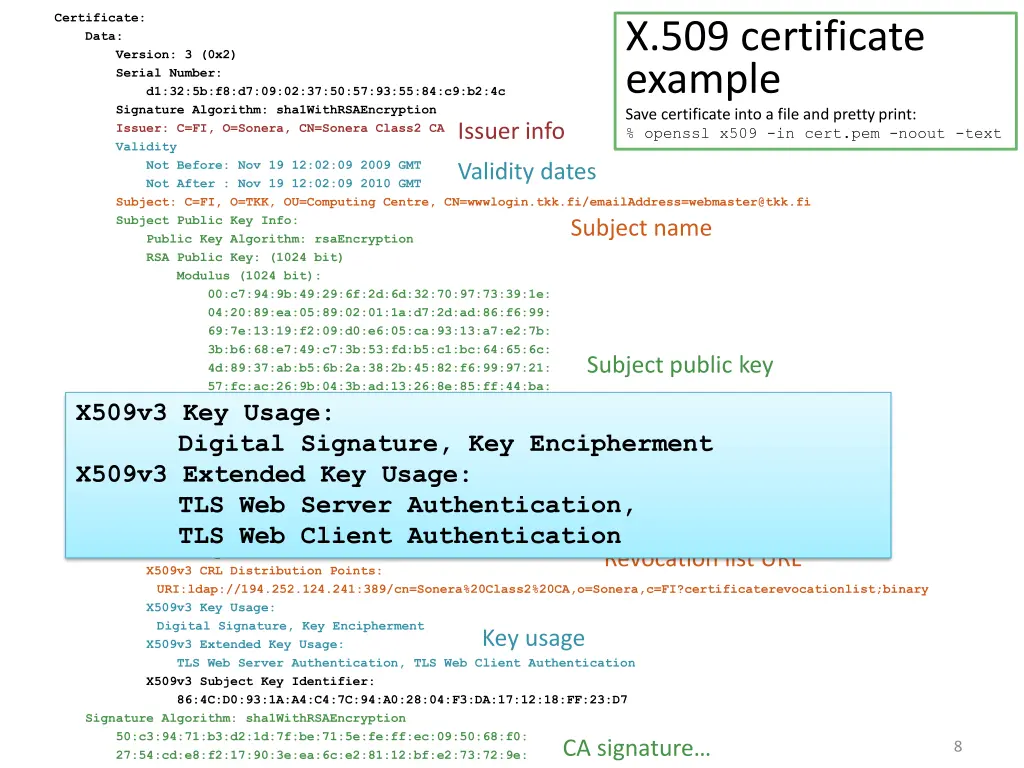
Certificate: Data: Version: 3 (0x2) Serial Number: d1:32:5b:f8:d7:09:02:37:50:57:93:55:84:c9:b2:4c Signature Algorithm: sha1WithRSAEncryption Issuer: C=FI, O=Sonera, CN=Sonera Class2 CA Validity Not Before: Nov 19 12:02:09 2009 GMT Not After : Nov 19 12:02:09 2010 GMT Subject: C=FI, O=TKK, OU=Computing Centre, CN=wwwlogin.tkk.fi/emailAddress=webmaster@tkk.fi Subject Public Key Info: Public Key Algorithm: rsaEncryption RSA Public Key: (1024 bit) Modulus (1024 bit): 00:c7:94:9b:49:29:6f:2d:6d:32:70:97:73:39:1e: 04:20:89:ea:05:89:02:01:1a:d7:2d:ad:86:f6:99: 69:7e:13:19:f2:09:d0:e6:05:ca:93:13:a7:e2:7b: 3b:b6:68:e7:49:c7:3b:53:fd:b5:c1:bc:64:65:6c: 4d:89:37:ab:b5:6b:2a:38:2b:45:82:f6:99:97:21: 57:fc:ac:26:9b:04:3b:ad:13:26:8e:85:ff:44:ba: 4f:1e:27:cc:f2:fd:c1:47:c4:de:b6:d2:6c:2c:48: 6e:a3:cc:cd:0c:ed:75:4b:a2:c7:f0:c2:e1:9b:e9: d3:0c:1b:90:35:c8:ee:e7:01 Exponent: 65537 (0x10001) X509v3 extensions: X509v3 Authority Key Identifier: keyid:4A:A0:AA:58:84:D3:5E:3C X509v3 Certificate Policies: Policy: 1.3.6.1.4.1.271.2.3.1.1.2 X509v3 CRL Distribution Points: URI:ldap://194.252.124.241:389/cn=Sonera%20Class2%20CA,o=Sonera,c=FI?certificaterevocationlist;binary X509v3 Key Usage: Digital Signature, Key Encipherment X509v3 Extended Key Usage: TLS Web Server Authentication, TLS Web Client Authentication X509v3 Subject Key Identifier: 86:4C:D0:93:1A:A4:C4:7C:94:A0:28:04:F3:DA:17:12:18:FF:23:D7 Signature Algorithm: sha1WithRSAEncryption 50:c3:94:71:b3:d2:1d:7f:be:71:5e:fe:ff:ec:09:50:68:f0: 27:54:cd:e8:f2:17:90:3e:ea:6c:e2:81:12:bf:e2:73:72:9e: 02:d3:b4:03:88:2a:6a:b1:00:ca:70:24:1b:3f:da:d6:30:46: X.509 certificate example Save certificate into a file and pretty print: % openssl x509 -in cert.pem -noout -text Issuer info Validity dates Subject name Subject public key X509v3 Key Usage: Digital Signature, Key Encipherment X509v3 Extended Key Usage: TLS Web Server Authentication, TLS Web Client Authentication Revocation list URL Key usage CA signature 8
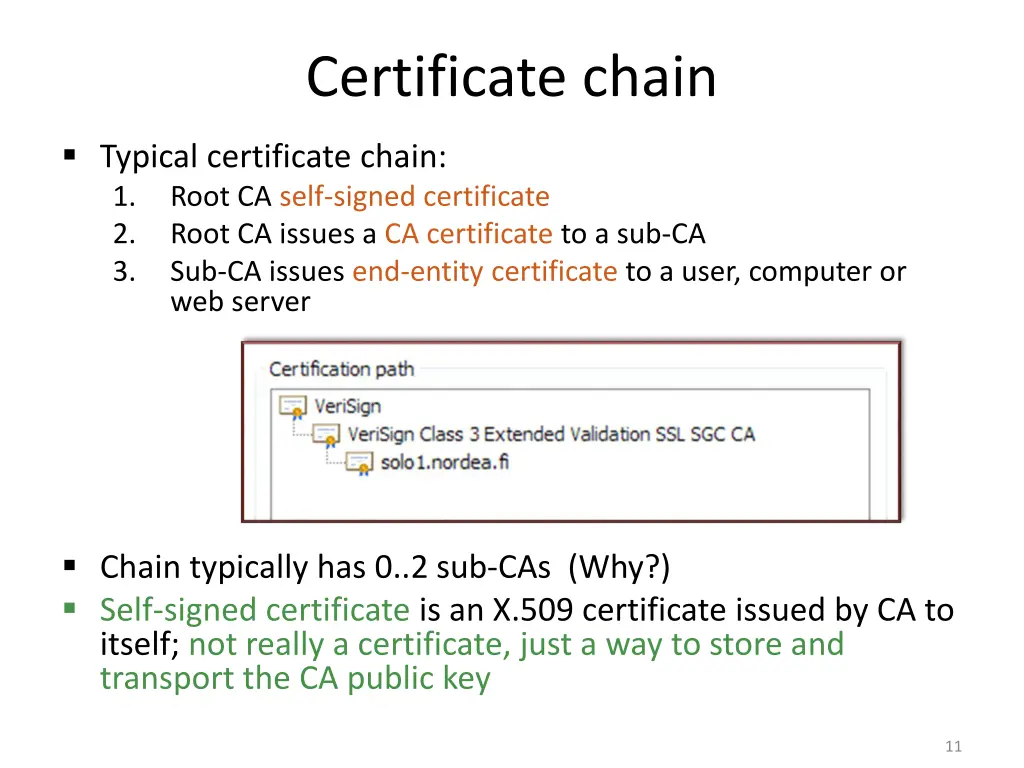
Certificate chain Typical certificate chain: 1. Root CA self-signed certificate 2. Root CA issues a CA certificate to a sub-CA 3. Sub-CA issues end-entity certificate to a user, computer or web server Chain typically has 0..2 sub-CAs (Why?) Self-signed certificate is an X.509 certificate issued by CA to itself; not really a certificate, just a way to store and transport the CA public key 11
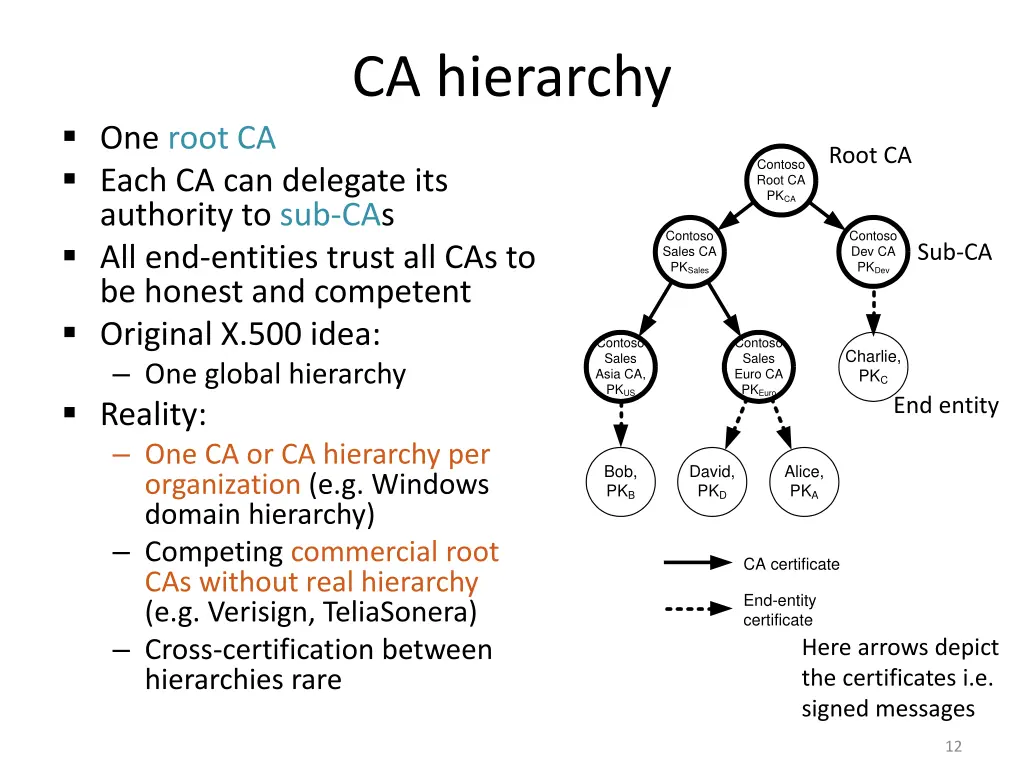
CA hierarchy One root CA Each CA can delegate its authority to sub-CAs All end-entities trust all CAs to be honest and competent Original X.500 idea: One global hierarchy Reality: One CA or CA hierarchy per organization (e.g. Windows domain hierarchy) Competing commercial root CAs without real hierarchy (e.g. Verisign, TeliaSonera) Cross-certification between hierarchies rare Root CA Contoso Root CA PKCA Contoso Sales CA PKSales Contoso Dev CA PKDev Sub-CA Contoso Sales Asia CA, PKUS Contoso Sales Euro CA PKEuro Charlie, PKC End entity Bob, PKB David, PKD Alice, PKA CA certificate End-entity certificate Here arrows depict the certificates i.e. signed messages 12
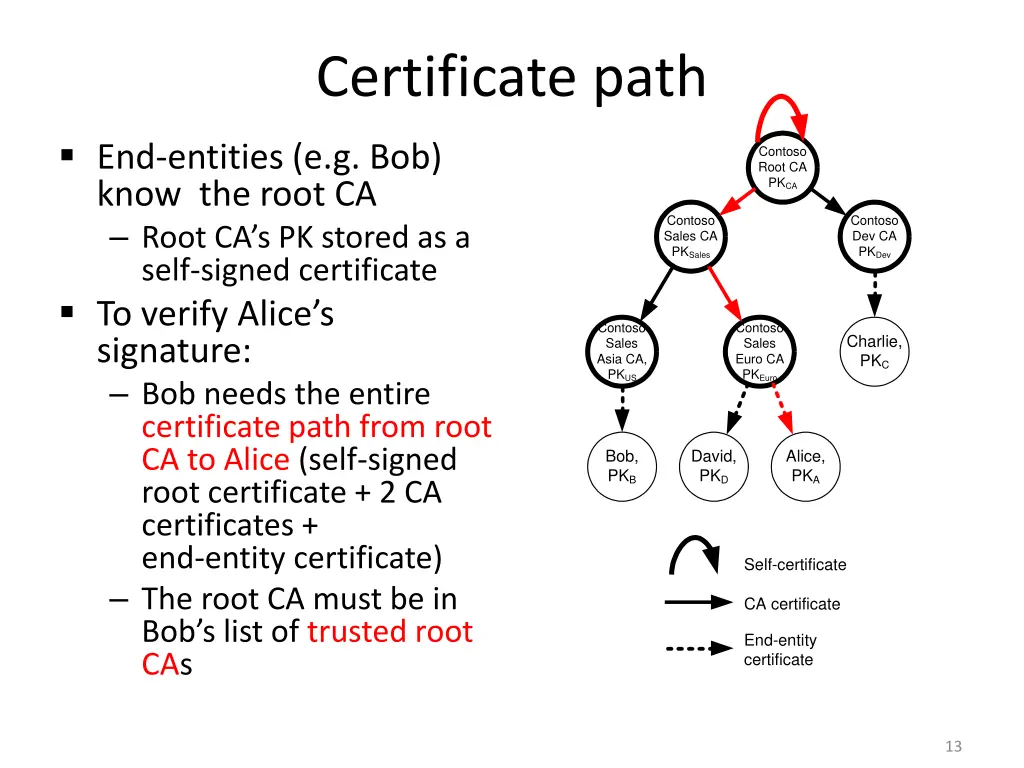
Certificate path End-entities (e.g. Bob) know the root CA Root CA s PK stored as a self-signed certificate To verify Alice s signature: Bob needs the entire certificate path from root CA to Alice (self-signed root certificate + 2 CA certificates + end-entity certificate) The root CA must be in Bob s list of trusted root CAs Contoso Root CA PKCA Contoso Sales CA PKSales Contoso Dev CA PKDev Contoso Sales Asia CA, PKUS Contoso Sales Euro CA PKEuro Charlie, PKC Bob, PKB David, PKD Alice, PKA Self-certificate CA certificate End-entity certificate 13
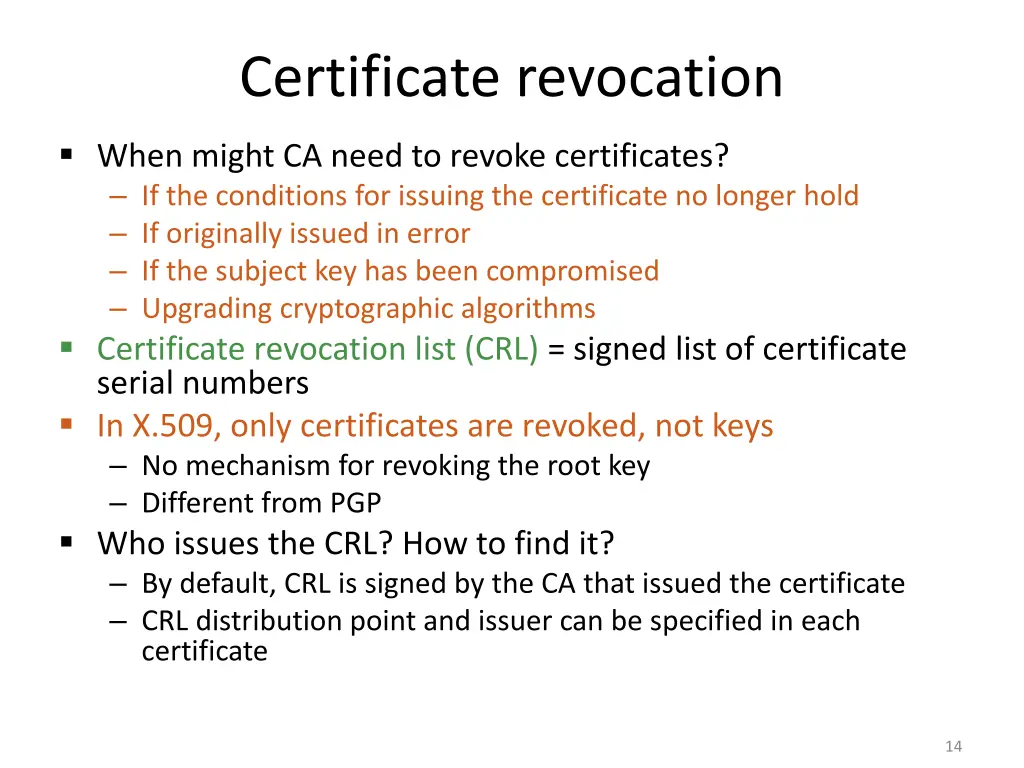
Certificate revocation When might CA need to revoke certificates? If the conditions for issuing the certificate no longer hold If originally issued in error If the subject key has been compromised Upgrading cryptographic algorithms Certificate revocation list (CRL) = signed list of certificate serial numbers In X.509, only certificates are revoked, not keys No mechanism for revoking the root key Different from PGP Who issues the CRL? How to find it? By default, CRL is signed by the CA that issued the certificate CRL distribution point and issuer can be specified in each certificate 14
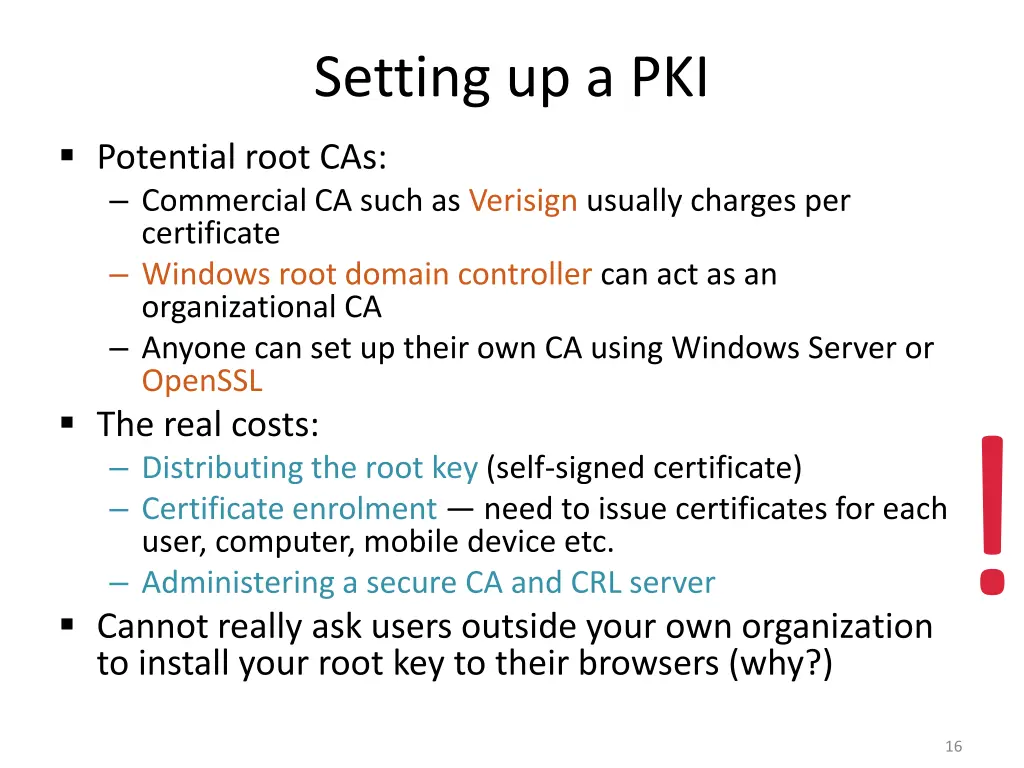
Setting up a PKI Potential root CAs: Commercial CA such as Verisign usually charges per certificate Windows root domain controller can act as an organizational CA Anyone can set up their own CA using Windows Server or OpenSSL The real costs: Distributing the root key (self-signed certificate) Certificate enrolment need to issue certificates for each user, computer, mobile device etc. Administering a secure CA and CRL server Cannot really ask users outside your own organization to install your root key to their browsers (why?)! 16
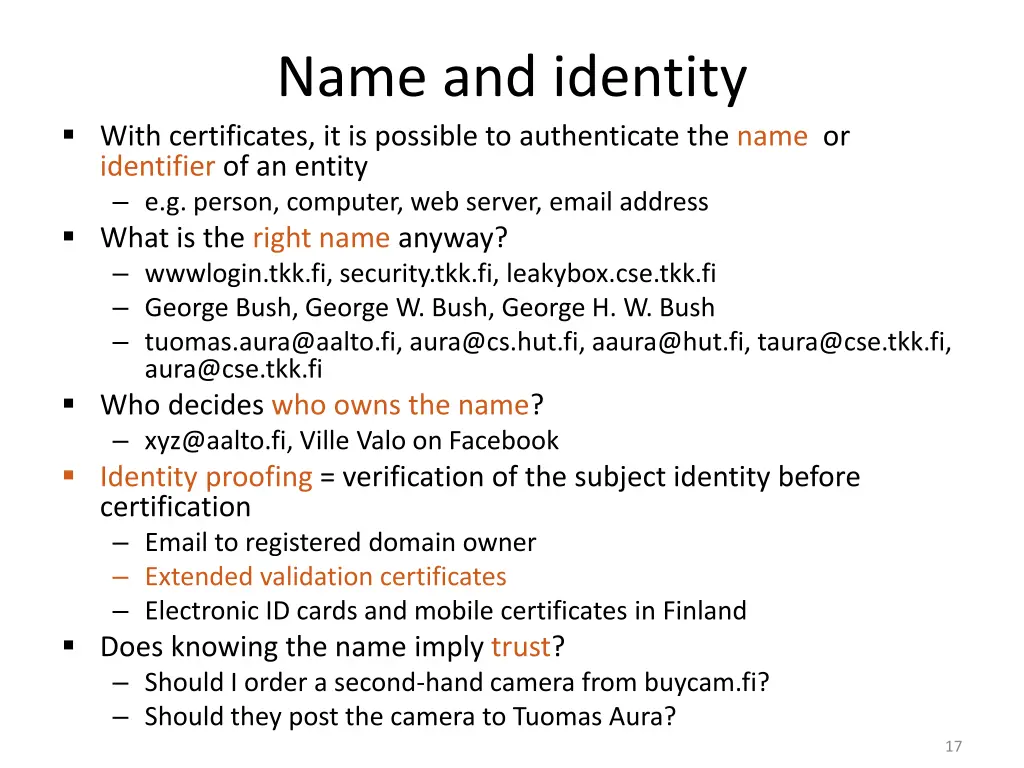
Name and identity With certificates, it is possible to authenticate the name or identifier of an entity e.g. person, computer, web server, email address What is the right name anyway? wwwlogin.tkk.fi, security.tkk.fi, leakybox.cse.tkk.fi George Bush, George W. Bush, George H. W. Bush tuomas.aura@aalto.fi, aura@cs.hut.fi, aaura@hut.fi, taura@cse.tkk.fi, aura@cse.tkk.fi Who decides who owns the name? xyz@aalto.fi, Ville Valo on Facebook Identity proofing = verification of the subject identity before certification Email to registered domain owner Extended validation certificates Electronic ID cards and mobile certificates in Finland Does knowing the name imply trust? Should I order a second-hand camera from buycam.fi? Should they post the camera to Tuomas Aura? 17
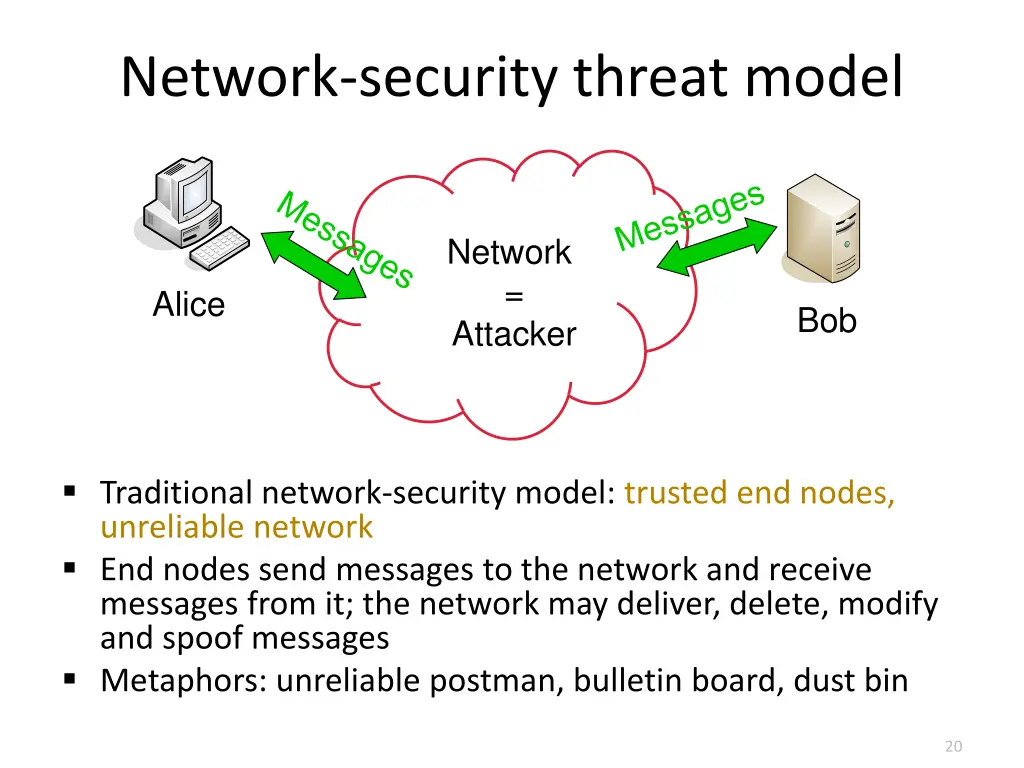
Network-security threat model Network = Attacker Alice Bob Traditional network-security model: trusted end nodes, unreliable network End nodes send messages to the network and receive messages from it; the network may deliver, delete, modify and spoof messages Metaphors: unreliable postman, bulletin board, dust bin 20
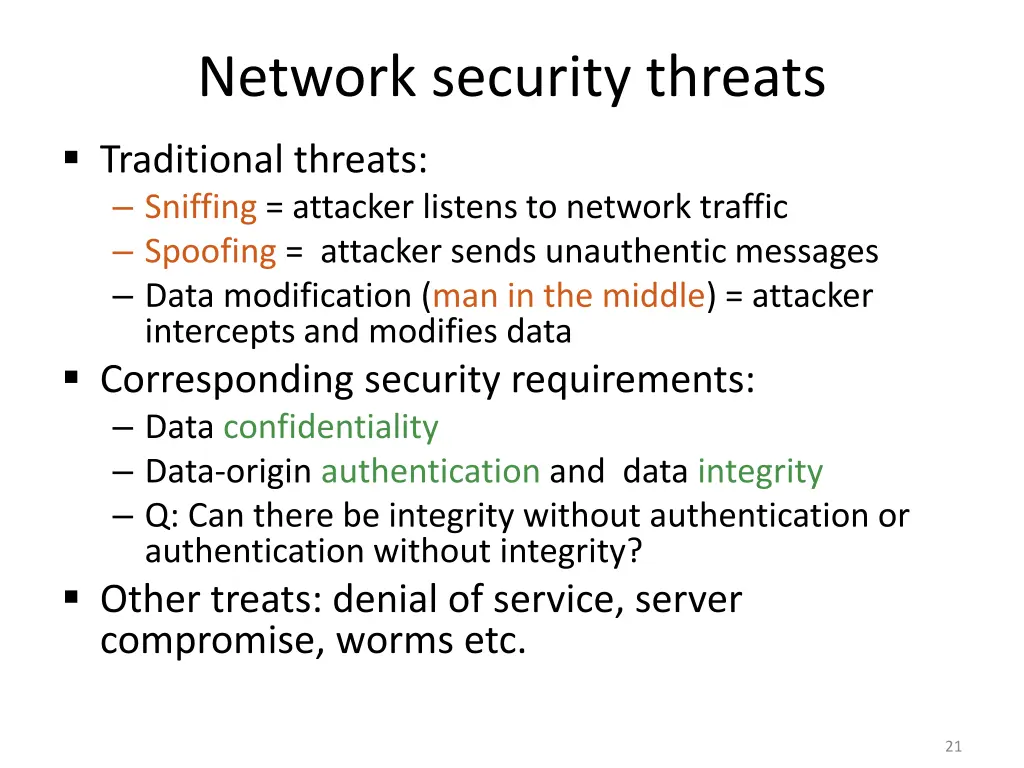
Network security threats Traditional threats: Sniffing = attacker listens to network traffic Spoofing = attacker sends unauthentic messages Data modification (man in the middle) = attacker intercepts and modifies data Corresponding security requirements: Data confidentiality Data-origin authentication and data integrity Q: Can there be integrity without authentication or authentication without integrity? Other treats: denial of service, server compromise, worms etc. 21
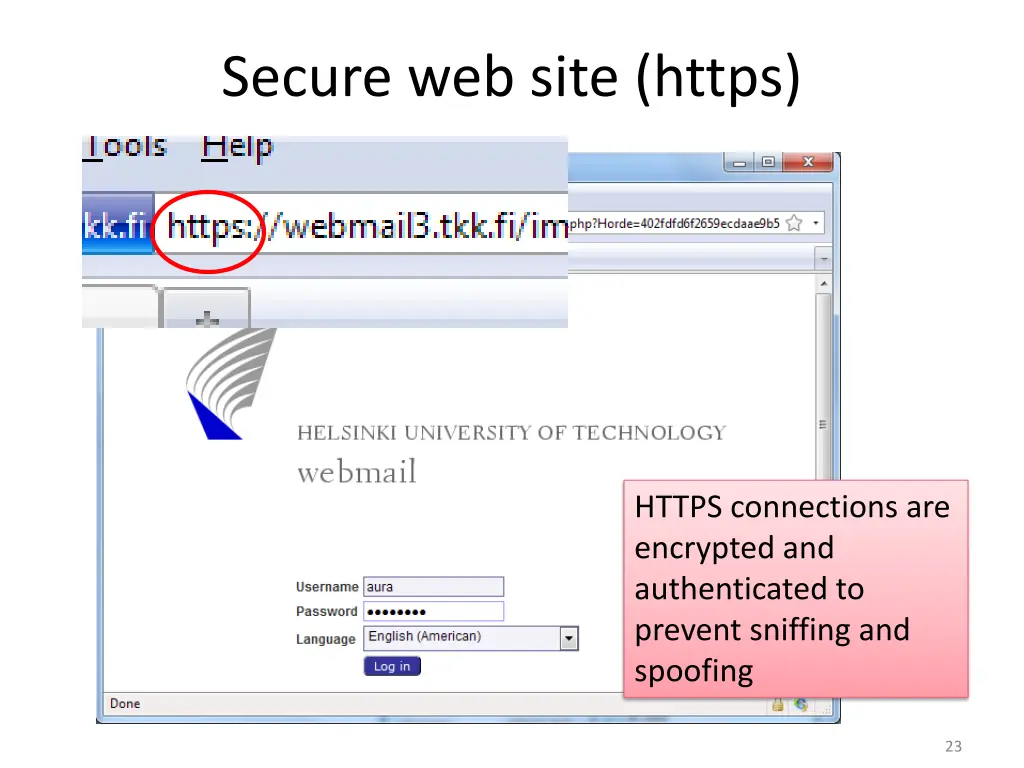
Secure web site (https) HTTPS connections are encrypted and authenticated to prevent sniffing and spoofing 23
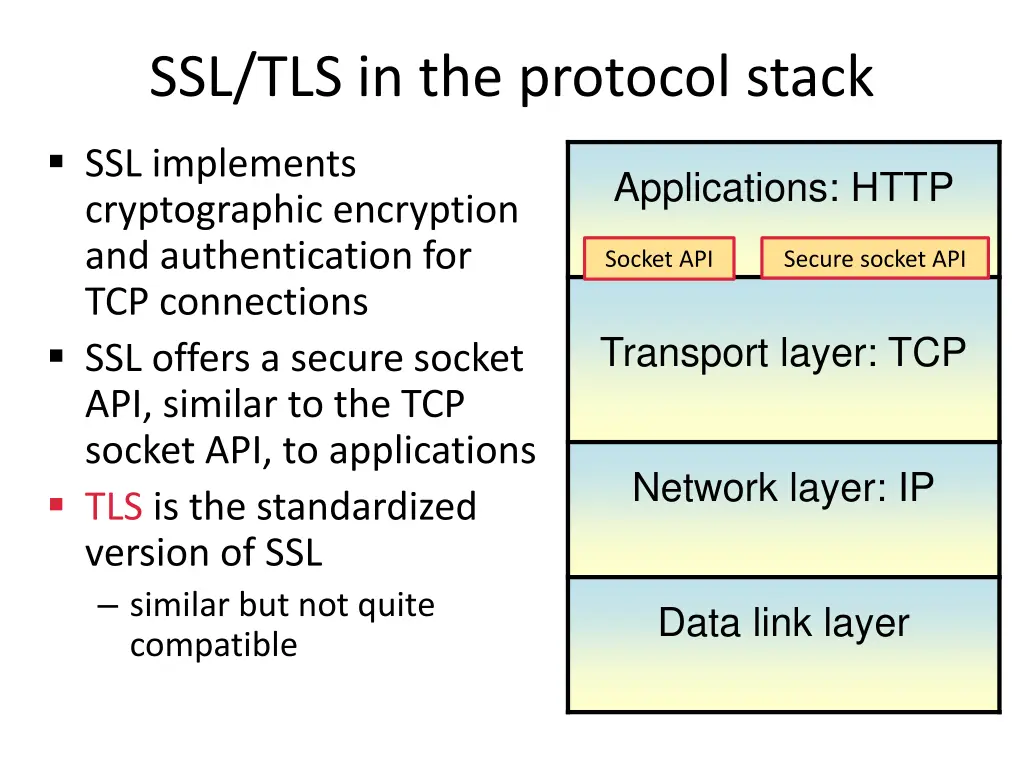
SSL/TLS in the protocol stack SSL implements cryptographic encryption and authentication for TCP connections SSL offers a secure socket API, similar to the TCP socket API, to applications TLS is the standardized version of SSL similar but not quite compatible Applications: HTTP Socket API Secure socket API Transport layer: TCP Network layer: IP Data link layer 24
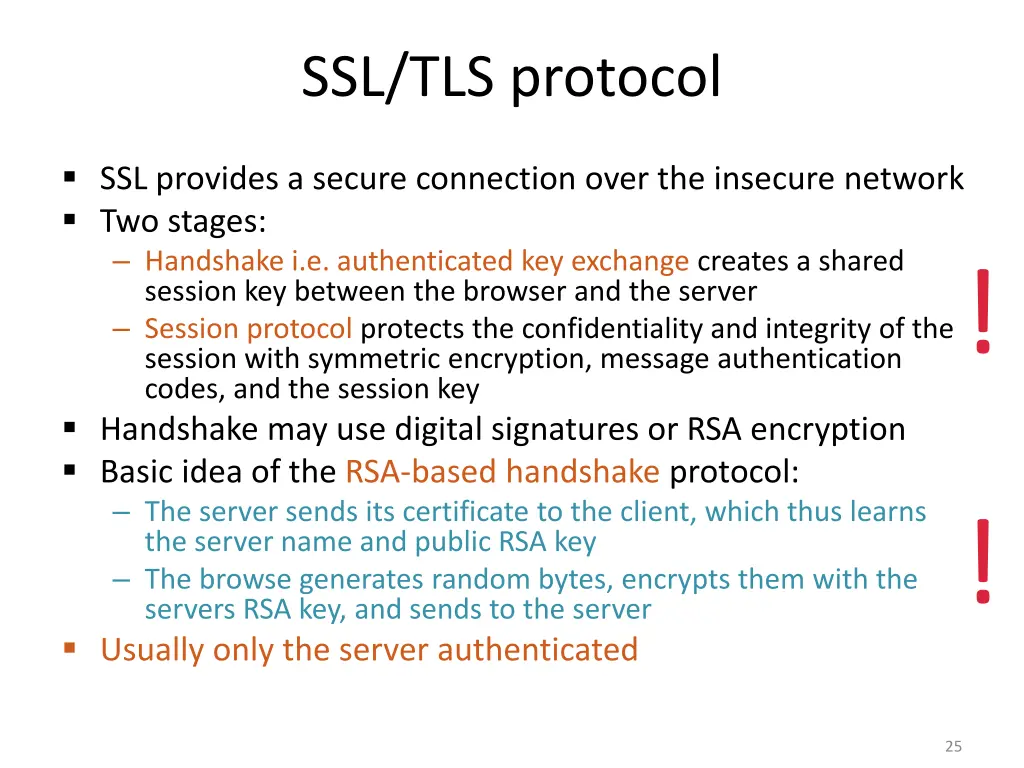
SSL/TLS protocol SSL provides a secure connection over the insecure network Two stages: Handshake i.e. authenticated key exchange creates a shared session key between the browser and the server Session protocol protects the confidentiality and integrity of the session with symmetric encryption, message authentication codes, and the session key Handshake may use digital signatures or RSA encryption Basic idea of the RSA-based handshake protocol: The server sends its certificate to the client, which thus learns the server name and public RSA key The browse generates random bytes, encrypts them with the servers RSA key, and sends to the server Usually only the server authenticated ! ! 25
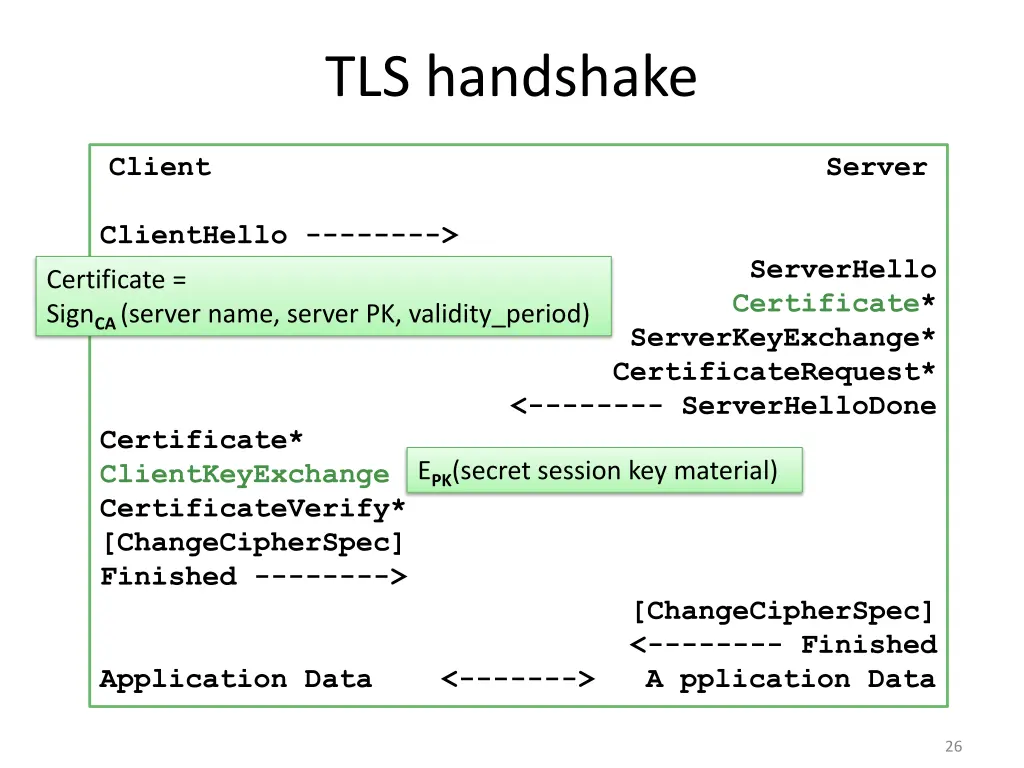
TLS handshake Client Server ClientHello --------> ServerHello Certificate* ServerKeyExchange* CertificateRequest* <-------- ServerHelloDone Certificate = SignCA(server name, server PK, validity_period) Certificate* ClientKeyExchange CertificateVerify* [ChangeCipherSpec] Finished --------> EPK(secret session key material) [ChangeCipherSpec] <-------- Finished Application Data <-------> A pplication Data 26
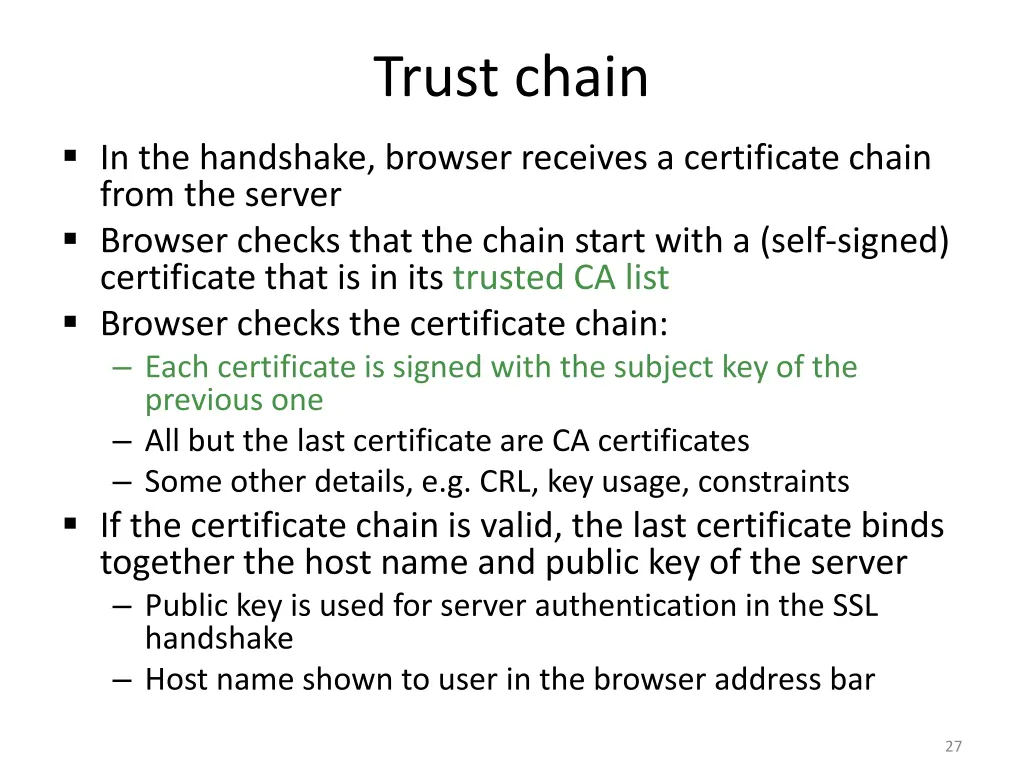
Trust chain In the handshake, browser receives a certificate chain from the server Browser checks that the chain start with a (self-signed) certificate that is in its trusted CA list Browser checks the certificate chain: Each certificate is signed with the subject key of the previous one All but the last certificate are CA certificates Some other details, e.g. CRL, key usage, constraints If the certificate chain is valid, the last certificate binds together the host name and public key of the server Public key is used for server authentication in the SSL handshake Host name shown to user in the browser address bar 27
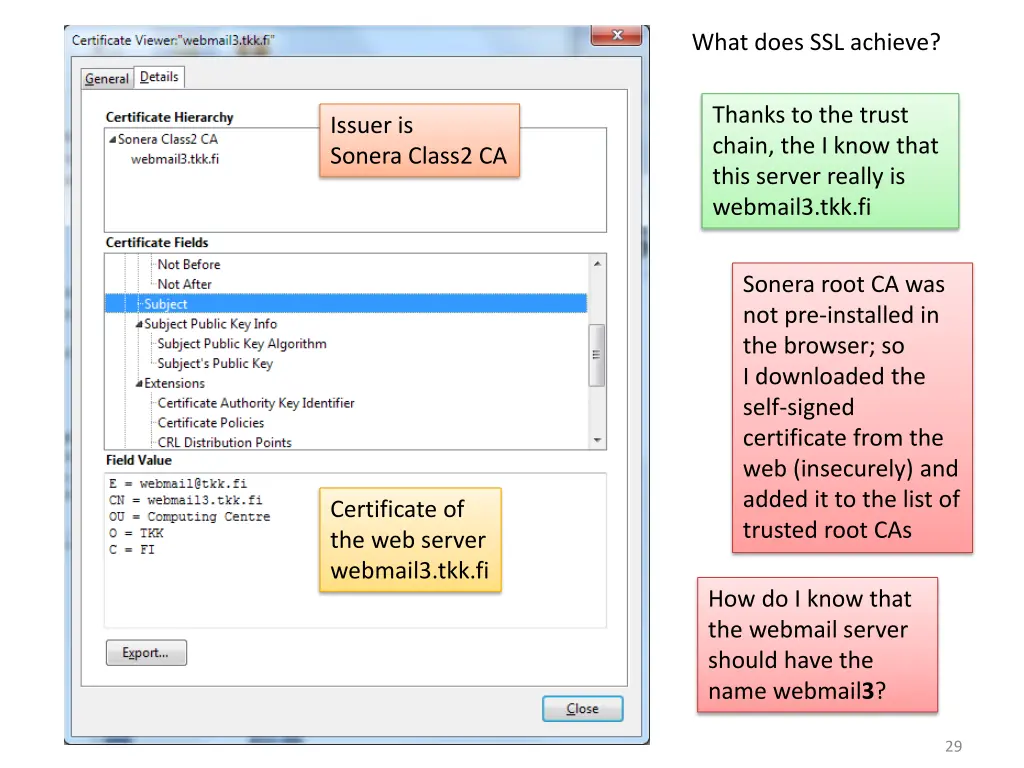
What does SSL achieve? Thanks to the trust chain, the I know that this server really is webmail3.tkk.fi Issuer is Sonera Class2 CA Sonera root CA was not pre-installed in the browser; so I downloaded the self-signed certificate from the web (insecurely) and added it to the list of trusted root CAs Certificate of the web server webmail3.tkk.fi How do I know that the webmail server should have the name webmail3? 29
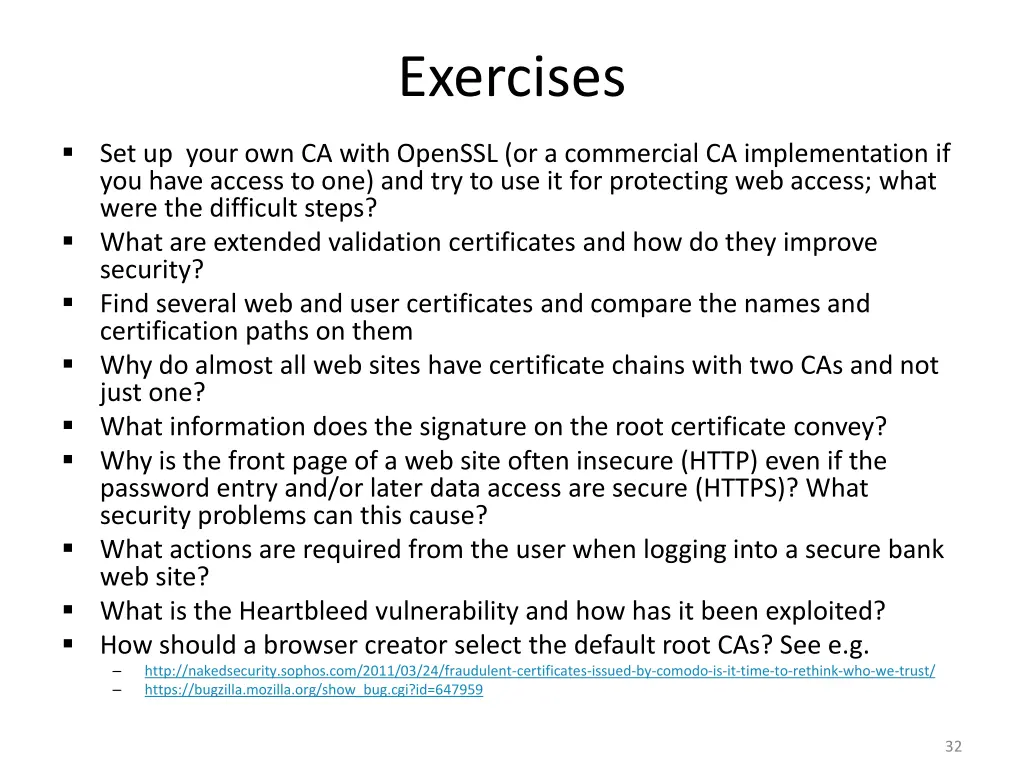
Exercises Set up your own CA with OpenSSL (or a commercial CA implementation if you have access to one) and try to use it for protecting web access; what were the difficult steps? What are extended validation certificates and how do they improve security? Find several web and user certificates and compare the names and certification paths on them Why do almost all web sites have certificate chains with two CAs and not just one? What information does the signature on the root certificate convey? Why is the front page of a web site often insecure (HTTP) even if the password entry and/or later data access are secure (HTTPS)? What security problems can this cause? What actions are required from the user when logging into a secure bank web site? What is the Heartbleed vulnerability and how has it been exploited? How should a browser creator select the default root CAs? See e.g. http://nakedsecurity.sophos.com/2011/03/24/fraudulent-certificates-issued-by-comodo-is-it-time-to-rethink-who-we-trust/ https://bugzilla.mozilla.org/show_bug.cgi?id=647959 32
Related reading Stallings and Brown: Computer security, principles and practice, 2008, chapters 21-22 other Stallings books have similar sections Stallings, Network security essentials, 4th ed. chapters 4.4 4.5, 5 Dieter Gollmann: Computer Security, 2nd ed., chapter 12-13; 3rd ed. chapters 15.5, 16 17 Matt Bishop: Introduction to computer security, chapter 13 Online: Survival guides - SSL/TLS and X.509 (SSL) Certificates, http://www.zytrax.com/tech/survival/ssl.html 33