Primitive Data and Variables in Programming
Learn about primitive data types, variables, expressions, and arithmetic operators in programming. Explore how Java handles primitive types and integer division. Get insights into setting up workspace directories properly for an efficient learning experience.

Download Presentation

Please find below an Image/Link to download the presentation.
The content on the website is provided AS IS for your information and personal use only. It may not be sold, licensed, or shared on other websites without obtaining consent from the author. If you encounter any issues during the download, it is possible that the publisher has removed the file from their server.
You are allowed to download the files provided on this website for personal or commercial use, subject to the condition that they are used lawfully. All files are the property of their respective owners.
The content on the website is provided AS IS for your information and personal use only. It may not be sold, licensed, or shared on other websites without obtaining consent from the author.
E N D
Presentation Transcript
Primitive Data and Variables CSCI 161 Introduction to Programming I William Killian
Lab 1 Observations Spaces in file or project or workspace improperly setup => Directory structure o~ ols and cd AutoLab You are well on your way! Keep up the awesome work
Lab 1 (contd) Labs get harder, and require more time! But they become more fun too!
Data types type: A category or set of data values. oConstrains the operations that can be performed on data oMany languages ask the programmer to specify types oExamples: integer, real number, string Internally, computers store everything as 1s and 0s 104 01101000 "hi" 01101000 01101001
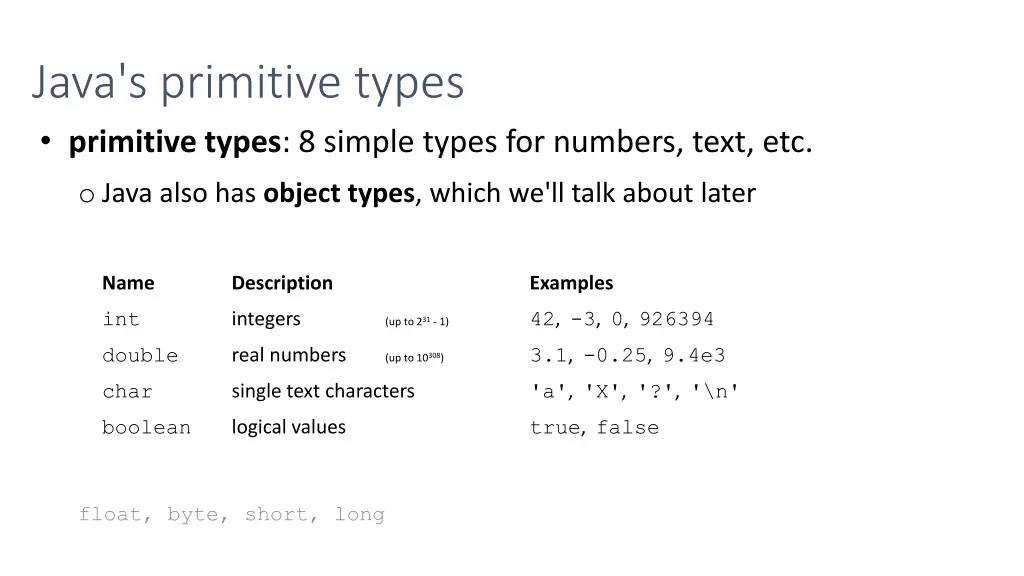
Java's primitive types primitive types: 8 simple types for numbers, text, etc. o Java also has object types, which we'll talk about later Name Description Examples o int 42, -3, 0, 926394 integers (up to 231- 1) o double 3.1, -0.25, 9.4e3 real numbers (up to 10308) o char 'a', 'X', '?', '\n' single text characters o boolean true, false logical values float, byte, short, long
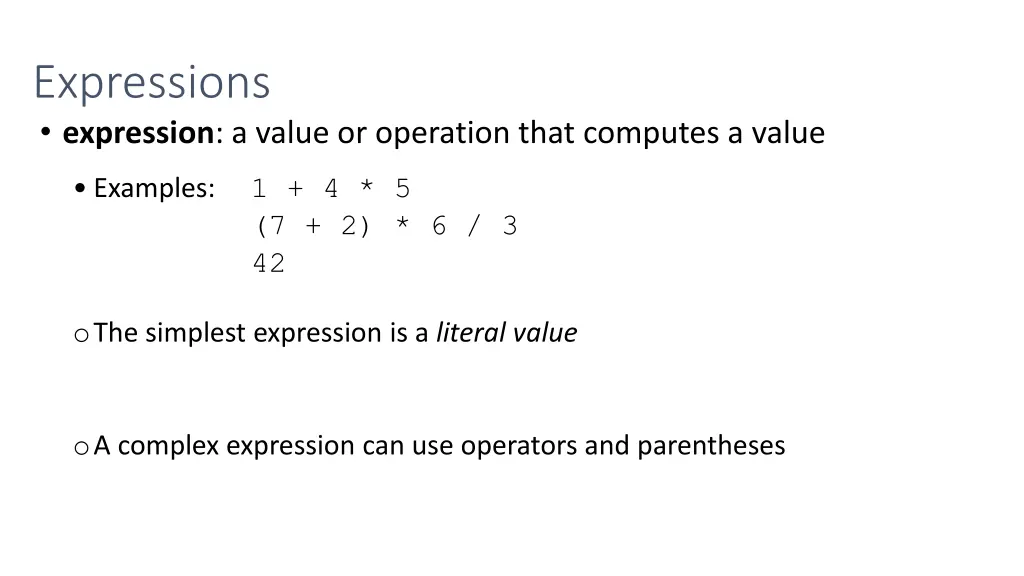
Expressions expression: a value or operation that computes a value 1 + 4 * 5 (7 + 2) * 6 / 3 42 Examples: oThe simplest expression is a literal value oA complex expression can use operators and parentheses
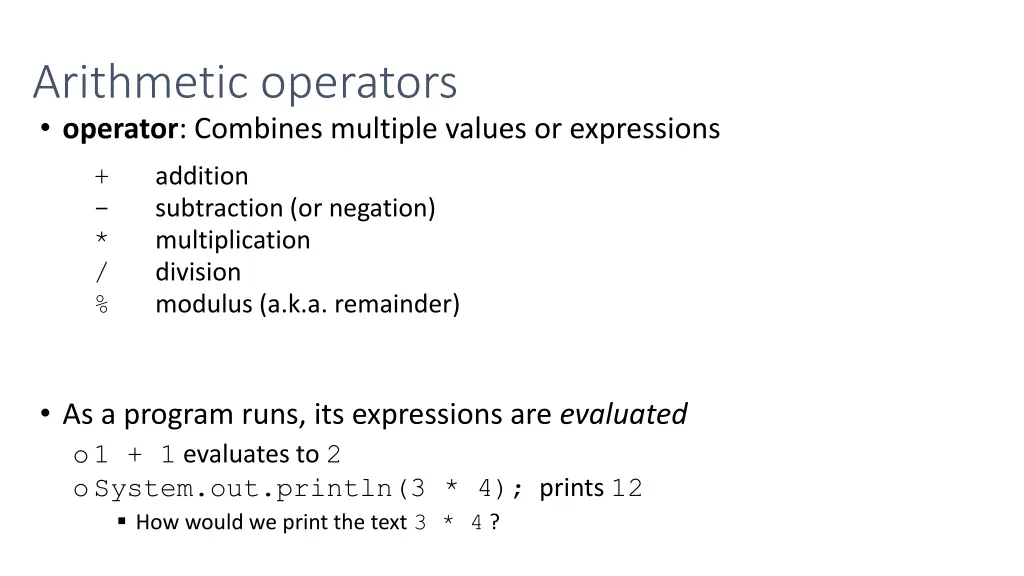
Arithmetic operators operator: Combines multiple values or expressions o+ o- o* o/ o% addition subtraction (or negation) multiplication division modulus (a.k.a. remainder) As a program runs, its expressions are evaluated o1 + 1 evaluates to 2 oSystem.out.println(3 * 4); prints 12 How would we print the text 3 * 4 ?
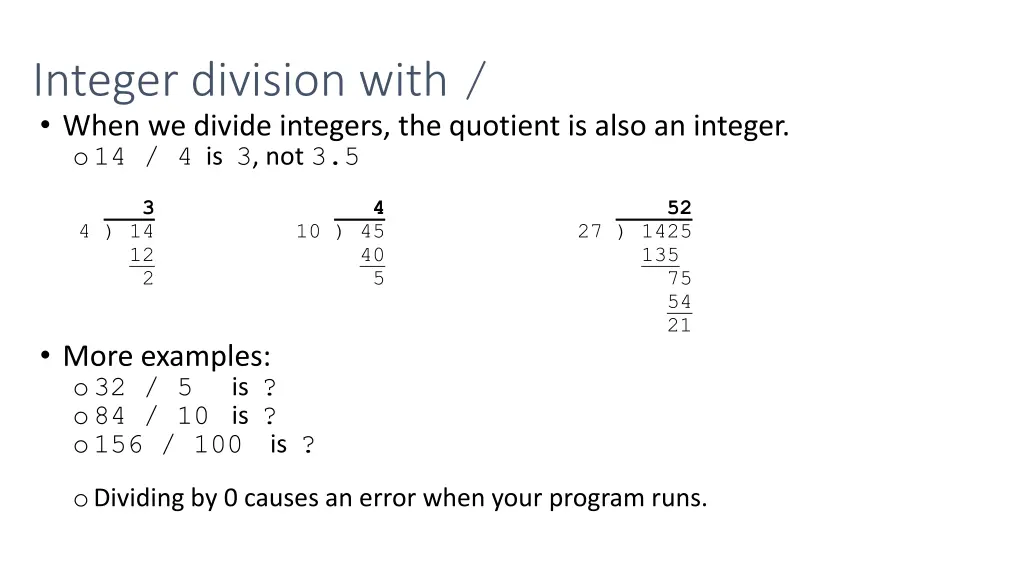
Integer division with / When we divide integers, the quotient is also an integer. o14 / 4 is 3, not 3.5 3 4 52 4 ) 14 10 ) 45 27 ) 1425 12 40 2 5 75 135 54 21 More examples: o32 / 5 o84 / 10 is ? o156 / 100 is ? is ? oDividing by 0 causes an error when your program runs.
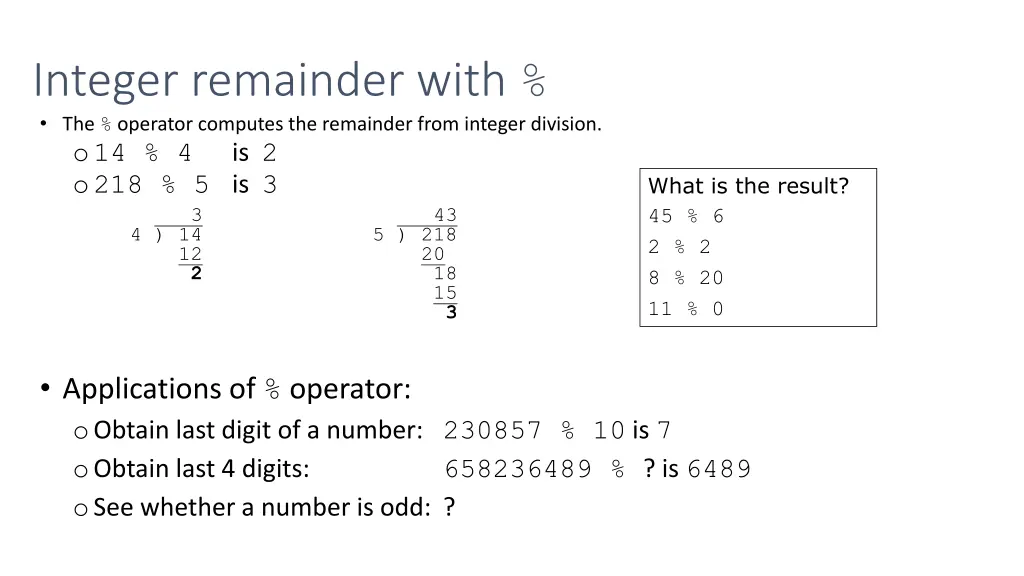
Integer remainder with % The % operator computes the remainder from integer division. o14 % 4 is 2 o218 % 5 is 3 3 4 ) 14 5 ) 218 12 2 What is the result? 45 % 6 2 % 2 8 % 20 11 % 0 43 20 18 15 3 Applications of % operator: oObtain last digit of a number: 230857 % 10 is 7 oObtain last 4 digits: oSee whether a number is odd: ? 658236489 % ? is 6489
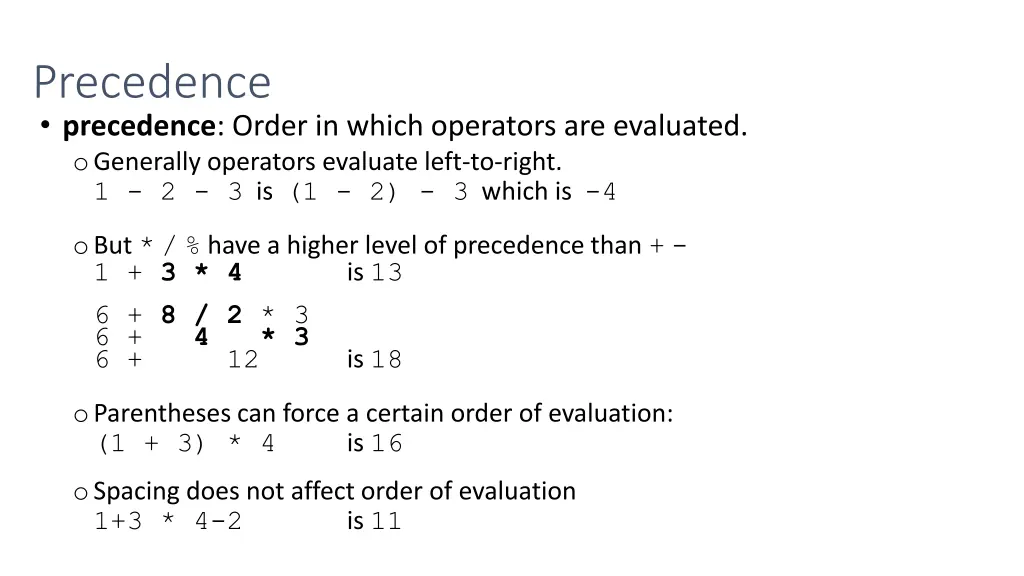
Precedence precedence: Order in which operators are evaluated. oGenerally operators evaluate left-to-right. 1 - 2 - 3 is (1 - 2) - 3 which is -4 oBut */% have a higher level of precedence than +- 1 + 3 * 4 is 13 6 + 8 / 2 * 3 6 + 4 * 3 6 + 12 is 18 oParentheses can force a certain order of evaluation: (1 + 3) * 4 is 16 oSpacing does not affect order of evaluation 1+3 * 4-2 is 11
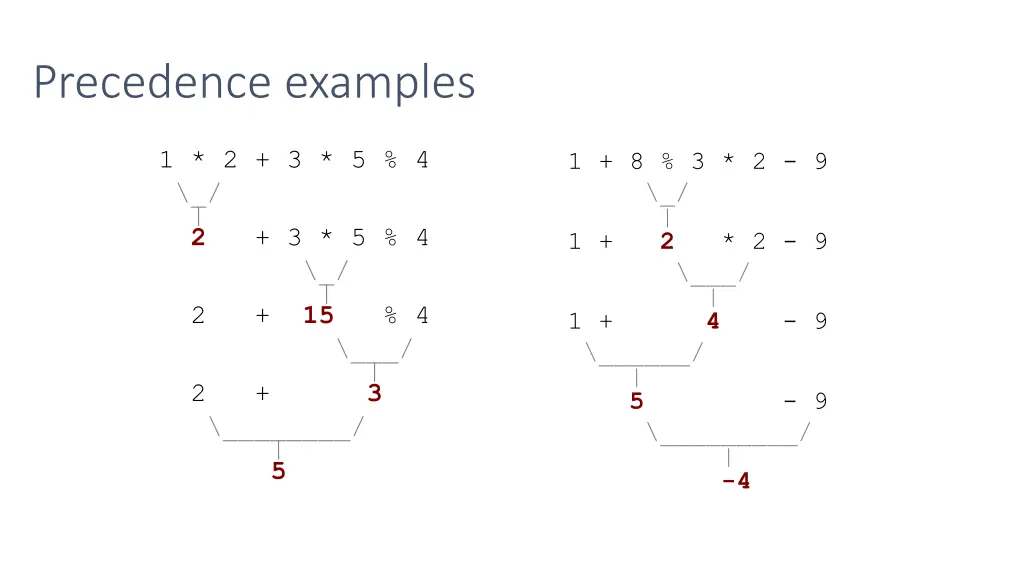
Precedence examples 1 * 2 + 3 * 5 % 4 \_/ | 2 + 3 * 5 % 4 \_/ | 2 + 15 % 4 \___/ | 2 + 3 \________/ | 5 1 + 8 % 3 * 2 - 9 \_/ | 1 + 2 * 2 - 9 \___/ | 1 + 4 - 9 \______/ | 5 - 9 \_________/ | -4
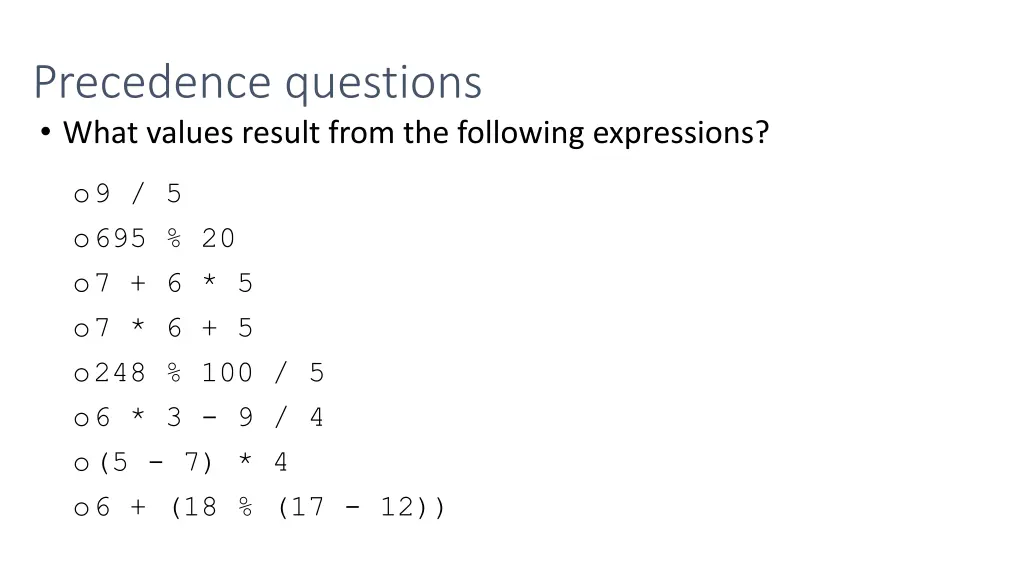
Precedence questions What values result from the following expressions? o9 / 5 o695 % 20 o7 + 6 * 5 o7 * 6 + 5 o248 % 100 / 5 o6 * 3 - 9 / 4 o(5 - 7) * 4 o6 + (18 % (17 - 12))
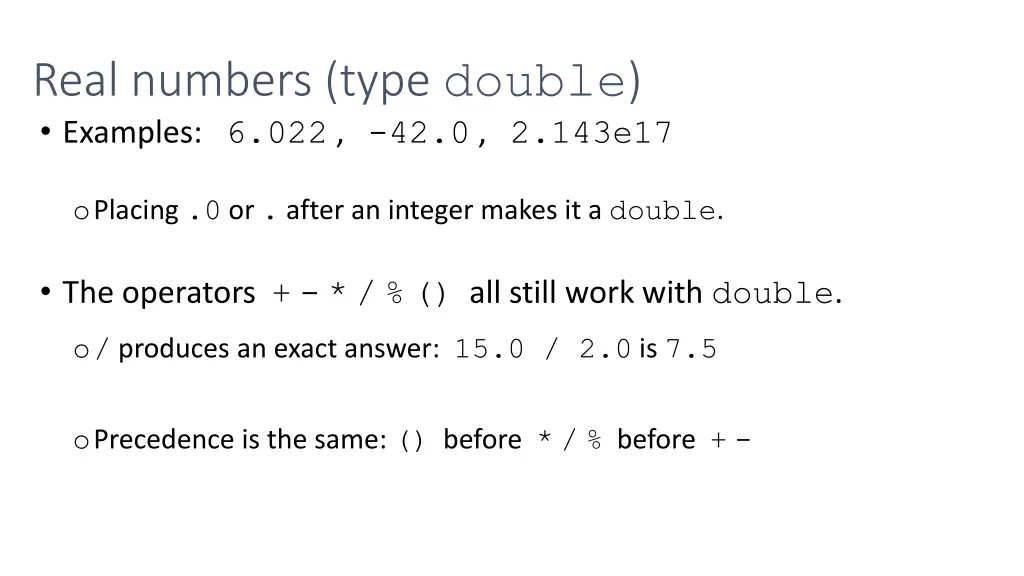
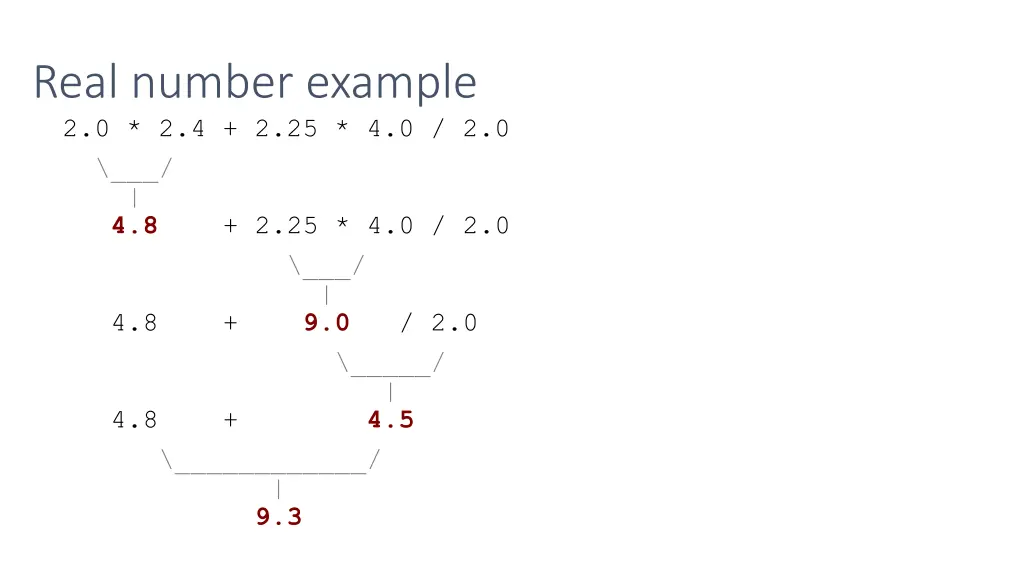
Real numbers (type double) Examples: 6.022 , -42.0 , 2.143e17 oPlacing .0 or . after an integer makes it a double. The operators +-*/%() all still work with double. o/ produces an exact answer: 15.0 / 2.0 is 7.5 oPrecedence is the same: () before */% before +-
Real number example 2.0 * 2.4 + 2.25 * 4.0 / 2.0 \___/ | 4.8 + 2.25 * 4.0 / 2.0 \___/ | 4.8 + 9.0 / 2.0 \_____/ | 4.8 + 4.5 \____________/ | 9.3
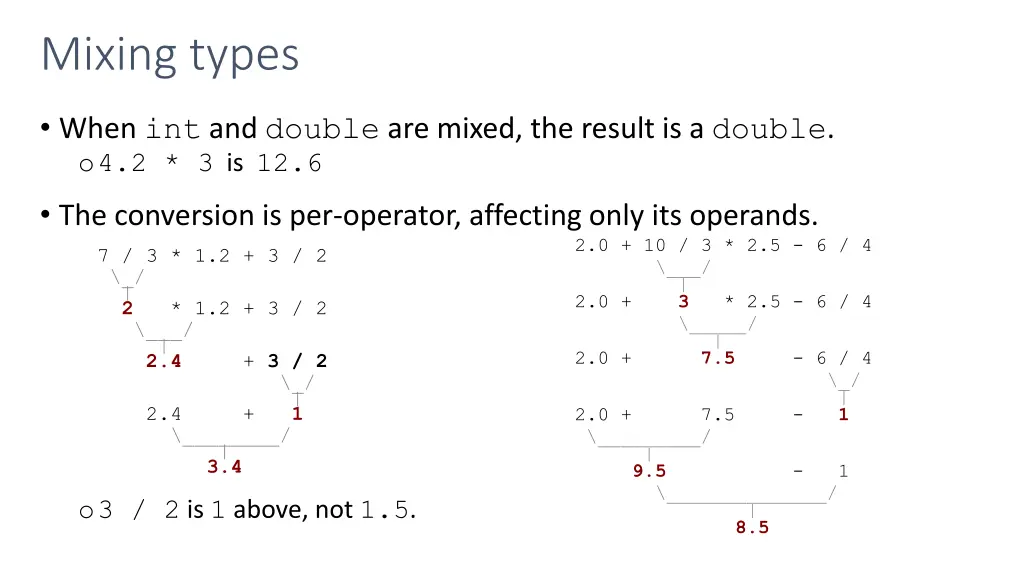
Mixing types When int and double are mixed, the result is a double. o4.2 * 3 is 12.6 The conversion is per-operator, affecting only its operands. 2.0 + 10 / 3 * 2.5 - 6 / 4 \___/ | 2.0 + 3 * 2.5 - 6 / 4 \_____/ | 2.0 + 7.5 - 6 / 4 \_/ | 2.0 + 7.5 - 1 \_________/ | 9.5 - 1 \______________/ | 8.5 o 7 / 3 * 1.2 + 3 / 2 o \_/ | 2 * 1.2 + 3 / 2 o \___/ | 2.4 + 3 / 2 o \_/ | 2.4 + 1 o \________/ | 3.4 o3 / 2 is 1 above, not 1.5.
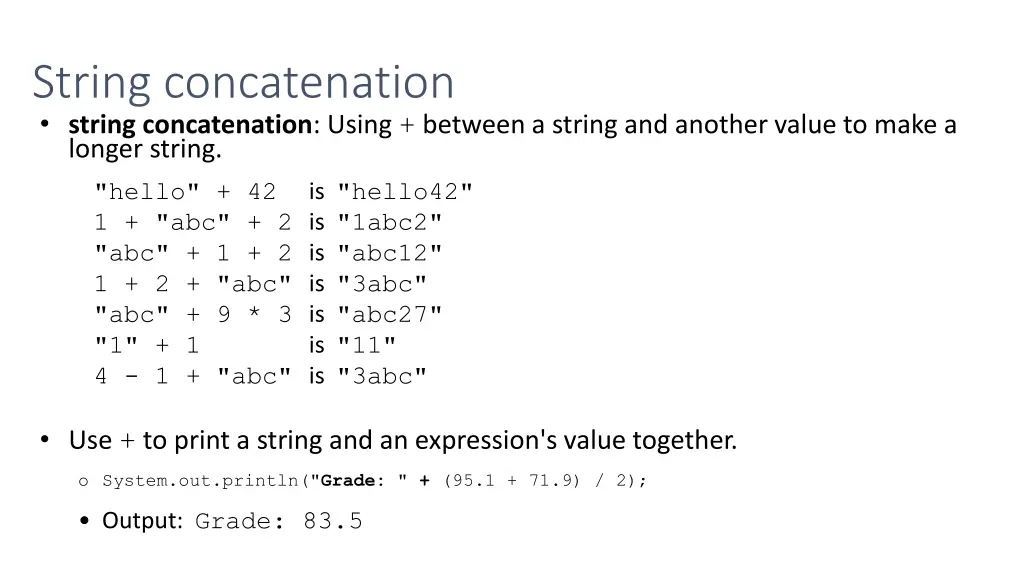
String concatenation string concatenation: Using + between a string and another value to make a longer string. "hello" + 42 1 + "abc" + 2 is "1abc2" "abc" + 1 + 2 is "abc12" 1 + 2 + "abc" is "3abc" "abc" + 9 * 3 is "abc27" "1" + 1 4 - 1 + "abc" is "3abc" is "hello42" is "11" Use + to print a string and an expression's value together. o System.out.println("Grade: " + (95.1 + 71.9) / 2); Output: Grade: 83.5
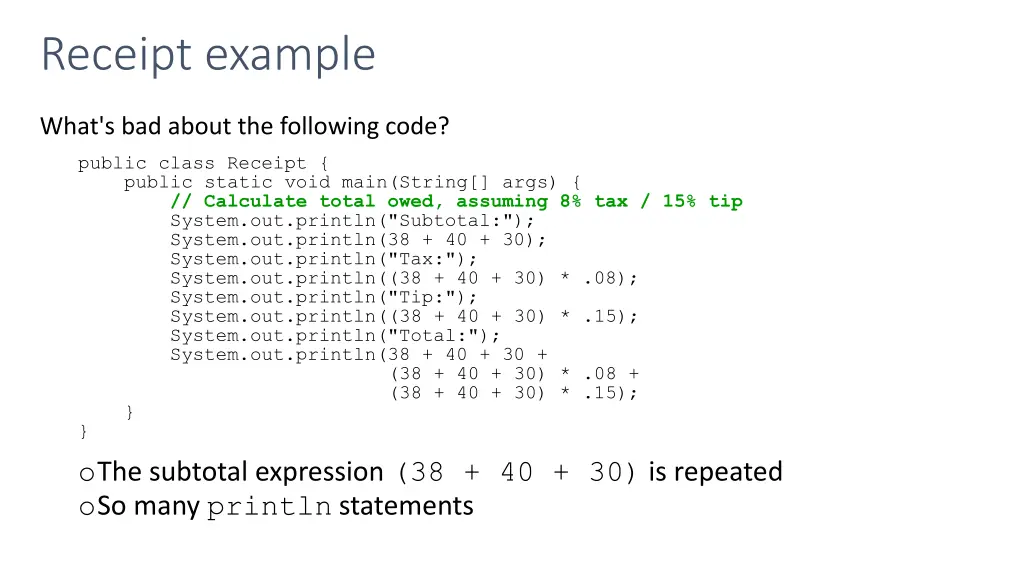
Receipt example What's bad about the following code? public class Receipt { public static void main(String[] args) { // Calculate total owed, assuming 8% tax / 15% tip System.out.println("Subtotal:"); System.out.println(38 + 40 + 30); System.out.println("Tax:"); System.out.println((38 + 40 + 30) * .08); System.out.println("Tip:"); System.out.println((38 + 40 + 30) * .15); System.out.println("Total:"); System.out.println(38 + 40 + 30 + (38 + 40 + 30) * .08 + (38 + 40 + 30) * .15); } } oThe subtotal expression (38 + 40 + 30) is repeated oSo many println statements
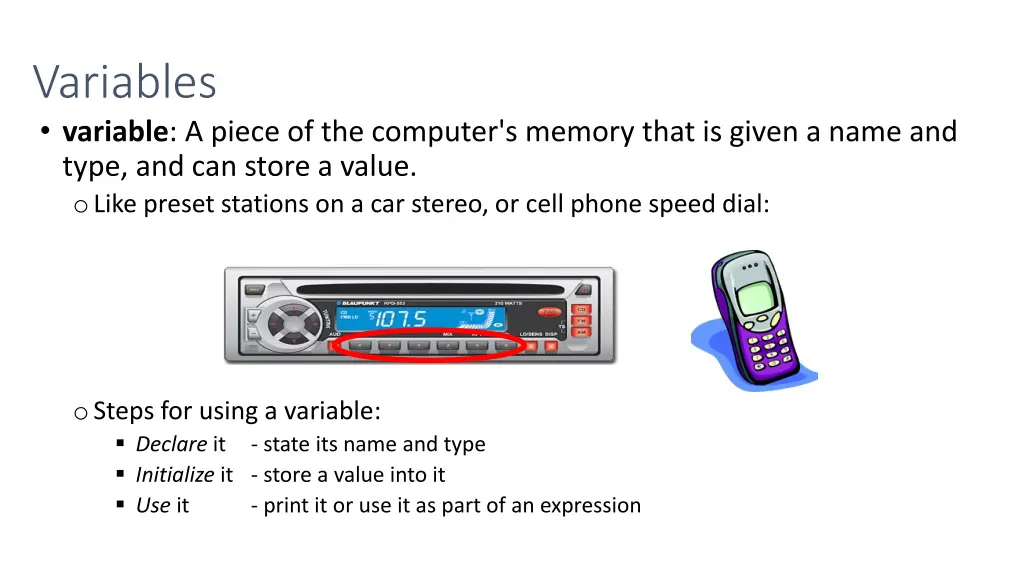
Variables variable: A piece of the computer's memory that is given a name and type, and can store a value. oLike preset stations on a car stereo, or cell phone speed dial: oSteps for using a variable: Declare it - state its name and type Initialize it - store a value into it Use it - print it or use it as part of an expression
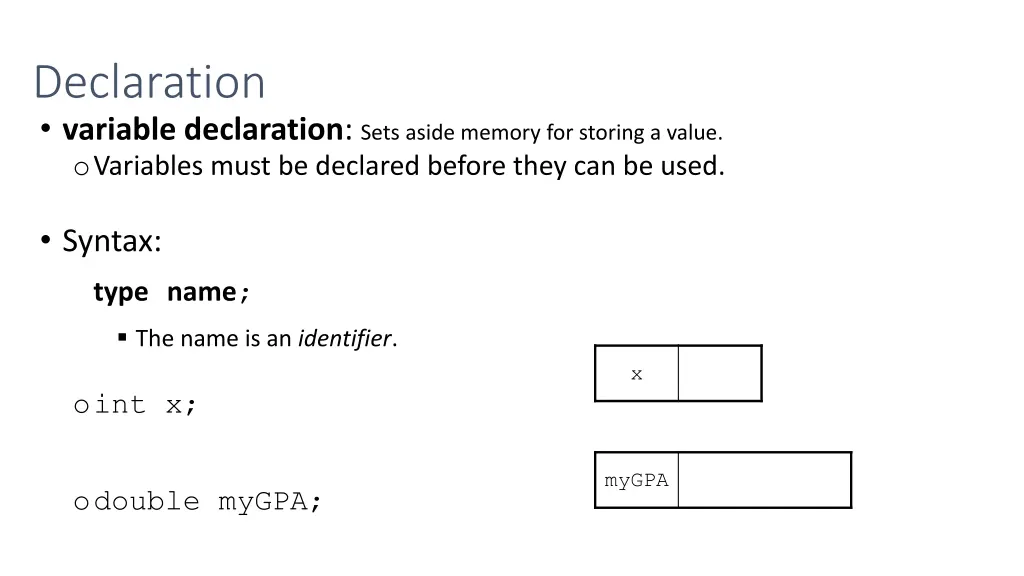
Declaration variable declaration: Sets aside memory for storing a value. oVariables must be declaredbefore they can be used. Syntax: typename; The name is an identifier. x oint x; myGPA odouble myGPA;
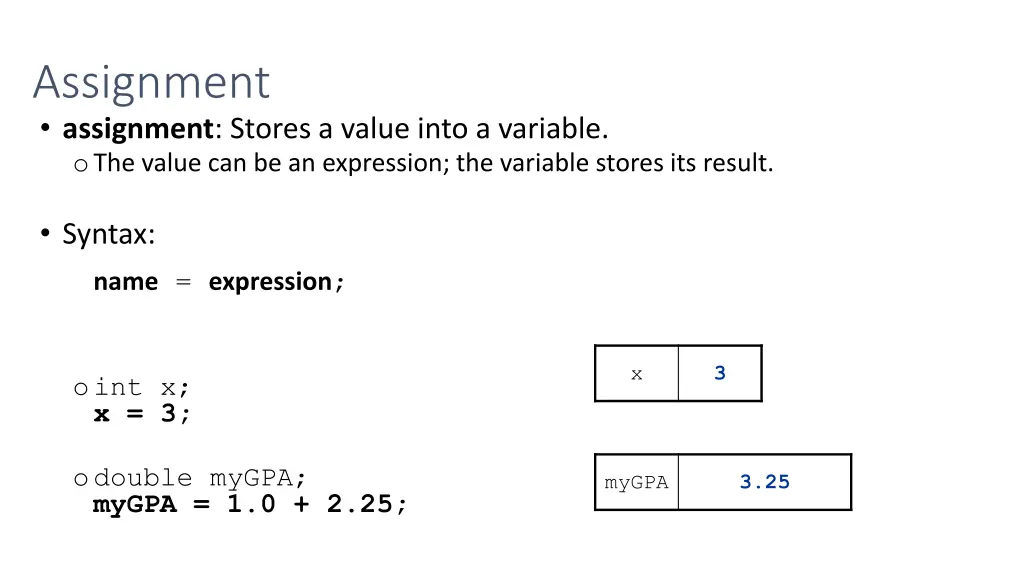
Assignment assignment: Stores a value into a variable. oThe value can be an expression; the variable stores its result. Syntax: name = expression; x 3 oint x; x = 3; odouble myGPA; myGPA = 1.0 + 2.25; myGPA 3.25
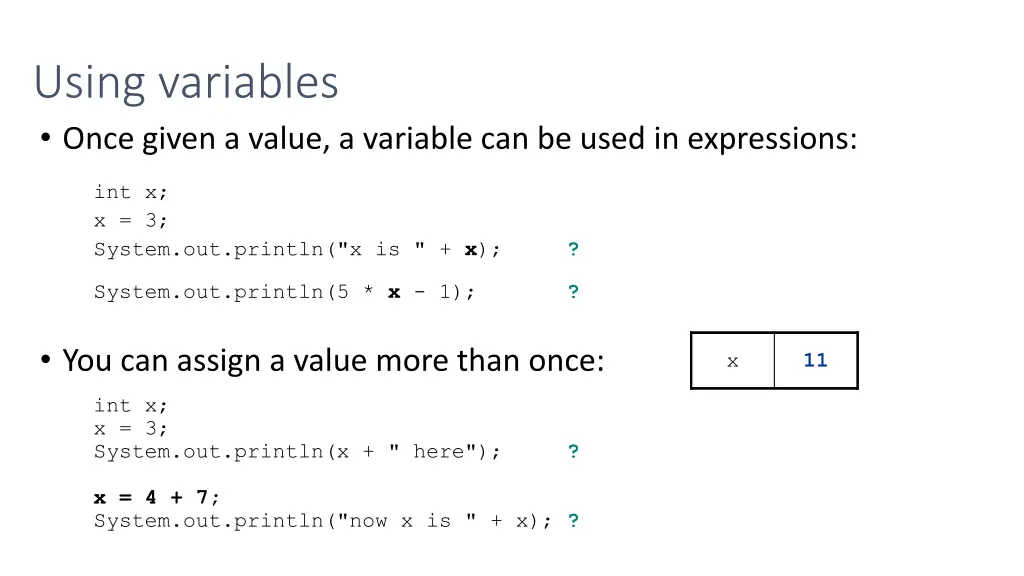
Using variables Once given a value, a variable can be used in expressions: int x; x = 3; System.out.println("x is " + x); ? System.out.println(5 * x - 1); ? You can assign a value more than once: x x 3 11 int x; x = 3; System.out.println(x + " here"); ? x = 4 + 7; System.out.println("now x is " + x); ?
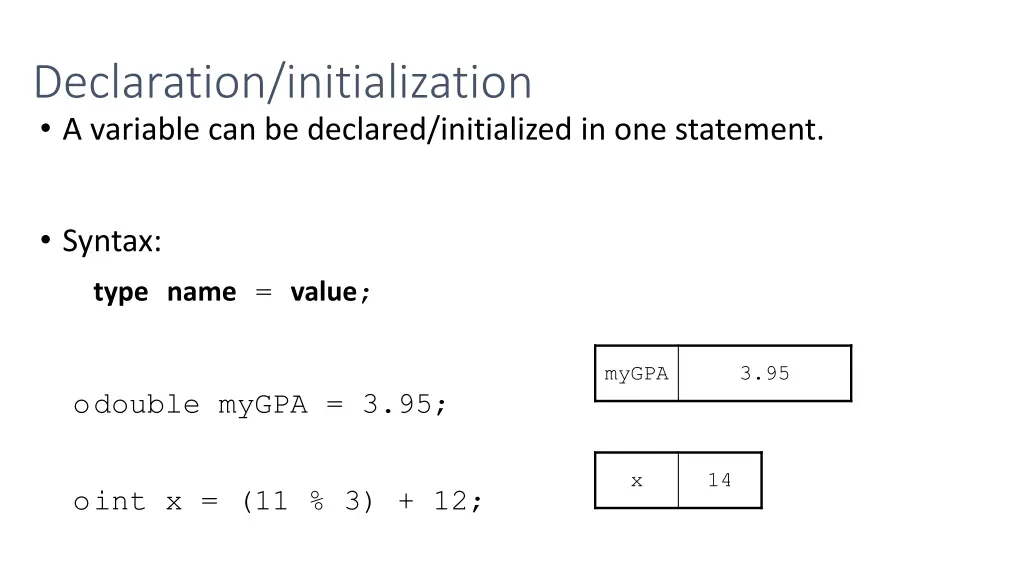
Declaration/initialization A variable can be declared/initialized in one statement. Syntax: typename = value; myGPA 3.95 odouble myGPA = 3.95; x 14 oint x = (11 % 3) + 12;
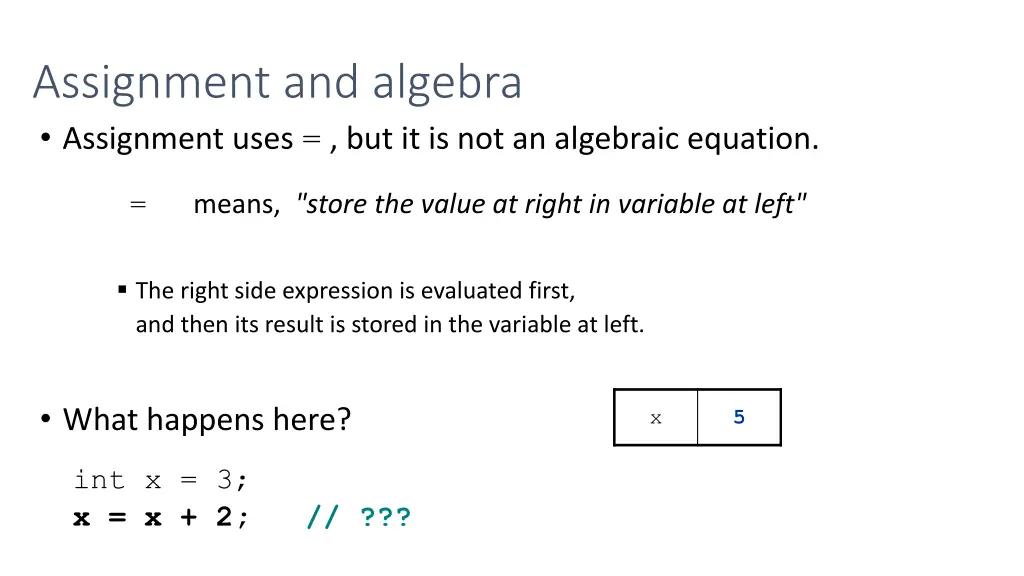
Assignment and algebra Assignment uses = , but it is not an algebraic equation. = means, "store the value at right in variable at left" The right side expression is evaluated first, and then its result is stored in the variable at left. What happens here? x x 3 5 int x = 3; x = x + 2; // ???
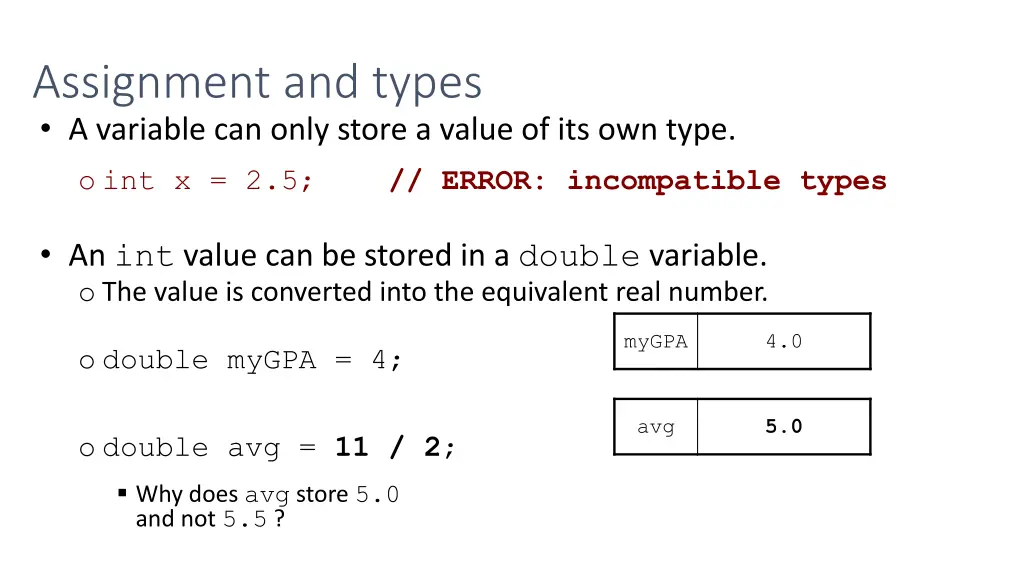
Assignment and types A variable can only store a value of its own type. o int x = 2.5; // ERROR: incompatible types An int value can be stored in a double variable. o The value is converted into the equivalent real number. myGPA 4.0 o double myGPA = 4; avg 5.0 o double avg = 11 / 2; Why does avg store 5.0 and not 5.5 ?
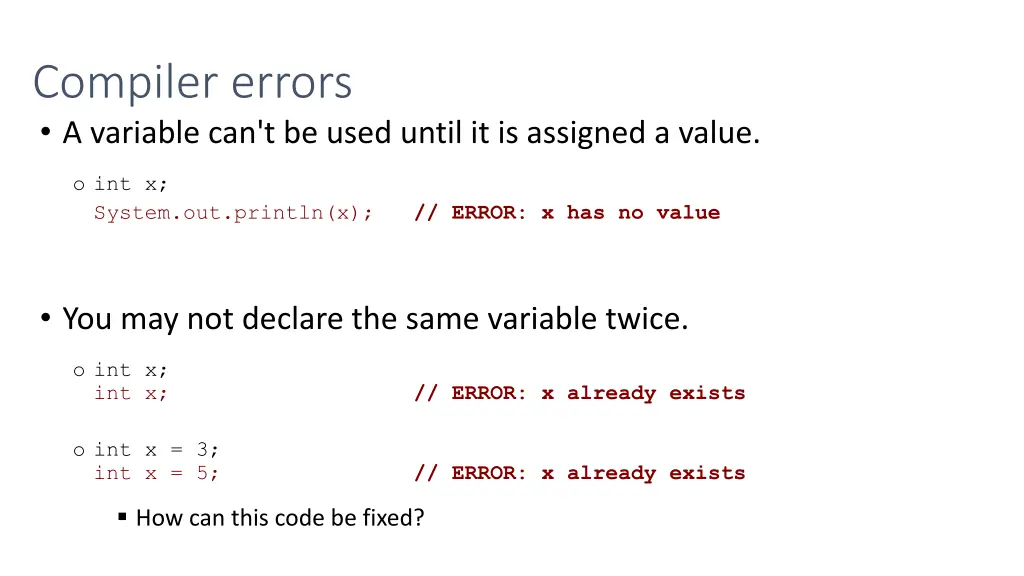
Compiler errors A variable can't be used until it is assigned a value. o int x; System.out.println(x); // ERROR: x has no value You may not declare the same variable twice. o int x; int x; // ERROR: x already exists o int x = 3; int x = 5; // ERROR: x already exists How can this code be fixed?
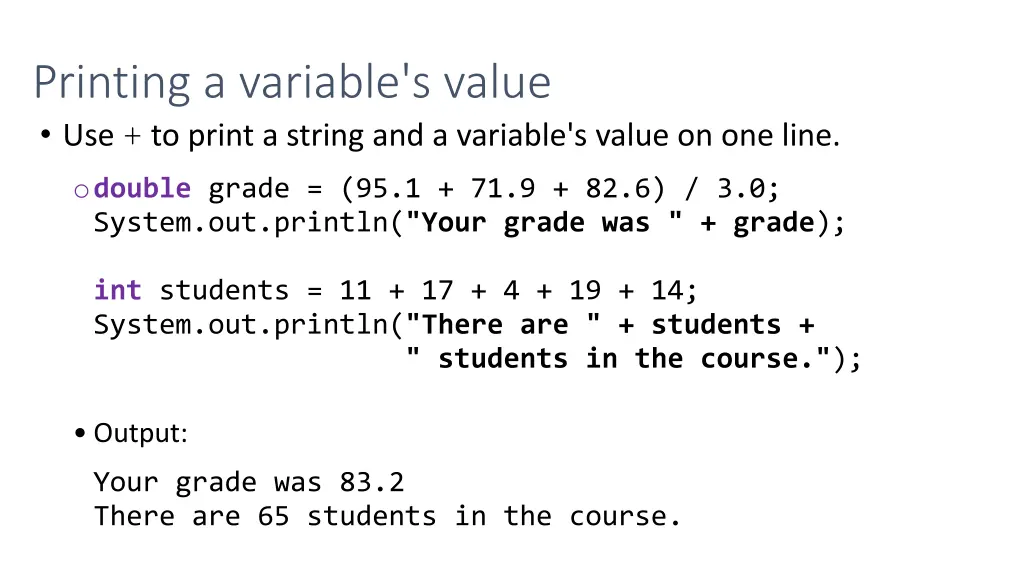
Printing a variable's value Use + to print a string and a variable's value on one line. odouble grade = (95.1 + 71.9 + 82.6) / 3.0; System.out.println("Your grade was " + grade); int students = 11 + 17 + 4 + 19 + 14; System.out.println("There are " + students + " students in the course."); Output: Your grade was 83.2 There are 65 students in the course.
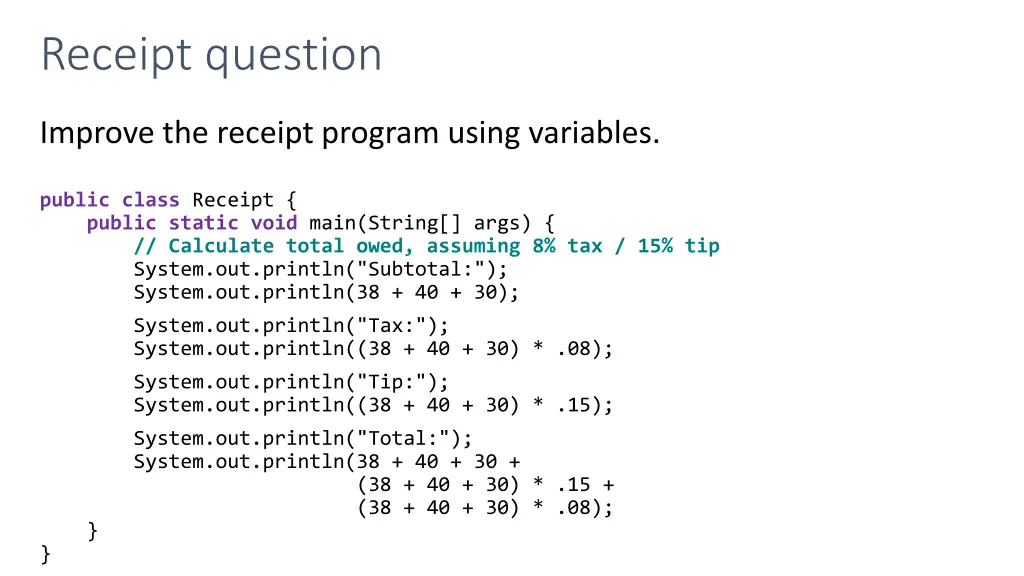
Receipt question Improve the receipt program using variables. public class Receipt { public static void main(String[] args) { // Calculate total owed, assuming 8% tax / 15% tip System.out.println("Subtotal:"); System.out.println(38 + 40 + 30); System.out.println("Tax:"); System.out.println((38 + 40 + 30) * .08); System.out.println("Tip:"); System.out.println((38 + 40 + 30) * .15); System.out.println("Total:"); System.out.println(38 + 40 + 30 + (38 + 40 + 30) * .15 + (38 + 40 + 30) * .08); } }
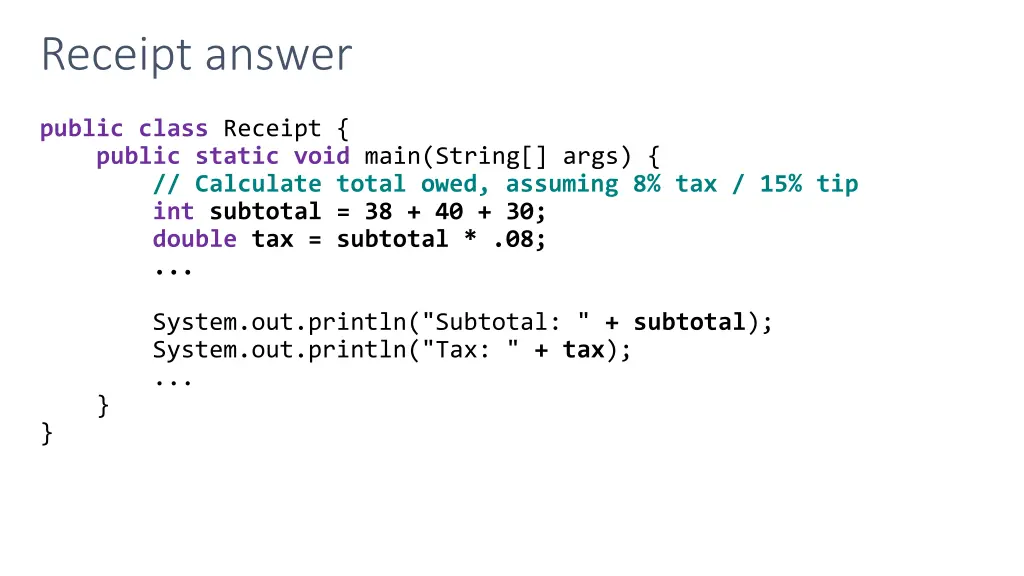
Receipt answer public class Receipt { public static void main(String[] args) { // Calculate total owed, assuming 8% tax / 15% tip int subtotal = 38 + 40 + 30; double tax = subtotal * .08; ... System.out.println("Subtotal: " + subtotal); System.out.println("Tax: " + tax); ... } }