Simplified Network Architectures History
Explore a simplified view of network architectures through a condensed history timeline from the inception of ARPANET to the development of protocols like TCP/IP and IPv6. Learn about key milestones including the first routers, DNS implementation, and the evolution of Wi-Fi technology. Gain insights into how networks have shaped modern architecture and design.

Download Presentation

Please find below an Image/Link to download the presentation.
The content on the website is provided AS IS for your information and personal use only. It may not be sold, licensed, or shared on other websites without obtaining consent from the author. If you encounter any issues during the download, it is possible that the publisher has removed the file from their server.
You are allowed to download the files provided on this website for personal or commercial use, subject to the condition that they are used lawfully. All files are the property of their respective owners.
The content on the website is provided AS IS for your information and personal use only. It may not be sold, licensed, or shared on other websites without obtaining consent from the author.
E N D
Presentation Transcript
Network Architectures A SIMPLIFIED VIEW
Disclaimer The purpose of this session is NOT to make you network engineers We will look briefly at networks, structures of networks and a little bit at protocols The goal is mainly to give you an overview, with enough understanding to comprehend how it affects architecture and design
The story so far We have looked at computers, Operating Systems and Applications We have looked at how applications talk to each other on the same computer In the 1970s it became apparent that it would be useful to have computers talk to each other At first, just sending data with an approach to sharing information, especially between researchers This evolved to having applications communicate data And so, networks were born
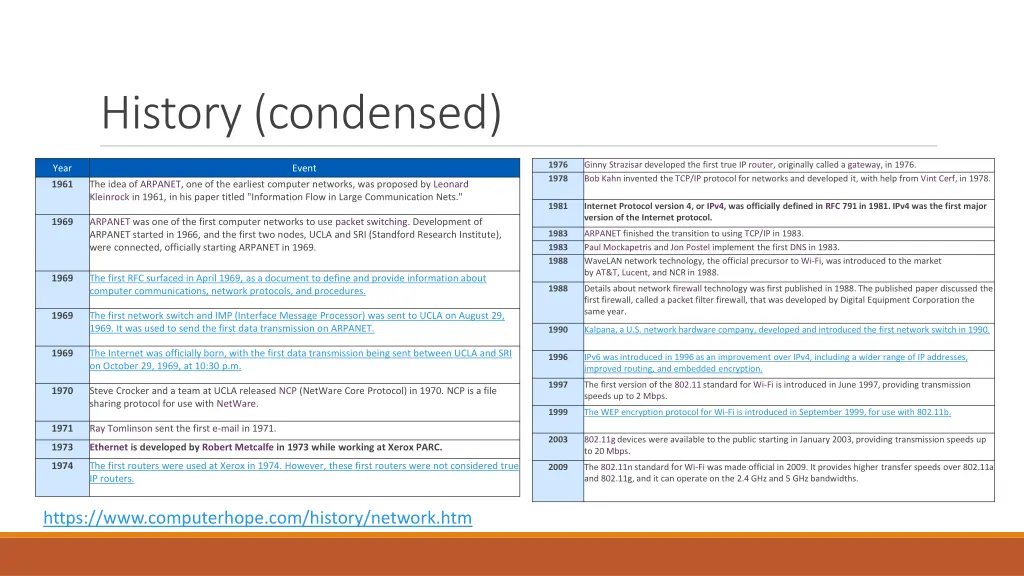
History (condensed) 1976 1978 Ginny Strazisar developed the first true IP router, originally called a gateway, in 1976. Bob Kahn invented the TCP/IP protocol for networks and developed it, with help from Vint Cerf, in 1978. Year Event 1961 The idea of ARPANET, one of the earliest computer networks, was proposed by Leonard Kleinrock in 1961, in his paper titled "Information Flow in Large Communication Nets." 1981 Internet Protocol version 4, or IPv4, was officially defined in RFC 791 in 1981. IPv4 was the first major version of the Internet protocol. 1969 ARPANET was one of the first computer networks to use packet switching. Development of ARPANET started in 1966, and the first two nodes, UCLA and SRI (Standford Research Institute), were connected, officially starting ARPANET in 1969. 1983 1983 1988 ARPANET finished the transition to using TCP/IP in 1983. Paul Mockapetris and Jon Postel implement the first DNS in 1983. WaveLAN network technology, the official precursor to Wi-Fi, was introduced to the market by AT&T, Lucent, and NCR in 1988. 1969 The first RFC surfaced in April 1969, as a document to define and provide information about computer communications, network protocols, and procedures. 1988 Details about network firewall technology was first published in 1988. The published paper discussed the first firewall, called a packet filter firewall, that was developed by Digital Equipment Corporation the same year. 1969 The first network switch and IMP (Interface Message Processor) was sent to UCLA on August 29, 1969. It was used to send the first data transmission on ARPANET. 1990 Kalpana, a U.S. network hardware company, developed and introduced the first network switch in 1990. 1969 The Internet was officially born, with the first data transmission being sent between UCLA and SRI on October 29, 1969, at 10:30 p.m. 1996 IPv6 was introduced in 1996 as an improvement over IPv4, including a wider range of IP addresses, improved routing, and embedded encryption. 1997 The first version of the 802.11standard for Wi-Fi is introduced in June 1997, providing transmission speeds up to 2 Mbps. 1970 Steve Crocker and a team at UCLA released NCP (NetWare Core Protocol) in 1970. NCP is a file sharing protocol for use with NetWare. 1999 The WEP encryption protocol for Wi-Fi is introduced in September 1999, for use with 802.11b. 1971 Ray Tomlinson sent the first e-mail in 1971. 2003 802.11gdevices were available to the public starting in January 2003, providing transmission speeds up to 20 Mbps. 1973 Ethernet is developed by Robert Metcalfe in 1973 while working at Xerox PARC. 1974 The first routers were used at Xerox in 1974. However, these first routers were not considered true IP routers. 2009 The 802.11nstandard for Wi-Fi was made official in 2009. It provides higher transfer speeds over 802.11a and 802.11g, and it can operate on the 2.4 GHz and 5 GHz bandwidths. https://www.computerhope.com/history/network.htm
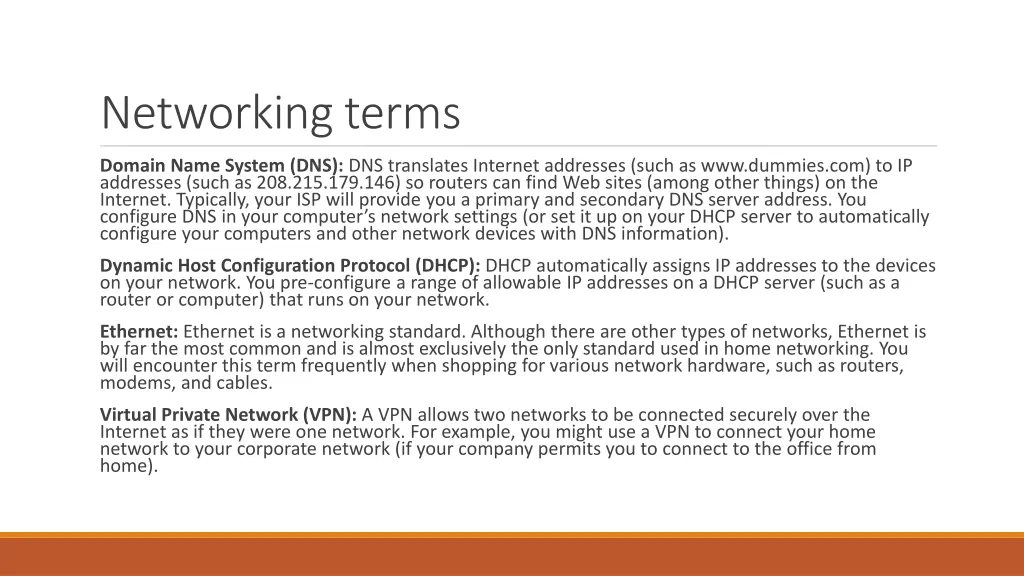
Networking terms Domain Name System (DNS): DNS translates Internet addresses (such as www.dummies.com) to IP addresses (such as 208.215.179.146) so routers can find Web sites (among other things) on the Internet. Typically, your ISP will provide you a primary and secondary DNS server address. You configure DNS in your computer s network settings (or set it up on your DHCP server to automatically configure your computers and other network devices with DNS information). Dynamic Host Configuration Protocol (DHCP): DHCP automatically assigns IP addresses to the devices on your network. You pre-configure a range of allowable IP addresses on a DHCP server (such as a router or computer) that runs on your network. Ethernet: Ethernet is a networking standard. Although there are other types of networks, Ethernet is by far the most common and is almost exclusively the only standard used in home networking. You will encounter this term frequently when shopping for various network hardware, such as routers, modems, and cables. Virtual Private Network (VPN): A VPN allows two networks to be connected securely over the Internet as if they were one network. For example, you might use a VPN to connect your home network to your corporate network (if your company permits you to connect to the office from home).
Networking Architecture terms Topology Network topologies are categorized into the following basic types: Bus: Common backbone to connect all devices (like a hardware bus) Ring: All messages travel through a ring in the same direction (either clockwise or counterclockwise). A failure in any cable or device breaks the loop and can take down the network. Star: A star network features a central connection point called a hub node that is either a network hub, switch or router (common in homes) Tree: Joins multiple Star networks onto a bus Mesh: Multiple routes from source to destination. WANs are Mesh networks https://www.lifewire.com/computer-network-topology-817884
Think domains, subnets Most networks today are hybrids Topologies BUS MESH TREE STAR
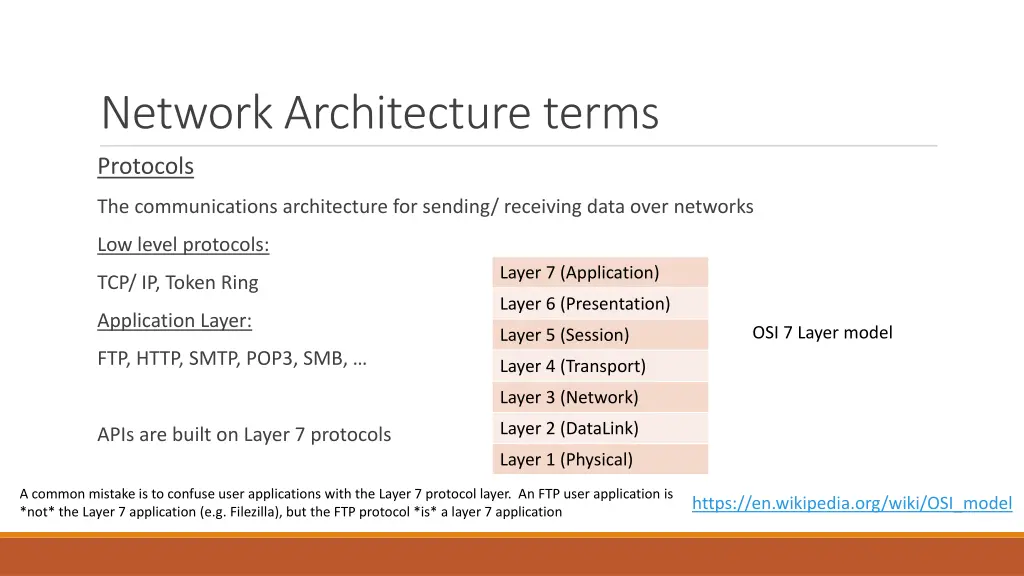
Network Architecture terms Protocols The communications architecture for sending/ receiving data over networks Low level protocols: Layer 7 (Application) TCP/ IP, Token Ring Layer 6 (Presentation) Application Layer: OSI 7 Layer model Layer 5 (Session) FTP, HTTP, SMTP, POP3, SMB, Layer 4 (Transport) Layer 3 (Network) Layer 2 (DataLink) APIs are built on Layer 7 protocols Layer 1 (Physical) A common mistake is to confuse user applications with the Layer 7 protocol layer. An FTP user application is *not* the Layer 7 application (e.g. Filezilla), but the FTP protocol *is* a layer 7 application https://en.wikipedia.org/wiki/OSI_model
Protocols aid in API creation Processes communicate (pass data) Protocols pass bits -- but don't know what they send They just make sure it gets there Eventually those bits are organized into text Applications parse text into commands (like SMTP and FTP) Beginning of APIs data sent over a protocol to another computer to provide instructions We now organize the data sent using these protocols, and this gives us SOAP RPC REST
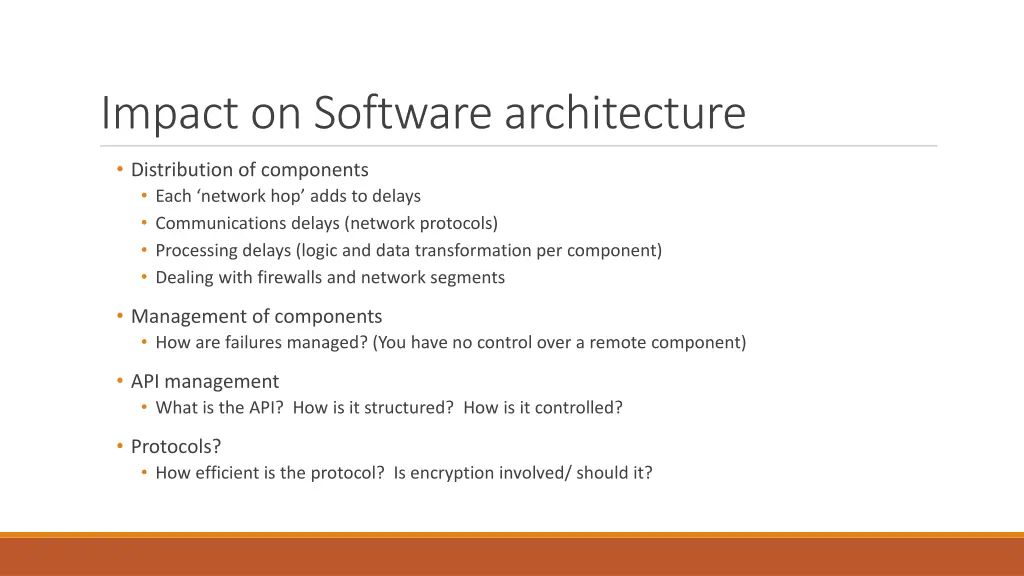
Impact on Software architecture Distribution of components Each network hop adds to delays Communications delays (network protocols) Processing delays (logic and data transformation per component) Dealing with firewalls and network segments Management of components How are failures managed? (You have no control over a remote component) API management What is the API? How is it structured? How is it controlled? Protocols? How efficient is the protocol? Is encryption involved/ should it?
Simple Network applications Some of the earliest network applications were Email and FTP Let s see how they work We re going to go bare metal and use telnet - A simple text based utility running on top of TCP - Teletype Network
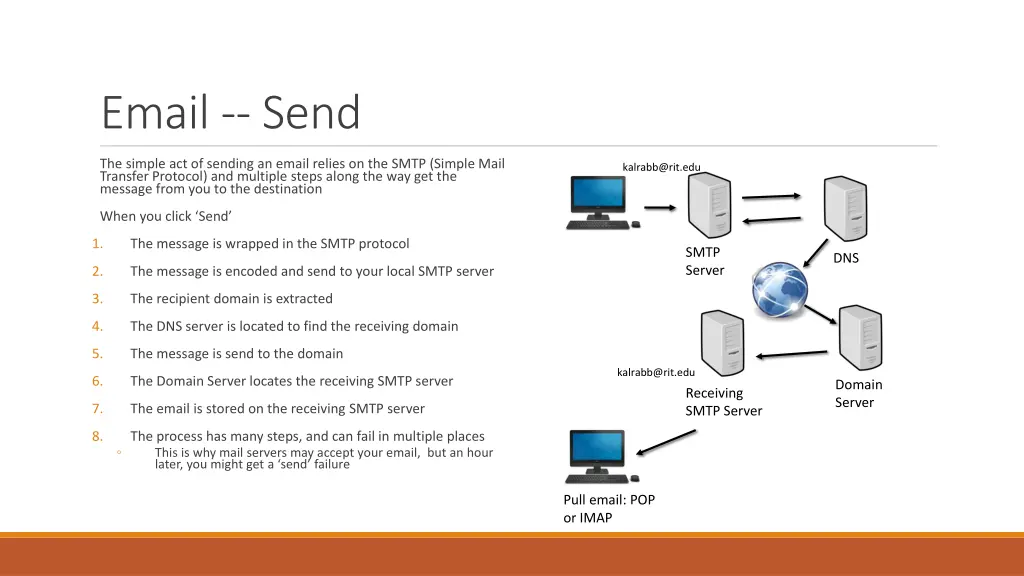
Email -- Send The simple act of sending an email relies on the SMTP (Simple Mail Transfer Protocol) and multiple steps along the way get the message from you to the destination kalrabb@rit.edu When you click Send 1. The message is wrapped in the SMTP protocol SMTP Server DNS 2. The message is encoded and send to your local SMTP server 3. The recipient domain is extracted 4. The DNS server is located to find the receiving domain 5. The message is send to the domain kalrabb@rit.edu 6. The Domain Server locates the receiving SMTP server Domain Server Receiving SMTP Server 7. The email is stored on the receiving SMTP server 8. The process has many steps, and can fail in multiple places This is why mail servers may accept your email, but an hour later, you might get a send failure Pull email: POP or IMAP
Protocols: Text based Basically, open a port, send commands https://docs.microsoft.com/en- us/Exchange/mail-flow/test-smtp-with- telnet?view=exchserver-2019 > telnet > open mymailserver.smtp.com 25 //the port EHLO vs HELO: Indicates level of RC support (EHLO is newer) The sender; errors will return to this email > EHLO mydomain.com > MAIL FROM: kalrabb@mydomain.com address > RCPT TO: sendto@theirdomain.net Recipient(s); can be issued multiple times > DATA < .> Mail content, including header fields - Subject: - To: - cc: - <CRLF> to end headers - . to end data RFC 5321 - Simple Mail Transfer Protocol (ietf.org)
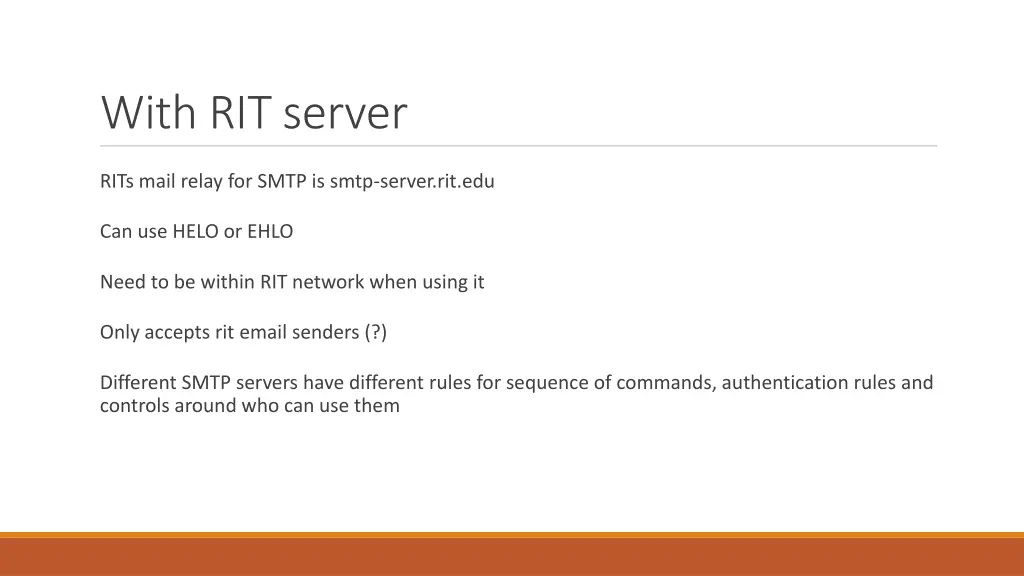
With RIT server RITs mail relay for SMTP is smtp-server.rit.edu Can use HELO or EHLO Need to be within RIT network when using it Only accepts rit email senders (?) Different SMTP servers have different rules for sequence of commands, authentication rules and controls around who can use them
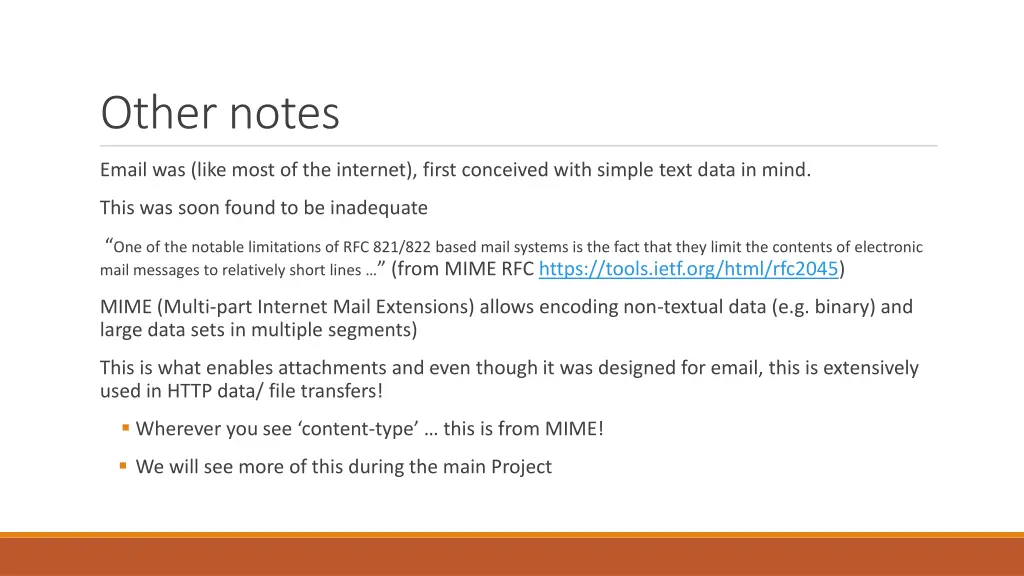
Other notes Email was (like most of the internet), first conceived with simple text data in mind. This was soon found to be inadequate One of the notable limitations of RFC 821/822 based mail systems is the fact that they limit the contents of electronic mail messages to relatively short lines (from MIME RFC https://tools.ietf.org/html/rfc2045) MIME (Multi-part Internet Mail Extensions) allows encoding non-textual data (e.g. binary) and large data sets in multiple segments) This is what enables attachments and even though it was designed for email, this is extensively used in HTTP data/ file transfers! Wherever you see content-type this is from MIME! We will see more of this during the main Project
Exploring Network Protocols Assignment: - Using telnet command line, you will connect to and send email via SMTP (use mymail.rit.edu) - Using the command line, you will connect to and send a file via FTP (https://docs.microsoft.com/en-us/windows-server/administration/windows- commands/ftp#:~:text=The%20ftp%20command-line%20parameters%20are%20case- sensitive.%20This%20command,sub- environment%20in%20which%20you%20can%20use%20ftp%20commands.) Using FTP to seappserver3.rit.edu, upload a text file containing your smtp command history for sending an email. Use anonymous login
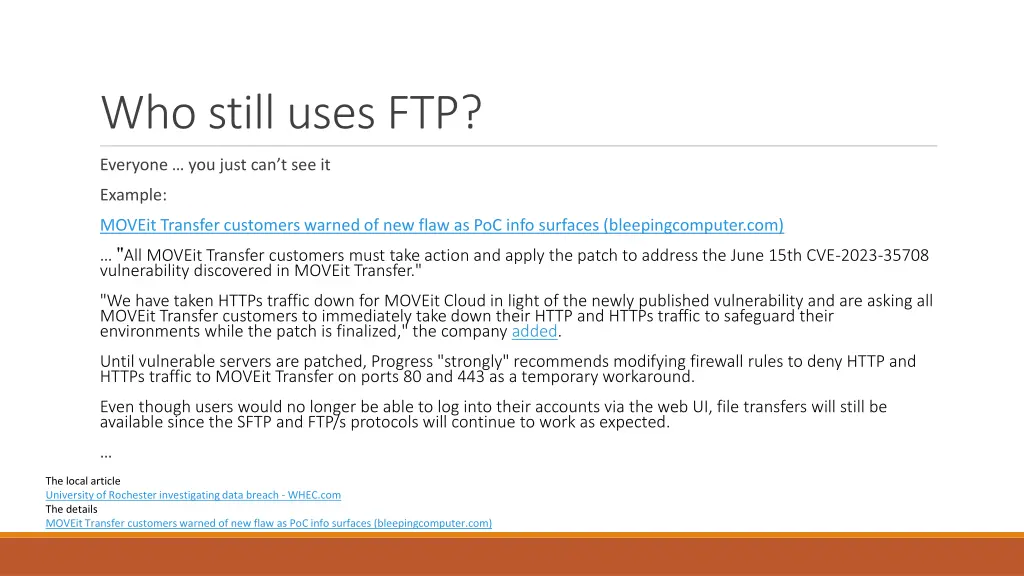
Who still uses FTP? Everyone you just can t see it Example: MOVEit Transfer customers warned of new flaw as PoC info surfaces (bleepingcomputer.com) "All MOVEit Transfer customers must take action and apply the patch to address the June 15th CVE-2023-35708 vulnerability discovered in MOVEit Transfer." "We have taken HTTPs traffic down for MOVEit Cloud in light of the newly published vulnerability and are asking all MOVEit Transfer customers to immediately take down their HTTP and HTTPs traffic to safeguard their environments while the patch is finalized," the company added. Until vulnerable servers are patched, Progress "strongly" recommends modifying firewall rules to deny HTTP and HTTPs traffic to MOVEit Transfer on ports 80 and 443 as a temporary workaround. Even though users would no longer be able to log into their accounts via the web UI, file transfers will still be available since the SFTP and FTP/s protocols will continue to work as expected. The local article University of Rochester investigating data breach - WHEC.com The details MOVEit Transfer customers warned of new flaw as PoC info surfaces (bleepingcomputer.com)
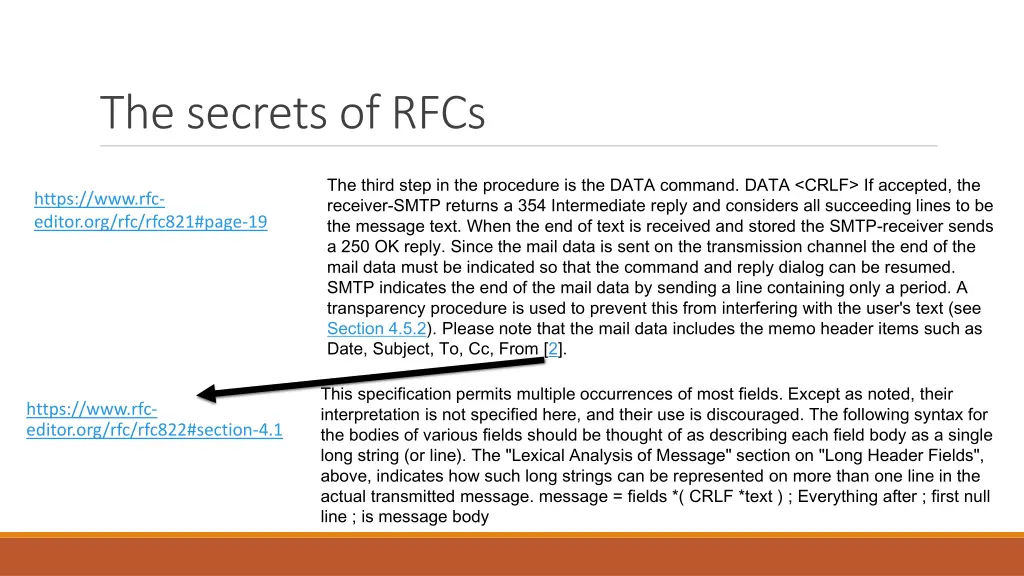
The secrets of RFCs The third step in the procedure is the DATA command. DATA <CRLF> If accepted, the receiver-SMTP returns a 354 Intermediate reply and considers all succeeding lines to be the message text. When the end of text is received and stored the SMTP-receiver sends a 250 OK reply. Since the mail data is sent on the transmission channel the end of the mail data must be indicated so that the command and reply dialog can be resumed. SMTP indicates the end of the mail data by sending a line containing only a period. A transparency procedure is used to prevent this from interfering with the user's text (see Section 4.5.2). Please note that the mail data includes the memo header items such as Date, Subject, To, Cc, From [2]. https://www.rfc- editor.org/rfc/rfc821#page-19 This specification permits multiple occurrences of most fields. Except as noted, their interpretation is not specified here, and their use is discouraged. The following syntax for the bodies of various fields should be thought of as describing each field body as a single long string (or line). The "Lexical Analysis of Message" section on "Long Header Fields", above, indicates how such long strings can be represented on more than one line in the actual transmitted message. message = fields *( CRLF *text ) ; Everything after ; first null line ; is message body https://www.rfc- editor.org/rfc/rfc822#section-4.1