Learn what to do if your mobile device is stolen or lost, including steps for feature phones and smartphones. Follow these guidelines to increase the chances of recovering your device and protecting your data.
Please find below an Image/Link to download the presentation.
The content on the website is provided AS IS for your information and personal use only. It may not be sold, licensed, or shared on other websites without obtaining consent from the author. If you encounter any issues during the download, it is possible that the publisher has removed the file from their server.
You are allowed to download the files provided on this website for personal or commercial use, subject to the condition that they are used lawfully. All files are the property of their respective owners.
The content on the website is provided AS IS for your information and personal use only. It may not be sold, licensed, or shared on other websites without obtaining consent from the author.
E N D
Presentation Transcript
What Steps To Follow If My Mobile Is Stolen Or Lost Presented by: Sandip Samadhan Waghmare (ACST) Class D (CPTP-6, 2019) YASHADA,PUNE
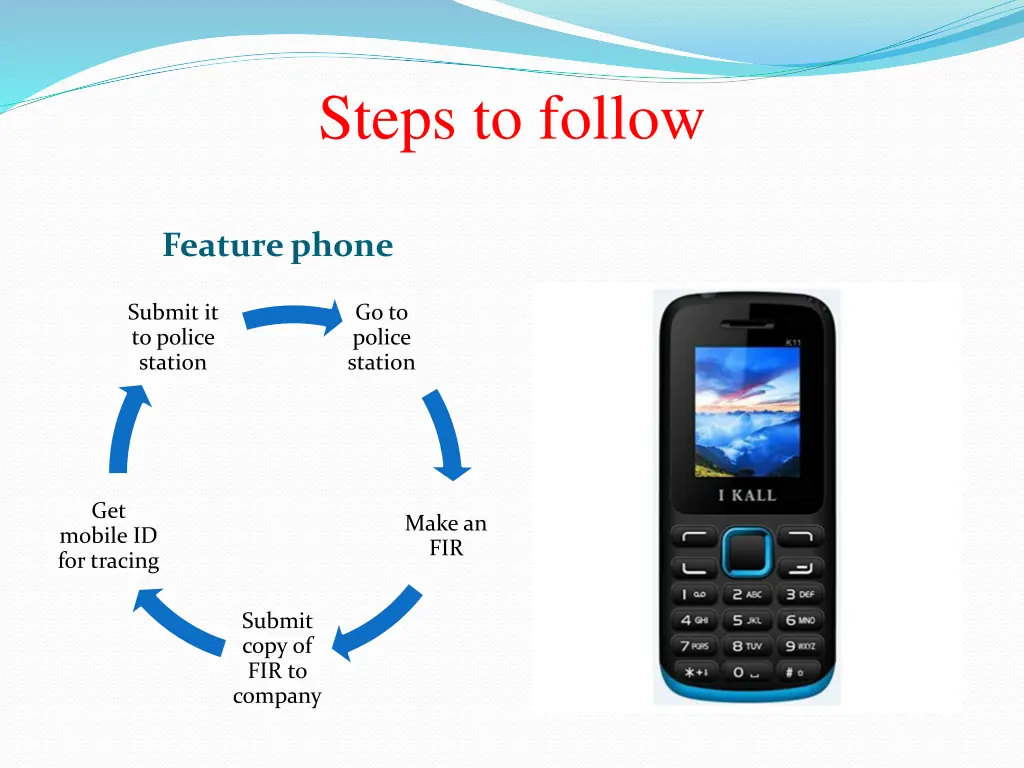
Steps to follow Feature phone Submit it to police station Go to police station Get Make an FIR mobile ID for tracing Submit copy of FIR to company
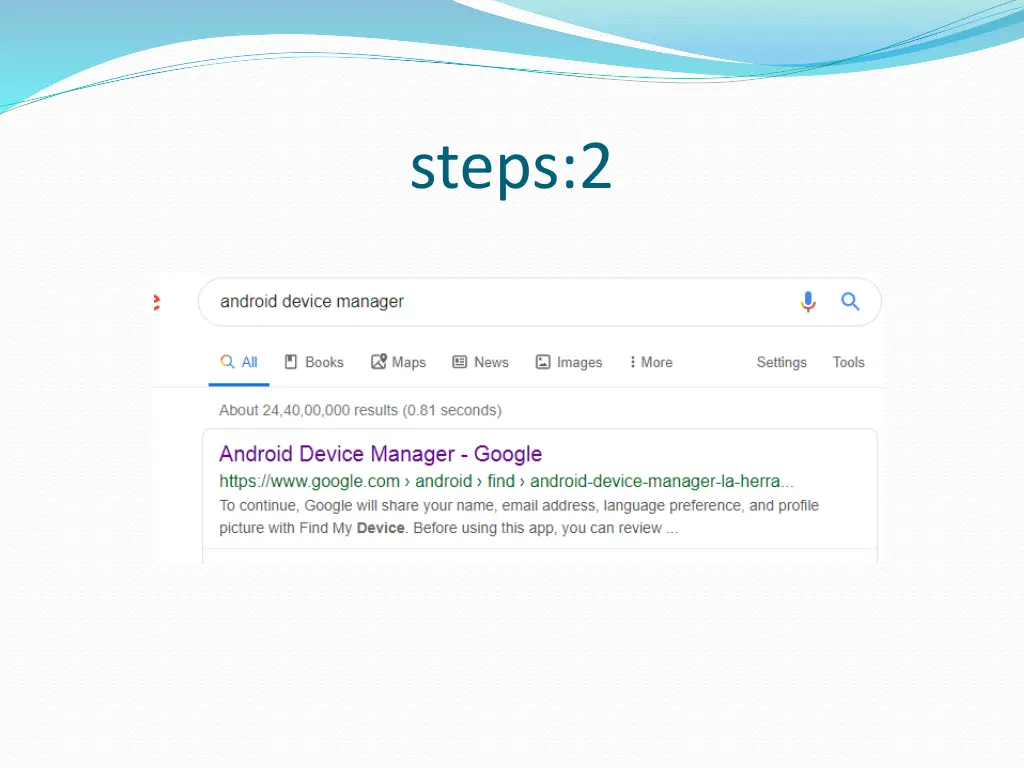
Step: 1 If your phone is definitely lost, don't worry, there's still hope. Gmail to the rescue. You can get similar results by searching "find my phone or Android device manager." You'll still need to sign in to your Gmail though.
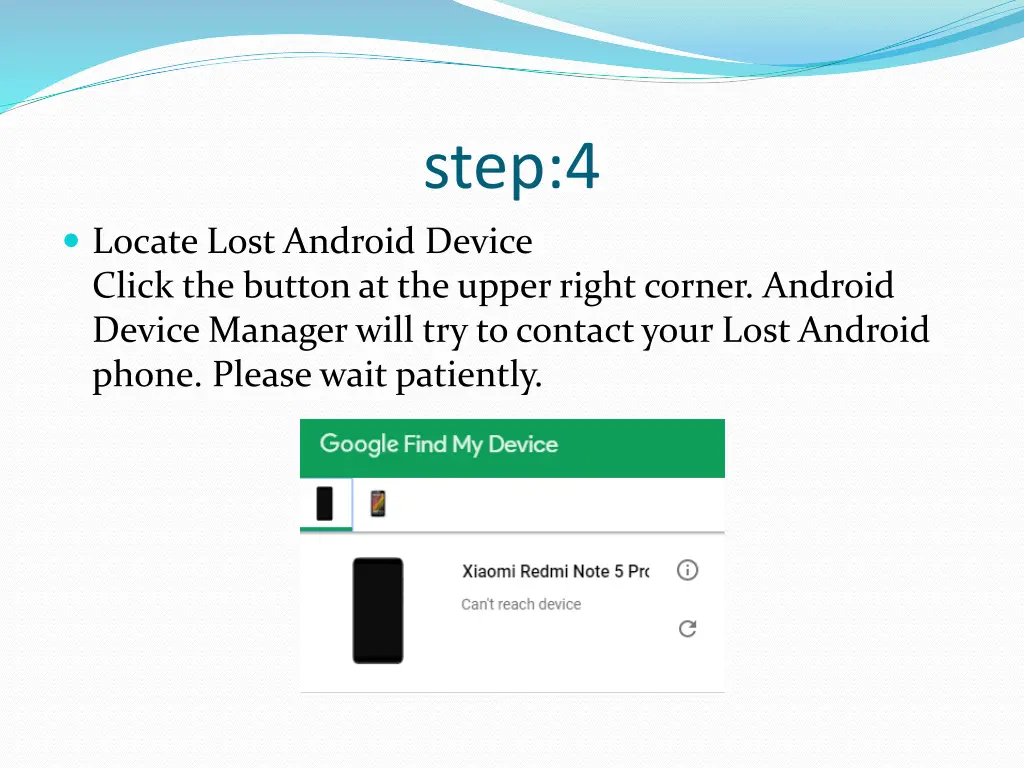
step:4 Locate Lost Android Device Click the button at the upper right corner. Android Device Manager will try to contact your Lost Android phone. Please wait patiently.
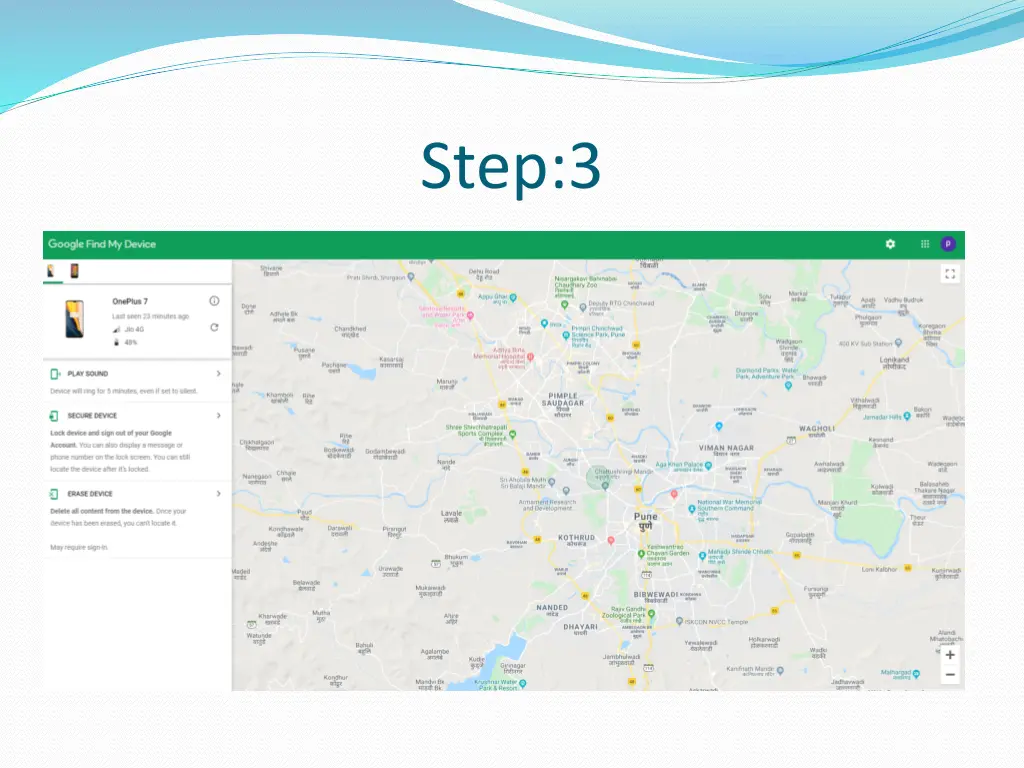
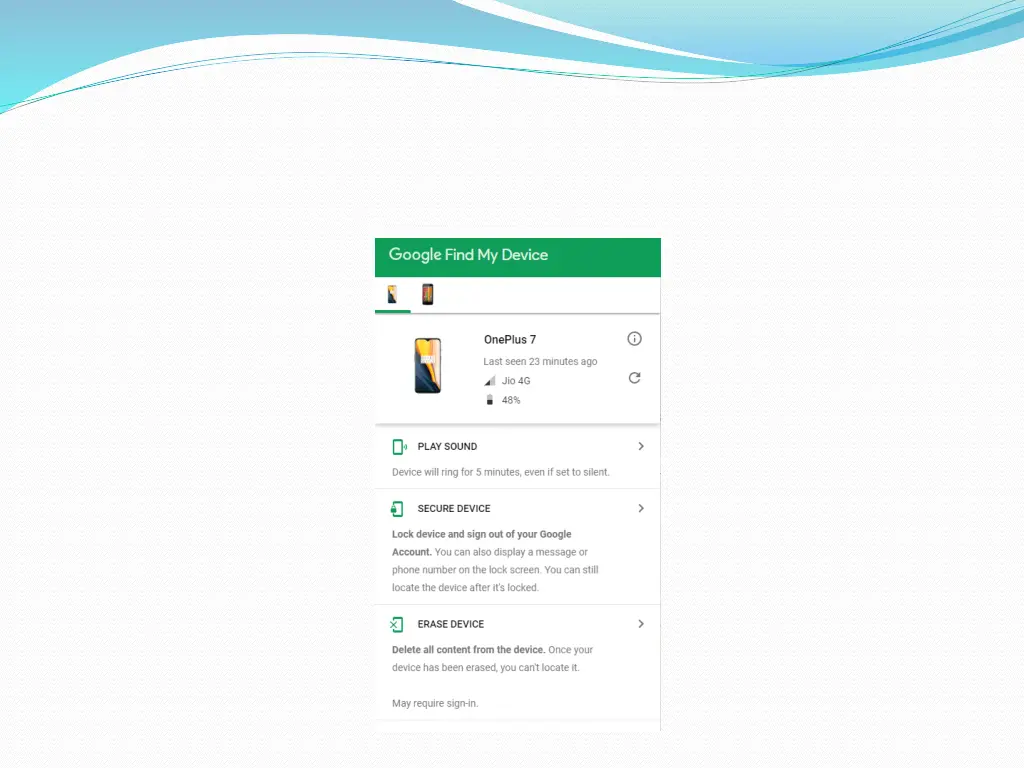
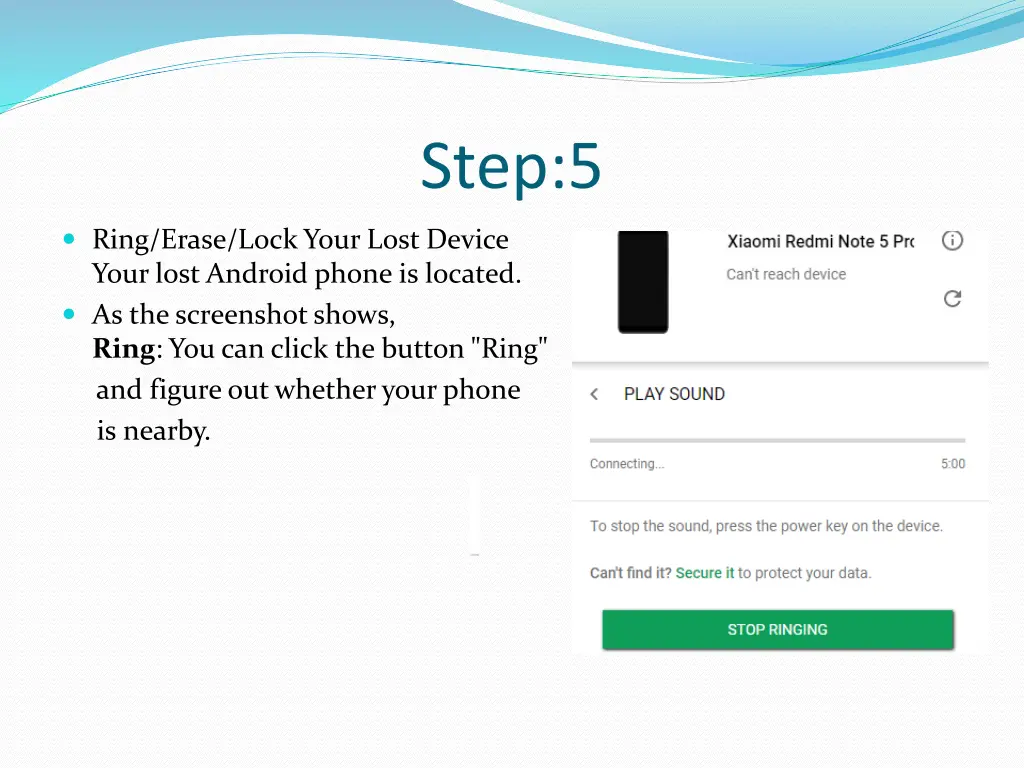
Step:5 Ring/Erase/Lock Your Lost Device Your lost Android phone is located. As the screenshot shows, Ring: You can click the button "Ring" and figure out whether your phone is nearby.
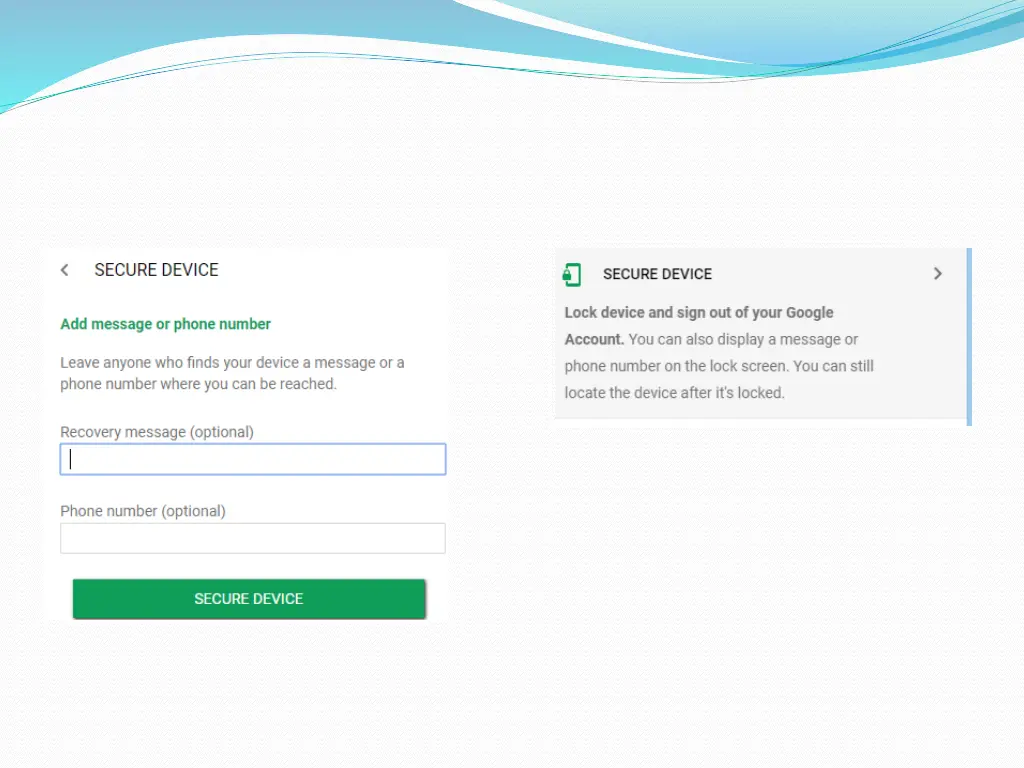
Step:6 Lock: If the missing phone is not around you and you are worried that your phone is stolen by someone, click the "Lock" button. The current lock screen will be replaced with a password lock. You can input a recovery message, which will show on the lock screen of your lost Android and inform the guy to return it back. And it is available to enter phone number. A button to call the number will show on your lock screen.
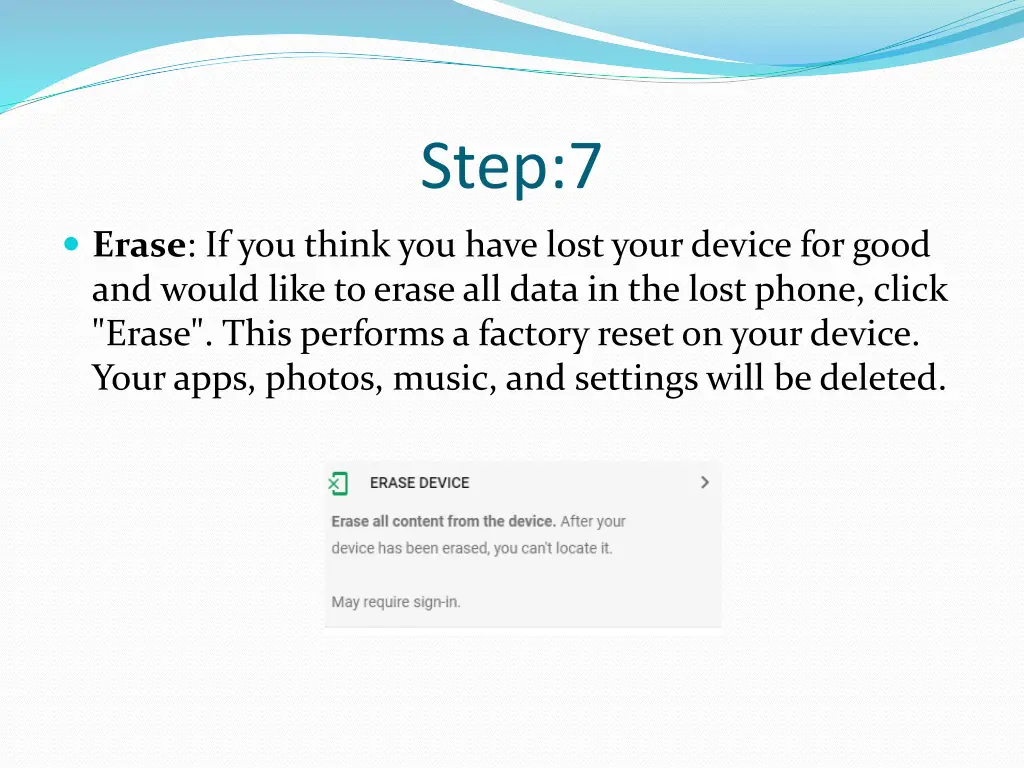
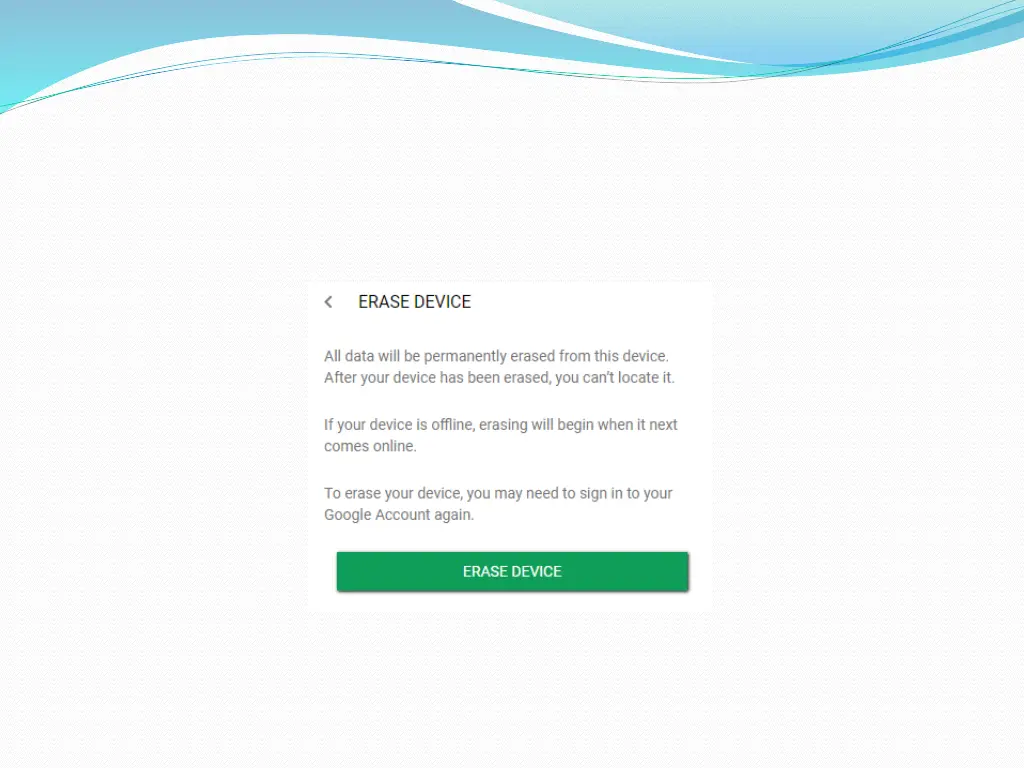
Step:7 Erase: If you think you have lost your device for good and would like to erase all data in the lost phone, click "Erase". This performs a factory reset on your device. Your apps, photos, music, and settings will be deleted.
Step:8 Alert the police. You may or may not get your phone back, but you might need a police report if you have to protest fraudulent charges made with your device, and the police are definitely tracking device thefts.