Structuring MATLAB Functions and Scripts for Effective Programming
Learn the basic structure of MATLAB functions and scripts, explore tricky features, and understand how to work with data and variables. Dive into creating functions, handling different data types, and utilizing primary, nested, and sub-functions efficiently.

Download Presentation

Please find below an Image/Link to download the presentation.
The content on the website is provided AS IS for your information and personal use only. It may not be sold, licensed, or shared on other websites without obtaining consent from the author. If you encounter any issues during the download, it is possible that the publisher has removed the file from their server.
You are allowed to download the files provided on this website for personal or commercial use, subject to the condition that they are used lawfully. All files are the property of their respective owners.
The content on the website is provided AS IS for your information and personal use only. It may not be sold, licensed, or shared on other websites without obtaining consent from the author.
E N D
Presentation Transcript
McLab Tutorial www.sable.mcgill.ca/mclab Part 2 Introduction to MATLAB Functions and Scripts Data and Variables Other Tricky "Features" 6/4/2011 McLab Tutorial, Laurie Hendren, Rahul Garg and Nurudeen Lameed Matlab- 1
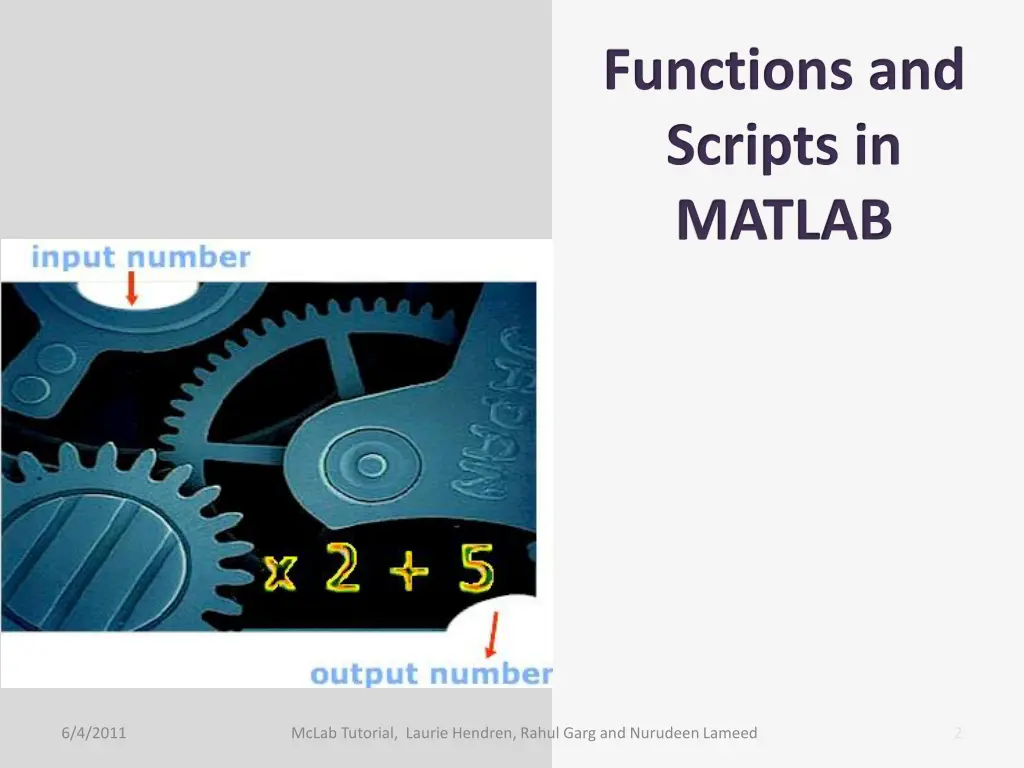
Functions and Scripts in MATLAB 6/4/2011 McLab Tutorial, Laurie Hendren, Rahul Garg and Nurudeen Lameed 2
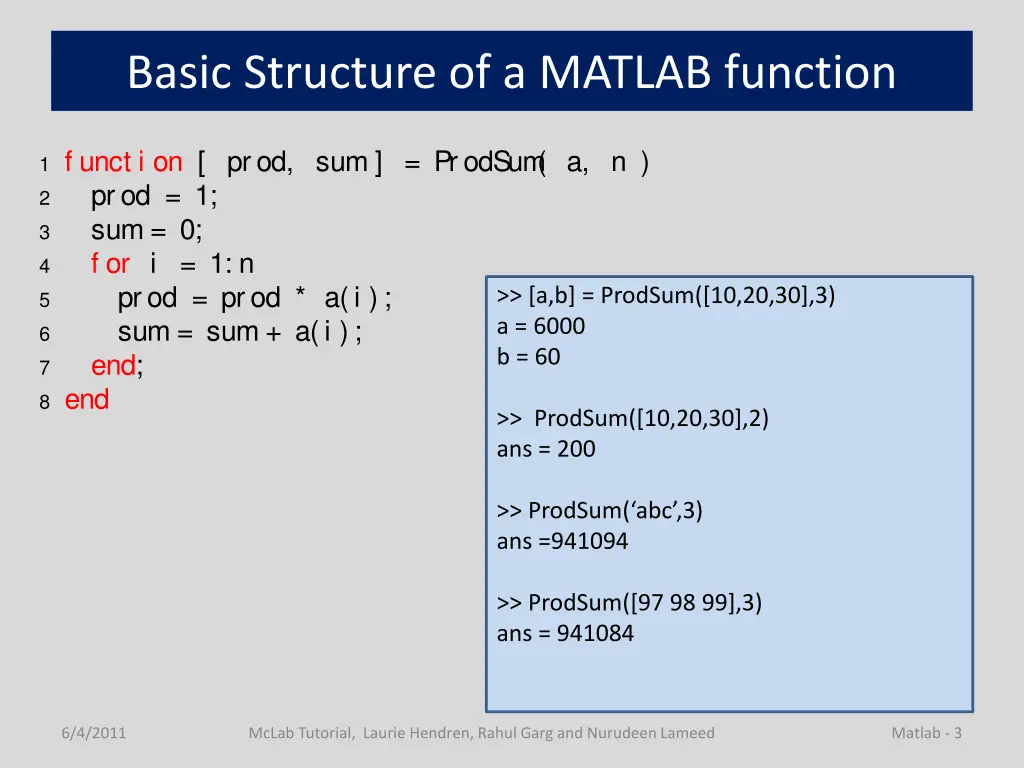
Basic Structure of a MATLAB function 1 f unct i on [ prod, sum ] = ProdSum ( a, n ) 2 prod = 1; 3 sum = 0; 4 f or i = 1: n 5 prod = prod * a(i ); 6 sum = sum + a(i ); 7 end; 8 end >> [a,b] = ProdSum([10,20,30],3) a = 6000 b = 60 >> ProdSum([10,20,30],2) ans = 200 >> ProdSum( abc ,3) ans =941094 >> ProdSum([97 98 99],3) ans = 941084 6/4/2011 McLab Tutorial, Laurie Hendren, Rahul Garg and Nurudeen Lameed Matlab - 3
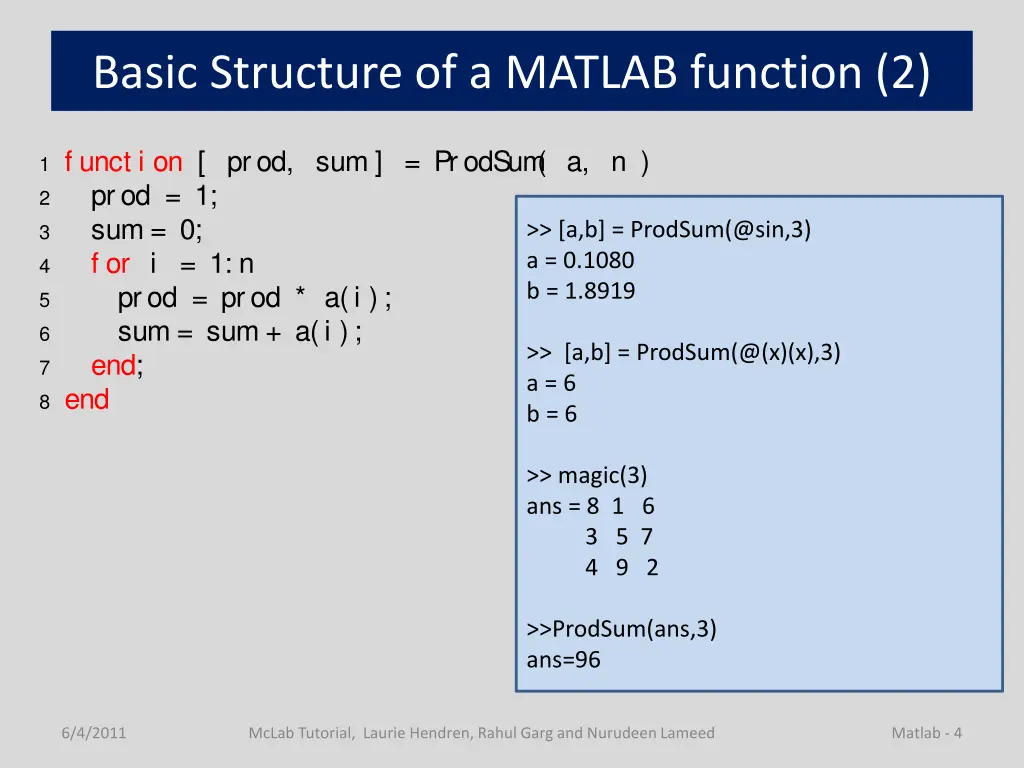
Basic Structure of a MATLAB function (2) 1 f unct i on [ prod, sum ] = ProdSum ( a, n ) 2 prod = 1; 3 sum = 0; 4 f or i = 1: n 5 prod = prod * a(i ); 6 sum = sum + a(i ); 7 end; 8 end >> [a,b] = ProdSum(@sin,3) a = 0.1080 b = 1.8919 >> [a,b] = ProdSum(@(x)(x),3) a = 6 b = 6 >> magic(3) ans = 8 1 6 3 5 7 4 9 2 >>ProdSum(ans,3) ans=96 6/4/2011 McLab Tutorial, Laurie Hendren, Rahul Garg and Nurudeen Lameed Matlab - 4
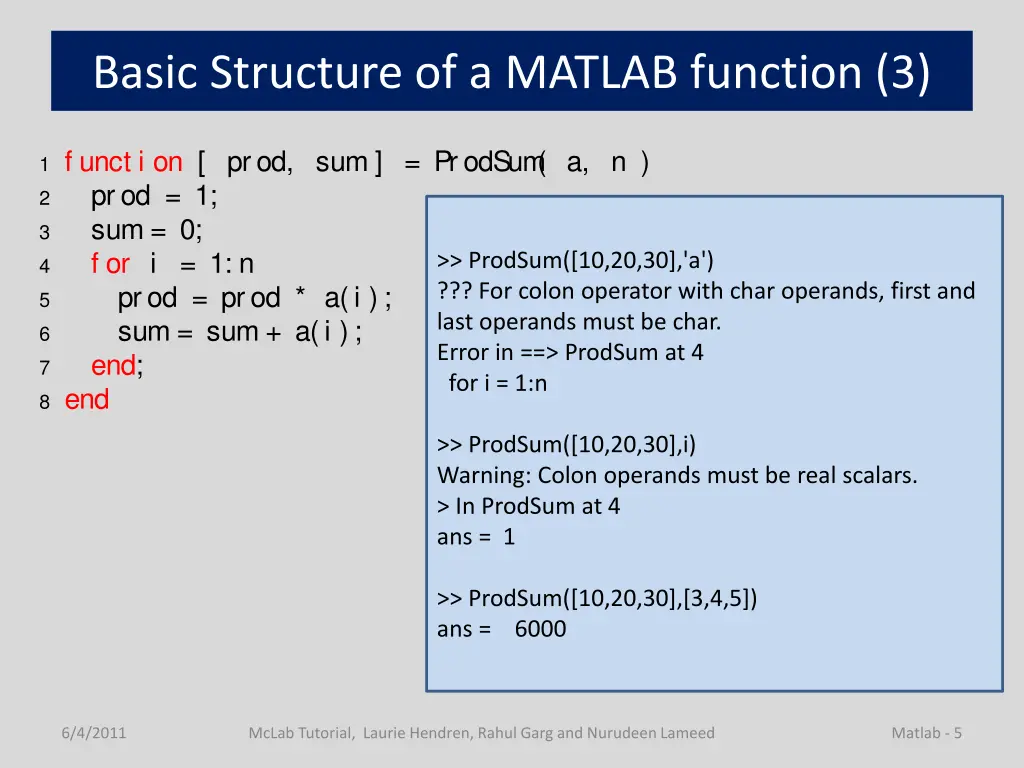
Basic Structure of a MATLAB function (3) 1 f unct i on [ prod, sum ] = ProdSum ( a, n ) 2 prod = 1; 3 sum = 0; 4 f or i = 1: n 5 prod = prod * a(i ); 6 sum = sum + a(i ); 7 end; 8 end >> ProdSum([10,20,30],'a') ??? For colon operator with char operands, first and last operands must be char. Error in ==> ProdSum at 4 for i = 1:n >> ProdSum([10,20,30],i) Warning: Colon operands must be real scalars. > In ProdSum at 4 ans = 1 >> ProdSum([10,20,30],[3,4,5]) ans = 6000 6/4/2011 McLab Tutorial, Laurie Hendren, Rahul Garg and Nurudeen Lameed Matlab - 5
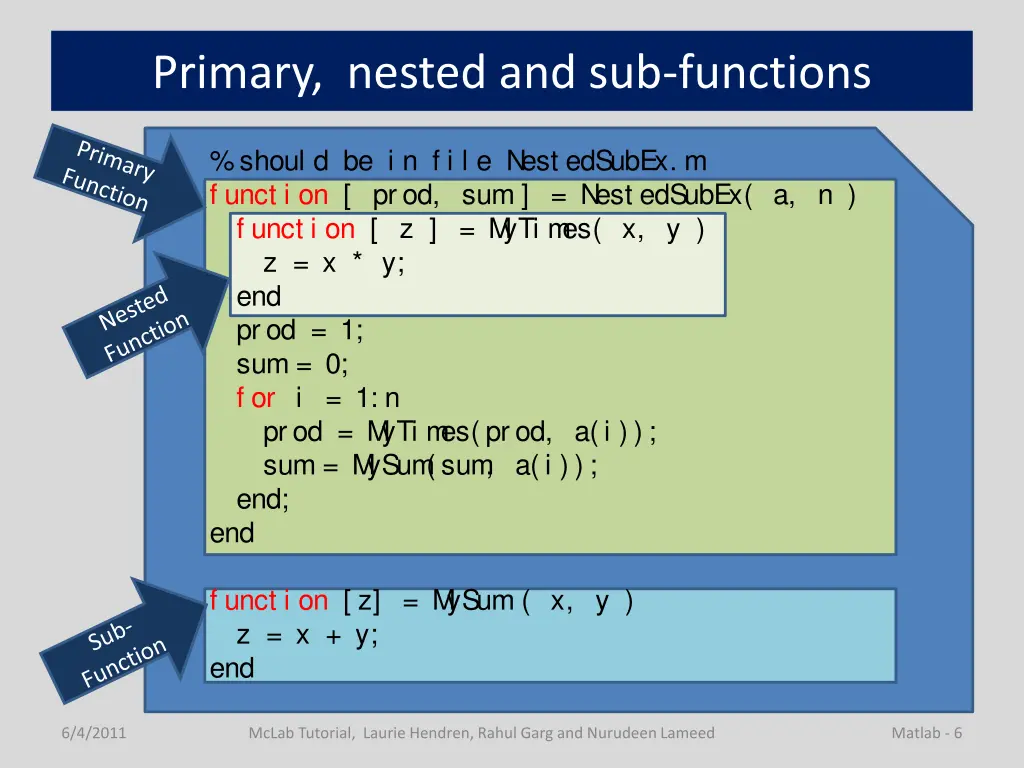
Primary, nested and sub-functions %shoul d be i n f i l e Nest edSubEx. m f unct i on [ prod, sum ] = Nest edSubEx( a, n ) f unct i on [ z ] = M yTi m es( x, y ) z = x * y; end prod = 1; sum = 0; f or i = 1: n prod = M yTi m es(prod, a(i )); sum = M ySum (sum , a(i )); end; end f unct i on [ z] = M ySum ( x, y ) z = x + y; end 6/4/2011 McLab Tutorial, Laurie Hendren, Rahul Garg and Nurudeen Lameed Matlab - 6
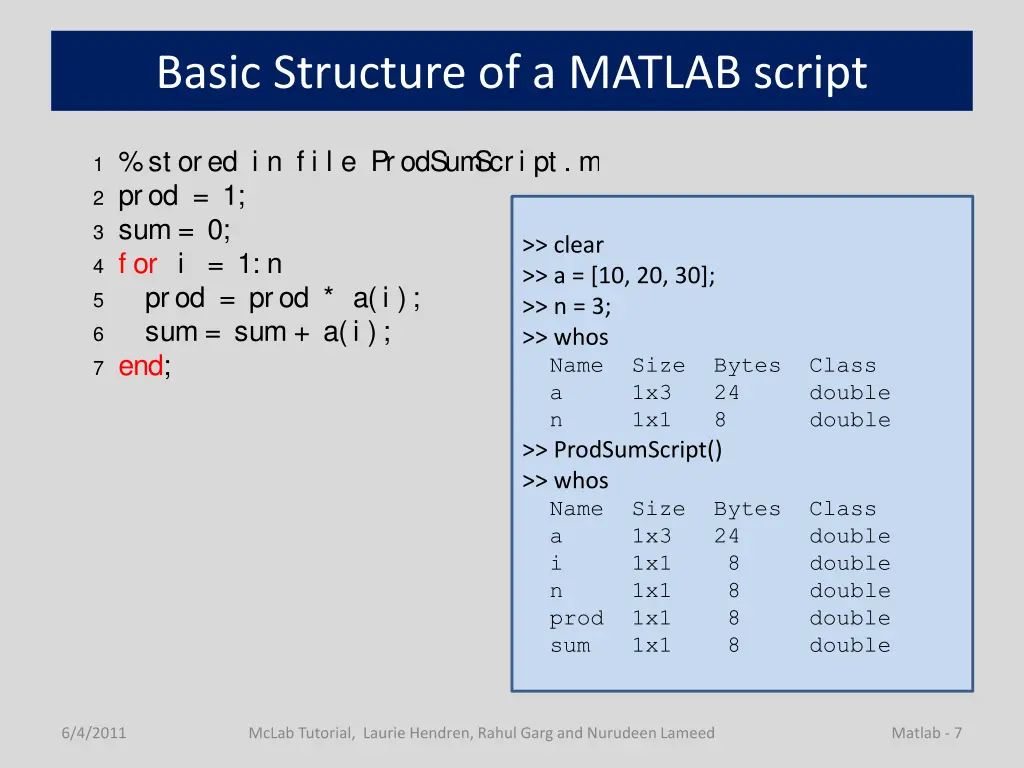
Basic Structure of a MATLAB script 1 %st ored i n f i l e ProdSum Scri pt . m 2 prod = 1; 3 sum = 0; 4 f or i = 1: n 5 prod = prod * a(i ); 6 sum = sum + a(i ); 7 end; >> clear >> a = [10, 20, 30]; >> n = 3; >> whos Name Size Bytes Class a 1x3 24 double n 1x1 8 double >> ProdSumScript() >> whos Name Size Bytes Class a 1x3 24 double i 1x1 8 double n 1x1 8 double prod 1x1 8 double sum 1x1 8 double 6/4/2011 McLab Tutorial, Laurie Hendren, Rahul Garg and Nurudeen Lameed Matlab - 7
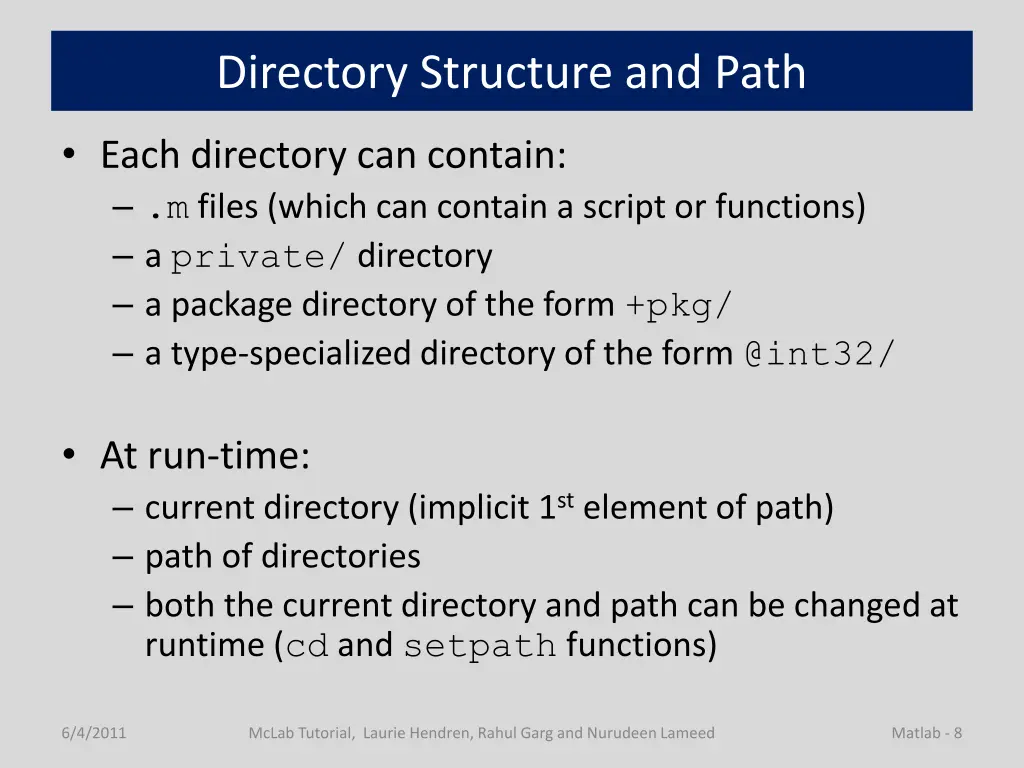
Directory Structure and Path Each directory can contain: .m files (which can contain a script or functions) a private/ directory a package directory of the form +pkg/ a type-specialized directory of the form @int32/ At run-time: current directory (implicit 1st element of path) path of directories both the current directory and path can be changed at runtime (cd and setpath functions) 6/4/2011 McLab Tutorial, Laurie Hendren, Rahul Garg and Nurudeen Lameed Matlab - 8
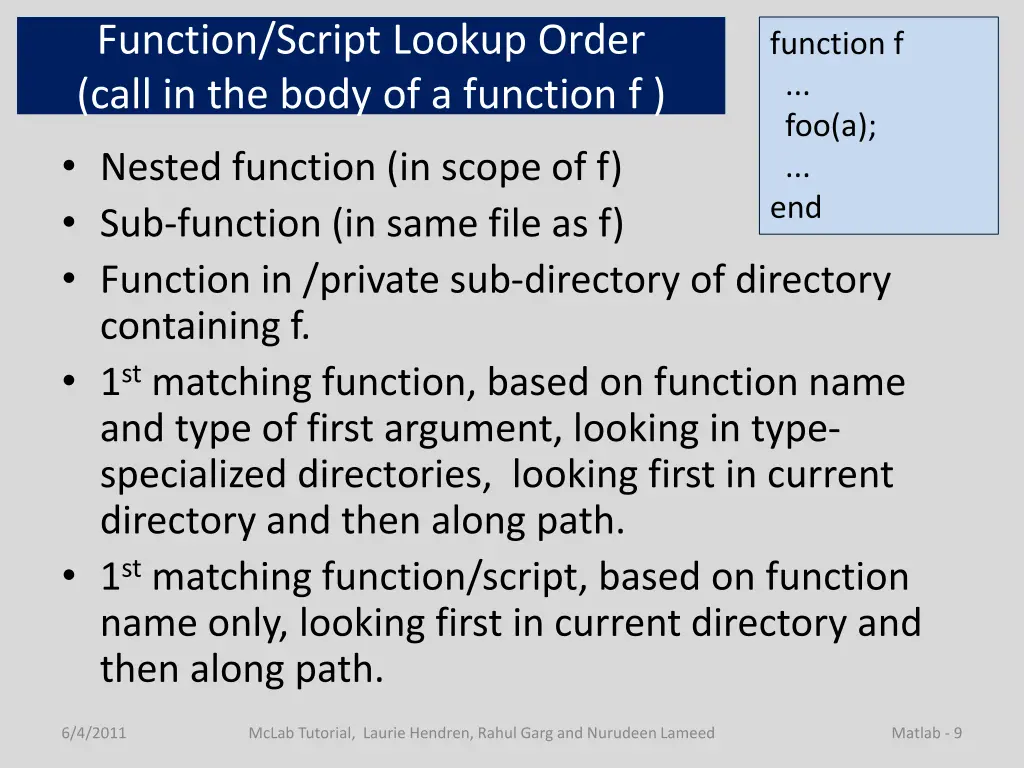
Function/Script Lookup Order (call in the body of a function f ) function f ... foo(a); ... end Nested function (in scope of f) Sub-function (in same file as f) Function in /private sub-directory of directory containing f. 1st matching function, based on function name and type of first argument, looking in type- specialized directories, looking first in current directory and then along path. 1st matching function/script, based on function name only, looking first in current directory and then along path. 6/4/2011 McLab Tutorial, Laurie Hendren, Rahul Garg and Nurudeen Lameed Matlab - 9
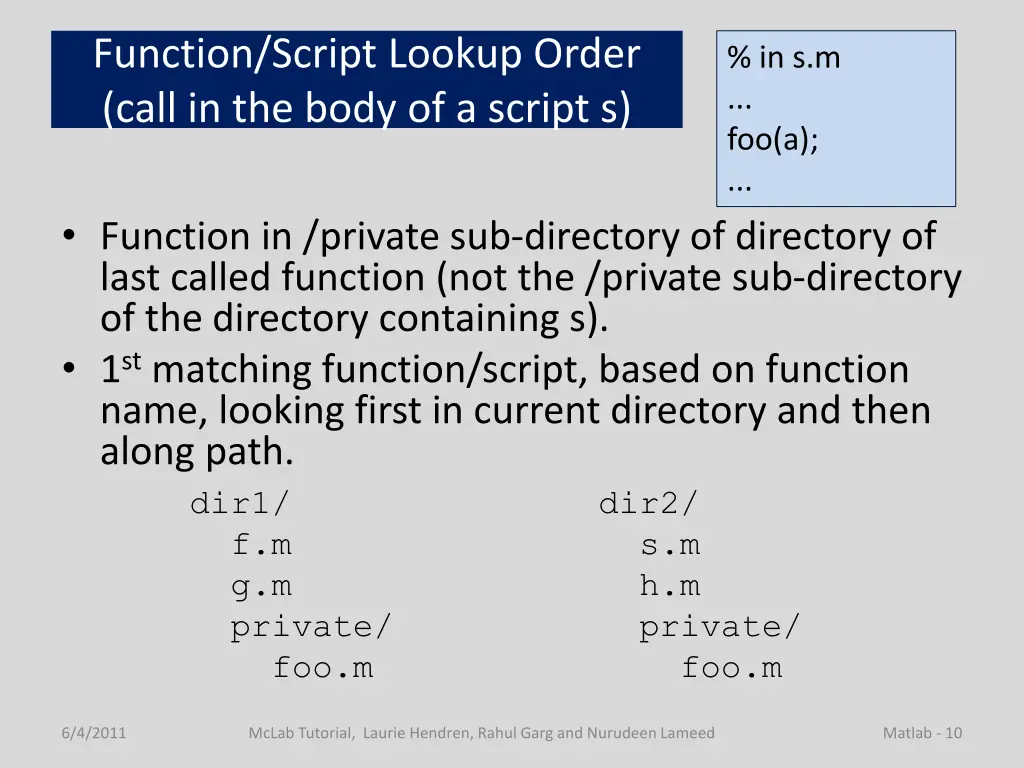
Function/Script Lookup Order (call in the body of a script s) % in s.m ... foo(a); ... Function in /private sub-directory of directory of last called function (not the /private sub-directory of the directory containing s). 1st matching function/script, based on function name, looking first in current directory and then along path. dir1/ dir2/ f.m s.m g.m h.m private/ private/ foo.m foo.m 6/4/2011 McLab Tutorial, Laurie Hendren, Rahul Garg and Nurudeen Lameed Matlab - 10
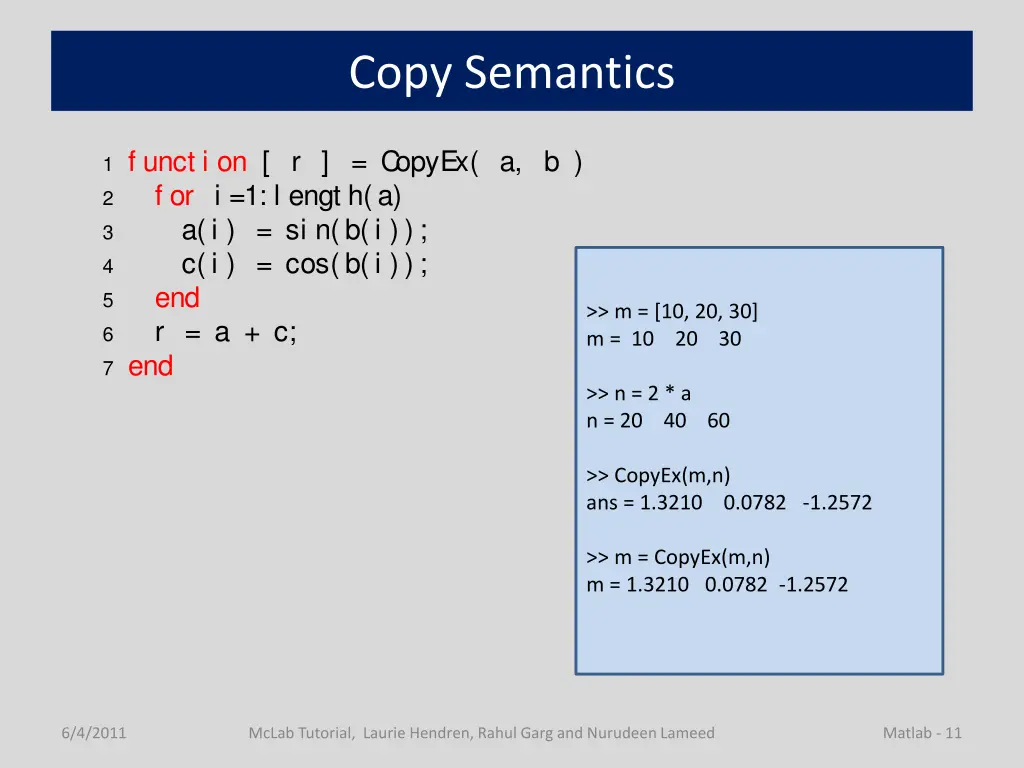
Copy Semantics 1 f unct i on [ r ] = C opyEx( a, b ) 2 f or i =1: l engt h(a) 3 a(i ) = si n(b(i )); 4 c(i ) = cos(b(i )); 5 end 6 r = a + c; 7 end >> m = [10, 20, 30] m = 10 20 30 >> n = 2 * a n = 20 40 60 >> CopyEx(m,n) ans = 1.3210 0.0782 -1.2572 >> m = CopyEx(m,n) m = 1.3210 0.0782 -1.2572 6/4/2011 McLab Tutorial, Laurie Hendren, Rahul Garg and Nurudeen Lameed Matlab - 11
Variables and Data in MATLAB 6/4/2011 McLab Tutorial, Laurie Hendren, Rahul Garg and Nurudeen Lameed 12
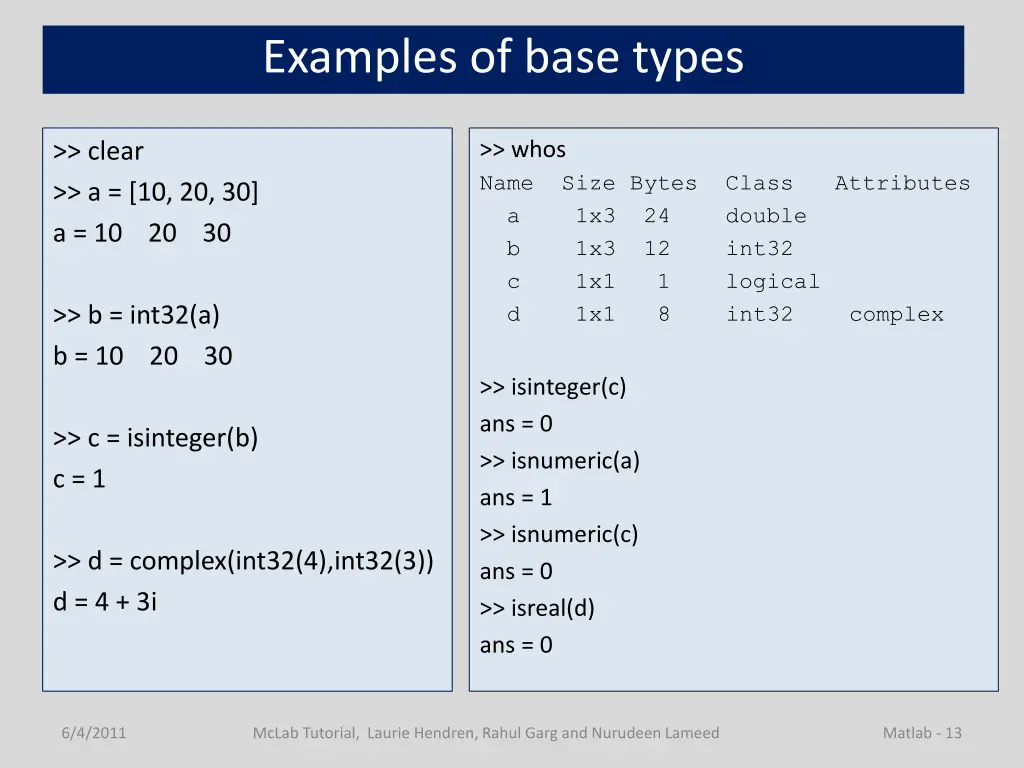
Examples of base types >> whos Name Size Bytes Class Attributes a 1x3 24 double b 1x3 12 int32 c 1x1 1 logical d 1x1 8 int32 complex >> clear >> a = [10, 20, 30] a = 10 20 30 >> b = int32(a) b = 10 20 30 >> isinteger(c) ans = 0 >> isnumeric(a) ans = 1 >> isnumeric(c) ans = 0 >> isreal(d) ans = 0 >> c = isinteger(b) c = 1 >> d = complex(int32(4),int32(3)) d = 4 + 3i 6/4/2011 McLab Tutorial, Laurie Hendren, Rahul Garg and Nurudeen Lameed Matlab - 13
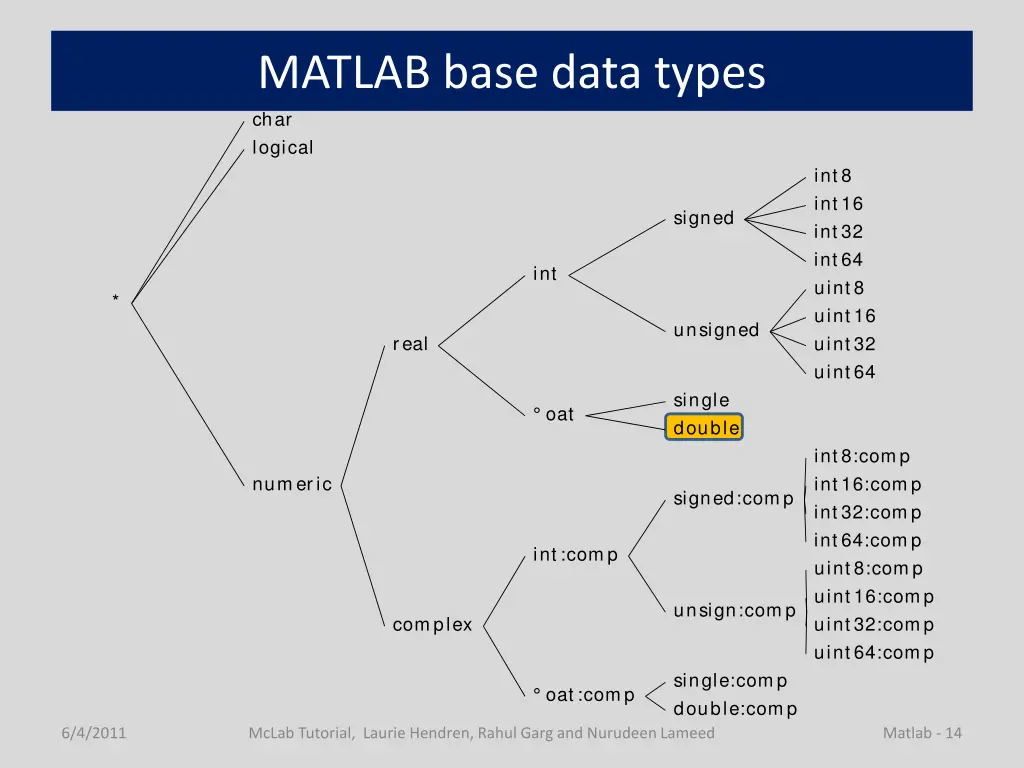
MATLAB base data types char logical int8 int16 signed int32 int64 int uint8 * uint16 unsigned real uint32 uint64 single oat double int8:comp numeric int16:comp signed:comp int32:comp int64:comp int:comp uint8:comp uint16:comp unsign:comp complex uint32:comp uint64:comp single:comp oat :comp double:comp 6/4/2011 McLab Tutorial, Laurie Hendren, Rahul Garg and Nurudeen Lameed Matlab - 14
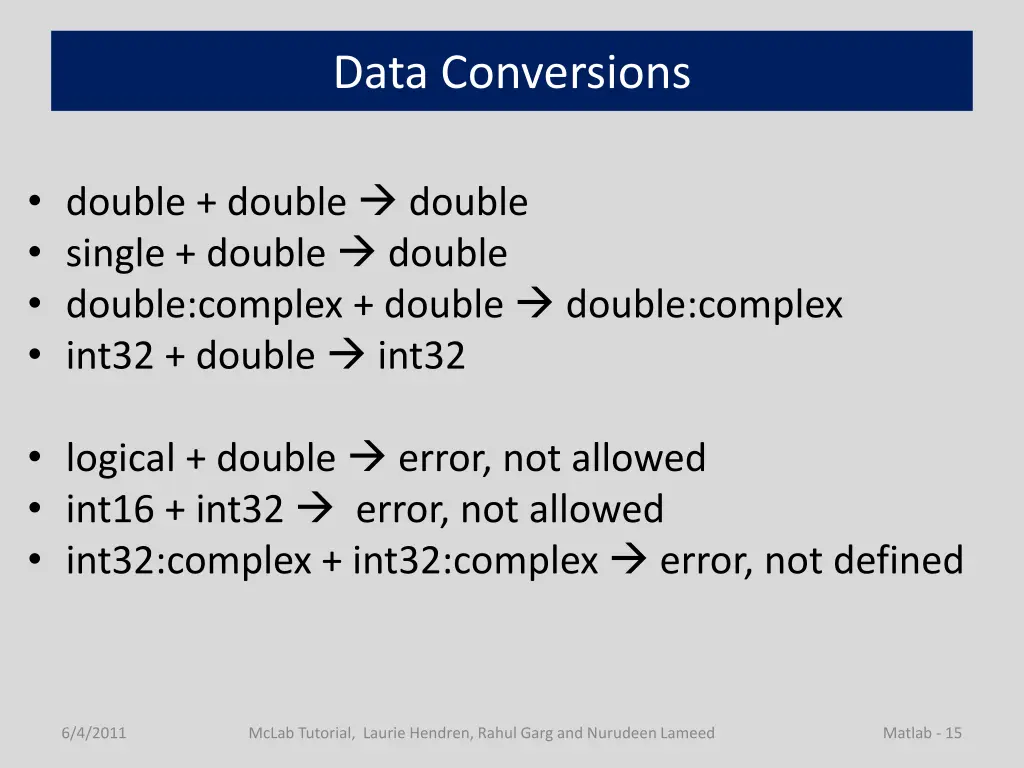
Data Conversions double + double double single + double double double:complex + double double:complex int32 + double int32 logical + double error, not allowed int16 + int32 error, not allowed int32:complex + int32:complex error, not defined 6/4/2011 McLab Tutorial, Laurie Hendren, Rahul Garg and Nurudeen Lameed Matlab - 15
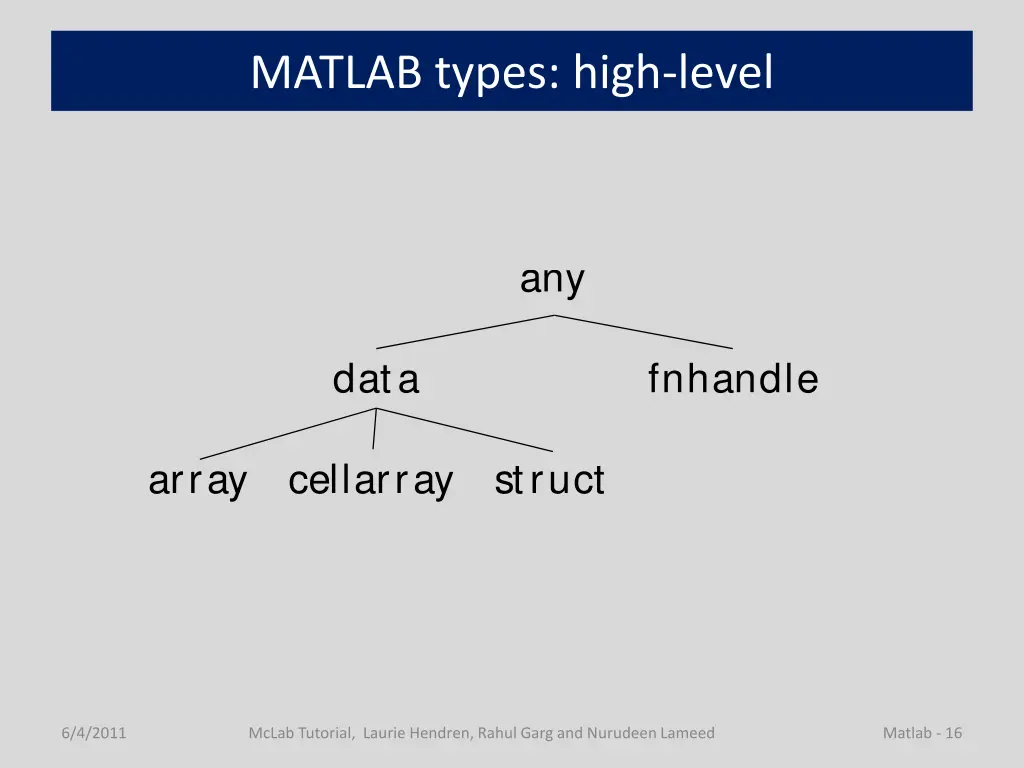
MATLAB types: high-level any data fnhandle array cellarray struct 6/4/2011 McLab Tutorial, Laurie Hendren, Rahul Garg and Nurudeen Lameed Matlab - 16
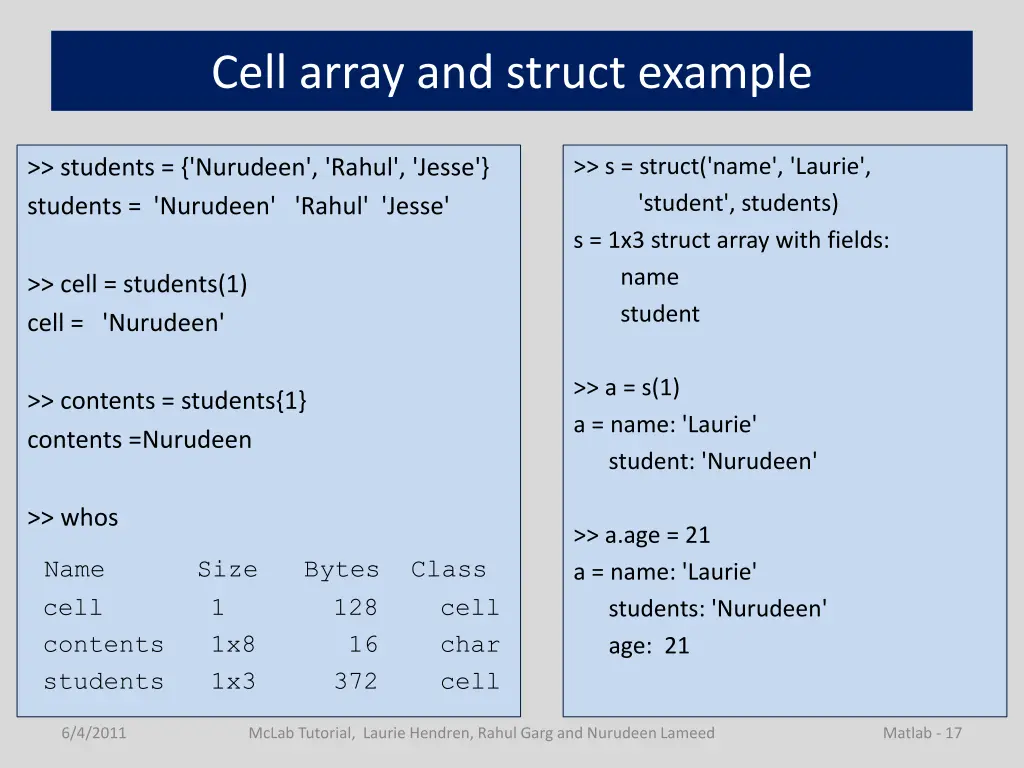
Cell array and struct example >> s = struct('name', 'Laurie', 'student', students) s = 1x3 struct array with fields: name student >> students = {'Nurudeen', 'Rahul', 'Jesse'} students = 'Nurudeen' 'Rahul' 'Jesse' >> cell = students(1) cell = 'Nurudeen' >> a = s(1) a = name: 'Laurie' student: 'Nurudeen' >> contents = students{1} contents =Nurudeen >> whos Name Size Bytes Class cell 1 128 cell contents 1x8 16 char students 1x3 372 cell >> a.age = 21 a = name: 'Laurie' students: 'Nurudeen' age: 21 6/4/2011 McLab Tutorial, Laurie Hendren, Rahul Garg and Nurudeen Lameed Matlab - 17
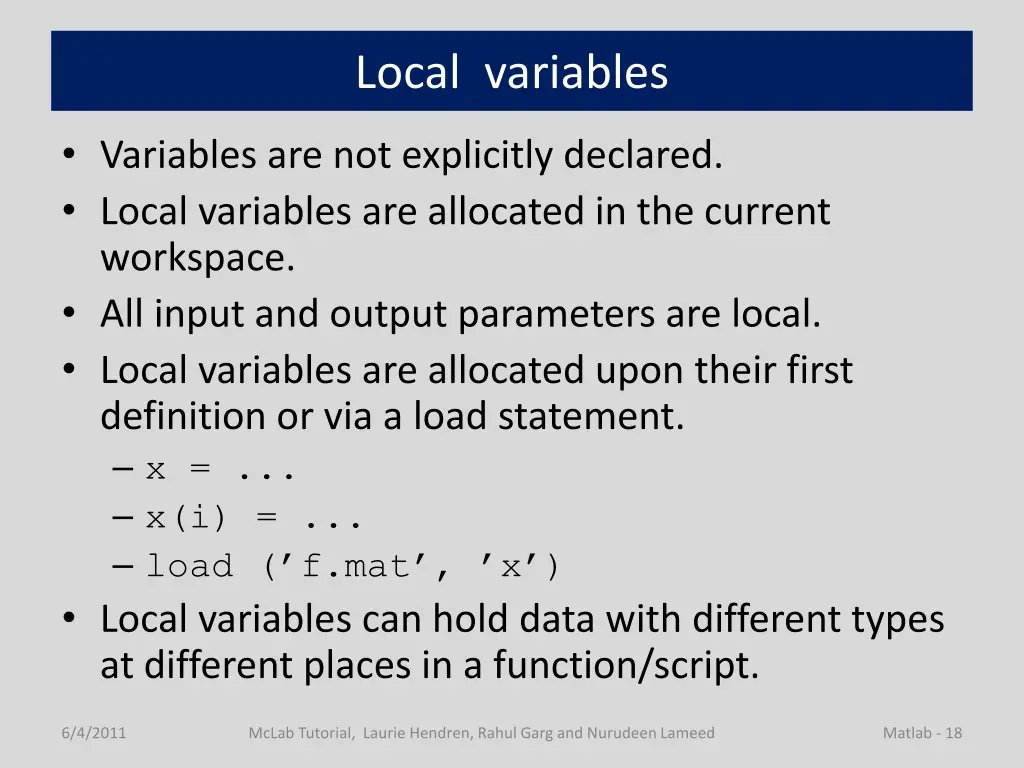
Local variables Variables are not explicitly declared. Local variables are allocated in the current workspace. All input and output parameters are local. Local variables are allocated upon their first definition or via a load statement. x = ... x(i) = ... load ( f.mat , x ) Local variables can hold data with different types at different places in a function/script. 6/4/2011 McLab Tutorial, Laurie Hendren, Rahul Garg and Nurudeen Lameed Matlab - 18
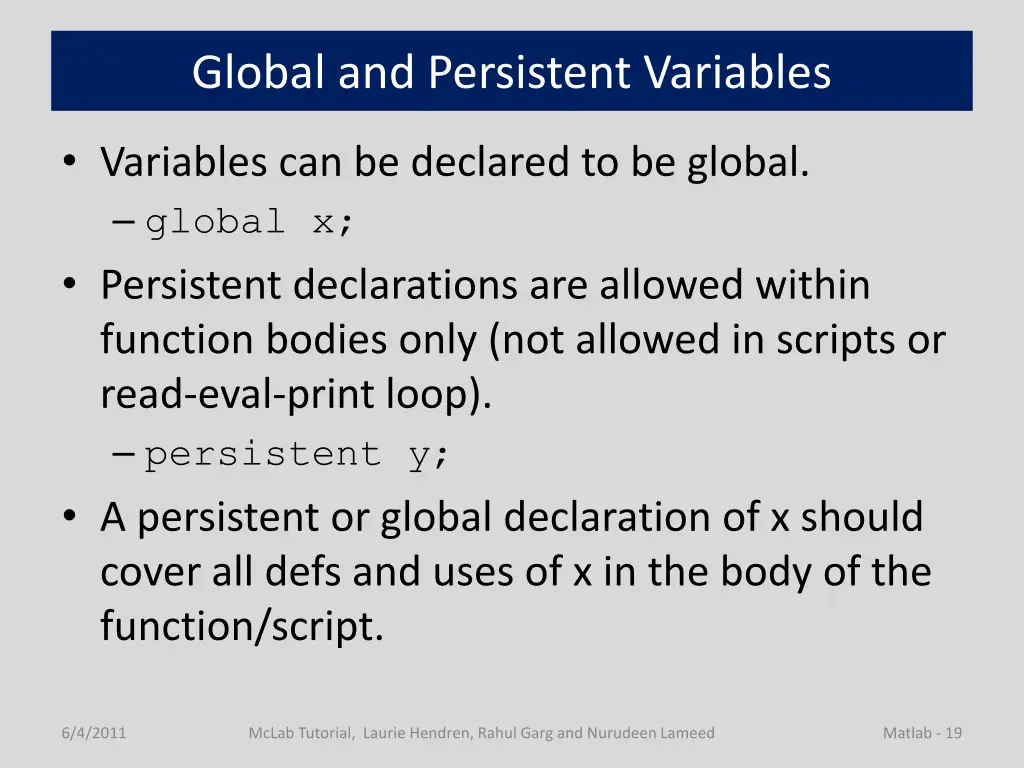
Global and Persistent Variables Variables can be declared to be global. global x; Persistent declarations are allowed within function bodies only (not allowed in scripts or read-eval-print loop). persistent y; A persistent or global declaration of x should cover all defs and uses of x in the body of the function/script. 6/4/2011 McLab Tutorial, Laurie Hendren, Rahul Garg and Nurudeen Lameed Matlab - 19
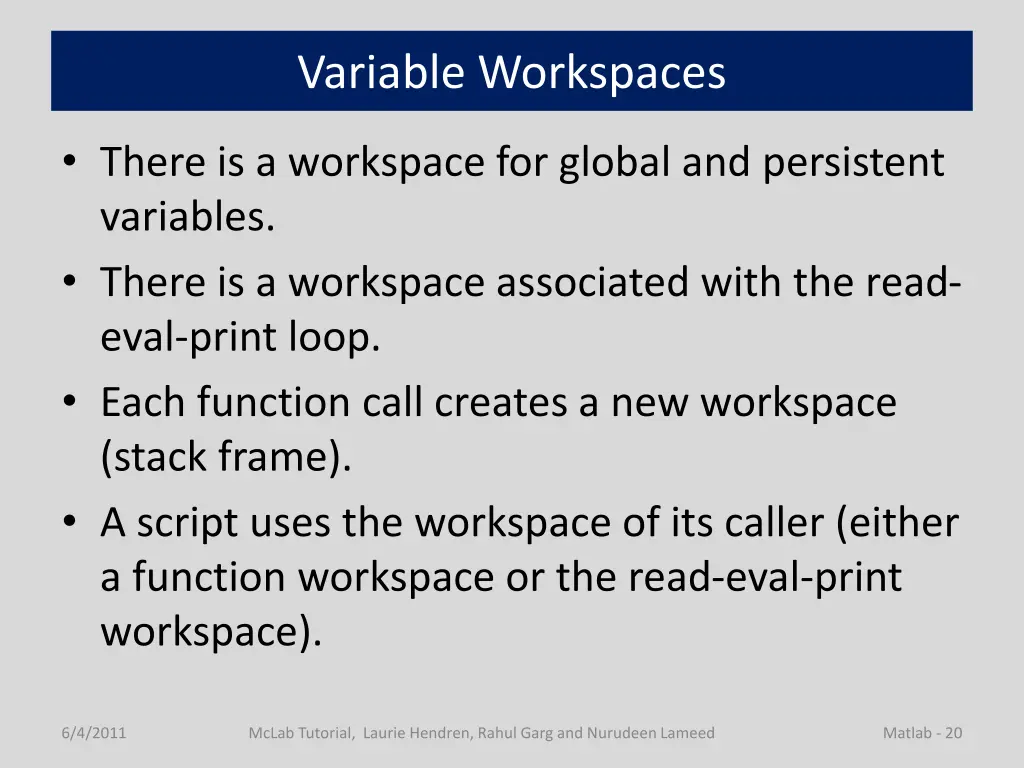
Variable Workspaces There is a workspace for global and persistent variables. There is a workspace associated with the read- eval-print loop. Each function call creates a new workspace (stack frame). A script uses the workspace of its caller (either a function workspace or the read-eval-print workspace). 6/4/2011 McLab Tutorial, Laurie Hendren, Rahul Garg and Nurudeen Lameed Matlab - 20
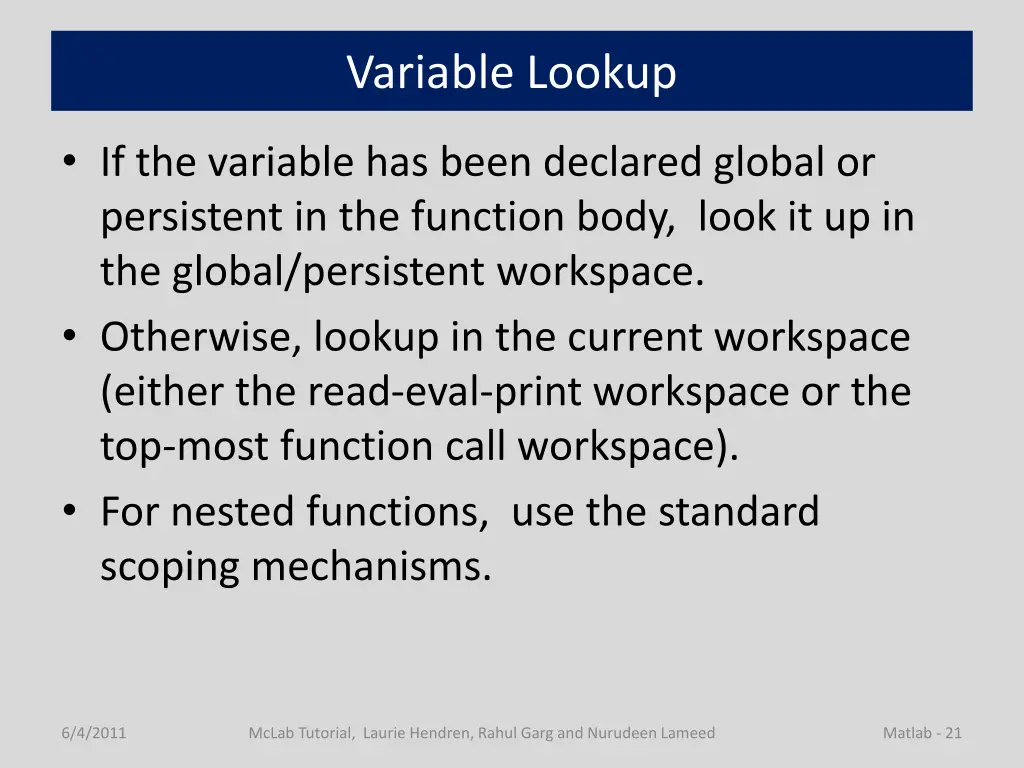
Variable Lookup If the variable has been declared global or persistent in the function body, look it up in the global/persistent workspace. Otherwise, lookup in the current workspace (either the read-eval-print workspace or the top-most function call workspace). For nested functions, use the standard scoping mechanisms. 6/4/2011 McLab Tutorial, Laurie Hendren, Rahul Garg and Nurudeen Lameed Matlab - 21
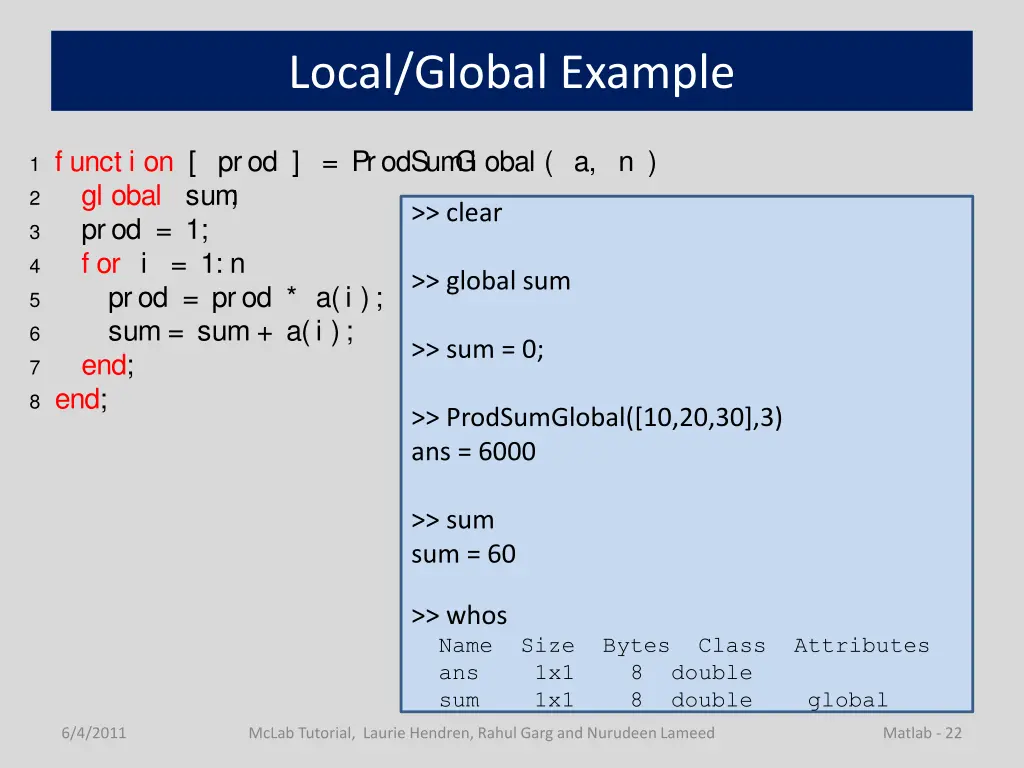
Local/Global Example 1 f unct i on [ prod ] = ProdSum G l obal ( a, n ) 2 gl obal sum ; 3 prod = 1; 4 f or i = 1: n 5 prod = prod * a(i ); 6 sum = sum + a(i ); 7 end; 8 end; >> clear >> global sum >> sum = 0; >> ProdSumGlobal([10,20,30],3) ans = 6000 >> sum sum = 60 >> whos Name Size Bytes Class Attributes ans 1x1 8 double sum 1x1 8 double global 6/4/2011 McLab Tutorial, Laurie Hendren, Rahul Garg and Nurudeen Lameed Matlab - 22
Other Tricky "features" in MATLAB 6/4/2011 McLab Tutorial, Laurie Hendren, Rahul Garg and Nurudeen Lameed 23
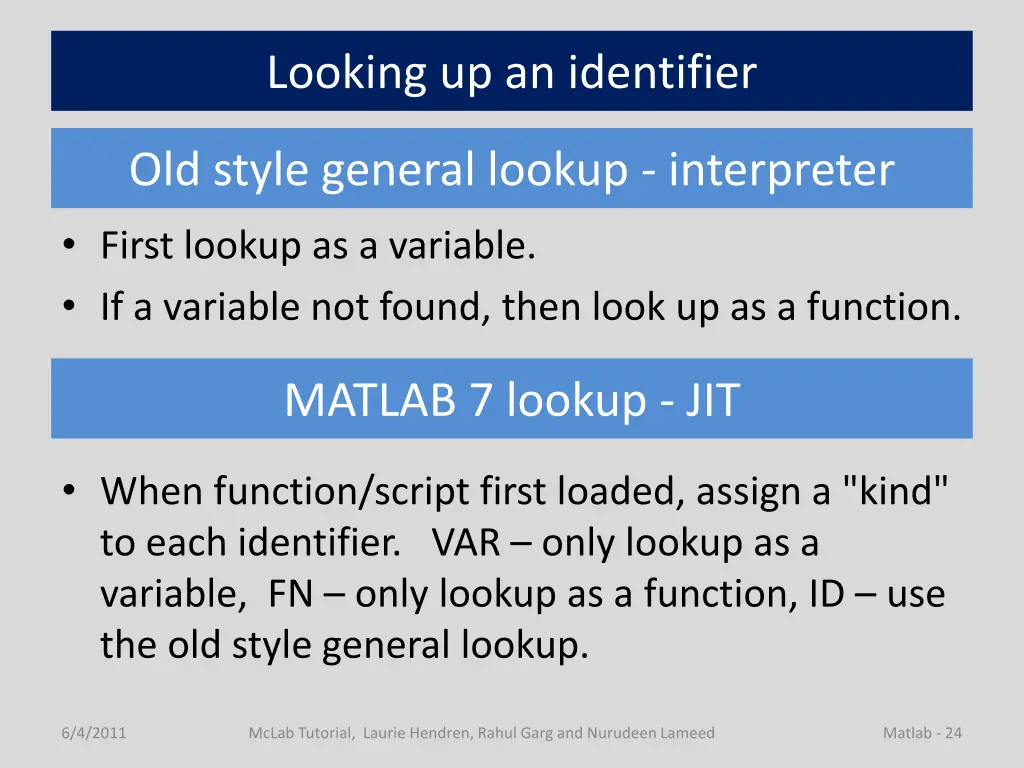
Looking up an identifier Old style general lookup - interpreter First lookup as a variable. If a variable not found, then look up as a function. MATLAB 7 lookup - JIT When function/script first loaded, assign a "kind" to each identifier. VAR only lookup as a variable, FN only lookup as a function, ID use the old style general lookup. 6/4/2011 McLab Tutorial, Laurie Hendren, Rahul Garg and Nurudeen Lameed Matlab - 24
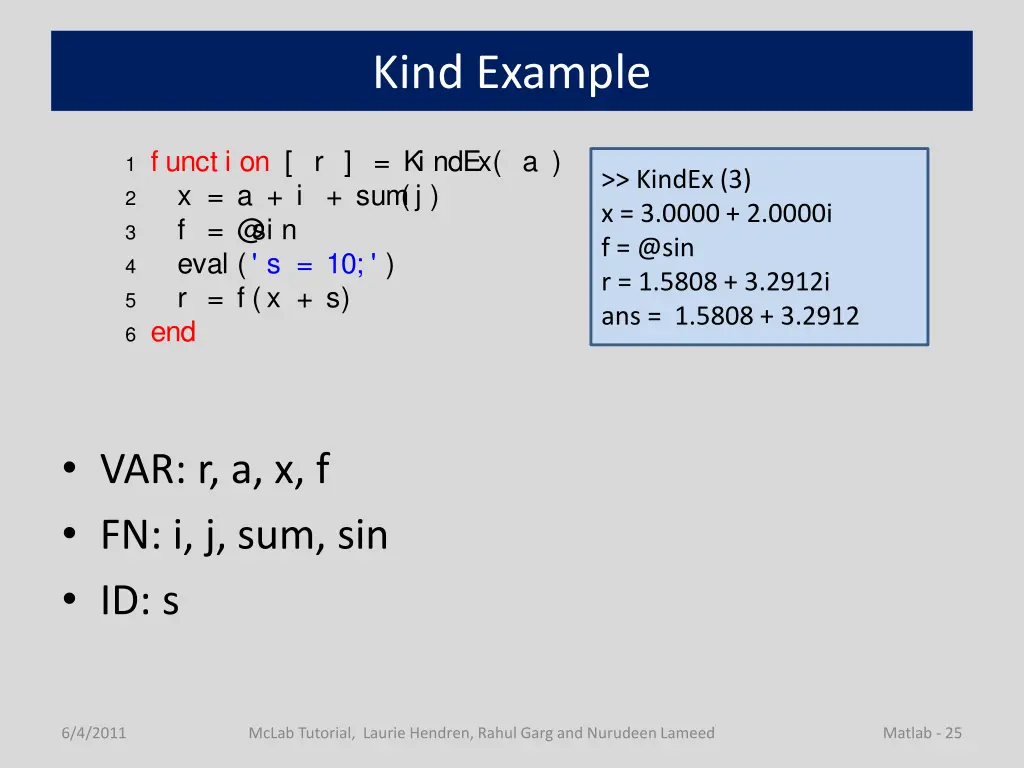
Kind Example 1 f unct i on [ r ] = Ki ndEx( a ) 2 x = a + i + sum (j ) 3 f = @ si n 4 eval (' s = 10; ' ) 5 r = f (x + s) 6 end >> KindEx (3) x = 3.0000 + 2.0000i f = @sin r = 1.5808 + 3.2912i ans = 1.5808 + 3.2912 VAR: r, a, x, f FN: i, j, sum, sin ID: s 6/4/2011 McLab Tutorial, Laurie Hendren, Rahul Garg and Nurudeen Lameed Matlab - 25
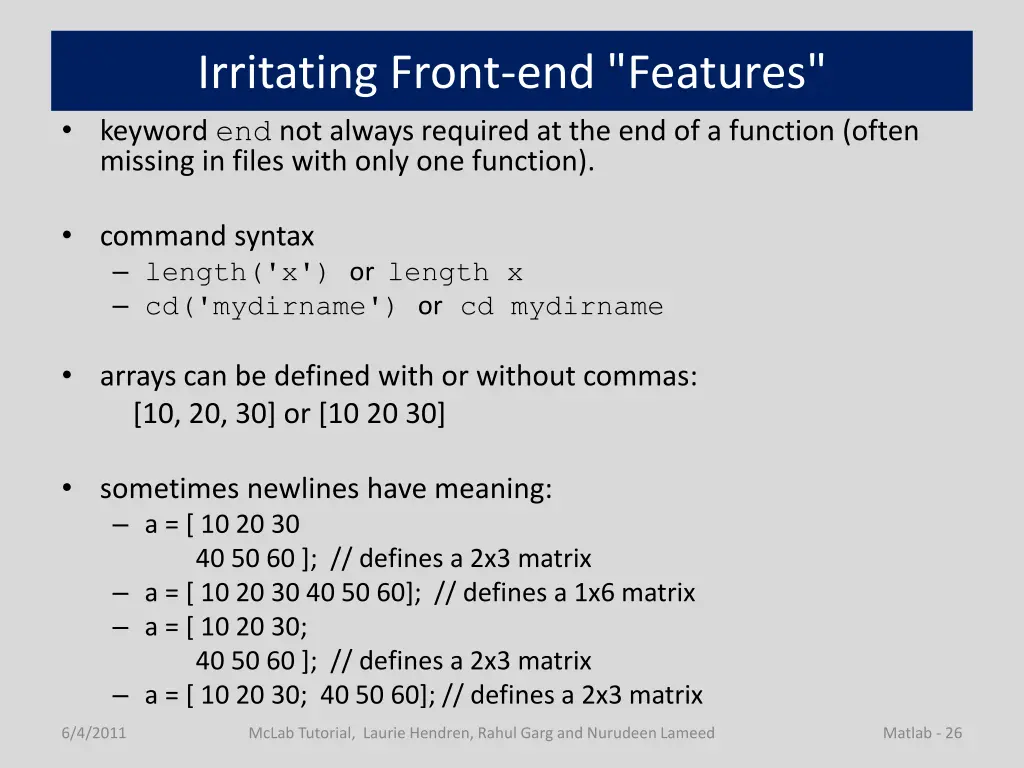
Irritating Front-end "Features" keyword end not always required at the end of a function (often missing in files with only one function). command syntax length('x') or length x cd('mydirname') or cd mydirname arrays can be defined with or without commas: [10, 20, 30] or [10 20 30] sometimes newlines have meaning: a = [ 10 20 30 40 50 60 ]; // defines a 2x3 matrix a = [ 10 20 30 40 50 60]; // defines a 1x6 matrix a = [ 10 20 30; 40 50 60 ]; // defines a 2x3 matrix a = [ 10 20 30; 40 50 60]; // defines a 2x3 matrix 6/4/2011 McLab Tutorial, Laurie Hendren, Rahul Garg and Nurudeen Lameed Matlab - 26
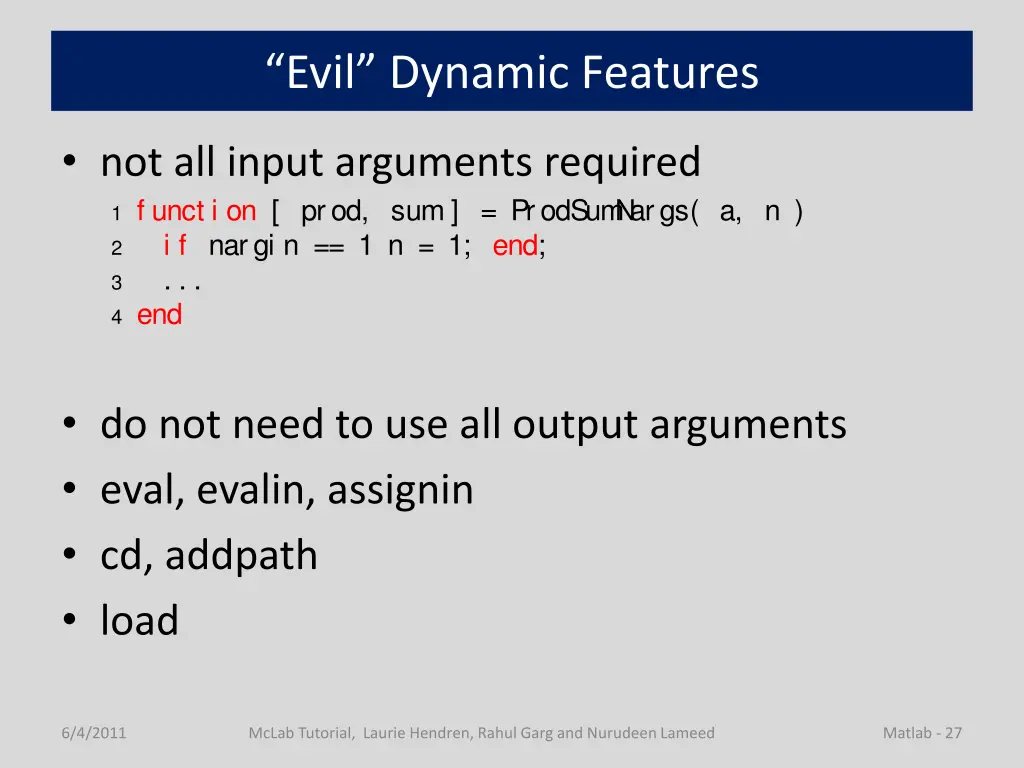
Evil Dynamic Features not all input arguments required 1 f unct i on [ prod, sum ] = ProdSum N args( a, n ) 2 i f nargi n == 1 n = 1; end; 3 . . . 4 end do not need to use all output arguments eval, evalin, assignin cd, addpath load 6/4/2011 McLab Tutorial, Laurie Hendren, Rahul Garg and Nurudeen Lameed Matlab - 27