Learn how to effectively handle award modification requests and comments in research administration, including tips on providing information, understanding character limits, and sample comments for clinical trial amendments. Explore examples of modification comments and award setup requests created by OSP to enhance your workflow efficiency.
Please find below an Image/Link to download the presentation.
The content on the website is provided AS IS for your information and personal use only. It may not be sold, licensed, or shared on other websites without obtaining consent from the author. If you encounter any issues during the download, it is possible that the publisher has removed the file from their server.
You are allowed to download the files provided on this website for personal or commercial use, subject to the condition that they are used lawfully. All files are the property of their respective owners.
The content on the website is provided AS IS for your information and personal use only. It may not be sold, licensed, or shared on other websites without obtaining consent from the author.
E N D
Presentation Transcript
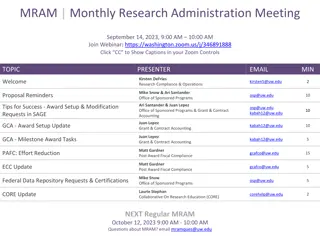
Award & Modification Requests - Tips for Comments & Budgets November 2023 MRAM Vince Gonzalez, Associate Director, Grant and Contract Accounting Carol Rhodes, Director, Office of Sponsored Programs
COMMENTS & HISTORY > Location to provide information to OSP and GCA > Bottom left side of Advance Requests, Award Setup Requests, and Modifications
COMMENTS & HISTORY Character Limit Awareness > Be aware of character limits! Comments allow for 1000 characters Returns and Resubmitted > When GCA returns an item, 300 character limit > When campus resubmits an item, 300 character limit > Text entered into pop-up windows appears in Comments & History
SAMPLE COMMENTS Clinical Trial Amendments Providing OSP with Required Information Information required for OSP to review and approve any Changes to Clinical Trials: > Primary purpose of change > Current sponsor contact info. > Do changes add or subtract $$? If yes, indicate modified sponsor total all spending periods > Budget changes greater than 10%? If yes, UW Clinical Trials Office review & their approval attached to MOD firstname last (425(123-444 contact@xyzfg.edu
EXAMPLE COMMENTS - MODIFICATIONS > I revised the SAGE Budget to match the initial awarded increment of $4,538,270. I also attached the approval email. See link to SAGE Budget snapshot > When the Mod request is forwarded to GCA please include the note that a CI is needed in order to claim the first payment in the amount of $112,500, ACH #903710050306813, received 10/5/23.
AWARD SETUP REQUESTS CREATED BY OSP FAQ will be Linked in Comments What do I do when I receive an Award Setup Request created by OSP? > OSP setup includes eGC1 selection, attaching award document, total amount > Campus completes remainder visible to them Including SAGE budget data When you (campus) complete the fields available to you on the ASR, OSP (& GCA) reviewers have more work to do, such as completing fields for OSP/GCA use, not visible to you until processed.
QUESTIONS ABOUT RETURNED ITEMS Have a question about a returned item? Read the comments first. Still have questions? > Item returned by GCA? Email gcahelp@uw.edu or send Award Portal ticket > Item returned by OSP? Email OSP reviewer who returned the item to you Find your OSP Reviewer name in the Comments & History or in the Award Requests List
COMMUNICATING YOUR BUDGETS > Use the SAGE Budget Snapshot > Include all information GCA needs to update Workday Grant Security Hierarchy Cost Center Principal Investigator (Grant) Excel export does not include Grant Security Hierarchy and Cost Center > Review SAGE Budget Snapshot: How to Make a SAGE Budget Snapshot How to Include Your SAGE Budget Snapshot on a SAGE Modification Request
COMMUNICATING YOUR BUDGETS: PRIMARY WORKSHEET EXAMPLE Reminder: Your Primary Worksheet title will be the name of the corresponding Award Line in Workday Cost Center Receiving Funding Workday Security Grant Hierarchy
RESOURCES > Updated - Tips for Success: Award Setup & Modification Requests > New - What do I do when I receive an Award Setup Request from OSP? SAGE BUDGET SNAPSHOTS > How to Make a SAGE Budget Snapshot > How to Include Your SAGE Budget Snapshot on a SAGE Modification Request