Transactions and Data Integrity in Database Systems
Learn about transactions, crash recovery, and data integrity in database systems. Explore concepts like atomicity, consistency, and isolation, crucial for maintaining database integrity and ensuring reliable operations.

Download Presentation

Please find below an Image/Link to download the presentation.
The content on the website is provided AS IS for your information and personal use only. It may not be sold, licensed, or shared on other websites without obtaining consent from the author. If you encounter any issues during the download, it is possible that the publisher has removed the file from their server.
You are allowed to download the files provided on this website for personal or commercial use, subject to the condition that they are used lawfully. All files are the property of their respective owners.
The content on the website is provided AS IS for your information and personal use only. It may not be sold, licensed, or shared on other websites without obtaining consent from the author.
E N D
Presentation Transcript
Transactions and Crash Recovery CS220 Slides adapted from Simon Miner Gordon College
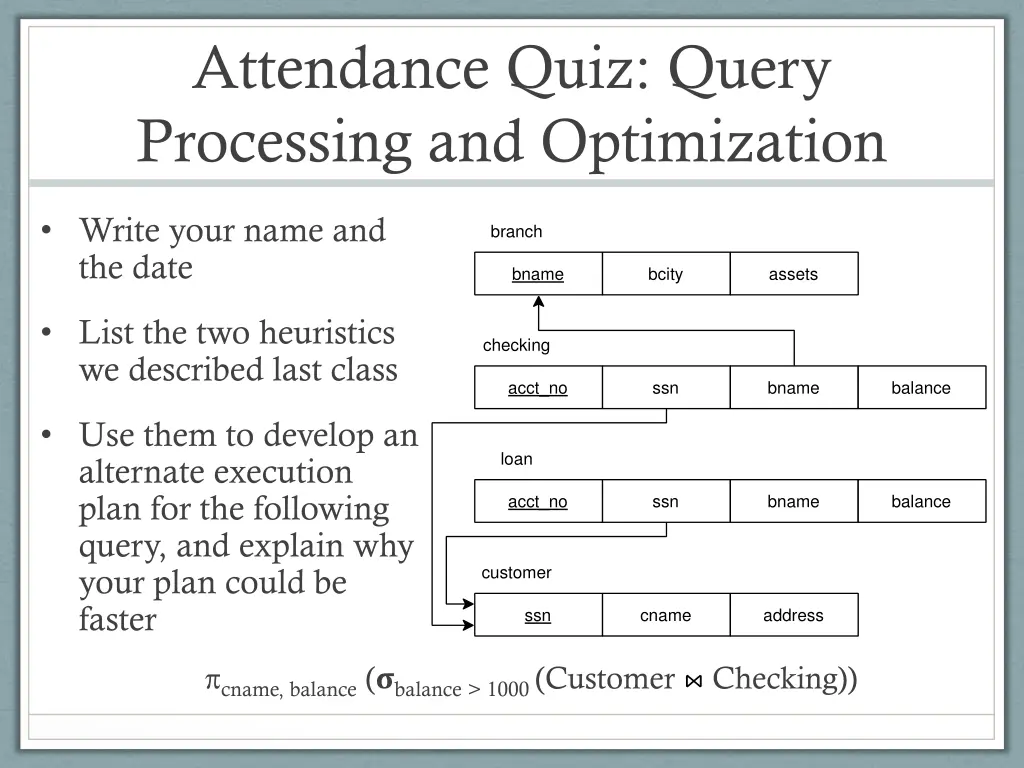
Attendance Quiz: Query Processing and Optimization Write your name and the date branch bname bcity assets List the two heuristics we described last class checking acct_no ssn bname balance Use them to develop an alternate execution plan for the following query, and explain why your plan could be faster loan acct_no ssn bname balance customer ssn cname address cname, balance ( balance > 1000 (Customer Checking))
Agenda Attendance Quiz Transactions Crash Recovery
Ensuring Data Integrity Issues related to preserving data integrity Concurrency control Crash control Transactions are a key concept at the heart of these matters Database is in a consistent state if there are no contradictions between the data within it Temporary inconsistencies occur by necessity, but must not be allowed to persist Example: transfer of funds between bank accounts
Transactions are Atomic and Preserve Consistency A transaction is an atomic operation (unit of work) involving a series of processing steps including: One or more reads from the database (one read per item) One or more writes to the database (one write per item) Data computations can happen during a transaction, but the database is mostly concerned with reads and writes If the database is in a consistent state at the start of the transaction, it will be in a consistent state at the end of the transaction
ACID Atomicity either all of the transaction completes, or none of it completes If any part of the transaction fails, all effects of it must be removed from the database Consistency database ends the transaction in a consistent state (provided it started that way) Isolation concurrently executing transactions must be unaware of each other (as if they ran serially) It should look to one as if the other has not started or has already completed Durability a transaction s effects must persist in the database after it completes
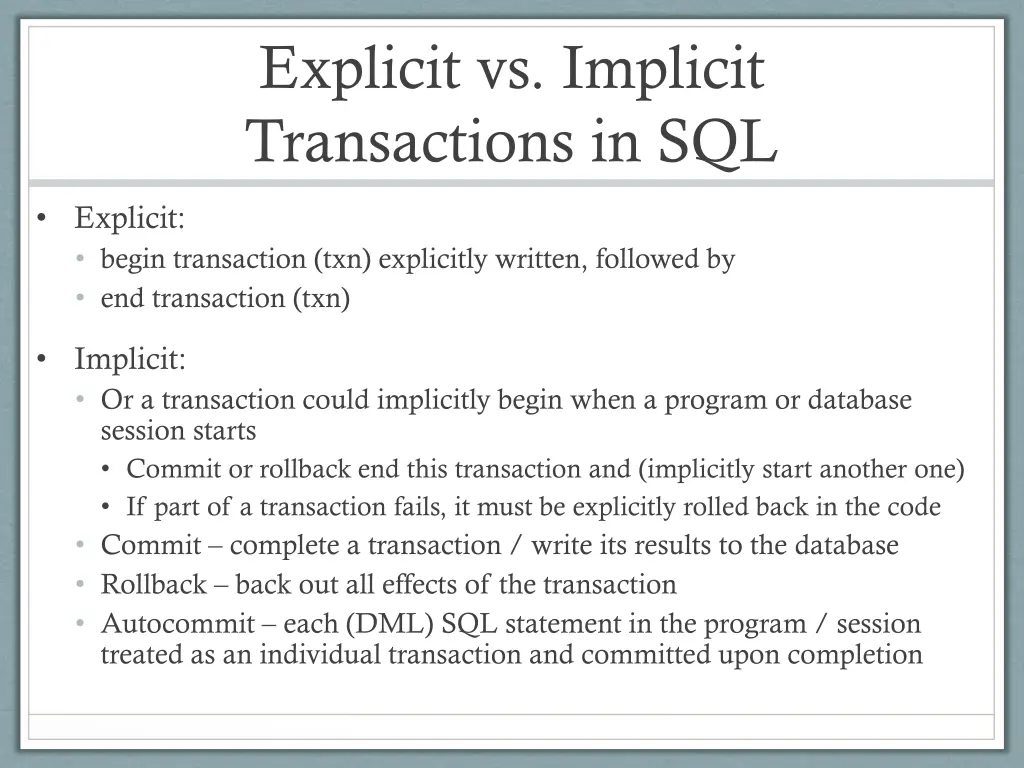
Explicit vs. Implicit Transactions in SQL Explicit: begin transaction (txn) explicitly written, followed by end transaction (txn) Implicit: Or a transaction could implicitly begin when a program or database session starts Commit or rollback end this transaction and (implicitly start another one) If part of a transaction fails, it must be explicitly rolled back in the code Commit complete a transaction / write its results to the database Rollback back out all effects of the transaction Autocommit each (DML) SQL statement in the program / session treated as an individual transaction and committed upon completion
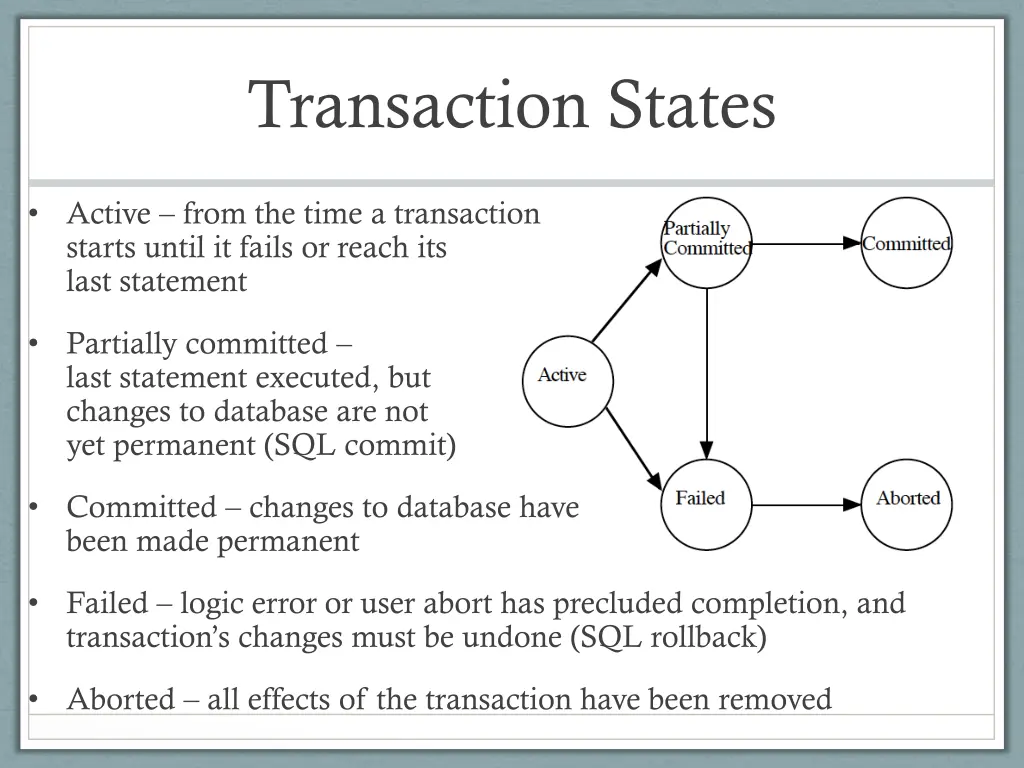
Transaction States Active from the time a transaction starts until it fails or reach its last statement Partially committed last statement executed, but changes to database are not yet permanent (SQL commit) Committed changes to database have been made permanent Failed logic error or user abort has precluded completion, and transaction s changes must be undone (SQL rollback) Aborted all effects of the transaction have been removed
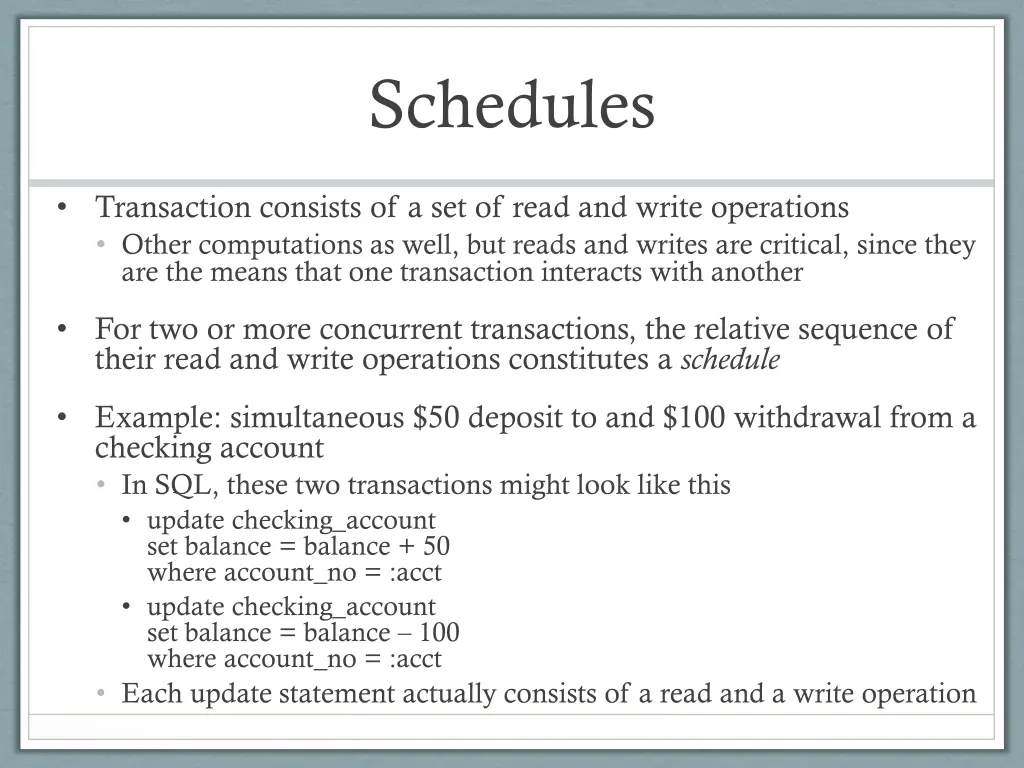
Schedules Transaction consists of a set of read and write operations Other computations as well, but reads and writes are critical, since they are the means that one transaction interacts with another For two or more concurrent transactions, the relative sequence of their read and write operations constitutes a schedule Example: simultaneous $50 deposit to and $100 withdrawal from a checking account In SQL, these two transactions might look like this update checking_account set balance = balance + 50 where account_no = :acct update checking_account set balance = balance 100 where account_no = :acct Each update statement actually consists of a read and a write operation
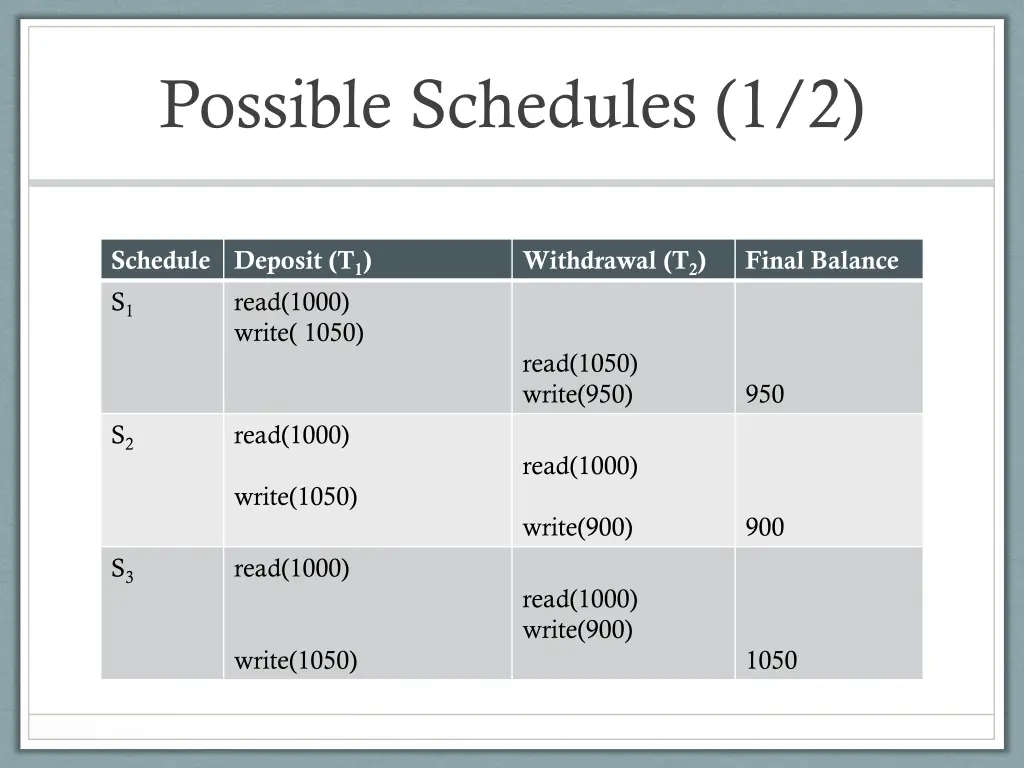
Possible Schedules (1/2) Schedule S1 Deposit (T1) read(1000) write( 1050) Withdrawal (T2) Final Balance read(1050) write(950) 950 S2 read(1000) read(1000) write(1050) write(900) 900 S3 read(1000) read(1000) write(900) write(1050) 1050
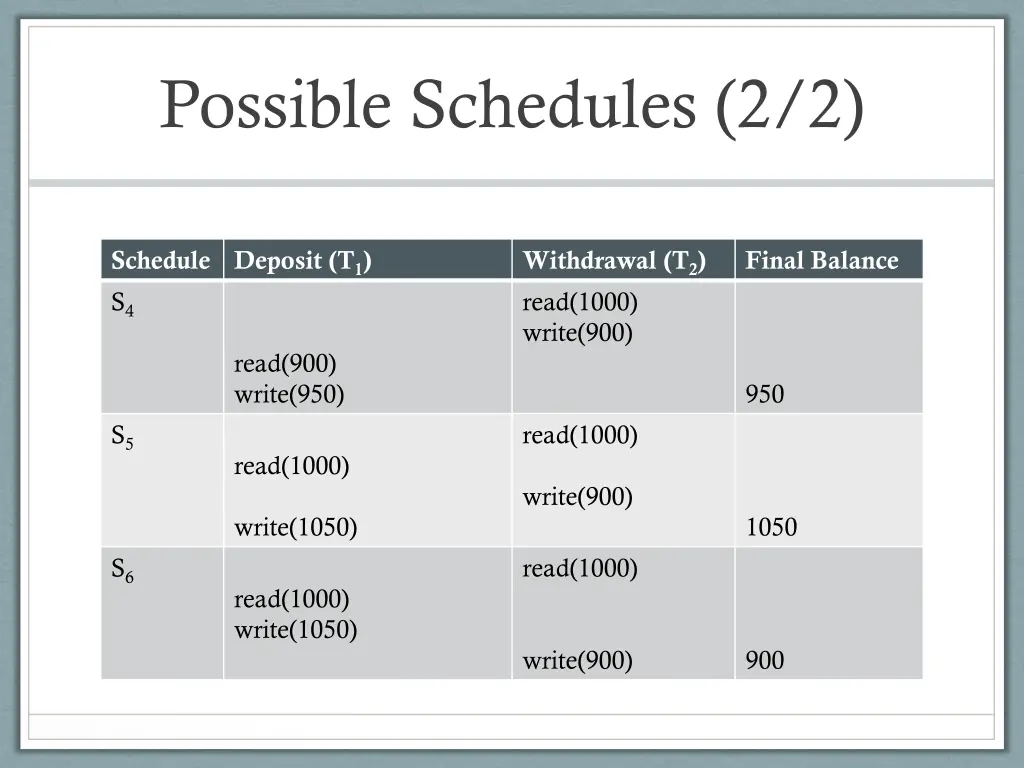
Possible Schedules (2/2) Schedule S4 Deposit (T1) Withdrawal (T2) read(1000) write(900) Final Balance read(900) write(950) 950 S5 read(1000) read(1000) write(900) write(1050) 1050 S6 read(1000) read(1000) write(1050) write(900) 900
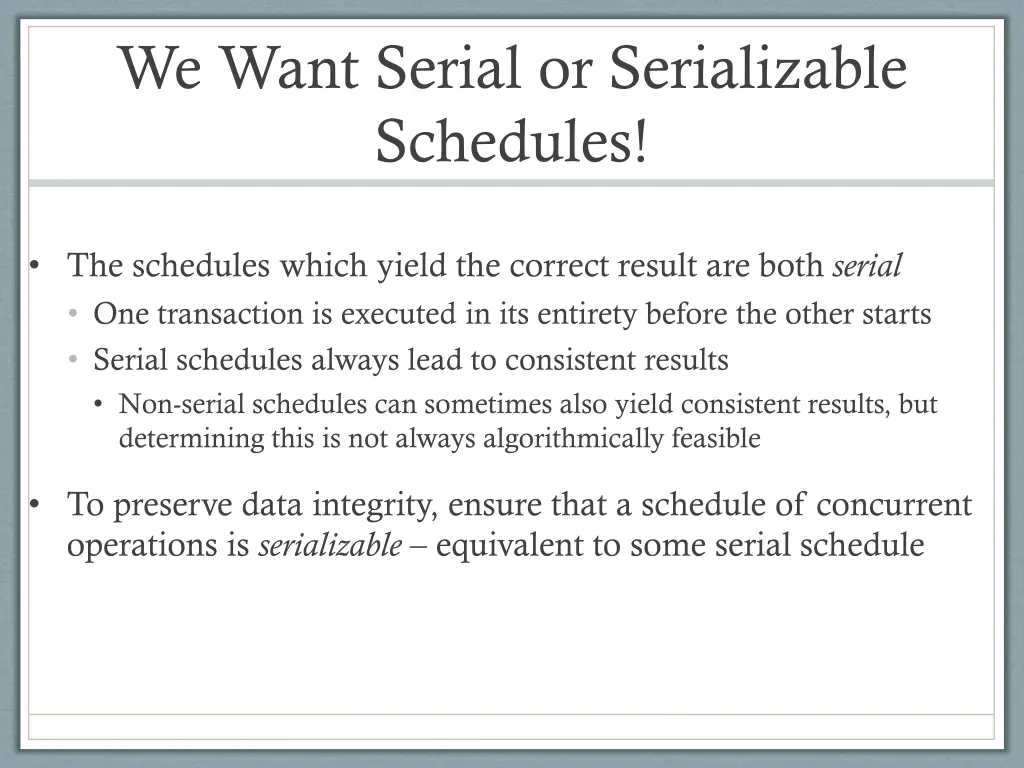
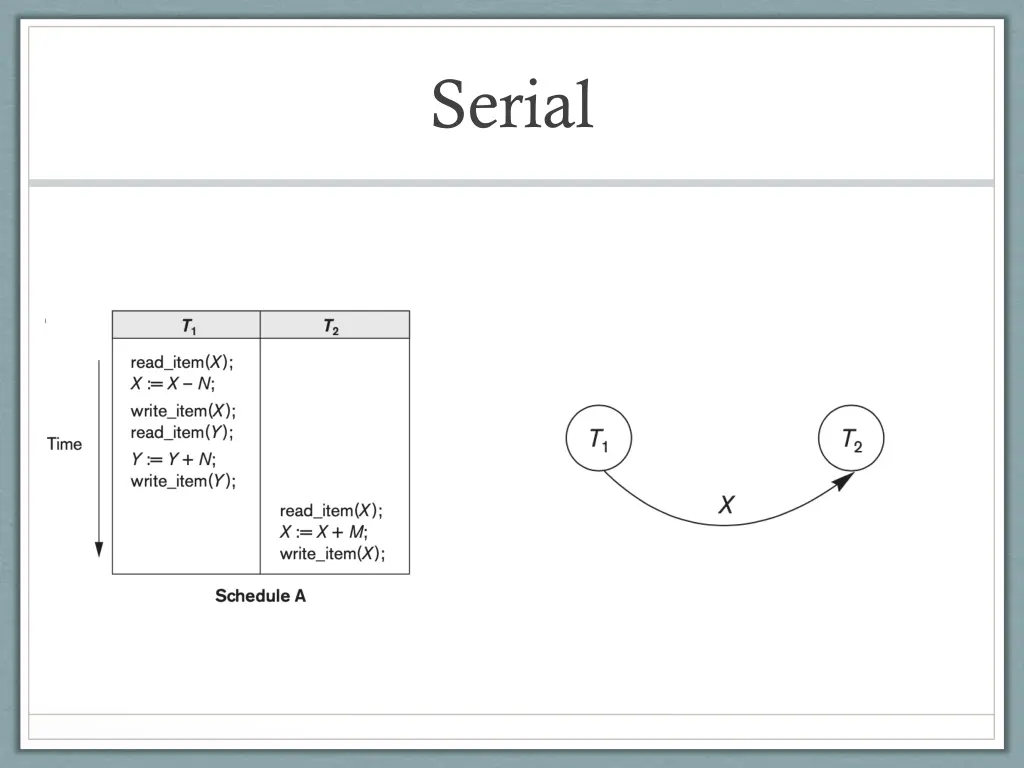
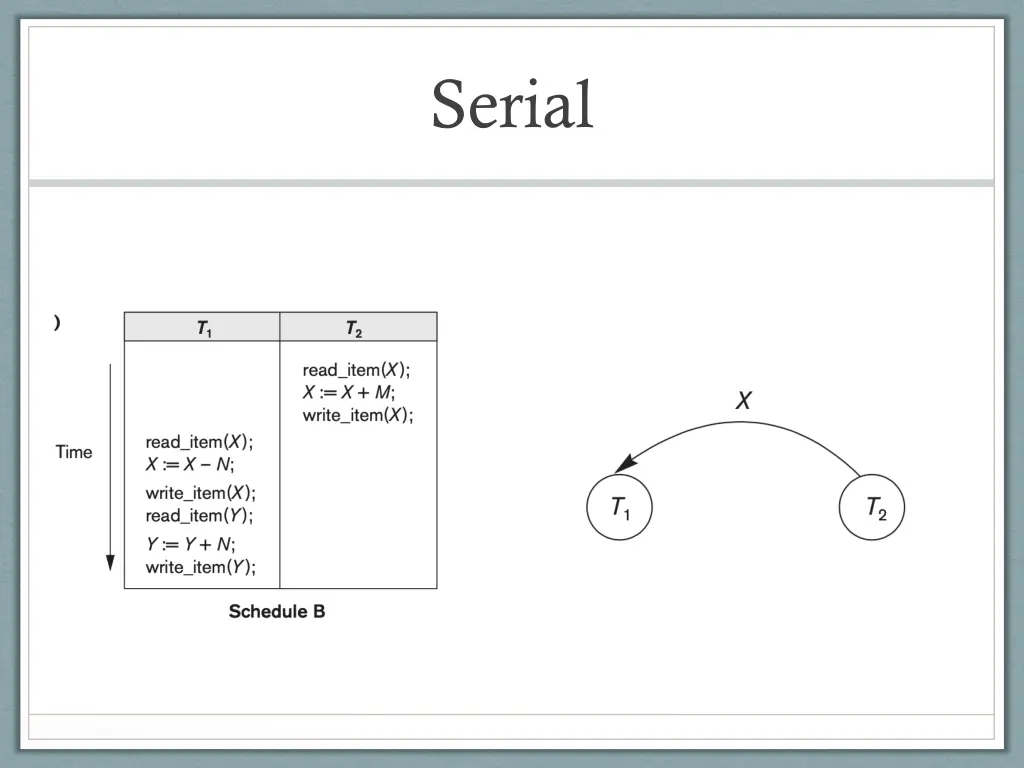
We Want Serial or Serializable Schedules! The schedules which yield the correct result are both serial One transaction is executed in its entirety before the other starts Serial schedules always lead to consistent results Non-serial schedules can sometimes also yield consistent results, but determining this is not always algorithmically feasible To preserve data integrity, ensure that a schedule of concurrent operations is serializable equivalent to some serial schedule
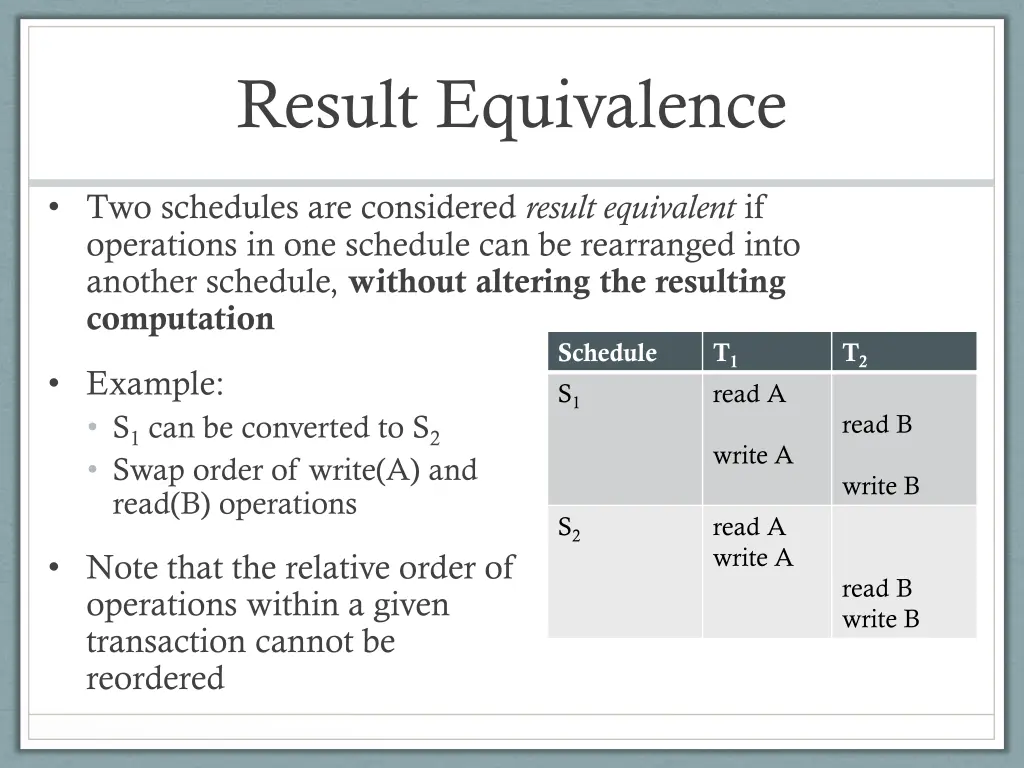
Result Equivalence Two schedules are considered result equivalent if operations in one schedule can be rearranged into another schedule, without altering the resulting computation Schedule S1 T1 read A T2 Example: S1 can be converted to S2 Swap order of write(A) and read(B) operations read B write A write B S2 read A write A Note that the relative order of operations within a given transaction cannot be reordered read B write B
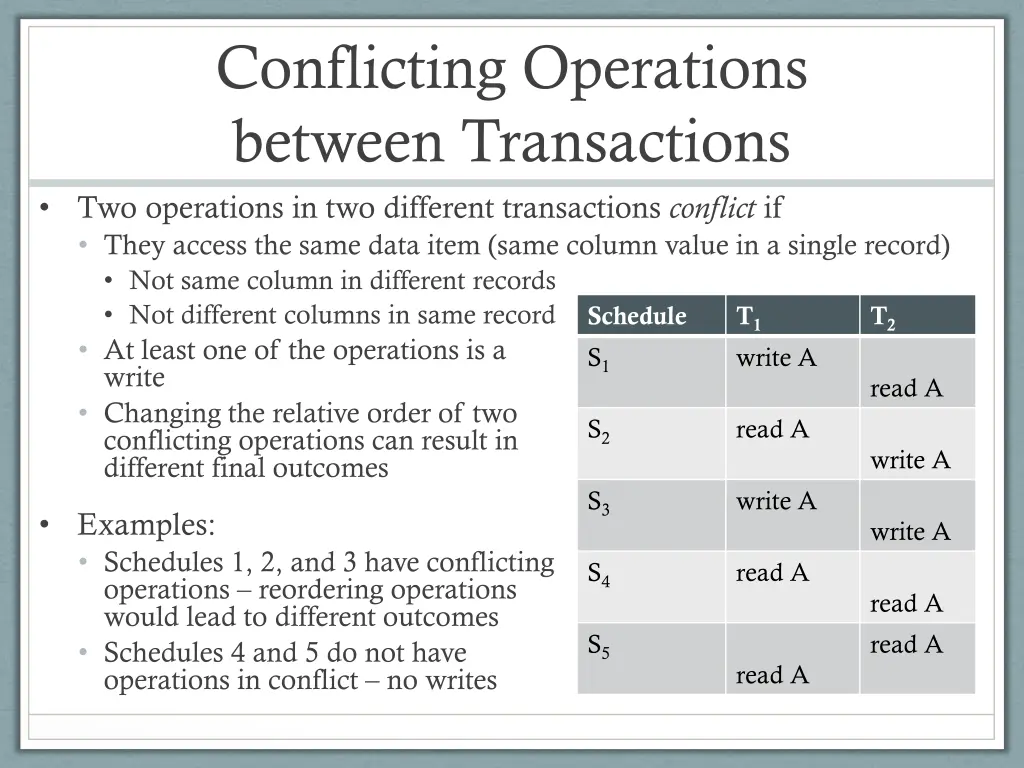
Conflicting Operations between Transactions Two operations in two different transactions conflict if They access the same data item (same column value in a single record) Not same column in different records Not different columns in same record At least one of the operations is a write Changing the relative order of two conflicting operations can result in different final outcomes Schedule S1 T1 write A T2 read A S2 read A write A S3 write A Examples: Schedules 1, 2, and 3 have conflicting operations reordering operations would lead to different outcomes Schedules 4 and 5 do not have operations in conflict no writes write A S4 read A read A read A S5 read A
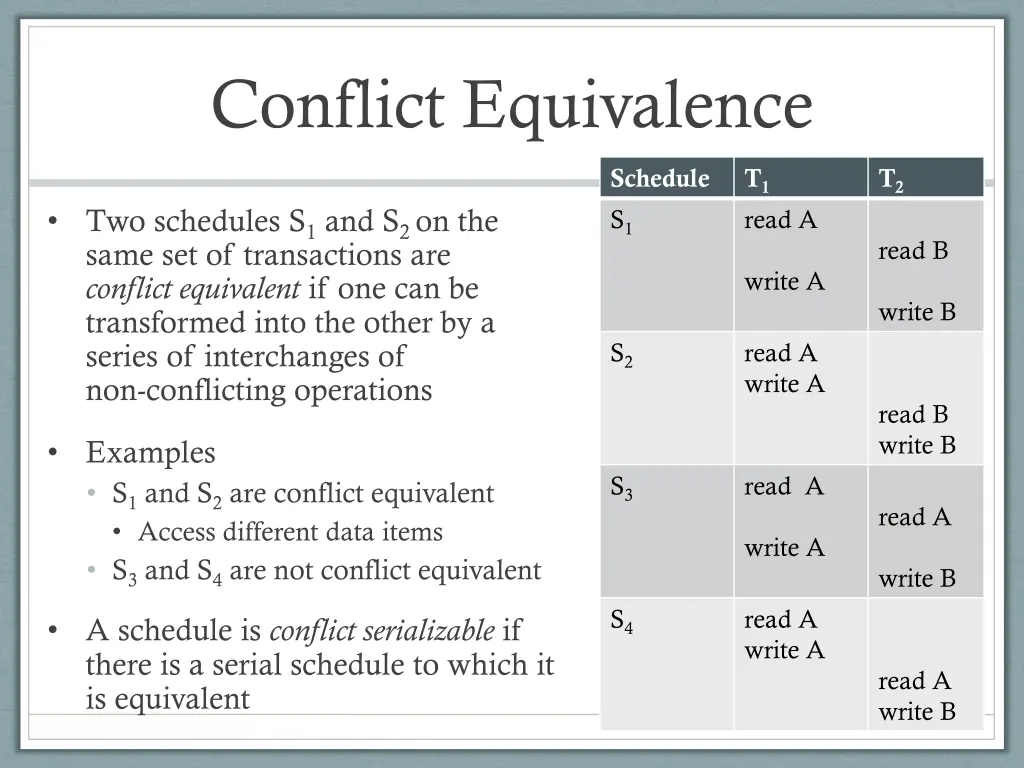
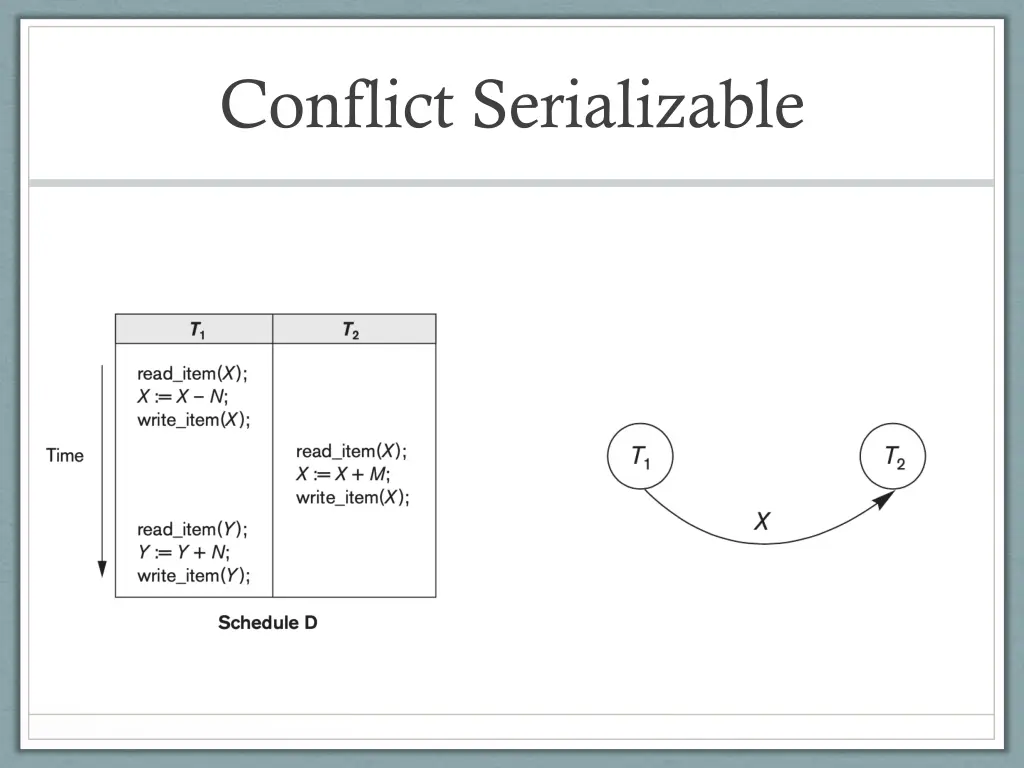
Conflict Equivalence Schedule S1 T1 read A T2 Two schedules S1 and S2 on the same set of transactions are conflict equivalent if one can be transformed into the other by a series of interchanges of non-conflicting operations read B write A write B S2 read A write A read B write B Examples S1 and S2 are conflict equivalent Access different data items S3 and S4 are not conflict equivalent S3 read A read A write A write B S4 read A write A A schedule is conflict serializable if there is a serial schedule to which it is equivalent read A write B
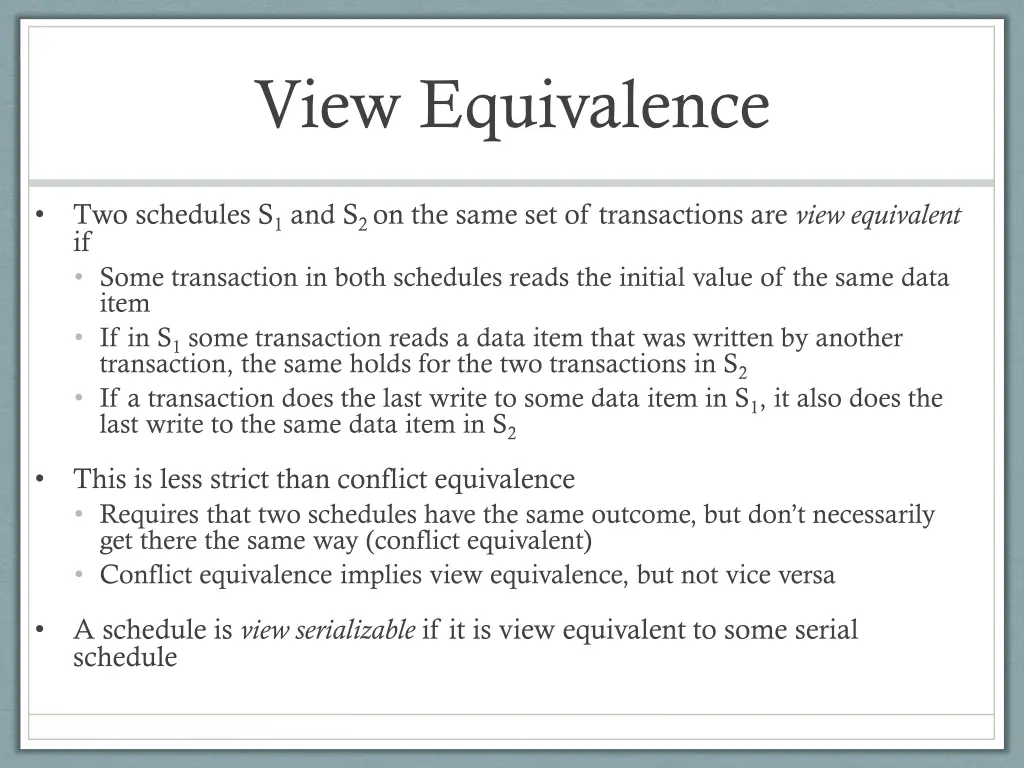
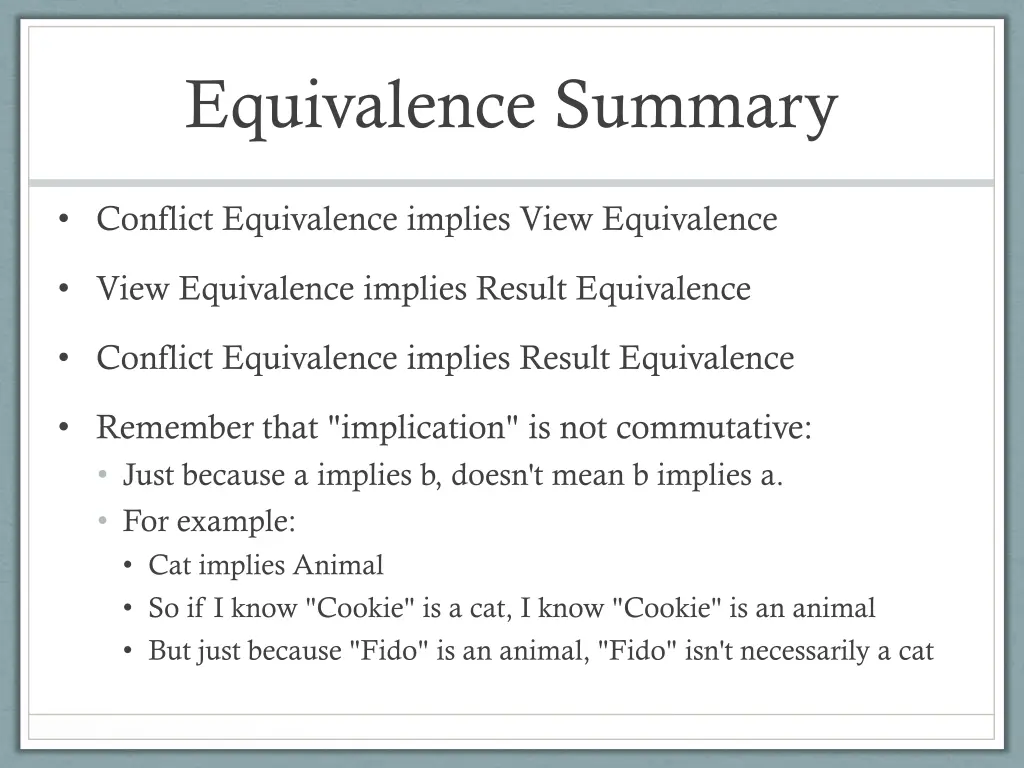
View Equivalence Two schedules S1 and S2 on the same set of transactions are view equivalent if Some transaction in both schedules reads the initial value of the same data item If in S1 some transaction reads a data item that was written by another transaction, the same holds for the two transactions in S2 If a transaction does the last write to some data item in S1, it also does the last write to the same data item in S2 This is less strict than conflict equivalence Requires that two schedules have the same outcome, but don t necessarily get there the same way (conflict equivalent) Conflict equivalence implies view equivalence, but not vice versa A schedule is view serializable if it is view equivalent to some serial schedule
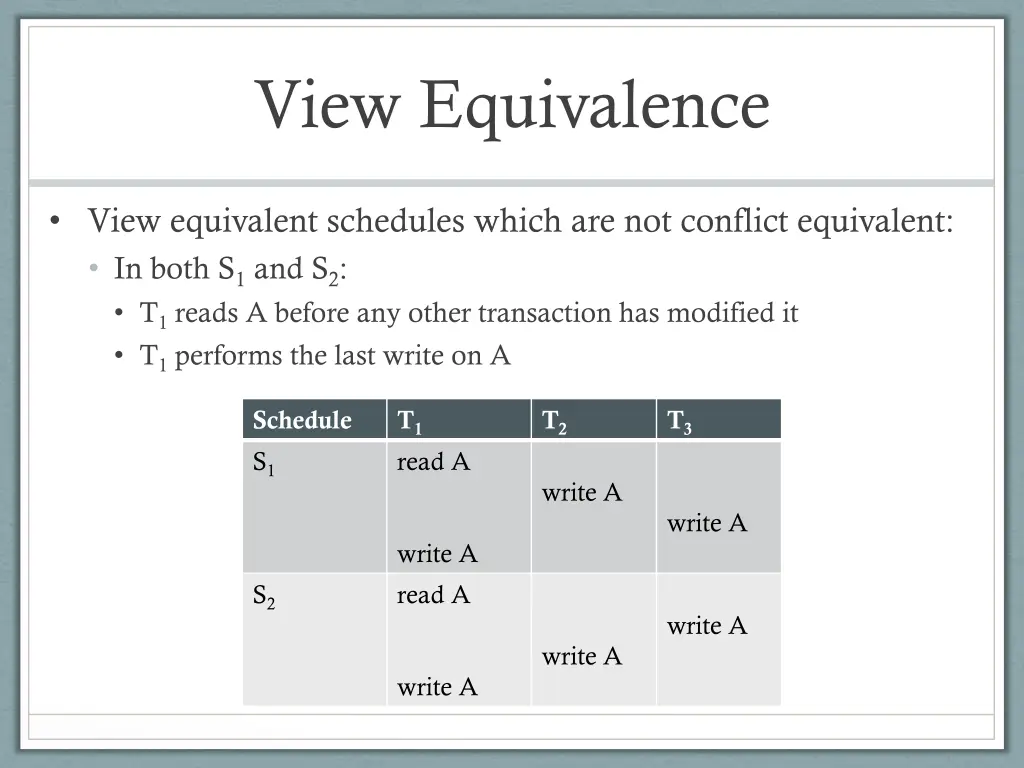
View Equivalence View equivalent schedules which are not conflict equivalent: In both S1 and S2: T1 reads A before any other transaction has modified it T1 performs the last write on A Schedule S1 T1 read A T2 T3 write A write A write A read A S2 write A write A write A
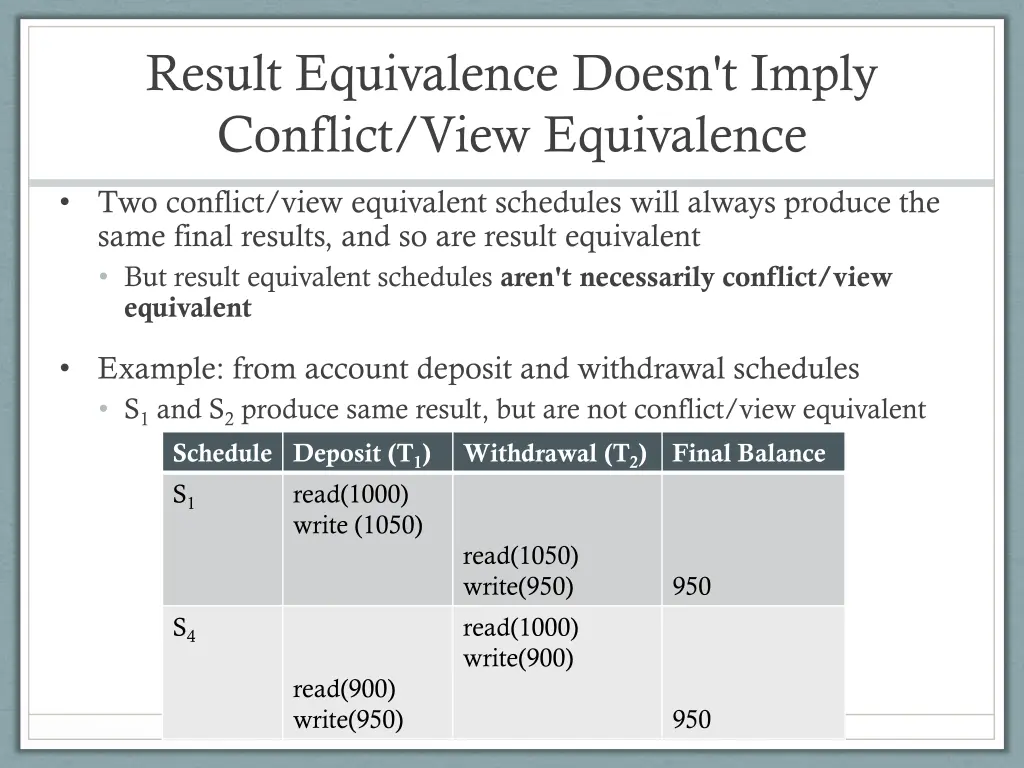
Result Equivalence Doesn't Imply Conflict/View Equivalence Two conflict/view equivalent schedules will always produce the same final results, and so are result equivalent But result equivalent schedules aren't necessarily conflict/view equivalent Example: from account deposit and withdrawal schedules S1 and S2 produce same result, but are not conflict/view equivalent Schedule Deposit (T1) Withdrawal (T2) S1 read(1000) write (1050) read(1050) write(950) S4 read(1000) write(900) Final Balance 950 read(900) write(950) 950
Equivalence Summary Conflict Equivalence implies View Equivalence View Equivalence implies Result Equivalence Conflict Equivalence implies Result Equivalence Remember that "implication" is not commutative: Just because a implies b, doesn't mean b implies a. For example: Cat implies Animal So if I know "Cookie" is a cat, I know "Cookie" is an animal But just because "Fido" is an animal, "Fido" isn't necessarily a cat
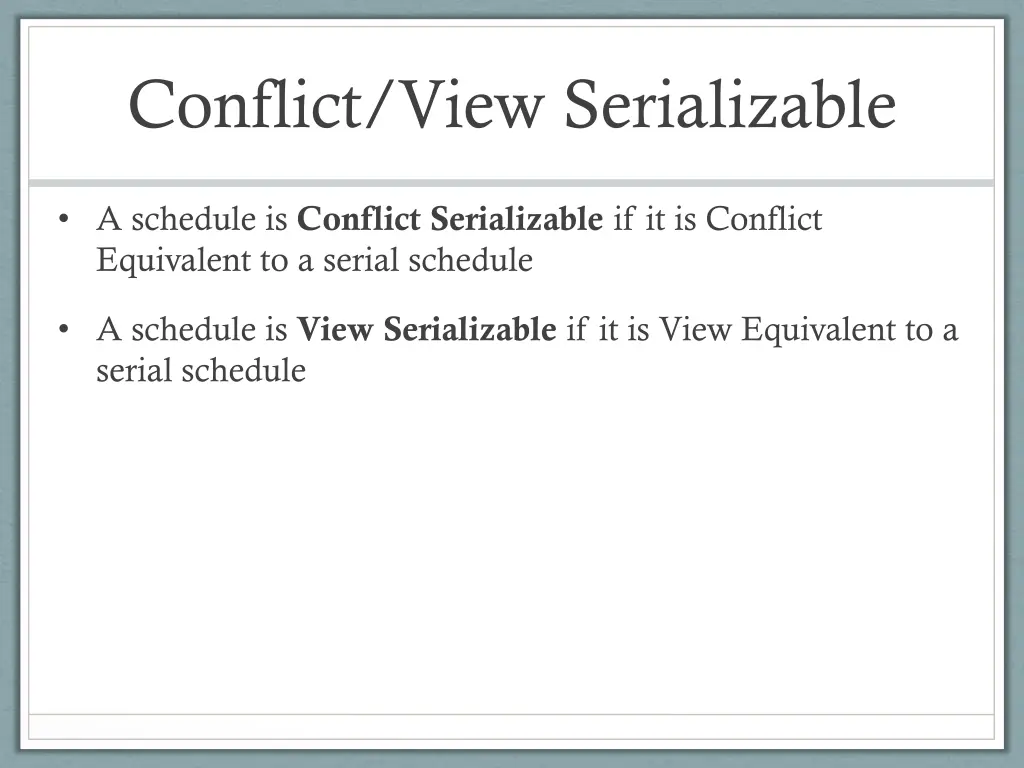
Conflict/View Serializable A schedule is Conflict Serializable if it is Conflict Equivalent to a serial schedule A schedule is View Serializable if it is View Equivalent to a serial schedule
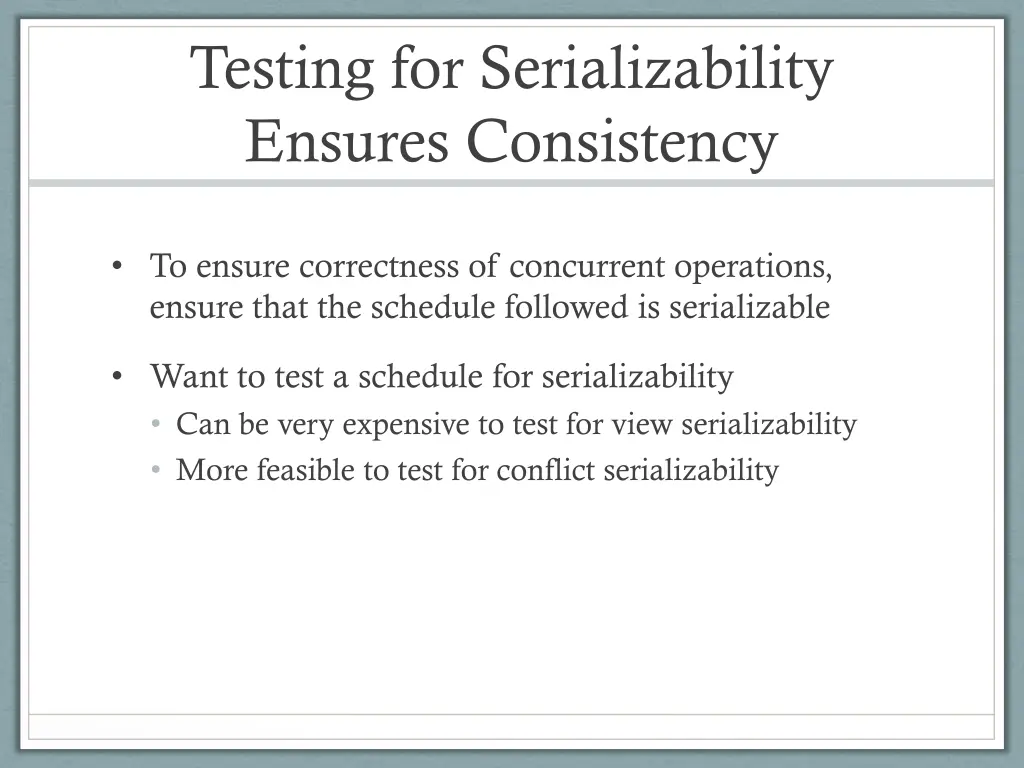
Testing for Serializability Ensures Consistency To ensure correctness of concurrent operations, ensure that the schedule followed is serializable Want to test a schedule for serializability Can be very expensive to test for view serializability More feasible to test for conflict serializability
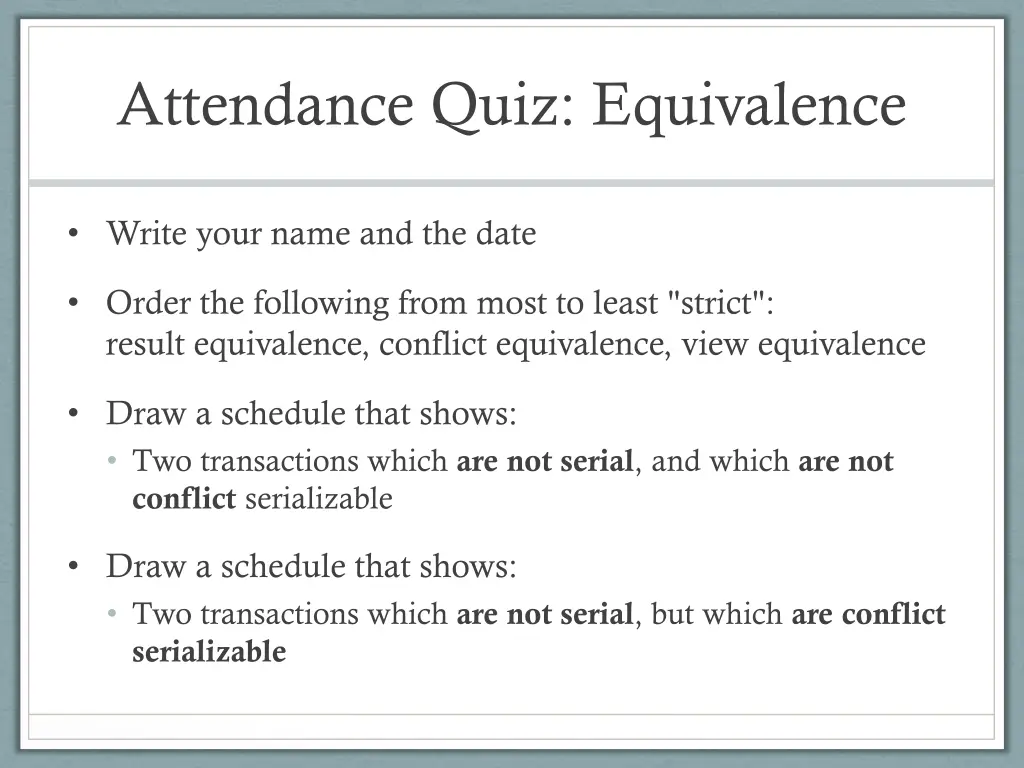
Attendance Quiz: Equivalence Write your name and the date Order the following from most to least "strict": result equivalence, conflict equivalence, view equivalence Draw a schedule that shows: Two transactions which are not serial, and which are not conflict serializable Draw a schedule that shows: Two transactions which are not serial, but which are conflict serializable
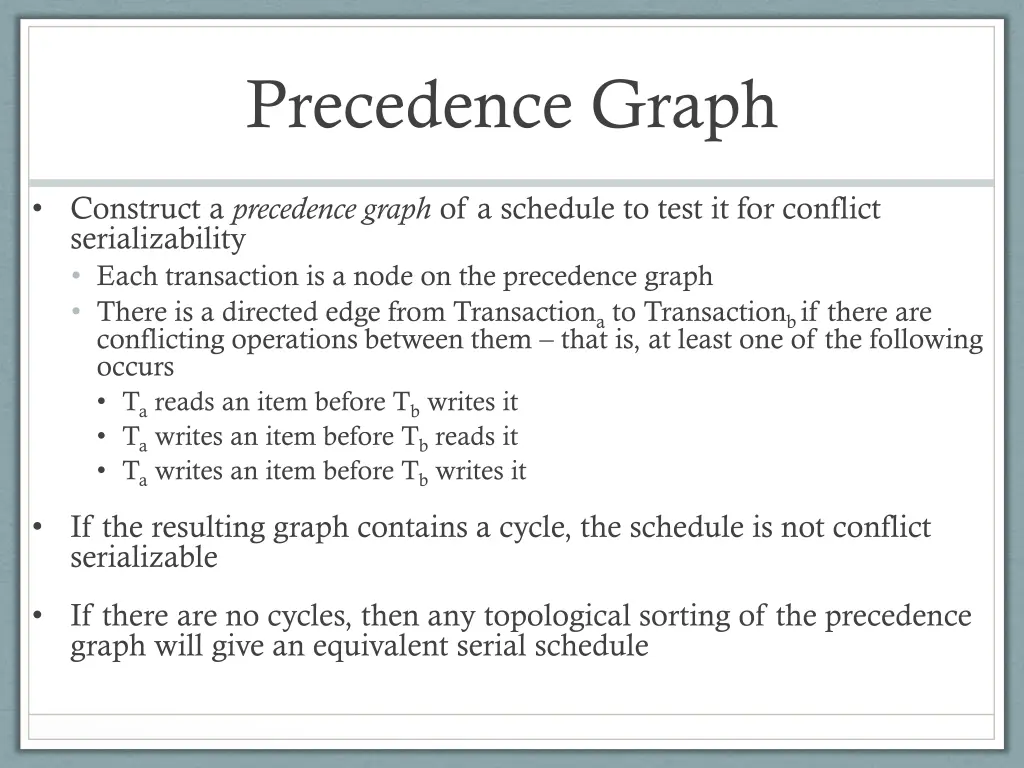
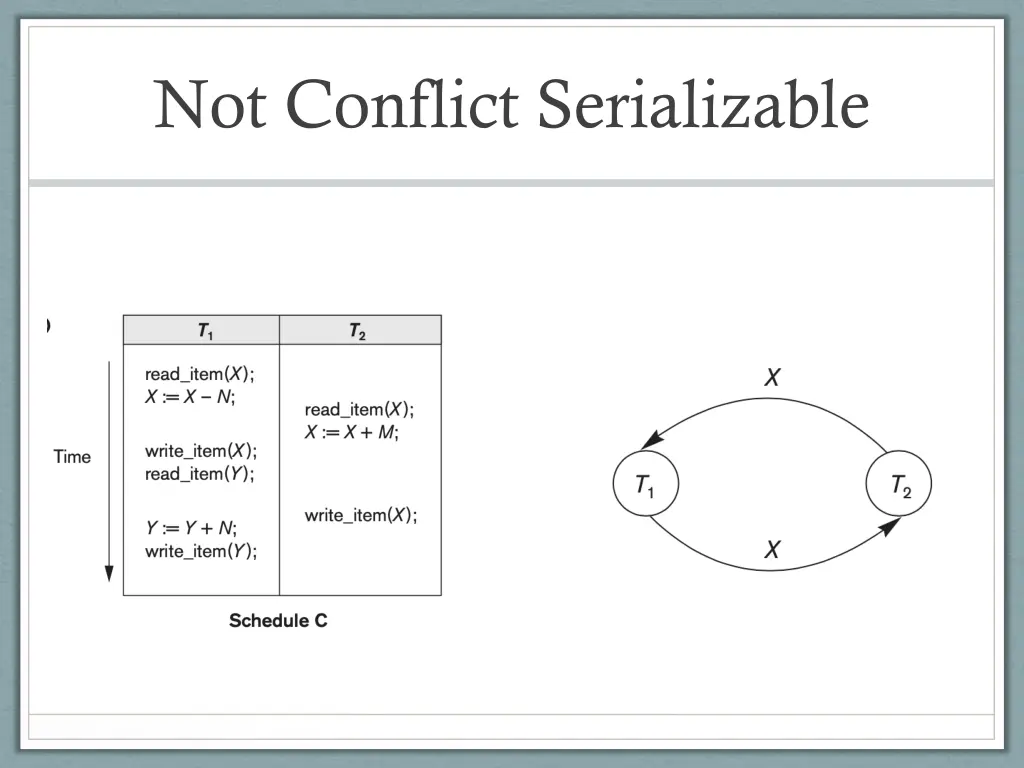
Precedence Graph Construct a precedence graph of a schedule to test it for conflict serializability Each transaction is a node on the precedence graph There is a directed edge from Transactiona to Transactionb if there are conflicting operations between them that is, at least one of the following occurs Ta reads an item before Tb writes it Ta writes an item before Tb reads it Ta writes an item before Tb writes it If the resulting graph contains a cycle, the schedule is not conflict serializable If there are no cycles, then any topological sorting of the precedence graph will give an equivalent serial schedule
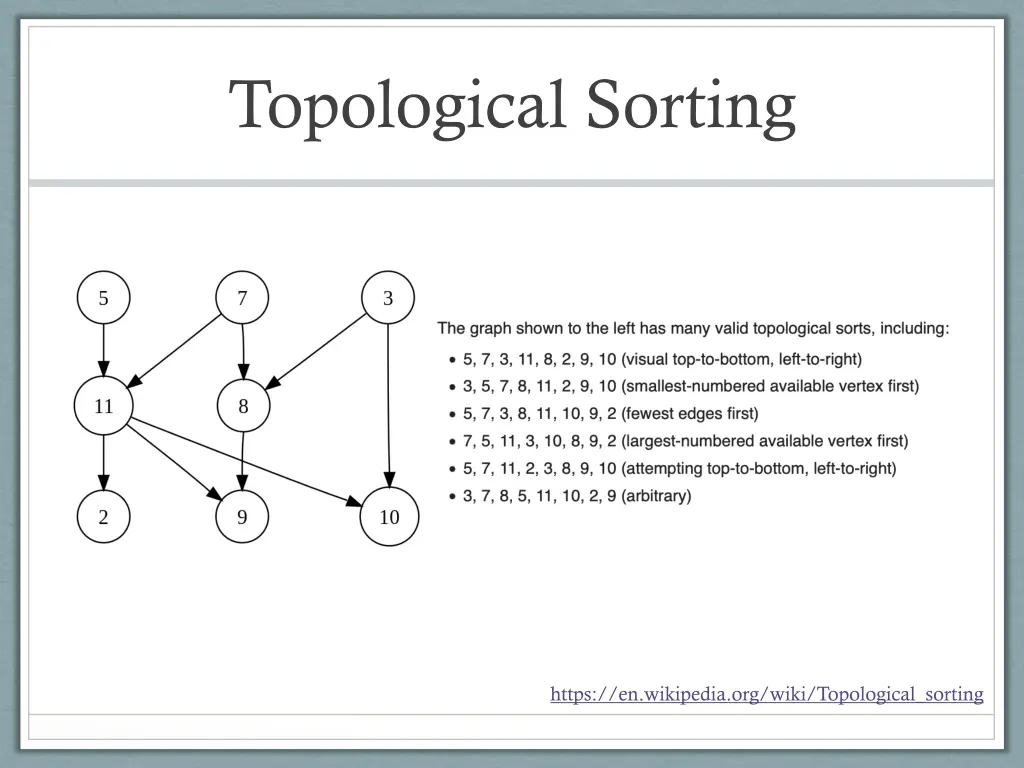
Topological Sorting https://en.wikipedia.org/wiki/Topological_sorting
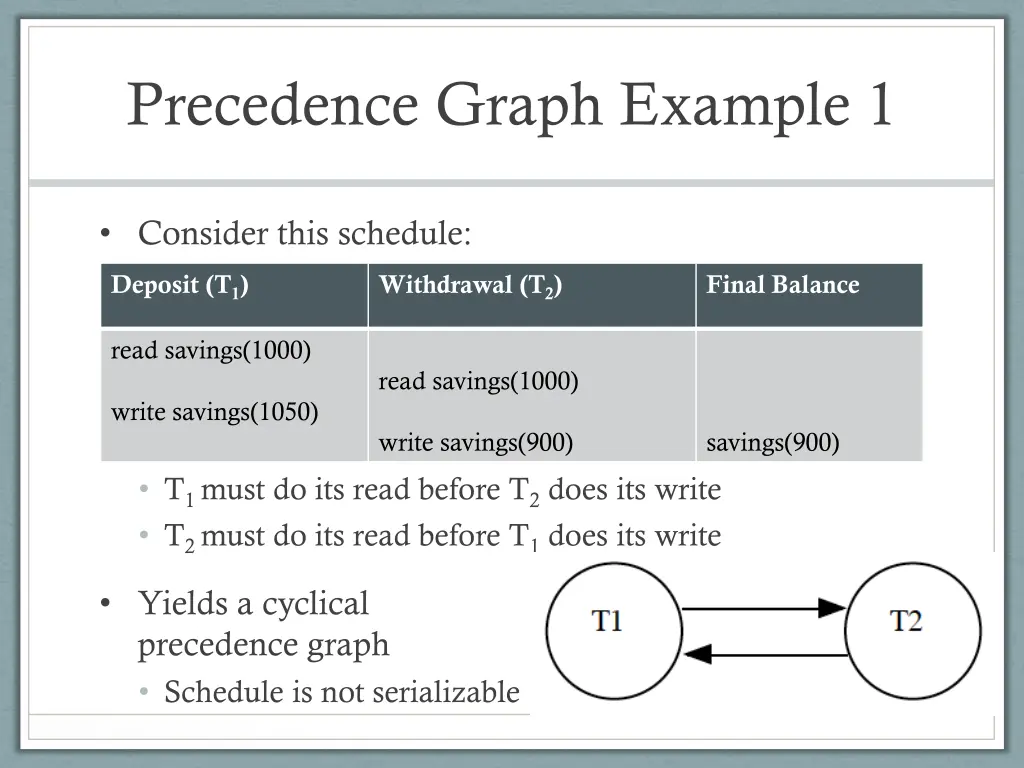
Precedence Graph Example 1 Consider this schedule: Deposit (T1) Withdrawal (T2) Final Balance read savings(1000) read savings(1000) write savings(1050) write savings(900) savings(900) T1 must do its read before T2 does its write T2 must do its read before T1 does its write Yields a cyclical precedence graph Schedule is not serializable
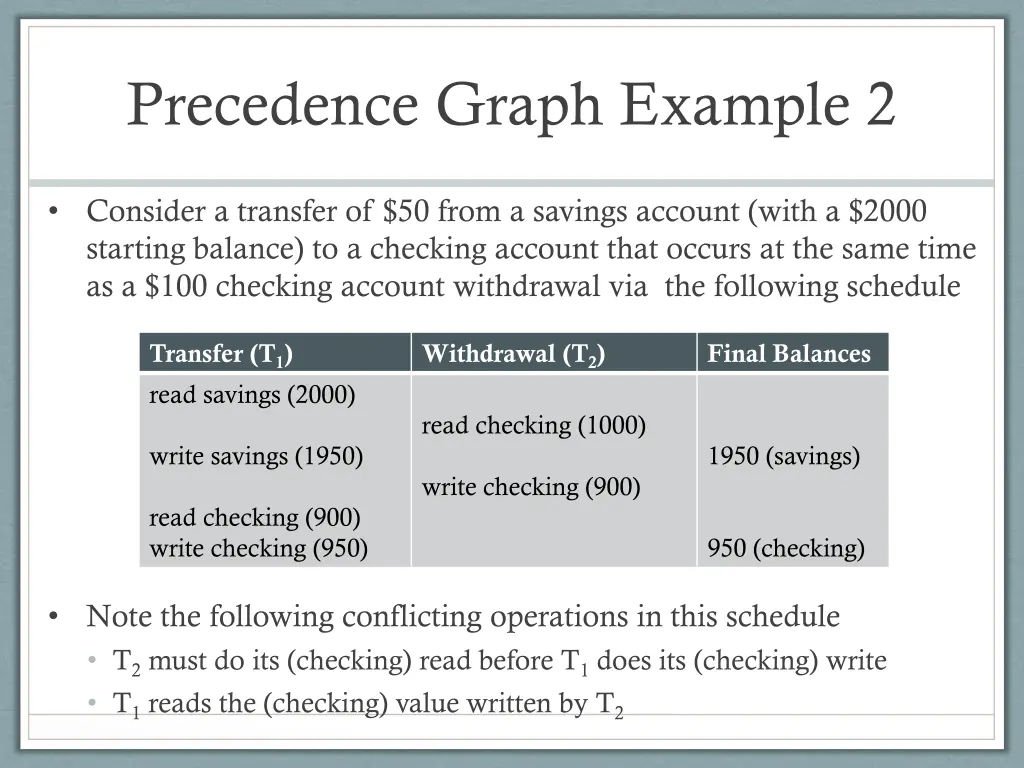
Precedence Graph Example 2 Consider a transfer of $50 from a savings account (with a $2000 starting balance) to a checking account that occurs at the same time as a $100 checking account withdrawal via the following schedule Transfer (T1) read savings (2000) Withdrawal (T2) Final Balances read checking (1000) write savings (1950) 1950 (savings) write checking (900) read checking (900) write checking (950) 950 (checking) Note the following conflicting operations in this schedule T2 must do its (checking) read before T1 does its (checking) write T1 reads the (checking) value written by T2
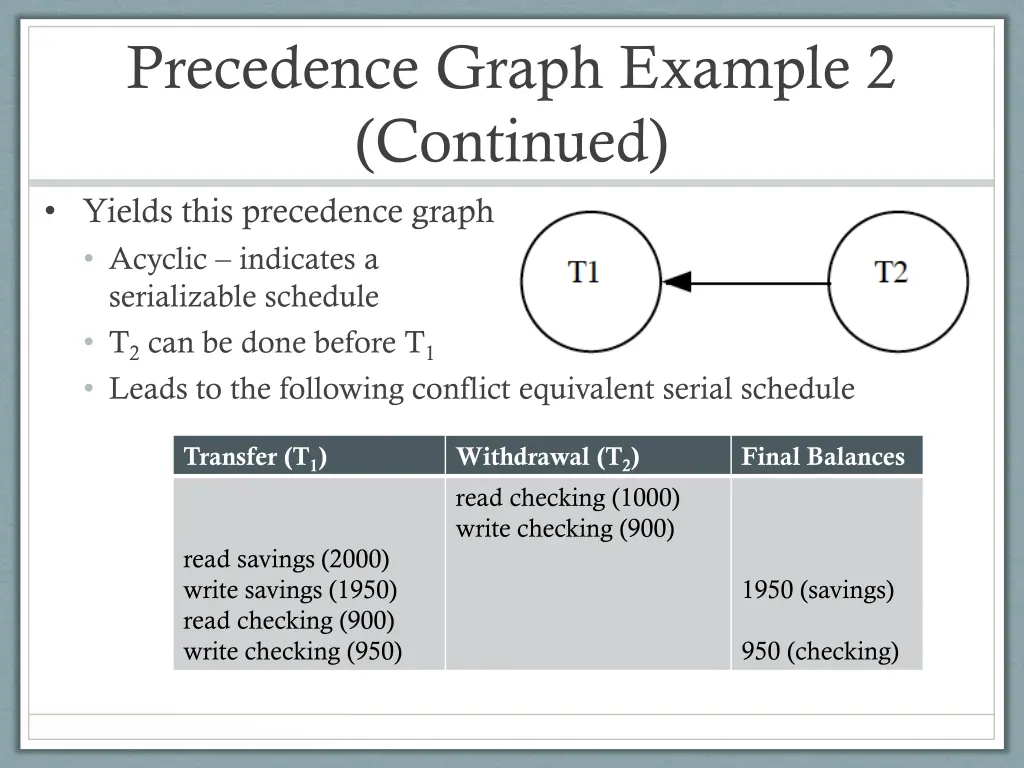
Precedence Graph Example 2 (Continued) Yields this precedence graph Acyclic indicates a serializable schedule T2 can be done before T1 Leads to the following conflict equivalent serial schedule Transfer (T1) Withdrawal (T2) read checking (1000) write checking (900) Final Balances read savings (2000) write savings (1950) read checking (900) write checking (950) 1950 (savings) 950 (checking)
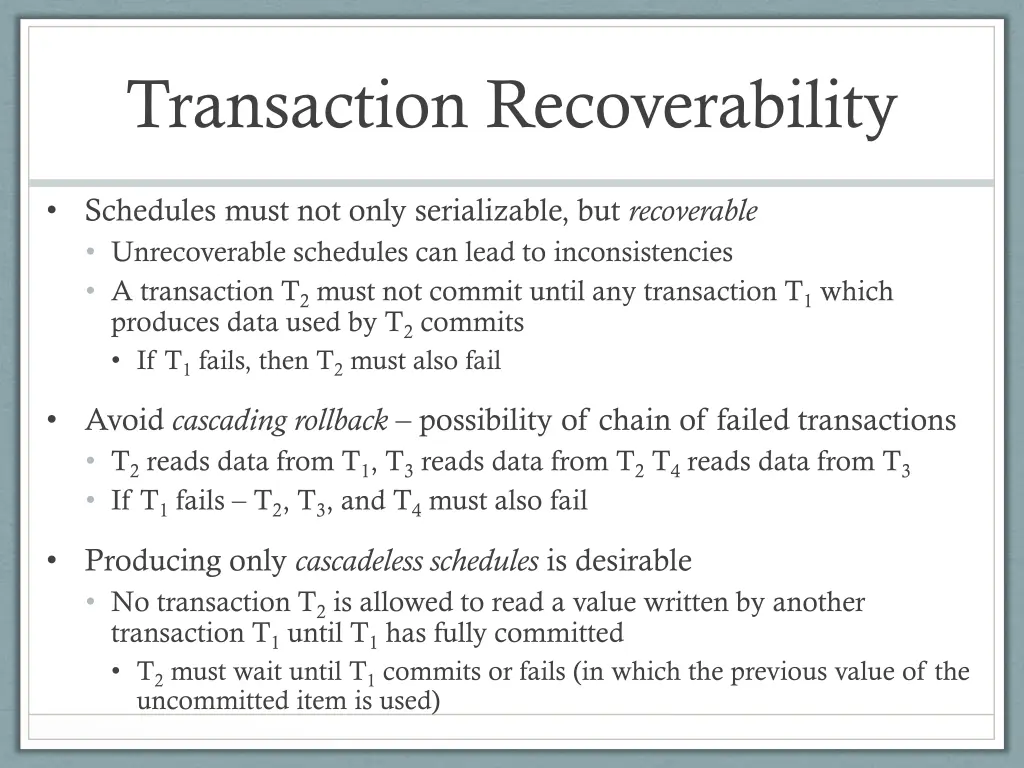
Transaction Recoverability Schedules must not only serializable, but recoverable Unrecoverable schedules can lead to inconsistencies A transaction T2 must not commit until any transaction T1 which produces data used by T2 commits If T1 fails, then T2 must also fail Avoid cascading rollback possibility of chain of failed transactions T2 reads data from T1, T3 reads data from T2 T4 reads data from T3 If T1 fails T2, T3, and T4 must also fail Producing only cascadeless schedules is desirable No transaction T2 is allowed to read a value written by another transaction T1 until T1 has fully committed T2 must wait until T1 commits or fails (in which the previous value of the uncommitted item is used)
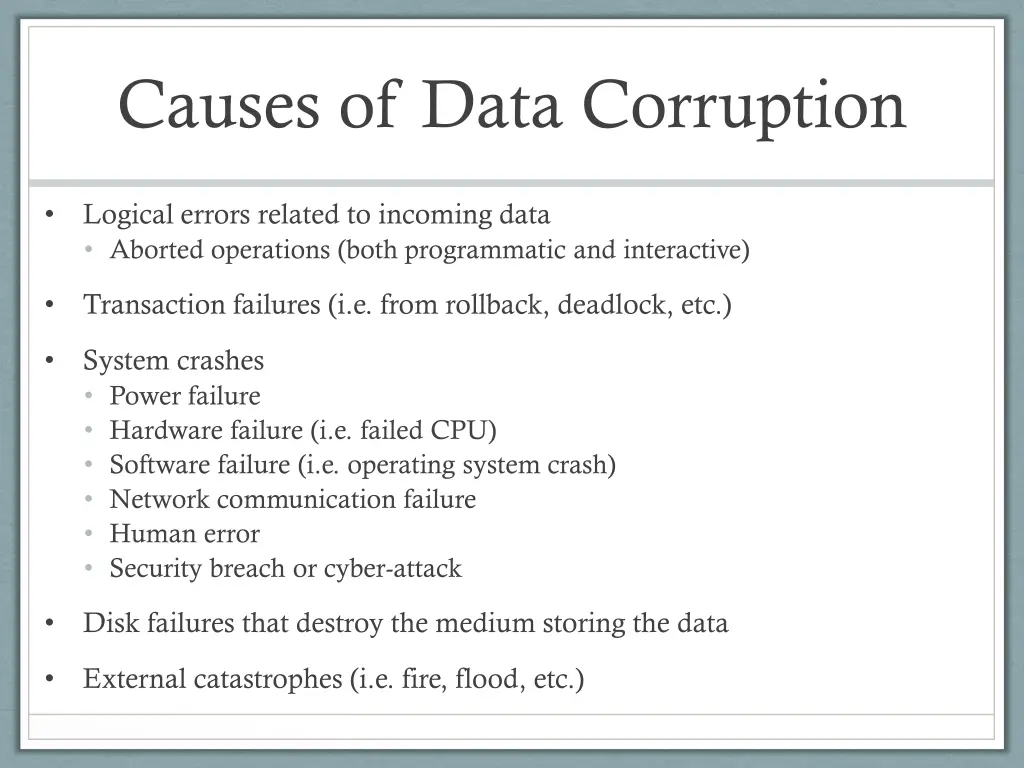
Causes of Data Corruption Logical errors related to incoming data Aborted operations (both programmatic and interactive) Transaction failures (i.e. from rollback, deadlock, etc.) System crashes Power failure Hardware failure (i.e. failed CPU) Software failure (i.e. operating system crash) Network communication failure Human error Security breach or cyber-attack Disk failures that destroy the medium storing the data External catastrophes (i.e. fire, flood, etc.)
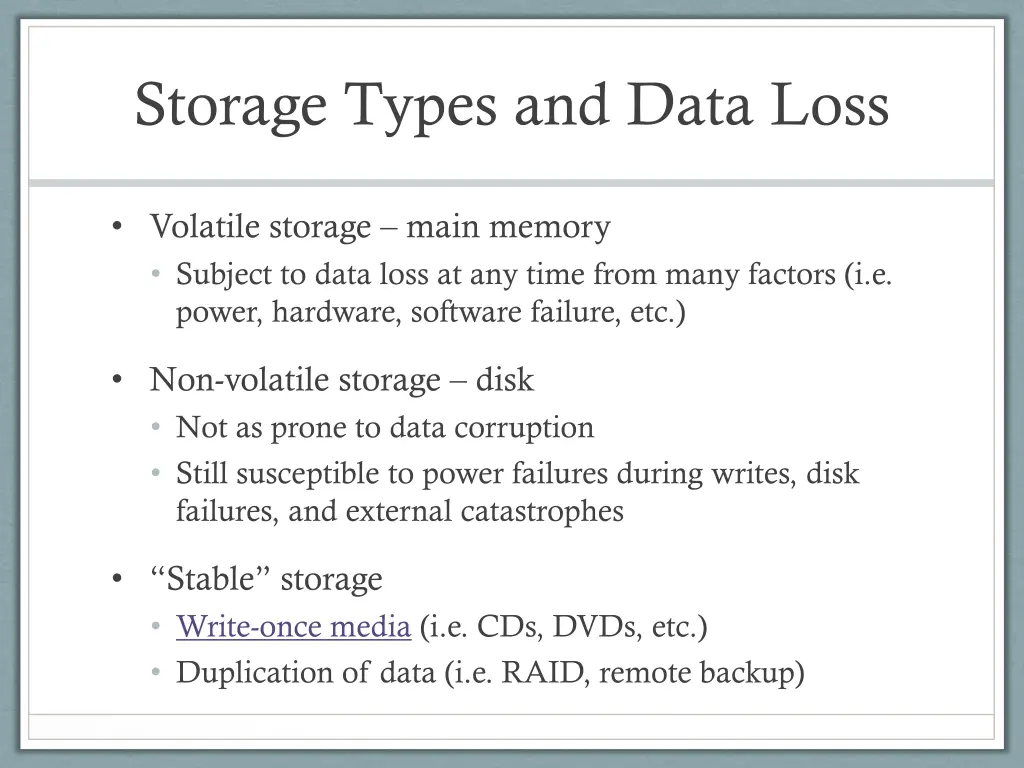
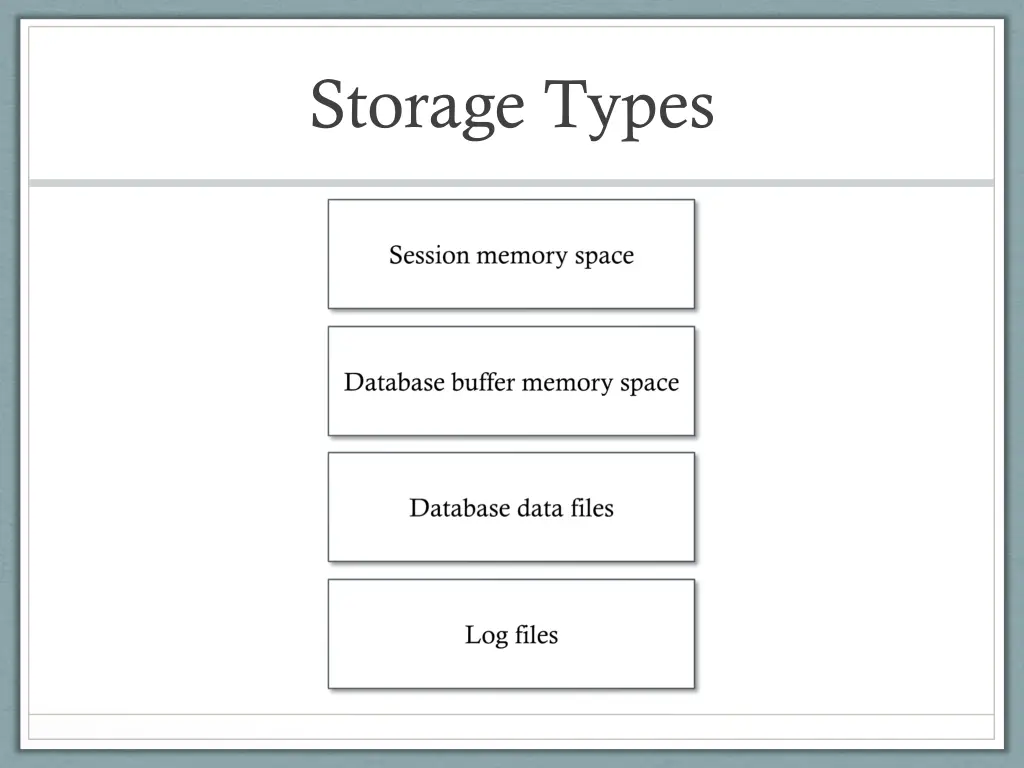
Storage Types and Data Loss Volatile storage main memory Subject to data loss at any time from many factors (i.e. power, hardware, software failure, etc.) Non-volatile storage disk Not as prone to data corruption Still susceptible to power failures during writes, disk failures, and external catastrophes Stable storage Write-once media (i.e. CDs, DVDs, etc.) Duplication of data (i.e. RAID, remote backup)
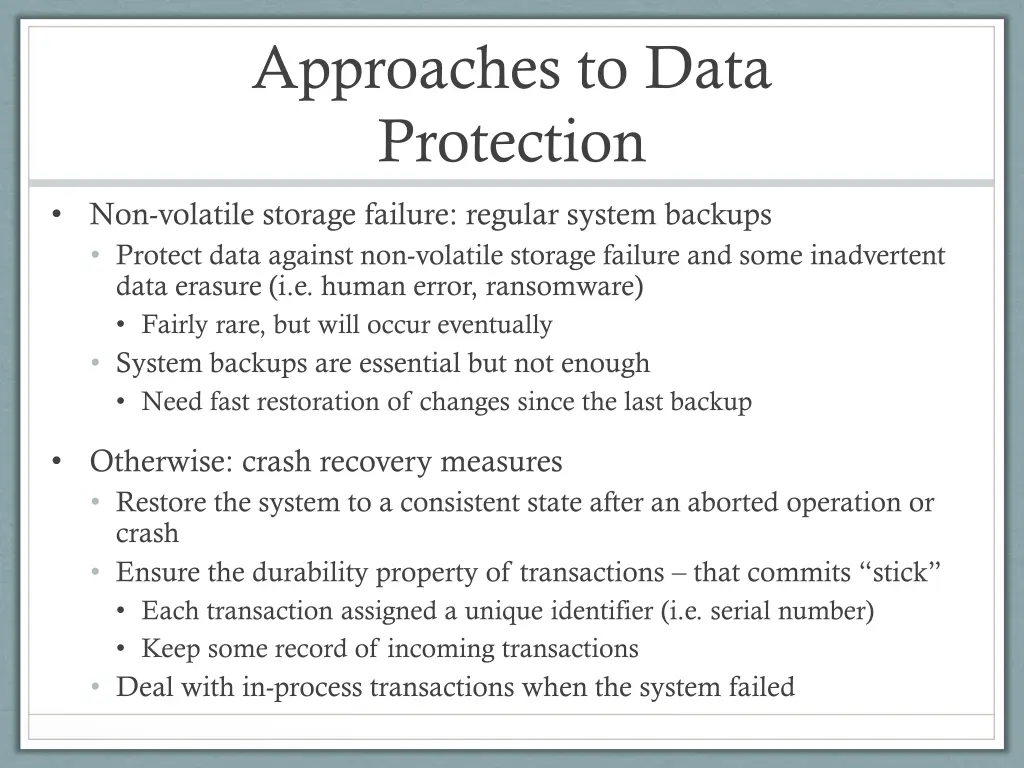
Approaches to Data Protection Non-volatile storage failure: regular system backups Protect data against non-volatile storage failure and some inadvertent data erasure (i.e. human error, ransomware) Fairly rare, but will occur eventually System backups are essential but not enough Need fast restoration of changes since the last backup Otherwise: crash recovery measures Restore the system to a consistent state after an aborted operation or crash Ensure the durability property of transactions that commits stick Each transaction assigned a unique identifier (i.e. serial number) Keep some record of incoming transactions Deal with in-process transactions when the system failed
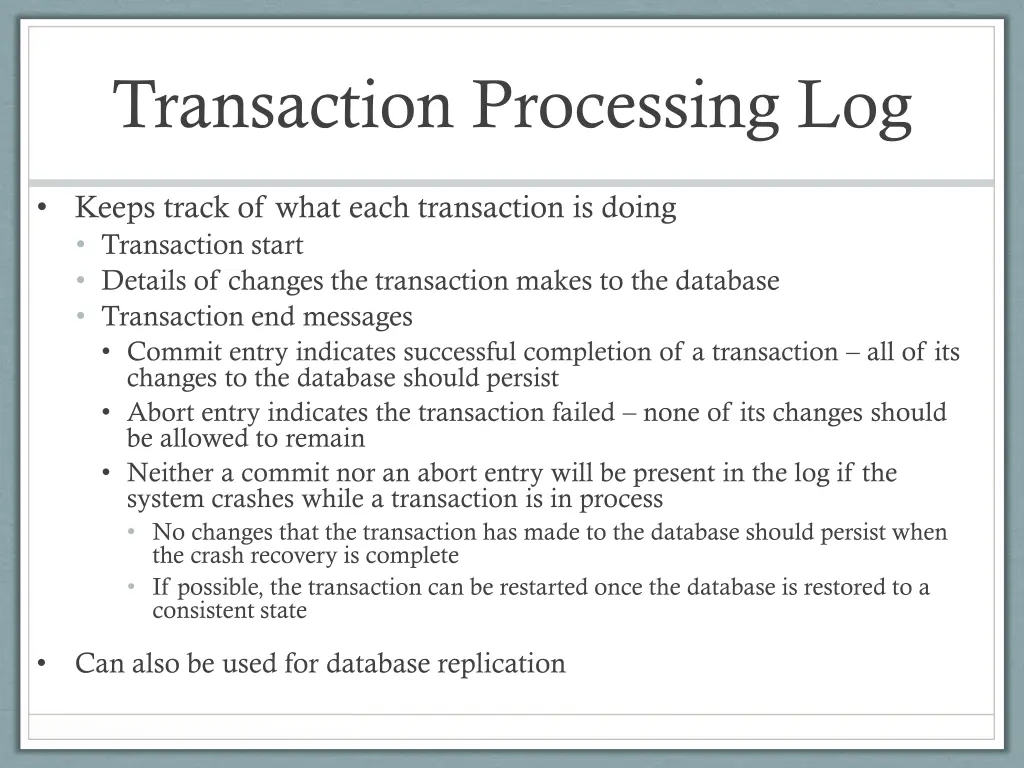
Transaction Processing Log Keeps track of what each transaction is doing Transaction start Details of changes the transaction makes to the database Transaction end messages Commit entry indicates successful completion of a transaction all of its changes to the database should persist Abort entry indicates the transaction failed none of its changes should be allowed to remain Neither a commit nor an abort entry will be present in the log if the system crashes while a transaction is in process No changes that the transaction has made to the database should persist when the crash recovery is complete If possible, the transaction can be restarted once the database is restored to a consistent state Can also be used for database replication
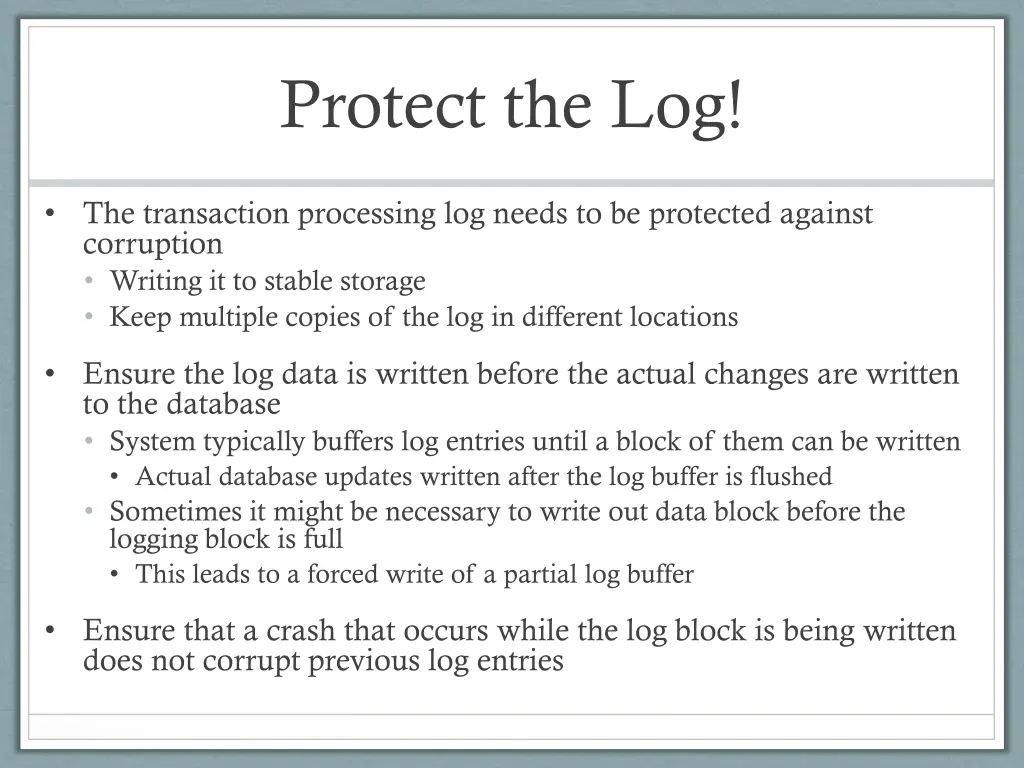
Protect the Log! The transaction processing log needs to be protected against corruption Writing it to stable storage Keep multiple copies of the log in different locations Ensure the log data is written before the actual changes are written to the database System typically buffers log entries until a block of them can be written Actual database updates written after the log buffer is flushed Sometimes it might be necessary to write out data block before the logging block is full This leads to a forced write of a partial log buffer Ensure that a crash that occurs while the log block is being written does not corrupt previous log entries
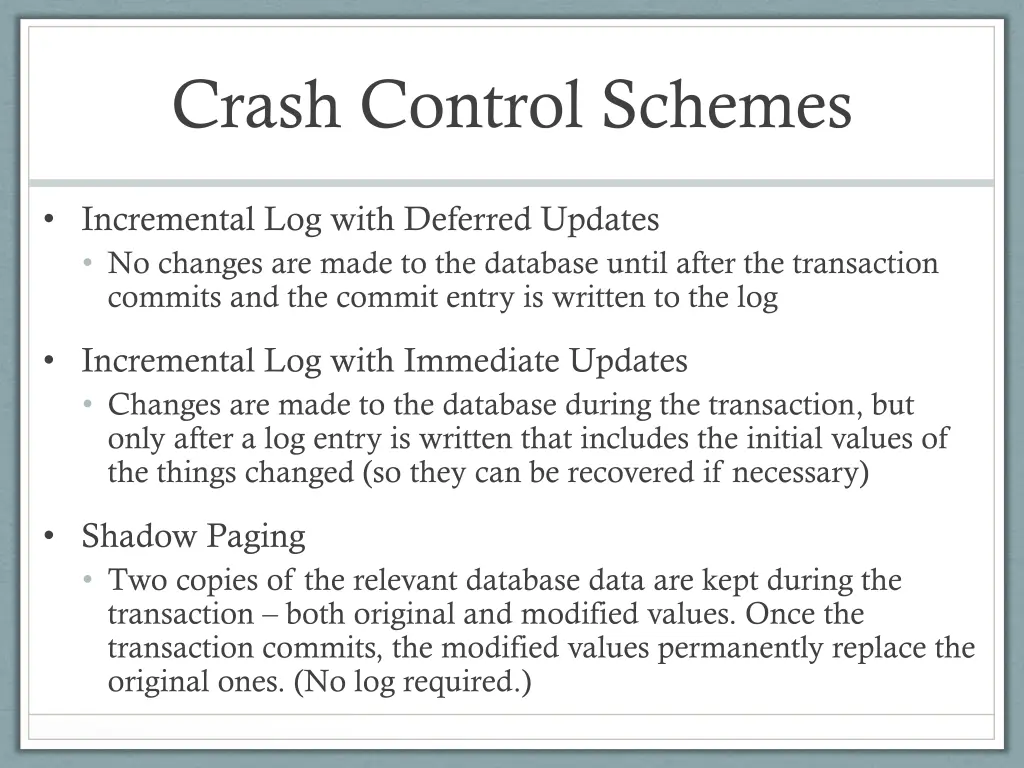
Crash Control Schemes Incremental Log with Deferred Updates No changes are made to the database until after the transaction commits and the commit entry is written to the log Incremental Log with Immediate Updates Changes are made to the database during the transaction, but only after a log entry is written that includes the initial values of the things changed (so they can be recovered if necessary) Shadow Paging Two copies of the relevant database data are kept during the transaction both original and modified values. Once the transaction commits, the modified values permanently replace the original ones. (No log required.)
Incremental Log with Deferred Updates
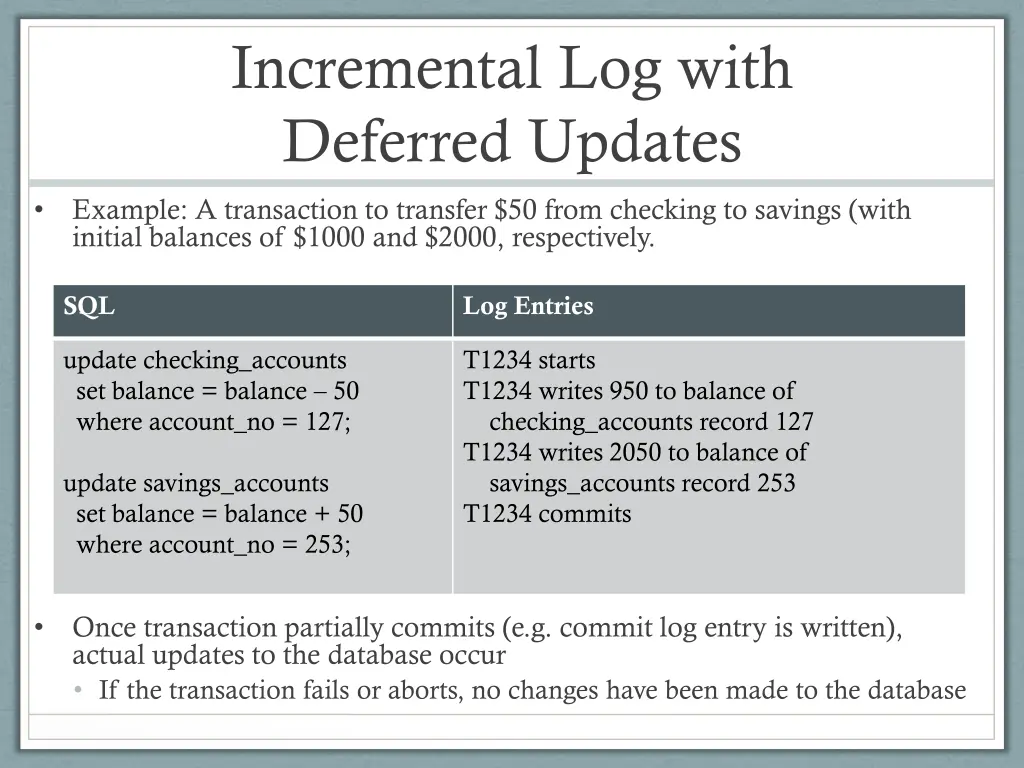
Incremental Log with Deferred Updates Example: A transaction to transfer $50 from checking to savings (with initial balances of $1000 and $2000, respectively. SQL Log Entries update checking_accounts set balance = balance 50 where account_no = 127; T1234 starts T1234 writes 950 to balance of checking_accounts record 127 T1234 writes 2050 to balance of savings_accounts record 253 T1234 commits update savings_accounts set balance = balance + 50 where account_no = 253; Once transaction partially commits (e.g. commit log entry is written), actual updates to the database occur If the transaction fails or aborts, no changes have been made to the database
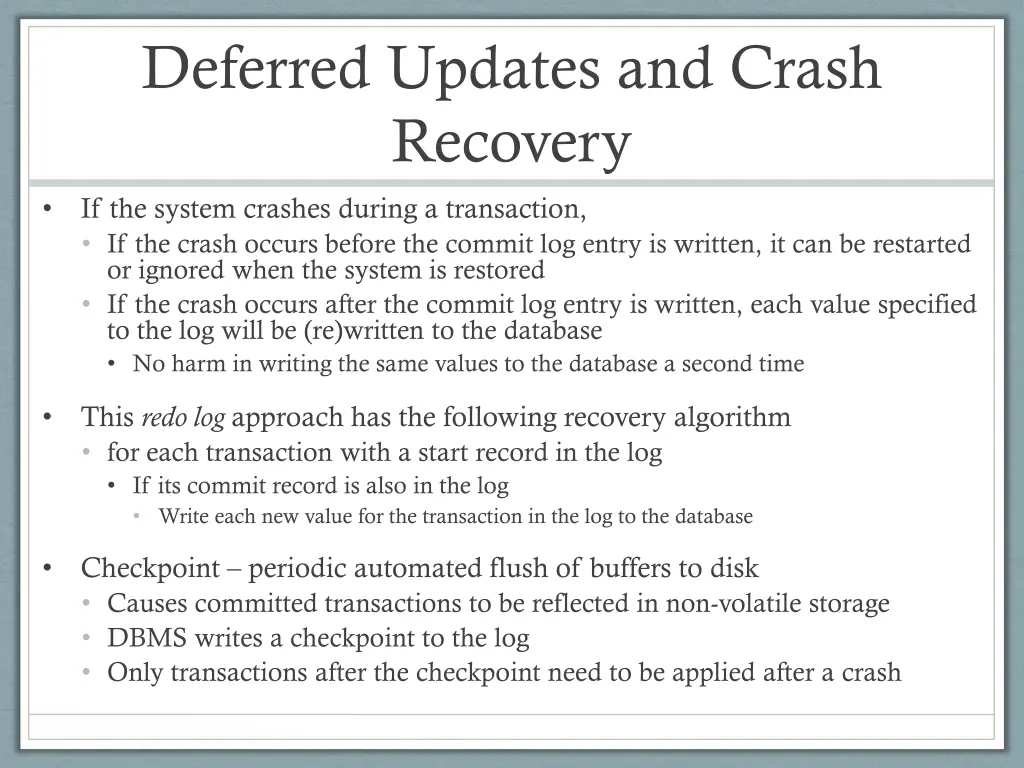
Deferred Updates and Crash Recovery If the system crashes during a transaction, If the crash occurs before the commit log entry is written, it can be restarted or ignored when the system is restored If the crash occurs after the commit log entry is written, each value specified to the log will be (re)written to the database No harm in writing the same values to the database a second time This redo log approach has the following recovery algorithm for each transaction with a start record in the log If its commit record is also in the log Write each new value for the transaction in the log to the database Checkpoint periodic automated flush of buffers to disk Causes committed transactions to be reflected in non-volatile storage DBMS writes a checkpoint to the log Only transactions after the checkpoint need to be applied after a crash
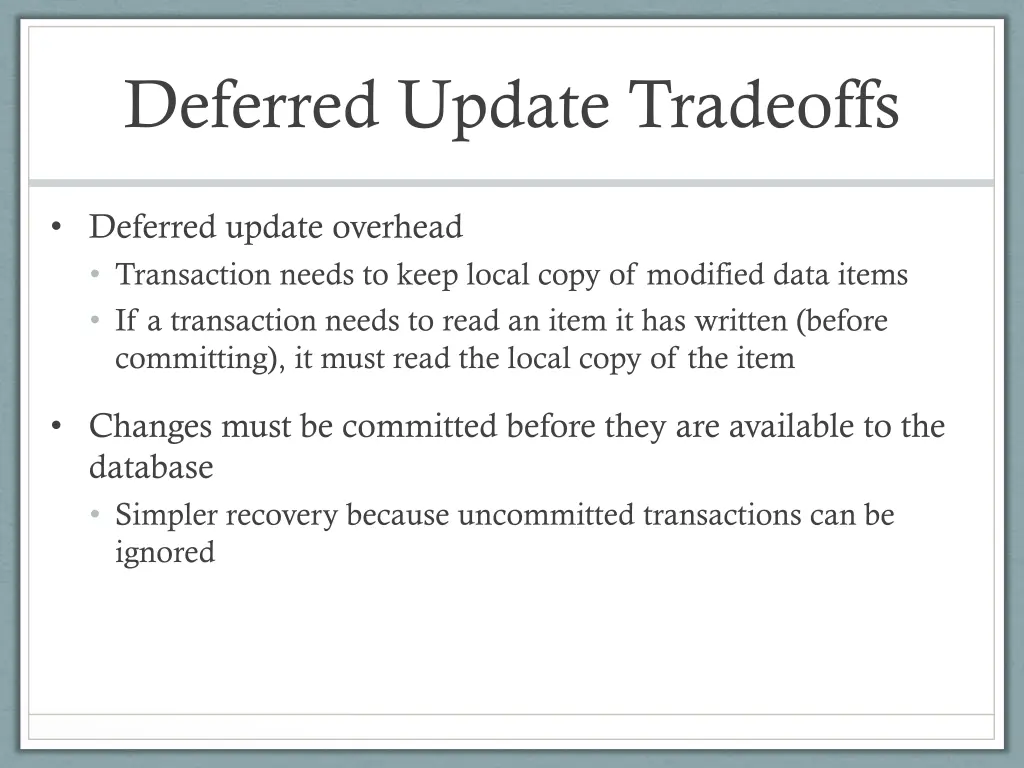
Deferred Update Tradeoffs Deferred update overhead Transaction needs to keep local copy of modified data items If a transaction needs to read an item it has written (before committing), it must read the local copy of the item Changes must be committed before they are available to the database Simpler recovery because uncommitted transactions can be ignored
Incremental Log with Immediate Update