Understanding Arrays in Programming
Arrays in programming are important data structures that allow storing multiple values of the same data type. Learn about array initialization, indexing, and potential pitfalls when working with arrays in programming classes like UMBC CMSC 104, Section 01 - Fall 2016.

Download Presentation

Please find below an Image/Link to download the presentation.
The content on the website is provided AS IS for your information and personal use only. It may not be sold, licensed, or shared on other websites without obtaining consent from the author. If you encounter any issues during the download, it is possible that the publisher has removed the file from their server.
You are allowed to download the files provided on this website for personal or commercial use, subject to the condition that they are used lawfully. All files are the property of their respective owners.
The content on the website is provided AS IS for your information and personal use only. It may not be sold, licensed, or shared on other websites without obtaining consent from the author.
E N D
Presentation Transcript
Project 7 due now! Project 8 assigned on Thursday after class. UMBC CMSC 104, Section 01 - Fall 2016 2
Stupid stuff No function header comments! Forgetting error checking! Bad formatting! UMBC CMSC 104, Section 01 - Fall 2016 3
So far, we have seen only simple data types, such as int, float, and char. Simple variables can hold only one value at any time during program execution, although that value may change. A data structure is a data type that can hold multiple values at the same time. (Synonyms: complex data type, composite data type) The array is one kind of data structure. UMBC CMSC 104, Section 01 - Fall 2016
An array is a group of related data items that all have the same nameand the same data type. Arrays can be of any data type we choose. Arrays are static in that they remain the samesize throughout program execution. An array s data items are stored contiguously in memory. Each of the data items is known as an element of the array. Each element can be accessed individually. UMBC CMSC 104, Section 01 - Fall 2016
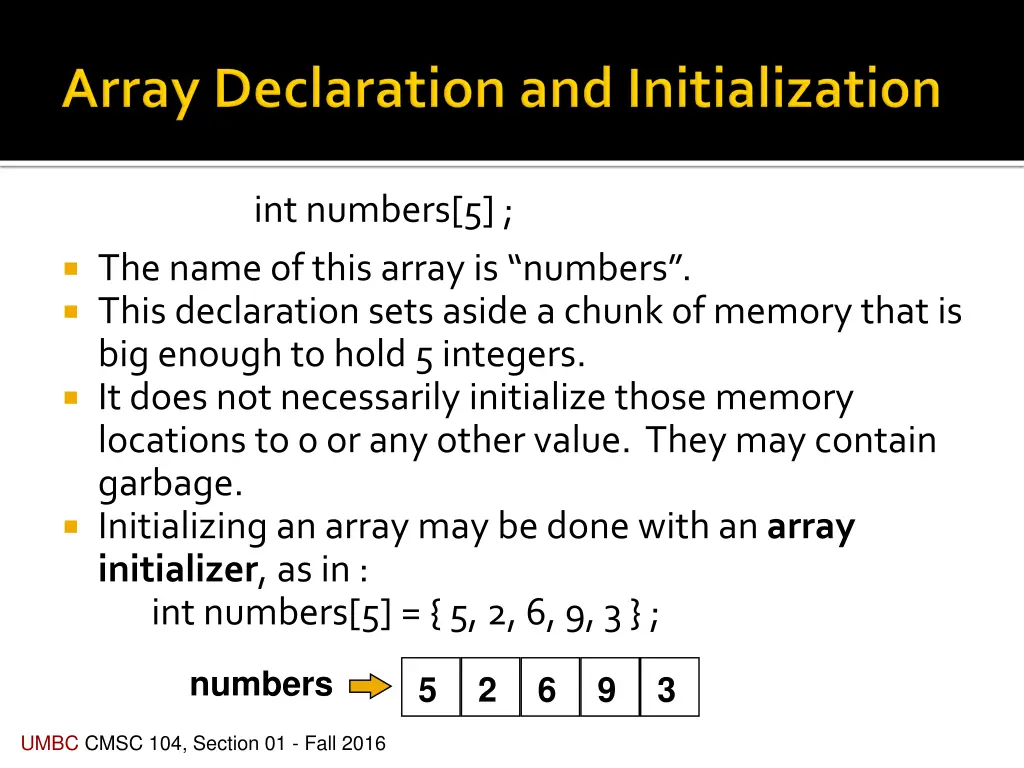
int numbers[5] ; The name of this array is numbers . This declaration sets aside a chunk of memory that is big enough to hold 5 integers. It does not necessarilyinitialize those memory locations to 0 or any other value. They may contain garbage. Initializing an array may be done with an array initializer, as in : int numbers[5] = { 5, 2, 6, 9, 3 } ; numbers 5 2 6 9 3 UMBC CMSC 104, Section 01 - Fall 2016
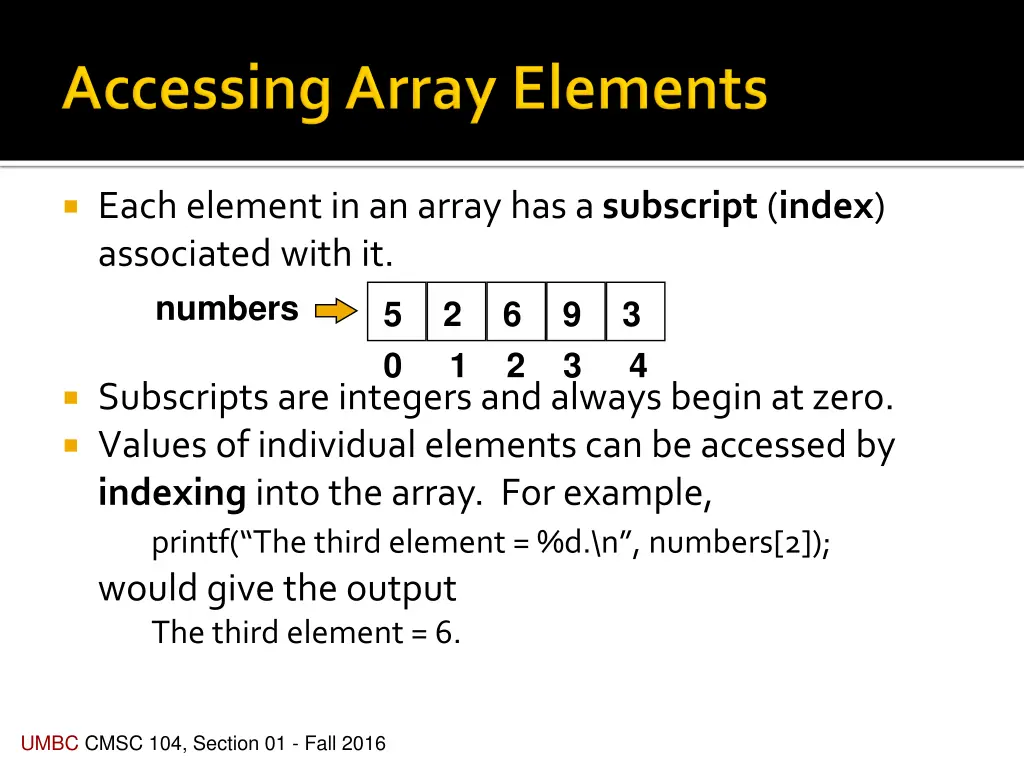
Each element in an array has a subscript (index) associated with it. numbers 0 1 2 3 4 5 2 6 9 3 Subscripts are integers and always begin at zero. Values of individual elements can be accessed by indexing into the array. For example, printf( The third element = %d.\n , numbers[2]); would give the output The third element = 6. UMBC CMSC 104, Section 01 - Fall 2016
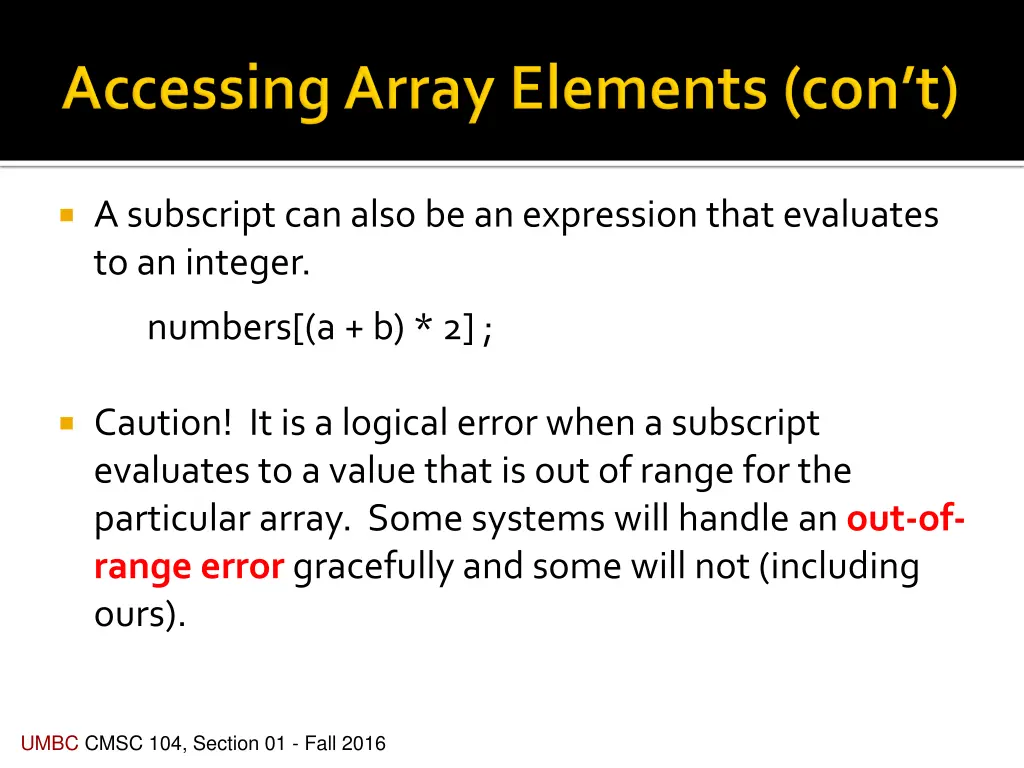
A subscript can also be an expression that evaluates to an integer. numbers[(a + b) * 2] ; Caution! It is a logical error when a subscript evaluates to a value that is out of range for the particular array. Some systems will handle an out-of- range error gracefully and some will not (including ours). UMBC CMSC 104, Section 01 - Fall 2016
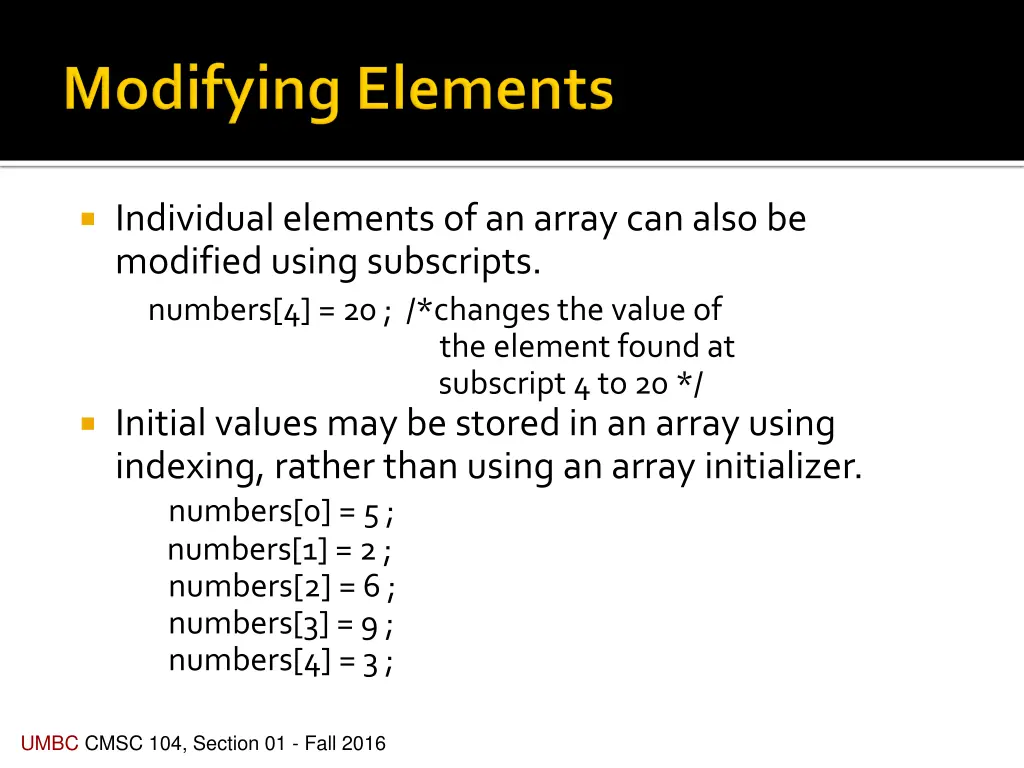
Individual elements of an array can also be modified using subscripts. numbers[4] = 20 ; /*changes the value of the element found at subscript 4 to 20 */ Initial values may be stored in an array using indexing, rather than using an array initializer. numbers[0] = 5 ; numbers[1] = 2 ; numbers[2] = 6 ; numbers[3] = 9 ; numbers[4] = 3 ; UMBC CMSC 104, Section 01 - Fall 2016
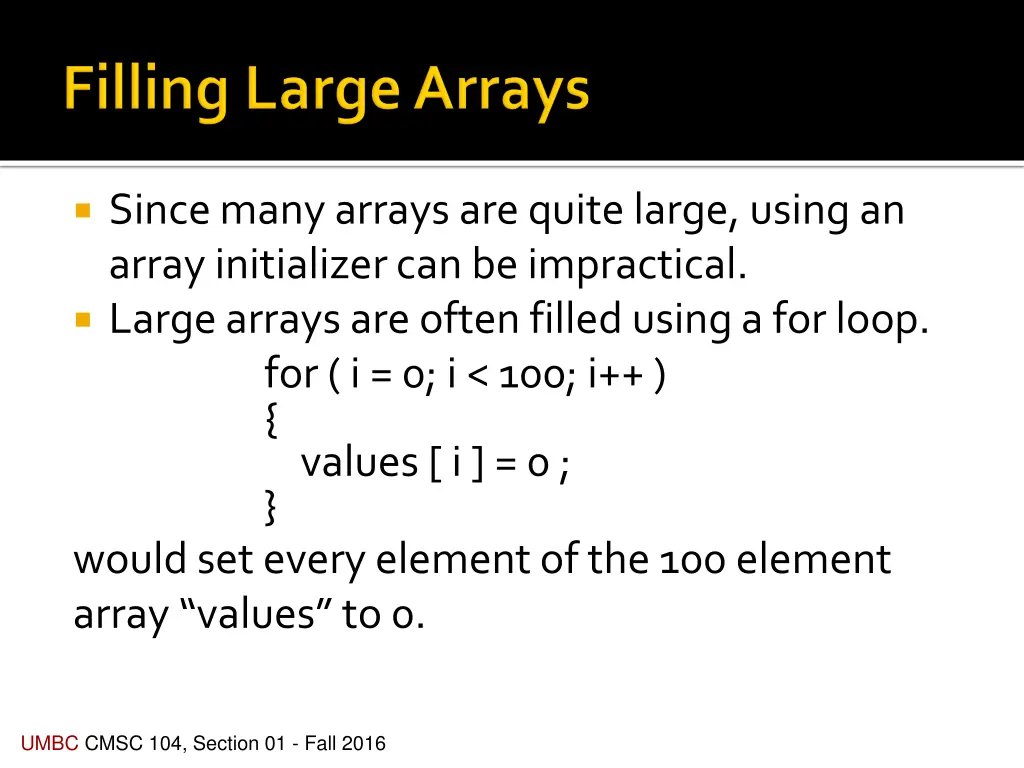
Since many arrays are quite large, using an array initializer can be impractical. Large arrays are often filled using a for loop. for ( i = 0; i < 100; i++ ) { values [ i ] = 0 ; } would set every element of the 100 element array values to 0. UMBC CMSC 104, Section 01 - Fall 2016
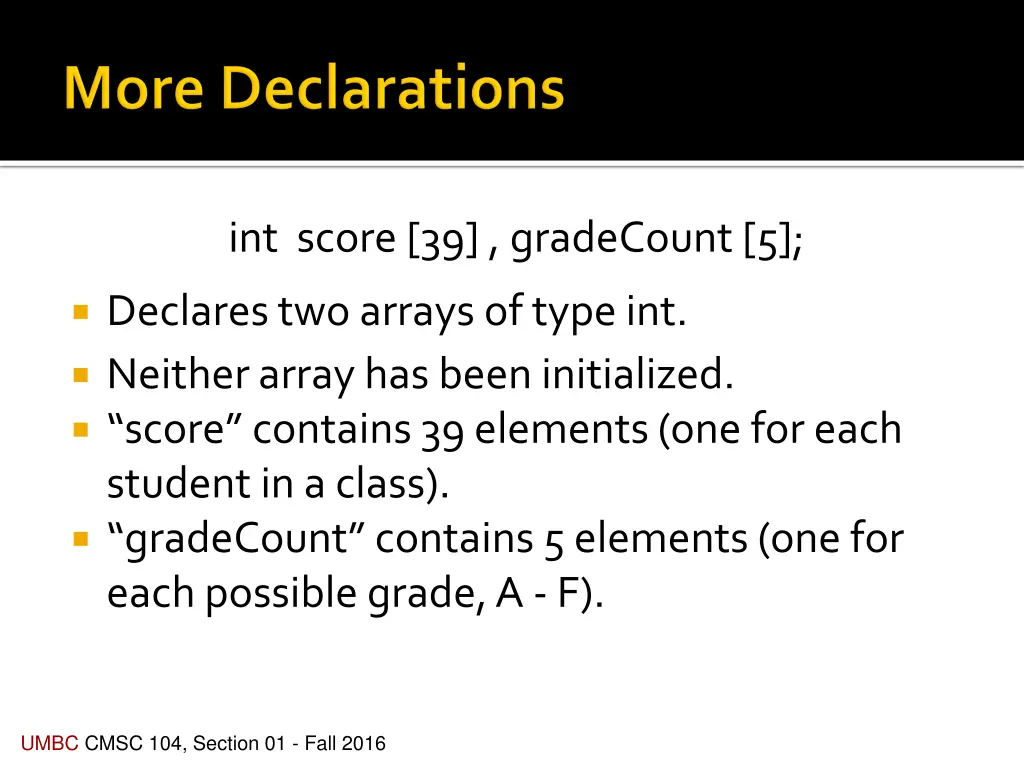
int score [39] , gradeCount [5]; Declares two arrays of type int. Neither array has been initialized. score contains 39 elements (one for each student in a class). gradeCount contains 5 elements (one for each possible grade, A - F). UMBC CMSC 104, Section 01 - Fall 2016
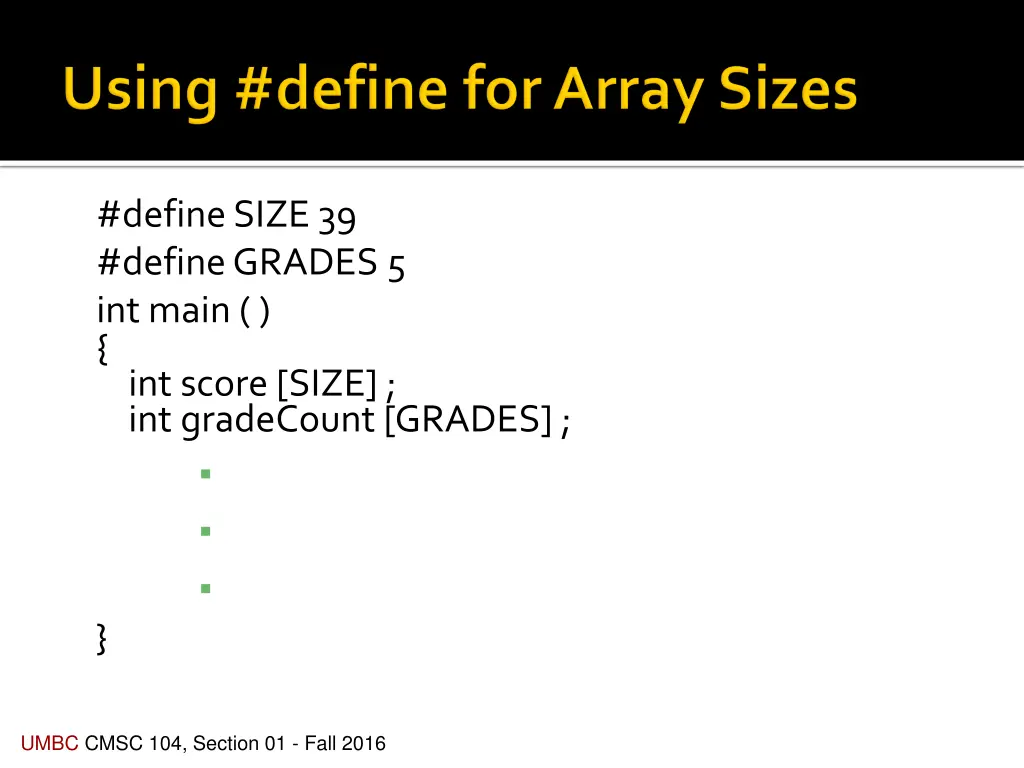
#define SIZE 39 #define GRADES 5 int main ( ) { int score [SIZE] ; int gradeCount [GRADES] ; } UMBC CMSC 104, Section 01 - Fall 2016
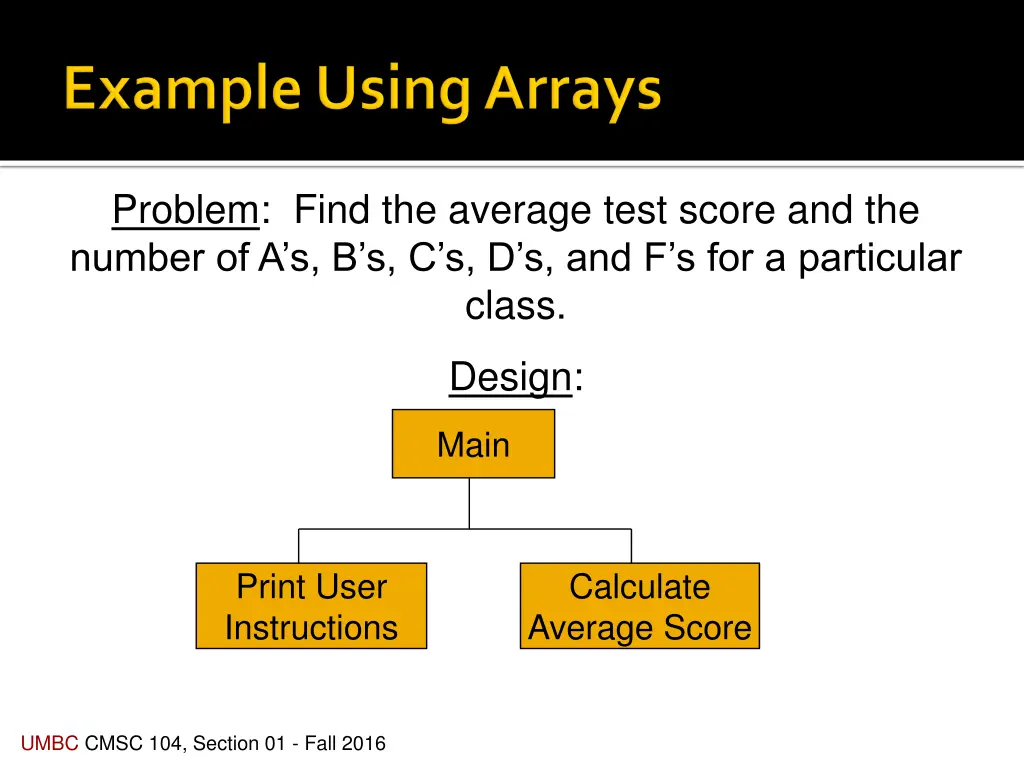
Problem: Find the average test score and the number of A s, B s, C s, D s, and F s for a particular class. Design: Main Print User Instructions Calculate Average Score UMBC CMSC 104, Section 01 - Fall 2016
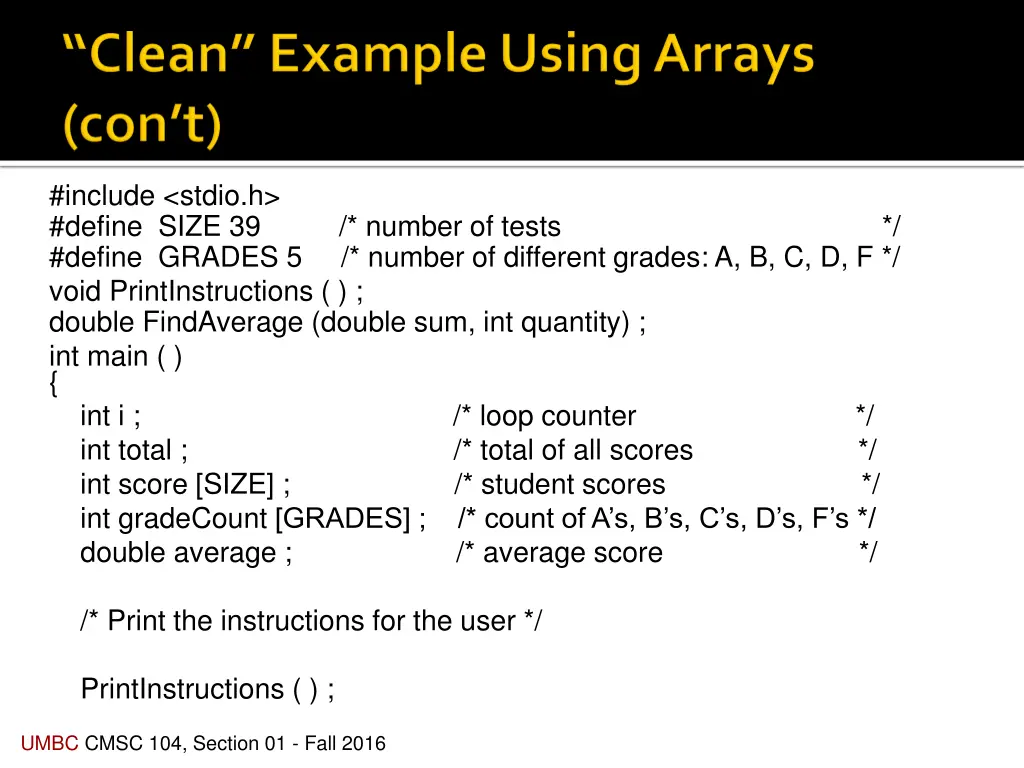
#include <stdio.h> #define SIZE 39 /* number of tests */ #define GRADES 5 /* number of different grades: A, B, C, D, F */ void PrintInstructions ( ) ; double FindAverage (double sum, int quantity) ; int main ( ) { int i ; /* loop counter */ int total ; /* total of all scores */ int score [SIZE] ; /* student scores */ int gradeCount [GRADES] ; /* count of A s, B s, C s, D s, F s */ double average ; /* average score */ /* Print the instructions for the user */ PrintInstructions ( ) ; UMBC CMSC 104, Section 01 - Fall 2016
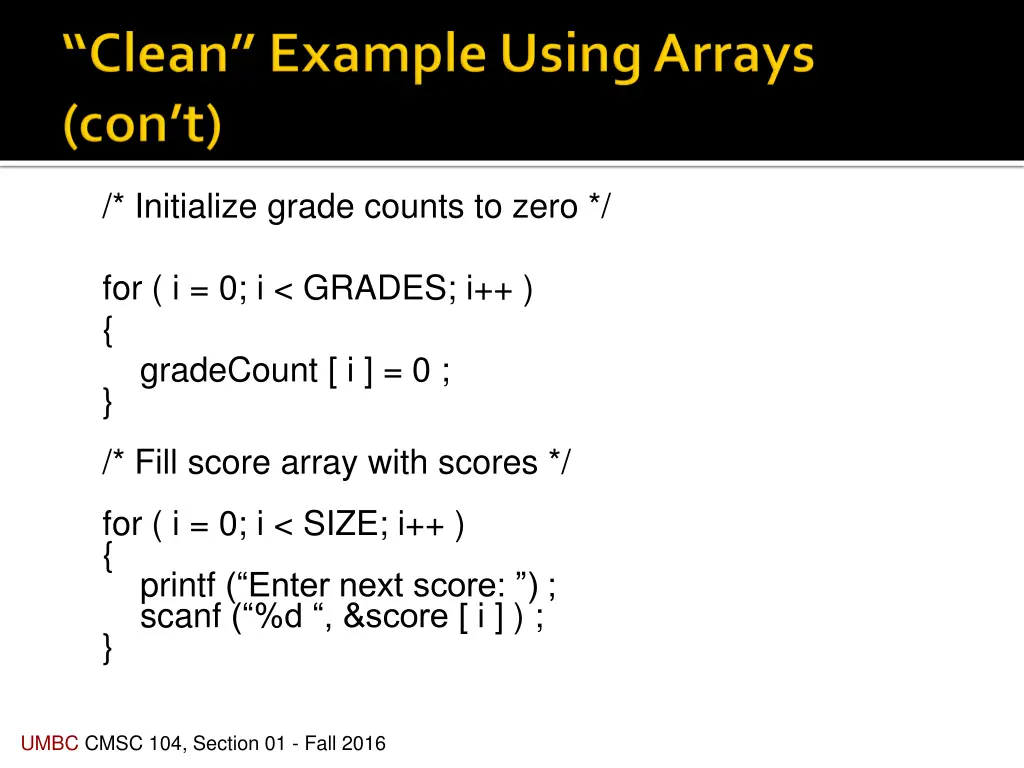
/* Initialize grade counts to zero */ for ( i = 0; i < GRADES; i++ ) { gradeCount [ i ] = 0 ; } /* Fill score array with scores */ for ( i = 0; i < SIZE; i++ ) { printf ( Enter next score: ) ; scanf ( %d , &score [ i ] ) ; } UMBC CMSC 104, Section 01 - Fall 2016
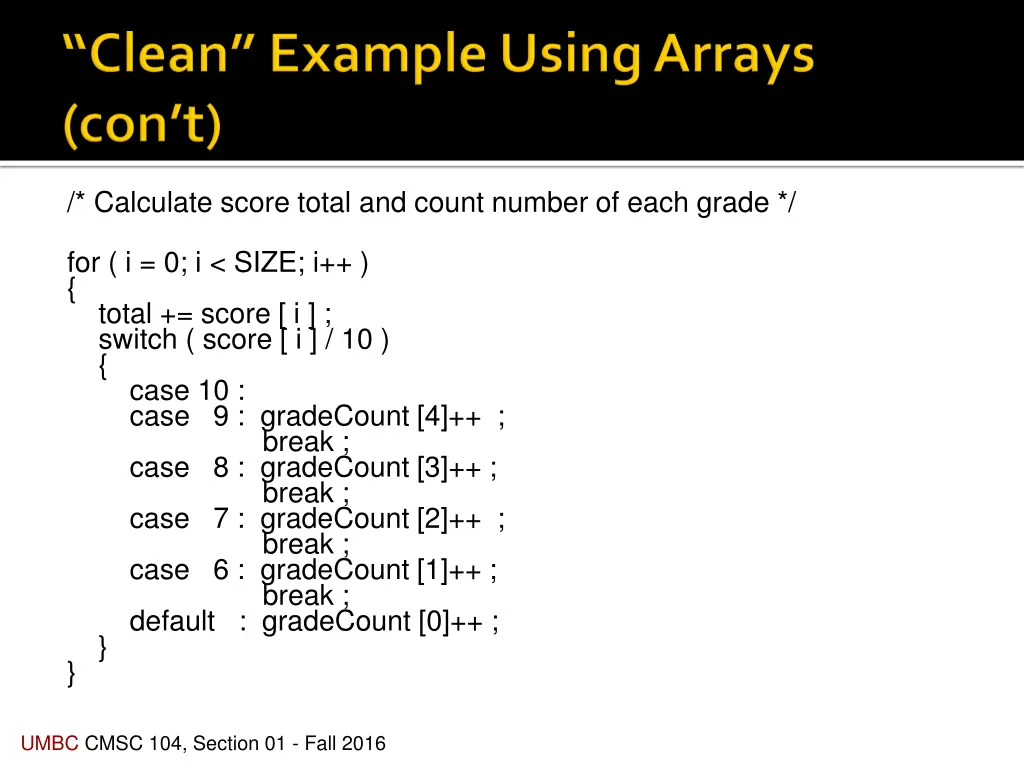
/* Calculate score total and count number of each grade */ for ( i = 0; i < SIZE; i++ ) { total += score [ i ] ; switch ( score [ i ] / 10 ) { case 10 : case 9 : gradeCount [4]++ ; break ; case 8 : gradeCount [3]++ ; break ; case 7 : gradeCount [2]++ ; break ; case 6 : gradeCount [1]++ ; break ; default : gradeCount [0]++ ; } } UMBC CMSC 104, Section 01 - Fall 2016
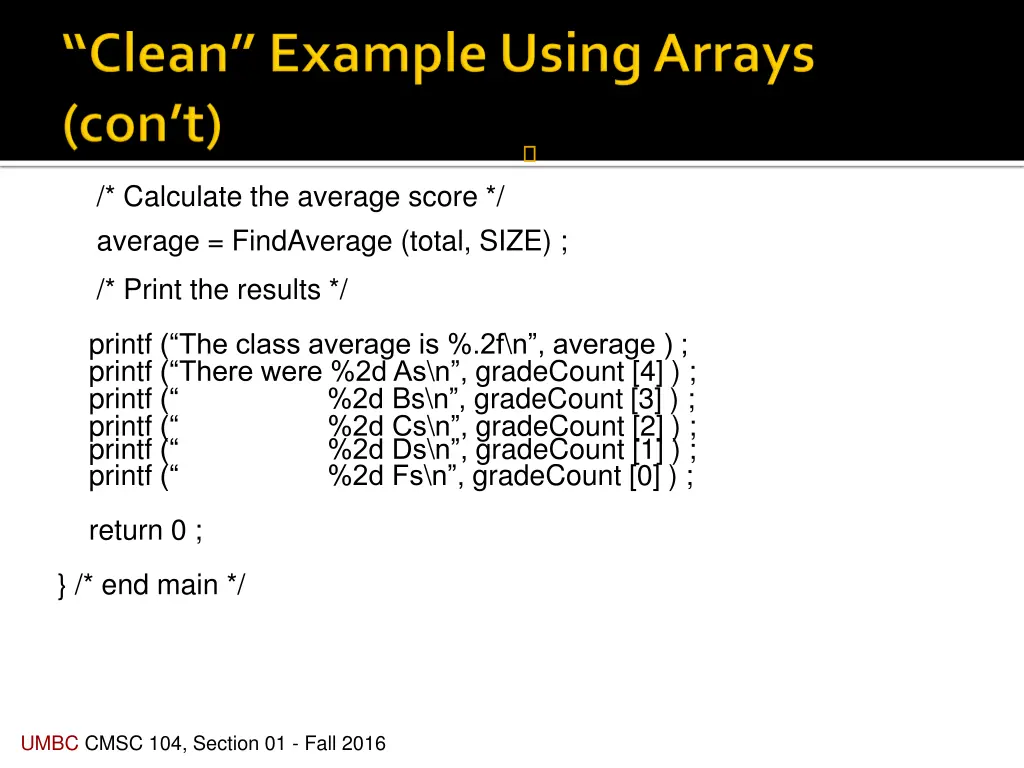
/* Calculate the average score */ average = FindAverage (total, SIZE) ; /* Print the results */ printf ( The class average is %.2f\n , average ) ; printf ( There were %2d As\n , gradeCount [4] ) ; printf ( %2d Bs\n , gradeCount [3] ) ; printf ( %2d Cs\n , gradeCount [2] ) ; printf ( %2d Ds\n , gradeCount [1] ) ; printf ( %2d Fs\n , gradeCount [0] ) ; return 0 ; } /* end main */ UMBC CMSC 104, Section 01 - Fall 2016
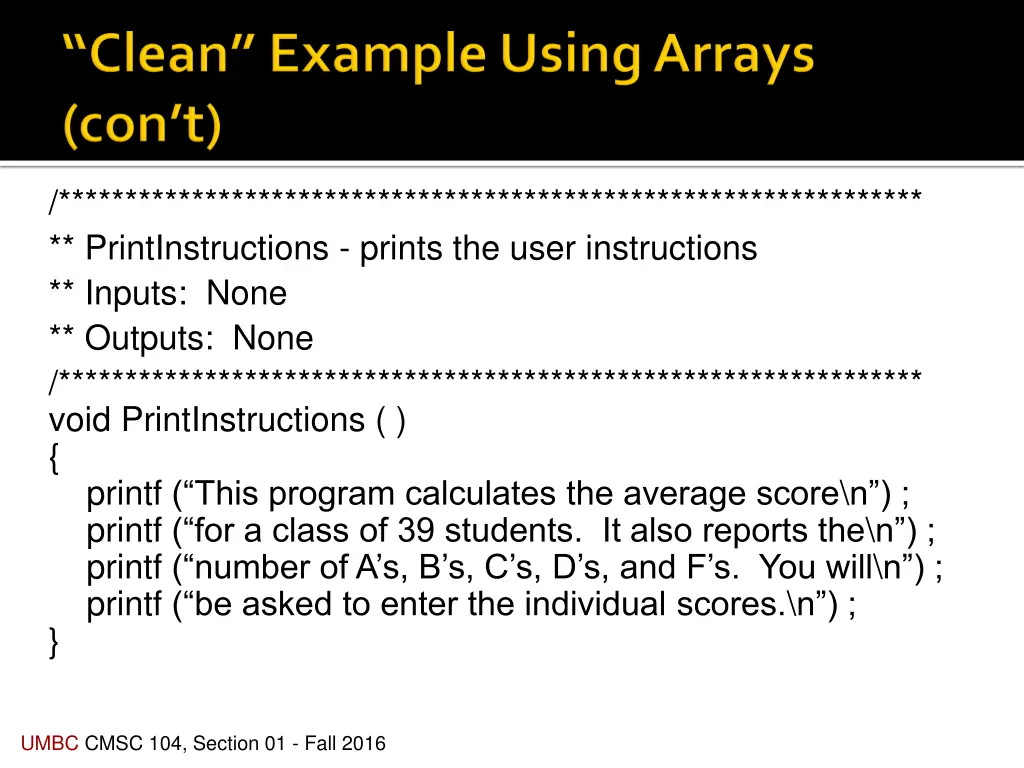
/*****************************************************************/***************************************************************** ** PrintInstructions - prints the user instructions ** Inputs: None ** Outputs: None /***************************************************************** void PrintInstructions ( ) { printf ( This program calculates the average score\n ) ; printf ( for a class of 39 students. It also reports the\n ) ; printf ( number of A s, B s, C s, D s, and F s. You will\n ) ; printf ( be asked to enter the individual scores.\n ) ; } UMBC CMSC 104, Section 01 - Fall 2016
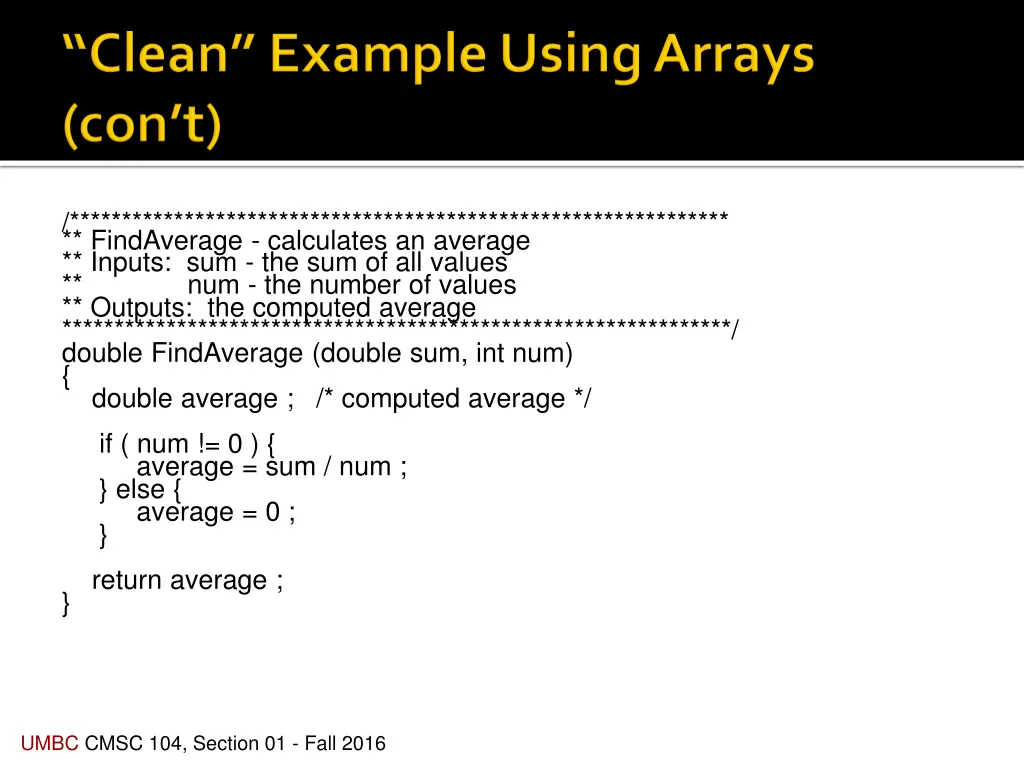
/***************************************************************/*************************************************************** ** FindAverage - calculates an average ** Inputs: sum - the sum of all values ** num - the number of values ** Outputs: the computed average ****************************************************************/ double FindAverage (double sum, int num) { double average ; /* computed average */ if ( num != 0 ) { average = sum / num ; } else { average = 0 ; } return average ; } UMBC CMSC 104, Section 01 - Fall 2016
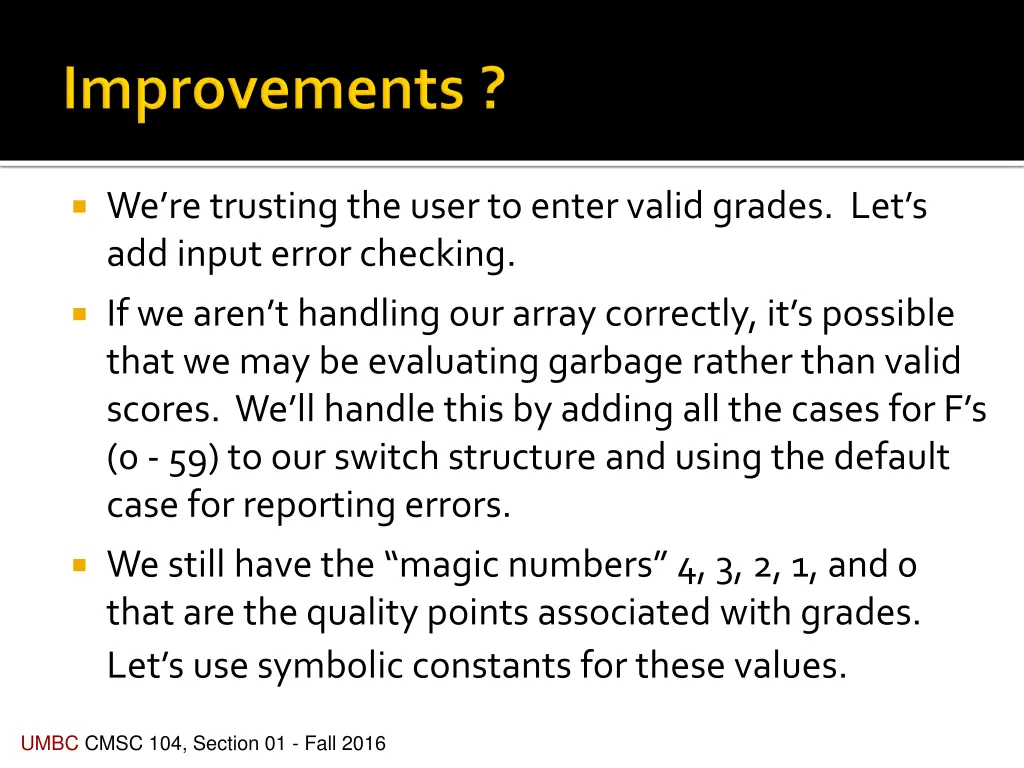
Were trusting the user to enter valid grades. Lets add input error checking. If we aren t handling our array correctly, it s possible that we may be evaluating garbage rather than valid scores. We ll handle this by adding all the cases for F s (0 - 59) to our switch structure and using the default case for reporting errors. We still have the magic numbers 4, 3, 2, 1, and 0 that are the quality points associated with grades. Let s use symbolic constants for these values. UMBC CMSC 104, Section 01 - Fall 2016
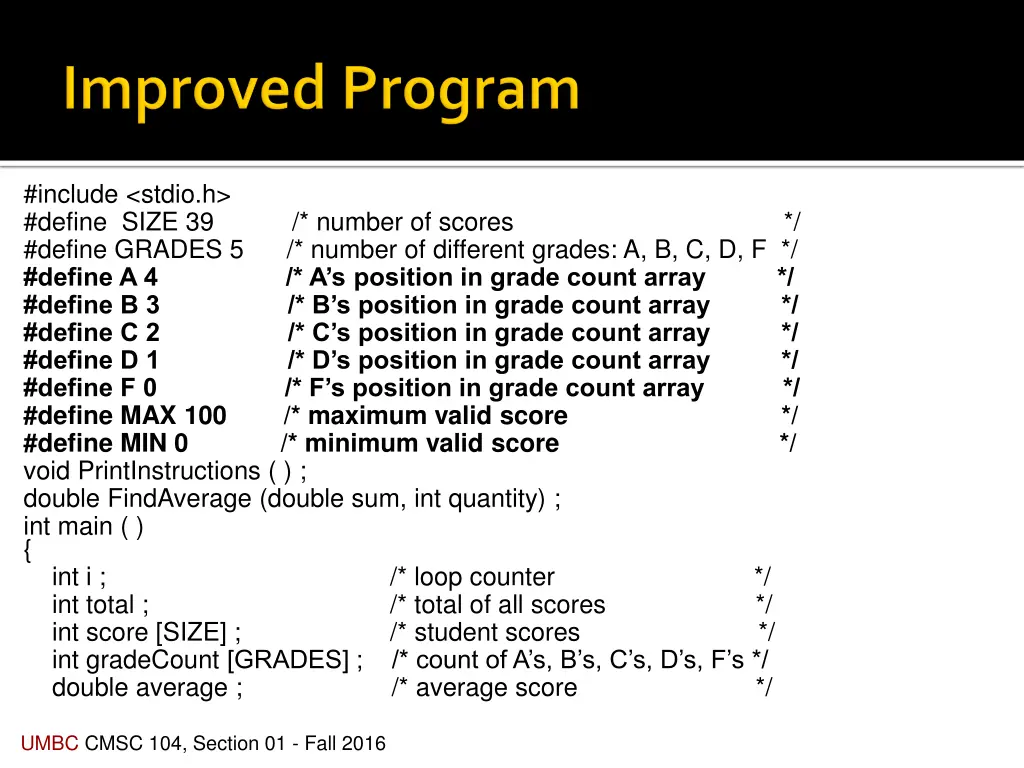
#include <stdio.h> #define SIZE 39 /* number of scores */ #define GRADES 5 /* number of different grades: A, B, C, D, F */ #define A 4 /* A s position in grade count array */ #define B 3 /* B s position in grade count array */ #define C 2 /* C s position in grade count array */ #define D 1 /* D s position in grade count array */ #define F 0 /* F s position in grade count array */ #define MAX 100 /* maximum valid score */ #define MIN 0 /* minimum valid score */ void PrintInstructions ( ) ; double FindAverage (double sum, int quantity) ; int main ( ) { int i ; /* loop counter */ int total ; /* total of all scores */ int score [SIZE] ; /* student scores */ int gradeCount [GRADES] ; /* count of A s, B s, C s, D s, F s */ double average ; /* average score */ UMBC CMSC 104, Section 01 - Fall 2016
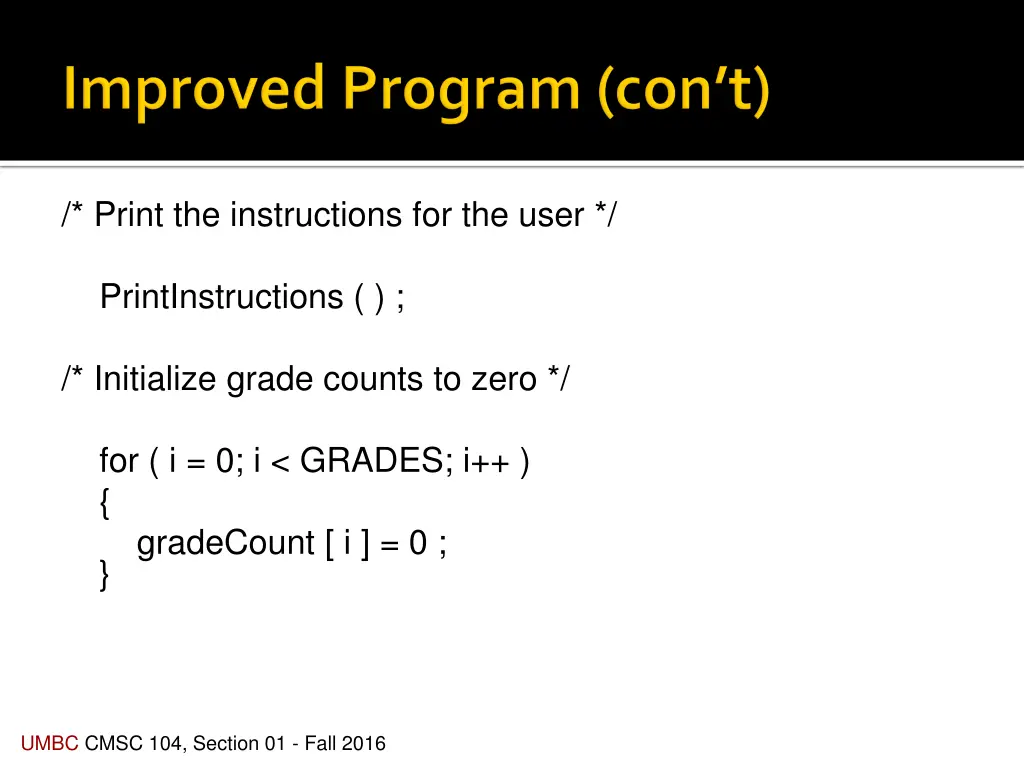
/* Print the instructions for the user */ PrintInstructions ( ) ; /* Initialize grade counts to zero */ for ( i = 0; i < GRADES; i++ ) { gradeCount [ i ] = 0 ; } UMBC CMSC 104, Section 01 - Fall 2016
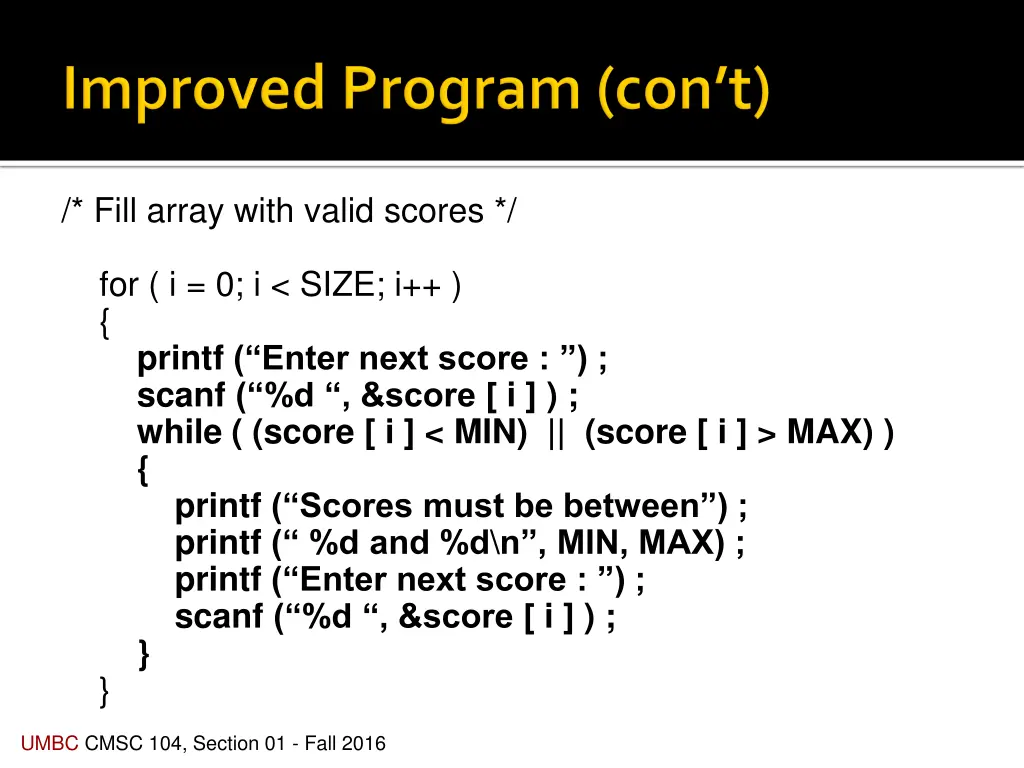
/* Fill array with valid scores */ for ( i = 0; i < SIZE; i++ ) { printf ( Enter next score : ) ; scanf ( %d , &score [ i ] ) ; while ( (score [ i ] < MIN) || (score [ i ] > MAX) ) { printf ( Scores must be between ) ; printf ( %d and %d\n , MIN, MAX) ; printf ( Enter next score : ) ; scanf ( %d , &score [ i ] ) ; } } UMBC CMSC 104, Section 01 - Fall 2016
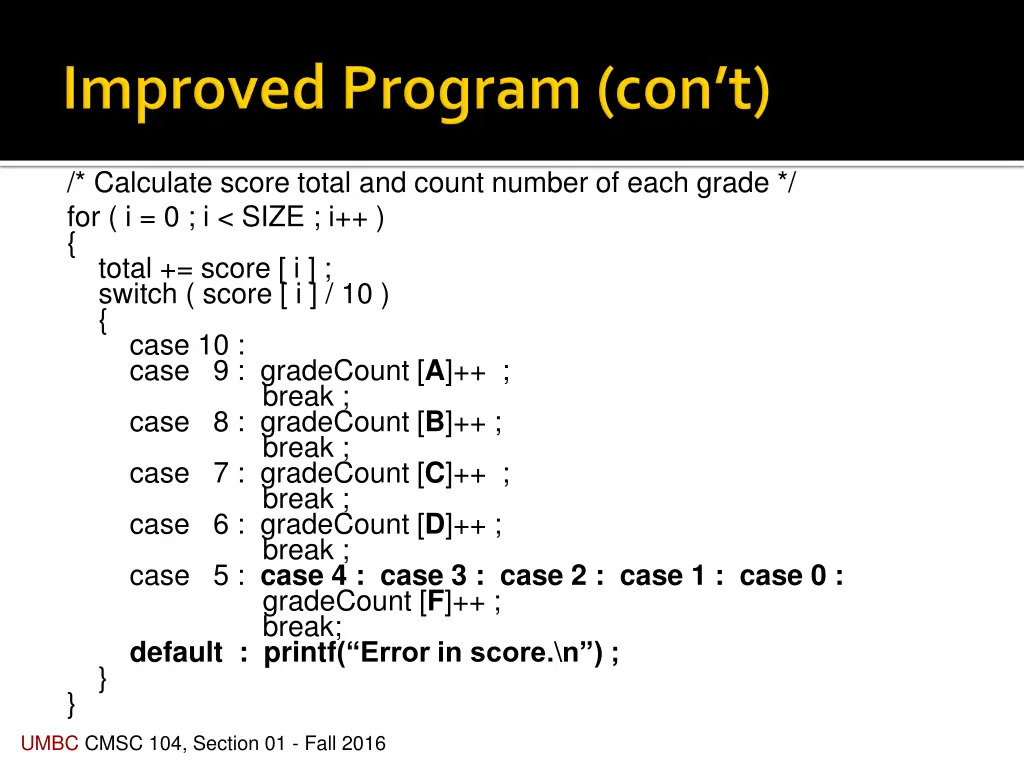
/* Calculate score total and count number of each grade */ for ( i = 0 ; i < SIZE ; i++ ) { total += score [ i ] ; switch ( score [ i ] / 10 ) { case 10 : case 9 : gradeCount [A]++ ; break ; case 8 : gradeCount [B]++ ; break ; case 7 : gradeCount [C]++ ; break ; case 6 : gradeCount [D]++ ; break ; case 5 : case 4 : case 3 : case 2 : case 1 : case 0 : gradeCount [F]++ ; break; default : printf( Error in score.\n ) ; } } UMBC CMSC 104, Section 01 - Fall 2016
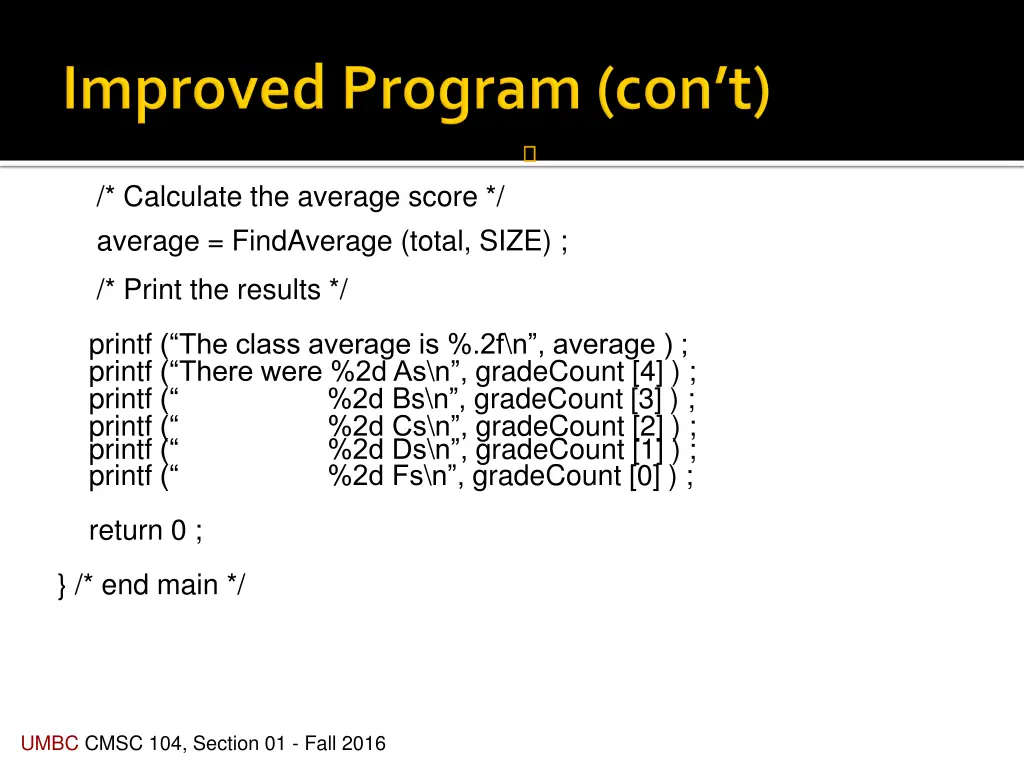
/* Calculate the average score */ average = FindAverage (total, SIZE) ; /* Print the results */ printf ( The class average is %.2f\n , average ) ; printf ( There were %2d As\n , gradeCount [4] ) ; printf ( %2d Bs\n , gradeCount [3] ) ; printf ( %2d Cs\n , gradeCount [2] ) ; printf ( %2d Ds\n , gradeCount [1] ) ; printf ( %2d Fs\n , gradeCount [0] ) ; return 0 ; } /* end main */ UMBC CMSC 104, Section 01 - Fall 2016
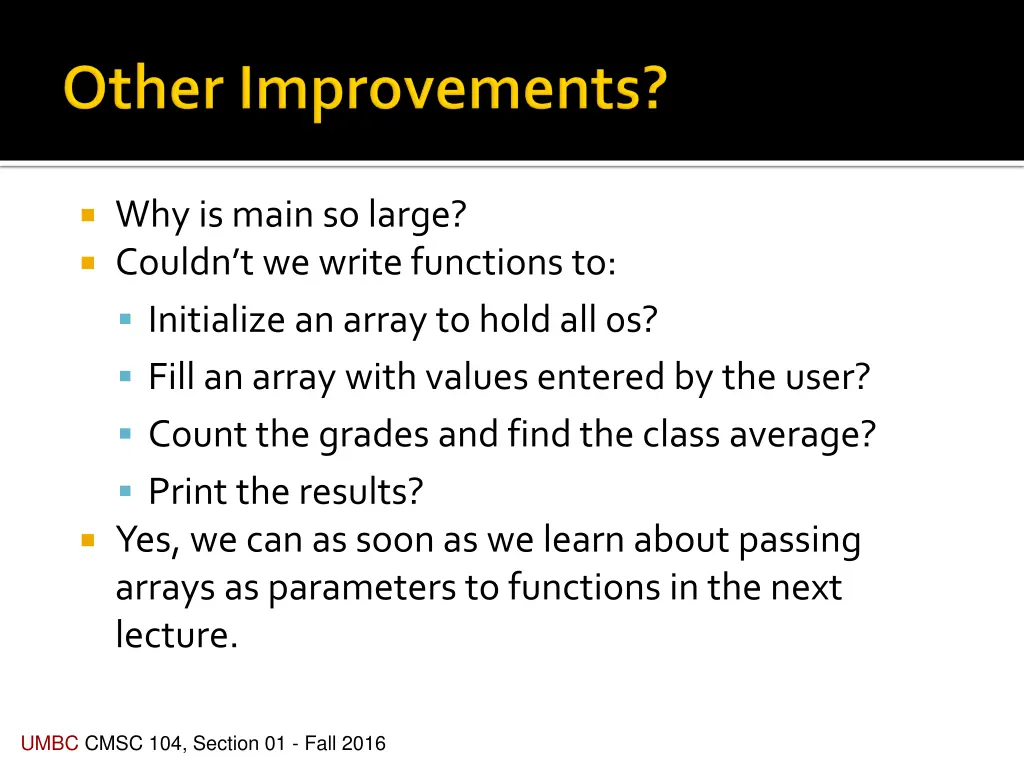
Why is main so large? Couldn t we write functions to: Initialize an array to hold all 0s? Fill an array with values entered by the user? Count the grades and find the class average? Print the results? Yes, we can as soon as we learn about passing arrays as parameters to functions in the next lecture. UMBC CMSC 104, Section 01 - Fall 2016
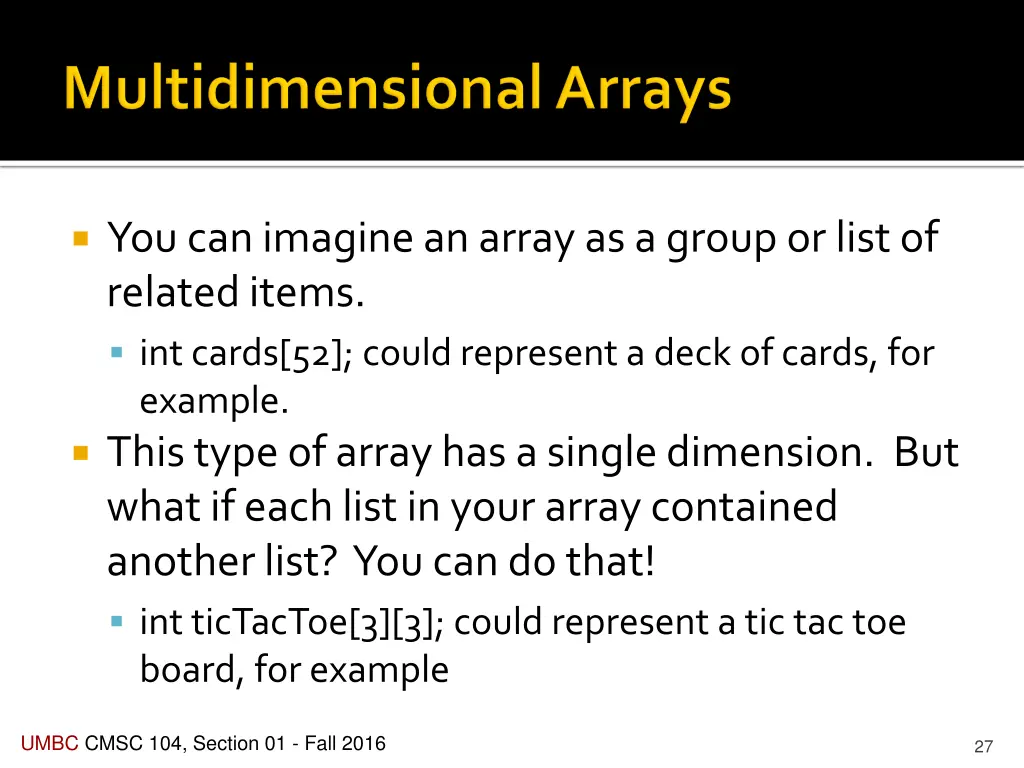
You can imagine an array as a group or list of related items. int cards[52]; could represent a deck of cards, for example. This type of array has a single dimension. But what if each list in your array contained another list? You can do that! int ticTacToe[3][3]; could represent a tic tac toe board, for example UMBC CMSC 104, Section 01 - Fall 2016 27
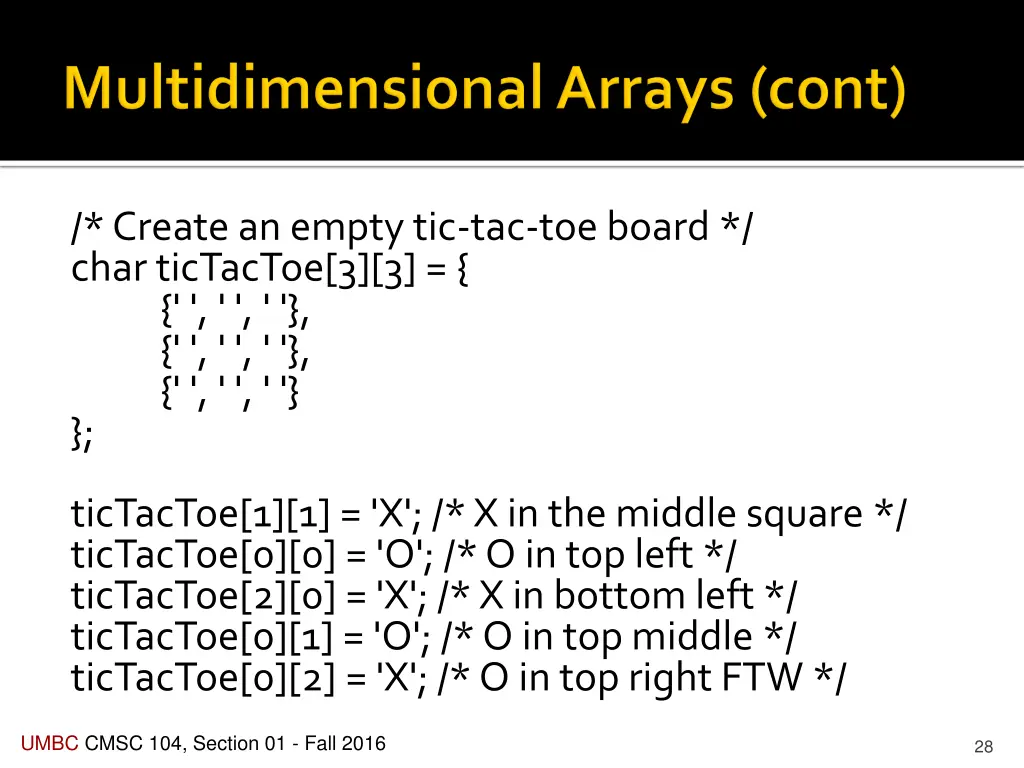
/* Create an empty tic-tac-toe board */ char ticTacToe[3][3] = { {' ', ' ', ' '}, {' ', ' ', ' '}, {' ', ' ', ' '} }; ticTacToe[1][1] = 'X'; /* X in the middle square */ ticTacToe[0][0] = 'O'; /* O in top left */ ticTacToe[2][0] = 'X'; /* X in bottom left */ ticTacToe[0][1] = 'O'; /* O in top middle */ ticTacToe[0][2] = 'X'; /* O in top right FTW */ UMBC CMSC 104, Section 01 - Fall 2016 28
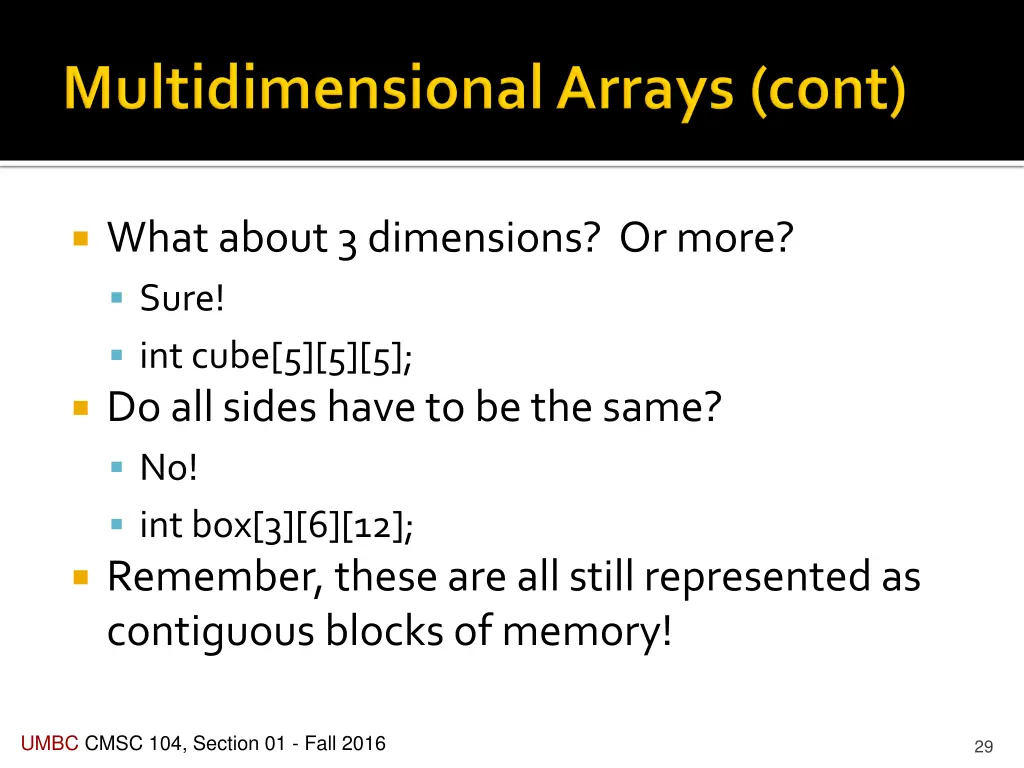
What about 3 dimensions? Or more? Sure! int cube[5][5][5]; Do all sides have to be the same? No! int box[3][6][12]; Remember, these are all still represented as contiguous blocks of memory! UMBC CMSC 104, Section 01 - Fall 2016 29
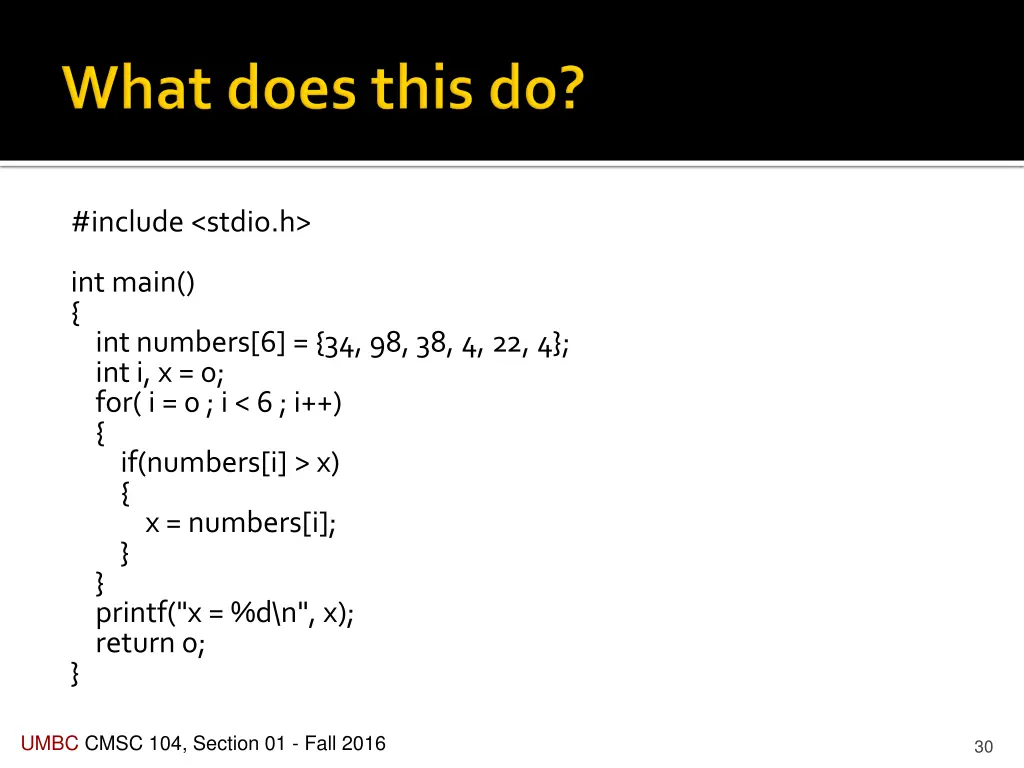
#include <stdio.h> int main() { int numbers[6] = {34, 98, 38, 4, 22, 4}; int i, x = 0; for( i = 0 ; i < 6 ; i++) { if(numbers[i] > x) { x = numbers[i]; } } printf("x = %d\n", x); return 0; } UMBC CMSC 104, Section 01 - Fall 2016 30
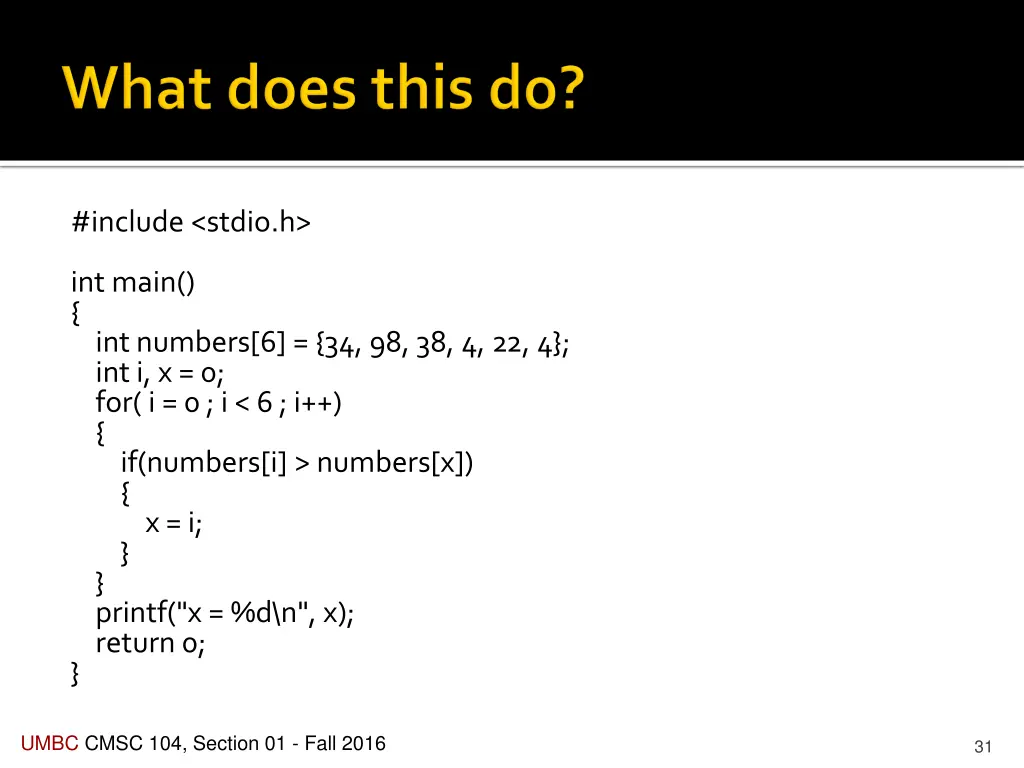
#include <stdio.h> int main() { int numbers[6] = {34, 98, 38, 4, 22, 4}; int i, x = 0; for( i = 0 ; i < 6 ; i++) { if(numbers[i] > numbers[x]) { x = i; } } printf("x = %d\n", x); return 0; } UMBC CMSC 104, Section 01 - Fall 2016 31
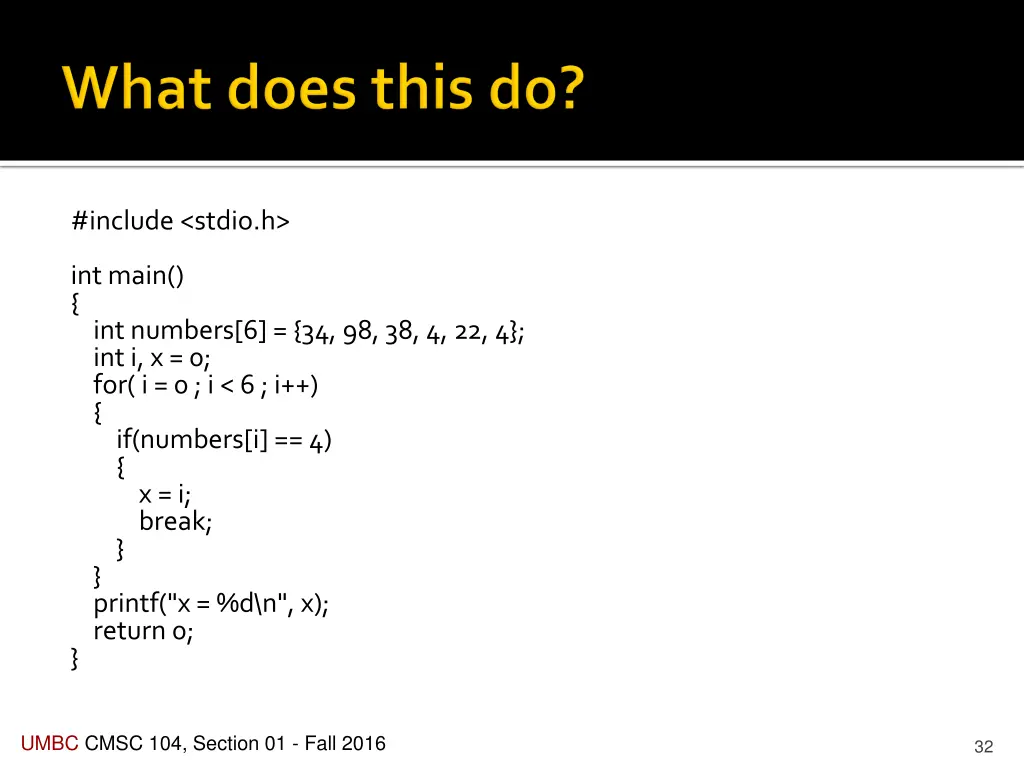
#include <stdio.h> int main() { int numbers[6] = {34, 98, 38, 4, 22, 4}; int i, x = 0; for( i = 0 ; i < 6 ; i++) { if(numbers[i] == 4) { x = i; break; } } printf("x = %d\n", x); return 0; } UMBC CMSC 104, Section 01 - Fall 2016 32
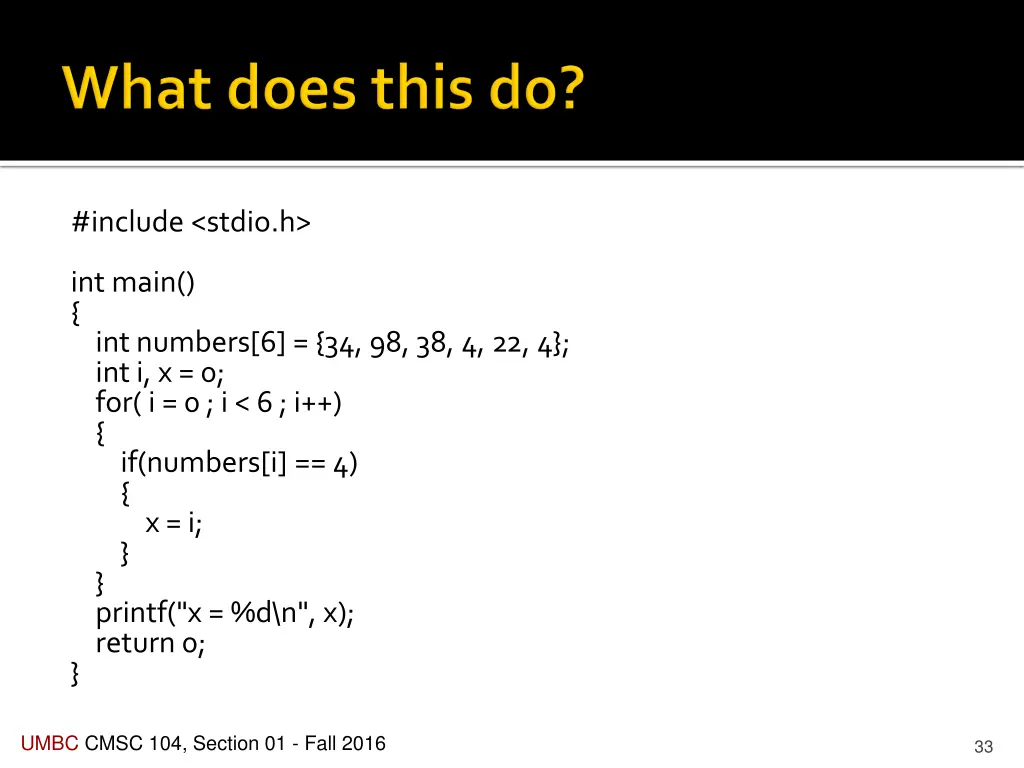
#include <stdio.h> int main() { int numbers[6] = {34, 98, 38, 4, 22, 4}; int i, x = 0; for( i = 0 ; i < 6 ; i++) { if(numbers[i] == 4) { x = i; } } printf("x = %d\n", x); return 0; } UMBC CMSC 104, Section 01 - Fall 2016 33
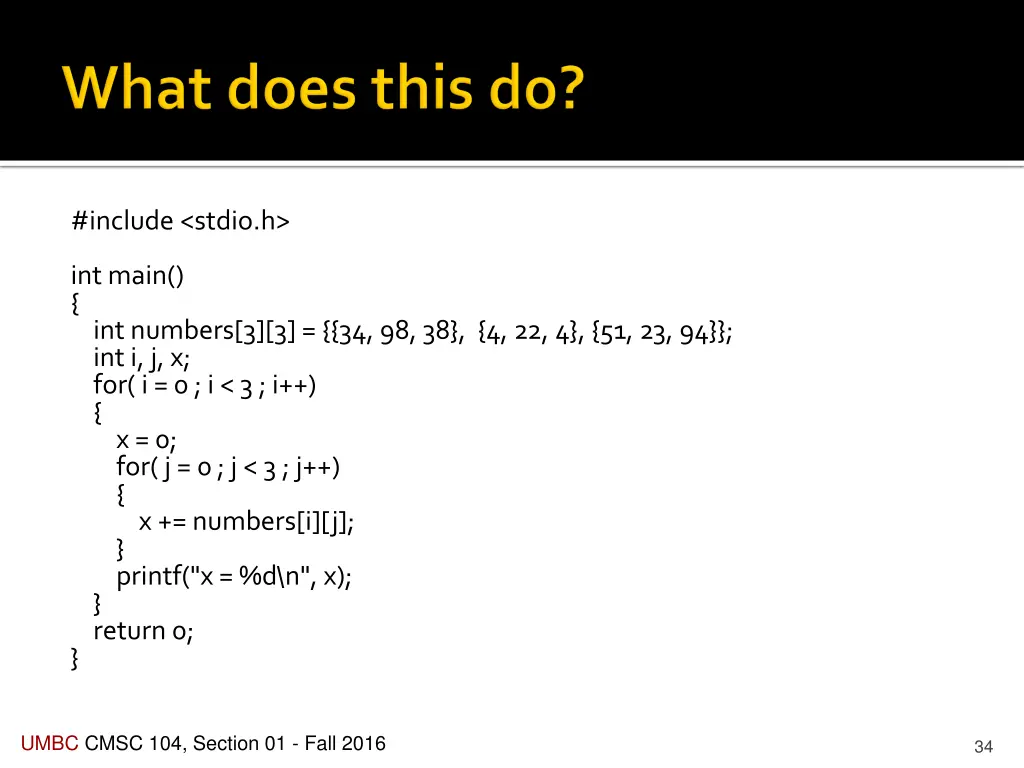
#include <stdio.h> int main() { int numbers[3][3] = {{34, 98, 38}, {4, 22, 4}, {51, 23, 94}}; int i, j, x; for( i = 0 ; i < 3 ; i++) { x = 0; for( j = 0 ; j < 3 ; j++) { x += numbers[i][j]; } printf("x = %d\n", x); } return 0; } UMBC CMSC 104, Section 01 - Fall 2016 34
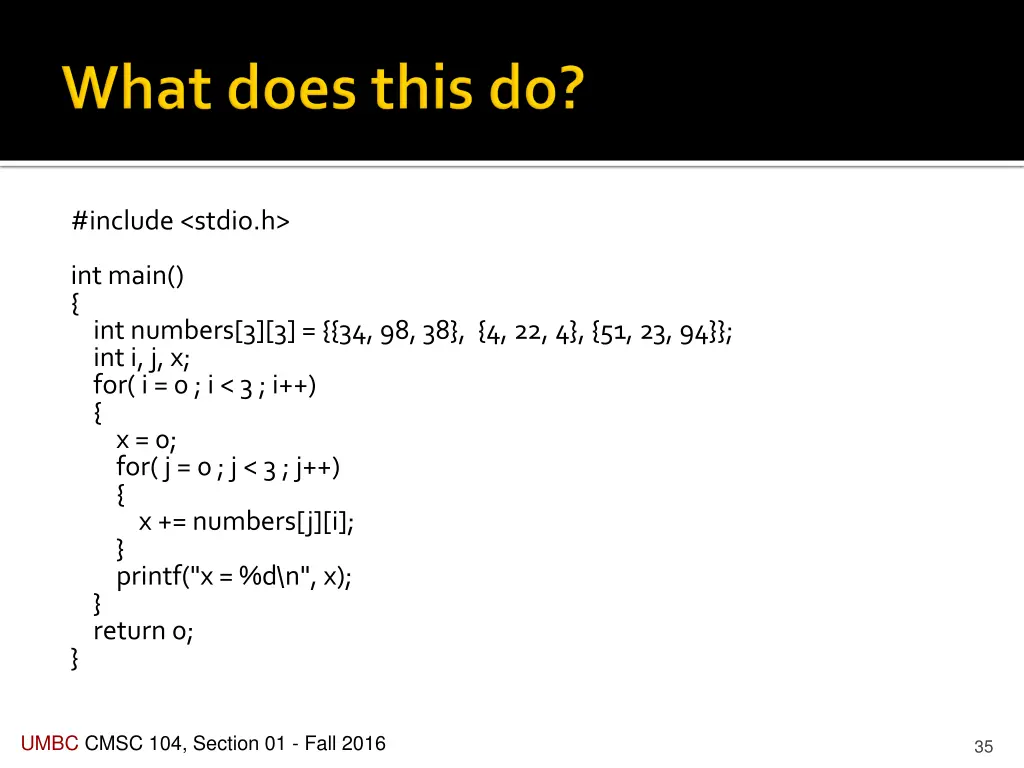
#include <stdio.h> int main() { int numbers[3][3] = {{34, 98, 38}, {4, 22, 4}, {51, 23, 94}}; int i, j, x; for( i = 0 ; i < 3 ; i++) { x = 0; for( j = 0 ; j < 3 ; j++) { x += numbers[j][i]; } printf("x = %d\n", x); } return 0; } UMBC CMSC 104, Section 01 - Fall 2016 35
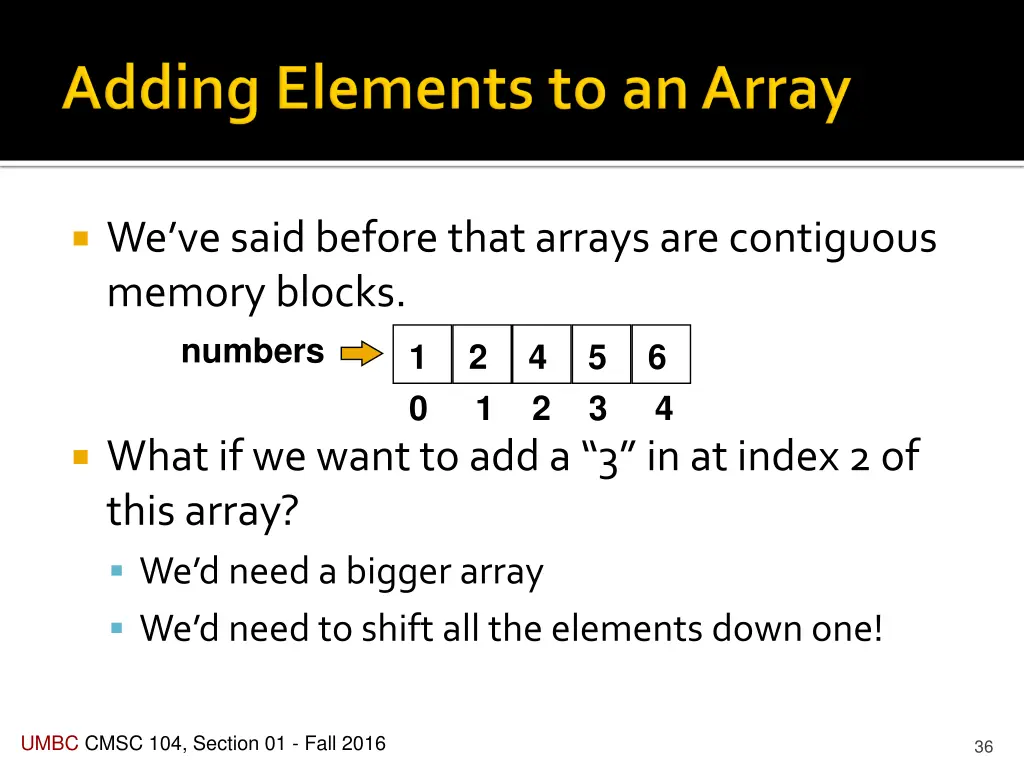
Weve said before that arrays are contiguous memory blocks. numbers 0 1 2 3 4 1 2 4 5 6 What if we want to add a 3 in at index 2 of this array? We d need a bigger array We d need to shift all the elements down one! UMBC CMSC 104, Section 01 - Fall 2016 36
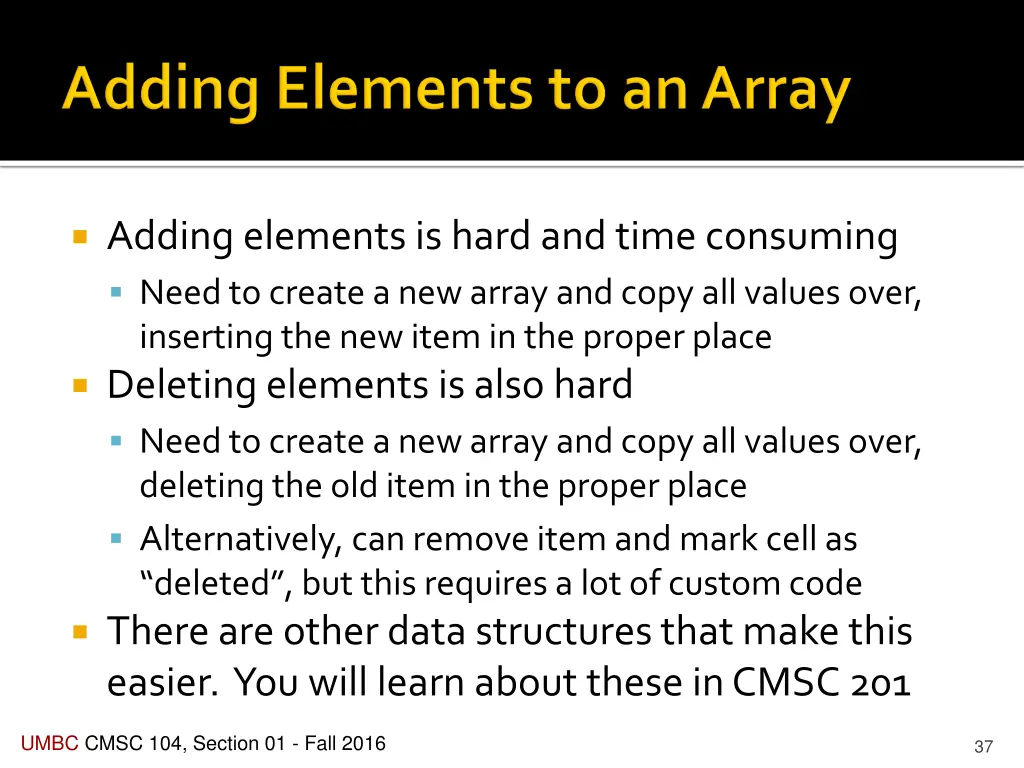
Adding elements is hard and time consuming Need to create a new array and copy all values over, inserting the new item in the proper place Deleting elements is also hard Need to create a new array and copy all values over, deleting the old item in the proper place Alternatively, can remove item and mark cell as deleted , but this requires a lot of custom code There are other data structures that make this easier. You will learn about these in CMSC 201 UMBC CMSC 104, Section 01 - Fall 2016 37