Unlocking the Power of Subnetting for Efficient Network Management
"Discover the importance of subnetting in maximizing IP address utilization and creating smaller, efficient networks within larger ones. Learn how subnetting optimizes network resources and reduces address wastage through practical examples and implementation strategies."

Download Presentation

Please find below an Image/Link to download the presentation.
The content on the website is provided AS IS for your information and personal use only. It may not be sold, licensed, or shared on other websites without obtaining consent from the author. If you encounter any issues during the download, it is possible that the publisher has removed the file from their server.
You are allowed to download the files provided on this website for personal or commercial use, subject to the condition that they are used lawfully. All files are the property of their respective owners.
The content on the website is provided AS IS for your information and personal use only. It may not be sold, licensed, or shared on other websites without obtaining consent from the author.
E N D
Presentation Transcript
IPv4 SUBNETTING 1 https://www.ittsystems.com/introduction-to-subnetting/
What is Subnetting? The issue of IP address wastage brings us to the topic at hand called Subnetting. Subnetting allows to create smaller network (can be called sub networks or subnets) inside a large network by borrowing bits from the Host ID portion of the IP address. We have seen that those borrowed bits used to create additional network addresses, resulting in smaller-sized networks. 2 https://www.ittsystems.com/introduction-to-subnetting/
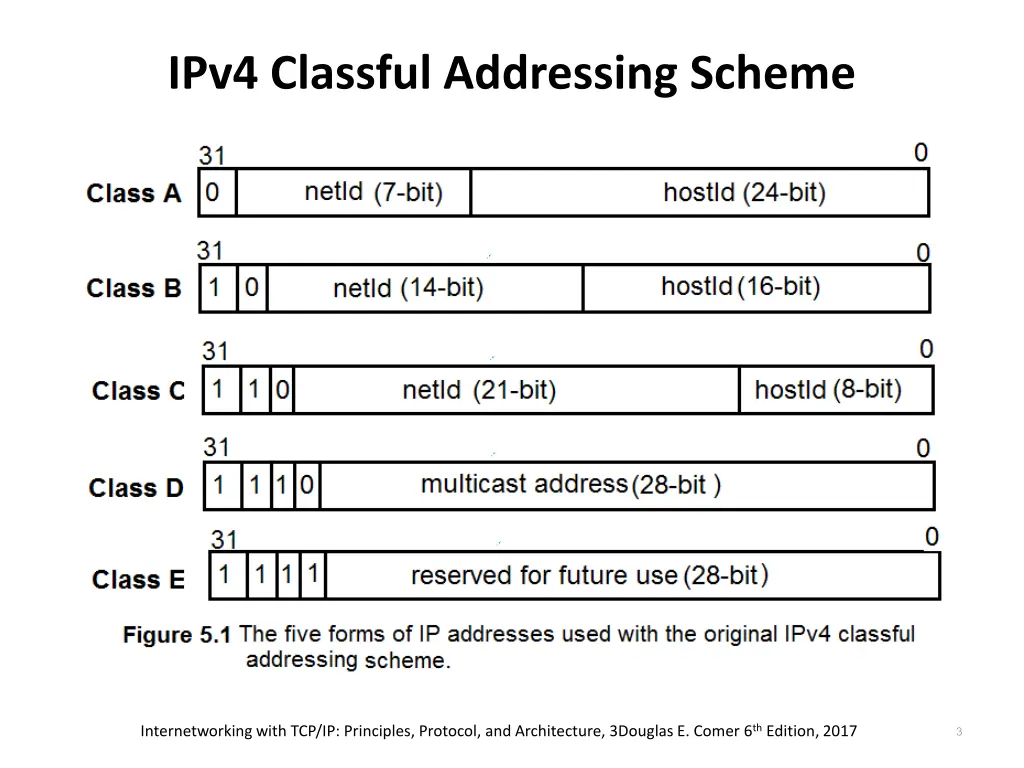
IPv4 Classful Addressing Scheme 3 Internetworking with TCP/IP: Principles, Protocol, and Architecture, 3Douglas E. Comer 6thEdition, 2017
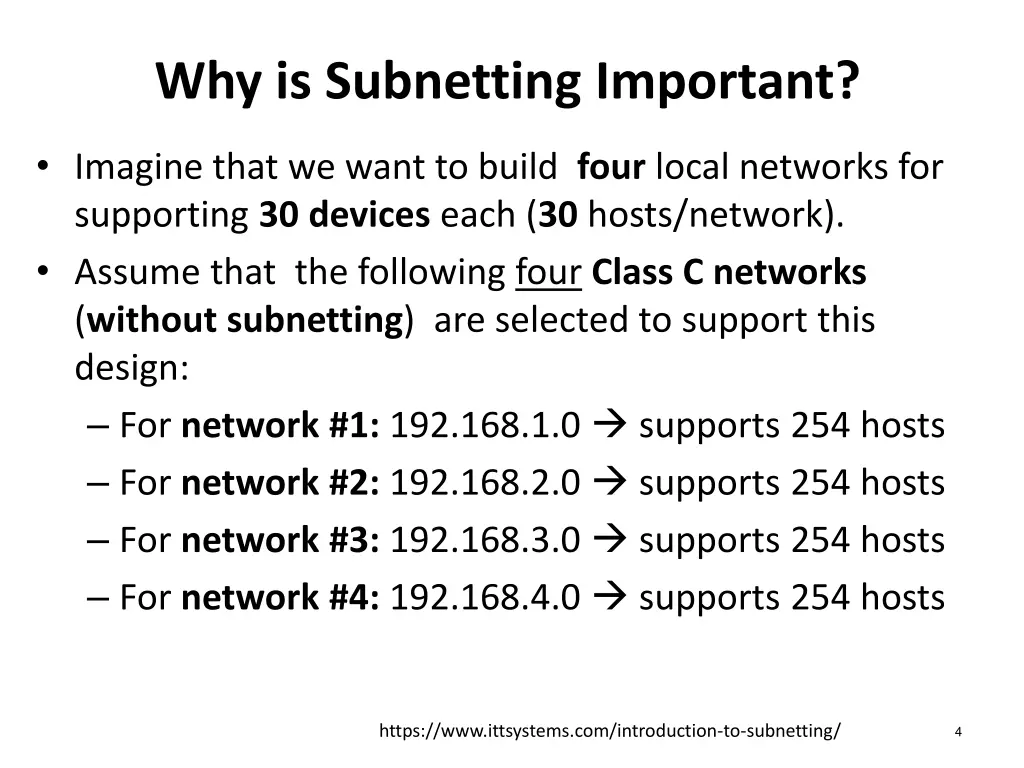
Why is Subnetting Important? Imagine that we want to build four local networks for supporting 30 devices each (30 hosts/network). Assume that the following four Class C networks (without subnetting) are selected to support this design: For network #1: 192.168.1.0 supports 254 hosts For network #2: 192.168.2.0 supports 254 hosts For network #3: 192.168.3.0 supports 254 hosts For network #4: 192.168.4.0 supports 254 hosts 4 https://www.ittsystems.com/introduction-to-subnetting/
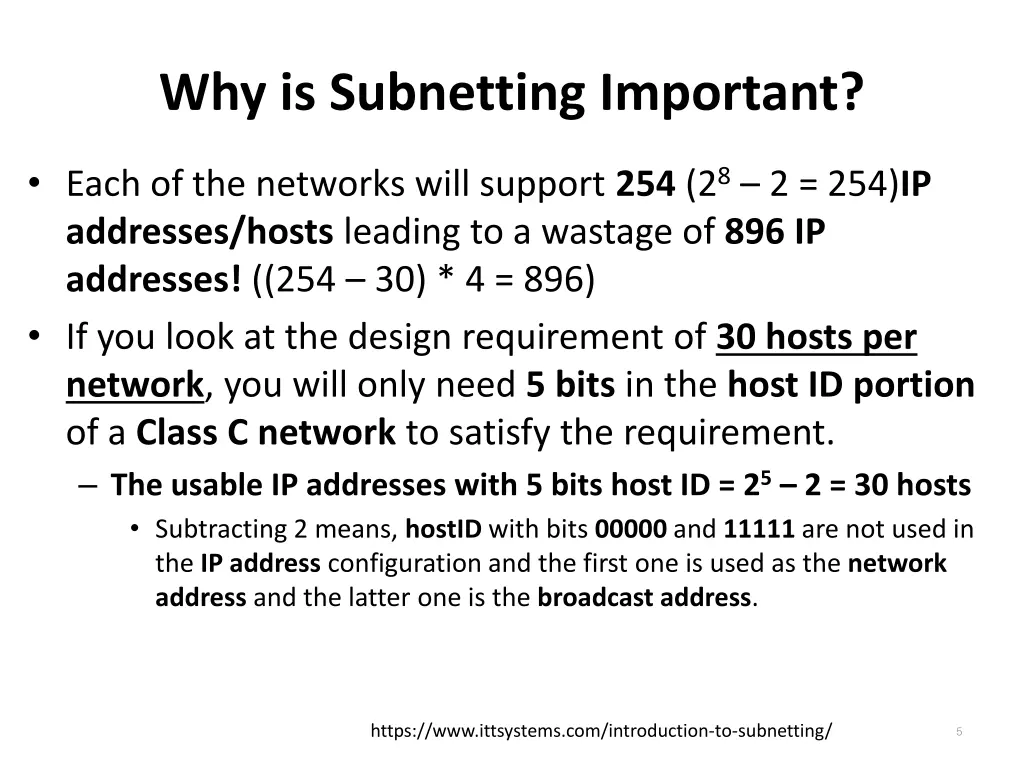
Why is Subnetting Important? Each of the networks will support 254 (28 2 = 254)IP addresses/hosts leading to a wastage of 896 IP addresses! ((254 30) * 4 = 896) If you look at the design requirement of 30 hosts per network, you will only need 5 bits in the host ID portion of a Class C network to satisfy the requirement. The usable IP addresses with 5 bits host ID = 25 2 = 30 hosts Subtracting 2 means, hostID with bits 00000 and 11111 are not used in the IP address configuration and the first one is used as the network address and the latter one is the broadcast address. 5 https://www.ittsystems.com/introduction-to-subnetting/
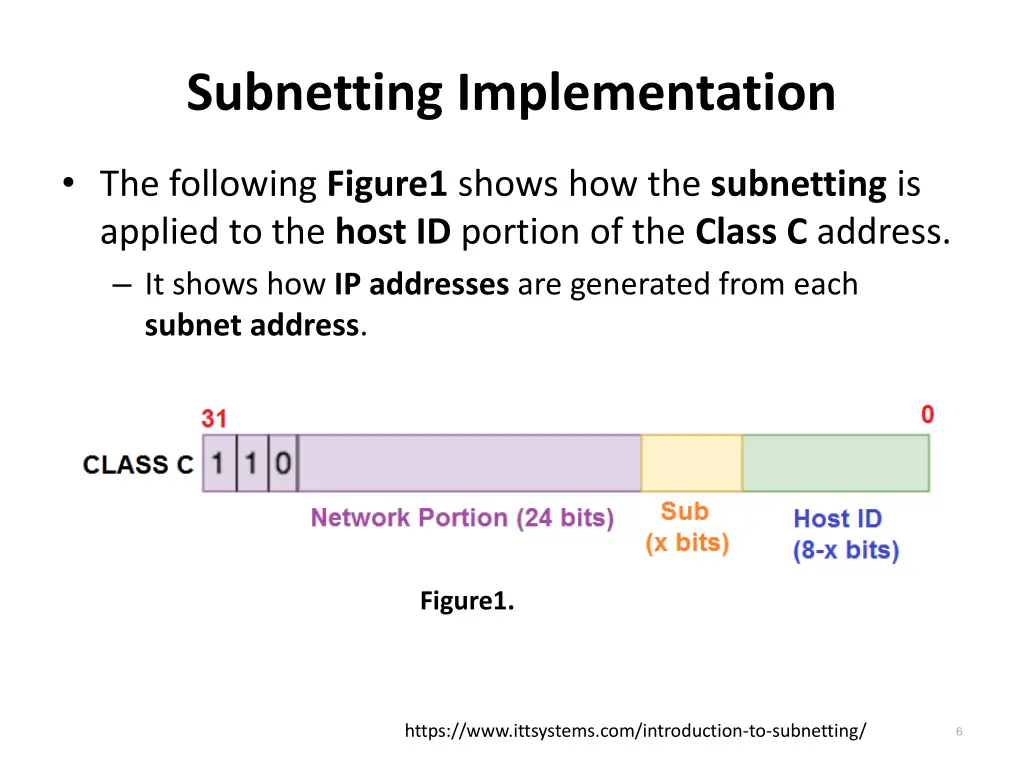
Subnetting Implementation The following Figure1 shows how the subnetting is applied to the host ID portion of the Class C address. It shows how IP addresses are generated from each subnet address. Figure1. 6 https://www.ittsystems.com/introduction-to-subnetting/
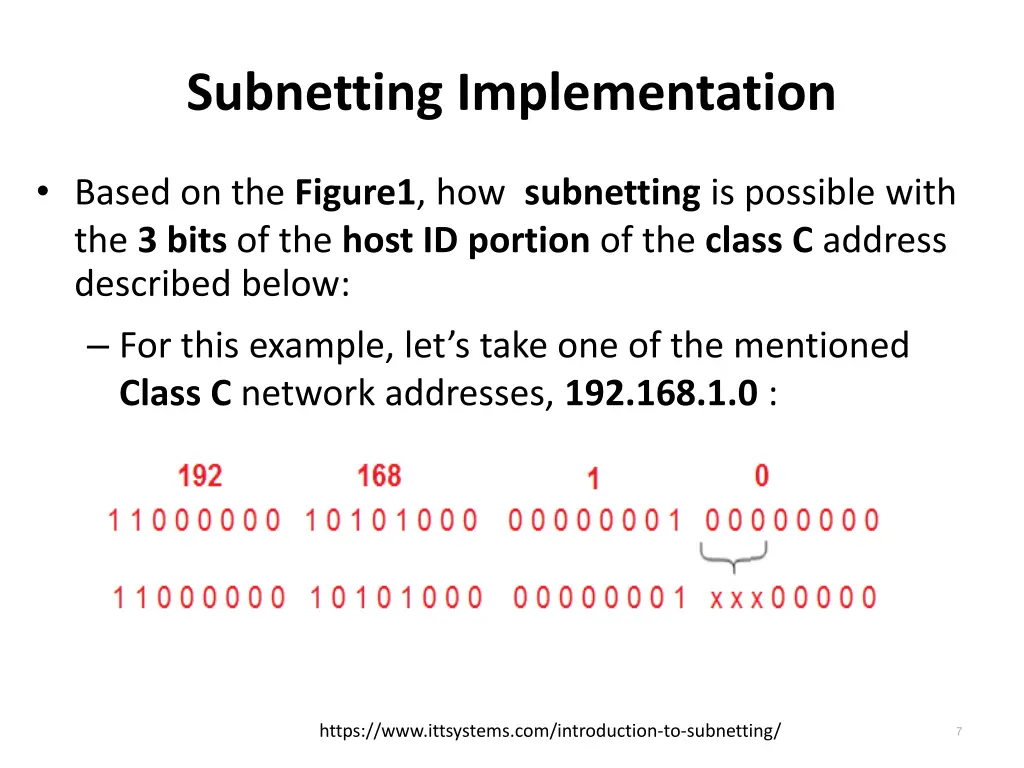
Subnetting Implementation Based on the Figure1, how subnetting is possible with the 3 bits of the host ID portion of the class C address described below: For this example, let s take one of the mentioned Class C network addresses, 192.168.1.0 : 7 https://www.ittsystems.com/introduction-to-subnetting/
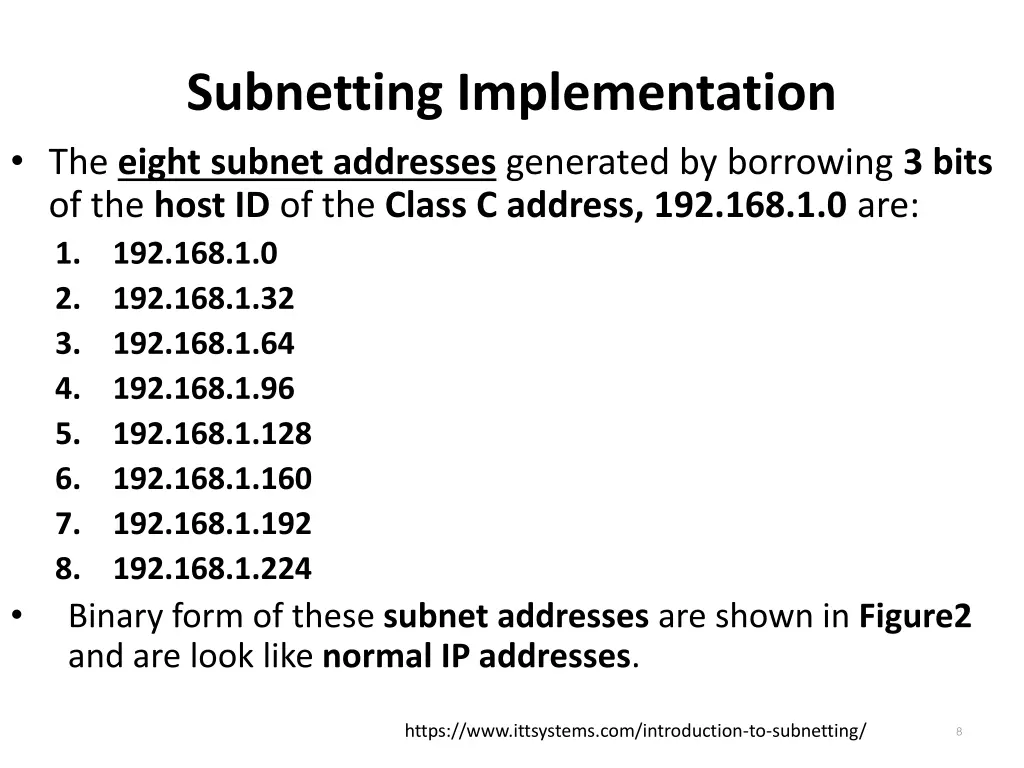
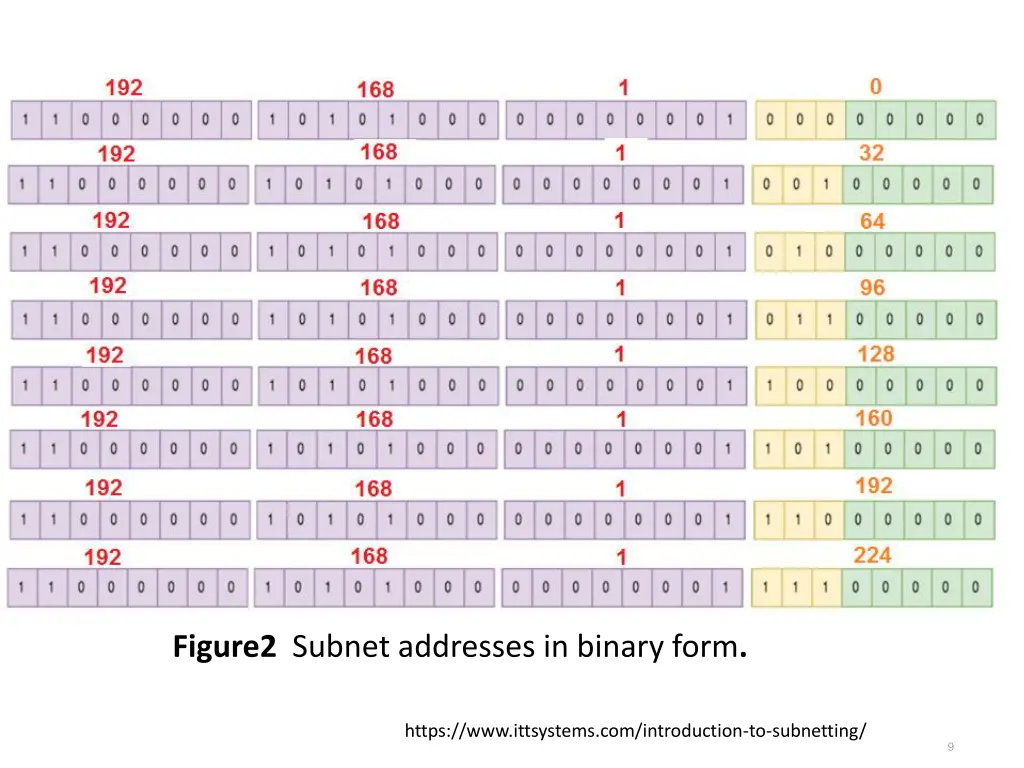
Subnetting Implementation The eight subnet addresses generated by borrowing 3 bits of the host ID of the Class C address, 192.168.1.0 are: 1. 192.168.1.0 2. 192.168.1.32 3. 192.168.1.64 4. 192.168.1.96 5. 192.168.1.128 6. 192.168.1.160 7. 192.168.1.192 8. 192.168.1.224 Binary form of these subnet addresses are shown in Figure2 and are look like normal IP addresses. 8 https://www.ittsystems.com/introduction-to-subnetting/
Figure2 Subnet addresses in binary form. https://www.ittsystems.com/introduction-to-subnetting/ 9
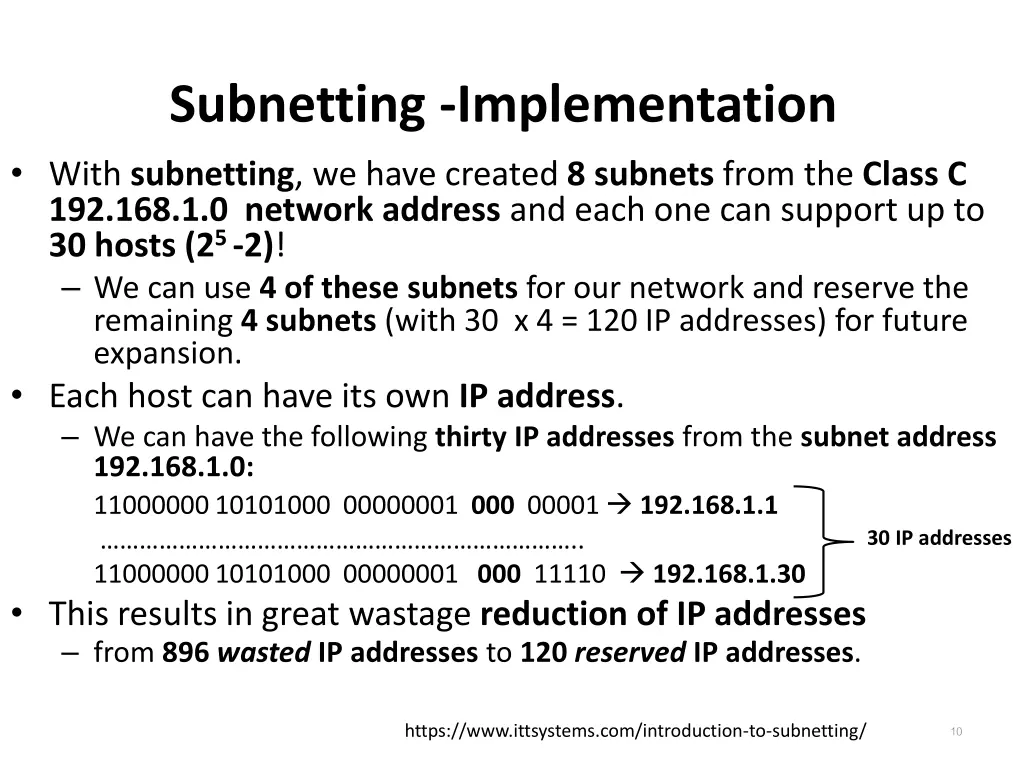
Subnetting -Implementation With subnetting, we have created 8 subnets from the Class C 192.168.1.0 network address and each one can support up to 30 hosts (25 -2)! We can use 4 of these subnets for our network and reserve the remaining 4 subnets (with 30 x 4 = 120 IP addresses) for future expansion. Each host can have its own IP address. We can have the following thirty IP addresses from the subnet address 192.168.1.0: 11000000 10101000 00000001 000 00001 192.168.1.1 .. 11000000 10101000 00000001 000 11110 192.168.1.30 This results in great wastage reduction of IP addresses from 896 wasted IP addresses to 120 reserved IP addresses. 30 IP addresses 10 https://www.ittsystems.com/introduction-to-subnetting/
Subnet Masks How to differentiate between a subnet address 192.168.1.32 and an IP address (device address) 192.168.1.32? This issue causes the arrival of subnet masks (also called network masks) in network addressing. A subnet mask is the representation of the network portion of an address All the bits that represent the network portion being marked as 1s and the other parts (host portion) marked as 0s. 11 https://www.ittsystems.com/introduction-to-subnetting/
Subnet Masks For example, the subnet masks of the IP address classes are: Class A: 255.0.0.0 Class B: 255.255.0.0 Class C: 255.255.255.0 Therefore, a Class C network address 192.168.1.0 can be represented as 192.168.1.0 255.255.255.0 (network address <> subnet mask). Similarly, the Class C subnet address 192.168.1.32 can be represented as 192.168.1.32 255.255.255.224 11000000 10101000 00000001 001 00000 192.168.1.32 (Subnet) 11000000 10101000 00000001 001 00001 192.168.1.33 (IP address) ---------------------------------------------------------------------------------- 11000000 10101000 00000001 001 11110 192.168.1.62 (IP address) 11111111 11111111 11111111 111 00000 255.255.255.224 (Subnet mask) 12 https://www.ittsystems.com/introduction-to-subnetting/
Subnet Masks 13 https://www.ittsystems.com/introduction-to-subnetting/
Subnet Masks Subnet Masks can also be represented by CIDR (Classless Inter-domain Routing) notation. The previous subnet <> subnet mask, 192.168.1.32 255.255.255.224 can be represented as CIDR notation: 192.168.1.32 /27 (where /27 means that five 0 s are prefixed with twenty seven I s). /27 = 11111111 11111111 11111111 11100000 With subnetting, the borrowed bits from the host ID are counted as part of the network bits. 14 https://www.ittsystems.com/introduction-to-subnetting/
Subnet Masks By comparing subnet mask and IP address, a network device/host can determine which subnet it belongs to: Consider a class B IP address: 172.17.250.145 and its subnet mask: 255.255.248.0 (or /21). What is its Subnet address? Subnet address: 172.17.248.0. How many IP addresses are possible with the above subnetting? 2046 IP addresses (211 2 = 2048) 15 https://www.ittsystems.com/introduction-to-subnetting/
A Note about CIDR So far, we have talked about subnetting in terms of IPv4 address classes. But most of the today's networks are classless. To slow down the exhaustion of IPv4 addresses and reduce the size of the Internet routing table, the IETF introduced Classless Inter-Domain Routing (CIDR) in 1993. So with CIDR, we just have a network represented by a network address and a prefix length e.g. 192.45.96.0/22. This address block, 192.45.96.0/22 will be seen as Class C in a classful network address field. 16 https://www.ittsystems.com/introduction-to-subnetting/
Why do we need subnetting? let us consider some of the reasons behind subnets: IP address wastage reduction: As we have already seen, subnetting helps us conserve IP addresses. Improve Network Performance: Subnetting improves the overall performance of a network; The larger a network is busiest and congested. Consider the example of broadcasts every host within an individual network will receive a broadcast even when it is not meant for them. This can affect performance especially during issues like broadcast storms. Therefore, the smaller the network, the more you can contain such issues within the subnet. 17 https://www.ittsystems.com/introduction-to-subnetting/
Why do we need subnetting? Isolation: With smaller networks, it is possible to isolate effectively as faults inside one subnet will not necessarily spread into other subnets. This is also important during security incidents so that even if one subnet is affected, the entire network is not brought down. Easier administration: Subnetting, when done properly, can make network administration more effective. For example, a multinational organization can design their network in such a way that each region is assigned an IP address block from a larger address block and subnetting is used within regions to further divide the blocks among networks. This kind of design also improves routing as the routers in one region only need to know the summarized IP address block for other regions rather than all the smaller IP address blocks. This reduces the size of the routing table and ensures that fluctuations in one region do not affect the entire network. 18 https://www.ittsystems.com/introduction-to-subnetting/
Minimum Subnet Size to Accommodate a Number of Hosts You need to be able to design networks in such a way that there will be enough IP addresses for the devices that will be used on the network Of course, you can always go for a large address block but like we already established, using smaller-sized subnets is more efficient. It is possible to determine the minimum subnet size and its hosts on that subnet. 19 https://www.ittsystems.com/introduction-to-subnetting/
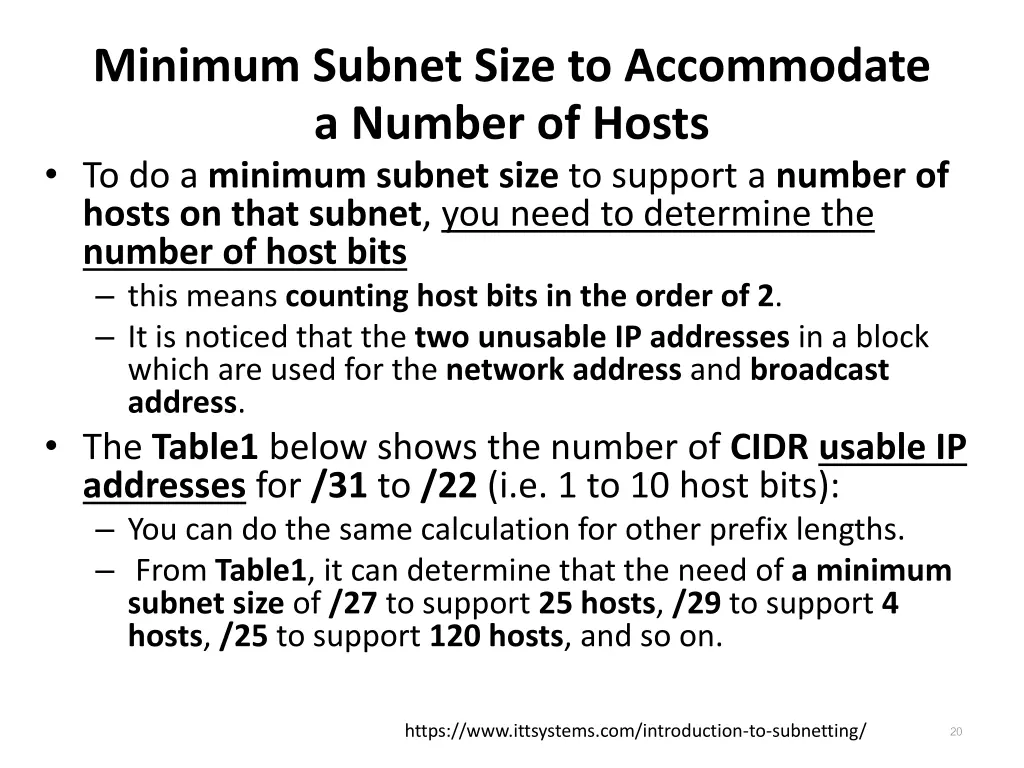
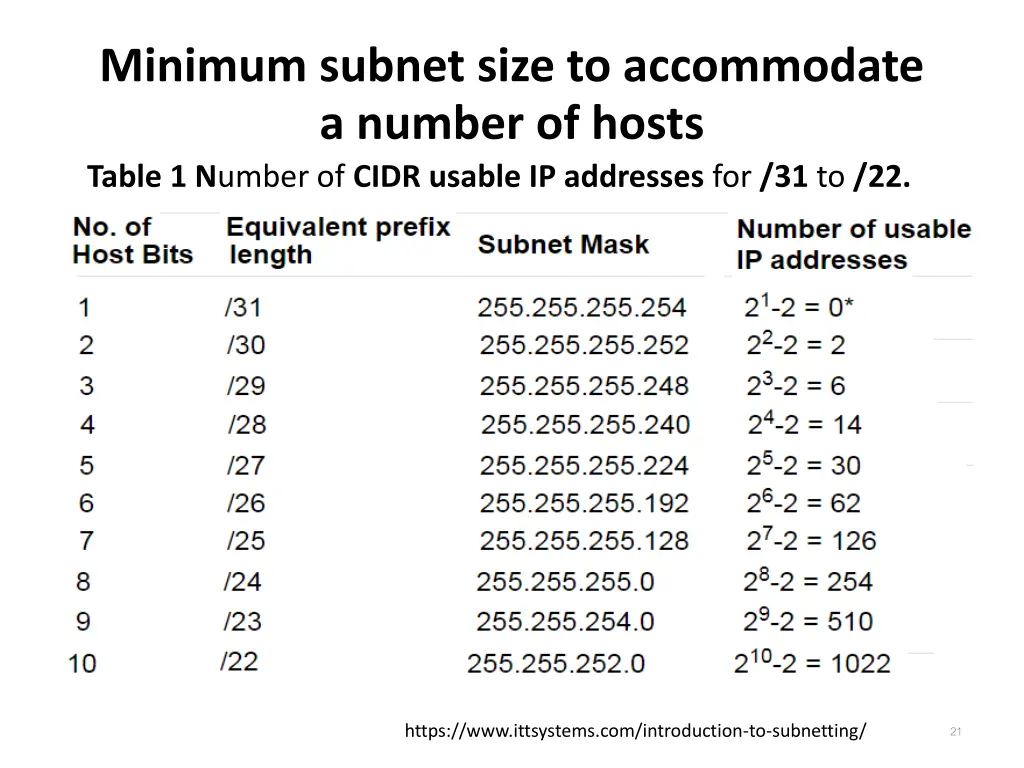
Minimum Subnet Size to Accommodate a Number of Hosts To do a minimum subnet size to support a number of hosts on that subnet, you need to determine the number of host bits this means counting host bits in the order of 2. It is noticed that the two unusable IP addresses in a block which are used for the network address and broadcast address. The Table1 below shows the number of CIDR usable IP addresses for /31 to /22 (i.e. 1 to 10 host bits): You can do the same calculation for other prefix lengths. From Table1, it can determine that the need of a minimum subnet size of /27 to support 25 hosts, /29 to support 4 hosts, /25 to support 120 hosts, and so on. 20 https://www.ittsystems.com/introduction-to-subnetting/
Minimum subnet size to accommodate a number of hosts Table 1 Number of CIDR usable IP addresses for /31 to /22. 21 https://www.ittsystems.com/introduction-to-subnetting/
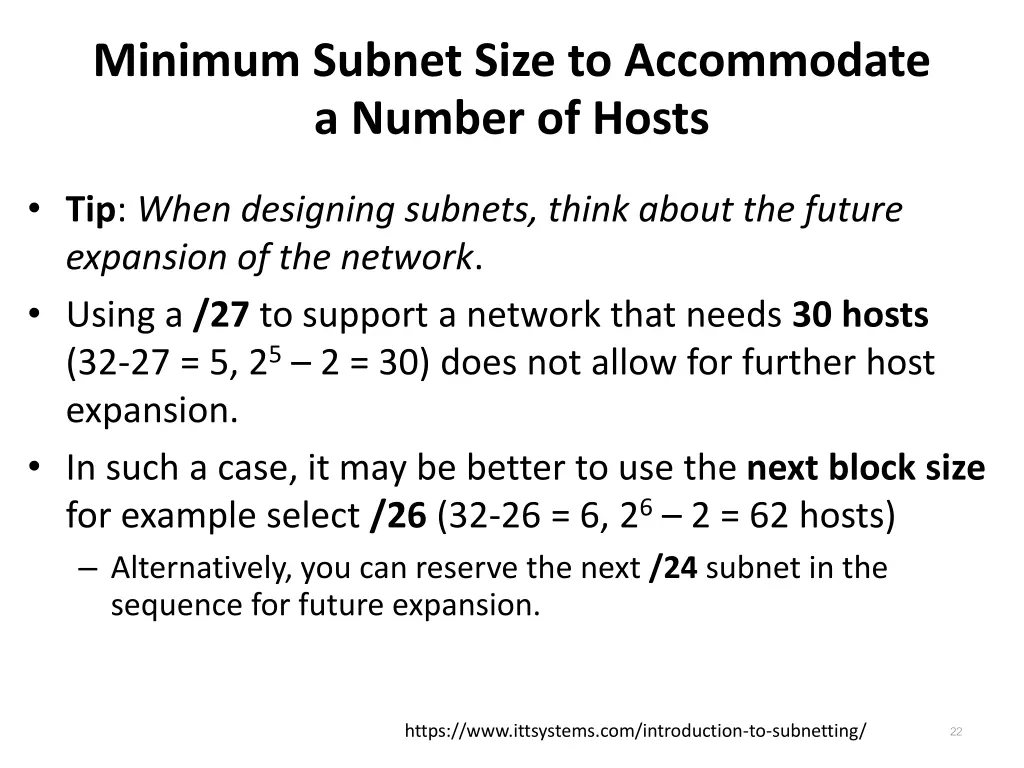
Minimum Subnet Size to Accommodate a Number of Hosts Tip: When designing subnets, think about the future expansion of the network. Using a /27 to support a network that needs 30 hosts (32-27 = 5, 25 2 = 30) does not allow for further host expansion. In such a case, it may be better to use the next block size for example select /26 (32-26 = 6, 26 2 = 62 hosts) Alternatively, you can reserve the next /24 subnet in the sequence for future expansion. 22 https://www.ittsystems.com/introduction-to-subnetting/
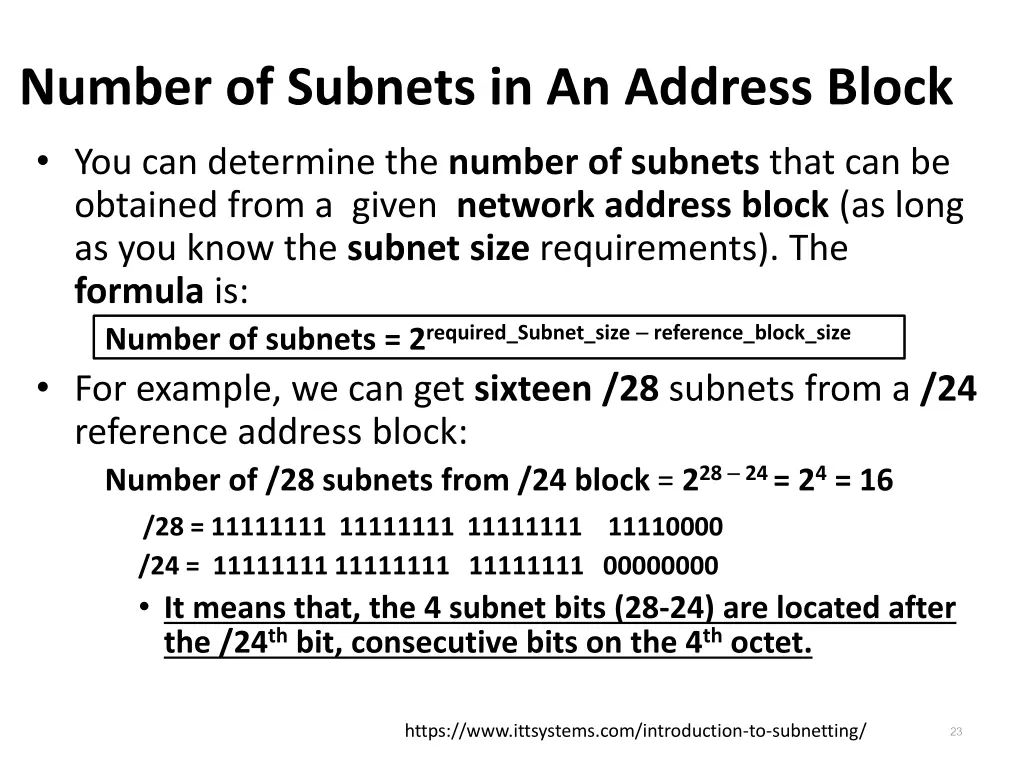
Number of Subnets in An Address Block You can determine the number of subnets that can be obtained from a given network address block (as long as you know the subnet size requirements). The formula is: Number of subnets = 2required_Subnet_size reference_block_size For example, we can get sixteen /28 subnets from a /24 reference address block: Number of /28 subnets from /24 block = 228 24 = 24= 16 /28 = 11111111 11111111 11111111 11110000 /24 = 11111111 11111111 11111111 00000000 It means that, the 4 subnet bits (28-24) are located after the /24thbit, consecutive bits on the 4thoctet. 23 https://www.ittsystems.com/introduction-to-subnetting/
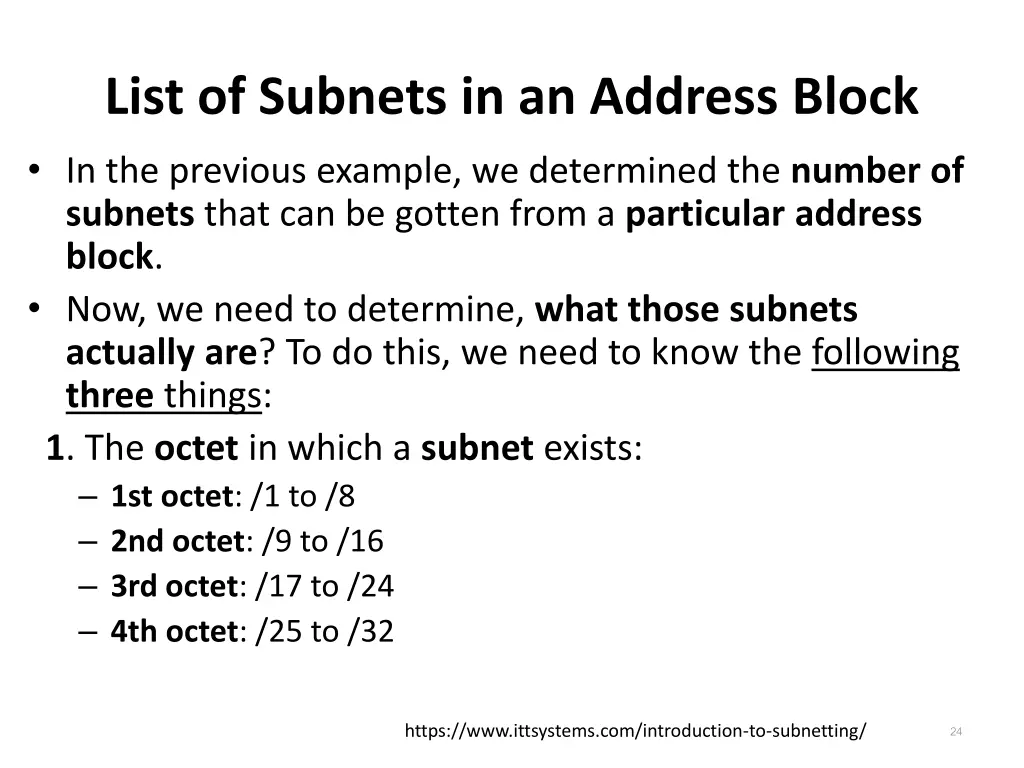
List of Subnets in an Address Block In the previous example, we determined the number of subnets that can be gotten from a particular address block. Now, we need to determine, what those subnets actually are? To do this, we need to know the following three things: 1. The octet in which a subnet exists: 1st octet: /1 to /8 2nd octet: /9 to /16 3rd octet: /17 to /24 4th octet: /25 to /32 24 https://www.ittsystems.com/introduction-to-subnetting/
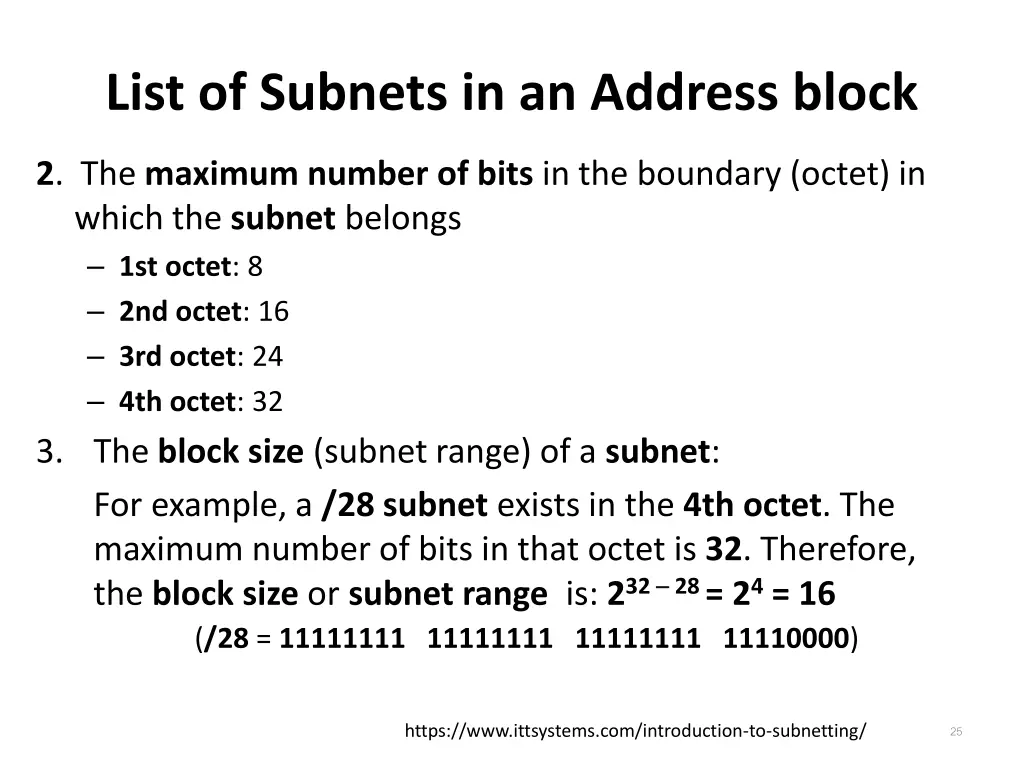
List of Subnets in an Address block 2. The maximum number of bits in the boundary (octet) in which the subnet belongs 1st octet: 8 2nd octet: 16 3rd octet: 24 4th octet: 32 3. The block size (subnet range) of a subnet: For example, a /28 subnet exists in the 4th octet. The maximum number of bits in that octet is 32. Therefore, the block size or subnet range is: 232 28 = 24= 16 (/28 = 11111111 11111111 11111111 11110000) 25 https://www.ittsystems.com/introduction-to-subnetting/
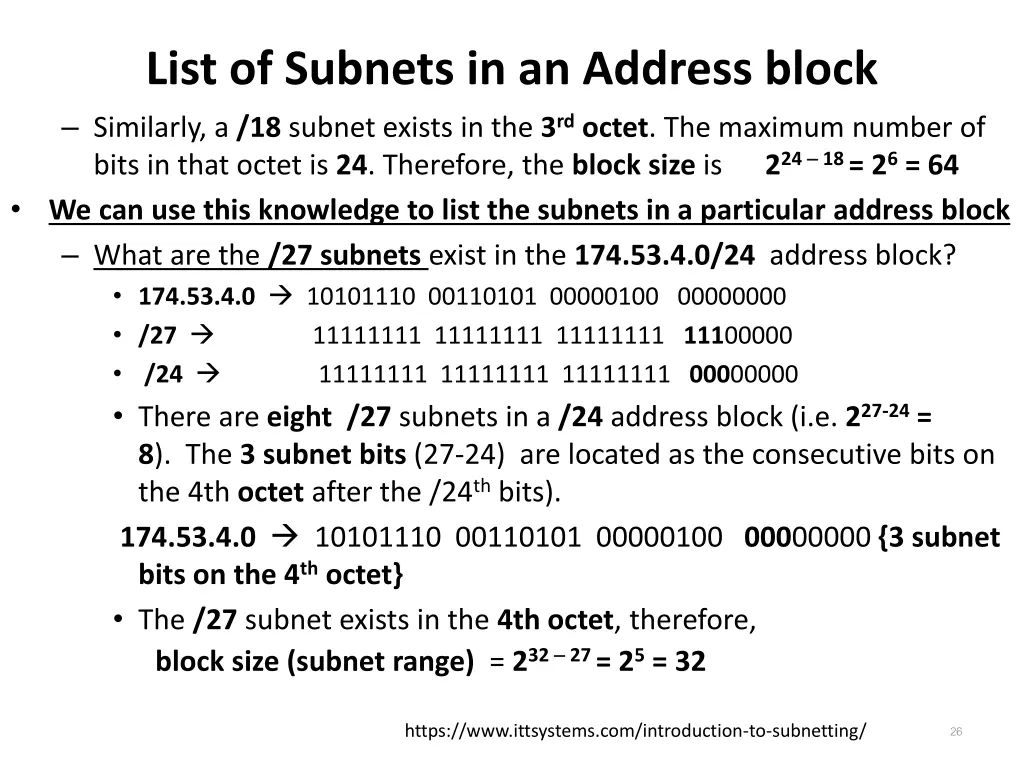
List of Subnets in an Address block Similarly, a /18 subnet exists in the 3rdoctet. The maximum number of bits in that octet is 24. Therefore, the block size is 224 18 = 26= 64 We can use this knowledge to list the subnets in a particular address block What are the /27 subnets exist in the 174.53.4.0/24 address block? 174.53.4.0 10101110 00110101 00000100 00000000 /27 11111111 11111111 11111111 11100000 /24 11111111 11111111 11111111 00000000 There are eight /27 subnets in a /24 address block (i.e. 227-24= 8). The 3 subnet bits (27-24) are located as the consecutive bits on the 4th octet after the /24thbits). 174.53.4.0 10101110 00110101 00000100 00000000 {3 subnet bits on the 4thoctet} The /27 subnet exists in the 4th octet, therefore, block size (subnet range) = 232 27 = 25= 32 26 https://www.ittsystems.com/introduction-to-subnetting/
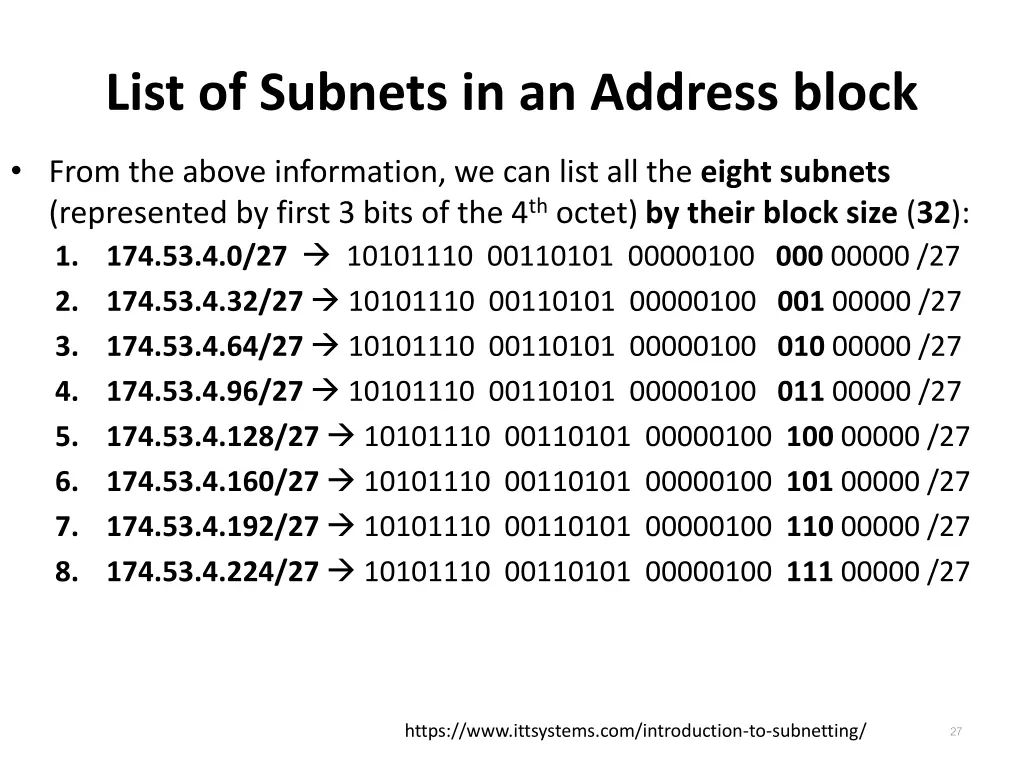
List of Subnets in an Address block From the above information, we can list all the eight subnets (represented by first 3 bits of the 4thoctet) by their block size (32): 1. 174.53.4.0/27 10101110 00110101 00000100 000 00000 /27 2. 174.53.4.32/27 10101110 00110101 00000100 001 00000 /27 3. 174.53.4.64/27 10101110 00110101 00000100 010 00000 /27 4. 174.53.4.96/27 10101110 00110101 00000100 011 00000 /27 5. 174.53.4.128/27 10101110 00110101 00000100 100 00000 /27 6. 174.53.4.160/27 10101110 00110101 00000100 101 00000 /27 7. 174.53.4.192/27 10101110 00110101 00000100 110 00000 /27 8. 174.53.4.224/27 10101110 00110101 00000100 111 00000 /27 27 https://www.ittsystems.com/introduction-to-subnetting/
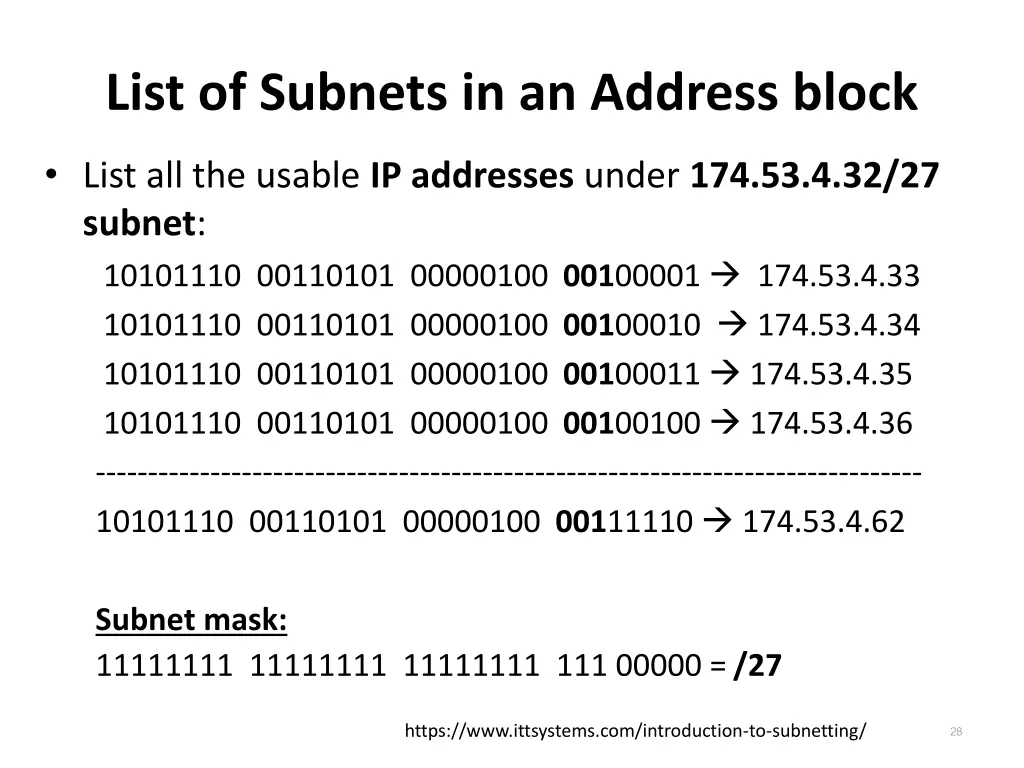
List of Subnets in an Address block List all the usable IP addresses under 174.53.4.32/27 subnet: 10101110 00110101 00000100 00100001 174.53.4.33 10101110 00110101 00000100 00100010 174.53.4.34 10101110 00110101 00000100 00100011 174.53.4.35 10101110 00110101 00000100 00100100 174.53.4.36 ------------------------------------------------------------------------------- 10101110 00110101 00000100 00111110 174.53.4.62 Subnet mask: 11111111 11111111 11111111 111 00000 = /27 28 https://www.ittsystems.com/introduction-to-subnetting/
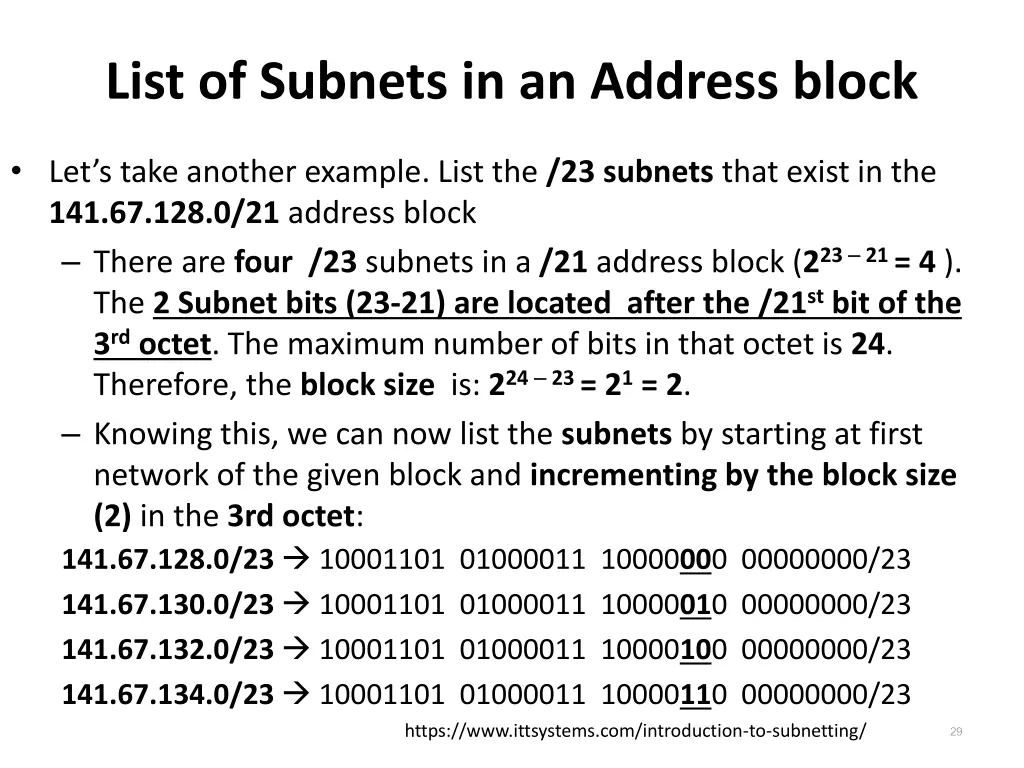
List of Subnets in an Address block Let s take another example. List the /23 subnets that exist in the 141.67.128.0/21 address block There are four /23 subnets in a /21 address block (223 21 = 4 ). The 2 Subnet bits (23-21) are located after the /21stbit of the 3rdoctet. The maximum number of bits in that octet is 24. Therefore, the block size is: 224 23 = 21= 2. Knowing this, we can now list the subnets by starting at first network of the given block and incrementing by the block size (2) in the 3rd octet: 141.67.128.0/23 10001101 01000011 10000000 00000000/23 141.67.130.0/23 10001101 01000011 10000010 00000000/23 141.67.132.0/23 10001101 01000011 10000100 00000000/23 141.67.134.0/23 10001101 01000011 10000110 00000000/23 https://www.ittsystems.com/introduction-to-subnetting/ 29
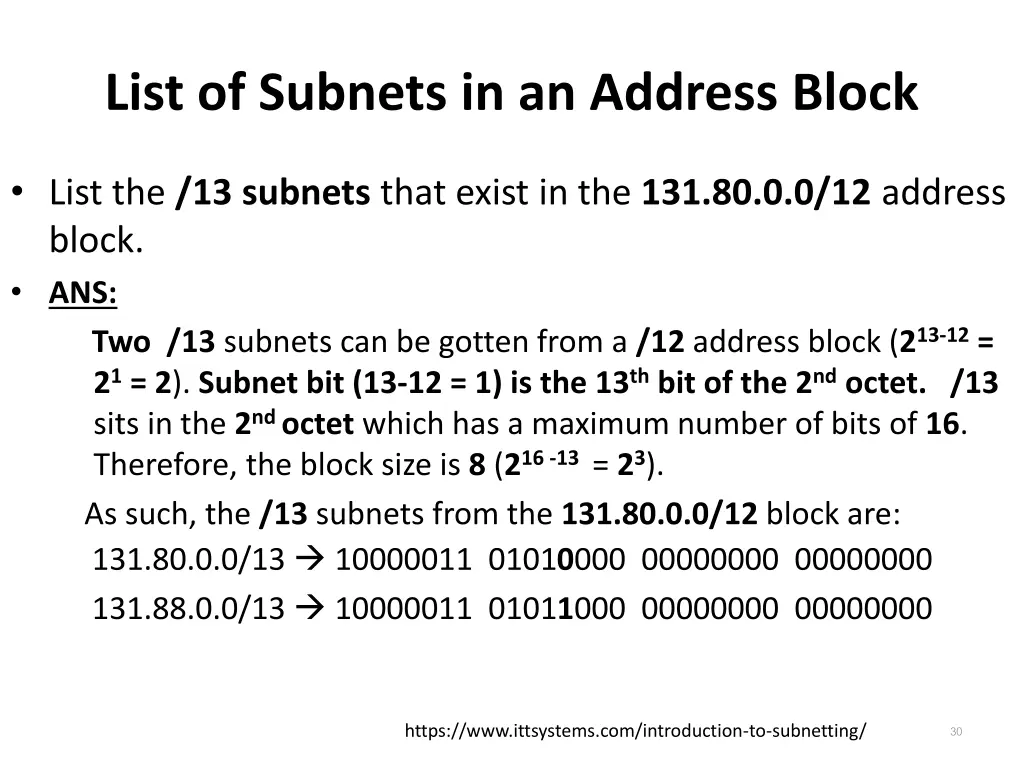
List of Subnets in an Address Block List the /13 subnets that exist in the 131.80.0.0/12 address block. ANS: Two /13 subnets can be gotten from a /12 address block (213-12= 21= 2). Subnet bit (13-12 = 1) is the 13thbit of the 2ndoctet. /13 sits in the 2nd octet which has a maximum number of bits of 16. Therefore, the block size is 8 (216 -13 = 23). As such, the /13 subnets from the 131.80.0.0/12 block are: 131.80.0.0/13 10000011 01010000 00000000 00000000 131.88.0.0/13 10000011 01011000 00000000 00000000 30 https://www.ittsystems.com/introduction-to-subnetting/
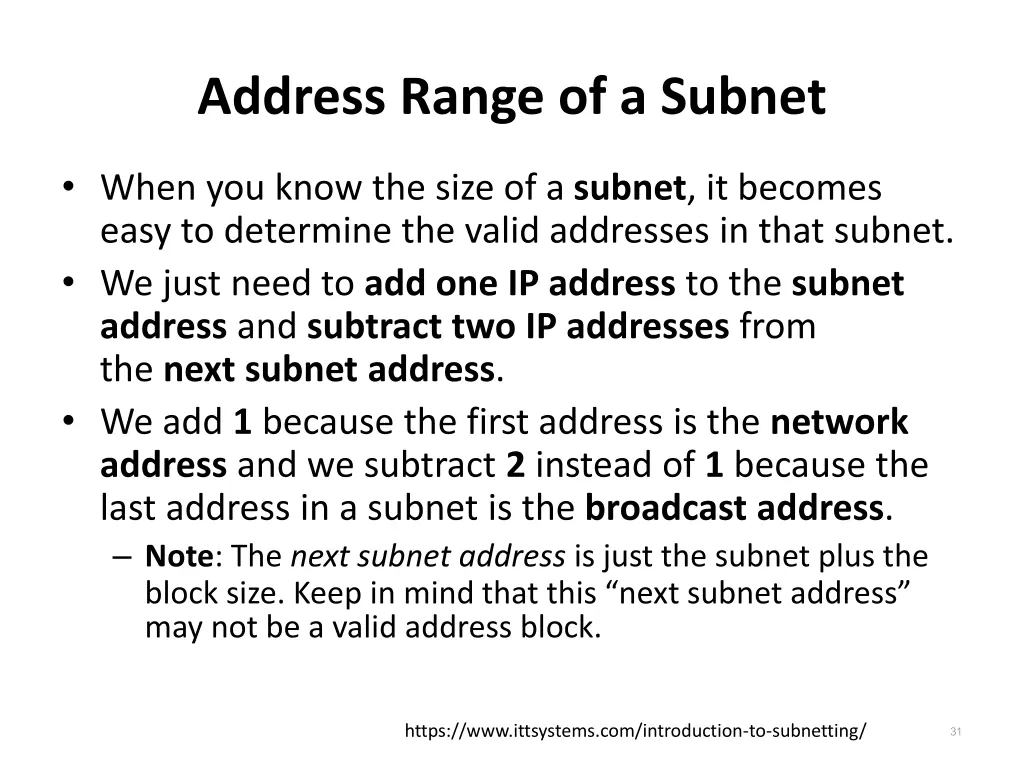
Address Range of a Subnet When you know the size of a subnet, it becomes easy to determine the valid addresses in that subnet. We just need to add one IP address to the subnet address and subtract two IP addresses from the next subnet address. We add 1 because the first address is the network address and we subtract 2 instead of 1 because the last address in a subnet is the broadcast address. Note: The next subnet address is just the subnet plus the block size. Keep in mind that this next subnet address may not be a valid address block. 31 https://www.ittsystems.com/introduction-to-subnetting/
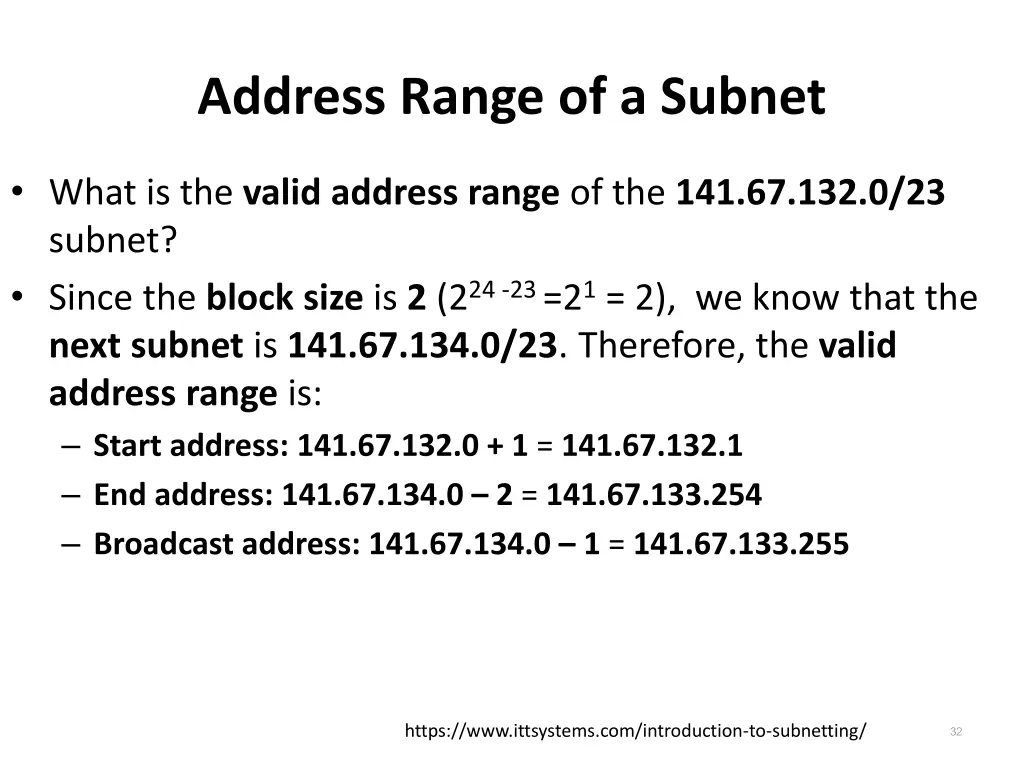
Address Range of a Subnet What is the valid address range of the 141.67.132.0/23 subnet? Since the block size is 2 (224 -23 =21= 2), we know that the next subnet is 141.67.134.0/23. Therefore, the valid address range is: Start address: 141.67.132.0 + 1 = 141.67.132.1 End address: 141.67.134.0 2 = 141.67.133.254 Broadcast address: 141.67.134.0 1 = 141.67.133.255 32 https://www.ittsystems.com/introduction-to-subnetting/
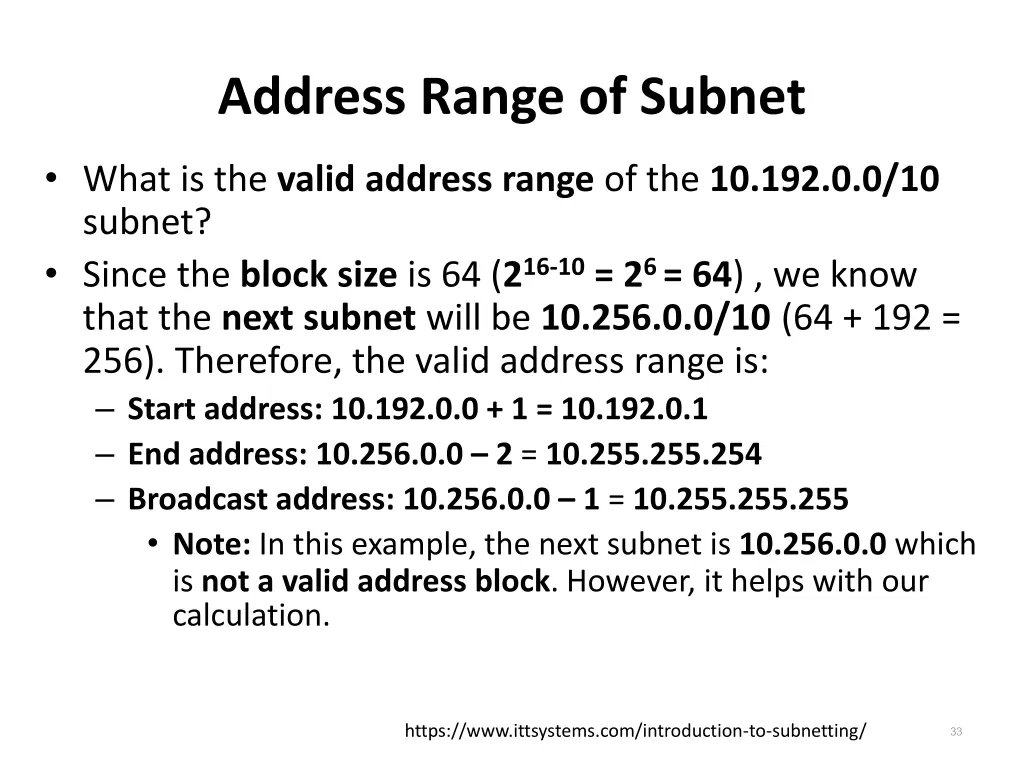
Address Range of Subnet What is the valid address range of the 10.192.0.0/10 subnet? Since the block size is 64 (216-10= 26 = 64) , we know that the next subnet will be 10.256.0.0/10 (64 + 192 = 256). Therefore, the valid address range is: Start address: 10.192.0.0 + 1 = 10.192.0.1 End address: 10.256.0.0 2 = 10.255.255.254 Broadcast address: 10.256.0.0 1 = 10.255.255.255 Note: In this example, the next subnet is 10.256.0.0 which is not a valid address block. However, it helps with our calculation. 33 https://www.ittsystems.com/introduction-to-subnetting/
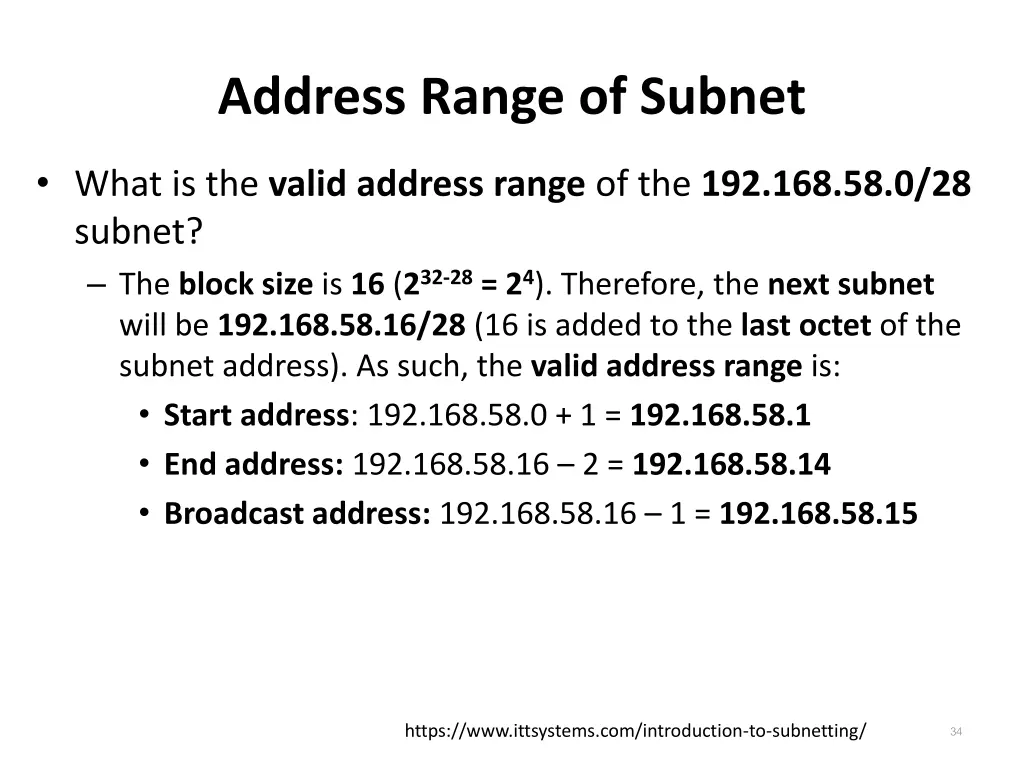
Address Range of Subnet What is the valid address range of the 192.168.58.0/28 subnet? The block size is 16 (232-28= 24). Therefore, the next subnet will be 192.168.58.16/28 (16 is added to the last octet of the subnet address). As such, the valid address range is: Start address: 192.168.58.0 + 1 = 192.168.58.1 End address: 192.168.58.16 2 = 192.168.58.14 Broadcast address: 192.168.58.16 1 = 192.168.58.15 34 https://www.ittsystems.com/introduction-to-subnetting/
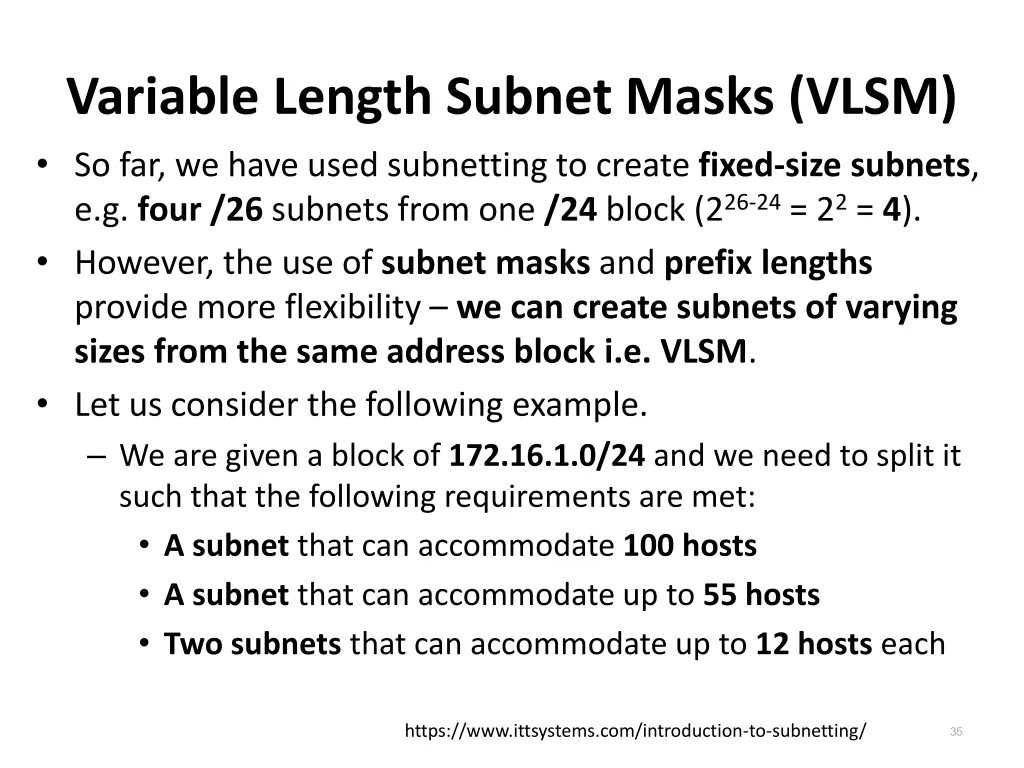
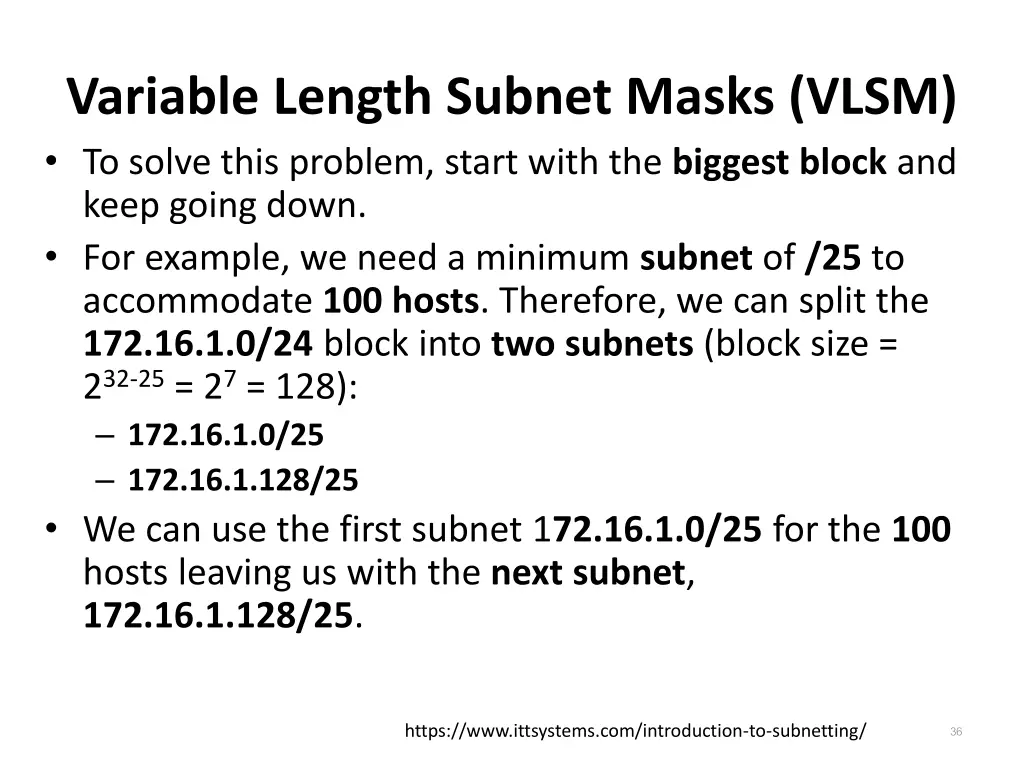
Variable Length Subnet Masks (VLSM) So far, we have used subnetting to create fixed-size subnets, e.g. four /26 subnets from one /24 block (226-24= 22= 4). However, the use of subnet masks and prefix lengths provide more flexibility we can create subnets of varying sizes from the same address block i.e. VLSM. Let us consider the following example. We are given a block of 172.16.1.0/24 and we need to split it such that the following requirements are met: A subnet that can accommodate 100 hosts A subnet that can accommodate up to 55 hosts Two subnets that can accommodate up to 12 hosts each 35 https://www.ittsystems.com/introduction-to-subnetting/
Variable Length Subnet Masks (VLSM) To solve this problem, start with the biggest block and keep going down. For example, we need a minimum subnet of /25 to accommodate 100 hosts. Therefore, we can split the 172.16.1.0/24 block into two subnets (block size = 232-25= 27= 128): 172.16.1.0/25 172.16.1.128/25 We can use the first subnet 172.16.1.0/25 for the 100 hosts leaving us with the next subnet, 172.16.1.128/25. 36 https://www.ittsystems.com/introduction-to-subnetting/
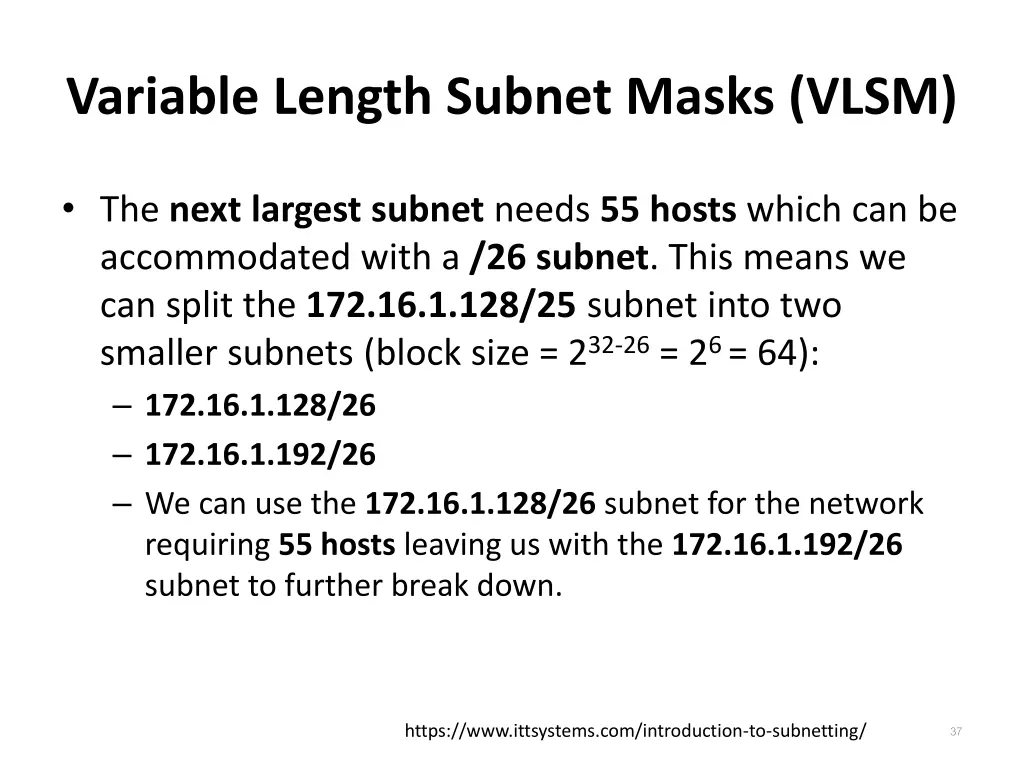
Variable Length Subnet Masks (VLSM) The next largest subnet needs 55 hosts which can be accommodated with a /26 subnet. This means we can split the 172.16.1.128/25 subnet into two smaller subnets (block size = 232-26= 26 = 64): 172.16.1.128/26 172.16.1.192/26 We can use the 172.16.1.128/26 subnet for the network requiring 55 hosts leaving us with the 172.16.1.192/26 subnet to further break down. 37 https://www.ittsystems.com/introduction-to-subnetting/
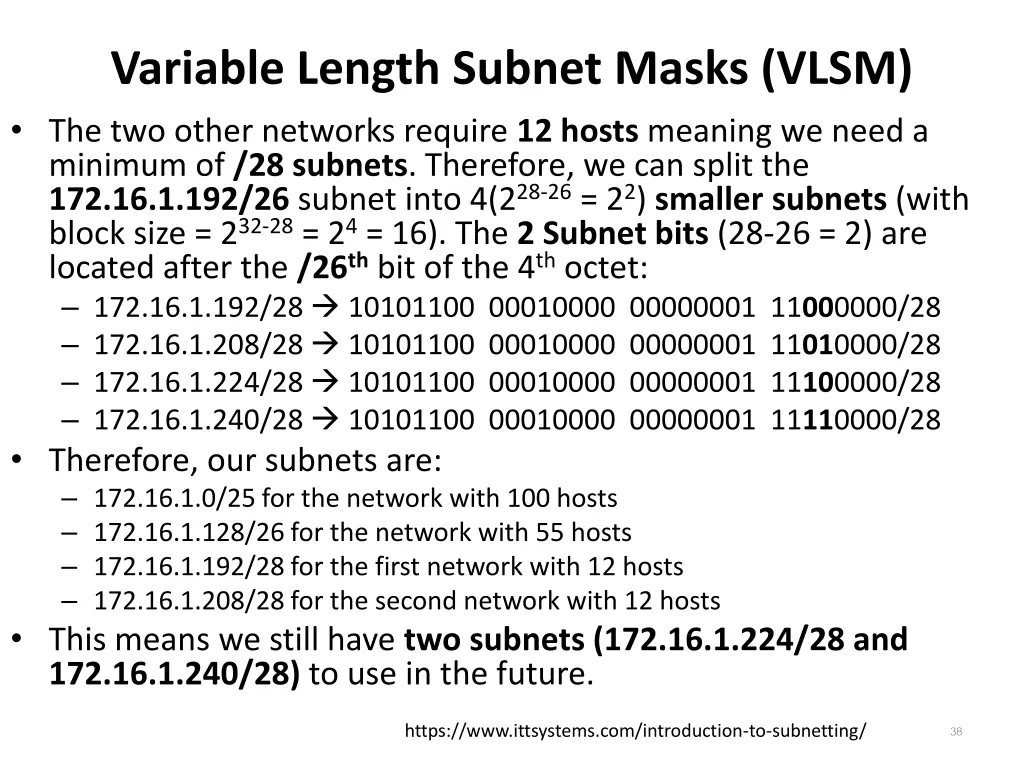
Variable Length Subnet Masks (VLSM) The two other networks require 12 hosts meaning we need a minimum of /28 subnets. Therefore, we can split the 172.16.1.192/26 subnet into 4(228-26= 22) smaller subnets (with block size = 232-28= 24= 16). The 2 Subnet bits (28-26 = 2) are located after the /26thbit of the 4thoctet: 172.16.1.192/28 10101100 00010000 00000001 11000000/28 172.16.1.208/28 10101100 00010000 00000001 11010000/28 172.16.1.224/28 10101100 00010000 00000001 11100000/28 172.16.1.240/28 10101100 00010000 00000001 11110000/28 Therefore, our subnets are: 172.16.1.0/25 for the network with 100 hosts 172.16.1.128/26 for the network with 55 hosts 172.16.1.192/28 for the first network with 12 hosts 172.16.1.208/28 for the second network with 12 hosts This means we still have two subnets (172.16.1.224/28 and 172.16.1.240/28) to use in the future. 38 https://www.ittsystems.com/introduction-to-subnetting/