Explore the concepts of virtual memory address translation in CISC 360 computer architecture, highlighting the benefits of using virtual memory, such as efficient memory utilization, simplified memory management, and enhanced memory protection. Discover how virtual memory serves as a tool for caching and memory management in modern computing systems.
Please find below an Image/Link to download the presentation.
The content on the website is provided AS IS for your information and personal use only. It may not be sold, licensed, or shared on other websites without obtaining consent from the author. If you encounter any issues during the download, it is possible that the publisher has removed the file from their server.
You are allowed to download the files provided on this website for personal or commercial use, subject to the condition that they are used lawfully. All files are the property of their respective owners.
The content on the website is provided AS IS for your information and personal use only. It may not be sold, licensed, or shared on other websites without obtaining consent from the author.
Today Virtual Memory as a tool for caching as a tool for memory management as a tool for memory protection Address translation Speedups Examples / Problems Case study: Core i7/Linux memory system
A System Using Physical Addressing Main memory 0: 1: 2: 3: 4: 5: 6: 7: 8: Physical address (PA) 4 CPU ... M-1: Data word Used in simple systems like embedded microcontrollers in devices like cars, elevators, and digital picture frames
A System Using Virtual Addressing Main memory 0: 1: 2: 3: 4: 5: 6: 7: 8: CPU Chip Virtual address (VA) 4100 Physical address (PA) 4 MMU CPU ... M-1: Data word Used in all modern servers, desktops, and laptops One of the great ideas in computer science
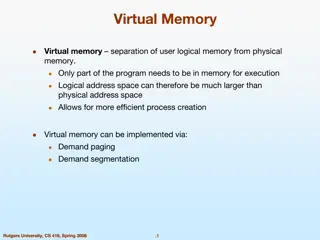
Why Virtual Memory (VM)? Uses main memory efficiently Use DRAM as a cache for the parts of a virtual address space Simplifies memory management Each process gets the same uniform linear address space Isolates address spaces One process can t interfere with another s memory User program cannot access privileged kernel information
VM as a Tool for Caching Virtual memory is an array of N contiguous bytes stored on disk. The contents of the array on disk are cached in physical memory (DRAM cache) These cache blocks are called pages (size is P = 2p bytes) Virtual memory Physical memory 0 VP 0 VP 1 Unallocated 0 Cached PP 0 PP 1 Empty Uncached Unallocated Cached Empty Uncached Cached Empty PP 2m-p-1 M-1 VP 2n-p-1 Uncached N-1 Virtual pages (VPs) stored on disk Physical pages (PPs) cached in DRAM
Page Tables A page table is an array of page table entries (PTEs) that maps virtual pages to physical pages. Per-process kernel data structure in DRAM Physical memory (DRAM) Physical page number or disk address VP 1 PP 0 Valid VP 2 PTE 0 null 0 1 1 VP 7 VP 4 PP 3 0 1 0 0 Virtual memory (disk) null PTE 7 1 VP 1 Memory resident page table (DRAM) VP 2 VP 3 VP 4 VP 6 VP 7
Page Hit Page hit: reference to VM word that is in physical memory (DRAM cache hit) Physical memory (DRAM) Physical page number or disk address Virtual address VP 1 PP 0 Valid VP 2 PTE 0 null 0 1 1 VP 7 VP 4 PP 3 0 1 0 0 Virtual memory (disk) null PTE 7 1 VP 1 Memory resident page table (DRAM) VP 2 VP 3 VP 4 VP 6 VP 7
Page Fault Page fault: reference to VM word that is not in physical memory (DRAM cache miss) Physical memory (DRAM) Physical page number or disk address Virtual address VP 1 PP 0 Valid VP 2 PTE 0 null 0 1 1 VP 7 VP 4 PP 3 0 1 0 0 Virtual memory (disk) null PTE 7 1 VP 1 Memory resident page table (DRAM) VP 2 VP 3 VP 4 VP 6 VP 7
Locality to the Rescue Again! Virtual memory works because of locality At any point in time, programs tend to access a set of active virtual pages called the working set Programs with better temporal locality will have smaller working sets If (working set size < main memory size) Good performance for one process after compulsory misses If ( SUM(working set sizes) > main memory size ) Thrashing: Performance meltdownwhere pages are swapped (copied) in and out continuously
VM as a Tool for Memory Management Key idea: each process has its own virtual address space It can view memory as a simple linear array Mapping function scatters addresses through physical memory Well chosen mappings simplify memory allocation and management Address translation 0 0 Physical Address Space (DRAM) Virtual Address Space for Process 1: VP 1 VP 2 ... PP 2 N-1 (e.g., read-only library code) PP 6 0 Virtual Address Space for Process 2: PP 8 VP 1 VP 2 ... ... M-1 N-1
VM as a Tool for Memory Management Memory allocation Each virtual page can be mapped to any physical page A virtual page can be stored in different physical pages at different times Sharing code and data among processes Map virtual pages to the same physical page (here: PP 6) Address translation 0 0 Physical Address Space (DRAM) Virtual Address Space for Process 1: VP 1 VP 2 ... PP 2 N-1 (e.g., read-only library code) PP 6 0 Virtual Address Space for Process 2: PP 8 VP 1 VP 2 ... ... M-1 N-1
VM as a Tool for Memory Protection Extend Page Table Entries with permission bits Page fault handler checks these before remapping If violated, send process SIGSEGV (segmentation fault) Physical Address Space SUP READ WRITE Address Process i: VP 0: No Yes No PP 6 VP 1: No Yes Yes PP 4 PP 2 VP 2: Yes Yes Yes PP 2 PP 4 PP 6 SUP READ WRITE Address Process j: PP 8 PP 9 VP 0: No Yes No PP 9 VP 1: Yes Yes Yes PP 6 PP 11 VP 2: No Yes Yes PP 11
Today Virtual Memory as a tool for caching as a tool for memory management as a tool for memory protection Address translation Speedups Examples / Problems Case study: Core i7/Linux memory system
VM Address Translation Virtual Address Space V = {0, 1, , N 1} Physical Address Space P = {0, 1, , M 1} Address Translation MAP: V P U { } For virtual address a: MAP(a) = a if data at virtual address a is at physical address a in P MAP(a) = if data at virtual address a is not in physical memory Either invalid or stored on disk
Summary of Address Translation Symbols Basic Parameters N = 2n : Number of addresses in virtual address space M = 2m : Number of addresses in physical address space P = 2p : Page size (bytes) Components of the virtual address (VA) TLBI: TLB index TLBT: TLB tag VPO: Virtual page offset VPN: Virtual page number Components of the physical address (PA) PPO: Physical page offset (same as VPO) PPN: Physical page number CO: Byte offset within cache line CI: Cache index CT: Cache tag
Address Translation With a Page Table Virtual address n-1 p p-1 0 Page table base register (PTBR) Virtual page number (VPN) Virtual page offset (VPO) Page table Page table address for process Valid Physical page number (PPN) Valid bit = 0: page not in memory (page fault) m-1 p p-1 0 Physical page number (PPN) Physical page offset (PPO) Physical address
Address Translation: Page Hit 2 CPU Chip PTEA 1 PTE VA MMU CPU 3 Cache/ Memory PA 4 Data 5 1) Processor sends virtual address to Memory Mapping Unit 2-3) MMU fetches PTE from page table in memory 4) MMU sends physical address to cache/memory 5) Cache/memory sends data word to processor
Address Translation: Page Fault Exception Page fault handler 4 2 CPU Chip Victim page PTEA 1 5 VA PTE Cache/ Memory CPU MMU Disk 3 7 New page 6 1) Processor sends virtual address to MMU 2-3) MMU fetches PTE from page table in memory 4) Valid bit is zero, so MMU triggers page fault exception 5) Handler identifies victim (and, if dirty, pages it out to disk) 6) Handler pages in new page and updates PTE in memory 7) Handler returns to original process, restarting faulting instruction
Integrating VM and Cache PTE CPU Chip PTE PTEA hit PTEA PTEA PTEA miss CPU MMU Memory VA PA PA PA miss Data PA hit L1 Data cache VA: virtual address, PA: physical address, PTE: page table entry, PTEA = PTE address
Speeding up Translation with a TLB Page table entries (PTEs) are cached in L1 like any other memory word PTEs may be evicted by other data references PTE hit still requires a small L1 delay Solution: Translation Lookaside Buffer (TLB) Small hardware cache in MMU Maps virtual page numbers to physical page numbers Contains complete page table entries for small number of pages
TLB Hit CPU Chip TLB PTE 2 3 VPN 1 PA VA CPU MMU Cache/ Memory 4 Data 5 A TLB hit eliminates a memory access
TLB Miss CPU Chip TLB 4 2 PTE VPN 1 3 VA PTEA CPU MMU Cache/ Memory PA 5 Data 6 A TLB miss incurs an additional memory access (the PTE) Fortunately, TLB misses are rare. Why?
Multi-Level Page Tables Level 2 Tables Suppose: 4KB (212) page size, 48-bit address space, 8-byte PTE Problem: Would need a 512 GB page table! 248 * 2-12 * 23 = 239 bytes Level 1 Table ... Common solution: Multi-level page tables Example: 2-level page table Level 1 table: each PTE points to a page table (always memory resident) Level 2 table: each PTE points to a page (paged in and out like any other data) ...
Intel Core i7 Memory System Core x4 Instruction fetch MMU Registers (addr translation) L1 d-cache 32 KB, 8-way L1 d-TLB L1 i-TLB L1 i-cache 32 KB, 8-way 64 entries, 4-way 128 entries, 4-way L2 unified cache 256 KB, 8-way L2 unified TLB 512 entries, 4-way To other cores To I/O bridge QuickPath interconnect 4 links @ 25.6 GB/s each L3 unified cache 8 MB, 16-way (shared by all cores) DDR3 Memory controller 3 x 64 bit @ 10.66 GB/s 32 GB/s total (shared by all cores) Main memory
Review of Symbols Basic Parameters N = 2n : Number of addresses in virtual address space M = 2m : Number of addresses in physical address space P = 2p : Page size (bytes) Components of the virtual address (VA) TLBI: TLB index TLBT: TLB tag VPO: Virtual page offset VPN: Virtual page number Components of the physical address (PA) PPO: Physical page offset (same as VPO) PPN: Physical page number CO: Byte offset within cache line CI: Cache index CT: Cache tag
End-to-end Core i7 Address Translation 32/64 CPU L2, L3, and main memory Result Virtual address (VA) 36 12 VPN VPO L1 miss L1 hit 32 4 TLBT TLBI L1 d-cache (64 sets, 8 lines/set) TLB hit TLB miss ... ... L1 TLB (16 sets, 4 entries/set) 9 9 9 9 40 12 40 6 6 VPN1 VPN2 VPN3 VPN4 CT CI CO PPN PPO Physical address (PA) CR3 PTE PTE PTE PTE Page tables
Core i7 Level 1-3 Page Table Entries 63 62 52 51 12 11 9 8 7 6 5 4 3 2 1 0 XD Unused Page table physical base address Unused G PS A CD WT U/S R/W P=1 Available for OS (page table location on disk) P=0 Each entry references a 4K child page table P: Child page table present in physical memory (1) or not (0). R/W: Read-only or read-write access access permission for all reachable pages. U/S: user or supervisor (kernel) mode access permission for all reachable pages. WT: Write-through or write-back cache policy for the child page table. CD: Caching disabled or enabled for the child page table. A: Reference bit (set by MMU on reads and writes, cleared by software). PS: Page size either 4 KB or 4 MB (defined for Level 1 PTEs only). G: Global page (don t evict from TLB on task switch) Page table physical base address: 40 most significant bits of physical page table address (forces page tables to be 4KB aligned)
Core i7 Level 4 Page Table Entries 63 62 52 51 12 11 9 8 7 6 5 4 3 2 1 0 XD Unused Page physical base address Unused G A CD WT U/S R/W P=1 D Available for OS (page location on disk) P=0 Each entry references a 4K child page P: Child page is present in memory (1) or not (0) R/W: Read-only or read-write access permission for child page U/S: User or supervisor mode access WT: Write-through or write-back cache policy for this page CD: Cache disabled (1) or enabled (0) A: Reference bit (set by MMU on reads and writes, cleared by software) D: Dirty bit (set by MMU on writes, cleared by software) G: Global page (don t evict from TLB on task switch) Page physical base address: 40 most significant bits of physical page address (forces pages to be 4KB aligned)
Core i7 Page Table Translation 9 9 9 9 12 Virtual address VPN 1 VPN 2 VPN 3 VPN 4 VPO L1 PT L2 PT L3 PT L4 PT Page table Page global directory Page upper directory Page middle directory 40 / 40 / 40 / 40 / CR3 Physical address of L1 PT Offset into physical and virtual page 12 / L4 PTE L1 PTE L2 PTE L3 PTE Physical address of page 512 GB region per entry 1 GB region per entry 2 MB region per entry 4 KB region per entry 40 / 40 12 Physical address PPN PPO
Cute Trick for Speeding Up L1 Access CT Tag Check 36 6 6 Physical address (PA) CT CI CO PPN PPO No Change Address Translation Virtual address (VA) CI L1 Cache VPN VPO Observation Bits that determine CI identical in virtual and physical address Can index into cache while address translation taking place Generally we hit in TLB, so PPN bits (CT bits) available next Virtually indexed, physically tagged Cache carefully sized to make this possible 36 12
Virtual Memory of a Linux Process Process-specific data structs (ptables, task and mm structs, kernel stack) Different for each process Kernel virtual memory Physical memory Identical for each process Kernel code and data User stack %esp Memory mapped region for shared libraries Process virtual memory brk Runtime heap (malloc) Uninitialized data (.bss) Initialized data (.data) 0x08048000 (32) 0x00400000 (64) Program text (.text) 0
Linux Organizes VM as Collection of Areas Process virtual memory vm_area_struct task_struct mm_struct vm_end vm_start mm pgd vm_prot vm_flags mmap Shared libraries vm_next vm_end vm_start pgd: Page global directory address Points to L1 page table vm_prot: Read/write permissions for this area vm_flags Pages shared with other processes or private to this process vm_prot vm_flags Data vm_next Text vm_end vm_start vm_prot vm_flags 0 vm_next
Linux Page Fault Handling Process virtual memory vm_area_struct vm_end vm_start vm_prot vm_flags shared libraries vm_next 1 Segmentation fault: accessing a non-existing page read vm_end vm_start 3 vm_prot vm_flags read data Normal page fault vm_next 2 Protection exception: e.g., violating permission by writing to a read-only page (Linux reports as Segmentation fault) text write vm_end vm_start vm_prot vm_flags vm_next