Welcome to the Workshop Series
"Embark on a transformative journey through a series of engaging workshops designed to elevate your skills and broaden your horizons. Dive into a diverse range of topics led by experts in their fields, fostering growth and discovery. Ignite your passion and expand your knowledge in a welcoming and supportive environment. Elevate your experience and embrace new possibilities with each workshop session."

Download Presentation

Please find below an Image/Link to download the presentation.
The content on the website is provided AS IS for your information and personal use only. It may not be sold, licensed, or shared on other websites without obtaining consent from the author.If you encounter any issues during the download, it is possible that the publisher has removed the file from their server.
You are allowed to download the files provided on this website for personal or commercial use, subject to the condition that they are used lawfully. All files are the property of their respective owners.
The content on the website is provided AS IS for your information and personal use only. It may not be sold, licensed, or shared on other websites without obtaining consent from the author.
E N D
Presentation Transcript
Welcome! Workshop 3 of 7
Today's Topics Review of Workshop 2 Loops While For Auto-indexing Shift registers Case Structure
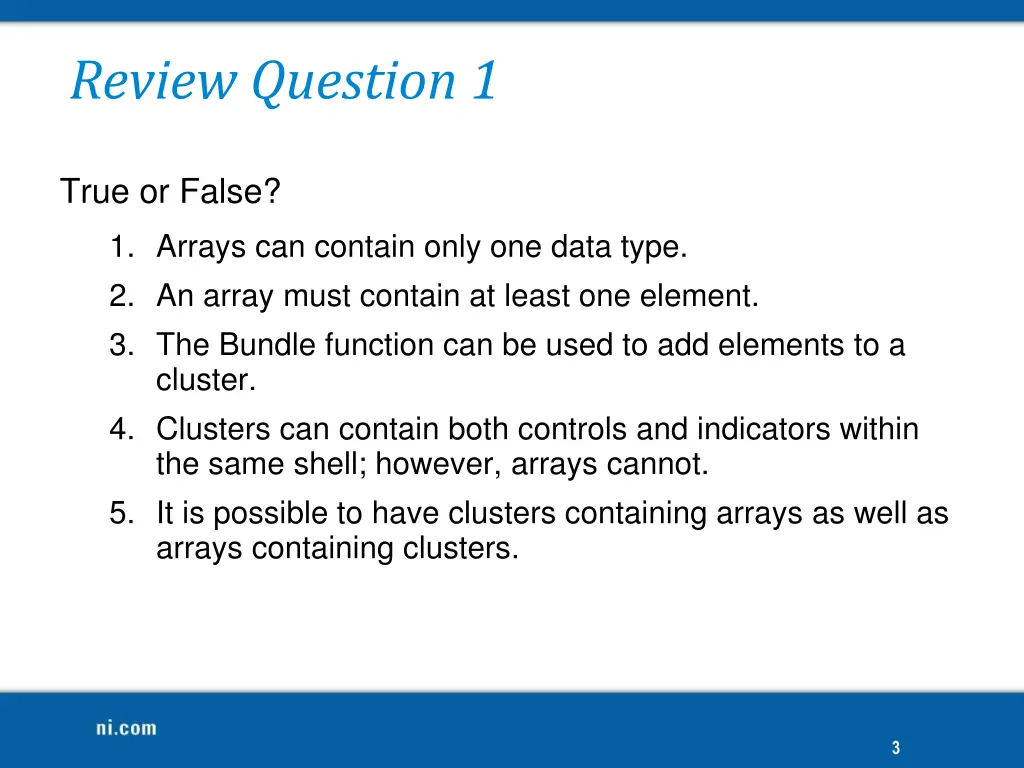
Review Question 1 True or False? 1. Arrays can contain only one data type. 2. An array must contain at least one element. 3. The Bundle function can be used to add elements to a cluster. 4. Clusters can contain both controls and indicators within the same shell; however, arrays cannot. 5. It is possible to have clusters containing arrays as well as arrays containing clusters. 3
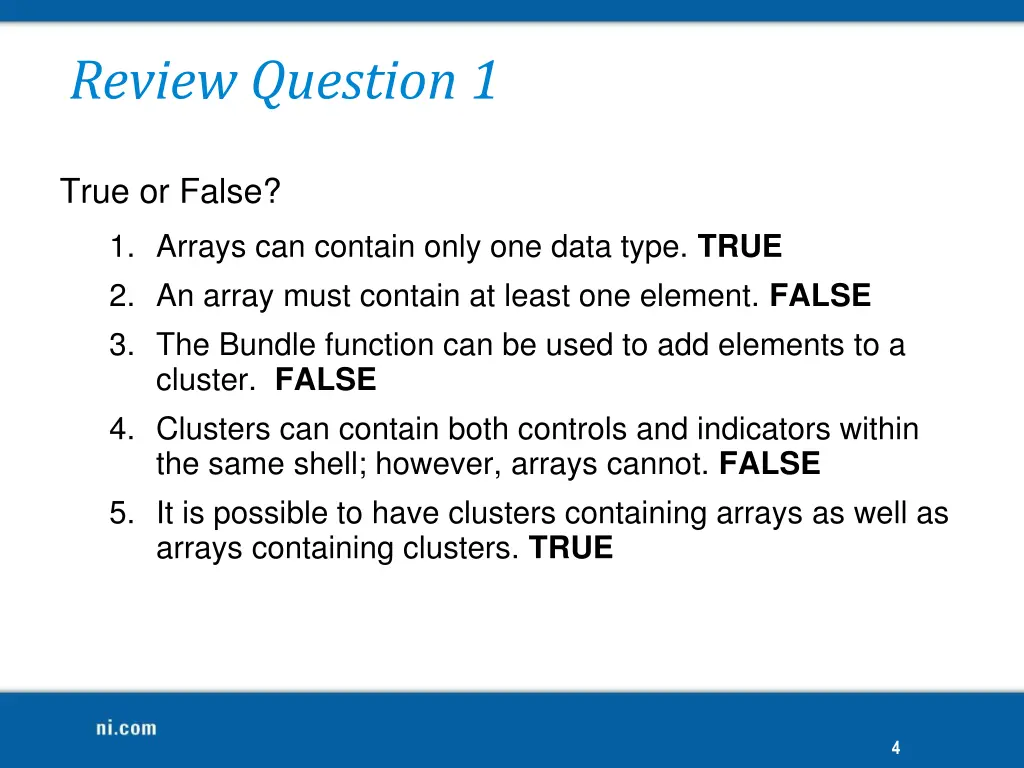
Review Question 1 True or False? 1. Arrays can contain only one data type. TRUE 2. An array must contain at least one element. FALSE 3. The Bundle function can be used to add elements to a cluster. FALSE 4. Clusters can contain both controls and indicators within the same shell; however, arrays cannot. FALSE 5. It is possible to have clusters containing arrays as well as arrays containing clusters. TRUE 4
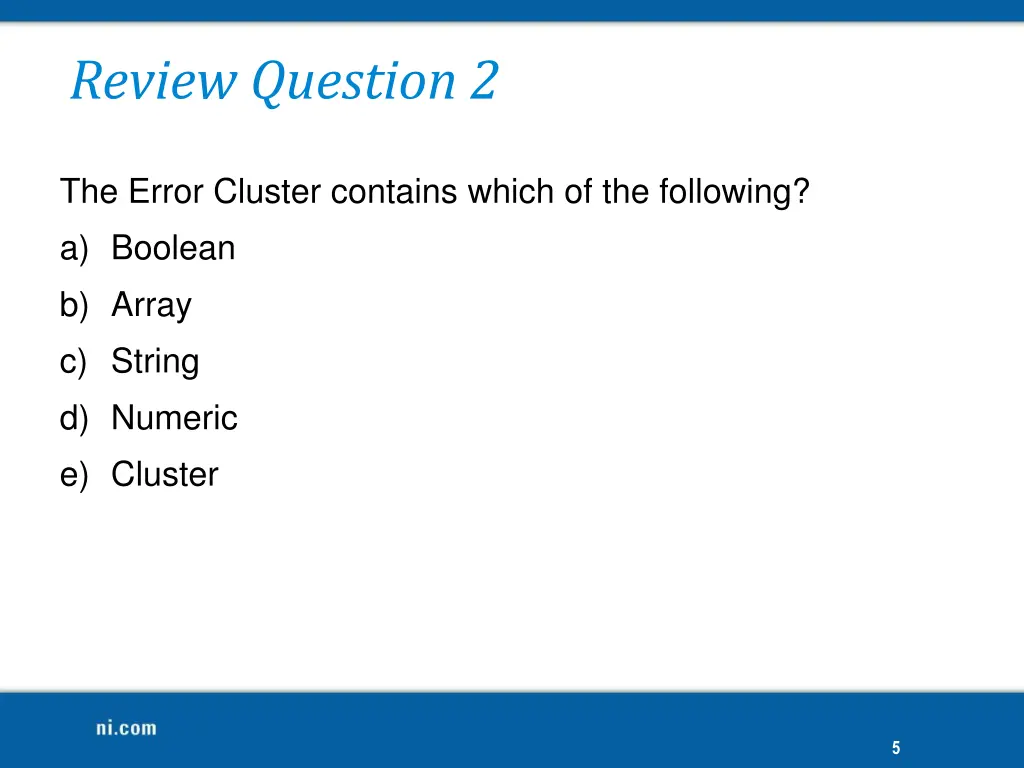
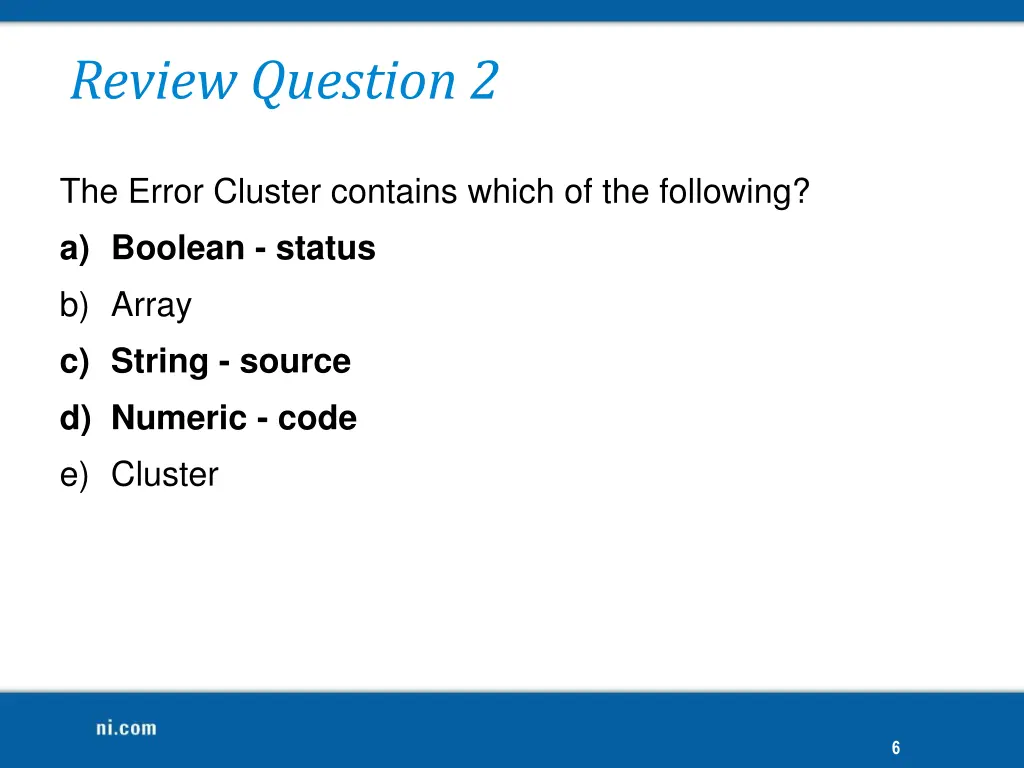
Review Question 2 The Error Cluster contains which of the following? a) Boolean b) Array c) String d) Numeric e) Cluster 5
Review Question 2 The Error Cluster contains which of the following? a) Boolean -status b) Array c) String - source d) Numeric - code e) Cluster 6
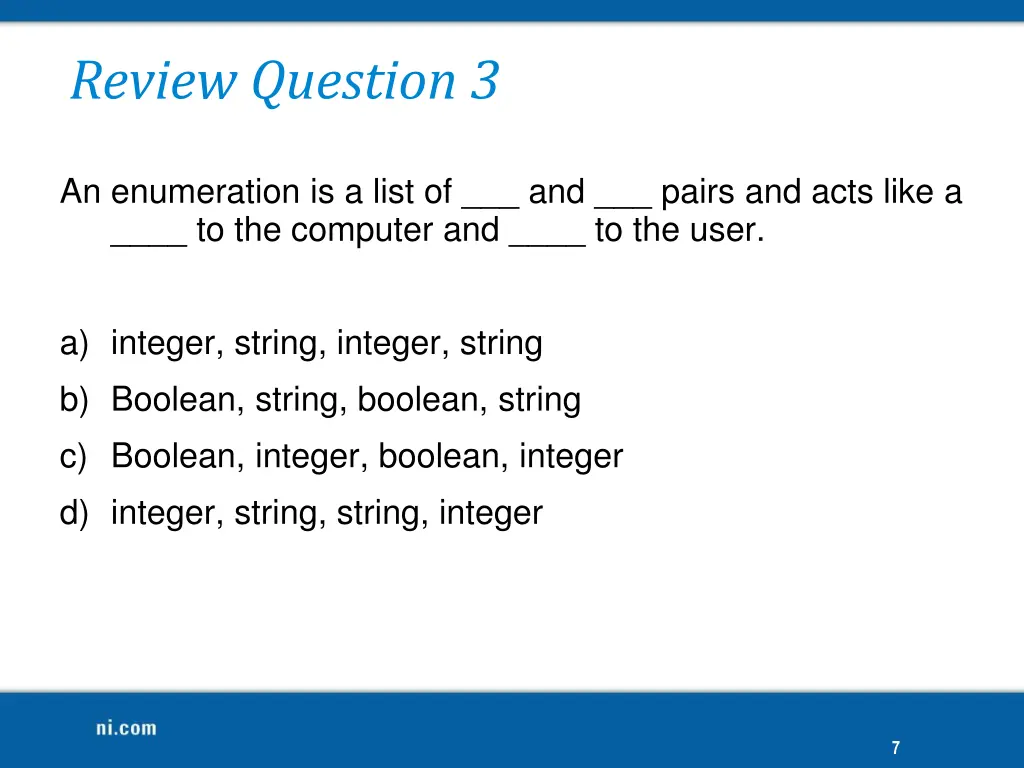
Review Question 3 An enumeration is a list of ___ and ___ pairs and acts like a ____ to the computer and ____ to the user. a) integer, string, integer, string b) Boolean, string, boolean, string c) Boolean, integer, boolean, integer d) integer, string, string, integer 7
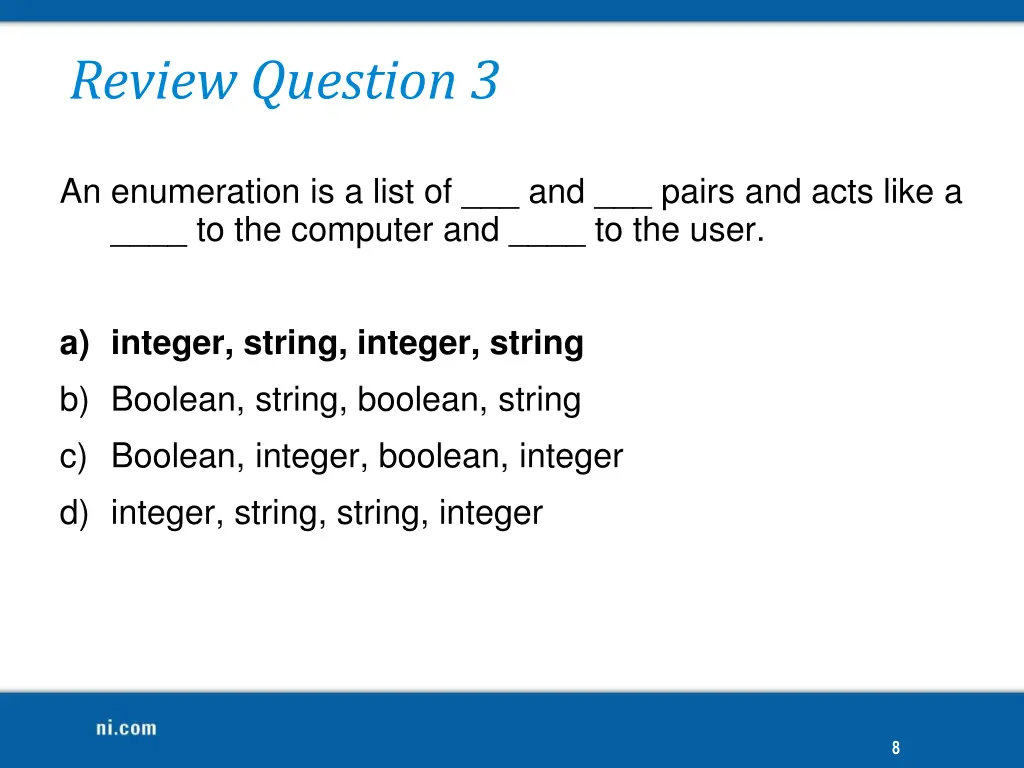
Review Question 3 An enumeration is a list of ___ and ___ pairs and acts like a ____ to the computer and ____ to the user. a) integer, string, integer, string b) Boolean, string, boolean, string c) Boolean, integer, boolean, integer d) integer, string, string, integer 8
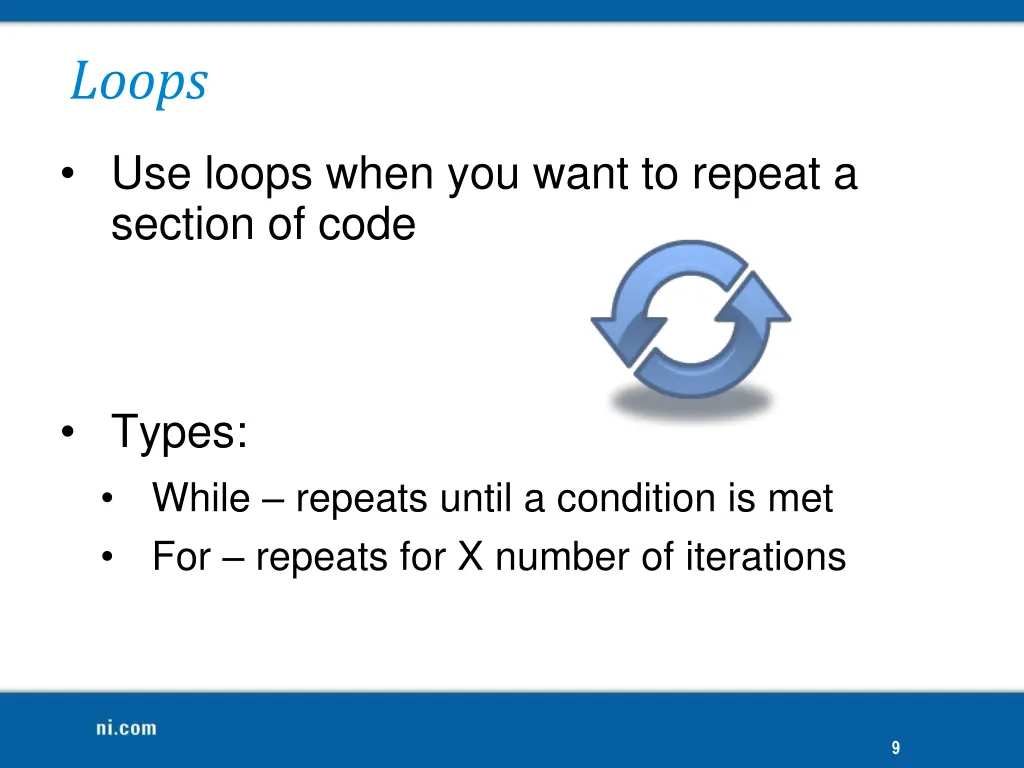
Loops Use loops when you want to repeat a section of code Types: While repeats until a condition is met For repeats for X number of iterations 9
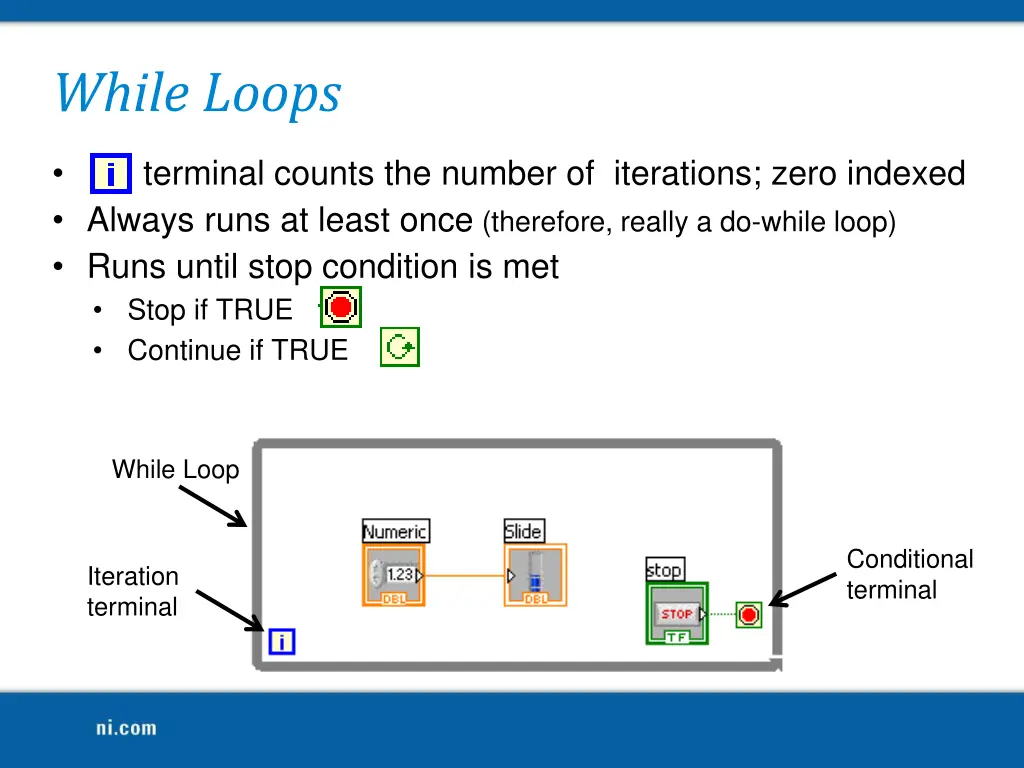
While Loops terminal counts the number of iterations; zero indexed Always runs at least once (therefore, really a do-while loop) Runs until stop condition is met Stop if TRUE Continue if TRUE While Loop Conditional terminal Iteration terminal
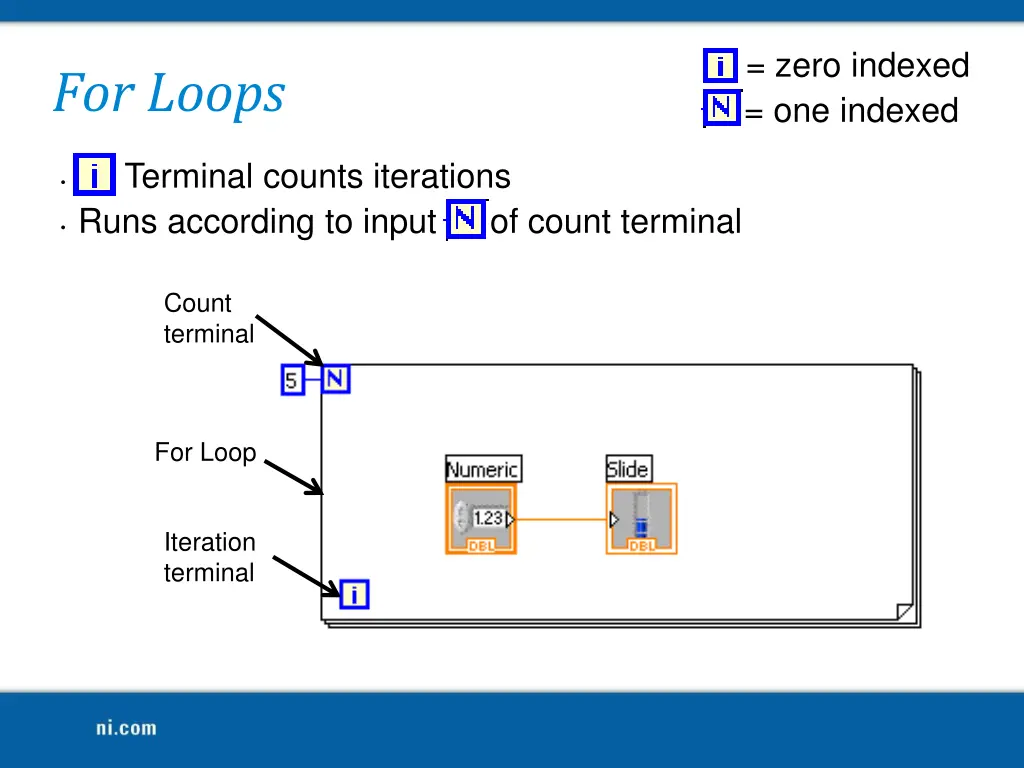
i = zero indexed N = one indexed For Loops i Terminal counts iterations Runs according to input N of count terminal Count terminal For Loop Iteration terminal
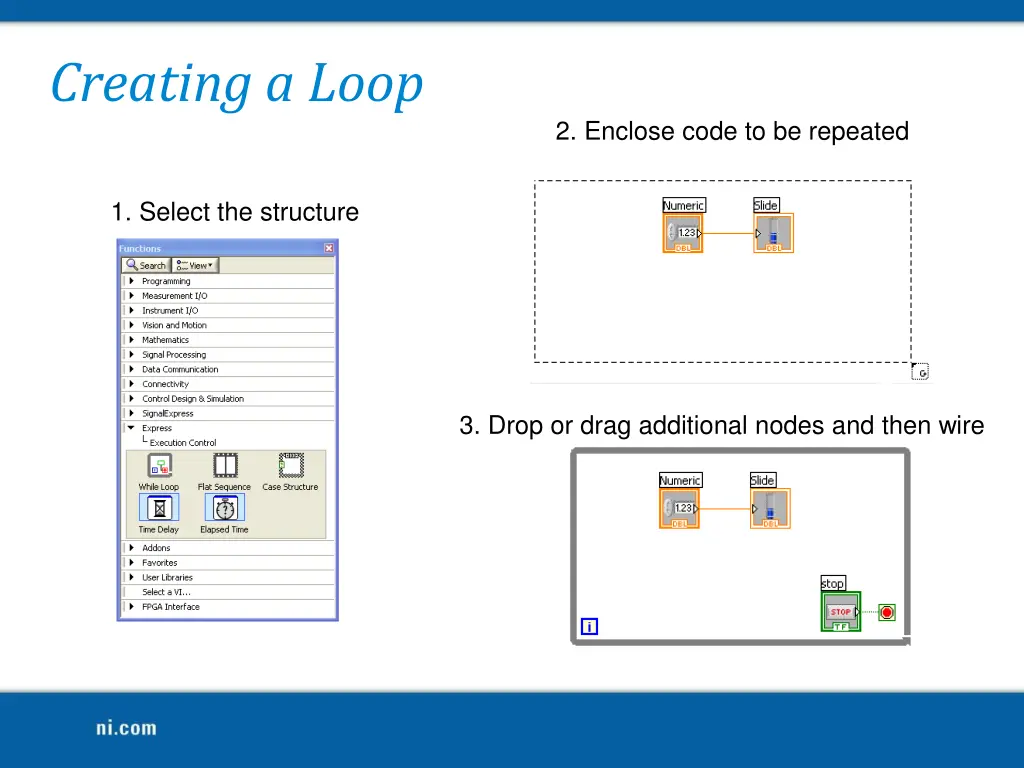
Creating a Loop 2. Enclose code to be repeated 1. Select the structure 3. Drop or drag additional nodes and then wire
Demonstration: Creating a Loop
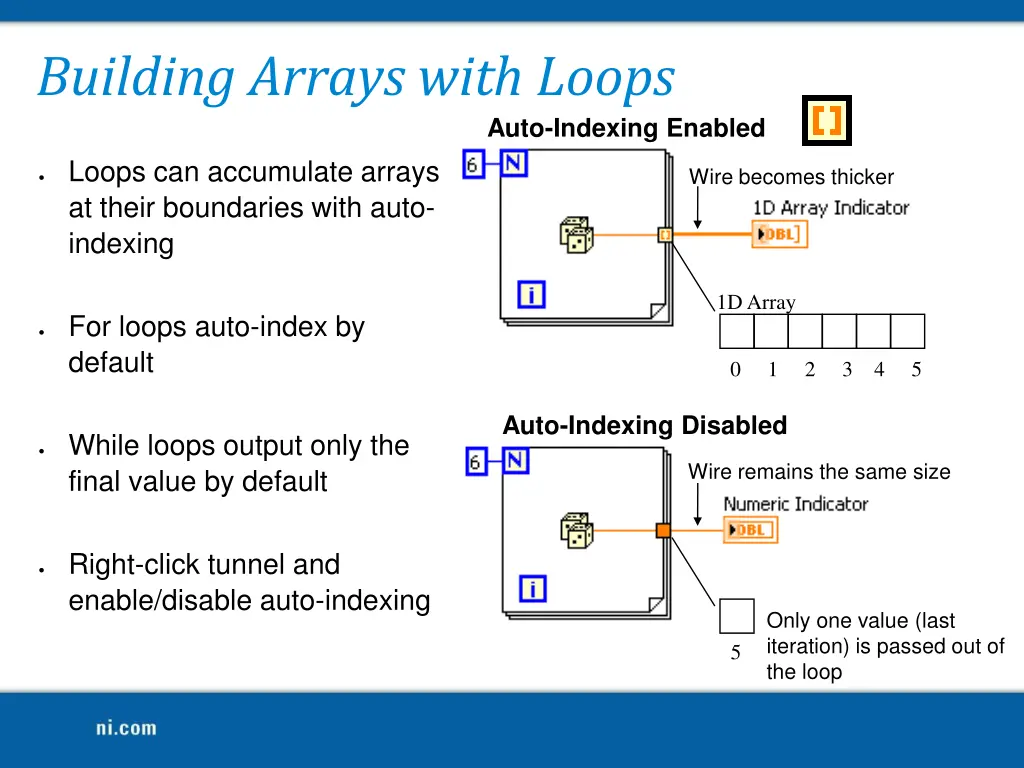
Building Arrays with Loops Auto-Indexing Enabled Loops can accumulate arrays at their boundaries with auto- indexing Wire becomes thicker 1D Array For loops auto-index by default 0 1 2 3 4 5 Auto-Indexing Disabled While loops output only the final value by default Wire remains the same size Right-click tunnel and enable/disable auto-indexing Only one value (last iteration) is passed out of the loop 5
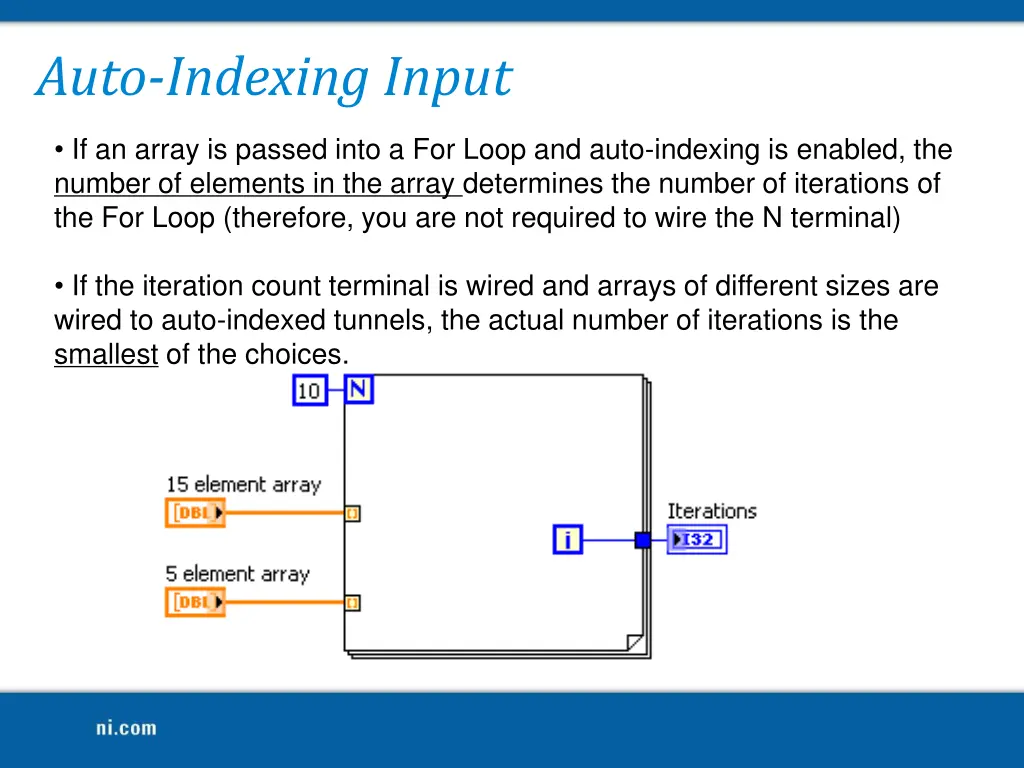
Auto-Indexing Input If an array is passed into a For Loop and auto-indexing is enabled, the number of elements in the array determines the number of iterations of the For Loop (therefore, you are not required to wire the N terminal) If the iteration count terminal is wired and arrays of different sizes are wired to auto-indexed tunnels, the actual number of iterations is the smallest of the choices.
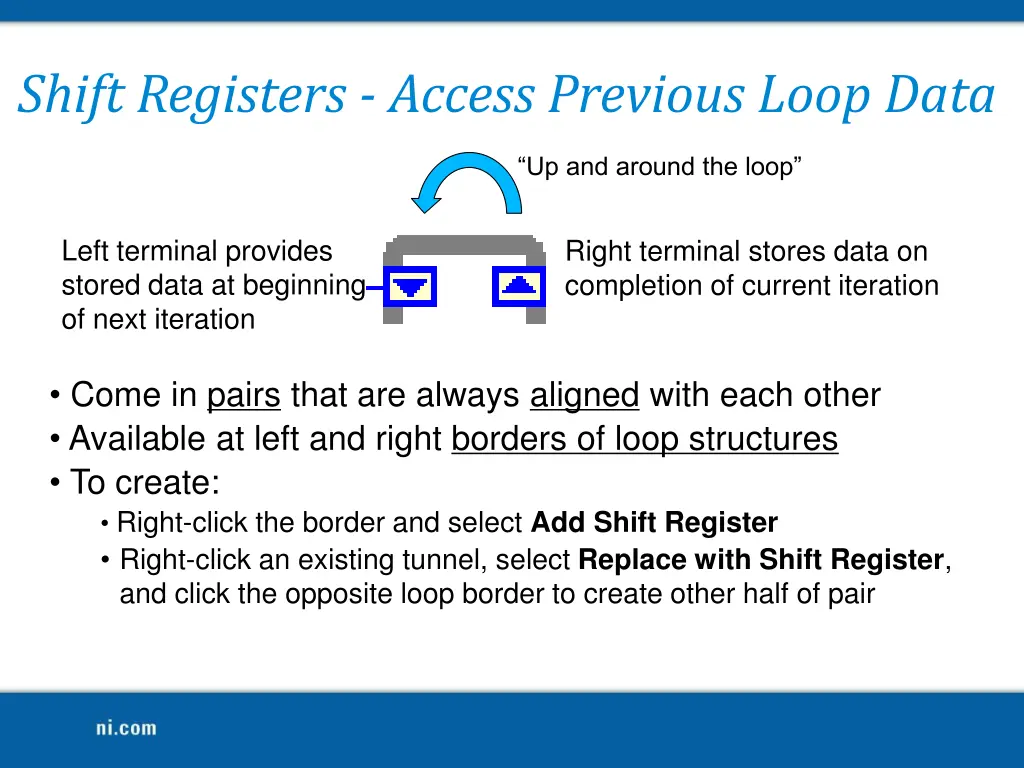
Shift Registers - Access Previous Loop Data Up and around the loop Left terminal provides stored data at beginning of next iteration Right terminal stores data on completion of current iteration Come in pairs that are always aligned with each other Available at left and right borders of loop structures To create: Right-click the border and select Add Shift Register Right-click an existing tunnel, select Replace with Shift Register, and click the opposite loop border to create other half of pair
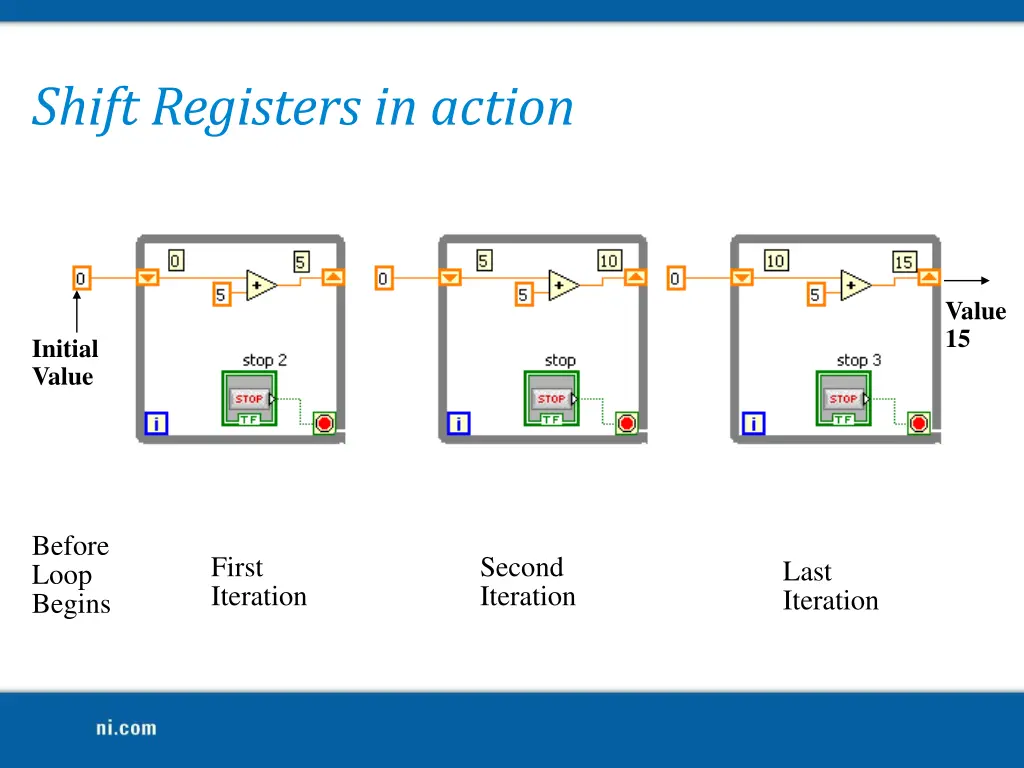
Shift Registers in action Value 15 Initial Value Before Loop Begins First Iteration Second Iteration Last Iteration
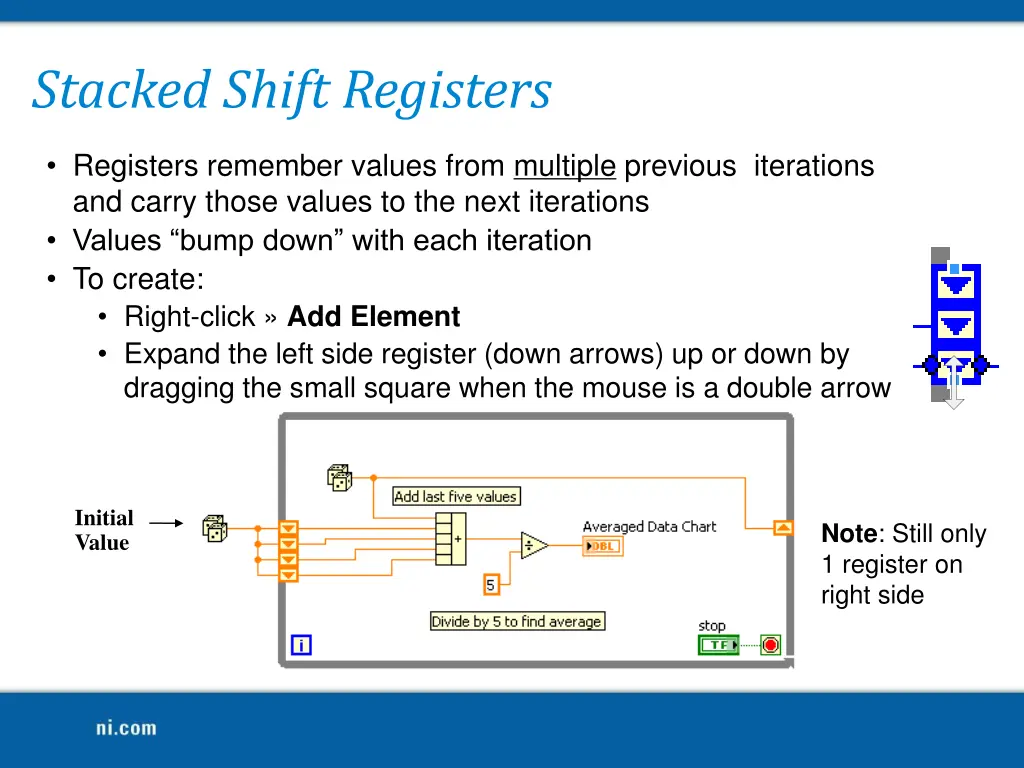
Stacked Shift Registers Registers remember values from multiple previous iterations and carry those values to the next iterations Values bump down with each iteration To create: Right-click Add Element Expand the left side register (down arrows) up or down by dragging the small square when the mouse is a double arrow Initial Value Note: Still only 1 register on right side
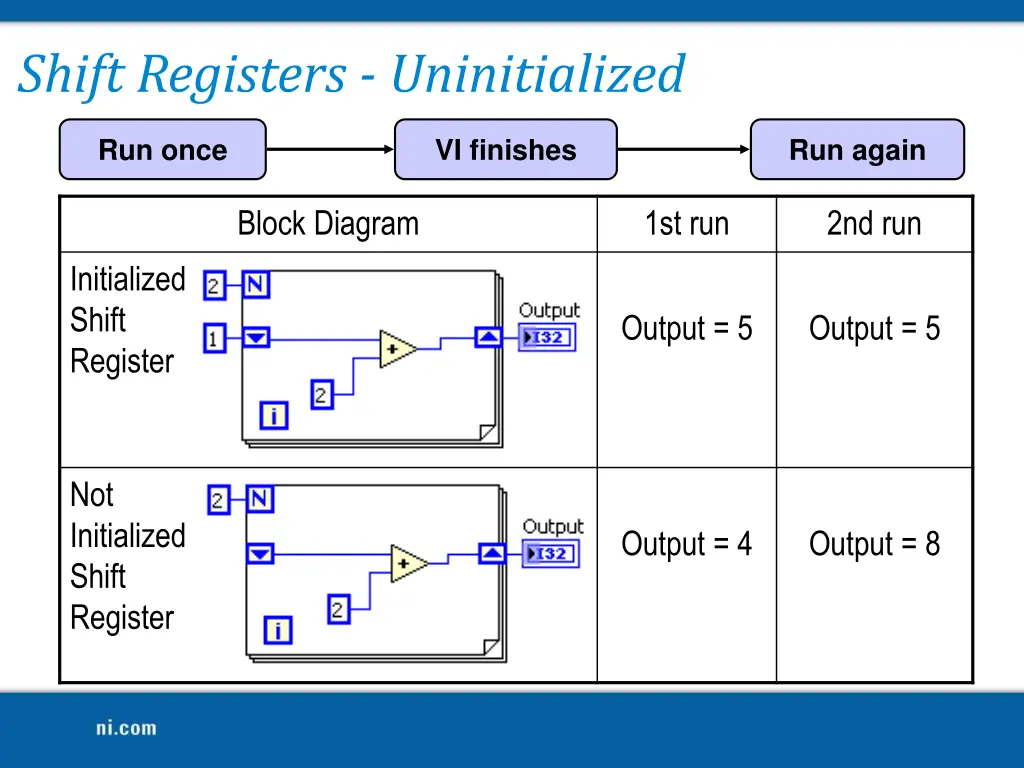
Shift Registers - Uninitialized Run once VI finishes Run again Block Diagram 1st run 2nd run Initialized Shift Register Output = 5 Output = 5 Not Initialized Shift Register Output = 4 Output = 8
Demonstration: Operation of a Shift Register
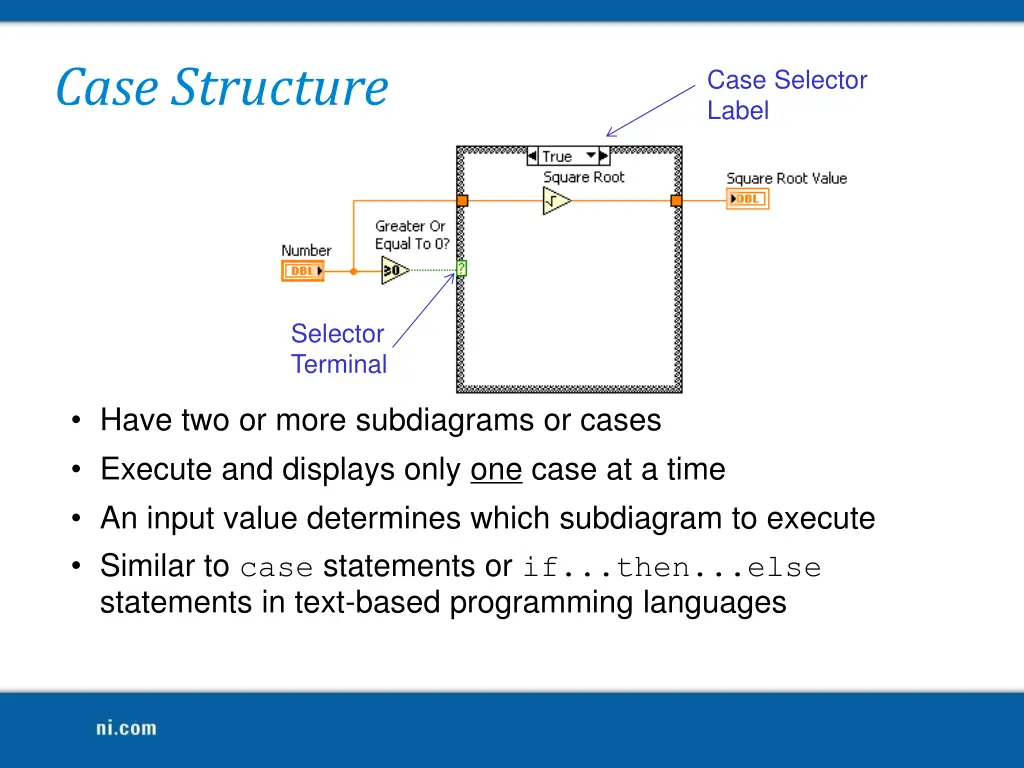
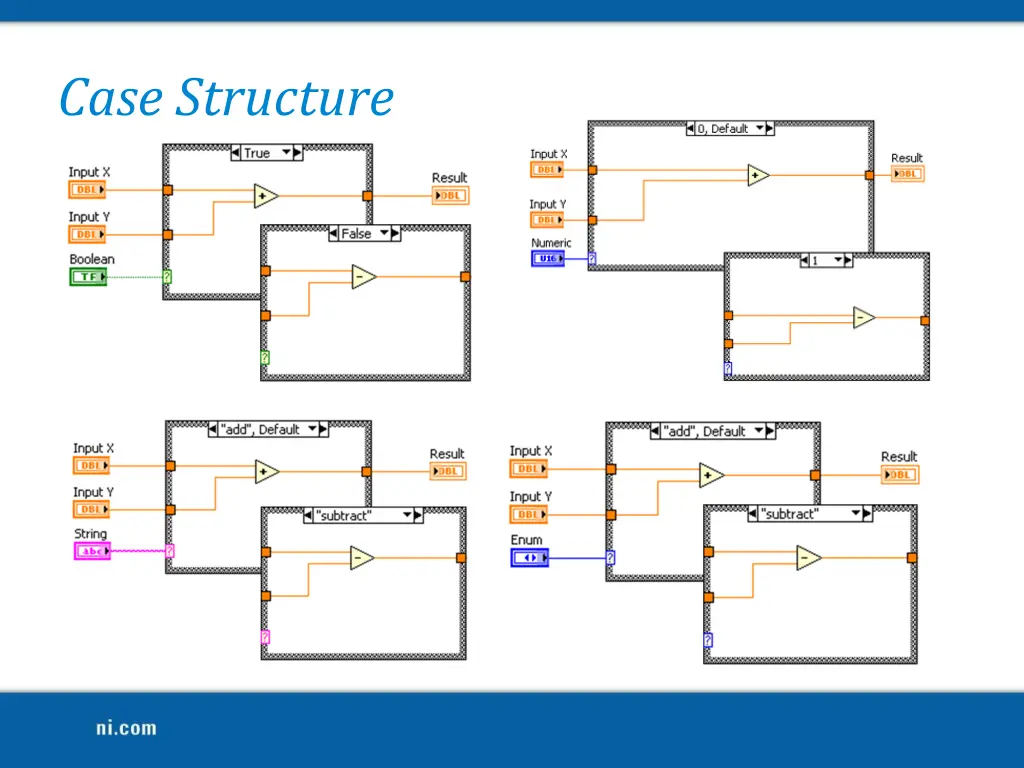
Case Structure Case Selector Label Selector Terminal Have two or more subdiagrams or cases Execute and displays only one case at a time An input value determines which subdiagram to execute Similar to case statements or if...then...else statements in text-based programming languages
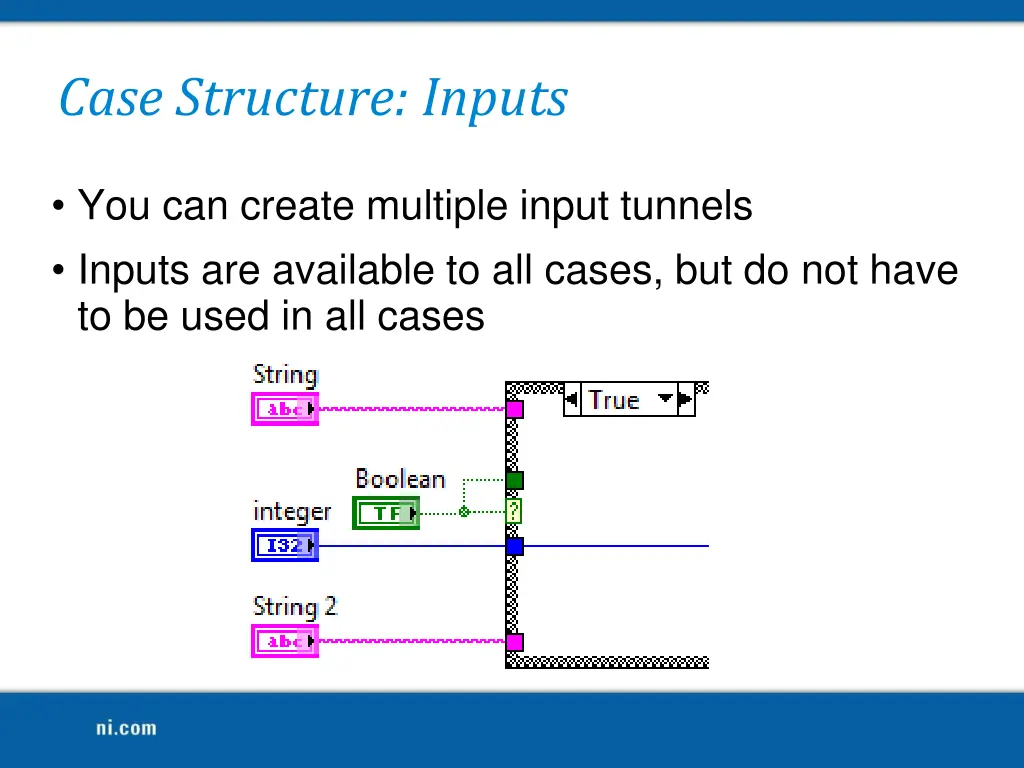
Case Structure: Inputs You can create multiple input tunnels Inputs are available to all cases, but do not have to be used in all cases
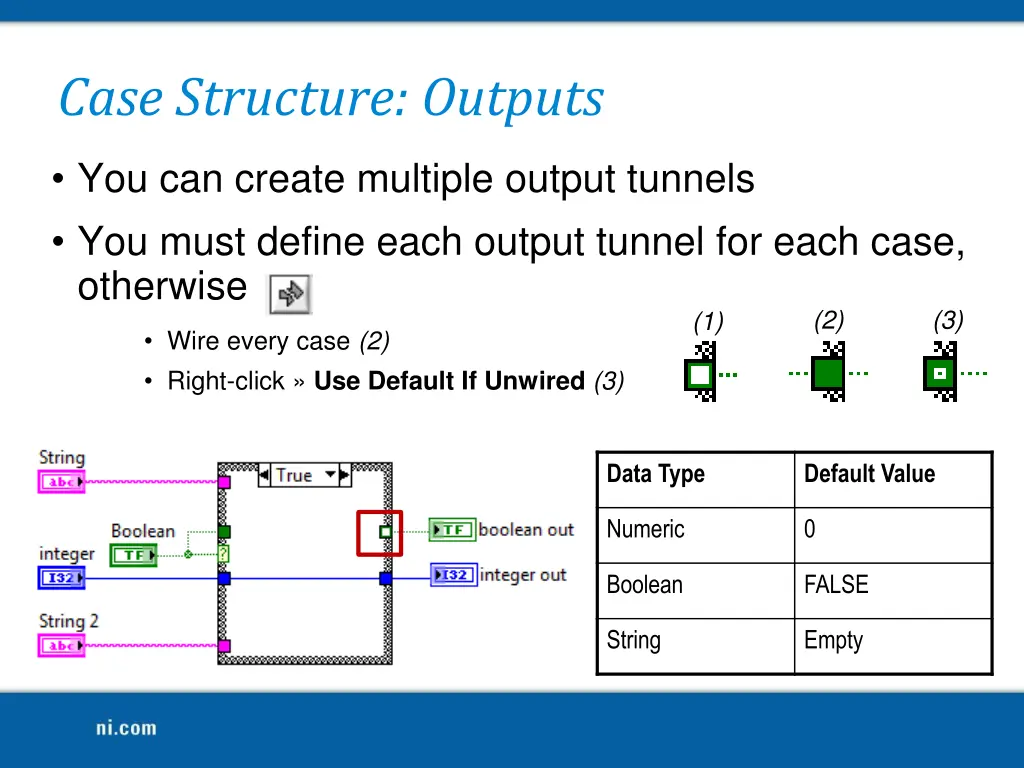
Case Structure: Outputs You can create multiple output tunnels You must define each output tunnel for each case, otherwise (2) (3) (1) Wire every case (2) Right-click Use Default If Unwired (3) Data Type Default Value Numeric 0 Boolean FALSE String Empty
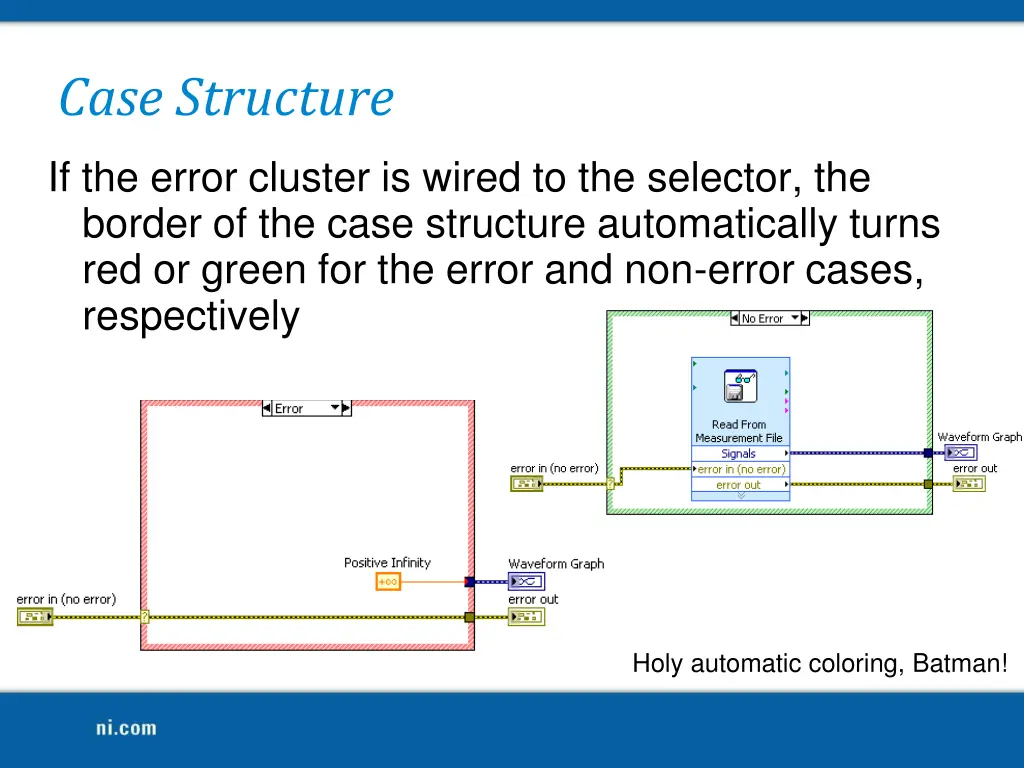
Case Structure If the error cluster is wired to the selector, the border of the case structure automatically turns red or green for the error and non-error cases, respectively Holy automatic coloring, Batman!
Demonstration: Creating a Case Structure and Adding a Case
Homework Create a VI using loops and case structures