Analysis of Tradeoffs in Migrating Server Storage to SSDs
This analysis explores the tradeoffs involved in migrating server storage to solid-state drives (SSDs), comparing factors like performance, cost, complexity, power efficiency, and more. It delves into the differences between enterprise and laptop storage, the impact of replacing disks with SSDs, and the potential benefits of using SSDs as an intermediate tier in storage systems. Various options for leveraging SSD technology are discussed, along with the challenges of selecting the right storage configuration for specific workloads.

Download Presentation

Please find below an Image/Link to download the presentation.
The content on the website is provided AS IS for your information and personal use only. It may not be sold, licensed, or shared on other websites without obtaining consent from the author. If you encounter any issues during the download, it is possible that the publisher has removed the file from their server.
You are allowed to download the files provided on this website for personal or commercial use, subject to the condition that they are used lawfully. All files are the property of their respective owners.
The content on the website is provided AS IS for your information and personal use only. It may not be sold, licensed, or shared on other websites without obtaining consent from the author.
E N D
Presentation Transcript
Migrating Server Storage to SSDs: Analysis of Tradeoffs Dushyanth Narayanan Eno Thereska Austin Donnelly Sameh Elnikety Antony Rowstron Microsoft Research Cambridge, UK
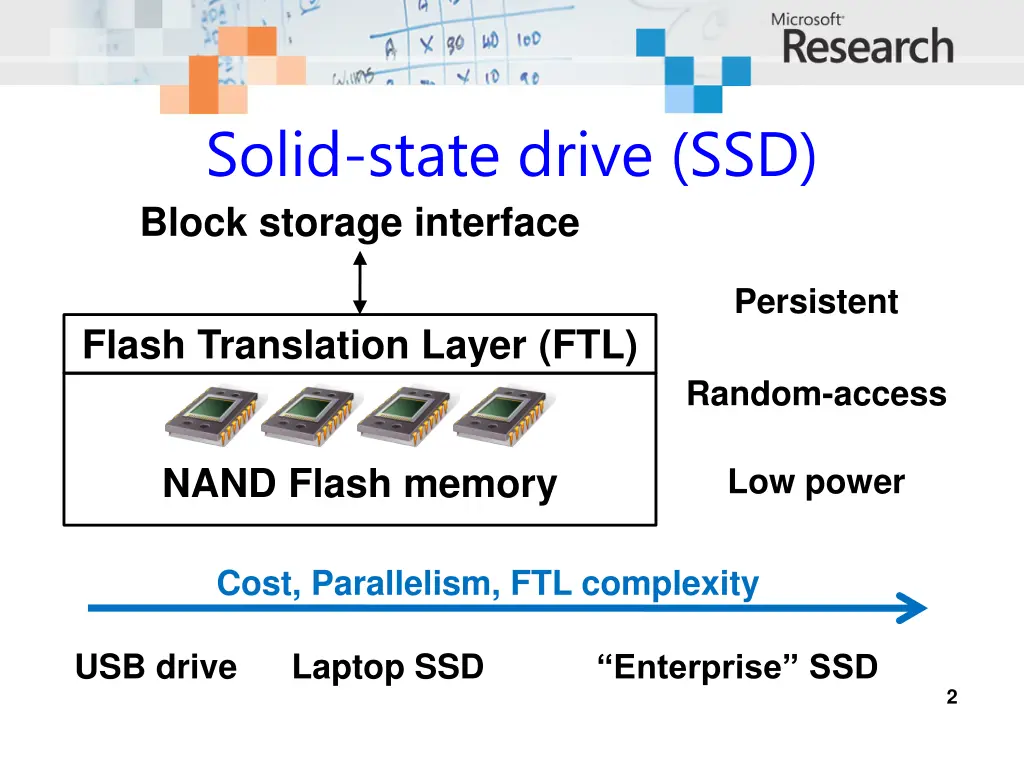
Solid-state drive (SSD) Block storage interface Persistent Flash Translation Layer (FTL) Random-access NAND Flash memory Low power Cost, Parallelism, FTL complexity USB drive Laptop SSD Enterprise SSD 2
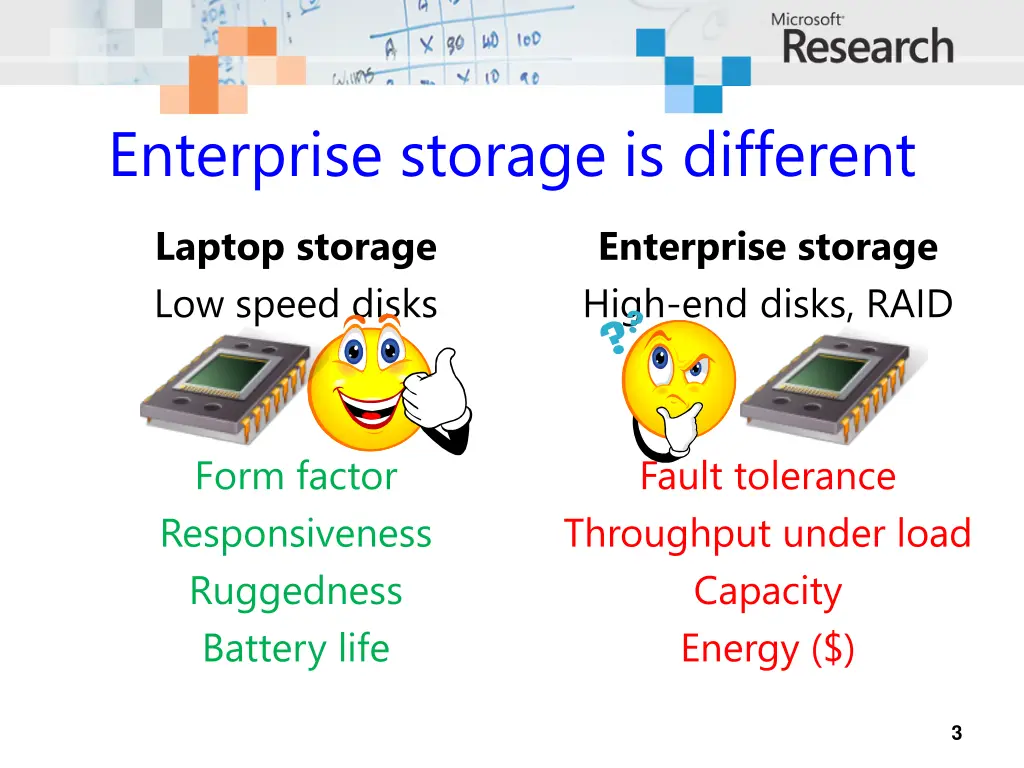
Enterprise storage is different Laptop storage Low speed disks Enterprise storage High-end disks, RAID Form factor Responsiveness Ruggedness Battery life Fault tolerance Throughput under load Capacity Energy ($) 3
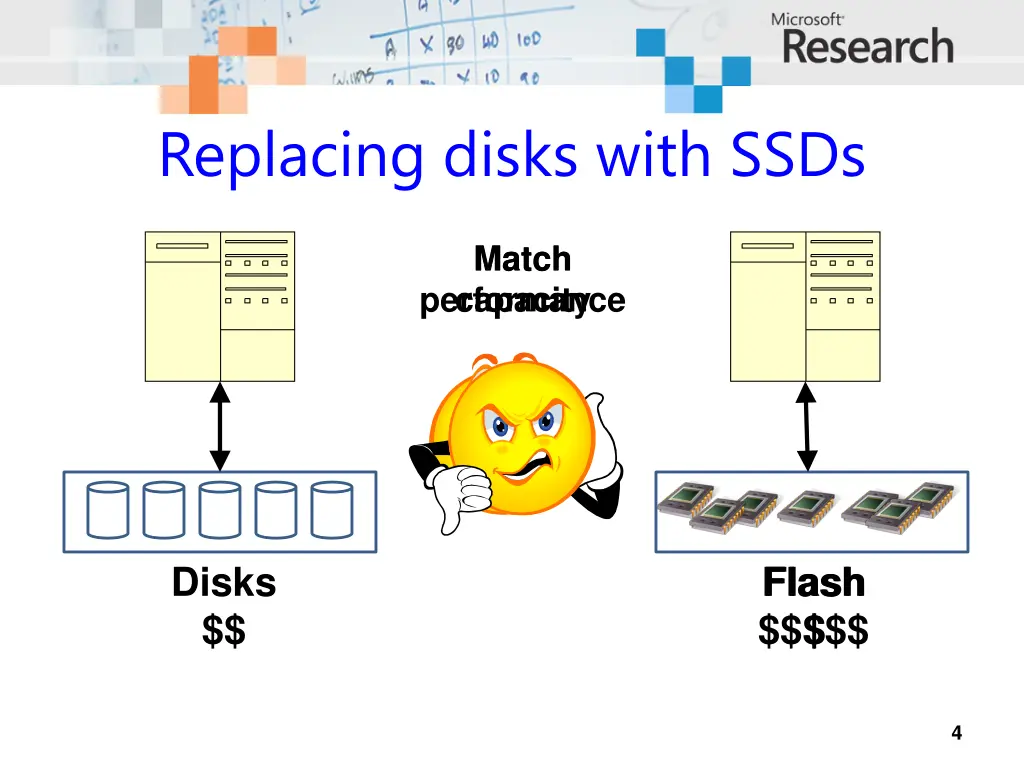
Replacing disks with SSDs Match Match capacity performance Disks $$ Flash $$$$$ $ Flash 4
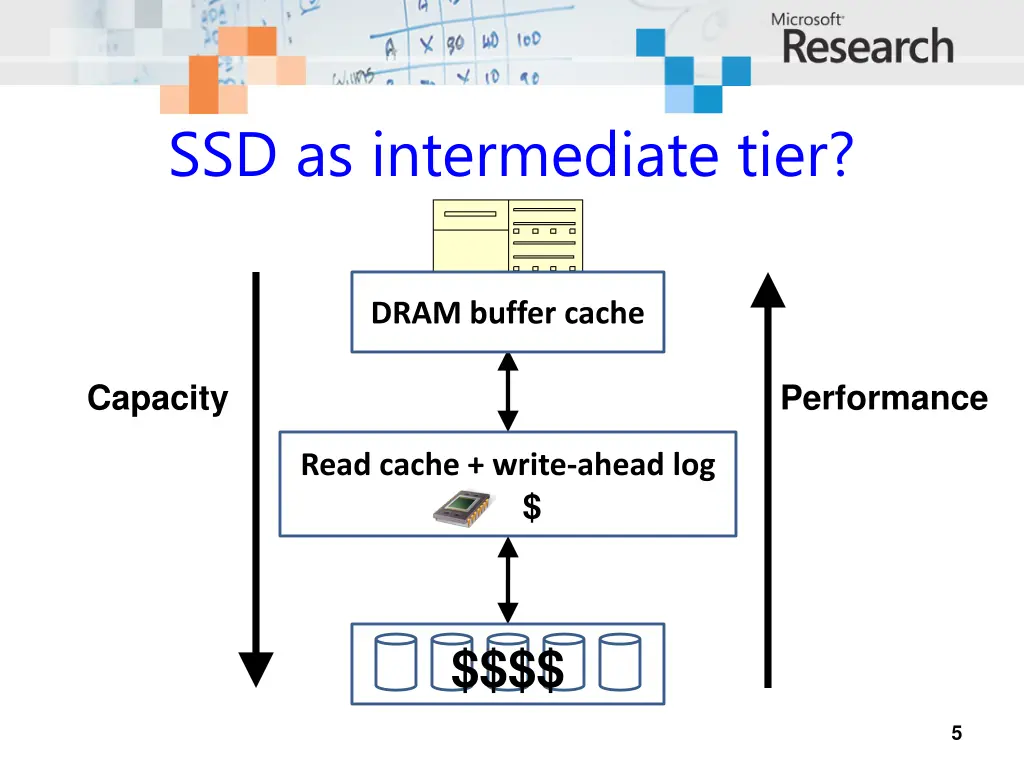
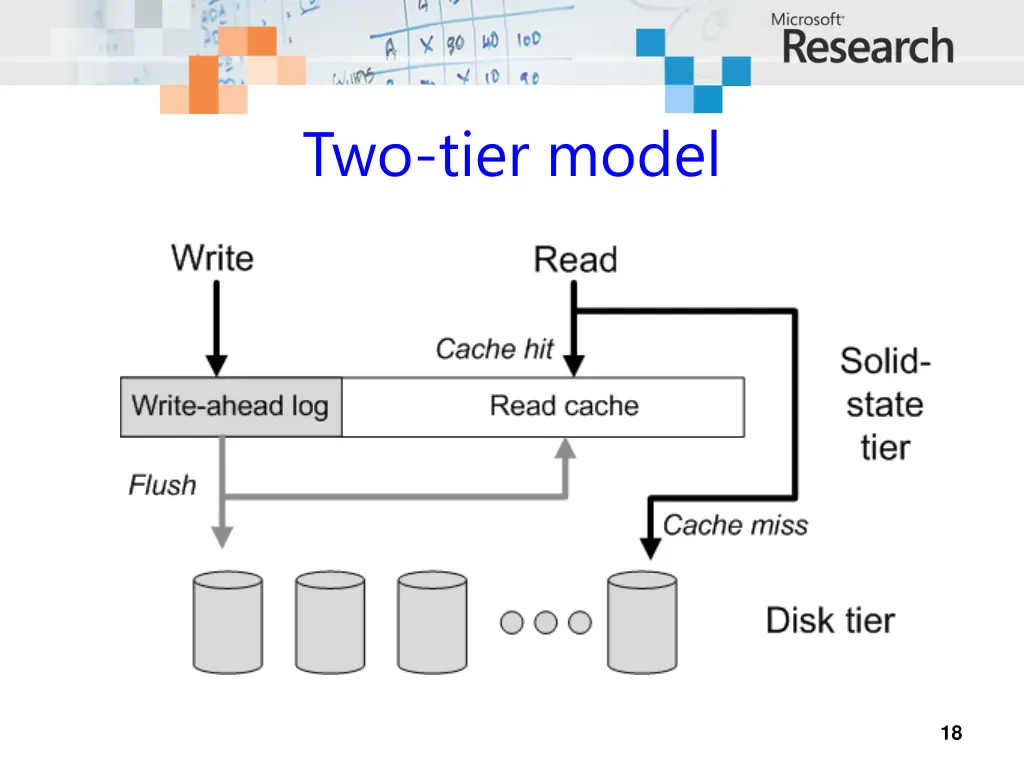
SSD as intermediate tier? DRAM buffer cache Capacity Performance Read cache + write-ahead log $ $$$$ 5
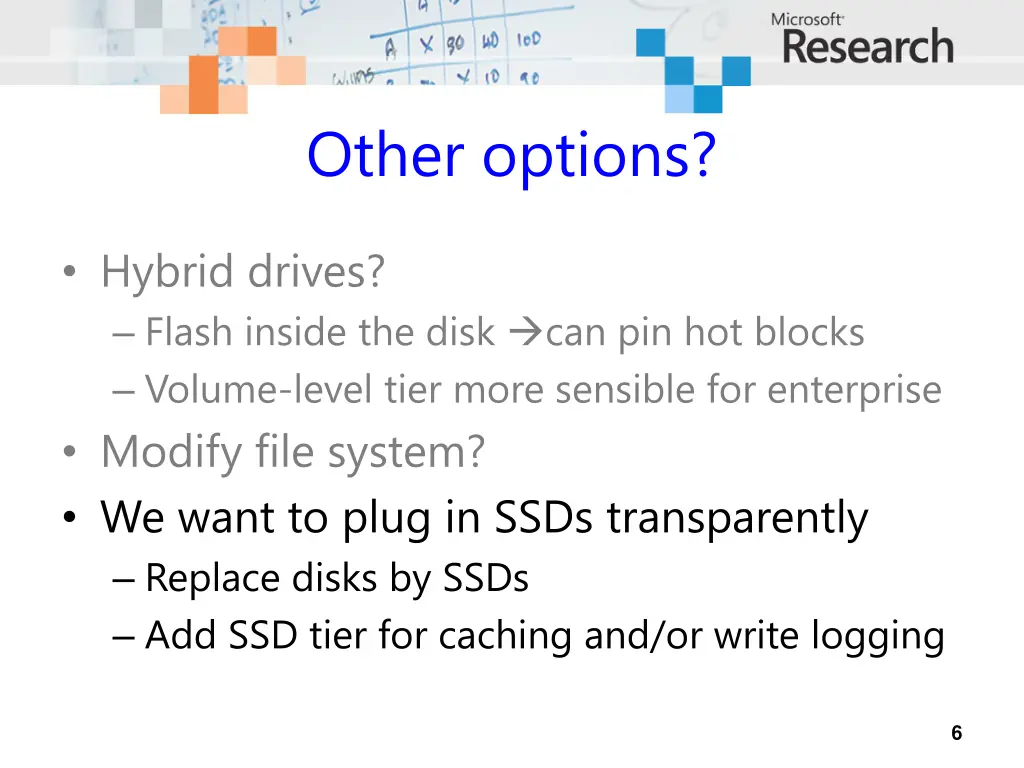
Other options? Hybrid drives? Flash inside the disk can pin hot blocks Volume-level tier more sensible for enterprise Modify file system? We want to plug in SSDs transparently Replace disks by SSDs Add SSD tier for caching and/or write logging 6
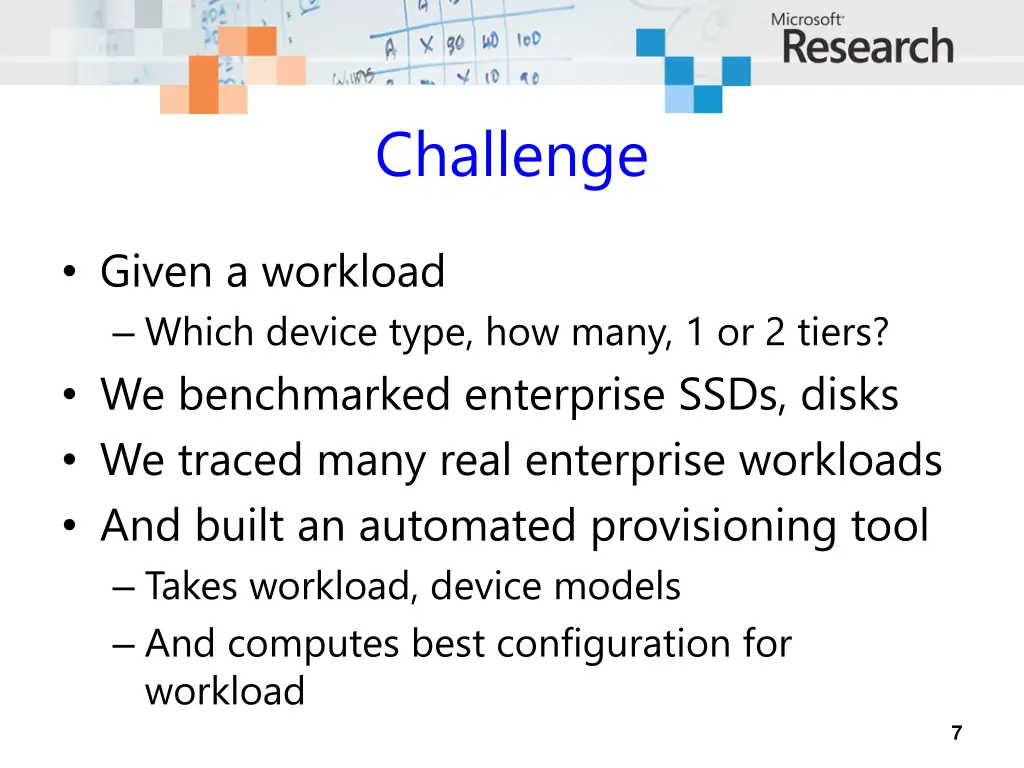
Challenge Given a workload Which device type, how many, 1 or 2 tiers? We benchmarked enterprise SSDs, disks We traced many real enterprise workloads And built an automated provisioning tool Takes workload, device models And computes best configuration for workload 7
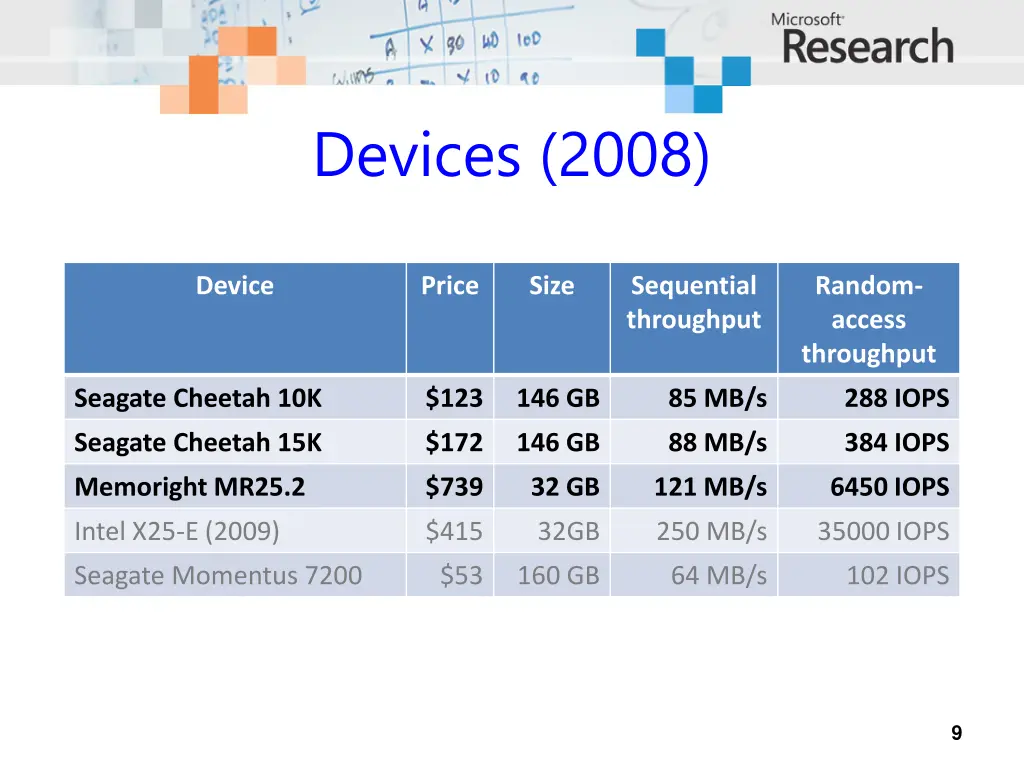
Devices (2008) Device Price Size Sequential throughput Random- access throughput Seagate Cheetah 10K $123 146 GB 85 MB/s 288 IOPS Seagate Cheetah 15K $172 146 GB 88 MB/s 384 IOPS Memoright MR25.2 $739 32 GB 121 MB/s 6450 IOPS Intel X25-E (2009) $415 32GB 250 MB/s 35000 IOPS Seagate Momentus 7200 $53 160 GB 64 MB/s 102 IOPS 9
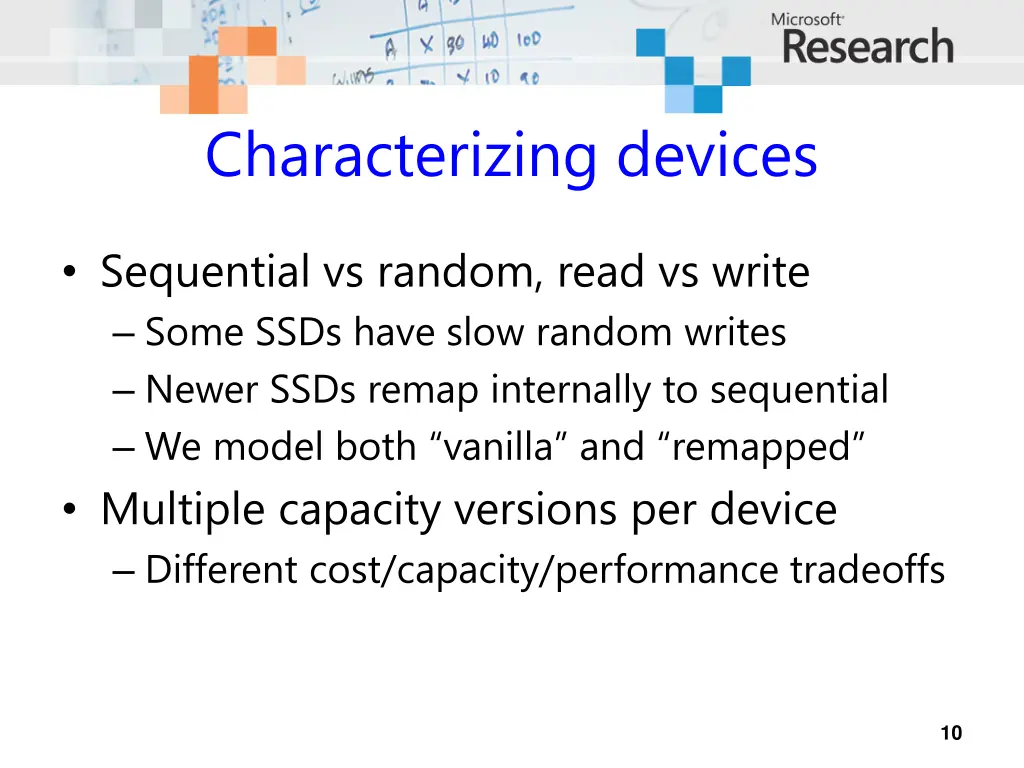
Characterizing devices Sequential vs random, read vs write Some SSDs have slow random writes Newer SSDs remap internally to sequential We model both vanilla and remapped Multiple capacity versions per device Different cost/capacity/performance tradeoffs 10
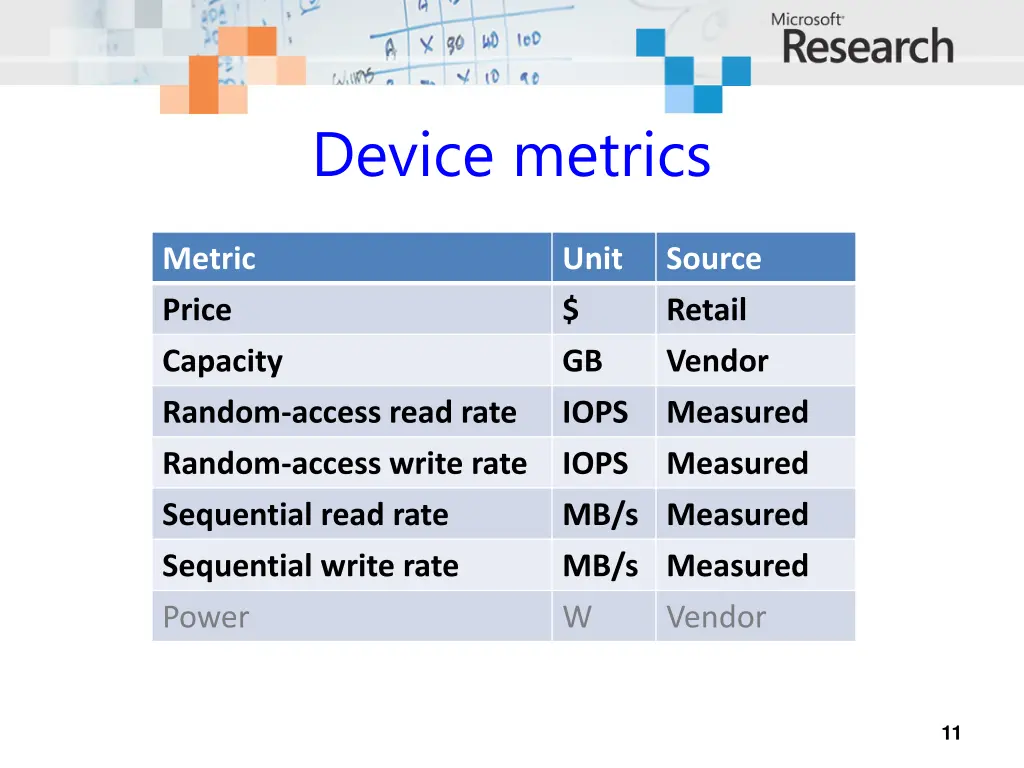
Device metrics Metric Unit Source Price $ Retail Capacity GB Vendor Random-access read rate IOPS Measured Random-access write rate IOPS Measured Sequential read rate MB/s Measured Sequential write rate Power MB/s Measured W Vendor 11
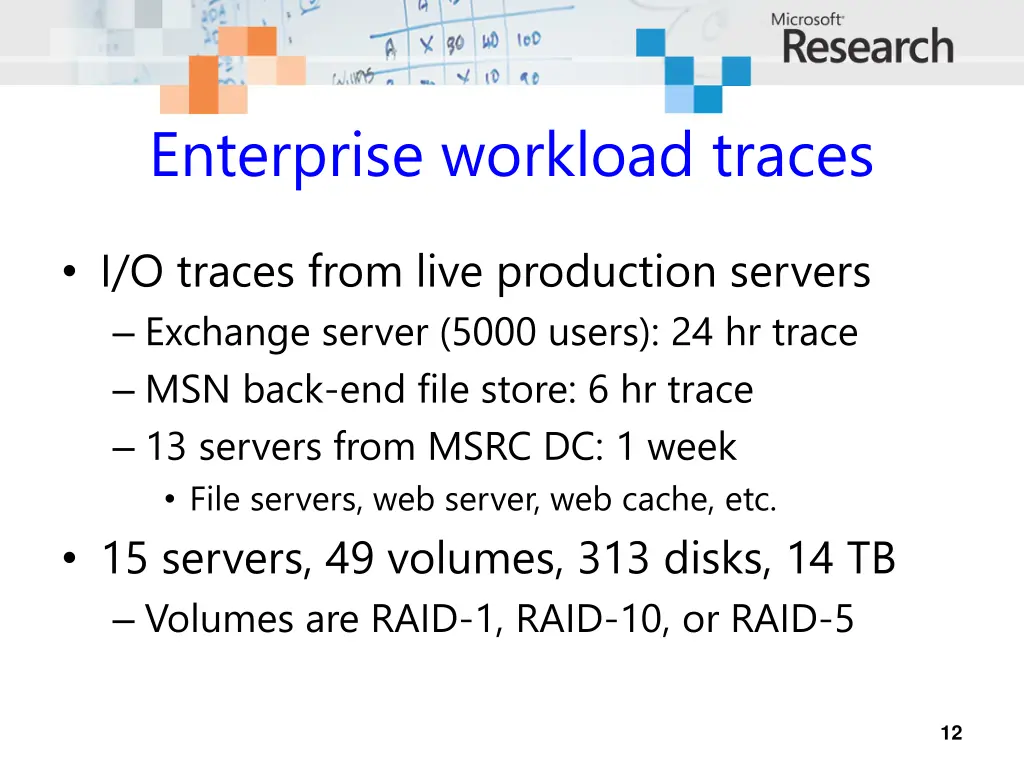
Enterprise workload traces I/O traces from live production servers Exchange server (5000 users): 24 hr trace MSN back-end file store: 6 hr trace 13 servers from MSRC DC: 1 week File servers, web server, web cache, etc. 15 servers, 49 volumes, 313 disks, 14 TB Volumes are RAID-1, RAID-10, or RAID-5 12
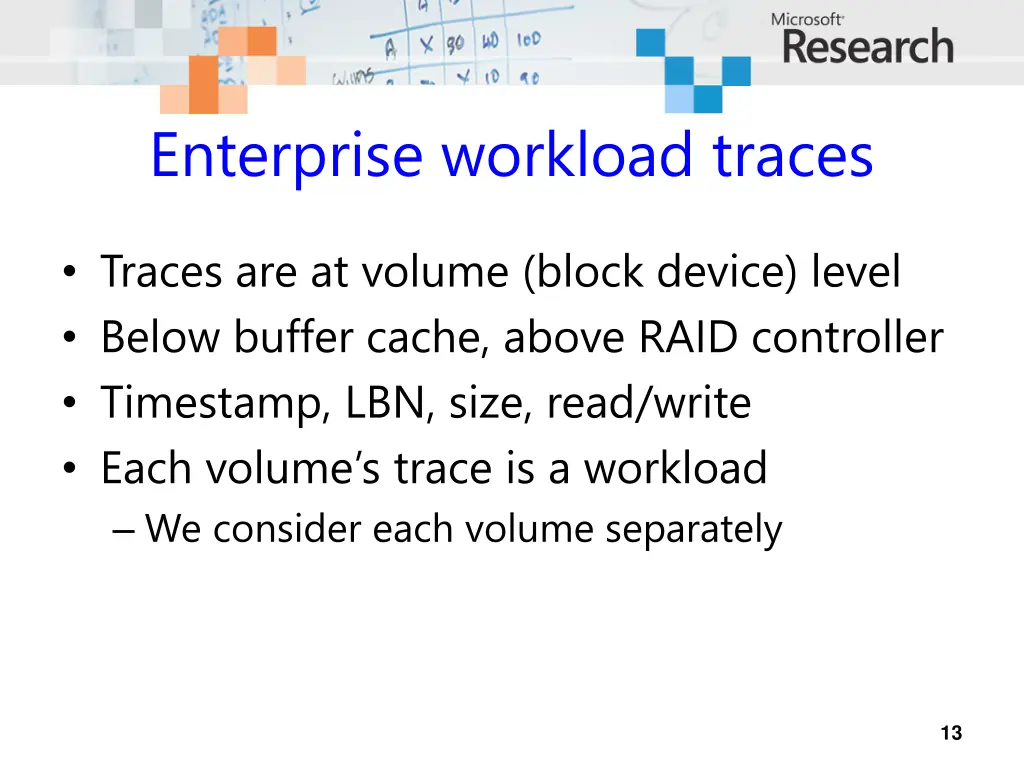
Enterprise workload traces Traces are at volume (block device) level Below buffer cache, above RAID controller Timestamp, LBN, size, read/write Each volume s trace is a workload We consider each volume separately 13
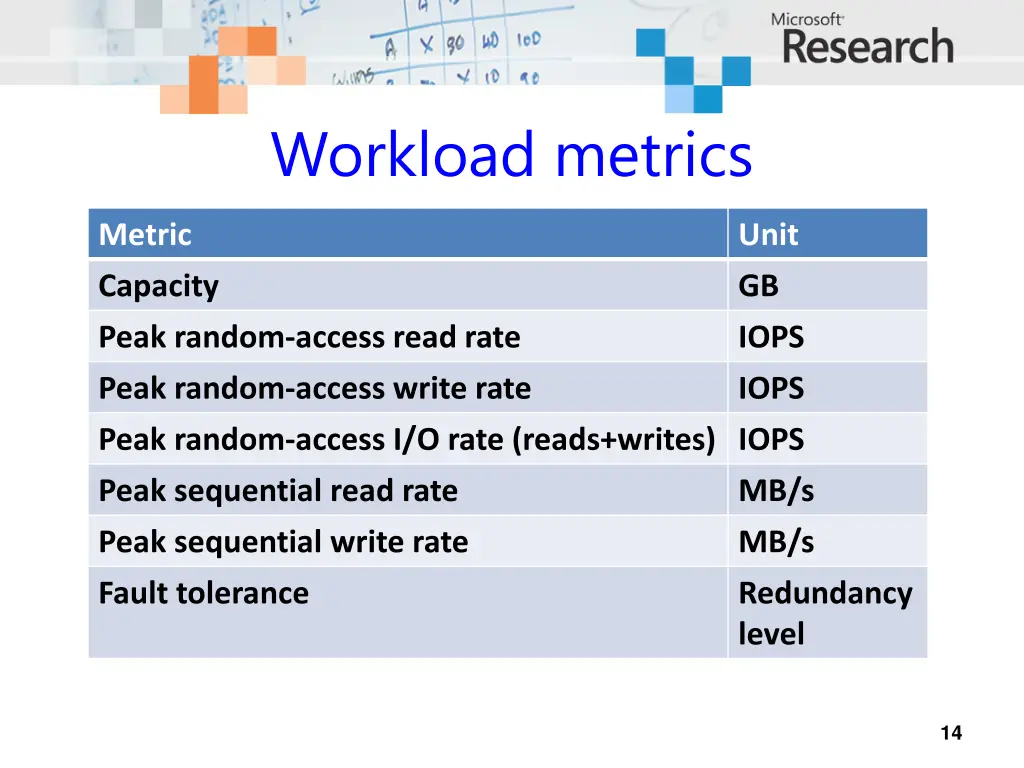
Workload metrics Metric Capacity Unit GB Peak random-access read rate IOPS Peak random-access write rate Peak random-access I/O rate (reads+writes) IOPS IOPS Peak sequential read rate MB/s Peak sequential write rate MB/s Fault tolerance Redundancy level 14
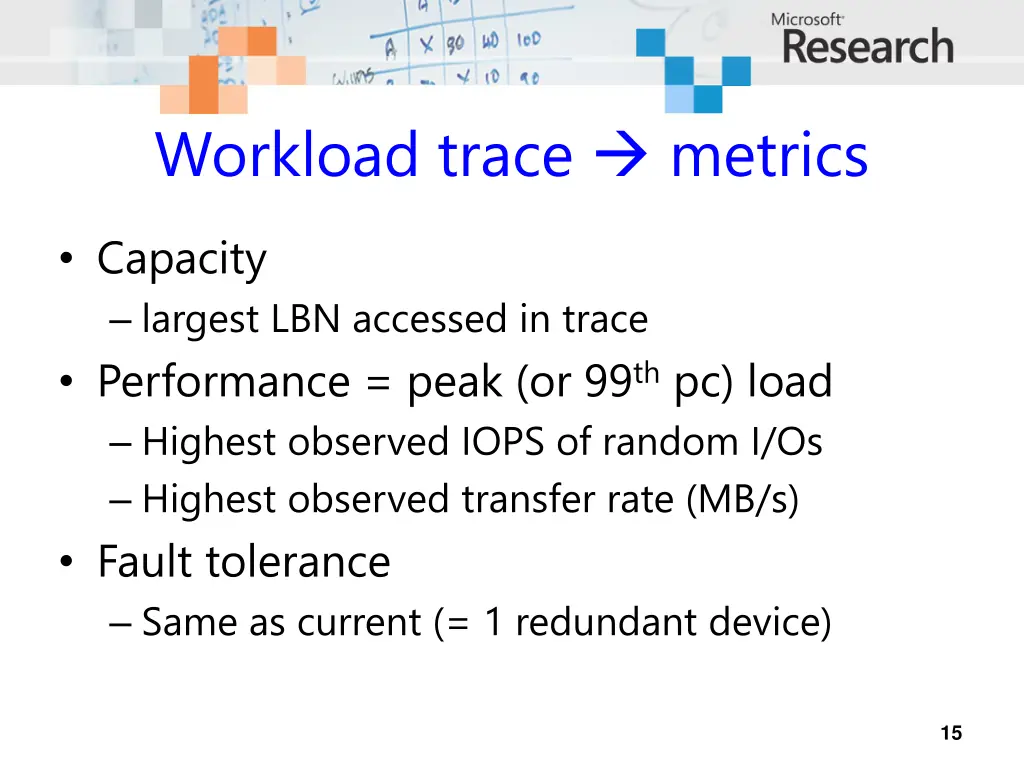
Workload trace metrics Capacity largest LBN accessed in trace Performance = peak (or 99th pc) load Highest observed IOPS of random I/Os Highest observed transfer rate (MB/s) Fault tolerance Same as current (= 1 redundant device) 15
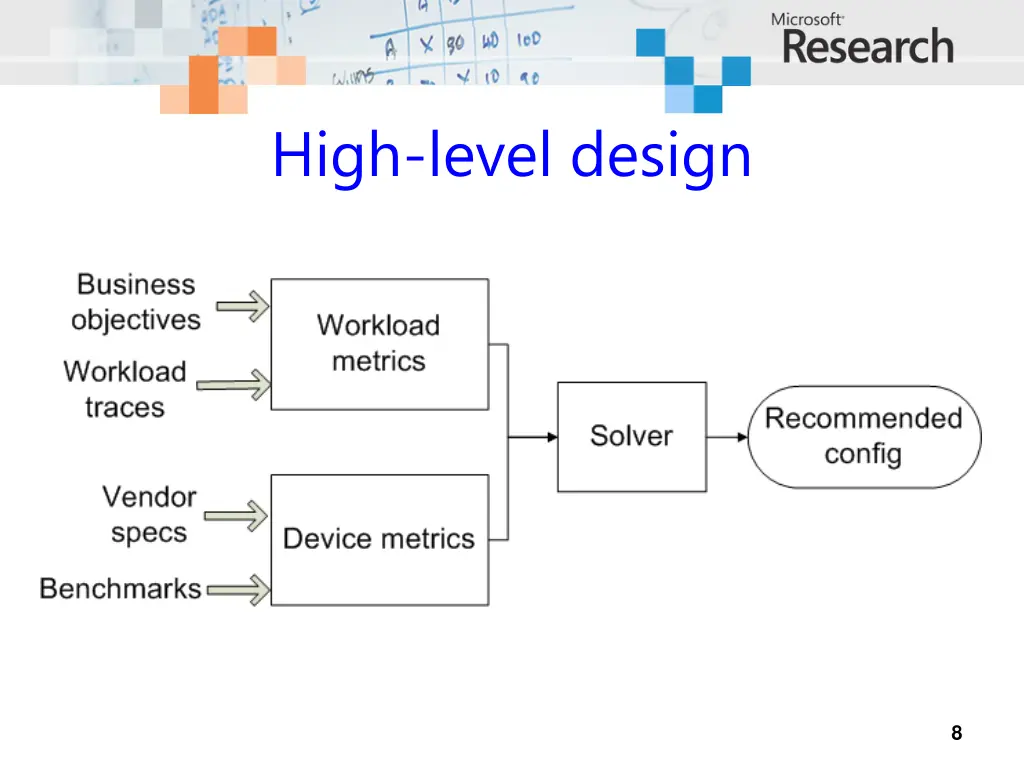
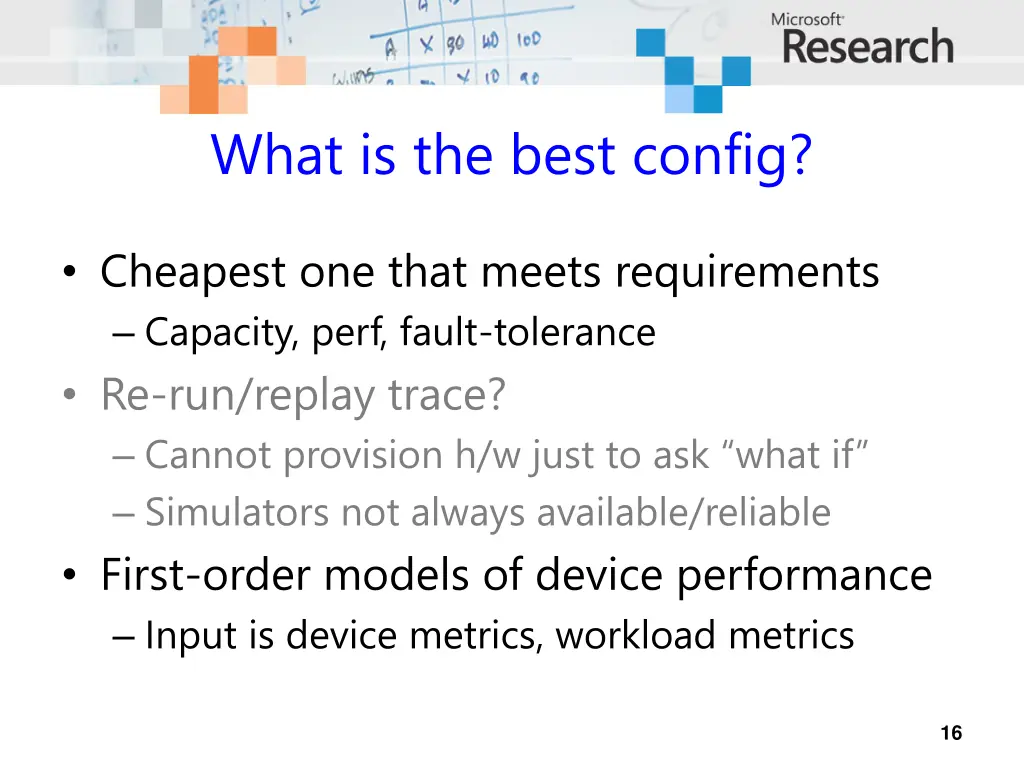
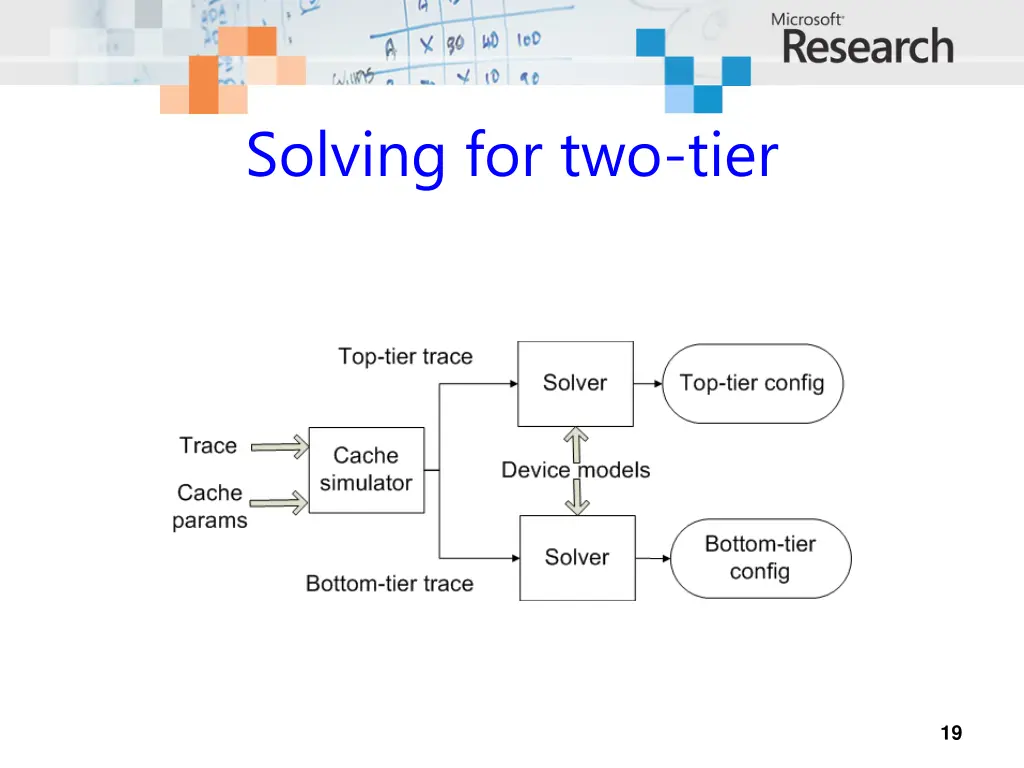
What is the best config? Cheapest one that meets requirements Capacity, perf, fault-tolerance Re-run/replay trace? Cannot provision h/w just to ask what if Simulators not always available/reliable First-order models of device performance Input is device metrics, workload metrics 16
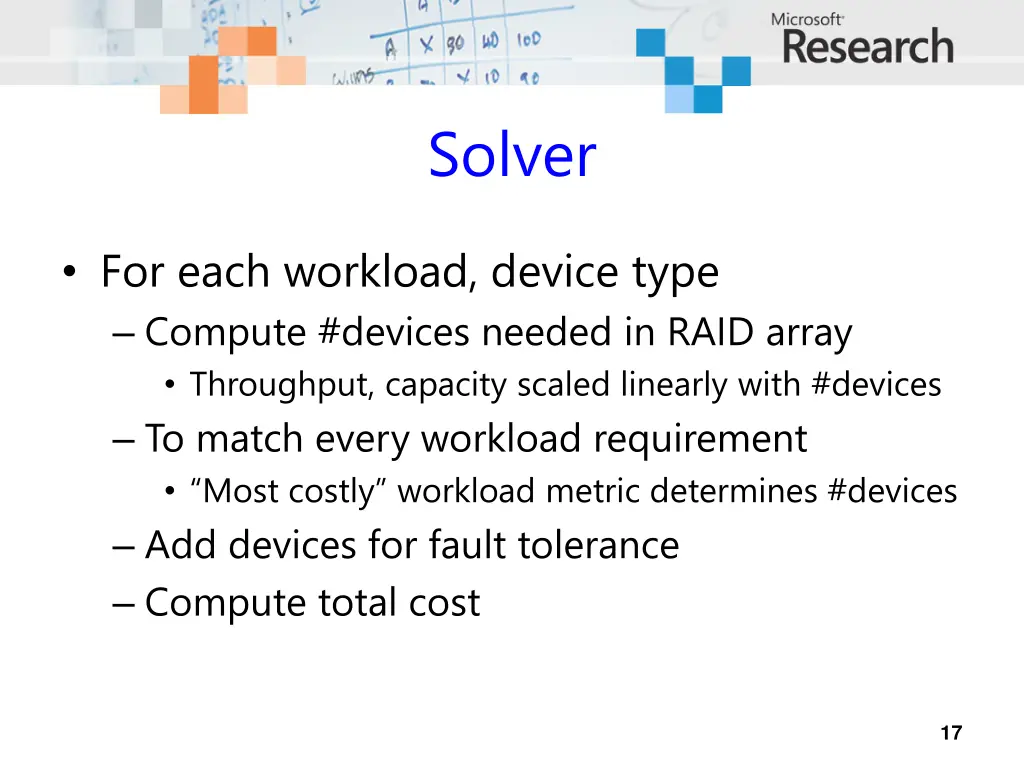
Solver For each workload, device type Compute #devices needed in RAID array Throughput, capacity scaled linearly with #devices To match every workload requirement Most costly workload metric determines #devices Add devices for fault tolerance Compute total cost 17
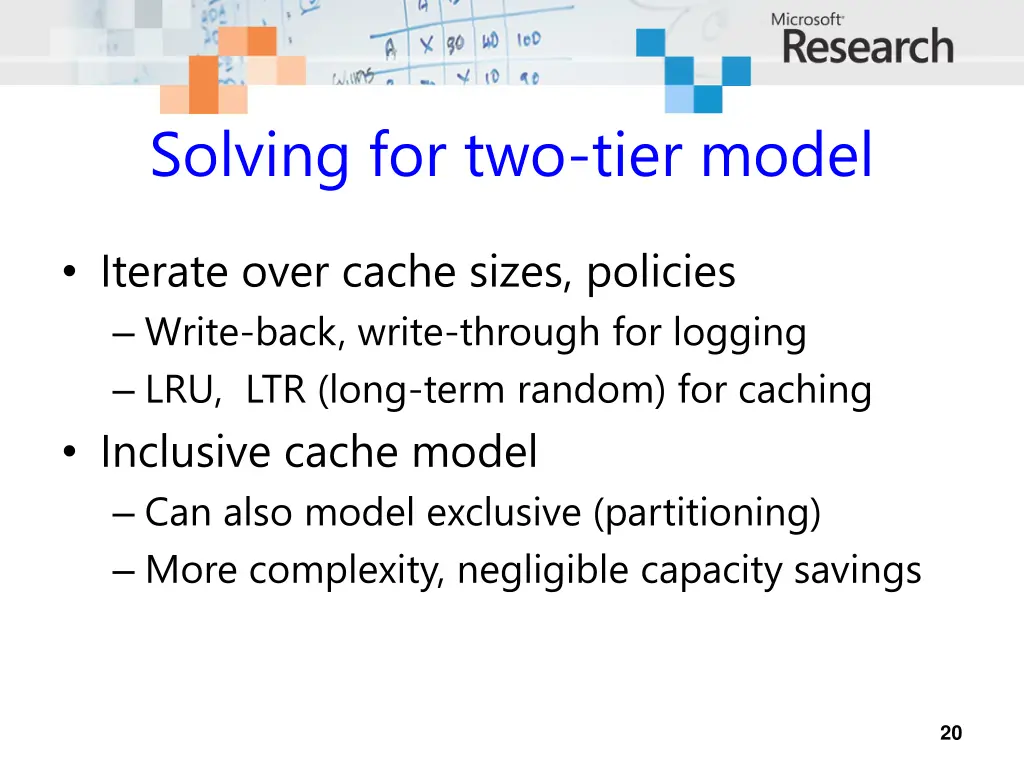
Solving for two-tier model Iterate over cache sizes, policies Write-back, write-through for logging LRU, LTR (long-term random) for caching Inclusive cache model Can also model exclusive (partitioning) More complexity, negligible capacity savings 20
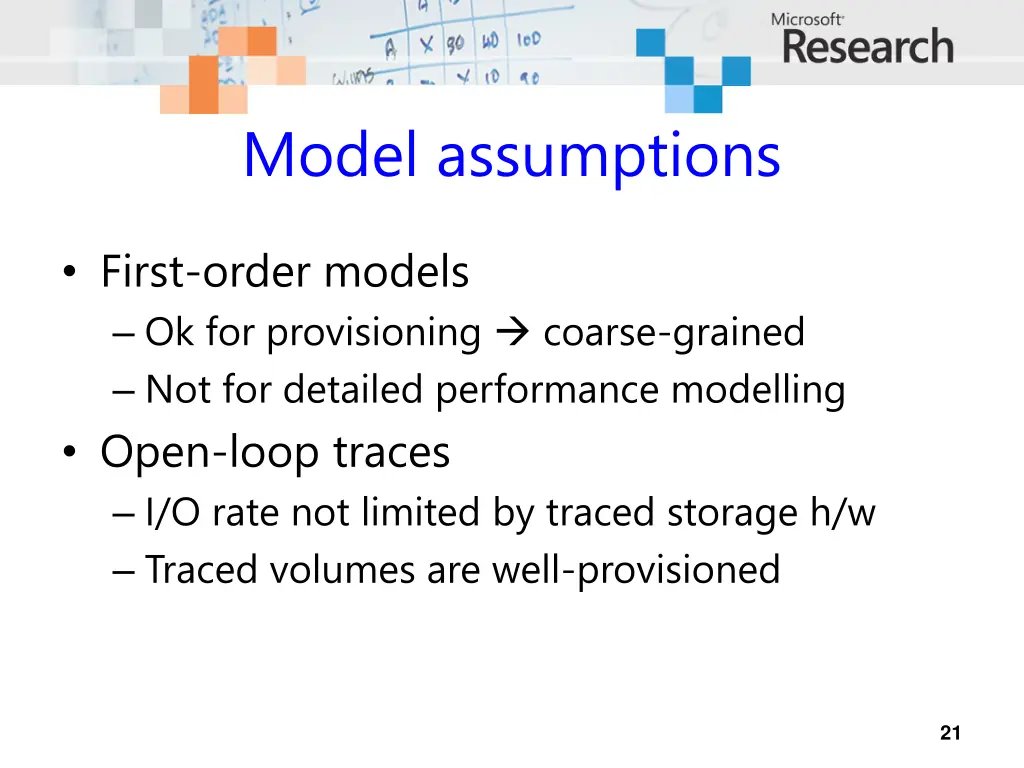
Model assumptions First-order models Ok for provisioning coarse-grained Not for detailed performance modelling Open-loop traces I/O rate not limited by traced storage h/w Traced volumes are well-provisioned 21
Roadmap Introduction Devices and workloads Finding the best configuration Analysis results 22
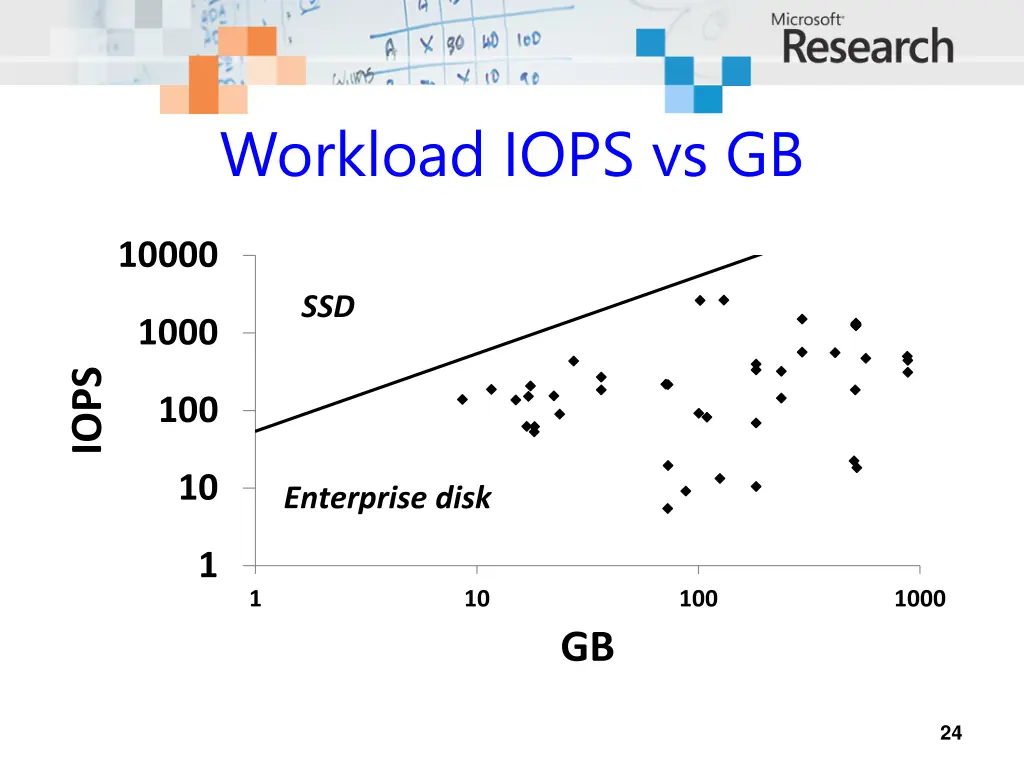
Single-tier results Cheetah 10K best device for all workloads! SSDs cost too much per GB Capacity or read IOPS determines cost Not read MB/s, write MB/s, or write IOPS For SSDs, always capacity Read IOPS vs. GB is the key tradeoff 23
Workload IOPS vs GB 10000 SSD 1000 IOPS 100 10 Enterprise disk 1 1 10 100 1000 GB 24
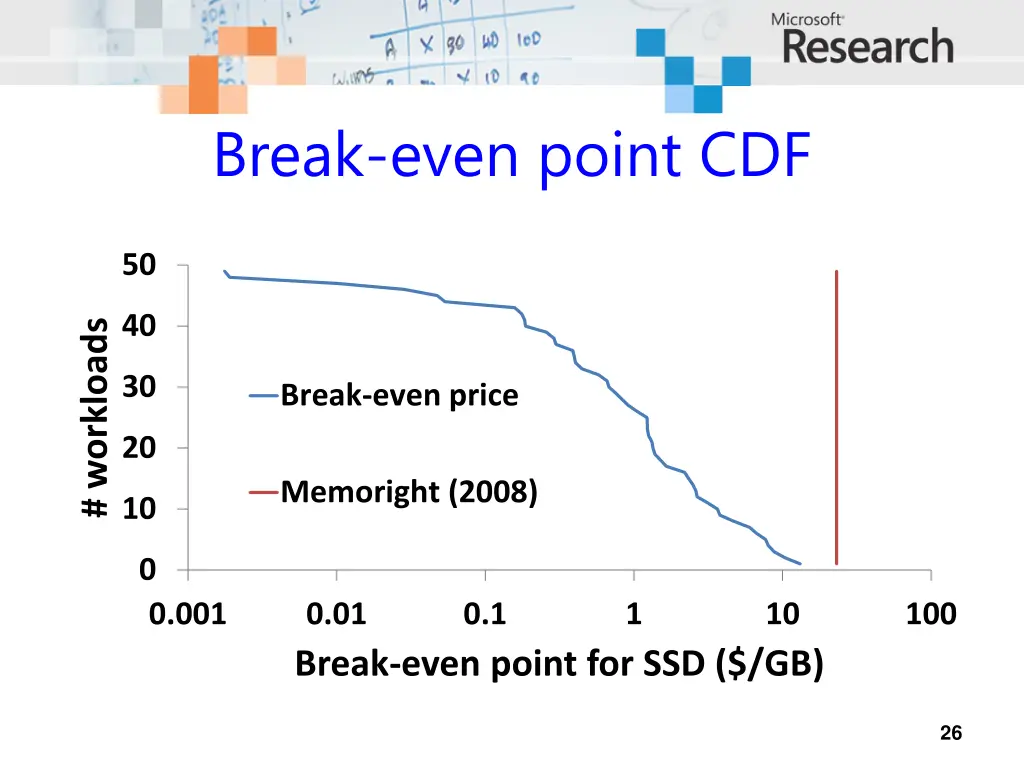
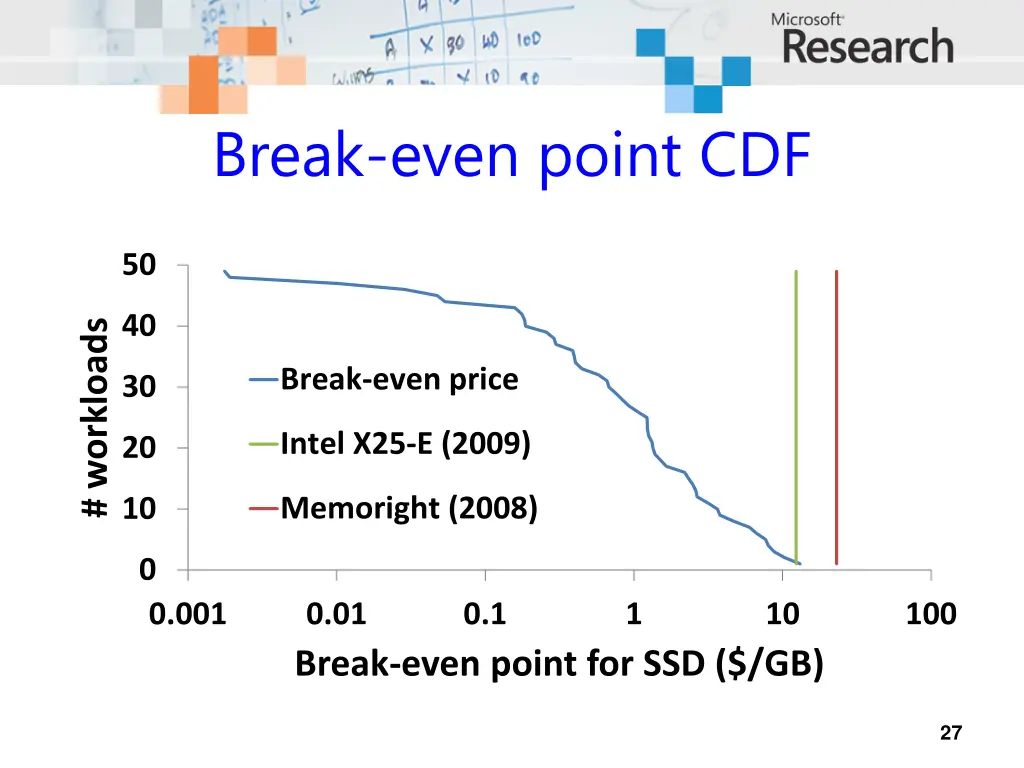
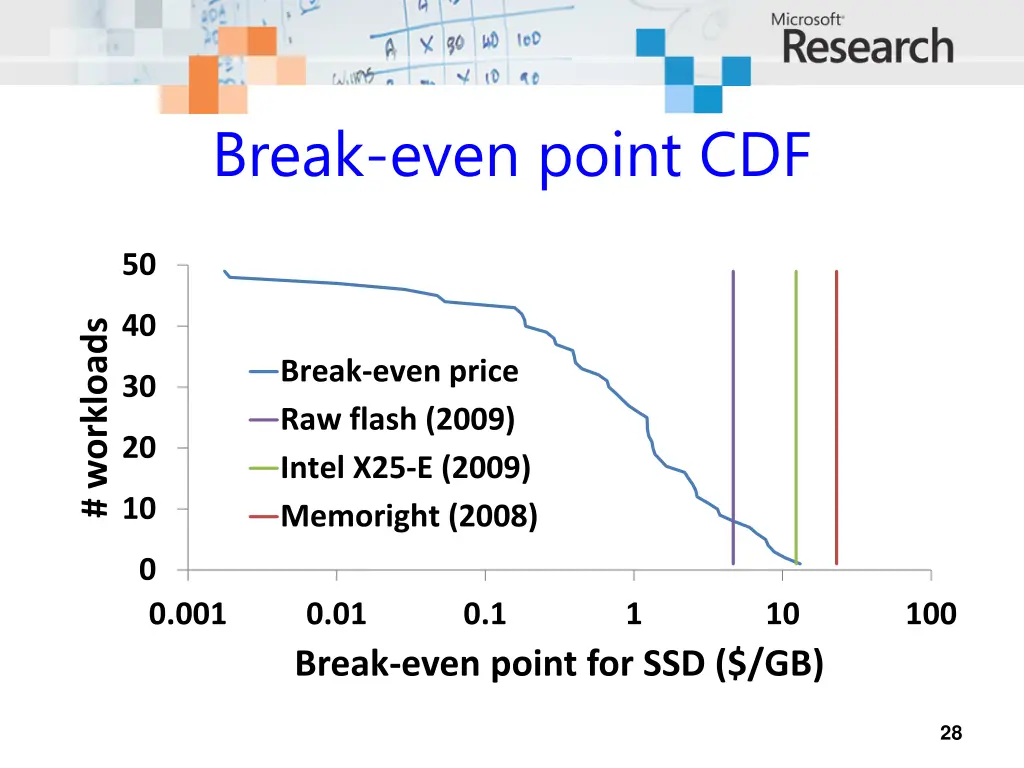
When will SSDs win? When IOPS dominates cost Break even $/GB for SSD when Cost of GB (SSD) = Cost of IOPS (disk) Our tool also computes this point New SSD compare its $/GB to break-even Then decide whether to buy it 25
Break-even point CDF 50 40 # workloads 30 Break-even price 20 Memoright (2008) 10 0 0.001 0.01 Break-even point for SSD ($/GB) 0.1 1 10 100 26
Break-even point CDF 50 40 # workloads Break-even price 30 Intel X25-E (2009) 20 Memoright (2008) 10 0 0.001 0.01 Break-even point for SSD ($/GB) 0.1 1 10 100 27
Break-even point CDF 50 40 # workloads Break-even price Raw flash (2009) Intel X25-E (2009) Memoright (2008) 30 20 10 0 0.001 0.01 Break-even point for SSD ($/GB) 0.1 1 10 100 28
Capacity limits SSD On performance, SSD already beats disk $/GB too high by 1-3 orders of magnitude Except for small (system boot) volumes SSD price has gone down but This is per-device price, not per-byte price Raw flash $/GB also needs to drop a lot 29
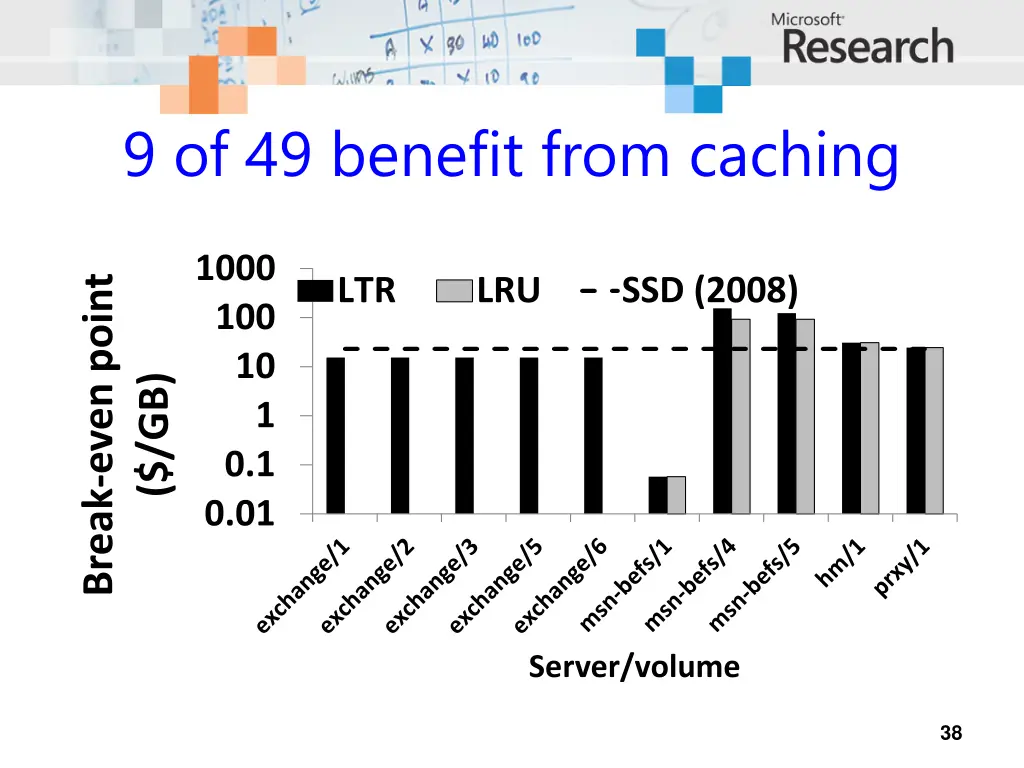
SSD as intermediate tier Read caching of little benefit Servers already cache in DRAM Persistent write-ahead log is useful Can improve write latency with a little flash But does not reduce disk tier provisioning Because writes are not the limiting factor 30
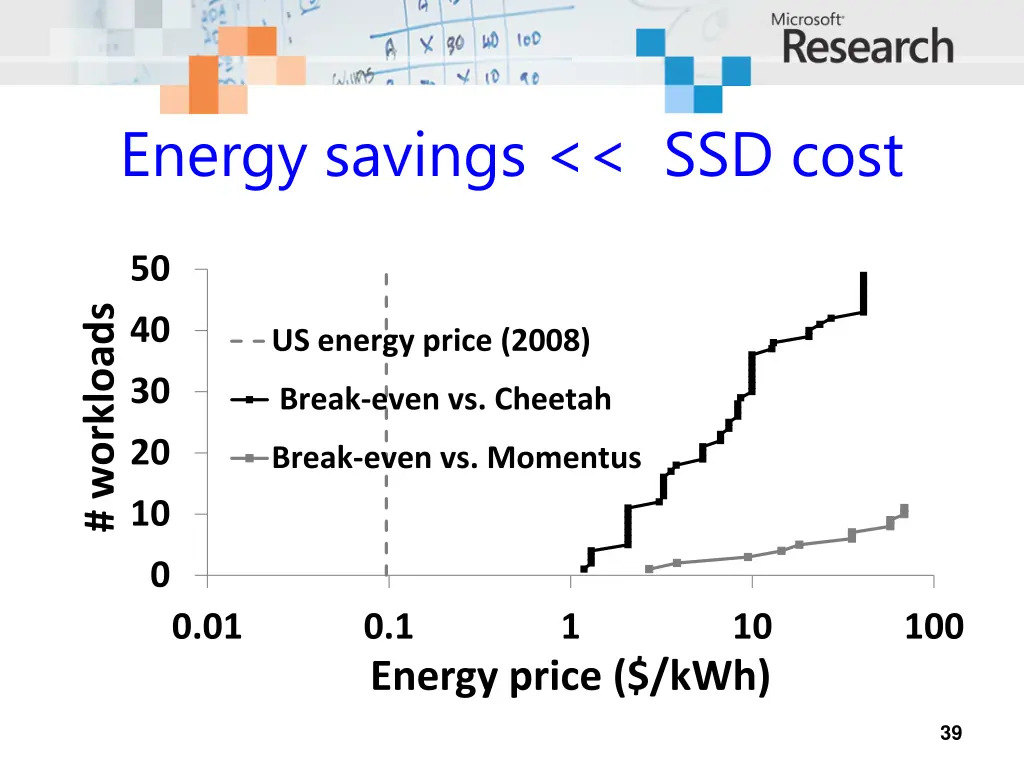
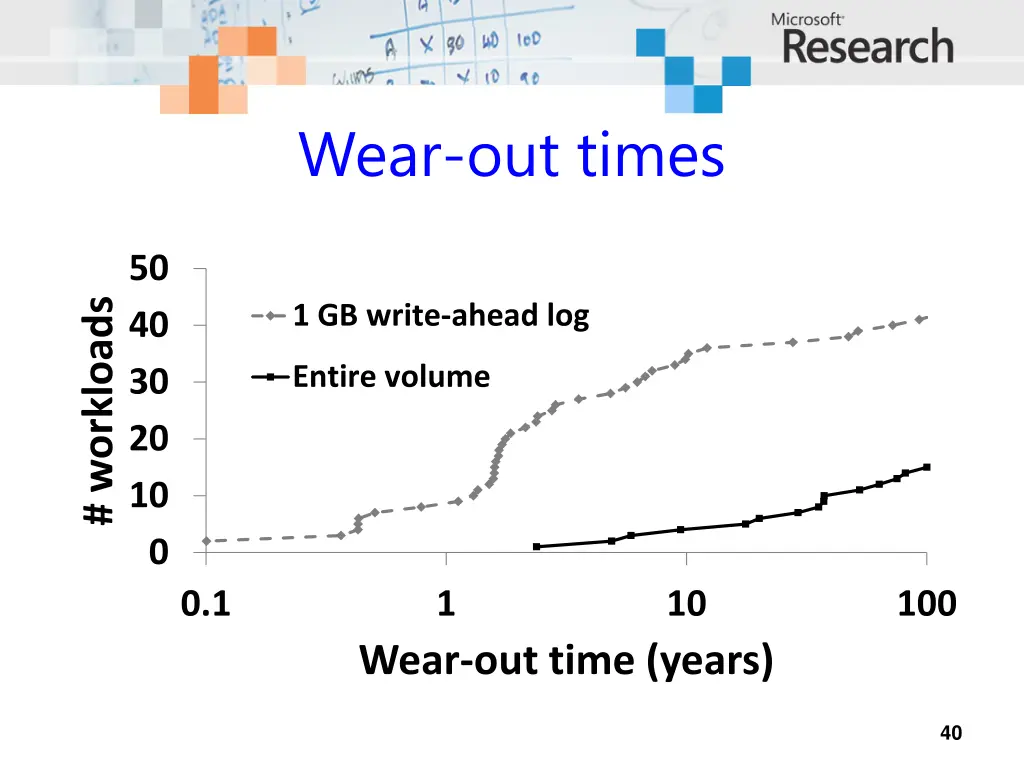
Power and wear SSDs use less power than Cheetahs But $ savings << cost difference Flash wear is not an issue SSDs have finite #write cycles But will last well beyond 5 years Workloads long-term write rate not that high You will upgrade before you wear device out 31
Conclusion Capacity limits flash SSD in enterprise Not performance, not wear Workload IOPS/GB ratio is key metric Might never get cheap enough [Hetzler2008] All Si capacity today = 12% of HDD market There are more profitable uses of Si capacity Need higher density technologies (PCM?) 32
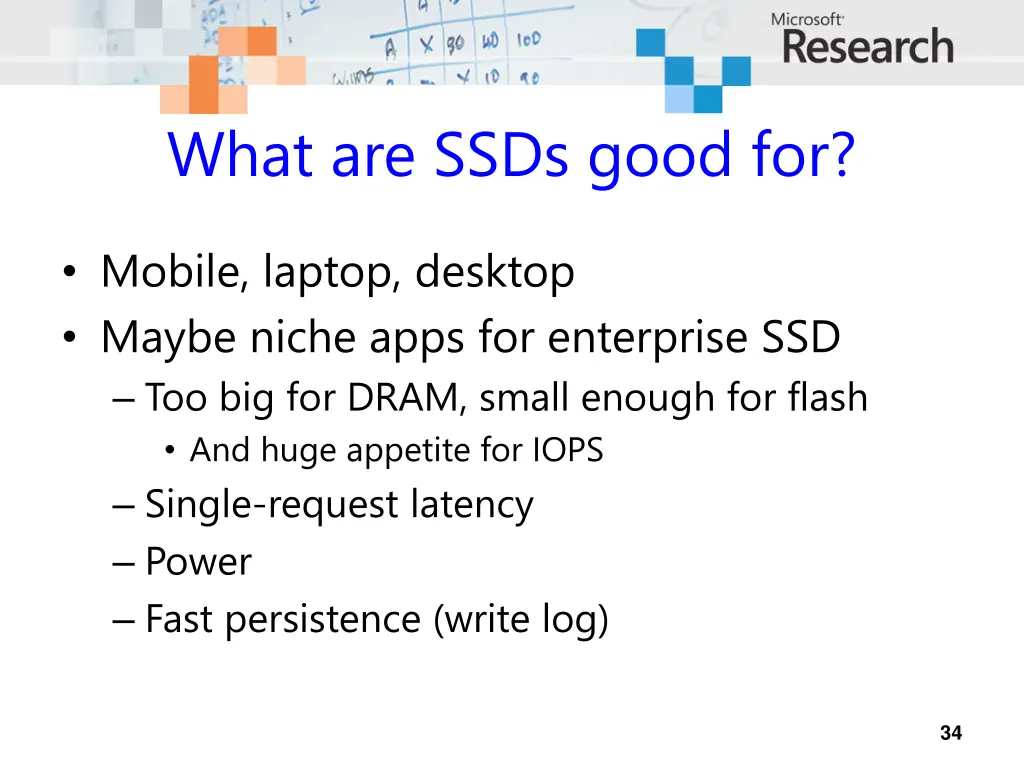
What are SSDs good for? Mobile, laptop, desktop Maybe niche apps for enterprise SSD Too big for DRAM, small enough for flash And huge appetite for IOPS Single-request latency Power Fast persistence (write log) 34
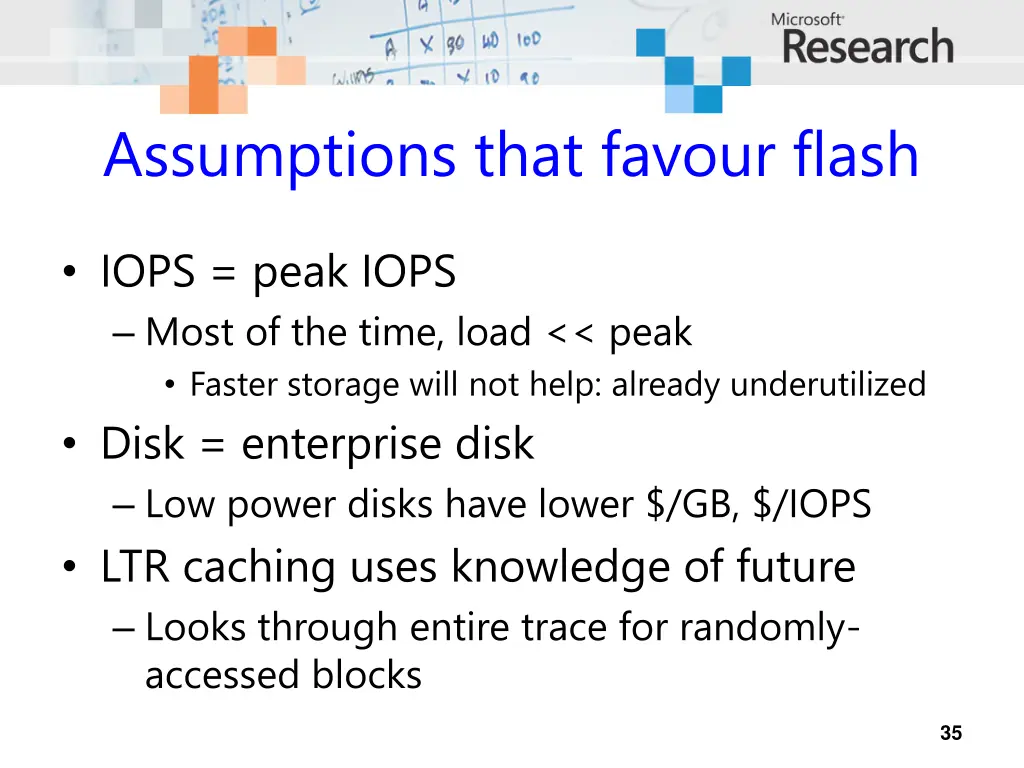
Assumptions that favour flash IOPS = peak IOPS Most of the time, load << peak Faster storage will not help: already underutilized Disk = enterprise disk Low power disks have lower $/GB, $/IOPS LTR caching uses knowledge of future Looks through entire trace for randomly- accessed blocks 35
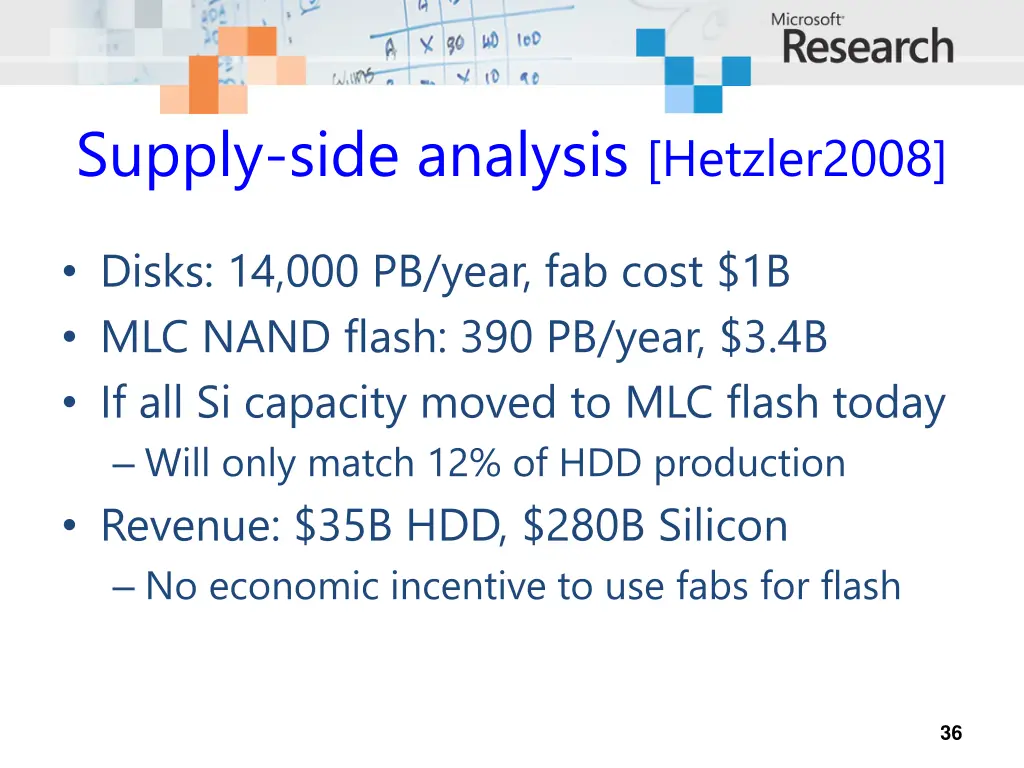
Supply-side analysis [Hetzler2008] Disks: 14,000 PB/year, fab cost $1B MLC NAND flash: 390 PB/year, $3.4B If all Si capacity moved to MLC flash today Will only match 12% of HDD production Revenue: $35B HDD, $280B Silicon No economic incentive to use fabs for flash 36
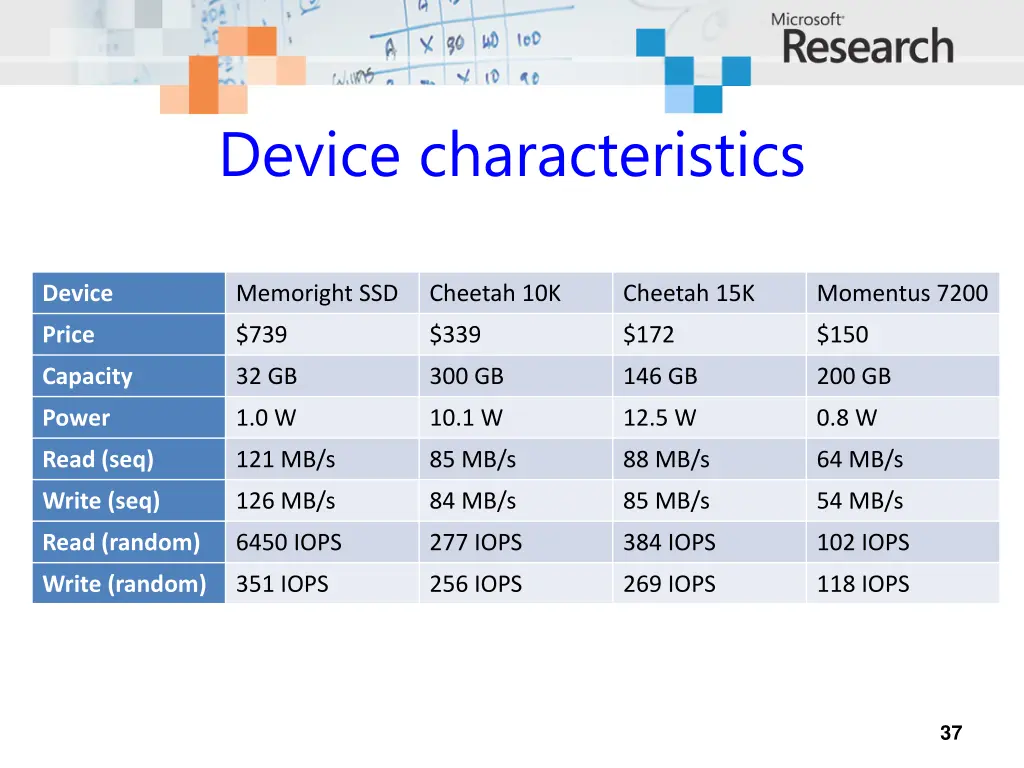
Device characteristics Device Memoright SSD Cheetah 10K Cheetah 15K Momentus 7200 Price $739 $339 $172 $150 Capacity 32 GB 300 GB 146 GB 200 GB Power 1.0 W 10.1 W 12.5 W 0.8 W Read (seq) 121 MB/s 85 MB/s 88 MB/s 64 MB/s Write (seq) 126 MB/s 84 MB/s 85 MB/s 54 MB/s Read (random) 6450 IOPS 277 IOPS 384 IOPS 102 IOPS Write (random) 351 IOPS 256 IOPS 269 IOPS 118 IOPS 37
9 of 49 benefit from caching 1000 Break-even point LTR LRU SSD (2008) 100 10 ($/GB) 1 0.1 0.01 Server/volume 38
Energy savings << SSD cost 50 # workloads 40 US energy price (2008) 30 Break-even vs. Cheetah 20 Break-even vs. Momentus 10 0 0.01 0.1 Energy price ($/kWh) 1 10 100 39
Wear-out times 50 # workloads 1 GB write-ahead log 40 Entire volume 30 20 10 0 0.1 1 10 100 Wear-out time (years) 40